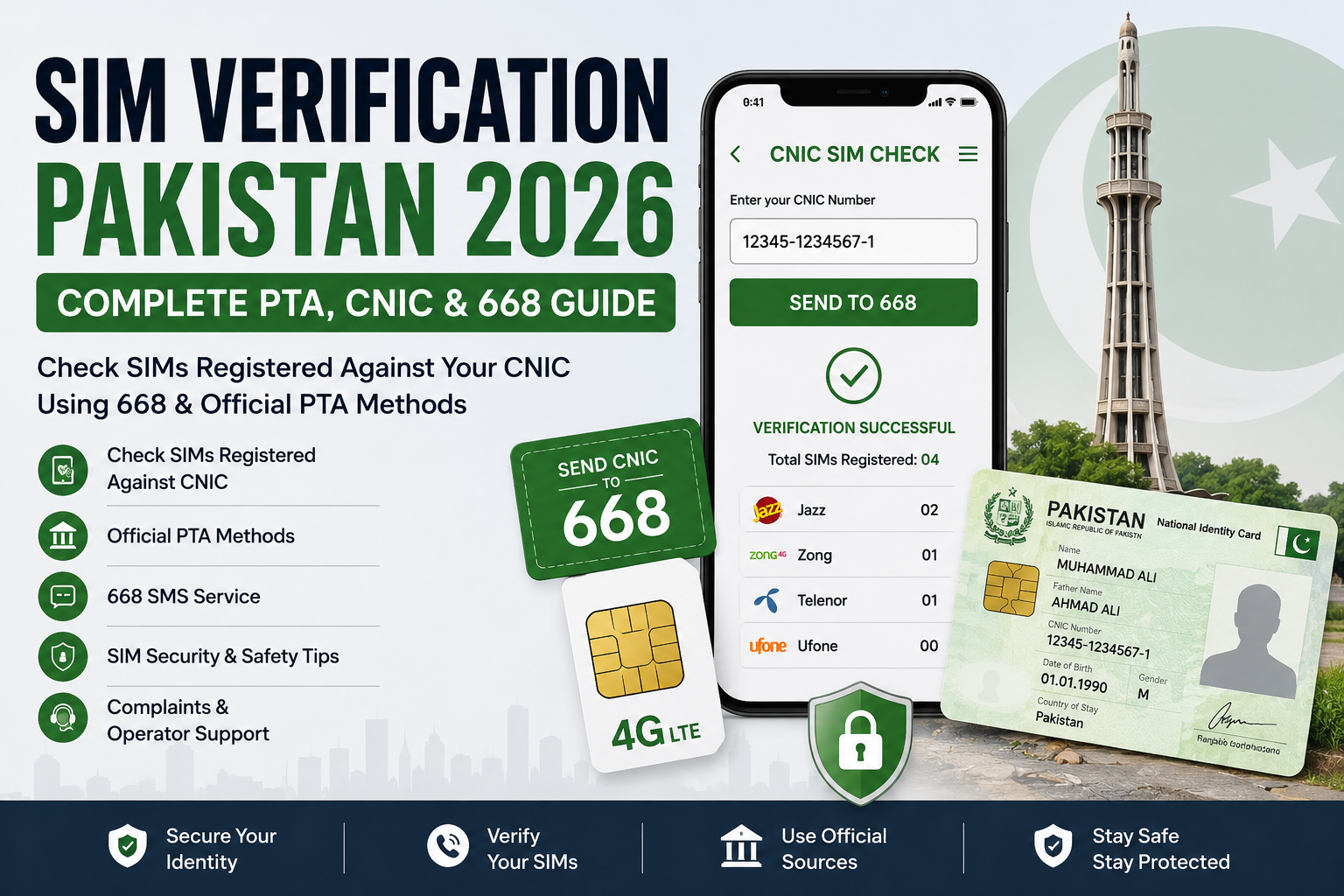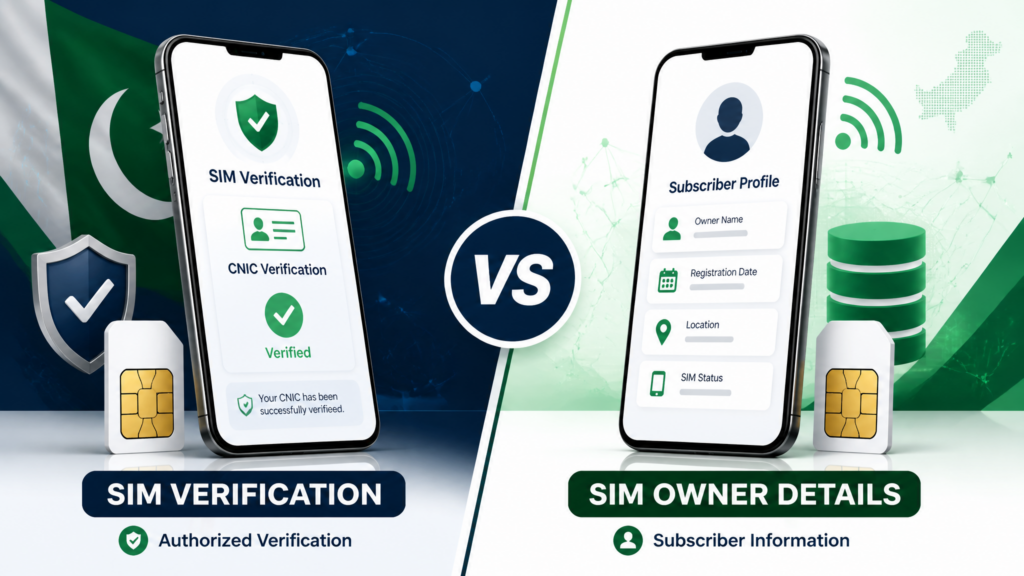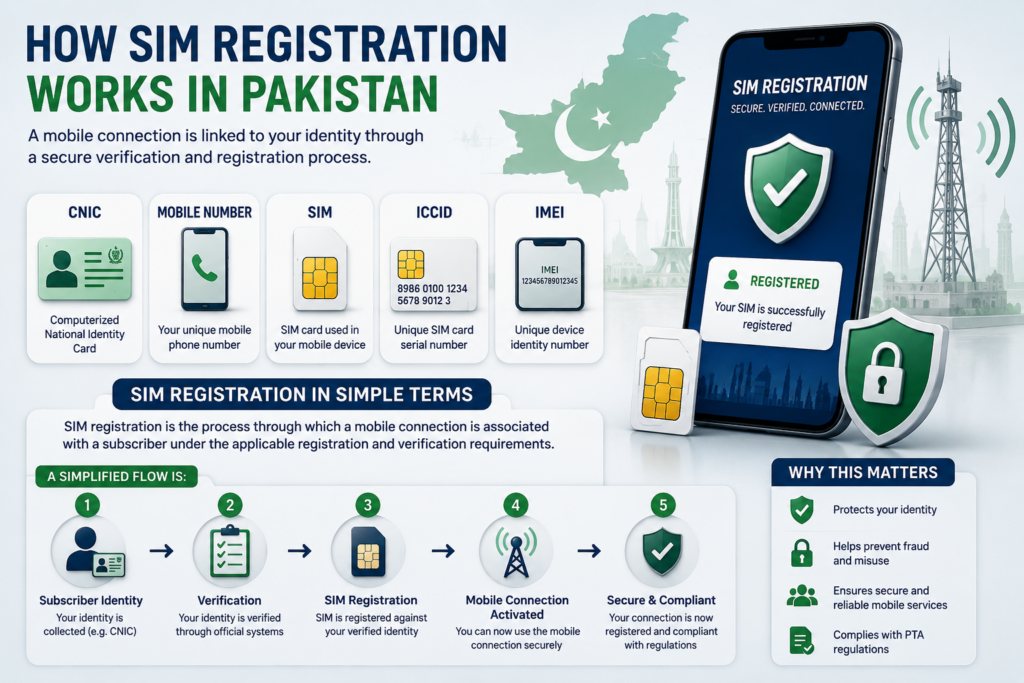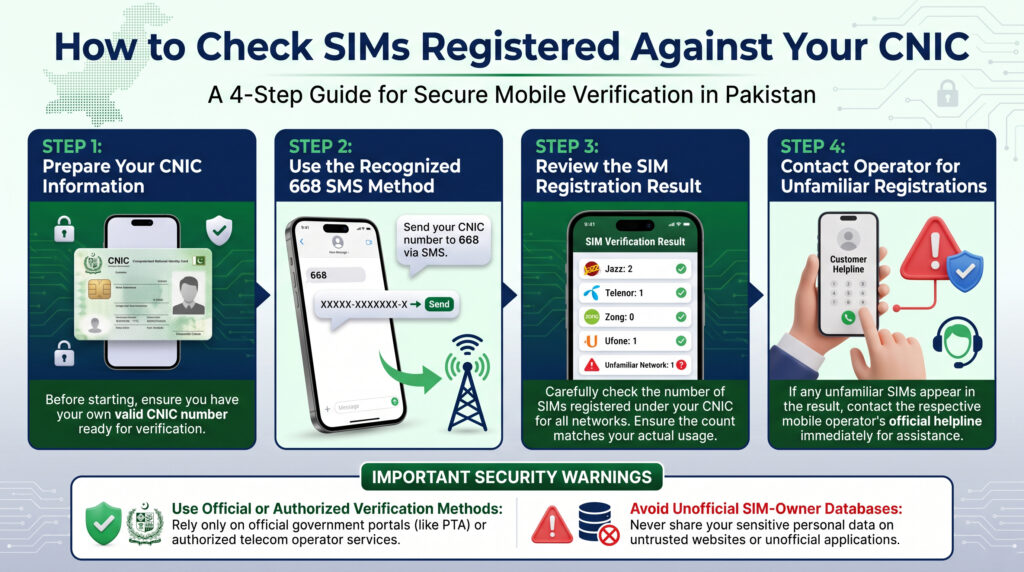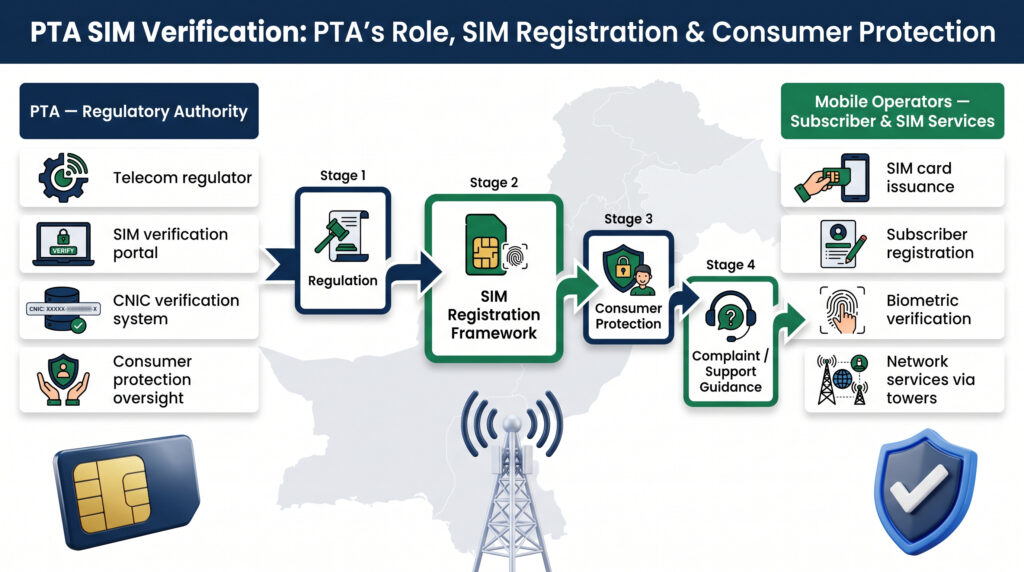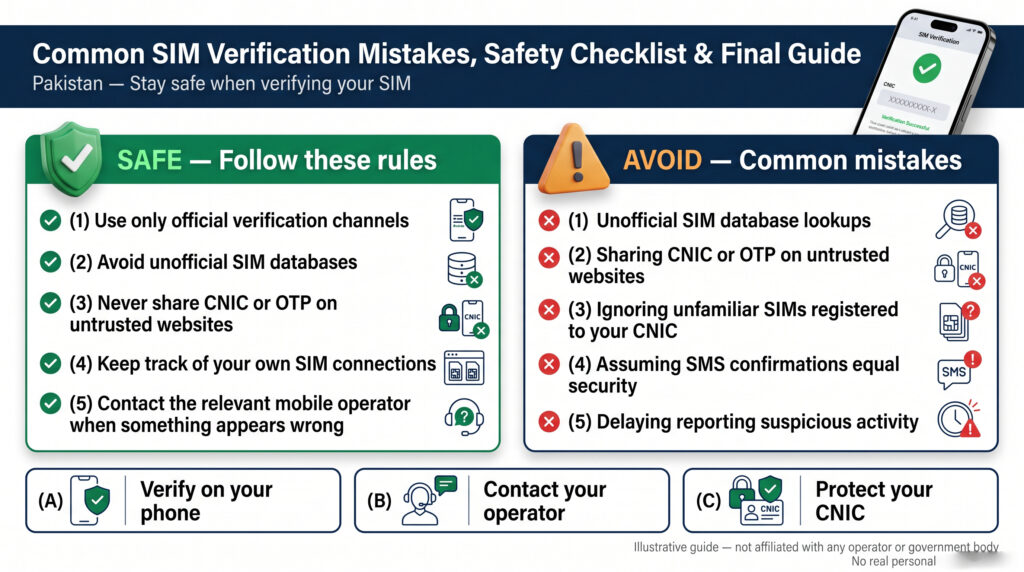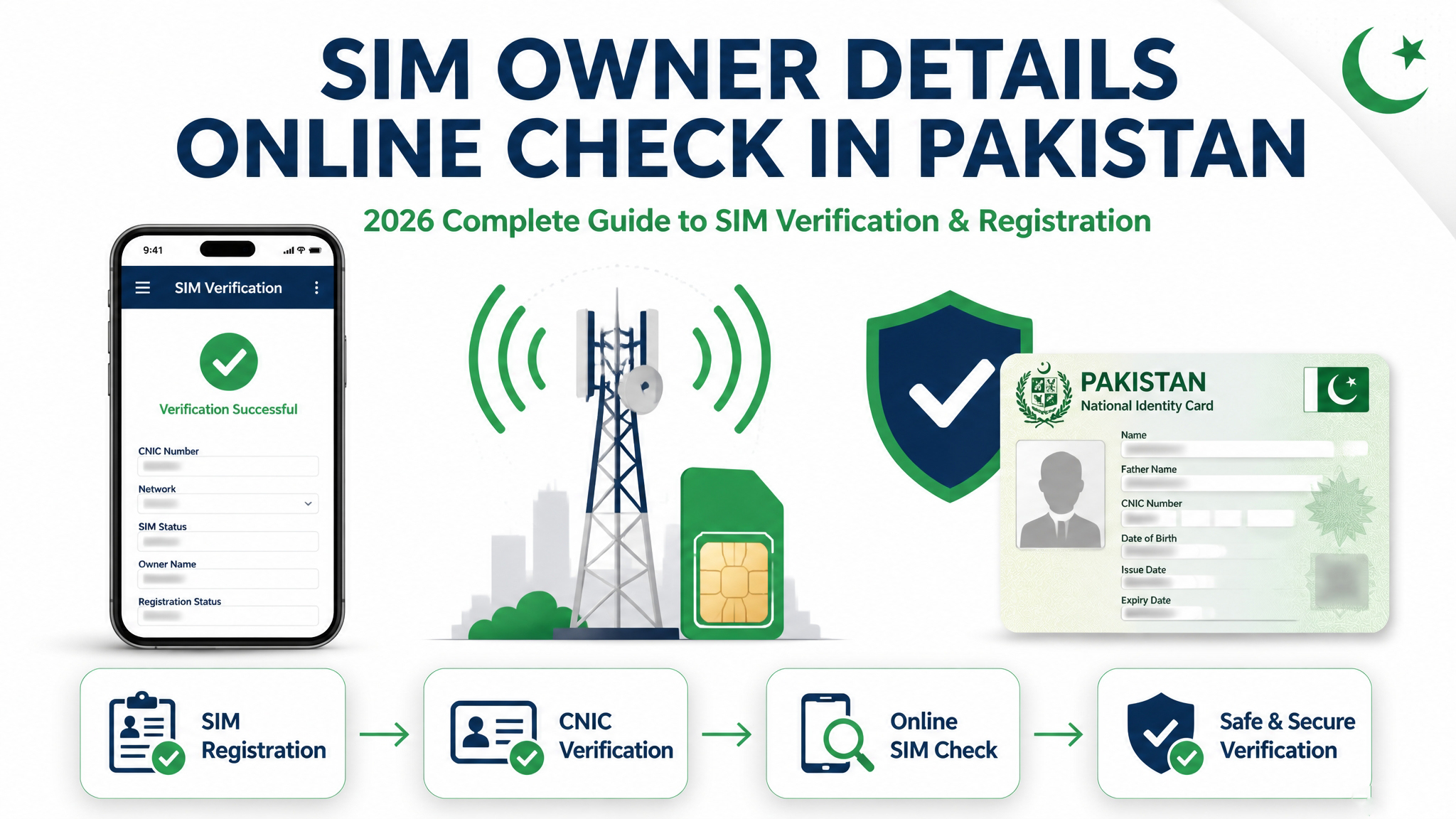
Checking SIM Owner Details Online Check in Pakistan can be useful when you want to understand SIM registration, verify your own mobile connections, or find the appropriate way to handle a SIM-related issue. However, an online SIM check should not be confused with unrestricted access to private subscriber information.
Many people search for an instant online service where they can enter a mobile number and receive complete owner details. In practice, the type of information that can legitimately be checked depends on what you are trying to verify, whose SIM is involved, and which verification channel you use.
This guide explains the online SIM-check process from a practical and privacy-conscious perspective.
What Does SIM Owner Details Online Check Mean?
The term SIM Owner Details Online Check generally refers to searching for information related to a mobile SIM or its registration through an online service.
Different users may have completely different reasons for performing a check.
For example, you may want to:
- Verify information about your own SIM
- Review SIMs associated with your own CNIC
- Understand the registration status of a connection
- Find the appropriate network or operator
- Investigate an unfamiliar SIM-related issue
- Learn how to handle an ownership or registration mismatch
- Find safer ways to verify telecom information online
Because these situations are different, there is no reason to treat every SIM search as the same type of lookup.
Online Checking Does Not Mean Complete Private Information
One of the most important points to understand is that an online SIM check does not automatically mean that a person can publicly retrieve every piece of information associated with a mobile number.
Private subscriber information should not be treated as ordinary search-engine data.
For example, users should be cautious about websites claiming that they can instantly provide another person’s:
- Complete CNIC information
- Residential address
- Biometric details
- Family information
- Confidential subscriber records
- Private telecom history
A responsible online verification process focuses on information that can actually be verified through an appropriate and recognized method.
Why People Search for SIM Owner Details Online
The reason behind a SIM search often determines the correct verification method.
Someone who has just purchased a SIM may want to confirm its registration.
Another person may be reviewing the SIMs connected to their own CNIC.
Someone else may have received suspicious calls from an unknown number and want to understand what they can safely do about it.
These are three different situations, even though all three may use the same search phrase.
That is why this guide will focus not only on what can be checked online, but also on how to choose the right verification method without unnecessarily exposing personal information.
A Better Way to Approach an Online SIM Check
Instead of starting with:
“Which website will show me the owner’s complete details?”
start with:
“What information do I actually need to verify?”
Then determine whether the appropriate route is:
Your own SIM → Mobile operator verification
Your own CNIC → CNIC-based SIM registration check
Unknown or suspicious number → Security, blocking and appropriate reporting
Registration problem → Relevant telecom operator
This approach makes an online SIM check more useful and significantly reduces the risk of relying on misleading third-party databases.
What Information Can You Check Through an Online SIM Verification?
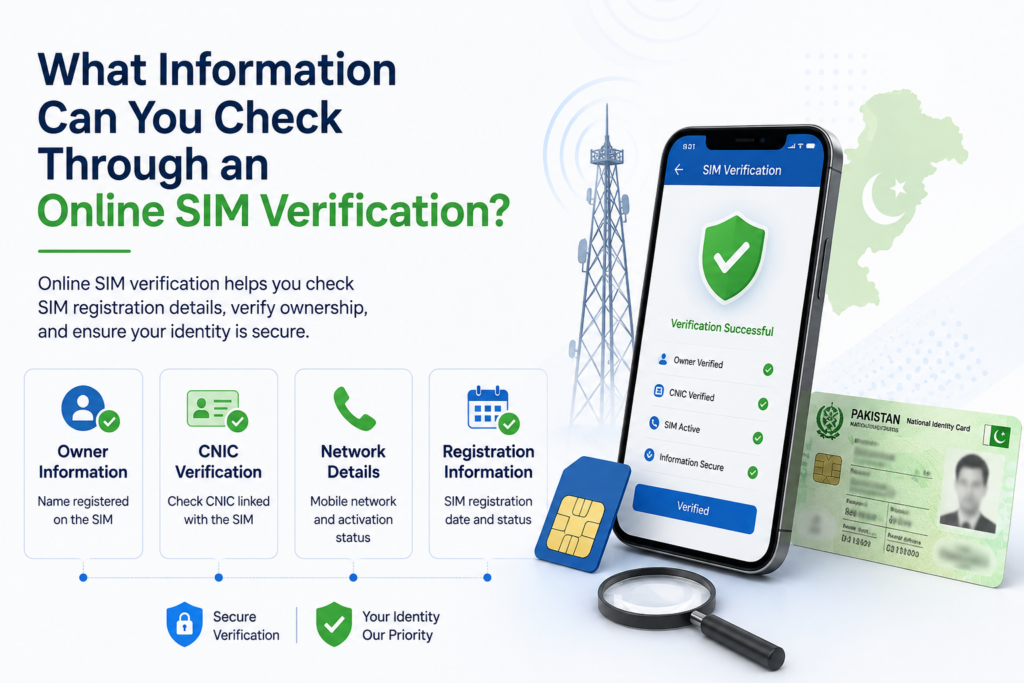
When people search for SIM Owner Details Online Check in Pakistan, they often expect an online form to provide a complete profile of the person associated with a mobile number. The reality is more specific: different verification methods provide different types of information, and the information available depends on the purpose of the check.
Understanding these limits helps you avoid unreliable services and focus on information that can actually be verified.
For official information about CNIC and identity registration in Pakistan, users can refer to the National Database & Registration Authority (NADRA). NADRA provides official identity and verification services, making it a useful reference when understanding CNIC-related registration information.
1. SIM Registration Information
One of the most useful reasons for performing an online SIM check is to understand SIM registration.
If you are checking your own connections, registration-related information can help you determine whether your known SIMs are properly associated with your identity.
This can be particularly useful when:
- You have several old SIMs.
- You recently obtained a new connection.
- You replaced a SIM.
- You previously used multiple mobile networks.
- You want to review your registered connections.
However, registration verification should be performed through a recognized telecom or official verification channel rather than an unknown database.
2. SIMs Associated With Your CNIC
A CNIC-based verification serves a different purpose from a public mobile-number lookup.
If you want to know how many SIM connections are associated with your own CNIC, a recognized SIM Information System can help you review your registrations.
This can be useful for identifying connections you may have forgotten about.
For example, a person who has used several networks over many years may not remember every SIM that was registered in their name.
A periodic review can help them identify connections that require further investigation.
3. Network or Operator Information
Depending on the verification method, you may also be able to determine information about the mobile network associated with a number.
This can be useful when dealing with a specific connection because it helps you identify the appropriate operator to contact.
However, remember that a number’s original prefix should not automatically be considered proof of its current network because mobile-number portability can affect network association.
For important matters, use a current recognized network or operator verification method.
4. Your Own SIM Registration Status
If the mobile number belongs to you, online research can help you understand the appropriate process for verifying its registration.
The relevant operator is generally the appropriate source for questions involving:
- Ownership
- Registration
- SIM replacement
- Ownership transfer
- Account-related issues
- Registration corrections
An online article or third-party database can provide general educational information, but it should not replace an authorized operator record when you need to resolve an actual ownership issue.
5. What You Should Not Expect From a Public Search
A major misunderstanding surrounding SIM Owner Details Online Check is the belief that every detail associated with a mobile number should be publicly accessible.
You should not assume that an ordinary online search can legitimately provide another person’s:
- Complete CNIC
- Residential address
- Biometric information
- Family details
- Private account records
- Confidential telecom history
If a website promises all of these details from a simple mobile-number search, evaluate the source carefully before providing any information.
6. Why the Source Matters
Two websites may display similar information while having completely different levels of reliability.
One may be an educational resource explaining SIM verification.
Another may claim to provide a private database without explaining where its information comes from.
The second type of service should not automatically be considered trustworthy simply because it displays a name, number, or database-style interface.
For important verification, recognized telecom and official channels should take priority.
7. Online Information Is Not Always Current
SIM information can change over time.
A connection may be:
- Transferred
- Replaced
- Deactivated
- Reissued
- Ported to another network
- Updated through an operator
An old third-party record may therefore no longer represent the current situation.
This is another reason why SIM Owner Details Online Check in Pakistan should be treated as a verification process rather than a simple search for the first result available online.
Official Online Methods for Checking SIM Information in Pakistan

When looking for SIM Owner Details Online Check in Pakistan, the safest approach is to begin with recognized telecom and official verification methods. The correct method depends on whether you are checking your own CNIC, your own SIM, or trying to understand an unfamiliar number.
1. CNIC-Based SIM Verification
If your main question is:
How many SIMs are registered against my CNIC?
then a CNIC-based SIM verification method is more appropriate than searching random websites for a person’s name.
Pakistan’s recognized SIM Information System provides a way to review SIM registrations associated with your own CNIC.
This is particularly useful for:
- Reviewing your registered connections
- Identifying unfamiliar registrations
- Checking multiple network registrations
- Keeping track of old SIM connections
- Investigating possible registration discrepancies
The purpose is primarily to help you review your own telecom registrations, rather than provide unrestricted access to another person’s private subscriber information.
2. Mobile Operator Verification
When your question concerns a specific SIM that you personally use, the relevant mobile operator can be an appropriate source.
An operator’s recognized customer-service or authorized service channel can guide you regarding:
- SIM registration
- Ownership verification
- SIM replacement
- Ownership transfer
- Registration correction
- Account-related questions
This route is particularly important when an online search produces conflicting information.
An unofficial website may display a name or registration claim, but the operator’s authorized process is more appropriate for resolving an actual subscriber or ownership issue.
3. Authorized Service Centers
Some SIM-related issues cannot be properly resolved through a simple online search.
If identity verification or a physical service procedure is required, an authorized service center may be necessary.
For example, ownership-related requests or certain SIM replacement procedures may require identity verification according to the operator’s current requirements.
Do not rely on an unknown person offering to perform such services privately.
4. Official Telecom Resources
For information concerning SIM registration, telecom regulations, complaints, or verification procedures, prioritize recognized official resources.
This is especially important when dealing with:
- Registration disputes
- Unexpected SIMs
- Ownership issues
- Suspicious telecom activity
- Questions about current verification procedures
Official resources are generally more appropriate than websites making unsupported claims about access to private SIM databases.
5. What About Online “SIM Owner” Websites?
Search engines may show websites that claim to provide instant SIM owner information.
These websites should be evaluated carefully.
A page may call itself a:
- SIM database
- SIM owner checker
- SIM information system
- Number tracker
- Owner details service
but the name alone does not prove that it is an official telecom database.
Before entering personal information, determine who operates the service and whether the information being requested is actually necessary.
6. Use the Method That Matches Your Situation
A simple rule can make online SIM verification easier:
Checking your own SIM registrations
→ Use the recognized CNIC-based verification method.
Checking your own specific connection
→ Use the relevant operator’s authorized process.
Finding an unfamiliar registration under your CNIC
→ Identify the network and contact the relevant operator.
Dealing with a suspicious number
→ Prioritize blocking, evidence preservation, and appropriate reporting.
This approach prevents you from using a public-number search when your actual requirement is a CNIC registration check.
7. Why Official Verification Is Better
The biggest advantage of using an appropriate official method is reliability.
Third-party websites may contain outdated or incomplete information, while authorized telecom channels are designed to handle actual subscriber and registration matters.
Therefore, when the information could affect your SIM ownership, CNIC registration, or account security, do not rely solely on an unverified online result.
How to Check Your Own SIM Registration Online
If your goal is SIM Owner Details Online Check in Pakistan for a SIM that you personally use, the most important step is to distinguish between online information and official registration verification.
A mobile number working in your phone does not automatically mean that the registration record is correctly associated with your identity. The proper verification method depends on your operator and the type of information you need.
Start With Your Own SIM
First identify the exact mobile number you want to verify.
Think about its history:
- When did you obtain the SIM?
- Did you purchase it yourself?
- Was it previously used by another family member?
- Was it transferred to you?
- Have you replaced the physical SIM?
- Is it an old or secondary connection?
Knowing this background can help explain an unexpected registration result.
Use the Relevant Mobile Operator
For questions specifically related to a SIM you use, the relevant mobile operator is an important source of current registration information.
Use its recognized customer-service channel or authorized service location when you need to clarify:
- SIM registration
- Subscriber ownership
- Ownership transfer
- SIM replacement
- Registration correction
- Account-related issues
Do not assume that a third-party website displaying a name beside your number represents the current official registration.
Check Your CNIC Registrations
If you want to review the SIMs associated with your own CNIC, use the recognized CNIC-based SIM verification process.
This answers a different question from a number search.
A CNIC-based check can help you compare the registrations associated with your identity against the SIMs you actually know and use.
For example, if you have used several networks over the years, an unexpected registration may turn out to be an old connection you forgot about.
What If Your SIM Is Registered to Someone Else?
This can happen when a person uses a SIM originally obtained by another person.
Physical possession of a SIM does not necessarily mean that the telecom registration has automatically changed.
If you discover that the registration does not match your identity, contact the relevant operator and ask about its current ownership-transfer procedure.
Follow the operator’s required verification process rather than using an unofficial agent.
Keep Your Purchase or Transfer Records
If you recently obtained or transferred a SIM, keep any relevant documentation.
This may include:
- Purchase receipt
- Confirmation message
- Reference number
- Service-center documentation
- Ownership-transfer record
These records can be useful if you later need to clarify the registration.
What If Online Information Conflicts?
Suppose a website says one thing but your operator provides different information.
Do not immediately assume that your operator’s record is wrong.
Third-party databases can be outdated, incomplete or inaccurate.
For an actual registration or ownership issue, use the current authorized telecom process to determine the correct status.
Protect Your Personal Information
During the verification process, never give an unknown person your:
- OTP
- Password
- Banking credentials
- Full CNIC image
- Biometric information
just because they claim they can verify your SIM.
If sensitive information is legitimately required, provide it through the appropriate official channel yourself.
A Simple Verification Process
For your own SIM, follow:
Identify Number → Review SIM History → Use Operator Channel → Verify Registration → Correct Any Issue → Keep Proof
For your own CNIC registrations:
Check CNIC → Review Registered SIMs → Identify Anything Unfamiliar → Contact Relevant Operator → Recheck
This makes SIM Owner Details Online Check much more useful than relying on an anonymous online database.
How to Check SIM Owner Details Online Safely
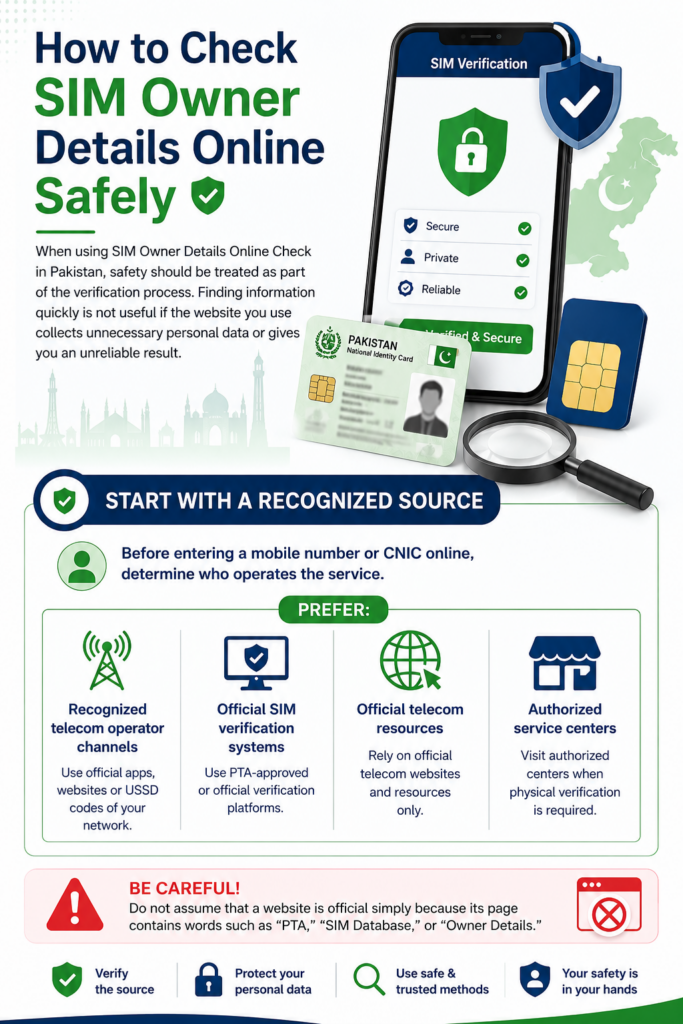
When using SIM Owner Details Online Check in Pakistan, safety should be treated as part of the verification process. Finding information quickly is not useful if the website you use collects unnecessary personal data or gives you an unreliable result.
Start With a Recognized Source
Before entering a mobile number or CNIC online, determine who operates the service.
Prefer:
- Recognized telecom operator channels
- Official SIM verification systems
- Official telecom resources
- Authorized service centers when physical verification is required
Do not assume that a website is official simply because its page contains words such as “PTA,” “SIM Database,” or “Owner Details.”
Check What Information the Website Requests
A legitimate verification process should have a clear reason for requesting personal information.
Be cautious if a simple SIM check suddenly asks for:
- Complete CNIC image
- CNIC back and front
- OTP
- Password
- Banking details
- Biometric information
- Contact-list access
- Unnecessary app permissions
The less unnecessary information you provide, the lower your exposure to privacy risks.
Never Share an OTP
An OTP should remain private.
If someone tells you:
“Send me the OTP and I will check the SIM owner.”
do not provide it.
The same applies to people claiming they can activate, transfer, block, verify, or remove a SIM on your behalf.
If an official service requires authentication, complete the verification yourself through the appropriate interface.
Be Careful With “Complete Database” Claims
Some websites may promise instant access to:
- Complete owner names
- CNIC details
- Home addresses
- Family information
- Live locations
- Private telecom records
These promises should be treated cautiously.
A website displaying a database-style interface does not prove that it has authorized access to current subscriber information.
Verify Before Acting on a Result
An online result should not automatically be considered proof.
If the information concerns your own SIM, compare it with the appropriate operator or recognized verification process.
If an unfamiliar number is involved, consider whether the actual problem is unwanted communication, fraud, harassment, or another security concern.
In such cases, blocking, preserving evidence, and reporting may be more appropriate than attempting to uncover private subscriber information.
Protect Your CNIC
Your CNIC is sensitive identity information.
Avoid uploading it to an unknown website simply because the page promises a more detailed SIM result.
If identity verification is genuinely required, use the relevant authorized telecom channel.
Also avoid sharing screenshots publicly if they contain your CNIC number, mobile number, OTP, address, or other identifying information.
Keep Your Device Secure
Online SIM checking should not require you to compromise your device.
Avoid downloading unknown applications, browser extensions, or files simply to obtain SIM information.
Before installing an application, check its developer, permissions, purpose, and reputation.
A Safe Online Checking Formula
Use this simple process:
Recognized Source → Minimum Information → Verify Result → Protect CNIC → Never Share OTP
This approach makes an online SIM check more secure while helping you avoid misleading databases and unnecessary exposure of personal information.
SIM Owner Details Online Check by CNIC: Understanding the Difference
When people search for SIM Owner Details Online Check in Pakistan, they may confuse a mobile-number search with a CNIC-based SIM verification. These are different approaches, and understanding the distinction is important for getting the right information.
What Is a CNIC-Based SIM Check?
A CNIC-based SIM check starts with your own CNIC rather than another person’s mobile number.
Its main purpose is to help you review SIM registrations associated with your identity.
This can be useful if you want to:
- Review your registered SIM connections
- Identify an unfamiliar registration
- Check multiple network registrations
- Investigate an unexpected SIM count
- Maintain better control over your telecom identity
The key point is that this process is primarily about your own registrations, not publicly searching another subscriber’s private information.
CNIC Check vs. Mobile Number Check
The difference can be summarized simply:
| Verification | Starting Point | Main Purpose |
|---|---|---|
| CNIC-based | Your CNIC | Review SIMs registered to your identity |
| Number-based | Mobile number | Investigate a particular connection |
| Operator verification | SIM/account information | Resolve registration or ownership issues |
If your concern is how many SIMs are registered against your identity, a CNIC-based method is generally more appropriate than searching random websites for owner information.
Why CNIC Verification Can Be Useful
People sometimes forget about SIMs they previously used.
You may have:
- Changed networks
- Replaced an old SIM
- Stopped using a number
- Used a secondary connection
- Had a family or business connection associated with your identity
A periodic review can help you recognize registrations that you may otherwise overlook.
What If You Find an Unknown Registration?
Do not immediately assume that an unfamiliar registration means fraud.
First compare it with your own SIM history.
Ask:
Have I ever used this network?
Did I previously have another number?
Was this connection related to a family or business arrangement?
Did I recently replace or transfer a SIM?
If you still cannot explain the registration, identify the relevant operator and contact it through an authorized channel.
CNIC Verification Does Not Mean Public Owner Lookup
A common misunderstanding is that because you can check SIM registrations against your own CNIC, you should also be able to enter another person’s CNIC or mobile number and obtain their complete private details.
That is not the same thing.
A responsible SIM Owner Details Online Check process respects the difference between information you are authorized to verify about yourself and confidential information belonging to another subscriber.
Protect Your CNIC During Online Verification
Because CNIC information is sensitive, use caution when entering it online.
Before submitting your information, make sure you understand:
- Who operates the service
- Why the CNIC is required
- Whether the service is recognized
- What information will be displayed
- Whether an alternative official channel exists
Never give your CNIC details to an unknown person simply because they promise to perform the check for you.
What About OTP Requests?
If a service requires authentication, complete the process yourself through the recognized interface.
Never send an OTP to another person.
An OTP is an authentication credential, not ordinary SIM information.
Best Practice
For SIM Owner Details Online Check in Pakistan, remember:
Your CNIC → Review your own SIM registrations
Your mobile number → Investigate your own specific connection
Unknown number → Focus on security and appropriate reporting
Registration mismatch → Contact the relevant operator
This keeps your SIM verification process focused, accurate and privacy-conscious.
Online SIM Information Check: Official vs. Unofficial Sources
When performing a SIM Owner Details Online Check in Pakistan, one of the most important decisions is choosing the right source. Search engines can return many pages about SIM information, but not every website provides verified or current telecom information.
A good online checking process begins by understanding the difference between official verification, educational resources, and unofficial database claims.
Official Telecom Sources
Official telecom and regulatory resources should be your first choice when the information concerns your own SIM registration, CNIC-linked connections, ownership, or a formal complaint.
These sources are more appropriate for matters such as:
- SIM registration
- Ownership verification
- SIM replacement
- Registration correction
- CNIC-linked SIM information
- Telecom complaints
- Operator-specific services
If the information could affect your identity or SIM ownership, an authorized source should take priority over an anonymous website.
Educational SIM Resources
Educational websites can still be useful when you want to understand:
- How SIM verification works
- Which checking method is appropriate
- What information may be available
- How to identify suspicious SIM services
- How to protect your personal information
- What steps to take after discovering a registration issue
For example, users looking for additional educational material about SIM registration, verification, and related telecom information can explore Fresh SIM Tracker for related resources.
An educational website should be viewed as a source of guidance, while actual subscriber or registration issues should be confirmed through the appropriate telecom channel.
Unofficial SIM Database Websites
The third category includes websites that claim to provide instant SIM owner information without clearly explaining their source.
Be cautious when a website promises:
- Complete owner information
- Full CNIC details
- Residential addresses
- Family information
- Live location
- Private subscriber records
- “100% accurate” database results
The presence of a search box does not prove that the service has authorized access to telecom records.
Why Search Engine Results Can Be Misleading
A website appearing in search results does not automatically mean that its information has been verified.
A page can rank because of:
- Strong SEO
- Popular keywords
- Backlinks
- Frequently searched phrases
- Content optimization
Search visibility and data authority are two different things.
Therefore, never assume that the first result for SIM Owner Details Online Check is necessarily the best source for sensitive subscriber information.
Compare Information Before Taking Action
If you find information online that appears important, verify it before making a decision.
For your own SIM:
Online information → Compare with operator → Confirm → Take action
For your own CNIC:
CNIC-based check → Review registrations → Identify discrepancies → Contact operator
For an unknown number:
Assess communication → Protect yourself → Block/report if necessary
This prevents an unverified online claim from becoming the basis for a serious accusation or decision.
A Simple Source-Quality Test
Before trusting a SIM-related website, ask:
Who operates the website?
Does it clearly explain its purpose?
Does it make realistic claims?
Does it unnecessarily request sensitive information?
Can important information be independently verified?
If several answers are unclear, use a recognized telecom source instead.
How to Identify a Reliable SIM Owner Details Online Check
When searching for SIM Owner Details Online Check in Pakistan, choosing a reliable source is just as important as knowing the checking method itself. Many online pages may look professional, but design alone does not prove that the information is accurate, current, or authorized.
A careful user should evaluate the source before entering any personal information or relying on a result.
Check Who Operates the Website
Start by identifying the organization or business behind the website.
Look for:
- Clear website ownership
- About information
- Contact details
- Privacy information
- A clearly explained purpose
- Consistent information across the website
A website that provides no meaningful information about who operates it deserves additional caution, particularly if it asks for sensitive identity information.
Examine What the Website Promises
Pay attention to the language used on the page.
A responsible SIM-information resource should explain its limitations instead of promising unlimited access to private records.
Be cautious when a website claims that you can instantly obtain:
- Complete CNIC information
- Full residential address
- Private subscriber history
- Family information
- Biometric records
- Live location
- Confidential telecom data
The more sensitive the information being promised, the more carefully the source should be evaluated.
Check Whether the Information Has a Clear Purpose
A useful website should explain what its service is actually designed to help users do.
For example, an educational guide may explain SIM registration, CNIC-linked SIM checks, network information, privacy precautions, and official verification procedures.
That is very different from a website that simply presents a search box and claims to reveal confidential owner information.
Understanding this difference can prevent users from confusing an educational resource with an authorized subscriber database.
Look at the Information the Website Requests
Before entering anything, ask whether the requested information makes sense for the task.
If you are simply trying to understand general SIM verification procedures, there should be no reason to provide:
- Banking credentials
- Passwords
- OTPs
- Unnecessary CNIC photographs
- Biometric information
- Contact-list access
If a website requests excessive information, stop and evaluate the service before continuing.
Don’t Treat HTTPS as Proof of Legitimacy
A secure connection is useful, but it does not automatically prove that a website is trustworthy.
A suspicious website can also use HTTPS.
Therefore, security indicators should be considered alongside:
Website ownership + purpose + transparency + information requirements + verification options
This provides a much stronger basis for judging a source.
Verify Important Results
Even if an online result looks convincing, verify important information through an appropriate telecom or official channel.
This is especially important if the result concerns:
- Your own SIM ownership
- Your CNIC
- An unfamiliar SIM registration
- A registration dispute
- An account-related issue
The more important the decision, the stronger the verification should be.
Avoid Publicly Sharing Unverified Results
If an online service displays a name or other information connected to a mobile number, do not immediately publish it on social media.
The result could be:
- Outdated
- Incorrect
- Incomplete
- Associated with a previous subscriber
- From an unofficial source
Keep potentially sensitive information private until it has been properly verified.
A Reliable Online SIM Check Should Protect Privacy
The best SIM Owner Details Online Check experience is not the one that promises the largest amount of personal information.
It is the one that helps users understand:
What can be checked → How it can be verified → What should remain private → What action should be taken
This approach gives users practical information while reducing unnecessary exposure of personal and subscriber data.
What to Do When an Online SIM Check Shows Unexpected Information
When using SIM Owner Details Online Check in Pakistan, you may sometimes encounter information that does not match your expectations. An online result can appear unfamiliar for several reasons, so it is important to verify the situation before reaching any conclusion.
First, Identify the Exact Problem
Determine what information appears incorrect.
It could be:
- An unfamiliar SIM registration
- A different network
- An unexpected SIM count
- A name that does not match your records
- An outdated result
- Conflicting information between two sources
Each situation requires a different response.
Review Your Own SIM History
If the issue concerns your own CNIC, think about connections you have used previously.
An unexpected registration may belong to:
- An old personal number
- A previous network
- A secondary SIM
- A family or business connection
- A SIM that you replaced
- A connection you simply forgot about
This is why an unfamiliar result should be investigated before being treated as unauthorized activity.
Verify Through the Relevant Operator
If you still cannot explain the information, identify the relevant mobile operator and use its recognized customer-service or authorized service channel.
Explain the issue clearly and ask what verification or correction procedure currently applies.
This is more reliable than repeatedly searching different third-party databases.
What If Two Websites Show Different Results?
Do not automatically choose the result that looks more convincing.
Third-party websites may contain:
- Old information
- Copied information
- Incorrect records
- Incomplete information
Instead, use an appropriate official or operator-based verification process for important questions.
Keep Evidence
If the issue concerns your own SIM or CNIC, keep relevant records privately.
These may include:
- Screenshots
- Confirmation messages
- Receipts
- Complaint numbers
- Reference numbers
- Dates of verification
Having a record can make follow-up easier if the issue needs to be escalated.
Don’t Publicly Accuse the Person Listed Online
If an online service displays a person’s name beside a mobile number, do not automatically assume that the information is current or accurate.
Avoid posting the person’s alleged identity publicly or making accusations based solely on an unverified result.
If there is a genuine telecom or security issue, use the appropriate reporting channel instead.
What If You Find an Unfamiliar SIM Under Your CNIC?
Use a simple process:
Confirm the result → Identify the network → Review your SIM history → Contact the operator → Follow the correction process → Recheck
The objective is to protect your own identity and telecom registration, not to obtain another subscriber’s private information.
Don’t Give Sensitive Information to “Helpers”
Be particularly careful if someone offers to solve the problem for you in exchange for:
- OTP
- CNIC photograph
- Password
- Banking information
- Biometric information
Complete legitimate verification yourself through the appropriate official channel whenever possible.
How to Verify SIM Registration Information Online Without Taking Unnecessary Risks
When performing a SIM Owner Details Online Check in Pakistan, the most important thing is to use the right verification method while keeping your personal information protected. An online search can help you understand the available options, but it should not encourage you to submit sensitive information to every website that appears in search results.
A safe verification process should answer two questions:
What information am I trying to verify?
Which source is appropriate for verifying it?
Start With Your Actual Requirement
Before entering a mobile number or CNIC online, identify the purpose of your search.
You may want to:
- Check your own SIM registration
- Review SIMs associated with your CNIC
- Understand a particular mobile connection
- Investigate an unfamiliar registration
- Resolve an ownership mismatch
- Learn about SIM verification procedures
Once the purpose is clear, selecting the appropriate verification method becomes much easier.
Use the Minimum Information Necessary
A useful privacy principle is to provide only the information genuinely required for the verification process.
For example, do not provide a complete CNIC image simply because an unfamiliar website asks for it.
Similarly, do not provide your OTP, password, banking information, or biometric information to someone claiming that these details are necessary to “check the SIM owner.”
If sensitive information is legitimately required for an official telecom procedure, submit it through the appropriate authorized channel yourself.
Verify Your Own SIM Through the Operator
If the mobile number belongs to you and your question concerns its registration or ownership, the relevant mobile operator is an appropriate starting point.
An operator’s authorized channel may be able to guide you regarding:
- Current registration
- Ownership verification
- SIM replacement
- Ownership transfer
- Registration correction
- Account-related questions
This is particularly important if information found online conflicts with your understanding of the SIM.
Use CNIC-Based Verification for Your Own Registrations
If your actual question is:
How many SIMs are registered against my CNIC?
then a CNIC-based SIM verification method is more appropriate.
This allows you to review your own registered connections rather than searching for private information about another subscriber.
After checking the result, compare it with your known SIM history.
You may recognize an old connection that you had forgotten about.
What If Something Still Looks Wrong?
Do not immediately conclude that your identity has been misused.
First:
Confirm the result
Then:
Identify the relevant network
Then:
Review your previous SIM connections
Then:
Contact the relevant operator
If the operator confirms that there is an issue involving your registration, follow the applicable correction or complaint procedure.
Be Careful With Online “Verification Agents”
You may encounter individuals on social media or messaging platforms claiming that they can check SIM owner information for you.
Avoid giving such people your:
- OTP
- CNIC photograph
- Password
- Banking information
- Biometric information
You should not need to surrender control of your sensitive information simply to perform a basic SIM-related check.
Don’t Assume a Search Result Is Current
Online SIM-related information may become outdated.
Numbers can change networks, registrations can change, and connections can become inactive or be replaced.
Therefore, when the information is important, prioritize a current authorized verification method rather than relying on an old database entry.
A Reliable Online Verification Routine
Use this sequence:
Define the purpose → Choose the appropriate method → Use a recognized source → Provide minimum necessary information → Verify the result → Protect your personal data
This approach makes SIM Owner Details Online Check more useful while reducing the risks associated with unreliable websites and unnecessary disclosure of personal information.
How to Check SIM Information Online for Different Mobile Networks
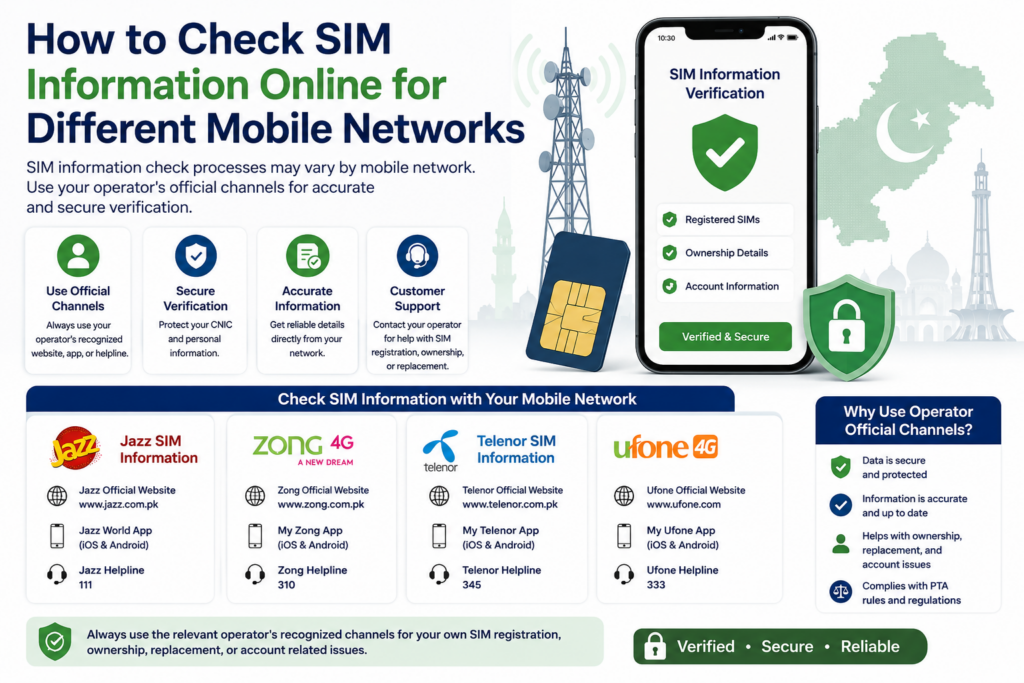
When searching for SIM Owner Details Online Check in Pakistan, users may also want to know whether the checking process changes depending on the mobile network. Pakistan has multiple major telecom operators, and while the general principles of SIM verification are similar, the exact customer-service process can differ between operators.
The important point is to use the relevant operator’s recognized channels when the issue concerns your own SIM registration, ownership, replacement, or account.
Jazz SIM Information
If you use a Jazz SIM and need to verify information about your own connection, start with Jazz’s recognized customer-service or authorized service channels.
This can be useful when you need help with:
- SIM registration
- Ownership questions
- SIM replacement
- Registration correction
- Account-related issues
Avoid assuming that a third-party website showing a Jazz number has access to current Jazz subscriber records.
Zong SIM Information
For Zong users, the same principle applies.
If your concern involves a Zong connection that you personally use, use Zong’s recognized support or authorized service channels for registration and ownership-related questions.
This is particularly important if an online result appears different from your actual SIM records.
Ufone SIM Information
Ufone customers should similarly use the operator’s appropriate customer-service or authorized service channels when dealing with their own SIM.
If you recently purchased, replaced, or transferred a connection, keep any relevant confirmation messages or receipts that may help if you later need to clarify the registration.
Telenor SIM Information
For Telenor connections, registration and ownership questions should also be directed toward recognized operator channels.
If a SIM appears to have an unexpected registration status, avoid relying solely on third-party “owner details” websites.
Instead, explain the issue to the operator and follow its current verification procedure.
Why Network-Specific Searches Can Be Confusing
Searches such as:
Jazz SIM Owner Details
Zong SIM Owner Details
Ufone SIM Owner Details
or
Telenor SIM Owner Details
may produce many online pages.
However, a network-specific keyword does not automatically make a page an official source.
Some pages may simply provide general educational information, while others may make unsupported claims about subscriber databases.
Always distinguish between guidance and authorized verification.
Network Information Is Not the Same as Owner Information
Knowing which network a number uses does not automatically identify its private subscriber.
For example:
Network information → Telecom operator
Subscriber information → Registered user
These are separate categories.
A website may correctly identify a network while still having no legitimate access to confidential subscriber records.
What If You Are Unsure Which Network Is Involved?
If the issue concerns your own number, use an appropriate current network-checking method or contact the relevant operator.
Do not rely entirely on the original number prefix because mobile-number portability can affect the current network association.
Best Practice for All Networks
Regardless of whether the SIM is associated with Jazz, Zong, Ufone, or Telenor, follow the same basic process:
Identify the network → Define the problem → Use the recognized operator channel → Provide only necessary information → Keep relevant records.
This keeps your SIM Owner Details Online Check process focused on legitimate verification instead of unverified database claims.
How to Check SIM Registration Status Online in Pakistan
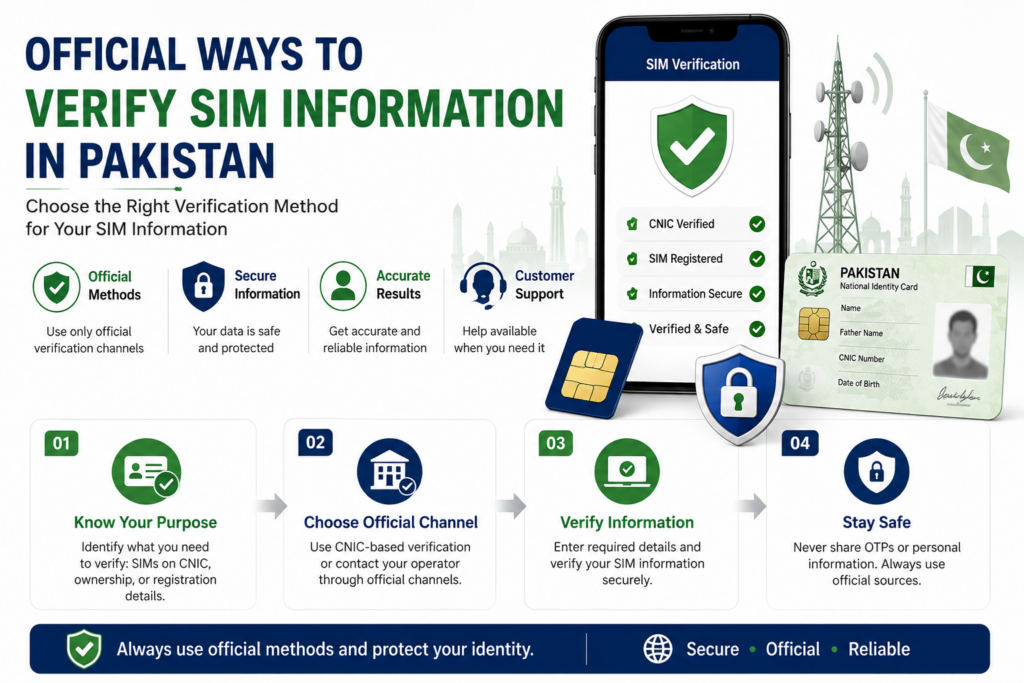
When performing a SIM Owner Details Online Check in Pakistan, one of the most useful things to understand is the difference between checking a mobile number and checking its registration status. Registration information is particularly important when you are managing your own SIMs or reviewing connections associated with your identity.
What Does SIM Registration Mean?
SIM registration connects a mobile connection with a subscriber record maintained through the relevant telecom process.
For a user, registration matters because the SIM may later need to be:
- Replaced
- Transferred
- Verified
- Deactivated
- Managed through customer service
- Used for other subscriber-related requests
Simply having a SIM card in your phone does not necessarily explain its complete registration history.
Check Your Own Registration
If you want to verify a SIM that you personally use, start by identifying the mobile operator and using its recognized customer-service or verification channel.
You may need to complete an identity-verification process depending on the request.
Do not rely on a third-party website that simply displays a name or registration claim.
Review SIMs Associated With Your CNIC
If your concern is broader and you want to know which SIM connections are registered against your own CNIC, use the recognized CNIC-based SIM Information System.
This is useful for maintaining awareness of your telecom registrations.
After obtaining the result, compare it against your own records.
You may find:
- Current SIMs
- Old connections
- Secondary numbers
- Registrations you forgot about
- A connection requiring further investigation
What If You Find an Unexpected Registration?
An unexpected result should be treated as something to investigate, not immediate proof of misuse.
Start by asking whether the registration could be related to an old number or previous telecom connection.
If you still cannot identify it, determine the relevant operator and contact its authorized support channel.
Explain that the registration does not match your records and ask what procedure applies.
Keep Your Verification Records
Whenever you complete an important SIM-related request, keep relevant documentation.
This can include:
- Confirmation messages
- Service receipts
- Reference numbers
- Complaint numbers
- Ownership-transfer documentation
These records can be useful if the registration requires follow-up later.
Don’t Confuse Online Results With Official Records
An online article or third-party website can explain how SIM verification works, but it should not automatically be treated as an official subscriber database.
For an actual registration dispute, use the relevant operator or recognized telecom process.
This is especially important when an online result conflicts with information you receive through an authorized channel.
Protect Your Identity During the Check
Never provide your OTP, password, banking credentials or unnecessary CNIC copies to an unknown person who offers to check your SIM registration.
If identity verification is legitimately required, complete it through the appropriate official process.
A Simple Registration Check
Use this workflow:
Identify SIM → Identify Network → Choose Recognized Method → Verify Registration → Investigate Any Mismatch → Correct if Necessary → Recheck
This makes SIM Owner Details Online Check more practical because the focus remains on information you can actually verify and act upon.
What to Do If Your Online SIM Check Shows an Unfamiliar Registration
When using SIM Owner Details Online Check in Pakistan, you may sometimes discover a SIM registration that you do not immediately recognize. This does not automatically mean that your identity has been misused. The information should first be confirmed and then investigated through the appropriate telecom channel.
Confirm the Result First
Before taking any action, repeat the relevant check through a recognized source.
Make sure you have correctly identified:
- The number or registration
- The relevant mobile network
- The date of the check
- Whether the information concerns your own CNIC
- Whether the result is current
This prevents an old or misunderstood result from becoming an unnecessary concern.
Review Your SIM History
Think about connections you have used in the past.
An unfamiliar registration could be connected to:
- An old personal number
- A previous network
- A secondary SIM
- A family connection
- A business connection
- A replaced or transferred SIM
People often forget about connections they stopped using years ago.
Therefore, reviewing your own telecom history should be the first step.
For official telecom information and consumer-related guidance, users should refer to the Pakistan Telecommunication Authority (PTA) and its recognized resources. This is especially useful when you need to verify a SIM registration issue or submit a telecom-related complaint through an official channel.
Identify the Relevant Network
If you still cannot explain the registration, identify the network associated with it.
Once you know the relevant operator, contact its recognized customer-service channel or authorized service location.
Explain that you have found a registration associated with your identity that you do not recognize and ask what verification procedure is available.
Do Not Try to Identify Another Subscriber
If an unfamiliar registration appears under your CNIC, the objective should be to resolve your own registration record.
You do not need to obtain the private identity information of another subscriber.
Avoid websites offering:
- Complete CNIC details
- Residential addresses
- Family information
- Private subscriber records
- Live location
Such information is not necessary for resolving your own registration issue.
Keep Evidence
If you believe the registration requires formal investigation, keep relevant evidence privately.
This may include:
- Screenshot of the result
- Date and time
- Network information
- Complaint/reference number
- Operator response
- Relevant messages or receipts
Good records make follow-up much easier.
Follow the Operator’s Correction Process
If the operator confirms that the registration requires correction, follow its current procedure.
Depending on the circumstances, the operator may provide a process for:
- Registration clarification
- Ownership correction
- SIM deactivation
- Ownership transfer
- Other subscriber-related action
Do not rely on unofficial agents promising instant removal or correction.
Recheck After the Issue Is Resolved
After completing the appropriate correction process, perform another relevant check when enough time has passed for the information to update.
The goal is:
Check → Confirm → Investigate → Correct → Document → Recheck
This provides a much stronger approach than repeatedly searching random websites.
Protect Your Information During the Investigation
Never give your OTP, password, banking credentials, or unnecessary identity documents to someone who claims they can resolve the issue for you.
If sensitive verification is required, complete it through an authorized channel yourself.
How to Verify an Online SIM Result Before Trusting It
When using SIM Owner Details Online Check in Pakistan, finding a result is only the beginning. Before relying on that information, you should determine whether the source is trustworthy, whether the information is current, and whether the result actually answers the question you were trying to investigate.
Check the Source
First, determine where the information came from.
Ask:
- Is it an official telecom source?
- Is it an authorized operator channel?
- Is it an educational resource?
- Is it an unknown third-party database?
- Does the website explain how its information is obtained?
A professional-looking website is not automatically an official source.
Check the Date and Context
SIM-related information can change.
A number may be:
- Transferred
- Replaced
- Ported to another network
- Deactivated
- Reissued
- Updated through the operator
An old online record may therefore no longer represent the current situation.
If a website provides no indication of when its information was updated, treat the result cautiously.
Compare Important Information
If the result concerns your own SIM or CNIC, compare it with information available through the relevant operator or recognized verification process.
For example, if a third-party website displays a particular registration claim but an authorized operator process gives different information, do not automatically trust the third-party result.
The objective is to establish the current and appropriate information, not simply to find matching results across multiple websites.
Don’t Trust a Result Because Multiple Websites Show It
Several websites can display the same information because they copied it from one another.
Therefore:
Five websites showing the same result ≠ five independent confirmations.
The source of the information matters more than the number of websites repeating it.
Be Careful With Personal Information
If a website asks for additional information after showing a partial result, stop and evaluate the request.
Be particularly cautious about requests for:
- CNIC photographs
- OTPs
- Passwords
- Banking details
- Biometric information
- Contact-list access
A basic online SIM-information search should not automatically require extensive personal information.
What If the Result Shows Someone’s Name?
Do not automatically treat the displayed name as proof of current SIM ownership.
Third-party information can be:
- Outdated
- Incorrect
- Incomplete
- Associated with an earlier subscriber
- Collected from an unrelated source
If the issue is important, use the appropriate operator or official verification method.
Unknown Number? Focus on the Actual Problem
If you are researching an unfamiliar number because of suspicious calls or messages, ask what you actually need to accomplish.
If your objective is to stay safe, you may be better served by:
Blocking the number → Saving evidence → Avoiding sensitive information → Reporting where appropriate
Trying to uncover private subscriber information is not necessary for every unknown-number situation.
A Three-Step Reliability Test
Before relying on an online SIM result, use:
Source
Who provided the information?
Currency
Could the information have changed?
Confirmation
Can the important information be verified through an appropriate authorized channel?
If these three questions are satisfied, you have a much stronger basis for making a decision.
How to Protect Your CNIC During an Online SIM Check
When performing a SIM Owner Details Online Check in Pakistan, protecting your personal information should be treated as seriously as verifying the SIM itself. A useful online checking process should help you obtain relevant information without unnecessarily exposing your CNIC, OTP, account credentials, or other sensitive details.
Never Share Your OTP
An OTP is intended for authentication and should remain private.
Do not give an OTP to someone claiming they can:
- Check SIM owner information
- Verify your SIM
- Transfer ownership
- Block a SIM
- Remove an unwanted SIM
- Activate a connection
If authentication is legitimately required, complete the process yourself through the appropriate authorized service.
Be Careful With CNIC Uploads
Your CNIC contains sensitive identity information.
Before uploading a CNIC image to any website, determine:
- Who operates the website?
- Why is the CNIC required?
- Is the service recognized?
- Can the same task be completed through an official telecom channel?
- What information will be stored?
If the answers are unclear, do not upload the document.
Avoid Unofficial “Verification Agents”
People offering SIM checks through social media or messaging platforms may ask you to send your CNIC, mobile number, OTP, or other information.
Even if they claim to provide fast results, you should not give them control over sensitive authentication information.
Use recognized channels yourself whenever possible.
Protect Screenshots
SIM-related screenshots can contain more information than you realize.
Before sharing a screenshot publicly, check for:
- Full CNIC number
- Mobile number
- Name
- OTP
- Address
- Reference numbers
- Account information
Hide sensitive information before sharing anything.
Don’t Install Unknown Applications
Some websites may ask you to install an application to “complete” a SIM owner check.
Be cautious.
Before installing anything, verify:
- Developer identity
- App permissions
- Purpose of the application
- Source of the download
- Whether the application is actually required
A simple information search should not become a reason to compromise your device.
Use Minimum Necessary Information
A good privacy principle is:
Provide only what is genuinely necessary for the verification task.
If you are reading an educational guide, you generally do not need to provide personal information at all.
If you are completing an authorized telecom procedure, provide the information required by that service and no more.
Protect Your Own SIM and Accounts
Your mobile number may be connected to important online accounts.
For that reason:
- Keep passwords secure.
- Never share authentication codes.
- Be cautious about unexpected SIM-related messages.
- Contact your operator if you experience unusual SIM activity.
- Keep important account recovery information secure.
What If You Already Shared Sensitive Information?
If you have accidentally provided an OTP, password, CNIC image, or other sensitive information to a suspicious person or website, stop communicating with the source and secure any affected accounts or services.
Keep relevant messages and screenshots privately in case they are needed for follow-up or reporting.
The Privacy-First Rule
A safe SIM Owner Details Online Check should follow:
Recognized source → Minimum information → Private authentication → Verify result → Protect your records
The purpose of online SIM verification should be to obtain useful and appropriate information without unnecessarily exposing your identity.
How to Compare Online SIM Information With Your Own Records
When using SIM Owner Details Online Check in Pakistan, an online result becomes more useful when you compare it with information you already know about your own SIMs. This can help you identify outdated records, forgotten connections, or registration issues without immediately assuming that an unfamiliar result is fraudulent.
Start With Your Known SIMs
Make a private list of the SIM connections you currently use.
For each connection, note:
- Mobile number
- Network
- Approximate date you obtained it
- Whether it is currently active
- Whether you recently replaced or transferred it
This gives you a reference point when reviewing your SIM registrations.
Review Older Connections
People often forget about SIMs they stopped using.
Think about numbers associated with:
- Previous mobile phones
- Old networks
- Secondary connections
- Business use
- Family arrangements
- Replaced SIM cards
An unfamiliar registration may therefore have a legitimate explanation.
Compare the Network
If an online result identifies a network, compare it with the network you remember using.
However, do not rely solely on an old number prefix. Mobile-number portability can mean that the current network may differ from the original allocation.
For important verification, use an appropriate current source or contact the operator.
Compare Registration Information
If you are reviewing SIMs registered against your own CNIC, compare the result with your private records.
Ask:
Do I recognize this number?
Have I ever used this network?
Could this be an old connection?
Did I recently replace or transfer a SIM?
If you still cannot explain the registration, contact the relevant operator for clarification.
Don’t Compare Third-Party Databases as If They Were Official Records
Finding the same information on multiple websites does not necessarily establish its accuracy.
Several websites may have copied the same outdated information.
Instead, compare important claims against an appropriate recognized telecom source.
This is especially important when the information concerns your identity or SIM ownership.
Keep a Private Verification Record
For ongoing SIM management, it can be useful to maintain a private record containing:
- Your active SIM numbers
- Relevant networks
- Purchase or transfer documentation
- Important service confirmations
- Complaint/reference numbers
Avoid publishing this information publicly.
A private record makes future verification easier and can help you identify unexpected changes.
What If Something Still Does Not Match?
Use a structured process:
Compare → Confirm → Identify Network → Contact Operator → Follow the Required Process → Recheck
Do not immediately accuse another person or rely on an unofficial owner database.
The purpose of comparing information is to determine whether your own telecom records are accurate and whether any action is actually required.
Why This Comparison Helps
A careful comparison can help you distinguish between:
Forgotten registration
and
Potential registration issue
That distinction matters.
An old SIM you forgot about requires a different response from a connection that genuinely appears without explanation.
For SIM Owner Details Online Check, the most reliable approach is therefore not simply finding more online results. It is combining your own records with an appropriate verification process and taking action only when the information has been properly confirmed.
How to Check Whether Your SIM Information Is Correct
When performing a SIM Owner Details Online Check in Pakistan, finding a result is not enough. You also need to determine whether the information is relevant, current, and connected to the correct SIM or registration record.
Start With the Information You Already Know
Before comparing an online result, review your own SIM details.
Check whether you recognize:
- The mobile number
- The network
- The approximate date you obtained the SIM
- Whether the SIM is currently active
- Whether you previously replaced or transferred it
This basic information can help identify ordinary differences that may otherwise look suspicious.
Check Your Own CNIC Registrations
If your concern is the number of SIMs associated with your identity, use the recognized CNIC-based verification method.
Compare the result with the SIMs you actually know.
If everything matches, you have greater confidence that your known registrations are accounted for.
If something does not match, investigate the specific registration instead of assuming the result automatically proves unauthorized activity.
Verify Your Own Mobile Number
For a particular SIM that you personally use, the relevant mobile operator is the appropriate source for registration or ownership questions.
This is especially important if:
- You recently purchased the SIM
- You transferred ownership
- You replaced the SIM
- Your registration information appears incorrect
- A third-party website displays a different name
Use the operator’s recognized customer-service or authorized service process to clarify the situation.
Check Whether the Information Is Current
SIM information can change over time.
A number may be:
- Reassigned
- Replaced
- Transferred
- Ported
- Deactivated
- Updated through the operator
Therefore, an old online result may not represent the current status.
Whenever the information matters, confirm it through a current recognized channel.
Don’t Assume a Name Equals Ownership
A name displayed next to a number on an unofficial website should not automatically be treated as proof of current subscriber ownership.
The information could be outdated or incorrect.
For an actual ownership question, use the appropriate operator verification process.
Watch for Conflicting Results
If two online sources show different information, don’t simply choose the result you prefer.
Instead:
Identify the sources → Check the dates/context → Use an authorized source → Confirm the current status
This approach is much safer than comparing multiple unofficial databases.
Protect Your Personal Information While Checking
Never provide sensitive information to an unknown person simply to confirm your SIM.
Keep your:
- OTP
- Passwords
- Banking credentials
- Biometric information
- Unnecessary CNIC copies
private.
If identity verification is legitimately required, complete it through the appropriate authorized service.
A Simple Accuracy Checklist
Before relying on a SIM-related result, ask:
☑ Is this my own SIM or someone else’s?
☑ Is the source recognized?
☑ Could the information be outdated?
☑ Does it match my known SIM history?
☑ Can the result be independently verified?
☑ Am I protecting my sensitive information?
These checks make SIM Owner Details Online Check more reliable and help prevent false conclusions.
What to Do When SIM Registration Information Does Not Match
When performing a SIM Owner Details Online Check in Pakistan, you may sometimes discover that the information you expected does not match the result. A mismatch should be handled carefully because it can have several possible explanations, including an old connection, a previous registration, a transfer, or outdated third-party information.
Identify the Exact Mismatch
First determine what is different.
It may be:
- The number you expected is missing
- An unfamiliar number appears
- The network appears different
- Registration information does not match your records
- A third-party website shows a different name
- Your SIM history does not match an online result
Do not treat every mismatch as the same issue.
Review Your Previous SIM Connections
Think about all the SIMs you have used in the past.
An unfamiliar registration may be connected to:
- An old mobile number
- A previous network
- A replacement SIM
- A secondary connection
- A transferred connection
- A number you stopped using
This simple review can explain many unexpected results.
Confirm Through the Relevant Operator
If you still cannot explain the mismatch, contact the relevant mobile operator through its recognized customer-service or authorized service channel.
Explain the exact issue rather than simply saying that an online website showed different information.
For example, you can explain that you are reviewing your own registration and have found information that does not correspond with your records.
The operator can then explain the applicable verification or correction procedure.
Do Not Rely on Multiple Unofficial Websites
Searching several websites may seem like a good way to confirm the information, but it can actually create more confusion.
Multiple websites may copy information from the same source.
Therefore:
More websites ≠ more reliable verification
An appropriate authorized source is more valuable than several unverified database pages.
What If the Issue Is Your Own SIM?
If you personally use the SIM but its registration does not appear correct, focus on resolving the registration.
Keep any relevant:
- Purchase records
- Transfer documents
- Confirmation messages
- Service receipts
- Complaint/reference numbers
These may help establish the history of the connection.
What If the Issue Is an Unknown Registration on Your CNIC?
If the registration is associated with your own CNIC and you cannot identify it, first confirm the result and then contact the relevant operator.
Follow the operator’s current process for investigating or correcting the registration.
Do not attempt to identify another person through unofficial databases.
Don’t Publish the Information
If an online result shows a person’s name or other personal information, avoid posting it publicly to ask strangers whether the information is correct.
The result may be outdated or inaccurate.
Keep sensitive information private and use the appropriate telecom or reporting channel if action is necessary.
Protect Your Authentication Information
During the investigation, never give your OTP, password, banking details, or unnecessary biometric/CNIC information to an unknown person claiming to help.
Complete legitimate verification through an authorized channel yourself.
The Correct Resolution Process
For an unexpected mismatch, use:
Identify → Confirm → Review History → Contact Operator → Follow Procedure → Recheck
This keeps the focus on resolving the actual registration issue instead of relying on uncertain online claims.
How to Handle an Unknown Mobile Number Safely
When using SIM Owner Details Online Check in Pakistan, you may sometimes be searching because an unfamiliar number has contacted you. In this situation, the safest approach is not necessarily to identify the private subscriber behind the number. Instead, focus on understanding the nature of the communication and protecting yourself.
First, Identify Why the Number Contacted You
Consider whether the caller or sender is:
- Asking for an OTP
- Requesting CNIC information
- Asking for money
- Sending suspicious links
- Claiming to represent a bank or company
- Offering an unexpected prize or service
- Repeatedly calling without a clear reason
The behavior of the caller is often more important than trying to discover a private owner profile.
Do Not Share Sensitive Information
If an unknown number contacts you, never provide your:
- OTP
- Password
- Banking credentials
- CNIC details
- Card information
- Account recovery codes
A legitimate organization should not require you to hand over confidential authentication information simply because someone contacted you from an unfamiliar number.
Avoid Clicking Suspicious Links
Unknown numbers may send links through SMS or messaging applications.
Before opening a link, consider whether you were actually expecting the message.
Be particularly cautious when the message creates urgency, such as claiming that:
- Your account will be blocked
- Your SIM will expire
- You have won a prize
- You must verify your CNIC immediately
- You need to pay a fee
- Your account requires an urgent OTP
Unexpected urgency is a reason to verify the claim through the organization’s recognized channel.
Save Evidence When Necessary
If the number is involved in suspicious activity, keep relevant evidence privately.
You may save:
- Screenshots
- Messages
- Call records
- Dates and times
- Transaction information
- Relevant links
Do not edit evidence unnecessarily if you may need it for a complaint or report.
Block Unwanted Communication
If the number is repeatedly contacting you without a legitimate reason, blocking it may be the simplest solution.
You do not need to know the subscriber’s complete identity before protecting yourself from unwanted communication.
Report Genuine Problems
If the communication involves suspected fraud, harassment, threats, or another serious issue, use the appropriate telecom or official reporting mechanism.
Provide factual information and relevant evidence rather than making unverified claims about the person allegedly behind the number.
Don’t Publish Alleged Owner Details
If an online service displays a name connected to the number, do not automatically publish that person’s information on social media.
The information could be outdated, incorrect, or associated with a previous user.
The safest approach is:
Identify the problem → Protect yourself → Preserve evidence → Block if appropriate → Report when necessary
This makes SIM Owner Details Online Check a safer and more responsible process, especially when the original reason for the search is an unfamiliar mobile number.
How to Protect Your Personal Information During Online SIM Searches
When using SIM Owner Details Online Check in Pakistan, protecting personal information should remain a priority throughout the entire process. A user may begin with a simple search for SIM information but accidentally expose much more data than necessary by using unfamiliar websites, sharing screenshots, or responding to people offering unofficial verification services.
Share Only What Is Necessary
Before entering any information, ask whether it is actually required for your specific purpose.
There is a major difference between:
Reading general SIM verification information
and
Completing an authorized telecom verification process.
An educational article should not require you to submit your personal information. An official service may require certain details for identity verification, but those details should be provided through the appropriate channel.
Keep Your CNIC Private
Your CNIC should not be treated like an ordinary piece of information.
Avoid sending its photograph to:
- Unknown websites
- Social-media accounts
- Unverified agents
- Random messaging contacts
- Unofficial SIM-check services
If an authorized process genuinely requires identity verification, complete it through the recognized service yourself.
Never Share Authentication Codes
An OTP, verification code, PIN, or similar authentication credential should remain private.
Someone may claim:
“I only need the code to complete your SIM check.”
Do not provide it.
The same rule applies even if the person claims to work for a telecom company or another organization. If you receive an unexpected request, independently contact the organization through its recognized channel.
Be Careful With Screenshots
Screenshots can reveal more information than intended.
Before uploading or sharing a screenshot, check whether it contains:
- Your full name
- CNIC number
- Mobile number
- OTP
- Address
- Account details
- Complaint/reference numbers
If the screenshot is needed for educational discussion or technical assistance, hide unnecessary personal information first.
Don’t Give Unknown Apps Excessive Permissions
Some SIM-related websites may encourage users to download applications.
Before installing an application, review the permissions it requests.
Be cautious if an app asking about SIM information also wants unnecessary access to:
- Contacts
- Messages
- Photos
- Files
- Microphone
- Location
The requested permissions should make sense for the application’s actual purpose.
Protect Your Other Accounts
Your mobile number may be connected to email, social-media, financial, or other online accounts.
For this reason, protect your broader digital identity as well.
Use strong passwords, keep authentication methods secure, and be careful about unexpected password-reset or verification messages.
What If You Already Shared Information?
If you accidentally shared sensitive information with an unknown source, stop providing additional information.
Depending on what was exposed, you may need to secure the relevant account or contact the appropriate service provider.
Keep evidence of suspicious messages, requests, or websites privately if you may need it later.
A Privacy-First SIM Search
A responsible SIM Owner Details Online Check should follow:
Search → Evaluate Source → Share Minimum Information → Verify → Protect Records
The objective is not to collect as much information as possible. It is to obtain the information you legitimately need while keeping your own identity and account information secure.
Free SIM Owner Details Online Check: What You Can Actually Verify
When users search for a SIM Owner Details Online Check in Pakistan, they often look for a free method that can provide useful information without requiring payment or unnecessary personal details. Free verification can certainly be useful, but it is important to understand exactly what a free online check can and cannot establish.
A service being free does not automatically make it official, and a paid service is not automatically more accurate. The important factors are source, purpose, authorization, accuracy, and privacy.
What Does a Free SIM Check Usually Mean?
A free online SIM check may refer to information or guidance that does not require a payment before you can access it.
Depending on the service, users may be looking for:
- General SIM information
- Network information
- SIM registration guidance
- CNIC-based registration information
- Verification procedures
- Telecom-related educational resources
However, these categories should not be confused with access to confidential subscriber records.
Free Does Not Mean Complete
One of the most common misunderstandings is expecting a free search to provide a complete private profile of a mobile subscriber.
A legitimate public-facing service should not be assumed to provide another person’s:
- Complete CNIC
- Residential address
- Biometric information
- Family information
- Private telecom records
- Confidential account history
If a website claims that all of this is available instantly and for free, examine the claim very carefully.
The word “free” should never be the only reason you trust a service.
Check Your Own SIM Information
If your purpose is to understand your own SIM registration, a free verification route can be useful when it comes from a recognized telecom or official source.
For example, you may want to determine whether:
- Your SIM is properly registered
- Your known connections are accounted for
- An old connection remains associated with your identity
- A registration issue requires further attention
In such situations, the goal is not to discover someone else’s private information. The goal is to maintain awareness of your own telecom registrations.
Free CNIC-Based Verification
A CNIC-based SIM check is particularly useful when your question is:
Which SIM connections are registered against my own CNIC?
This is different from entering another person’s mobile number and expecting their complete subscriber profile.
After receiving your own registration information, compare it with the connections you know.
If an unfamiliar registration appears, investigate it through the relevant operator rather than searching random databases for the supposed owner.
Be Careful With Free Database Websites
Some websites may advertise themselves as completely free SIM databases.
Before using them, consider:
Who operates the website?
Where does the information come from?
Is the information current?
Why are they offering sensitive information for free?
Are they asking you for personal information in return?
A free service that asks for your CNIC photograph, OTP, banking details, or unnecessary permissions should immediately raise concerns.
Free Information Can Still Be Useful
Free does not mean useless.
Educational resources can provide significant value by explaining:
- How SIM registration works
- Which verification method fits your situation
- How to check your own registrations
- How to handle unexpected SIM information
- How to recognize misleading claims
- How to protect your CNIC
- How to deal with suspicious numbers
The key is understanding the difference between educational guidance and authorized subscriber verification.
Don’t Pay Someone for an Unofficial Lookup
You may also encounter individuals who claim that they can provide “premium” SIM owner information for a fee.
Payment does not make private or unverified information legitimate.
Avoid paying someone simply because they promise:
- Complete owner details
- Full CNIC records
- Address information
- Private telecom history
- Guaranteed live information
If you have a legitimate registration problem, using the relevant operator or recognized telecom process is a much more appropriate approach.
What Makes a Free Check Worth Using?
A useful free resource should:
- Clearly explain its purpose
- Avoid unrealistic claims
- Respect privacy
- Explain limitations
- Avoid unnecessary personal-data requests
- Direct users toward appropriate official verification when necessary
This gives users practical information without creating false expectations.
Free vs. Reliable
These are two separate questions.
Is the service free?
and
Is the information reliable and appropriate to use?
The second question is much more important.
For SIM Owner Details Online Check in Pakistan, always prioritize a recognized and appropriate verification method over a service simply because it promises more information at no cost.
How to Avoid Fake SIM Owner Details Websites
When searching for SIM Owner Details Online Check in Pakistan, one of the biggest challenges is identifying whether an online service is genuinely useful or simply making attractive claims to get visitors or collect personal information.
Check the Website’s Purpose
Before using a SIM-related website, understand what it actually provides.
A useful website should clearly explain whether it offers:
- Educational information
- SIM registration guidance
- General telecom information
- A recognized verification service
- Links or instructions for official verification
Be cautious when the purpose is unclear but the website promises highly sensitive information.
Be Suspicious of Unrealistic Claims
Certain phrases should immediately encourage additional checking:
- “100% accurate”
- “Live SIM database”
- “Complete owner details”
- “Full CNIC”
- “Exact home address”
- “Private subscriber data”
- “Instant live location”
A simple mobile number should not automatically be treated as a public key to someone’s entire identity.
Don’t Trust a Database Screenshot
A website may display screenshots showing names, CNIC numbers, addresses, or other records.
That does not prove that the information is:
- Official
- Current
- Accurate
- Legally obtained
- Connected to the number being searched
A professional-looking database interface is not evidence of authorization.
Check What the Website Asks You to Provide
A major warning sign is unnecessary information collection.
Be cautious if an online SIM service asks for:
- OTP
- Password
- Banking details
- Full CNIC photograph
- Biometric information
- Contact-list access
- Unnecessary device permissions
Do not provide sensitive information simply because the website promises a more detailed result.
Don’t Assume Search Ranking Means Trust
A website appearing near the top of search results does not automatically make it an official telecom source.
Search rankings can be influenced by SEO, backlinks, content quality, popularity and many other factors.
Search visibility ≠ official authority.
For important SIM registration or ownership questions, verify information through an appropriate recognized telecom channel.
Check for Transparency
Before trusting a website, look for basic information about:
- Who operates it
- What its service does
- How information is used
- Privacy practices
- Contact information
- Service limitations
A transparent website is generally easier to evaluate than an anonymous page making extreme claims.
What If a Website Gives You a Name?
Do not immediately assume that the displayed name represents the current subscriber.
Third-party information may be:
- Outdated
- Incorrect
- Copied
- Incomplete
- Associated with a previous user
If the result concerns your own SIM, verify it through the relevant operator.
If the number belongs to someone else, avoid publishing the alleged identity or using the information to make accusations.
Use a Simple Five-Point Test
Before trusting an online SIM service, ask:
1. Who operates it?
2. What exactly does it verify?
3. Does it make realistic claims?
4. Does it request unnecessary personal information?
5. Can important information be independently verified?
If the answers are unclear, do not treat the result as confirmed.
The Safest Approach
A reliable SIM Owner Details Online Check should help you understand what information can actually be verified rather than promising unrestricted access to private subscriber records.
Use recognized sources for important verification, protect your CNIC and authentication information, and treat unsupported database results as unverified until independently confirmed.
SIM Owner Details Online Check: Common Questions and Answers
When people search for SIM Owner Details Online Check in Pakistan, they often have similar questions about mobile numbers, CNIC registration, ownership, and online verification. Understanding these questions can make the checking process easier and help users avoid unreliable information.
Can I Check SIM Owner Details Online?
You can research and verify legitimate SIM-related information online, particularly information concerning your own SIMs and registrations. However, you should not assume that a public mobile-number search can legally provide another person’s complete private subscriber profile.
For important registration or ownership matters, use the relevant operator or recognized verification method.
Can I Check SIMs Registered Against My CNIC?
Yes, if you are checking your own CNIC registrations, you can use the recognized SIM Information System or appropriate telecom verification process.
This is useful for identifying SIM connections that you recognize as well as registrations that may require further investigation.
Can a Mobile Number Reveal Someone’s Complete CNIC?
You should not expect a legitimate public service to provide another person’s complete CNIC simply because you know their mobile number.
Be particularly cautious of websites claiming to provide complete CNIC records from a basic number search.
Can I Find Someone’s Home Address From a SIM Number?
A person’s private residential address should not be treated as ordinary public SIM information.
If a website claims that it can instantly provide an exact address from a mobile number, evaluate the source very carefully and avoid submitting unnecessary personal information.
What If an Online Result Shows a Name?
Treat the result as unverified unless it can be confirmed through an appropriate authorized source.
Third-party information can be outdated, incorrect, copied from another source, or associated with a previous user.
Do not publicly accuse or identify someone based solely on an unofficial result.
What If My SIM Is Registered Under Another Person?
If you personally use a SIM but discover that its registration does not match your identity, contact the relevant mobile operator.
Ask about the current ownership-transfer or registration-correction process.
Physical possession of a SIM does not automatically establish its registered ownership.
What If I Find an Unknown SIM Under My CNIC?
First confirm the result.
Then identify the relevant network and contact the operator through an authorized channel.
Follow the applicable procedure for investigating or correcting the registration.
Keep any reference numbers, receipts, or confirmation messages for your records.
Should I Give My OTP to a SIM Verification Agent?
No.
Do not share OTPs with people claiming they can check, activate, transfer, block, or remove a SIM for you.
If authentication is required for a legitimate service, complete it yourself through the appropriate official interface.
Are Free SIM Owner Websites Always Reliable?
No.
A service being free does not prove that its information is accurate or authorized.
Likewise, a paid service is not automatically trustworthy.
Evaluate the source, its claims, privacy practices, and whether important information can be independently verified.
What Is the Safest SIM Checking Method?
The safest method depends on what you are trying to accomplish:
Your own SIM → Relevant operator
Your own CNIC registrations → Recognized CNIC-based verification
Unknown number → Protect yourself, block/report when appropriate
Registration dispute → Relevant operator and appropriate complaint process
This approach keeps SIM Owner Details Online Check focused on legitimate verification rather than unsupported private-data claims.
SIM Owner Verification in Pakistan: A Practical Step-by-Step Guide
For users searching for SIM Owner Details Online Check in Pakistan, the most useful approach is to follow a clear verification process instead of trying multiple random websites. The correct method depends on whether you are checking your own SIM, your own CNIC registrations, or dealing with an unfamiliar number.
Step 1 — Define What You Need
First decide exactly what you want to verify.
You may want to check:
- Your own SIM registration
- SIMs associated with your CNIC
- A particular mobile connection
- An unexpected registration
- A registration or ownership problem
Defining the purpose prevents you from using an inappropriate lookup method.
Step 2 — Choose the Appropriate Source
Once you know what you need, select the relevant verification channel.
For your own SIM, the relevant mobile operator is an appropriate source.
For SIMs registered against your own CNIC, use the recognized CNIC-based SIM verification process.
For general educational information, use a transparent resource that clearly explains what can and cannot be verified.
Step 3 — Provide Only Necessary Information
Do not provide more personal information than the process requires.
In particular, never share your:
- OTP
- Password
- Banking credentials
- Biometric information
- Unnecessary CNIC copies
with an unknown person or website.
Step 4 — Evaluate the Result
Once you receive information, ask whether it actually answers your original question.
If the result comes from a third-party source, consider whether it could be outdated or incomplete.
An online name or registration claim should not automatically be treated as proof of current ownership.
Step 5 — Confirm Important Information
If the result could affect your identity, SIM registration, or account security, confirm it through an appropriate authorized telecom channel.
This is particularly important when two sources provide different information.
Step 6 — Take the Appropriate Action
After verification, decide what action is actually necessary.
For example:
Own SIM issue → Contact operator
Unknown CNIC registration → Investigate with relevant operator
Suspicious number → Block, preserve evidence, and report where appropriate
No issue found → Keep your records updated
Step 7 — Keep Verification Records
For important matters, keep confirmation messages, receipts, reference numbers, or complaint details privately.
These records can help if you need to follow up later.
Final Verification Formula
DEFINE → CHOOSE → VERIFY → CONFIRM → PROTECT → ACT
Following this process makes SIM Owner Details Online Check more reliable while reducing unnecessary exposure of personal information.
If you experience online fraud, harassment, data theft, or another cyber-related issue, you can report it through the National Cyber Crime Investigation Agency (NCCIA) and its official complaint channels. NCCIA Official Website NCCIA Complaint Portal
Final Guide to SIM Owner Details Online Check in Pakistan
A SIM Owner Details Online Check in Pakistan should always begin with a clear purpose. Whether you are checking your own SIM, reviewing SIMs registered against your CNIC, investigating a registration mismatch, or dealing with an unfamiliar number, the correct verification method depends on the situation.
The safest approach is to avoid treating every online database as an official subscriber record.
Remember the Main Difference
Your own SIM:
Use the relevant mobile operator’s recognized verification or customer-service process.
Your own CNIC registrations:
Use the recognized CNIC-based SIM verification method.
Unknown number:
Focus on your safety, block unwanted communication, preserve evidence, and report genuine problems through appropriate channels.
Registration mismatch:
Confirm the result and contact the relevant operator for clarification or correction.
Protect Your Personal Information
Never share your OTP, password, banking credentials, biometric information, or unnecessary CNIC copies with unknown websites or individuals.
A website promising “complete SIM owner details” does not automatically have legitimate access to confidential subscriber information.
Always consider:
- Who operates the website?
- What exactly does it verify?
- Is the information current?
- Why is personal information being requested?
- Can the result be verified through an appropriate authorized channel?
Don’t Trust Unverified Owner Claims
A name displayed beside a mobile number on an unofficial website should not automatically be treated as proof of current ownership.
Information can be outdated, incomplete, copied, or associated with a previous user.
For important decisions, authorized verification should take priority over an anonymous database.
The Complete Verification Process
The entire approach can be simplified into six steps:
1. Identify your purpose
Know exactly what you need to check.
2. Choose the correct method
Use number-based, CNIC-based, or operator verification according to your situation.
3. Use a recognized source
Avoid relying solely on unsupported database claims.
4. Provide minimum information
Never expose unnecessary personal or authentication data.
5. Confirm important results
Especially when the information concerns your identity or SIM registration.
6. Take appropriate action
Contact the operator, correct a registration issue, or report suspicious activity when necessary.
The goal of SIM Owner Details Online Check in Pakistan should not be simply to obtain the maximum amount of information. The better goal is to obtain relevant, verifiable information while protecting privacy and using the appropriate telecom channels.