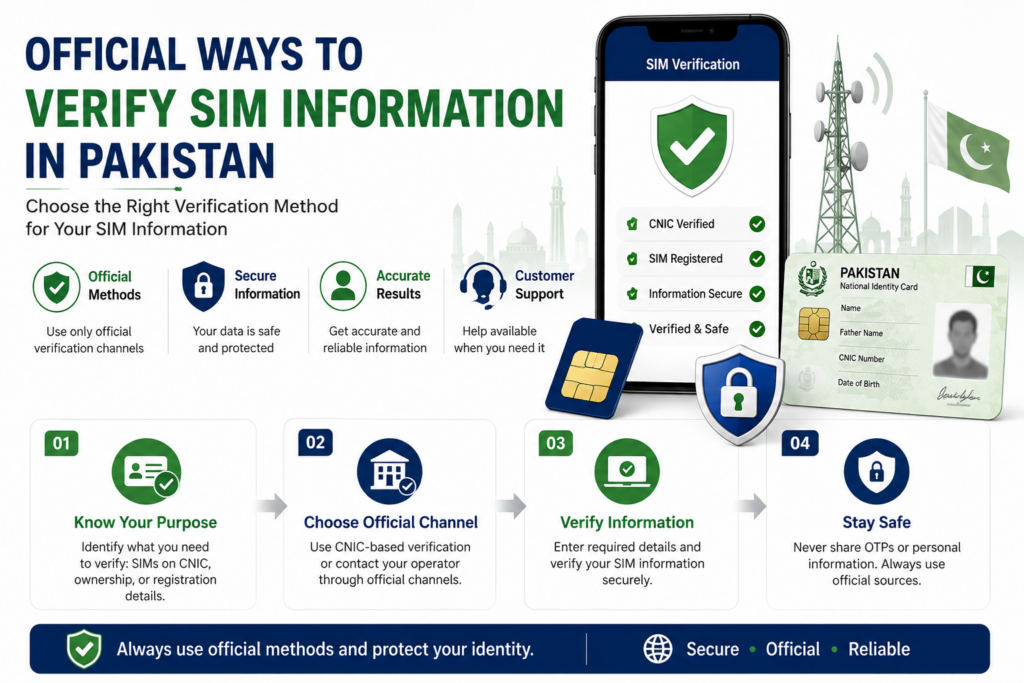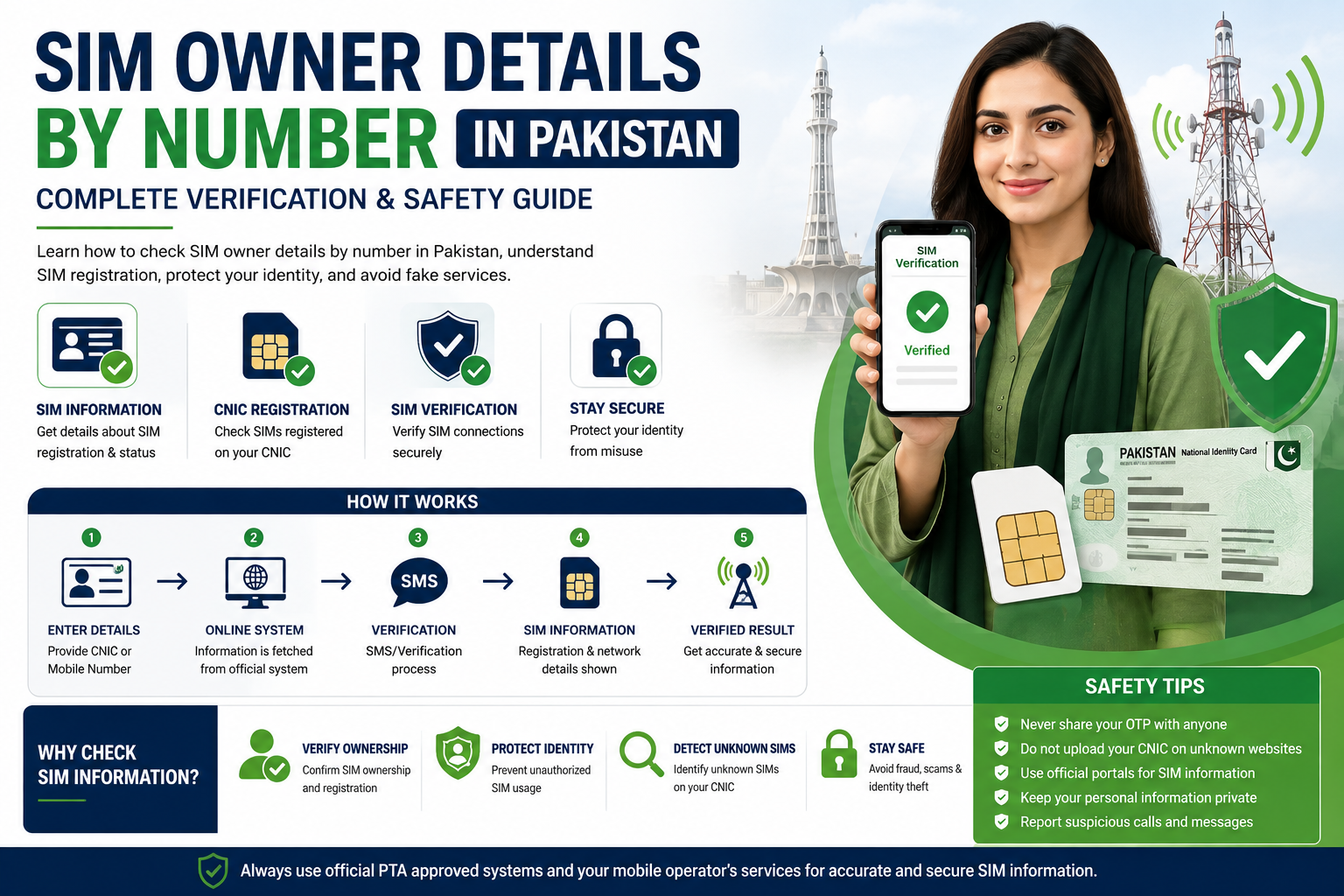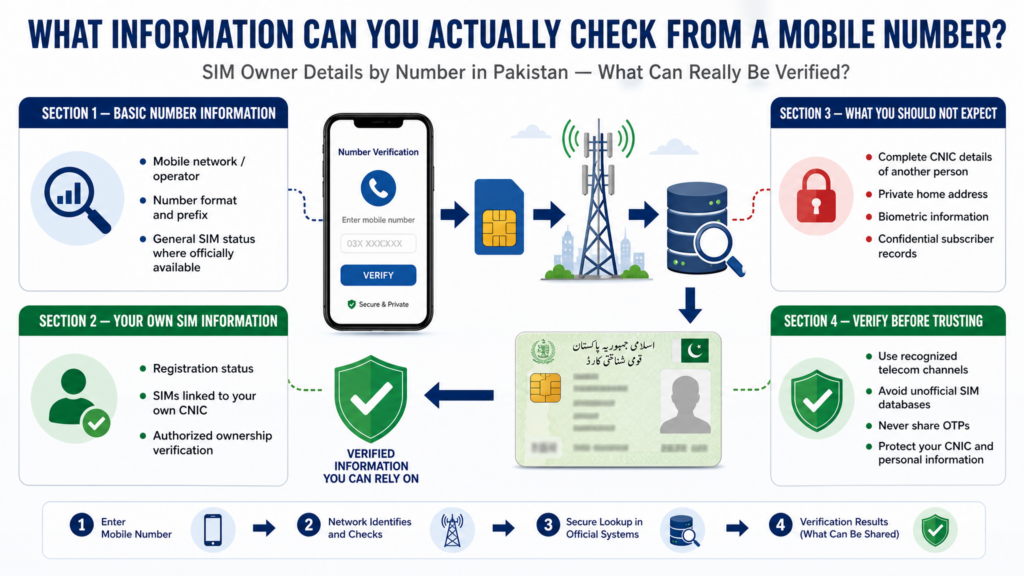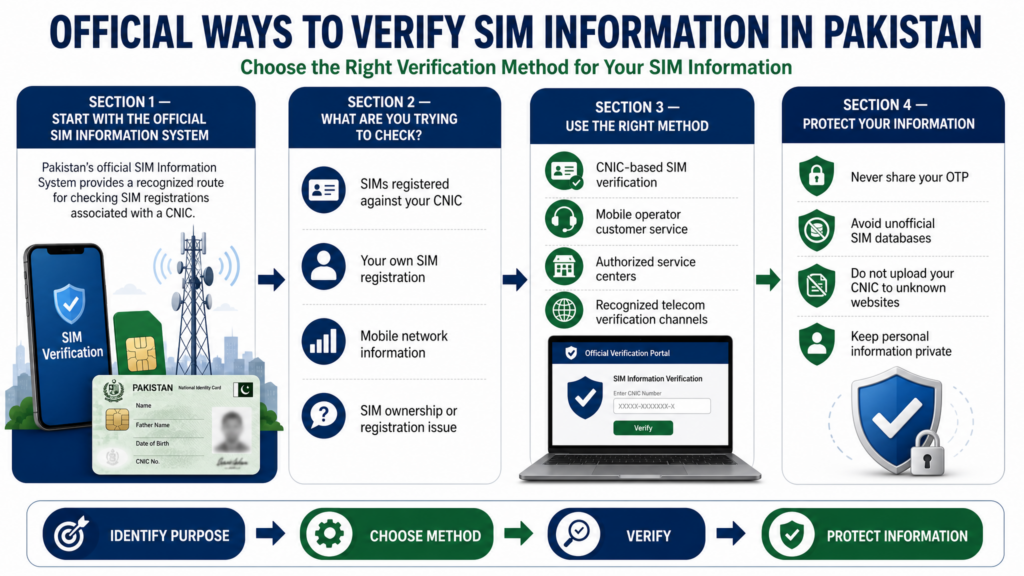
Tag: CNIC SIM Check

  • Pak SIM Info Pakistan: Complete Guide (2026)

    Pak SIM Info Pakistan: Complete Guide (2026)

    Introduction to Pak SIM Info in Pakistan

    Pak SIM Info is a commonly searched term for people looking for information about SIM registration, SIM ownership, CNIC-linked SIMs, mobile networks, SIM verification, and other telecom-related services in Pakistan.

    With the growing number of online SIM-check websites, people often see different claims about what can be checked through a mobile number, CNIC, SMS service, or online portal. Some websites also advertise complete SIM databases or private subscriber information. This makes it important to understand the difference between legitimate SIM information services and unofficial claims.

    This Pak SIM Info Pakistan – Complete Guide (2026) brings the major SIM-related topics together in one comprehensive resource. Instead of treating Pak SIM Info as a single lookup service, this guide explains the different types of SIM information people search for and the appropriate way to approach each one.

    What Does Pak SIM Info Mean?

    The phrase Pak SIM Info can refer to several different types of information related to Pakistani mobile connections. Depending on what a person is trying to check, it may involve:

    • SIM registration information
    • SIMs associated with a person’s own CNIC
    • SIM verification
    • SIM ownership information
    • Mobile network identification
    • CNIC-based SIM checking
    • SIM activation and registration
    • SIM ownership transfer
    • SIM disowning
    • Biometric verification
    • Mobile number portability
    • IMEI and device-related information

    These are not all the same service. For example, checking how many SIMs are registered against your own CNIC is different from identifying which network currently serves a particular mobile number.

    Understanding this difference is the first step toward using the correct SIM information method.

    Why People Search for Pak SIM Info

    People search for Pak SIM Info for many different reasons. Someone may want to confirm how many connections are registered under their CNIC, while another person may simply want to identify the network of a number.

    Some common reasons include:

    Checking Your Own Registered SIMs

    A person may want to review the SIM connections associated with their own identity. This can help identify registrations that they no longer use or do not recognize.

    Verifying a SIM

    Before using an existing or second-hand SIM for important accounts, a user may want to understand its registration status and whether it is properly associated with them.

    Finding Network Information

    Mobile numbers can change networks through number portability. As a result, the original prefix of a number does not always tell you which network currently provides its service.

    Protecting Your CNIC

    Regularly reviewing your own SIM registrations can help you notice unexpected changes and take appropriate action if something does not match your records.

    Understanding SIM Services

    Many people know terms such as 668, 667, SIM verification, CNIC SIM check, and SIM information, but do not know what each one is actually intended for. A complete guide can make these services easier to understand.

    Pak SIM Info Is Not One Single Database

    One of the most important points to understand is that “Pak SIM Info” is a search term, not the name of one universal public database containing every Pakistani subscriber’s private information.

    Different official or authorized processes serve different purposes. A CNIC-based SIM check, a SIM verification process, a network check, and an IMEI check are separate things.

    This distinction matters because many websites use phrases such as:

    These phrases can describe very different services—or, in some cases, misleading claims.
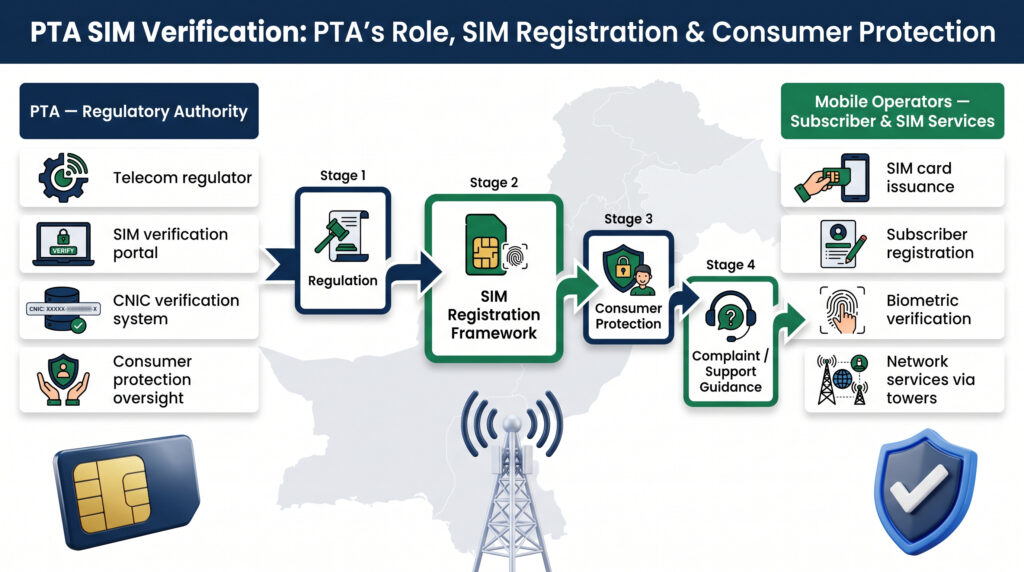
    For accurate information about SIM registration, identity verification, telecommunications regulation, and cybercrime reporting in Pakistan, users should rely on official sources rather than treating third-party databases as authoritative. The Pakistan Telecommunication Authority (PTA) is the country’s telecom regulator and provides guidance related to telecommunications and user security, while NADRA is responsible for national identity registration and identity-related services. For suspected online fraud, unauthorized access, data misuse, or other cybercrime matters, users can also refer to the National Cyber Crime Investigation Agency (NCCIA) and its official complaint channels. These institutions serve different purposes, so checking the appropriate official source is important when dealing with SIM information, identity records, or digital security concerns.

    What You Will Learn in This Guide

    This 25-part guide will gradually cover the major areas connected with Pak SIM Info Pakistan in 2026, including:

    1. What Pak SIM Info means
    2. SIM information and CNIC registration
    3. Checking your own registered SIMs
    4. Online SIM information methods
    5. SMS-based verification methods
    6. SIM verification and ownership
    7. SIM information by mobile number
    8. Mobile network identification
    9. Jazz SIM information
    10. Zong SIM information
    11. Telenor SIM information
    12. Ufone SIM information
    13. Other available Pakistani operators
    14. SIM registration and activation
    15. SIM ownership transfer
    16. Removing an unauthorized SIM
    17. CNIC and biometric verification
    18. SIM limits and registration rules
    19. SIM information and privacy
    20. Unofficial SIM databases and misleading claims
    21. SIM tracker and location-related claims
    22. SIM-related security and fraud risks
    23. Useful SIM and mobile verification codes
    24. Common questions and problems
    25. Final Pak SIM Info checklist and practical guidance

    Each part will add a different piece of information rather than repeatedly explaining the same thing.

    Important Privacy Point

    Pak SIM Info should primarily be understood in the context of checking and managing your own SIM-related information. Private subscriber information belonging to another person should not be treated as publicly available simply because you know their mobile number.

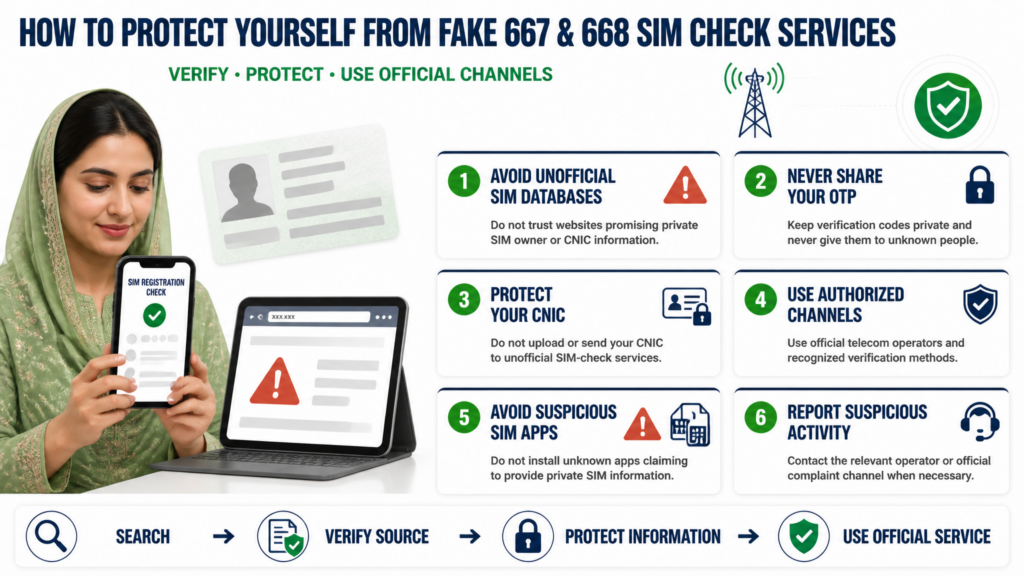
    If a website claims that anyone can enter any Pakistani mobile number and instantly obtain a person’s complete name, CNIC, address, or other private records, you should treat that claim with extreme caution rather than assuming it is an official SIM information service.

    Your own SIM and CNIC information should also be handled carefully. Avoid entering sensitive identity information into unknown websites merely because they promise a “free” or “complete” SIM database.

    How SIM Information Is Connected to Your CNIC

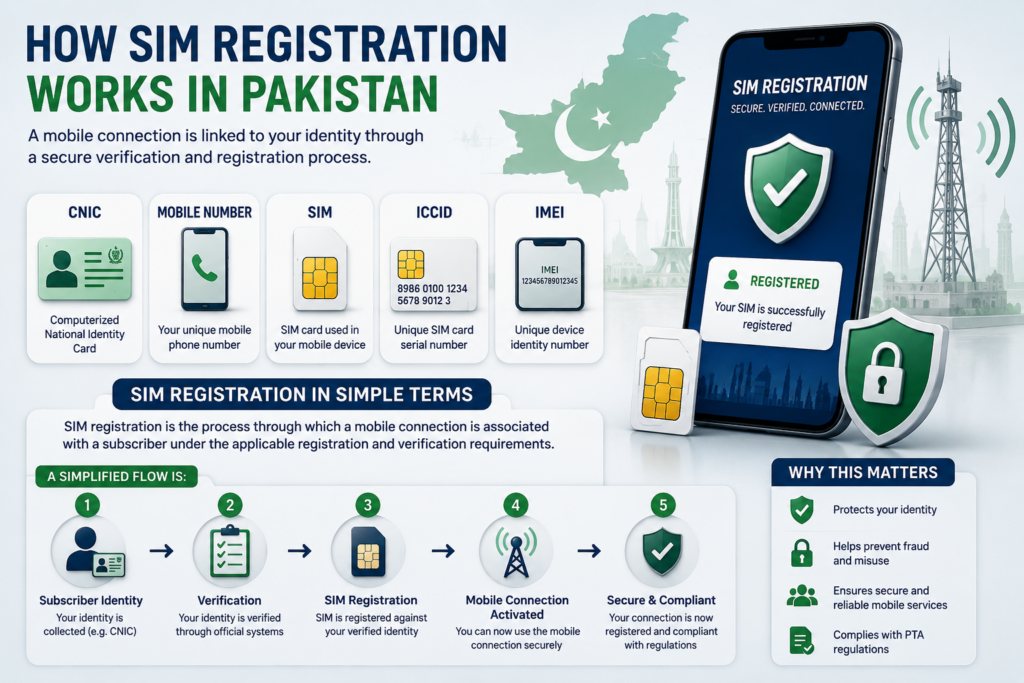
    A mobile SIM in Pakistan is not simply a phone number. Its registration is connected with an identity record, which is why your CNIC plays an important role when you activate and manage a mobile connection. Understanding this connection is essential for anyone researching Pak SIM Info or trying to verify their own SIM registrations.

    When a person obtains a SIM through the proper registration process, the connection is associated with the identity information provided during registration. This allows users to manage their own mobile connections and helps telecom authorities maintain an organized subscriber record.

    For ordinary users, the most useful part of this system is the ability to check the SIM connections associated with their own identity.

    Why CNIC-Based SIM Information Matters

    People often use mobile connections for many years. During that time, they may change networks, replace damaged SIMs, purchase additional connections, or stop using older numbers.

    As a result, a person may not always remember every connection that has been associated with their identity.

    Checking your own SIM information can therefore help you:

    • Review your registered mobile connections
    • Identify old or unfamiliar registrations
    • Keep track of connections from different networks
    • Detect information that does not match your records
    • Take appropriate action when an unauthorized registration is discovered
    • Maintain better control over your personal identity information

    This makes CNIC-based verification an important part of responsible SIM management.

    Your Own Information vs. Someone Else’s Information

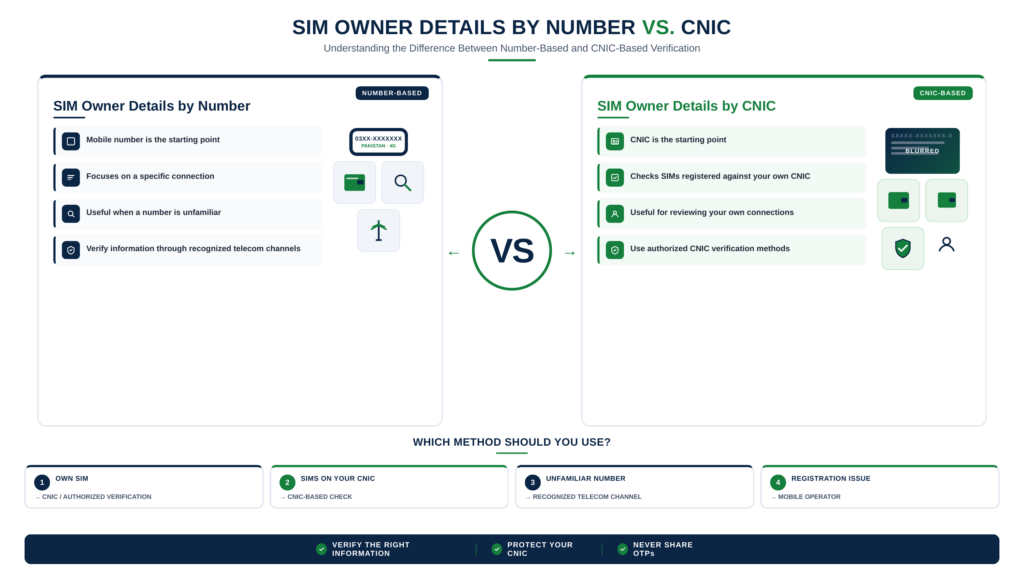
    One of the most important concepts in the Pak SIM Info topic is the difference between checking your own record and attempting to obtain another person’s private information.

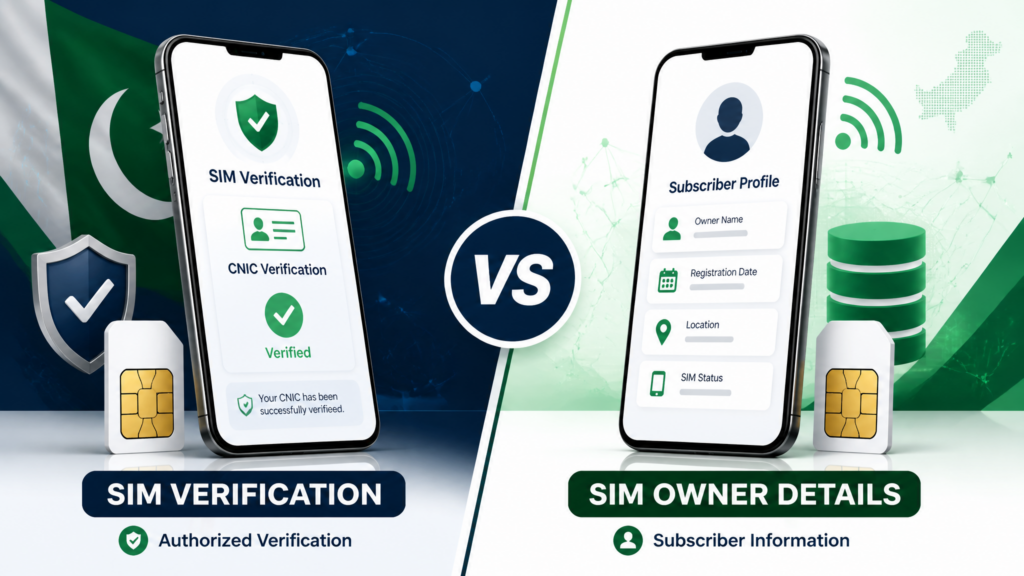
    A legitimate verification process is intended to help an individual review information connected with their own identity. It should not be interpreted as permission to obtain another subscriber’s confidential details simply by entering their mobile number.

    This distinction is particularly important because many websites use terms such as SIM database, SIM owner details, or Pak SIM Data in ways that may suggest unrestricted access to subscriber records.

    Users should not assume that a website is legitimate simply because it uses these popular search terms.

    What Does a CNIC-Based SIM Check Help You Understand?

    A proper self-check can help you understand whether mobile connections are associated with your identity and whether the result generally matches what you expect.

    For example, someone who has previously used several networks may discover that older registrations still need attention. Another person may have recently purchased a new SIM and want to confirm that the registration process has been completed correctly.

    The purpose of checking is therefore broader than simply asking, “How many SIMs do I have?”

    It is also about maintaining awareness of the connections associated with your identity.

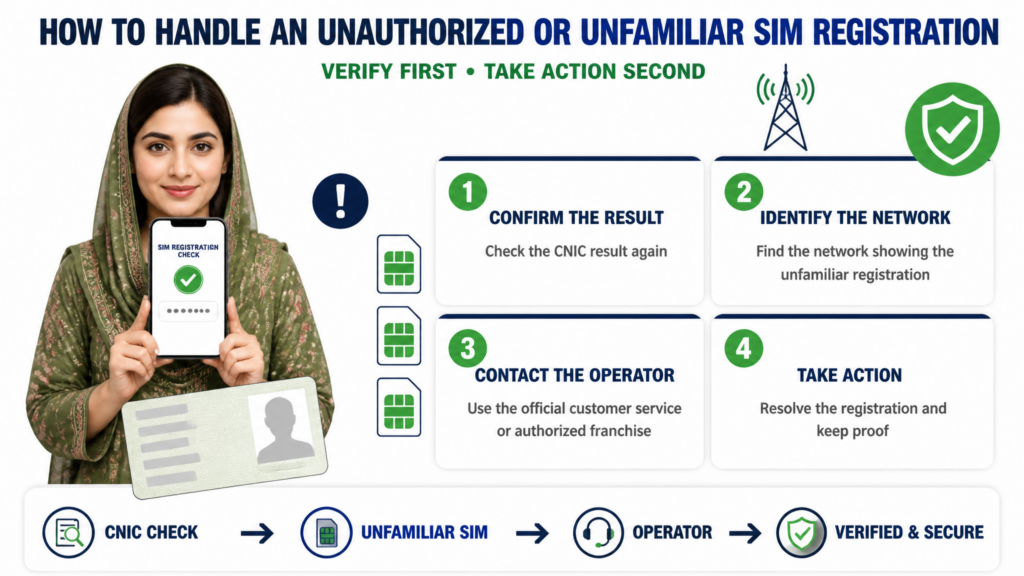
    What If You Find an Unrecognized SIM?

    If a SIM registration appears unfamiliar, do not immediately assume that your identity has been misused. First consider whether it could be an old connection, a recently processed registration, or another SIM that you previously used and forgot about.

    If the registration genuinely does not belong to you, the appropriate next step is to contact the relevant official telecom or regulatory channel and ask for verification and resolution.

    Avoid entering your CNIC into multiple unknown websites while investigating the issue. Giving sensitive identity information to an unofficial service can create an additional privacy risk.

    Why CNIC Information Should Be Protected

    Your CNIC is sensitive identity information. Because SIM registrations are connected with identity verification, users should treat CNIC details with the same care they would give other important personal information.

    A website promising instant access to complete subscriber records should not automatically be trusted. Before entering personal information, check whether the service is an appropriate official channel and whether the information being requested is actually necessary for the task.

    For Pak SIM Info, the safest approach is simple: verify your own registrations through the appropriate official method and avoid unnecessary disclosure of personal information.

    The Main Idea

    CNIC-based SIM information exists to connect mobile registrations with verified subscriber identities. For users, this system provides an important way to review and manage their own connections.

    Understanding this relationship also makes it easier to distinguish genuine SIM verification from misleading claims about public SIM databases or unrestricted owner lookups.

    How to Check Pak SIM Info Online

    Understanding Online SIM Information Checks

    Many people search for Pak SIM Info online because they want a convenient way to understand their own SIM registrations without making an unnecessary visit to a mobile franchise. Online verification can make basic SIM-related information easier to access, but it is important to understand what an online SIM check can actually provide.

    An online SIM check should primarily be used to verify information connected with your own identity and mobile connections. It should not be confused with websites that claim to provide unrestricted access to private subscriber records.

    What Can an Online SIM Check Help With?

    Depending on the official service being used, an online verification process may help you review information related to your own SIM registrations.

    It can be useful when you want to:

    • Review SIM registrations associated with your CNIC
    • Confirm information about your own mobile connections
    • Check whether a recent SIM registration has been reflected
    • Investigate an unfamiliar registration
    • Understand your current SIM-related record
    • Reduce the need for an unnecessary visit to a service center for basic verification

    The exact information available depends on the official service and the verification method being used.

    Why Use an Official Online Source?

    The biggest advantage of using an official online route is that it provides a more appropriate environment for handling sensitive identity information.

    Your CNIC should not be entered into every website that appears in search results. Some third-party websites use terms such as Pak SIM Info, SIM Database, or SIM Owner Details to attract visitors, even though their claims may not represent an official subscriber-verification service.

    Before submitting personal information online, check the website carefully and make sure you understand what information it is requesting and why.

    Online Check vs. Other SIM Methods

    An online SIM check is only one part of the broader SIM information process.

    For example, a person may want to know:

    How many SIMs are associated with my CNIC?

    That is a CNIC-based registration question.

    Another person may ask:

    Which network does this mobile number currently use?

    That is a network-identification question.

    Someone else may want to verify a SIM that they physically possess. That involves a different type of verification.

    These questions may all appear under the broad search term Pak SIM Info, but they should not be treated as the same service.

    What If the Online Result Looks Incorrect?

    If your online result does not match what you expect, do not immediately assume that the system is incorrect or that fraud has occurred.

    First consider whether you have previously owned an old number, changed networks, replaced a SIM, or recently completed a registration. Some changes may also require time before they appear in a system.

    If the information still appears incorrect after allowing reasonable time for an update, use the appropriate official telecom support or complaint channel for further verification.

    Protect Your Information During Online Checks

    Never share your CNIC details, OTPs, passwords, or other sensitive information simply because an unknown website claims it can reveal complete SIM owner information.

    A useful rule is simple:

    Use online SIM verification to manage your own information, not to investigate another person’s private identity.

    This approach makes Pak SIM Info more useful while also reducing unnecessary privacy and security risks.

    Pak SIM Info by CNIC: What You Can Verify

    Understanding CNIC-Based SIM Information

    One of the most common reasons people search for Pak SIM Info is to understand which mobile connections are associated with their own CNIC. This type of check is different from searching for the private identity of another mobile subscriber.

    A CNIC-based SIM check is primarily about reviewing your own registration record. It can help you understand whether the mobile connections associated with your identity match the connections you currently recognize.

    What a CNIC SIM Check Is Used For

    A personal CNIC-based check can be useful in several situations. You may have used different networks over the years, replaced an old number, purchased an additional SIM, or stopped using a connection without remembering whether its registration was properly updated.

    Reviewing your own SIM information can help you identify these situations.

    It may help you:

    • Understand your registered SIM connections
    • Review connections associated with your CNIC
    • Notice unfamiliar registrations
    • Keep track of older mobile connections
    • Confirm information after obtaining a new SIM
    • Take appropriate action when a registration does not match your records

    The purpose is not simply to obtain a number. It is to maintain awareness of the mobile connections connected with your identity.

    How to Approach a CNIC-Based Check

    Before starting a SIM information check, determine exactly what you want to verify.

    If your goal is to know how many SIM registrations are associated with your CNIC, use the appropriate official verification method designed for that purpose.

    If you want to confirm information about a particular SIM that you personally use, the relevant mobile operator’s verification channel may be more appropriate.

    This distinction can save time because different SIM-related questions require different verification routes.

    What Information Should You Expect?

    The information available through an official SIM verification service depends on the specific service and its purpose. A legitimate self-check should not be assumed to provide every private detail about a subscriber.

    For this reason, users should be cautious about websites that promise complete names, addresses, CNIC records, call history, or other confidential information simply by entering a mobile number.

    A Pak SIM Info search may lead to many different websites, but search visibility does not automatically make a service official or trustworthy.

    What If You Discover an Unfamiliar Registration?

    Finding a registration that you do not immediately recognize does not necessarily mean that your identity has been misused.

    First, think about previous connections you may have used. An older SIM, a secondary number, or a connection from another network may explain the result.

    If you still cannot identify the registration, use the relevant official telecom support or complaint channel. Provide only the information necessary for verification and follow the instructions given by the responsible service provider or authority.

    Avoid trying to resolve the issue through random third-party databases.

    Keep Your CNIC Information Secure

    Your CNIC is important personal information, so it should be handled carefully whenever you use an online SIM-related service.

    Do not provide your CNIC, OTP, account credentials, or other sensitive information to an unfamiliar website merely because it claims to offer instant Pak SIM Info or SIM owner details.

    The safest approach is to verify your own record through an appropriate official route and take further action only when necessary.

    Understanding the difference between CNIC-based SIM verification and private subscriber lookup makes it easier to use SIM information services responsibly and avoid misleading claims online.

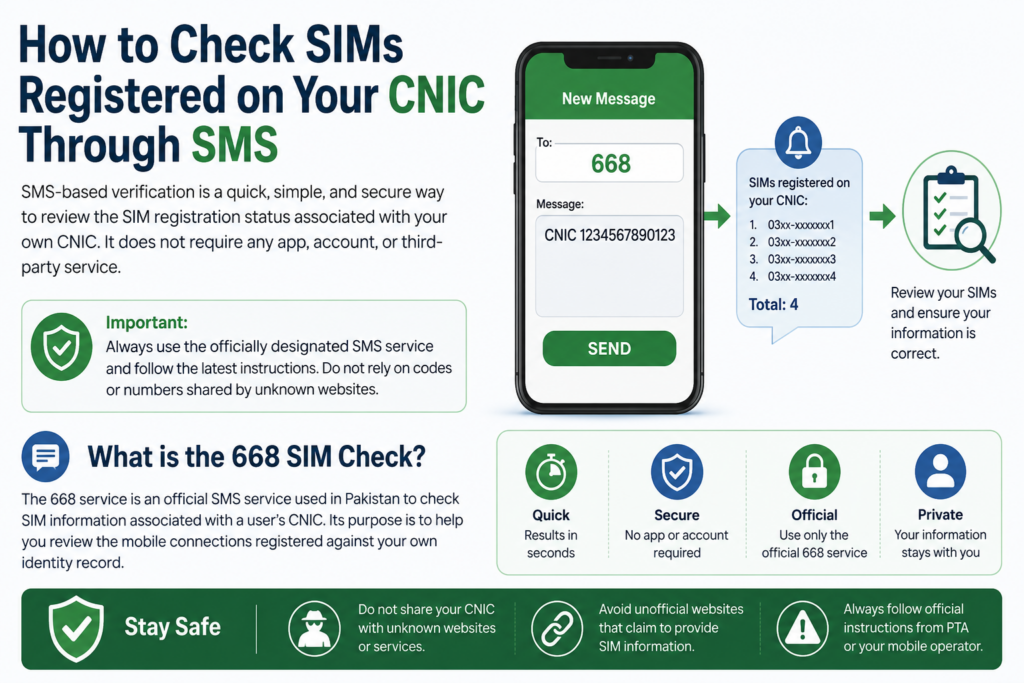
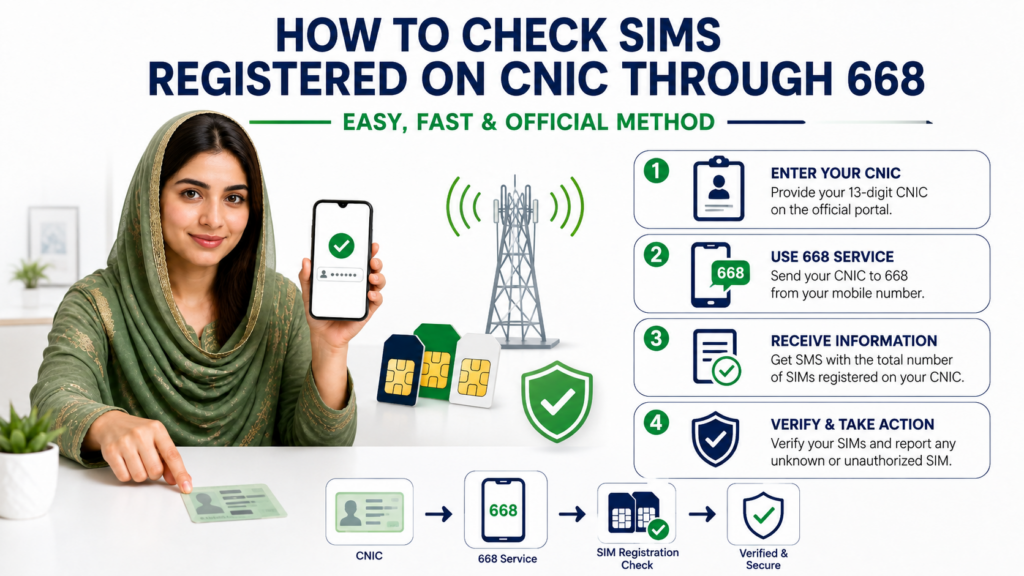
    Pak SIM Info Through 668: Understanding the SMS Method
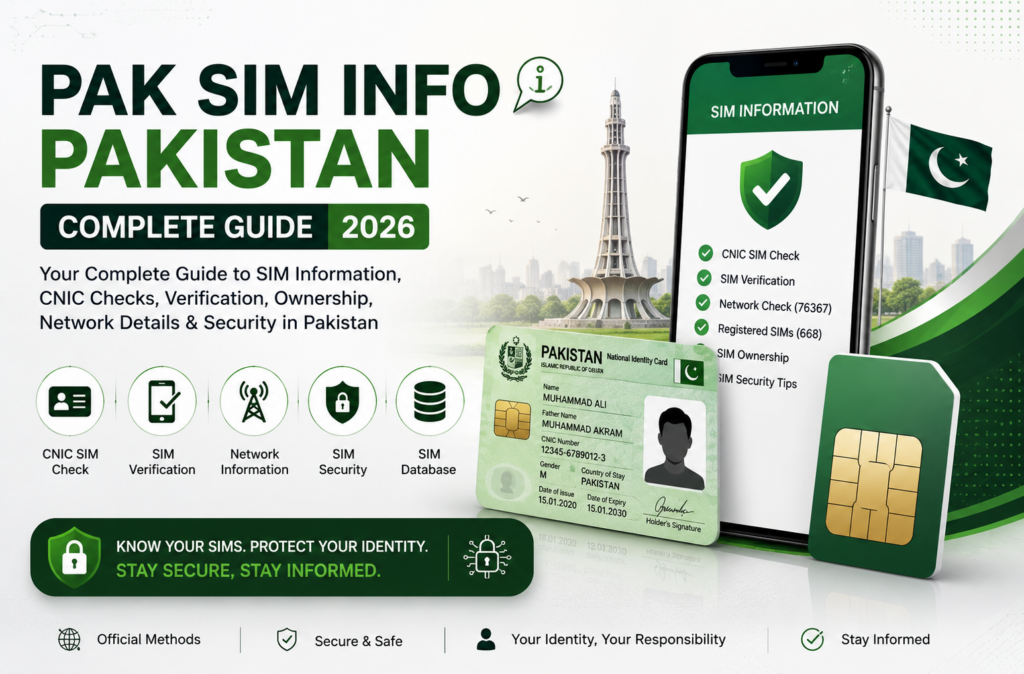
    Pak SIM Info through 668 SMS method
    Pak SIM Info Through 668 – Understanding the SMS Method

    What Is the 668 SIM Information Service?

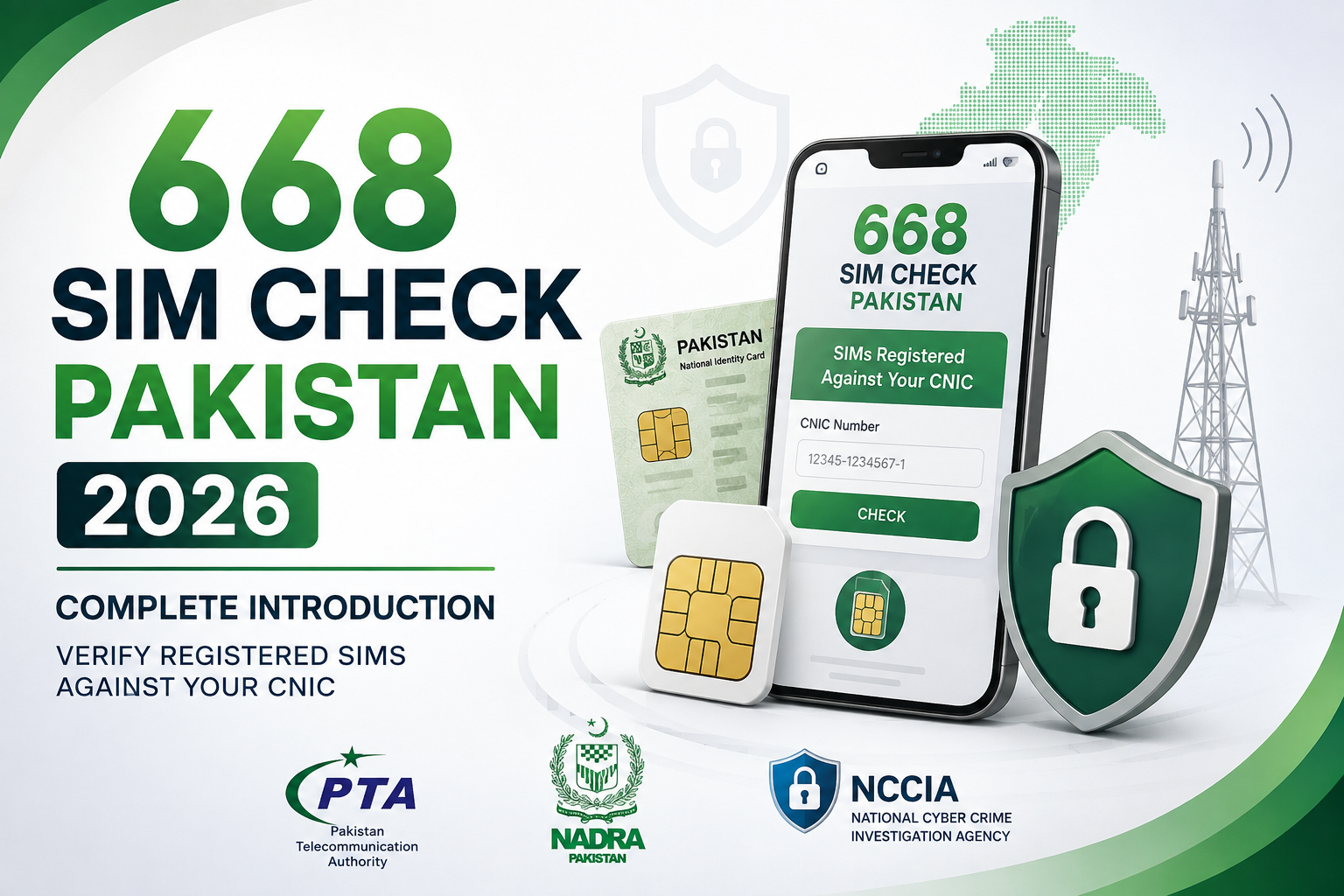
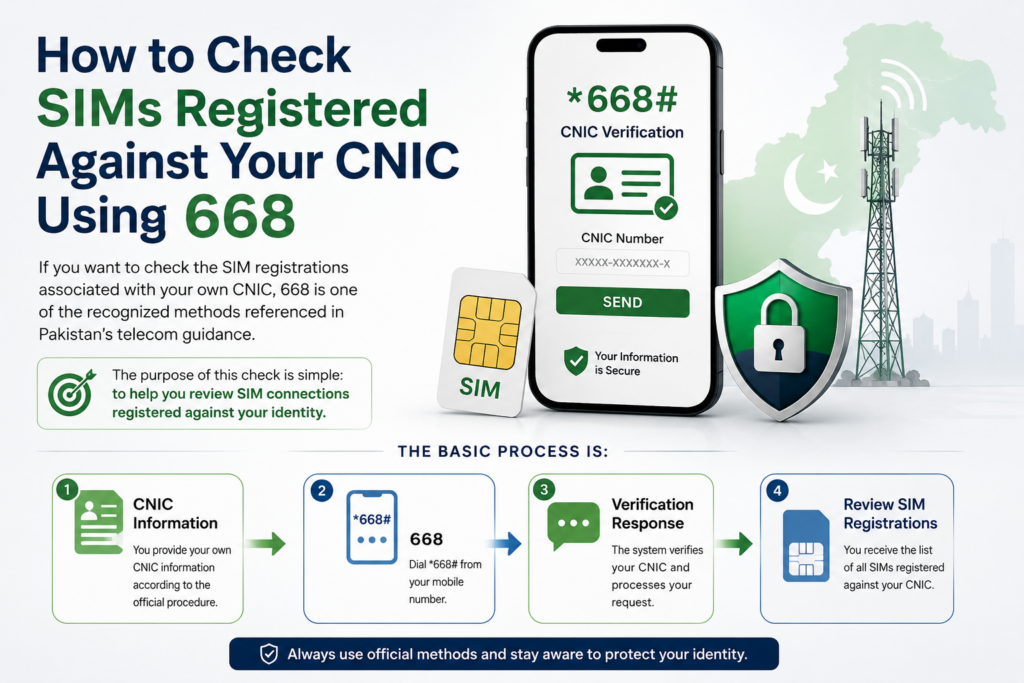
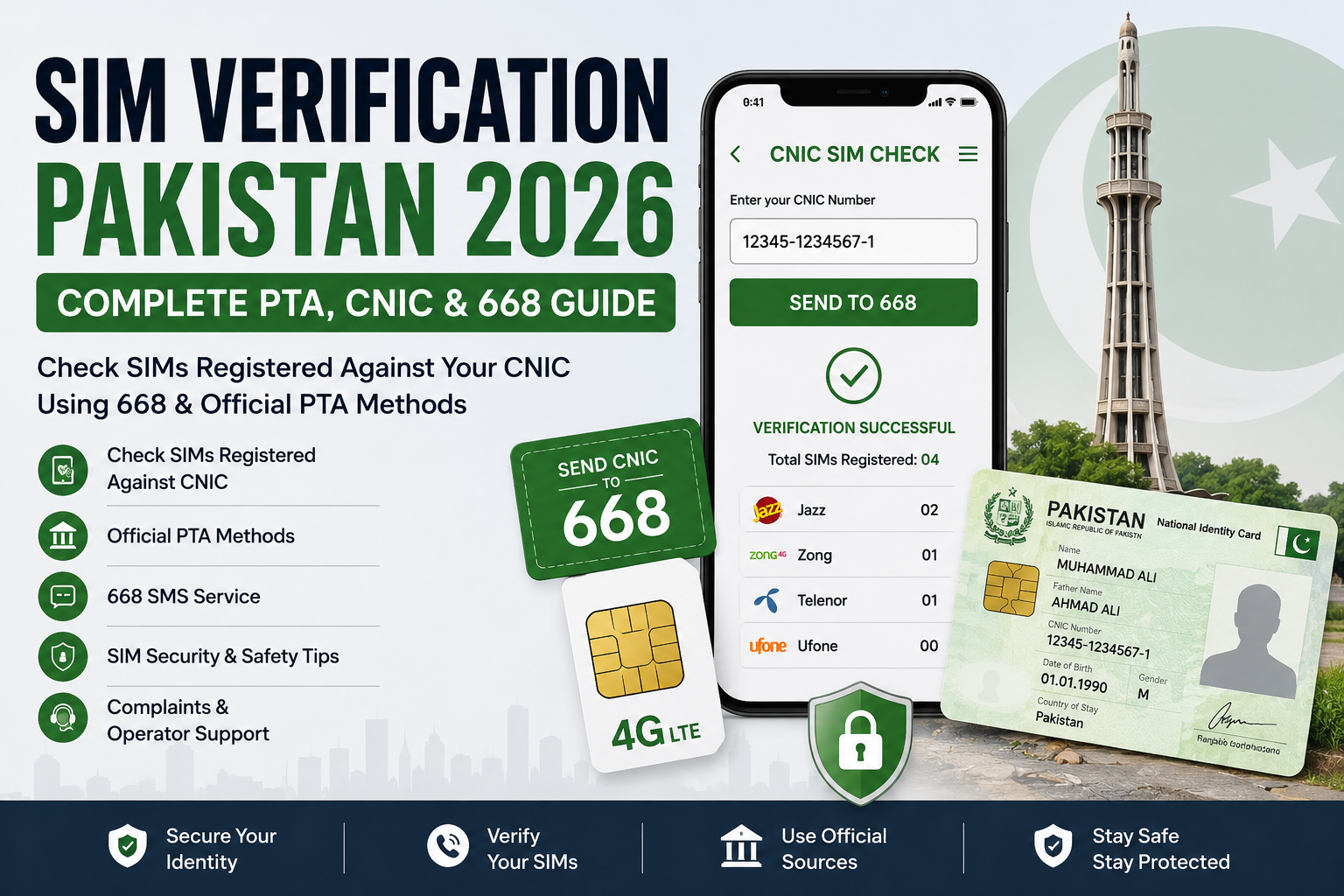
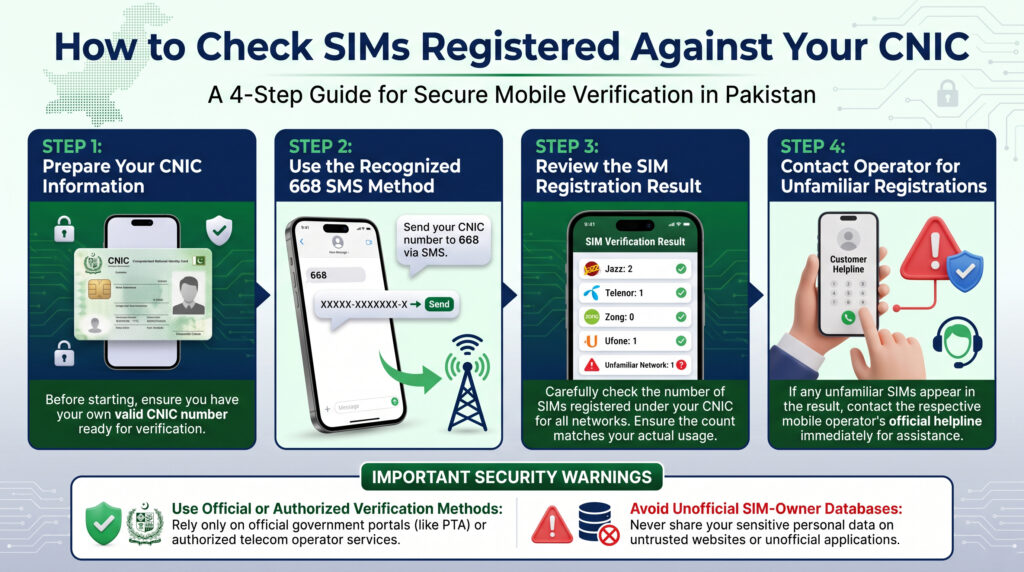
    The 668 SIM information service is one of the commonly discussed methods for checking SIM registrations associated with your own CNIC in Pakistan. It is particularly useful for people who want a simple mobile-based option instead of using an online portal.

    The main purpose of this method is to help an individual review the SIM registrations connected with their own identity. It should not be treated as a service for obtaining the private details of another subscriber.

    Why Do People Use 668?

    The SMS method can be useful when you want a straightforward way to check your own registration information.

    People may use it when they want to:

    • Review SIMs associated with their CNIC
    • Check registrations across different operators
    • Confirm whether their SIM record appears as expected
    • Investigate an unfamiliar registration
    • Review their mobile registrations without relying on an unofficial database

    For users searching for Pak SIM Info, understanding 668 is important because it represents one of the established approaches associated with CNIC-based SIM information.

    What Kind of Result Should You Expect?

    A SIM registration check is designed to provide registration-related information rather than expose a subscriber’s entire private profile.

    The result should therefore not be interpreted as a tool for obtaining another person’s name, address, CNIC number, call records, or other confidential information.

    This is an important distinction because some unofficial websites use terms such as “SIM owner details” or “Pak SIM database” to suggest that much more information is publicly available than a legitimate verification process actually provides.

    When Should You Use an Alternative Method?

    668 is not necessarily the best choice for every SIM-related question.

    If you want to use an online verification service, an online portal may be more convenient. If you want to verify a particular SIM that you physically possess, another operator-specific method may be more appropriate.

    Similarly, if your goal is simply to determine which network currently serves a particular mobile number, you need a network-identification service rather than a CNIC registration check.

    Understanding the purpose of each method prevents confusion and helps you choose the appropriate option.

    What If the Result Does Not Match Your Records?

    If the result contains a registration you do not recognize, first consider your previous SIM usage. You may have forgotten an older connection or a number that was registered some time ago.

    If the registration still appears unfamiliar after checking your own records, contact the appropriate official telecom support channel for further assistance.

    Do not attempt to investigate an unfamiliar registration by submitting your CNIC to multiple unofficial websites. Doing so can expose your personal information unnecessarily.

    668 and Responsible SIM Management

    The value of a CNIC-based SIM check is not limited to counting connections. It can also encourage users to take greater responsibility for the mobile registrations associated with their identity.

    Checking your own record from time to time can help you remain aware of your active and previous registrations and identify situations that may require further verification.

    For anyone researching Pak SIM Info Pakistan, the key point is simple: use SIM verification methods for legitimate self-checking, understand what each service is designed to provide, and protect your personal information throughout the process.

    Pak SIM Info Online Portal: What You Should Know

    Understanding the Online SIM Information Portal

    An online portal can make SIM-related verification more convenient for users who want to review information connected with their own identity. Instead of relying on an unknown third-party website, users can look for the appropriate official online route designed for SIM registration checks.

    For people searching for Pak SIM Info, this distinction is important because many search results may use similar terminology while offering very different services.

    What Is the Main Purpose of an Online Portal?

    The basic purpose of an online SIM information portal is to provide a convenient way for an individual to check relevant registration information.

    A user may be interested in an online check when they want to:

    • Review SIM registrations associated with their CNIC
    • Check their own registration information
    • Confirm whether a recently completed registration is reflected
    • Investigate an unfamiliar registration
    • Access SIM-related information without visiting a physical location

    The exact information available depends on the official service being used and the type of verification being performed.

    Why Online Verification Can Be Convenient

    One major benefit of an online method is accessibility. A user with an internet connection can potentially perform a basic check without travelling to a franchise or service center.

    This can be particularly helpful for people who live away from major cities, have limited time, or simply want to perform an initial review before contacting a telecom provider.

    However, convenience should never come at the expense of privacy.

    Be Careful With Unofficial Websites

    Searching for Pak SIM Info can produce websites that advertise SIM databases, owner details, live tracking, or complete subscriber records.

    Users should not assume that these claims are legitimate simply because a website appears in a search engine.

    Before entering a CNIC or other sensitive information, consider whether the website is an appropriate official service. If a website asks for unnecessary personal information or promises access to another person’s confidential details, there is a strong reason to avoid it.

    Online Portal vs. SMS Verification

    Both online and SMS-based methods can be useful, but they serve different preferences.

    An online portal may be more convenient for someone who prefers using a browser and wants a visual interface.

    An SMS method may be preferable when the user wants a simple mobile-based process.

    Neither method should be treated as a way to obtain unrestricted private information about other subscribers.

    What If Your Information Is Not Showing?

    If a newly registered SIM does not immediately appear in a result, avoid assuming that something has gone wrong.

    Registration systems may require processing time before a change becomes visible. Check your information again after an appropriate period and contact the relevant official service if the issue continues.

    For an older registration that still appears incorrect, official telecom support is the appropriate place to seek clarification.

    Protect Your CNIC While Using Online Services

    Your CNIC should only be entered where it is genuinely required and where you have a reasonable basis for trusting the service.

    Never provide an OTP, password, banking information, or other unrelated sensitive information to a website claiming to perform a SIM check.

    A reliable Pak SIM Info approach is based on verifying your own information through suitable channels rather than searching for confidential records belonging to other people.

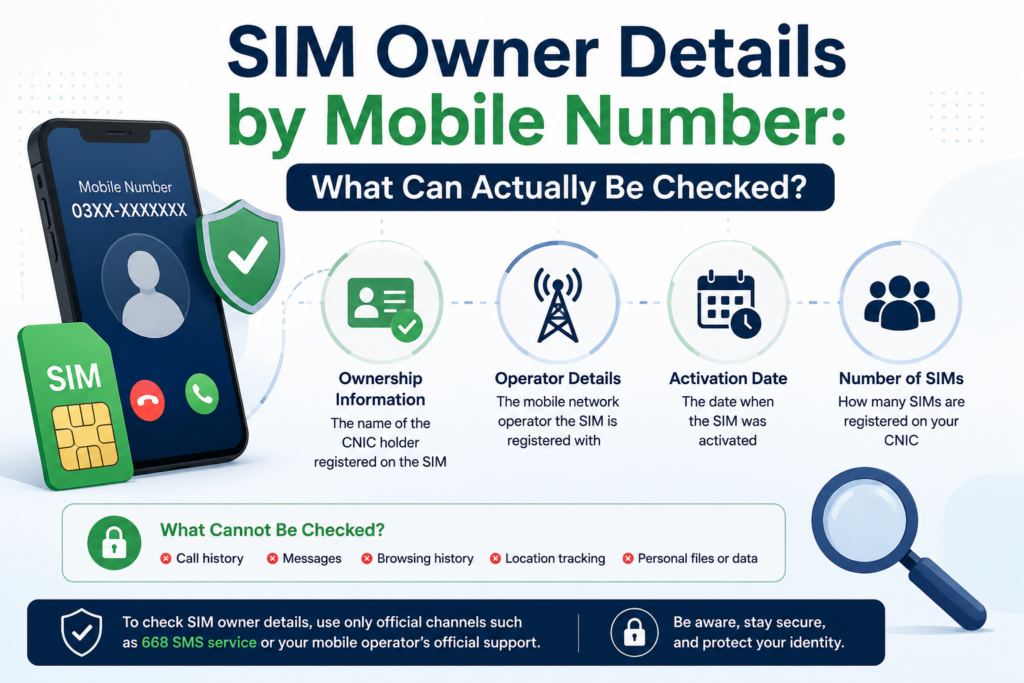
    Pak SIM Info by Mobile Number: What Can Actually Be Checked?
    Pak SIM Info through 668 SMS method in Pakistan
    Pak SIM Info Through 668 – Understanding the SMS Method

    Understanding Mobile Number-Based SIM Information

    Another common search associated with Pak SIM Info is checking information by entering a mobile number. This can be confusing because a mobile number can identify a particular connection, but that does not mean a public website should reveal the subscriber’s complete private identity.

    A mobile-number search can refer to several different purposes, including identifying the current network, verifying a SIM that you personally possess, or looking for information about a number that contacted you.

    Can You Get Complete Owner Details by Number?

    A legitimate public SIM information service should not be assumed to provide a stranger’s complete personal profile simply because their mobile number is known.

    Claims that a person can enter any Pakistani mobile number and instantly obtain confidential information such as a subscriber’s full identity, CNIC details, address, or other private records should be treated with caution.

    The purpose of legitimate SIM-related services is generally focused on verification, registration management, network information, and other permitted telecom functions.

    What Can a Mobile Number Help You Identify?

    A mobile number can be useful for certain non-private checks.

    For example, you may want to determine which telecom network currently serves the number. This can be particularly useful because people can move their numbers between operators while retaining the same number.

    You may also need to verify a SIM that you personally possess. In that situation, an appropriate verification process can help establish information about your own connection.

    These uses are very different from attempting to discover the private identity of another subscriber.

    Why Prefixes Are Not Always Enough

    Many people try to identify a network by looking at the first few digits of a mobile number. While prefixes can provide useful clues about the number’s original allocation, they should not always be treated as proof of the current operator.

    Mobile Number Portability allows users to change networks while keeping their existing number. As a result, the current network may differ from the network originally associated with the number.

    This is why a dedicated network-identification method can be more reliable when the current operator matters.

    What About Unknown Numbers?

    If an unfamiliar number calls or sends you a message, finding its private owner information through an unofficial database is not a safe solution.

    Instead, consider the context of the communication. If the number appears to be involved in fraud, harassment, impersonation, or another serious issue, preserve relevant evidence and use the appropriate official reporting channel.

    Do not respond by giving the caller your CNIC, OTP, banking credentials, or other sensitive information.

    Avoid “Live Tracker” and Private Database Claims

    Searches related to Pak SIM Info may also lead to websites advertising “live SIM tracking,” instant owner lookup, or private SIM databases.

    These claims should not be confused with legitimate telecom verification. A website using technical language or promising instant results does not automatically make its database genuine.

    You should be especially cautious if such a service asks for payment, requests sensitive identity information, or promises confidential details about another person.

    The Safer Approach

    When dealing with a mobile number, first determine what you actually need to know.

    If it is your own SIM, use an appropriate verification method.

    If you need network information, use a network-identification service.

    If you are dealing with fraud, harassment, or suspicious activity, use the relevant official complaint or reporting process.

    This approach keeps Pak SIM Info useful while respecting privacy and avoiding unreliable subscriber databases.

    Official 668 Method for Pak SIM Info

    The 668 SIM check is one of the most important methods to understand when researching Pak SIM Info in Pakistan. It is designed around checking SIM registrations associated with your own identity and is especially useful when you want to review your mobile connections without relying on an unofficial SIM database.

    What Makes the 668 Method Useful?

    The main value of the 668 method is simplicity. Instead of searching different websites for subscriber information, a user can use the designated SMS-based route for a personal SIM registration check.

    It can be useful for:

    • Reviewing SIM registrations linked with your identity
    • Checking whether your known connections are reflected in the record
    • Finding registrations that you do not immediately recognize
    • Reviewing your SIM information after obtaining a new connection
    • Keeping track of registrations across different mobile operators

    The method is therefore more about identity and registration management than discovering private information about another person.

    How the 668 Check Works

    The process is based on your own CNIC information. The purpose is to request information about SIM registrations associated with that identity.

    Before using any SIM-check service, make sure you are checking your own CNIC. Do not use another person’s identity information without authorization.

    The response should be understood as a registration-related result rather than a complete subscriber database.

    What the 668 Result Does Not Mean

    A common misunderstanding around Pak SIM Info is that a SIM registration check should reveal every detail belonging to a subscriber.

    That is not how a legitimate self-check should be understood.

    A registration result should not be treated as a public source for obtaining another person’s:

    • Full residential address
    • Private CNIC information
    • Call history
    • SMS history
    • Banking information
    • Live location
    • Passwords or OTPs
    • Other confidential records

    This distinction is particularly important because unofficial websites sometimes combine terms such as SIM database, Pak SIM Data, and SIM owner details with claims that go far beyond legitimate verification.

    When Should You Check Your SIM Information?

    There is no need to wait until you suspect a problem before reviewing your own registrations.

    A personal SIM audit can be useful after:

    • Buying a new SIM
    • Replacing an old SIM
    • Changing mobile operators
    • Losing a SIM
    • Discovering unusual account activity
    • Receiving suspicious messages related to your mobile account
    • Realizing that you have not reviewed your registered connections for a long time

    Regular awareness can make it easier to identify something unusual before it becomes a larger problem.

    What If You See a SIM You Do Not Recognize?

    Do not panic and do not immediately assume that the registration is fraudulent.

    First, think about previous SIMs and numbers you may have used. An older connection can sometimes be forgotten, especially if you have changed operators several times.

    If you are still unable to identify the registration, the safer approach is to contact the relevant official telecom support channel and ask how the registration can be verified or removed.

    Do not enter your CNIC into several random “SIM database” websites while investigating the issue.

    668 vs. Unofficial SIM Databases

    The difference is important.

    An appropriate SIM registration method is intended to help you manage your own identity-linked connections.

    An unofficial database may claim to provide names, addresses, CNIC records, or other information about people simply from a mobile number.

    Those claims should not be accepted merely because the website uses the keyword Pak SIM Info.

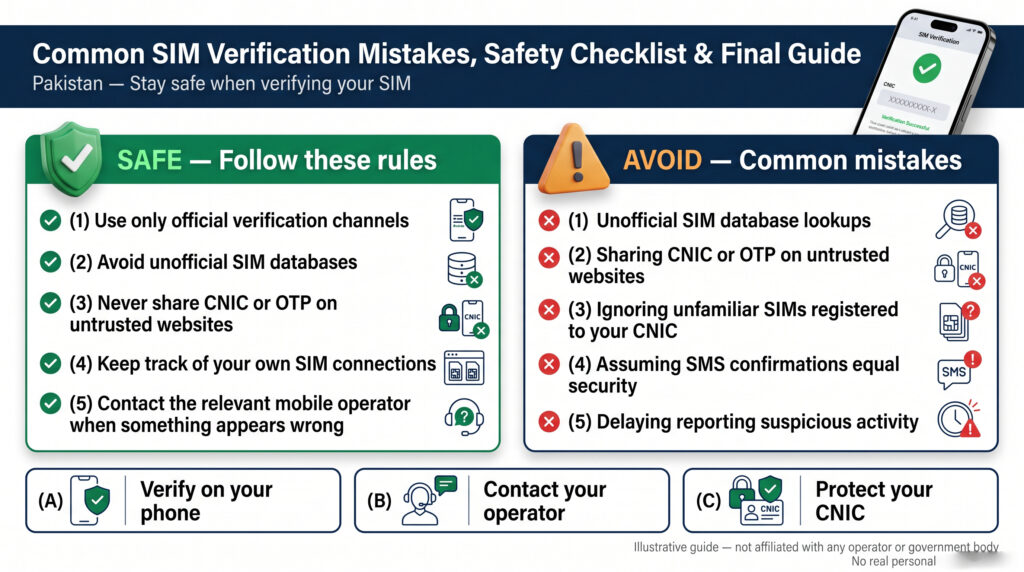
    A Practical 668 Safety Checklist

    Before performing a SIM information check:

    • Use your own identity information.
    • Prefer an appropriate official channel.
    • Do not share OTPs with anyone.
    • Do not provide unnecessary personal information.
    • Do not trust claims of unrestricted private subscriber access.
    • If something appears unfamiliar, contact the proper telecom support channel.
    • Keep records of important SIM-related complaints or requests.

    The 668 method is therefore best understood as part of responsible SIM registration management. It can help users stay aware of the connections associated with their identity while keeping the focus on legitimate verification rather than private subscriber lookup.

    Official cnic.sims.pk Portal for Pak SIM Info

    What Is cnic.sims.pk?

    The cnic.sims.pk portal is an important online route associated with CNIC-based SIM information in Pakistan. It is useful for people who want to review SIM registrations connected with their own identity through an online interface rather than relying on an unofficial SIM database.

    For anyone researching Pak SIM Info Pakistan, understanding this portal is important because it helps distinguish an official verification route from websites that simply advertise SIM data or owner lookup services.

    What Can You Use the Portal For?

    The portal is primarily relevant when you want to check SIM registrations associated with your own CNIC.

    A personal check can help you:

    • Review your registered SIM connections
    • Understand operator-wise SIM registration information
    • Notice an unfamiliar registration
    • Check your records after obtaining or changing a SIM
    • Keep track of connections linked with your identity

    The result should be viewed as a registration check, not as a complete private profile of a mobile subscriber.

    Basic Online Checking Process

    When using an appropriate CNIC-based SIM portal, the general process involves entering your own CNIC information and completing the required verification step.

    A typical process is:

    1. Open the appropriate SIM information portal.
    2. Enter your own CNIC information in the requested format.
    3. Complete any security verification shown on the page.
    4. Submit the request.
    5. Review the SIM registration information returned by the system.

    Always check that you are using the correct official address before entering sensitive identity information.

    Why the Portal Is Better Than Random Lookup Sites

    Search engines may show many websites targeting phrases such as Pak SIM Info, SIM Data Pakistan, or SIM Owner Details.

    However, a website ranking for a keyword does not automatically mean that it has authorized access to subscriber records.

    A safer approach is to use a recognized verification channel for your own information. This reduces the risk of handing your CNIC to a website whose data source, privacy practices, or security standards are unclear.

    What Information Should You Not Expect?

    The portal should not be treated as a way to obtain unrestricted private information about another subscriber.

    A legitimate SIM registration check should not be confused with access to:

    • Another person’s complete CNIC record
    • Private residential information
    • Call or SMS history
    • Banking credentials
    • OTPs
    • Live location
    • Private account passwords

    If another website promises all of these details from a single mobile number, treat the claim with caution.

    What If the Result Is Unexpected?

    If the result does not match your expectations, first consider your previous mobile connections. An old or rarely used SIM may explain an unfamiliar entry.

    For a registration that you genuinely cannot identify, contact the relevant telecom support channel and ask about the available verification or disowning procedure.

    Do not try to solve the problem by entering your CNIC into multiple unofficial databases.

    Online Portal or 668?

    Both methods can serve the broader purpose of checking your own SIM registration information, but they offer different user experiences.

    The online portal is convenient for people who prefer a browser-based process, while an SMS-based method may be more practical for someone who wants to perform a basic check through a mobile phone.

    The important point is not which method sounds more convenient; it is whether the method is appropriate for the information you are trying to verify.

    Keep Your CNIC Secure

    Your CNIC should be treated as sensitive personal information. Before using any online SIM service, confirm that you are on the intended website and that the information requested is relevant to the verification you are performing.

    Never provide an OTP, banking information, password, or unrelated personal information to a website claiming to offer Pak SIM Info.

    Using the appropriate online portal can make SIM registration checks convenient, but responsible use remains essential.

    667 SIM Verification: When and Why It Matters
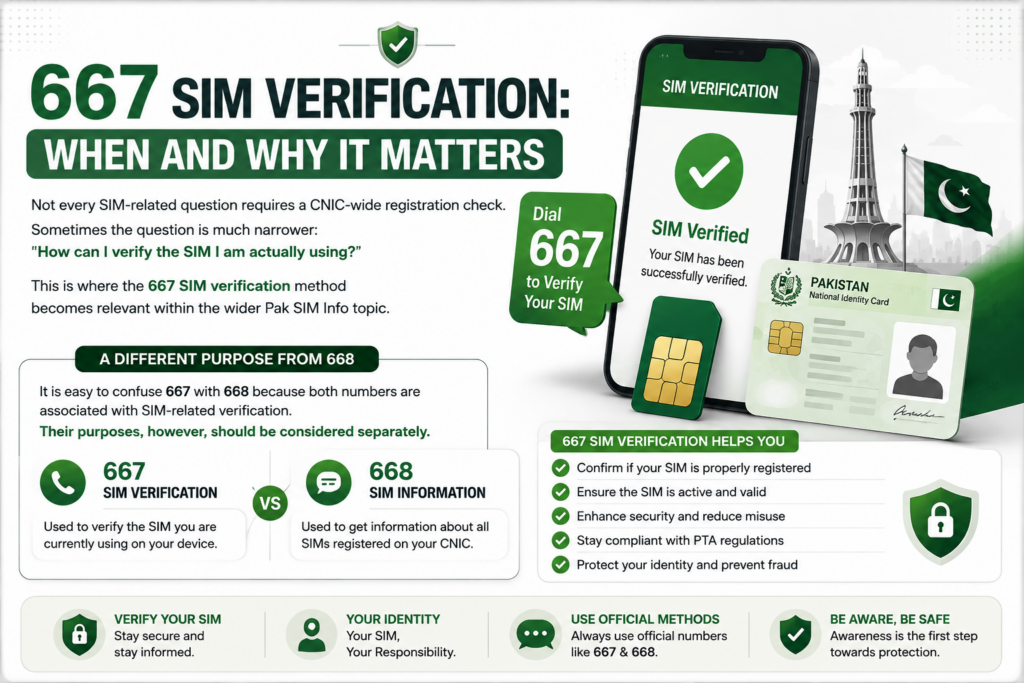
    667 SIM Verification in Pakistan and why it matters
    667 SIM Verification – Understanding when and why SIM verification matters in Pakistan

    Not every SIM-related question requires a CNIC-wide registration check. Sometimes the question is much narrower: “How can I verify the SIM I am actually using?”

    This is where the 667 SIM verification method becomes relevant within the wider Pak SIM Info topic.

    A Different Purpose From 668

    It is easy to confuse 667 with 668 because both numbers are associated with SIM-related verification. Their purposes, however, should be considered separately.

    MethodMain purpose
    668Review SIM registrations associated with your CNIC
    667Verification related to the SIM/number you are using
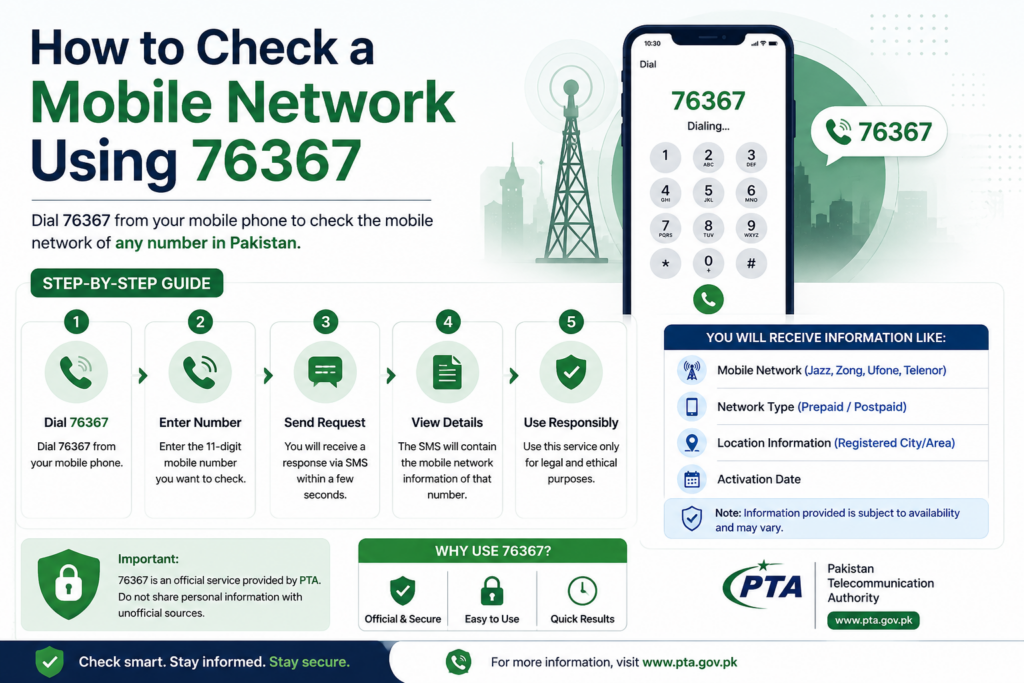
    76367Identify the mobile network associated with a number
    IMEI servicesCheck information related to a mobile device

    This distinction is useful because choosing the wrong method can lead to confusion about the result.

    When Would You Consider 667?

    Imagine that you have a SIM in your phone and want to verify information about that particular connection. You are not necessarily trying to review every SIM ever associated with your CNIC.

    That is a different situation from performing a complete CNIC-based SIM audit.

    For example:

    Situation A:
    You want to review all SIM registrations associated with your identity.

    → A CNIC-based registration method is more relevant.

    Situation B:
    You want to verify the SIM currently in your possession.

    → A SIM-specific verification method such as 667 may be relevant.

    Situation C:
    You only want to know which network a number currently belongs to.

    → A network-check method is more appropriate.

    Understanding these differences makes the entire Pak SIM Info process much easier.

    What 667 Should Not Be Used For

    A SIM verification method should not be interpreted as a public subscriber database.

    It should not be treated as a shortcut for obtaining another person’s:

    • CNIC details
    • Home address
    • Private call records
    • SMS history
    • Banking information
    • Live location
    • Passwords
    • OTPs

    If a website claims that entering someone else’s number into a “667 database” will reveal their complete identity, do not assume that the claim represents an official telecom service.

    A Useful Verification Habit

    When dealing with SIM information, start with the smallest question that needs an answer.

    If you only need to verify the SIM you are using, there is no reason to search for a supposed “complete Pakistan SIM database.”

    If you need to review your CNIC-linked registrations, use the appropriate CNIC-based route.

    If you need network information, use the relevant network-check method.

    This approach saves time and reduces the temptation to use questionable third-party services.

    What If Your SIM Information Seems Wrong?

    If a verification result does not match what you expect, check your own records first. Consider whether the SIM was recently activated, replaced, transferred, or previously used.

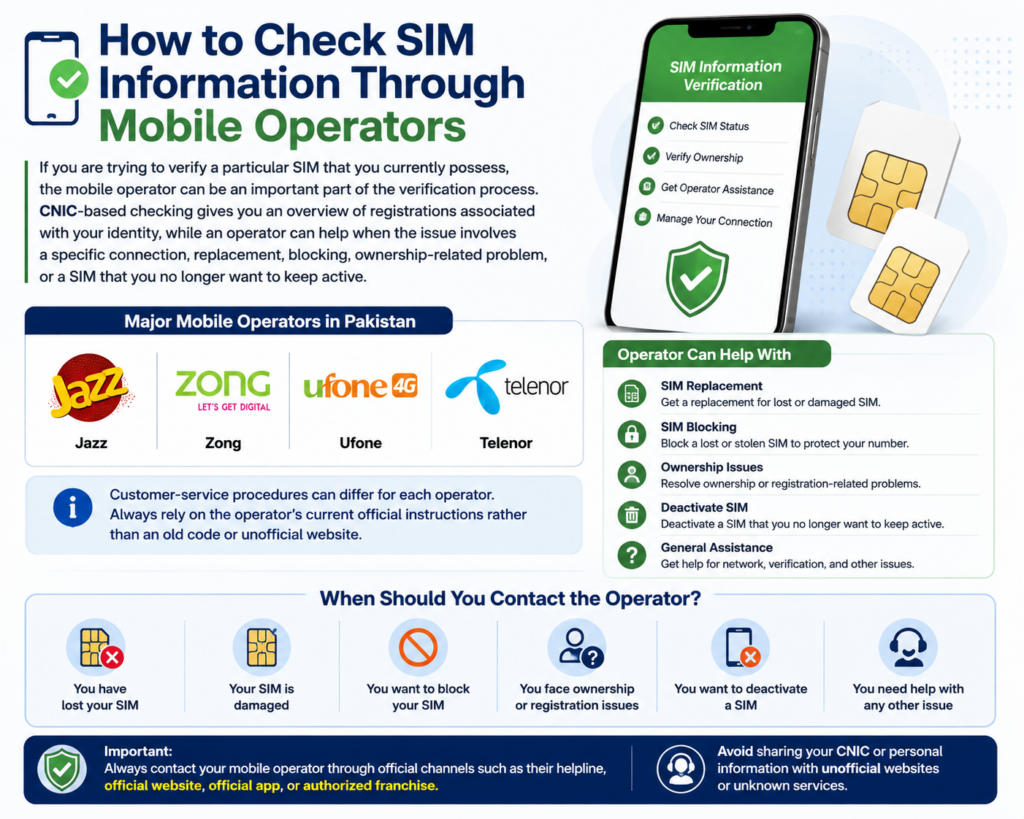
    If the issue remains unclear, contact the relevant mobile operator through an official support channel.

    Do not send your CNIC, OTP, or other sensitive information to an unknown person claiming that they can “fix” your SIM record through a private database.

    The Bigger Picture

    667 is only one component of the broader Pak SIM Info Pakistan landscape. Its importance comes from understanding which verification method matches which question.

    Once you separate CNIC registration checks, individual SIM verification, network identification, and device checks, many of the confusing claims surrounding Pakistani SIM information become much easier to evaluate.

    76367 Network Check: Finding the Current Mobile Operator

    A mobile number does not always remain with the network that originally issued it. Because users can change operators while keeping their existing number, the first digits of a number may not always tell you which network currently provides the service.

    This is why 76367 network checking is a useful part of the wider Pak SIM Info topic.

    What Does a Network Check Tell You?

    A network check is focused on the operator associated with a mobile number. It is not the same as checking the SIM registrations connected with your CNIC.

    For example, if you receive a number beginning with a familiar prefix, you might assume it belongs to a particular operator. However, number portability can change the current network while the number itself remains unchanged.

    A network-check service can therefore be useful when the current operator matters.

    76367 vs. 668 vs. 667

    ServiceMain question
    668How are SIM registrations associated with my CNIC?
    667How can I verify the SIM/number I am using?
    76367Which network is associated with a mobile number?

    These services should not be treated as interchangeable.

    If someone wants to identify a subscriber’s private identity, a network check is not the appropriate solution. Knowing the operator of a number does not mean that the subscriber’s confidential information becomes publicly available.

    Why Network Identification Is Useful

    Knowing the current network can help in practical situations such as:

    • Choosing the correct operator-specific support channel
    • Understanding which network a number currently uses
    • Dealing with a number that has been ported
    • Avoiding incorrect assumptions based only on its prefix
    • Understanding telecom-related information before taking further action

    It can also be useful when comparing operator services, packages, or support options.

    Number Prefix vs. Current Network

    This is one of the most important concepts to understand.

    A number’s prefix may indicate its original operator allocation, but Mobile Number Portability (MNP) allows a subscriber to move between networks without necessarily changing the mobile number.

    Therefore:

    Original prefix ≠ guaranteed current operator

    This is why a dedicated network check can provide more useful information than relying only on the first digits of a number.

    What 76367 Does Not Provide

    A network check should not be confused with a subscriber lookup service.

    It does not turn a mobile number into a public record containing another person’s private:

    • CNIC
    • Home address
    • Call history
    • SMS records
    • Banking information
    • Live location
    • Account passwords

    Websites advertising these kinds of results under terms such as Pak SIM Data, SIM Database, or Live SIM Tracker should be approached carefully.

    A Practical Example

    Suppose you have a Pakistani mobile number and believe it belongs to Network A because of its prefix. If the number was later moved to Network B through number portability, the original assumption may no longer be accurate.

    Instead of relying on the prefix alone, use an appropriate network-identification method when the current operator is important.

    This simple distinction can prevent mistakes when researching Pak SIM Info Pakistan.

    The Key Takeaway

    76367 is about network identification, not private owner identification.

    Once you understand that difference, the wider SIM information system becomes much easier to navigate. CNIC checks, SIM verification, network checks, and device checks each answer different questions, and using the correct method is safer than relying on an unofficial “complete SIM database.”

    Official SIM Checking Methods in Pakistan: Which One Should You Use?

    People often search for a single Pak SIM Info method that can answer every SIM-related question. In practice, different services are intended for different purposes. Choosing the right one first makes the checking process much easier.

    What You Want to KnowRelevant Method
    SIM registrations associated with your own CNIC668 / CNIC-based check
    Information related to the SIM you personally use667
    Current mobile network of a number76367
    Online CNIC-based SIM informationcnic.sims.pk
    Device or handset identificationIMEI-related checking

    If Your Goal Is a CNIC SIM Check

    Choose the CNIC-based route when your main question is:

    “How many SIM registrations are associated with my identity?”

    This is useful for reviewing your own mobile registrations and identifying anything that you do not recognize.

    It is especially relevant after changing operators, replacing old SIMs, or discovering that you have forgotten about previous connections.

    If You Want to Verify Your Current SIM

    When the SIM is physically with you and you want to verify information about that particular connection, a SIM-specific verification method is more appropriate.

    This is different from asking for a complete list of registrations associated with your CNIC.

    If You Only Need the Network

    Suppose someone gives you a Pakistani mobile number and your only question is:

    “Which network currently serves this number?”

    You do not need a complete SIM registration check for that purpose.

    A network-identification method such as 76367 is more relevant, particularly because Mobile Number Portability can allow a number to move between operators.

    If You Prefer an Online Method

    For users who prefer a browser-based experience, the relevant cnic.sims.pk portal is the natural option for an online CNIC-related SIM check.

    The important point is to use the appropriate official route rather than searching for a random website that claims to provide a “complete Pakistan SIM database.”

    What About IMEI?

    IMEI belongs to a different category.

    A SIM identifies a mobile subscription, while an IMEI identifies a mobile device. Therefore, an IMEI check should not be used as a replacement for SIM registration verification.

    This distinction becomes particularly useful when buying a used phone, dealing with a lost handset, or checking whether a device has a particular registration or compliance issue.

    Quick Decision Guide

    Choose 668/CNIC checking → when reviewing your own registered SIMs.

    Choose 667 → when verifying the SIM/number you personally use.

    Choose 76367 → when determining the current network.

    Choose cnic.sims.pk → when you want an online CNIC-based SIM check.

    Choose an IMEI check → when your concern is the physical mobile device rather than the SIM.

    Why This Comparison Matters

    A large part of the confusion surrounding Pak SIM Info Pakistan comes from treating every SIM-related service as if it provides the same information.

    It does not.

    A SIM registration check, individual SIM verification, network identification, and device verification answer separate questions. Understanding that difference helps you avoid unnecessary searches, misleading databases, and websites that promise information they should not legitimately provide.

    The safest strategy is therefore simple: identify your question first, then use the method designed for that specific purpose.

    How to Check Your Own SIM Information: A Practical Walkthrough

    Before checking any SIM information, first decide what you are actually trying to verify. This prevents you from using the wrong service or entering your CNIC into an unnecessary third-party website.

    Step 1: Decide What You Need to Check

    Use this quick guide:

    • Your CNIC-linked SIM registrations → use the appropriate CNIC-based checking method.
    • The SIM you personally have → use the relevant SIM verification method.
    • The current network of a number → use the network-check service.
    • Your mobile phone/device → use an IMEI-related checking method.

    This first step is important because SIM, mobile number, and device information are separate categories.

    Step 2: Use Your Own Information

    For a CNIC-based check, use your own CNIC and enter it only through the appropriate official channel.

    Do not use another person’s CNIC to investigate their mobile registrations.

    Similarly, never give your OTP or account credentials to someone claiming that they can retrieve SIM information for you.

    Step 3: Review the Result Carefully

    Once the verification process provides a result, do not simply look at the total number and close the page.

    Compare the information with your own mobile history.

    Ask yourself:

    • Do I recognize these registrations?
    • Have I previously used another operator?
    • Did I recently replace or activate a SIM?
    • Could an old connection explain something unfamiliar?
    • Is there anything that needs further verification?

    This turns a basic SIM check into a useful personal security review.

    Step 4: Investigate Anything You Do Not Recognize

    An unfamiliar registration deserves attention, but it does not automatically prove identity theft or fraud.

    Start by checking your previous SIMs and numbers. If you still cannot identify the connection, contact the appropriate operator or official telecom support channel.

    Ask what verification or disowning options are available rather than attempting to find the subscriber’s private information through an unofficial database.

    Step 5: Keep Evidence When There Is a Problem

    If you believe an unauthorized SIM is associated with your identity, keep useful information related to the issue.

    For example, you can retain:

    • The date you discovered the issue
    • Your SIM-check result
    • Relevant operator information
    • Any messages connected with the problem
    • Complaint or reference numbers
    • Other documentation requested by the responsible service

    Keeping a simple record can make follow-up easier if the issue needs to be escalated.

    Step 6: Take Action Through the Correct Channel

    The appropriate response depends on the problem.

    An unfamiliar SIM registration may require a disowning or registration-related request.

    A lost SIM may require blocking or replacement.

    A suspected scam may require a complaint.

    A device-related problem may require an IMEI or handset check.

    Do not treat all of these situations as one generic Pak SIM Info problem.

    A Simple Self-Check Routine

    For ongoing protection, you can periodically review your own SIM registrations instead of waiting until something suspicious happens.

    A useful routine is:

    Check → Compare → Identify → Verify → Act

    Check your registration information, compare it with your records, identify anything unusual, verify the issue through an appropriate official channel, and take action if necessary.

    This approach is more useful than searching for a website that promises to reveal every possible detail about a mobile number.

    One Important Rule

    Never sacrifice your privacy in an attempt to investigate a privacy problem.

    If an unfamiliar SIM appears against your CNIC, the solution is not to enter your identity information into several unofficial “SIM database” websites. Use the appropriate official verification and complaint channels instead.

    This makes your Pak SIM Info check both more useful and safer.

    SIM Information: SIM, Mobile Number, and Device Are Different

    A common reason for confusion around Pak SIM Info is that people often use the terms SIM, mobile number, and mobile device as though they refer to the same thing. They are related, but each represents something different.

    SIM Card

    A SIM is the subscriber identity component used by a mobile network to associate a connection with a subscriber. It can be physical or, on supported devices and networks, electronic through an eSIM.

    The SIM is therefore connected to the mobile service itself.

    Mobile Number

    A mobile number is the number people use to call or message a subscriber. The number identifies the connection for communication, but it is not the same thing as the physical SIM card.

    This distinction becomes particularly important when Mobile Number Portability (MNP) is involved. A subscriber may change networks while keeping the same number.

    Mobile Device

    The device is the actual phone or handset being used. It has its own identifier, commonly known as an IMEI.

    This means a person can change the SIM while keeping the same phone, or change the phone while keeping the same SIM and number.

    Why This Difference Matters

    Consider these three examples:

    SIM changed, phone unchanged:
    The handset remains the same, but the mobile connection can change.

    Phone changed, SIM unchanged:
    The subscriber can move the same SIM into another compatible device.

    Number moved to another network:
    The mobile number can remain unchanged even though the network providing the service changes.

    These situations show why a SIM check, network check, and IMEI check cannot be treated as identical services.

    Quick Comparison

    ItemMain Purpose
    SIMConnects a subscriber to mobile service
    Mobile NumberUsed for calls and messaging
    IMEIIdentifies the mobile device
    CNICIdentifies the subscriber for registration purposes
    NetworkProvides the mobile service

    Understanding these differences makes the rest of the Pak SIM Info Pakistan guide much easier to follow. It also prevents users from expecting a SIM verification service to provide information that actually belongs to a different category.

    For example, if your concern is a lost phone, checking SIM registration alone may not resolve the device issue. Likewise, knowing a phone’s IMEI does not automatically provide the private identity of its subscriber.

    The right information check always depends on what you are actually trying to verify.

    SIM Owner Information: What It Actually Means

    When people search for SIM Owner Details Pakistan, they often expect a complete profile connected to a mobile number. In reality, SIM ownership is primarily about the relationship between a mobile connection and the identity used during its registration.

    For a legitimate Pak SIM Info check, the most useful question is usually whether a SIM is registered under your own identity and whether that registration matches your records.

    What SIM Ownership Represents

    SIM ownership generally relates to the subscriber registration associated with a mobile connection. During the proper registration process, identity verification is used to associate the connection with the subscriber.

    This is why checking your own registration can be useful for:

    • Reviewing your mobile connections
    • Identifying unfamiliar registrations
    • Managing old or unused SIMs
    • Confirming your records after a new registration
    • Taking action when a connection does not belong to you

    Ownership Is Not the Same as a Public Identity Lookup

    A mobile number does not automatically provide the public with the subscriber’s complete personal information.

    This is an important distinction because searches such as SIM Owner Details by Number can lead users toward websites claiming to reveal names, CNICs, addresses, or other private information.

    A responsible SIM information guide should separate legitimate self-verification from claims of unrestricted access to another person’s private records.

    What If You No Longer Use a SIM?

    An old SIM should not simply be forgotten because it is no longer in your phone. If it remains associated with your identity, you should understand what options are available for properly managing or disowning the connection.

    This is particularly relevant for people who have used multiple networks or replaced several numbers over the years.

    The Practical Rule

    If the SIM belongs to you, use an appropriate verification method to review your own registration.

    If the number belongs to someone else, do not assume that a website offering “complete owner details” is legitimate.

    SIM ownership information is primarily useful for identity verification and responsible management of your own mobile connections—not for unrestricted access to another subscriber’s private data.

    SIM Registration Limits in Pakistan: The 8-SIM Rule

    One of the most useful things to understand when managing Pak SIM Info is the limit placed on SIM registrations associated with an individual identity. The commonly referenced limit is 8 SIMs in total: 5 voice SIMs and 3 data SIMs.

    This distinction matters because the total is not simply a single number without categories.

    How the 8-SIM Limit Is Divided

    SIM CategoryMaximum
    Voice SIMs5
    Data SIMs3
    Total8

    Voice connections are generally used for ordinary mobile communication, while data-only connections are intended primarily for internet connectivity.

    Understanding this division can help explain why someone may have reached a registration limit even when they believe they have fewer than eight ordinary phone numbers.

    Why the Limit Matters

    The limit is relevant when activating additional connections or reviewing your existing SIM registrations.

    If you have accumulated several old SIMs over time, you may want to review which connections are still associated with your identity. Keeping track of unused registrations can make future SIM management easier.

    It also gives users another reason to periodically review their own CNIC SIM information rather than assuming that an unused number automatically disappears from their registration record.

    What If You Have Reached the Limit?

    If you are unable to register another SIM because your identity has reached the applicable limit, first review your existing registrations.

    You may discover:

    • An old number you no longer use
    • A secondary connection you forgot about
    • A data SIM that you rarely use
    • A registration you do not recognize

    If a connection is genuinely no longer required, follow the appropriate official process for managing or disowning it.

    If an unfamiliar SIM appears, do not attempt to remove it through an unofficial website. Contact the relevant telecom or official support channel and follow the proper procedure.

    Voice SIMs and Data SIMs Are Not Interchangeable

    A common misunderstanding is to treat every SIM as exactly the same type.

    A voice SIM and a data SIM can serve different purposes, and the registration limits are therefore better understood by category.

    For anyone researching Pak SIM Info Pakistan, this is an important detail because a simple statement such as “you can have eight SIMs” does not explain the complete rule.

    Keep Your Own Registration Record Organized

    If you regularly use multiple mobile connections, maintaining a simple personal list can be helpful.

    Record which numbers you actively use, which operator they belong to, and which connections are no longer needed. This makes it easier to recognize an unfamiliar registration when you perform a future SIM information check.

    The 8-SIM limit is therefore more than a registration restriction. It is also a useful reminder to keep your own mobile identity record organized and to remove or resolve connections that no longer belong in your active SIM portfolio.

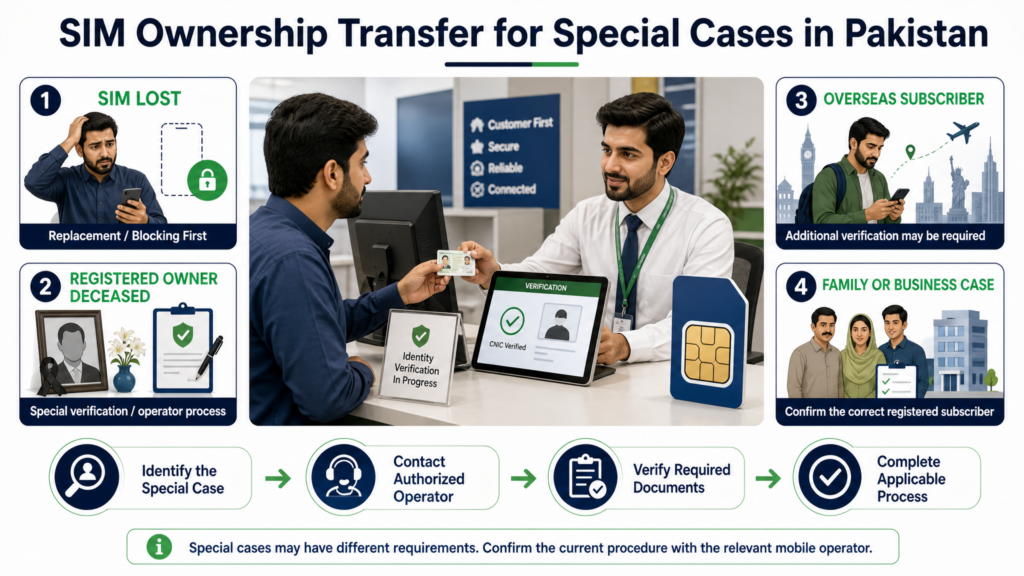
    SIM Information for Foreigners, POC Holders, Companies, and Minors

    SIM registration in Pakistan is not limited to one type of subscriber. Different identity categories and special circumstances can affect how a mobile connection is registered and managed. This is an important part of Pak SIM Info because not every user will have the same registration requirements as an ordinary individual CNIC holder.

    Foreign Visitors and Residents

    Foreign nationals may have different documentation and registration requirements when obtaining a Pakistani SIM. The applicable process can depend on their immigration and identity documents, the type of stay, and the operator’s current requirements.

    A foreign visitor should therefore confirm the current requirements directly with the relevant mobile operator rather than relying on an old blog post or an unofficial SIM database.

    POC Holders

    People holding a Pakistan Origin Card (POC) may also encounter SIM registration requirements that differ from those of a standard Pakistani CNIC holder.

    If you hold a POC and need to verify or activate a SIM, use the identity document accepted by the relevant official process and follow the current operator instructions.

    The important point is that a person should not assume that every CNIC-based procedure applies identically to every identity document.

    Company and Business Connections

    Businesses may require mobile connections for employees, departments, customer support, field teams, or other operational purposes.

    Company-related SIM arrangements can involve documentation and authorization that differs from an individual’s personal registration. If a connection is being obtained or managed on behalf of an organization, the responsible person should follow the operator’s business-registration procedure.

    This also makes record keeping especially important. Companies should maintain an internal record of assigned numbers so that unused or reassigned connections can be properly managed.

    Minors and SIM Registration

    SIM registration involving minors is another area where users should avoid assuming that ordinary adult procedures automatically apply.

    Age-related requirements, identity documentation, and guardian-related procedures may depend on the applicable rules and current operator process.

    Parents or guardians dealing with a minor’s mobile connection should therefore confirm the current requirements through an official operator channel rather than relying on an unofficial Pak SIM Info website.

    Why Special Cases Matter

    A SIM information result should always be interpreted in context.

    For example, an unfamiliar registration may have a straightforward explanation if it belongs to an old connection, a business arrangement, or a family-related registration. Similarly, someone using a different identity document should not automatically assume that a standard CNIC procedure will produce the same result.

    Best Practice for Every Subscriber

    Regardless of whether you are a Pakistani CNIC holder, foreign national, POC holder, business representative, parent, or another special-case subscriber, the safest approach is the same:

    Use the identity document applicable to your situation, follow the current official registration process, and keep your own SIM records organized.

    This helps prevent confusion when checking Pak SIM Info Pakistan and reduces reliance on unofficial sources that may provide outdated or misleading information.

    SIM Disowning in Pakistan: Removing a Connection You No Longer Need

    If a SIM is no longer being used, simply putting it away or removing it from your phone does not necessarily mean that its registration should be ignored. SIM disowning is the formal process used to remove a mobile connection from your identity record when you no longer want that association.

    For people managing Pak SIM Info, understanding disowning is particularly important when an old, unused, or unfamiliar SIM appears during a registration check.

    When Should You Consider Disowning a SIM?

    Disowning may become relevant when:

    • You no longer need an old SIM
    • You have permanently stopped using a number
    • You changed to another connection
    • A registration appears that you cannot identify
    • You want to reduce unnecessary registrations associated with your identity
    • You have reached a registration limit and need to manage existing connections

    The correct process should be completed through the relevant official operator or authorized channel.

    Disowning Is Different From Blocking

    These two actions should not be confused.

    Blocking generally concerns temporarily stopping a SIM from being used, such as after a phone or SIM is lost.

    Disowning concerns the registration relationship itself.

    That distinction matters because simply blocking an unwanted connection does not necessarily answer the question of whether it should remain associated with your identity.

    What to Do Before Disowning

    Before requesting removal, make sure you have identified the connection correctly.

    If it is an old SIM, check your own records first. If it is unfamiliar, investigate through the official operator channel rather than trying to obtain another person’s private information from an unofficial database.

    For a connection you genuinely no longer require, ask the relevant operator about its current disowning procedure, required identity verification, and any applicable fee.

    Why Disowning Helps

    Properly managing unused SIM registrations can make your personal mobile record easier to understand.

    It can also help you avoid carrying unnecessary registrations for connections you no longer use. More importantly, if an unfamiliar SIM is genuinely associated with your identity, following the formal removal process creates a proper record of the action.

    Keep Proof of the Request

    Whenever you complete an important SIM-related request, keep any reference number, receipt, confirmation message, or other evidence provided by the operator.

    This can be useful if the registration continues to appear later or if you need to follow up on the request.

    The safest approach to Pak SIM Info is therefore not simply checking what is registered, but also taking the correct official action when a connection should no longer remain associated with your identity.

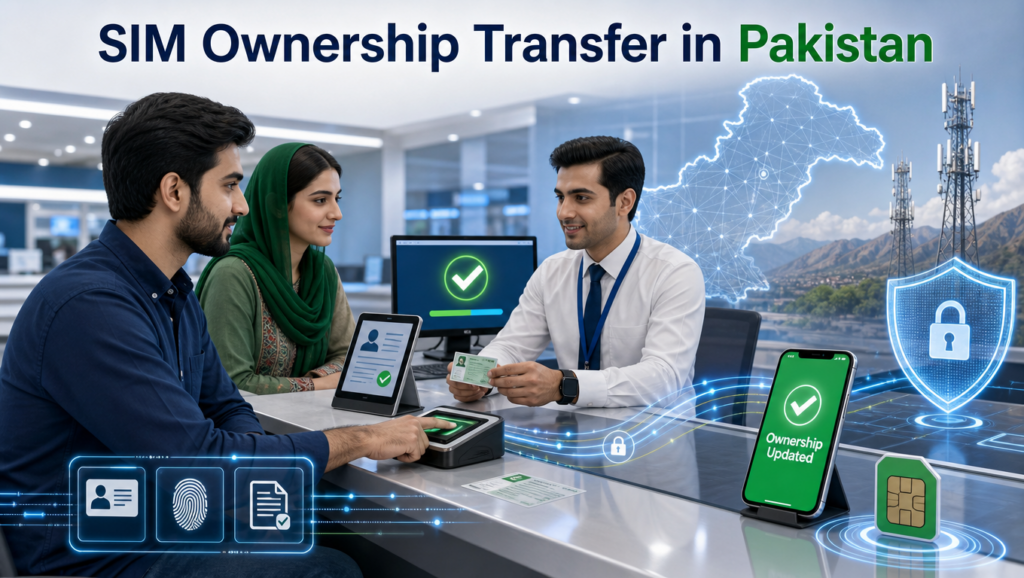
    SIM Transfer in Pakistan: When Ownership Needs to Change

    SIM transfer in Pakistan when ownership needs to change
    SIM Transfer in Pakistan – Understanding the process of changing SIM ownership

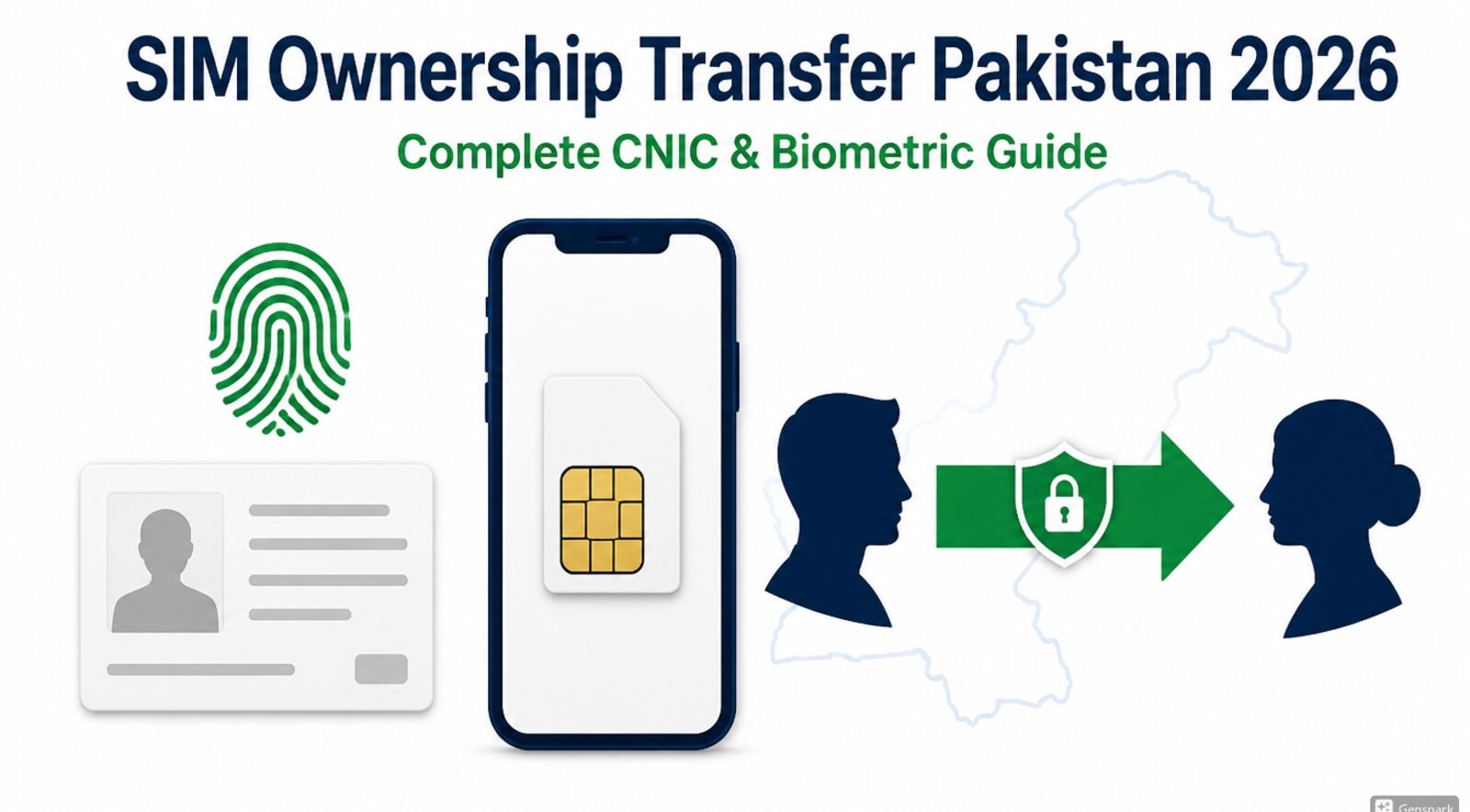
    A SIM does not always remain with the same person throughout its useful life. A number may be transferred as part of a legitimate change in ownership, family arrangement, business requirement, or another approved situation. This makes SIM transfer an important topic within a complete Pak SIM Info guide.

    What Is SIM Ownership Transfer?

    SIM transfer refers to changing the registered subscriber associated with a mobile connection through the applicable official procedure.

    The purpose is to make sure that the registration record reflects the person who is legitimately responsible for the connection.

    For example, if a number is being permanently handed over to another person, simply giving them the physical SIM is not the same as completing an official ownership change.

    Why the Official Process Matters

    A mobile number can be used for important services such as banking alerts, account recovery, messaging applications, and other identity-related services.

    If the registration remains under the previous person’s identity while another person uses the number, it can create confusion over responsibility and ownership.

    An official transfer helps keep the registration record aligned with the actual subscriber.

    When Might a Transfer Be Needed?

    Common situations can include:

    • A number is permanently being handed to another person
    • A family member needs the connection registered correctly
    • A business-related connection needs a change in responsible subscriber
    • The current registered owner wants to complete a legitimate ownership change
    • A previously shared connection needs formal registration under the appropriate user

    The exact eligibility, documentation, biometric requirements, and procedure should be confirmed with the relevant operator because requirements can vary by situation.

    Do Not Confuse Transfer With Disowning

    These two processes have different purposes.

    Disowning means removing a connection from your identity when you no longer want that registration.

    Transfer means changing the registered ownership to another eligible subscriber through the appropriate procedure.

    If you simply stop using a SIM, giving it to another person without completing the required registration process can leave the original subscriber associated with the number.

    What Should You Do Before a Transfer?

    Before starting an ownership change, make sure the number and current registration details are correct.

    Also consider important accounts connected with the number. If the number is linked to banking, wallets, email recovery, or messaging services, review those accounts before permanently transferring control.

    Keep any confirmation, receipt, or reference information provided during the official process.

    A Simple Rule

    Handing someone a SIM is not necessarily the same as officially transferring its registration.

    For accurate Pak SIM Info Pakistan, the registration record matters as much as physical possession of the SIM. Whenever ownership genuinely changes, follow the current official operator procedure so the subscriber information can be updated correctly.

    SIM Ownership, Registration, and Personal Security

    Keeping your SIM registration information accurate is not only an administrative matter. Your mobile number may be connected to banking alerts, digital wallets, email recovery, messaging applications, and other important accounts. For this reason, responsible SIM management should be considered part of your personal security routine.

    When an Old SIM Becomes a Problem

    An unused SIM can easily be forgotten after switching networks or obtaining a replacement number. However, users should not assume that physically removing a SIM from a phone automatically resolves its registration status.

    If you no longer need a connection, review the appropriate disowning or account-management process instead of simply abandoning it.

    If Your SIM Is Lost or Stolen

    A lost or stolen SIM should be treated differently from an unwanted SIM.

    Your first priority should be preventing unauthorized use. Contact the relevant mobile operator through an official channel and ask about blocking the connection and obtaining a replacement where applicable.

    Do not wait for suspicious activity before taking action. A number can be connected to important accounts, so protecting access quickly can reduce unnecessary risk.

    SIM Blocking and Reactivation

    Blocking a SIM can temporarily prevent its normal use. This may be appropriate when a SIM or phone is lost, stolen, or suspected of unauthorized use.

    Reactivation or replacement is a separate process and may require identity verification by the operator.

    The exact procedure, documentation, and applicable charges should be confirmed directly with the relevant operator because these requirements can change.

    Protect Accounts Connected to Your Number

    If your number is linked to financial services, wallets, email accounts, or other important platforms, do not treat SIM security as an isolated telecom issue.

    A compromised mobile connection can create opportunities for account takeover attempts, particularly when SMS-based verification is involved.

    For stronger protection:

    • Never share an OTP with another person.
    • Do not provide banking PINs or passwords to callers.
    • Be cautious of unexpected requests for SIM replacement.
    • Use stronger authentication options where available.
    • Contact your bank or service provider directly if suspicious activity occurs.

    Watch for SIM-Swap Warning Signs

    A sudden and unexplained loss of mobile service can sometimes deserve attention, especially if it happens alongside suspicious account activity.

    If you unexpectedly lose network access and did not request a SIM replacement or transfer, contact your operator through an official channel and verify the status of your connection.

    If financial accounts may also be affected, contact the relevant financial institution immediately.

    Keep a Simple SIM Audit

    A useful Pak SIM Info habit is to review your own mobile registrations periodically.

    Keep a simple record of:

    • Numbers you currently use
    • Operators associated with those numbers
    • Old connections that have been closed or disowned
    • Important accounts linked to your primary number
    • Relevant complaint or replacement references

    This small habit can make unfamiliar SIM activity much easier to identify.

    The goal of SIM management is not simply knowing how many connections exist. It is making sure that the mobile registrations connected with your identity are understood, properly managed, and protected.

    SIM-Swap Fraud, OTP Protection, and Mobile Security

    A SIM can be more than a communication tool. For many people, the same mobile number is connected to banking services, digital wallets, email accounts, social platforms, and recovery options. That makes SIM security an important part of the wider Pak SIM Info topic.

    What Is SIM-Swap Fraud?

    A SIM swap occurs when a mobile number is moved from the legitimate user’s SIM to another SIM without the user’s authorization.

    The danger is that once control of the number is transferred, an attacker may attempt to receive SMS messages or verification codes intended for the legitimate user.

    This is why unexpected changes to your mobile service should not always be ignored.

    Warning Signs Worth Taking Seriously

    Pay attention if you experience something unusual such as:

    • Sudden and unexplained loss of mobile service
    • Unexpected SIM replacement messages
    • Notifications about account changes you did not request
    • Banking alerts that you do not recognize
    • Password-reset messages you did not initiate
    • Someone asking you to share an OTP

    One sign alone does not prove that a SIM swap has occurred, but several unusual events together deserve immediate attention.

    OTP Safety Rule

    An OTP should remain private.

    Never read an OTP to a caller claiming to be from a bank, telecom company, government department, delivery service, or technical-support team unless you have independently verified the situation through an official channel.

    Legitimate organizations generally do not need you to disclose a security code that was sent specifically to your account.

    Protect Banking and Wallet Accounts

    If your mobile number is connected to a bank account or digital wallet, SIM security becomes especially important.

    Use strong passwords or PINs, enable additional security options where available, and monitor account notifications.

    If you suspect that your SIM has been compromised and financial accounts may be affected, contact the relevant bank or wallet provider immediately through its official contact method.

    What to Do After a Suspected SIM Swap

    Act quickly:

    1. Contact your mobile operator through an official channel.
    2. Ask them to verify the status of your SIM and number.
    3. Secure important accounts connected to the number.
    4. Contact your bank or wallet provider if financial access may be affected.
    5. Change passwords where necessary.
    6. Preserve relevant messages and notifications.
    7. Report suspected fraud through the appropriate official channel.

    Do not attempt to investigate the attacker through an unofficial SIM database or “live tracker.”

    Why This Belongs in a Pak SIM Info Guide

    Searching for Pak SIM Info, SIM owner details, or SIM verification is not only about registration numbers. Understanding what can happen when a mobile connection is misused is equally important.

    The safest SIM strategy is therefore broader than simply checking your CNIC. Know your registered connections, protect your number, keep OTPs private, and respond quickly when something does not look right.

    Fake SIM Databases, Pak SIM Data, and Live SIM Tracker Claims

    The popularity of Pak SIM Info has also created an environment where unofficial websites and applications make exaggerated claims about SIM information. Some pages advertise terms such as Pak SIM Data, Fresh SIM Database, SIM Owner Details, or Live SIM Tracker as if they provide unrestricted access to private subscriber records.

    Users should understand the difference between a genuine verification service and an unverified database claim before entering any personal information.

    Why These Websites Can Be Misleading

    A website may use professional-looking designs, search boxes, payment options, or statements such as “100% updated data” to appear trustworthy. None of these features proves that the information is official or that the website has legitimate access to private subscriber records.

    Be particularly cautious when a service promises that entering any mobile number will reveal:

    • A person’s complete name
    • CNIC information
    • Home address
    • Private subscriber records
    • Call history
    • Live location
    • Other confidential information

    Such claims should not automatically be accepted as legitimate SIM verification.

    What About “Fresh SIM Database”?

    The phrase Fresh SIM Database is often used to suggest that a website has recently obtained or updated a large collection of subscriber information.

    However, a “fresh” label does not establish the source, accuracy, legality, or privacy of the information.

    Do not provide your own CNIC or other sensitive details merely because a website claims that its database is newer than competing services.

    What About “Pak SIM Data”?

    Pak SIM Data is another search phrase commonly associated with SIM-related websites. It can refer to anything from general SIM information content to websites making claims about private subscriber records.

    The name itself does not make a service official.

    When evaluating a SIM information website, focus on what the service actually does, where its information comes from, what personal information it requests, and whether the claimed service is appropriate for your intended purpose.

    What About “Live SIM Tracker”?

    The phrase Live SIM Tracker can be especially misleading because it may imply that a person’s real-time physical location can be obtained simply from their mobile number.

    A normal SIM information search should not be confused with a public real-time location-tracking service.

    If a website asks you to enter a stranger’s number to supposedly reveal their current location, treat the offer with extreme caution.

    A Safer Rule for Pak SIM Info

    Use SIM-related services to check and manage your own information. Do not rely on unofficial databases to obtain another person’s private information.

    If a service asks for your CNIC, OTP, password, banking details, or payment while promising confidential subscriber information, stop and verify the service before proceeding.

    For genuine Pak SIM Info Pakistan research, accuracy and privacy are more important than a website’s claim that its database is “fresh,” “complete,” or “live.”

    Pak SIM Info Pakistan: Final Checklist and Practical Guide

    By now, you have seen that Pak SIM Info is much broader than simply searching for a mobile number. A proper SIM information check involves understanding your own CNIC-linked registrations, choosing the correct verification method, protecting your personal information, and knowing what to do when something does not match your records.

    The first rule is simple: check your own SIM information through appropriate official channels. CNIC-based checking, online verification, SIM verification, network identification, and device-related checks each have different purposes. Using the right method prevents confusion and reduces the risk of relying on unofficial services.

    If you want to review SIMs associated with your identity, use the applicable CNIC-based method. If you need to verify a SIM you personally possess, use the relevant SIM verification route. If your only question is which network currently serves a number, use the appropriate network-check service. For a mobile device, an IMEI-related check is more relevant than a SIM registration check.

    It is equally important to understand what Pak SIM Info cannot legitimately provide. A mobile number should not automatically be treated as a public key to another person’s private identity. Claims involving complete CNIC records, residential addresses, call histories, banking information, passwords, OTPs, or real-time location should be approached with caution, particularly when promoted by an unknown third-party website.

    Your own security should remain a priority throughout the process. Never share an OTP with a caller, never provide banking credentials to someone claiming to be a telecom representative, and avoid entering your CNIC into unnecessary websites. If a SIM is lost, stolen, or unexpectedly stops working, contact the relevant operator promptly. If you discover an unfamiliar registration, investigate it through an appropriate official channel rather than attempting to identify another person through an unofficial database.

    You should also keep track of old and unused SIMs. A connection that is no longer in your phone should not simply be forgotten. Review your own registrations periodically and use the appropriate disowning or management procedure when a connection is no longer required. If ownership genuinely needs to change, follow the official transfer process instead of simply handing the physical SIM to another person.

    The same principle applies to businesses, foreign visitors, POC holders, minors, and other special cases. Registration requirements can differ according to the subscriber and documentation involved, so current requirements should always be confirmed through the relevant operator or official channel.

    Another important part of responsible SIM management is security awareness. SIM-swap fraud, fake verification requests, phishing messages, suspicious OTP requests, and fraudulent “SIM update” calls can all create risks when a mobile number is connected to important accounts. Protecting your number therefore means protecting the services connected to it as well.

    Finally, do not judge a SIM information website simply by its name, design, search ranking, or claims of having a Fresh SIM Database, Pak SIM Data, or Live SIM Tracker. These terms can describe very different types of websites and should not automatically be interpreted as proof of official access to subscriber information. Verify the service before providing sensitive information or making a payment.

    Your Pak SIM Info Self-Check

    Use this simple checklist whenever you review your mobile information:

    • Check registrations associated with your own identity.
    • Keep track of the SIMs you currently use.
    • Review old or unnecessary connections.
    • Investigate unfamiliar registrations through official channels.
    • Use the correct method for CNIC, SIM, network, or device checks.
    • Keep your CNIC and OTP private.
    • Secure banking and wallet accounts connected to your number.
    • Block or replace a lost SIM promptly.
    • Follow the proper process for disowning or transferring a SIM.
    • Be cautious with third-party SIM databases and tracking claims.
    • Keep complaint numbers and important verification records.
    • Recheck your SIM registrations periodically.

    The real value of Pak SIM Info Pakistan is not finding the largest database or the fastest “owner lookup.” It is understanding how SIM registration works, knowing which legitimate checking method matches your situation, protecting your identity, and taking the correct action when something needs attention.

    With that understanding, you can use SIM information responsibly, avoid unnecessary privacy risks, and maintain better control over the mobile connections associated with your identity.

    پاک سم انفـو پاکستان — مکمل اردو وضاحت
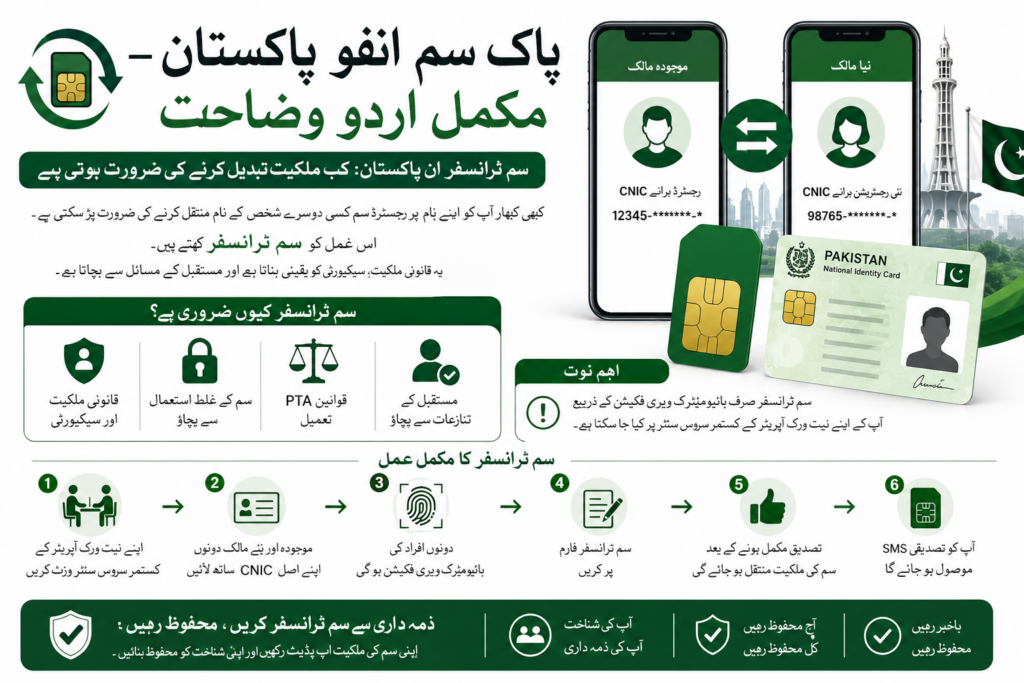
    پاک سم انفـو پاکستان سم ٹرانسفر مکمل اردو وضاحت
    پاک سم انفـو پاکستان – سم ٹرانسفر اور ملکیت کی تبدیلی کی مکمل اردو وضاحت

    پاکستان میں پاک سم انفـو سے مراد سم، موبائل نمبر، شناختی کارڈ اور موبائل نیٹ ورک سے متعلق معلومات کو سمجھنا اور اپنی سم رجسٹریشن کو درست طریقے سے چیک اور مینیج کرنا ہے۔

    بہت سے لوگوں کے پاس وقت کے ساتھ ایک سے زیادہ سمیں آ جاتی ہیں۔ کوئی پرانی سم بند کر دیتا ہے، کوئی نیٹ ورک تبدیل کر لیتا ہے، کوئی نئی سم لے لیتا ہے اور بعض اوقات انسان کو اپنی پرانی رجسٹریشن بھی یاد نہیں رہتی۔ اسی لیے اپنی سم معلومات کو وقتاً فوقتاً چیک کرنا مفید ہے۔

    اس مکمل گائیڈ کا مقصد صرف یہ بتانا نہیں کہ سم کیسے چیک کی جاتی ہے، بلکہ یہ سمجھانا بھی ہے کہ اپنی شناخت کے ساتھ رجسٹرڈ سموں کو کیسے چیک کیا جائے، مختلف سم چیکنگ طریقوں میں کیا فرق ہے، غیر ضروری یا نامعلوم سم کی صورت میں کیا کرنا چاہیے اور اپنی ذاتی معلومات کو کیسے محفوظ رکھا جائے۔

    اپنی شناخت کے ساتھ رجسٹرڈ سمیں کیوں چیک کریں؟

    اگر آپ نے گزشتہ چند سالوں میں مختلف موبائل نیٹ ورکس کی سمیں استعمال کی ہیں تو ممکن ہے کہ آپ کے نام پر ایسی پرانی رجسٹریشن موجود ہو جسے آپ اب استعمال نہیں کرتے۔

    اپنی سم معلومات چیک کرنے سے آپ کو اپنی رجسٹریشن کا جائزہ لینے میں مدد مل سکتی ہے۔

    مثلاً آپ یہ دیکھ سکتے ہیں کہ:

    • آپ کی شناخت کے ساتھ کتنی سمیں رجسٹرڈ ہیں۔
    • کون سے موبائل نیٹ ورکس سے آپ کی سمیں وابستہ ہیں۔
    • کوئی ایسی رجسٹریشن تو موجود نہیں جسے آپ پہچانتے نہ ہوں۔
    • نئی سم کی رجسٹریشن کے بعد معلومات درست طور پر ظاہر ہو رہی ہیں یا نہیں۔
    • پرانی یا غیر ضروری سم کو مزید رکھنے کی ضرورت ہے یا نہیں۔

    یہ ایک سادہ سا جائزہ ہے، لیکن شناخت کے تحفظ کے لحاظ سے اس کی اہمیت بہت زیادہ ہو سکتی ہے۔

    668 سے سم معلومات چیک کرنا

    668 پاکستان میں اپنی شناخت کے ساتھ رجسٹرڈ سموں کی معلومات چیک کرنے کے حوالے سے ایک اہم طریقہ ہے۔

    اس کا مقصد بنیادی طور پر اپنی رجسٹریشن کا جائزہ لینا ہے۔ اسے کسی دوسرے شخص کا نام، پتہ، شناختی کارڈ یا دوسری نجی معلومات حاصل کرنے کا ذریعہ نہیں سمجھنا چاہیے۔

    اگر آپ اپنی سم رجسٹریشن چیک کرنا چاہتے ہیں تو مناسب سرکاری طریقہ استعمال کرنا زیادہ محفوظ ہے، بجائے اس کے کہ کسی غیر معروف ویب سائٹ پر اپنا شناختی کارڈ نمبر درج کریں۔

    cnic.sims.pk کا کیا فائدہ ہے؟

    آن لائن سم چیک کرنے کے لیے cnic.sims.pk ایک اہم پورٹل ہے جسے اپنی شناخت کے ساتھ رجسٹرڈ سم معلومات کے حوالے سے استعمال کیا جاتا ہے۔

    آن لائن طریقے کا ایک بڑا فائدہ سہولت ہے۔ صارف گھر بیٹھے براؤزر کے ذریعے اپنی معلومات چیک کر سکتا ہے اور ہر معمولی تصدیق کے لیے موبائل فرنچائز جانے کی ضرورت کم ہو سکتی ہے۔

    لیکن یہاں بھی احتیاط ضروری ہے۔ انٹرنیٹ پر بہت سی ایسی ویب سائٹس موجود ہو سکتی ہیں جو “SIM Database”، “Pak SIM Data” یا “SIM Owner Details” جیسے الفاظ استعمال کرتی ہیں۔ صرف کسی ویب سائٹ کا سرچ میں نظر آنا اس بات کا ثبوت نہیں کہ وہ سرکاری یا قابلِ اعتماد ہے۔

    667 اور 76367 میں فرق

    سم سے متعلق مختلف سروسز کے مقاصد الگ الگ ہوتے ہیں۔

    667 کو اپنی استعمال کردہ سم یا نمبر کی تصدیق کے حوالے سے سمجھا جاتا ہے، جبکہ 76367 کا تعلق موبائل نمبر کے نیٹ ورک کی شناخت سے ہے۔

    یعنی اگر سوال ہو:

    “میرے شناختی کارڈ پر کتنی سمیں رجسٹرڈ ہیں؟”

    تو شناختی کارڈ پر مبنی سم چیک مناسب ہے۔

    اگر سوال ہو:

    “میں اپنی سم کی تصدیق کرنا چاہتا ہوں۔”

    تو متعلقہ سم ویری فکیشن طریقہ استعمال کیا جائے گا۔

    اور اگر سوال ہو:

    “یہ موبائل نمبر اس وقت کس نیٹ ورک پر ہے؟”

    تو نیٹ ورک چیک زیادہ مناسب ہے۔

    سم، موبائل نمبر اور موبائل فون ایک چیز نہیں

    سم، موبائل نمبر اور موبائل فون کو ایک ہی چیز سمجھنا درست نہیں۔

    سم موبائل سروس سے متعلق ہوتی ہے۔

    موبائل نمبر وہ نمبر ہے جس کے ذریعے کال اور پیغامات کیے جاتے ہیں۔

    جبکہ موبائل فون وہ جسمانی ڈیوائس ہے جس میں سم استعمال ہوتی ہے اور اس کی اپنی شناخت، یعنی IMEI، ہوتی ہے۔

    اسی لیے اگر مسئلہ موبائل فون کا ہے تو صرف سم چیک کرنا کافی نہیں ہوگا۔ اسی طرح اگر مسئلہ سم رجسٹریشن کا ہے تو صرف IMEI چیک کرنے سے مسئلہ حل نہیں ہوگا۔

    سم اونر ڈیٹیلز بائی نمبر

    یہ ان موضوعات میں سے ایک ہے جہاں لوگوں کو سب سے زیادہ غلط فہمی ہوتی ہے۔

    کسی موبائل نمبر کو جاننا اس بات کا مطلب نہیں کہ ہر شخص کو اس نمبر کے مالک کا مکمل نام، شناختی کارڈ، گھر کا پتہ، کال ریکارڈ یا دوسری نجی معلومات حاصل کرنے کا حق مل جاتا ہے۔

    اس لیے ایسی ویب سائٹس جو مکمل “SIM Owner Details” یا نجی معلومات فراہم کرنے کا دعویٰ کریں، ان پر اعتماد کرنے سے پہلے اچھی طرح تحقیق کرنی چاہیے۔

    اپنی معلومات چیک کرنا اور کسی دوسرے شخص کی نجی معلومات حاصل کرنا دو الگ چیزیں ہیں۔

    فریش سم ڈیٹا بیس اور پاک سم ڈیٹا

    انٹرنیٹ پر Fresh SIM Database، Pak SIM Data، SIM Database اور Live SIM Tracker جیسے الفاظ بھی دیکھنے کو مل سکتے ہیں۔

    صرف ان ناموں کی بنیاد پر یہ فرض نہیں کرنا چاہیے کہ ہر ایسی ویب سائٹ کے پاس سرکاری یا تازہ ترین معلومات موجود ہیں۔

    اگر کوئی ویب سائٹ آپ سے شناختی کارڈ، OTP، پاس ورڈ یا بینکنگ معلومات مانگ رہی ہو تو پہلے یہ دیکھیں کہ وہ معلومات واقعی اس سروس کے لیے ضروری ہیں یا نہیں۔

    خاص طور پر کسی نامعلوم ویب سائٹ کو صرف اس لیے حساس معلومات فراہم نہ کریں کہ وہ “مکمل سم ڈیٹا” فراہم کرنے کا دعویٰ کر رہی ہے۔

    نامعلوم سم رجسٹریشن کی صورت میں کیا کریں؟

    اگر اپنی سم معلومات چیک کرتے ہوئے ایسی رجسٹریشن نظر آئے جسے آپ نہیں پہچانتے تو فوراً گھبرانے کی ضرورت نہیں۔

    سب سے پہلے اپنی پرانی سموں اور نمبروں کو یاد کریں۔ ممکن ہے وہ کوئی پرانی یا کم استعمال ہونے والی سم ہو۔

    اگر پھر بھی رجسٹریشن کی شناخت نہ ہو تو متعلقہ موبائل آپریٹر یا مناسب سرکاری شکایتی طریقہ استعمال کریں اور معلوم کریں کہ اس رجسٹریشن کی تصدیق یا اسے ختم کرنے کے لیے کیا طریقہ اختیار کرنا ہوگا۔

    مسئلہ حل کرنے کے لیے اپنا شناختی کارڈ نمبر کئی غیر معروف ویب سائٹس پر درج کرنا مناسب نہیں۔

    سم ڈس اون کرنا اور سم ٹرانسفر

    اگر کوئی سم اب استعمال نہیں کرنی تو اسے صرف موبائل سے نکال کر رکھ دینا کافی نہیں سمجھنا چاہیے۔ ضرورت کے مطابق مناسب SIM Disowning طریقہ اختیار کرنا چاہیے۔

    اسی طرح اگر کوئی نمبر مستقل طور پر کسی دوسرے شخص کو دینا ہو تو صرف سم اس کے ہاتھ میں دے دینا اور باقاعدہ ملکیت منتقل کرنا ایک ہی چیز نہیں ہیں۔

    رجسٹریشن میں تبدیلی کے لیے متعلقہ موبائل آپریٹر کے موجودہ طریقہ کار پر عمل کرنا زیادہ محفوظ ہے۔

    گم یا چوری شدہ سم

    اگر سم گم یا چوری ہو جائے تو جلد از جلد متعلقہ موبائل آپریٹر سے رابطہ کرنا چاہیے۔

    خاص طور پر اس صورت میں جب موبائل نمبر بینک اکاؤنٹ، موبائل والٹ، ای میل، واٹس ایپ یا کسی دوسرے اہم اکاؤنٹ سے منسلک ہو۔

    سم کی حفاظت صرف کال اور SMS کی حفاظت نہیں بلکہ ان تمام اکاؤنٹس کی حفاظت بھی ہے جو اس نمبر سے منسلک ہیں۔

    سم سواپ اور OTP سیکیورٹی

    SIM Swap ایک ایسا سیکیورٹی مسئلہ ہے جس میں موبائل نمبر کسی دوسرے سم پر منتقل ہونے کی صورت میں صارف کے اکاؤنٹس کو خطرہ لاحق ہو سکتا ہے۔

    اگر اچانک بغیر کسی واضح وجہ کے موبائل سروس بند ہو جائے، سم تبدیلی سے متعلق غیر متوقع پیغام آئے یا اکاؤنٹ میں ایسی تبدیلی نظر آئے جو آپ نے خود نہیں کی، تو فوراً متعلقہ موبائل آپریٹر سے تصدیق کریں۔

    اور سب سے اہم بات:

    OTP کبھی کسی دوسرے شخص کو نہ بتائیں۔

    چاہے کوئی خود کو بینک، موبائل کمپنی، PTA یا کسی اور ادارے کا نمائندہ ہی کیوں نہ بتائے، پہلے اس کی شناخت اور معاملے کی تصدیق سرکاری ذریعے سے کریں۔

    اپنی سم معلومات کا باقاعدہ جائزہ لیں

    اپنی سم رجسٹریشن کو صرف مسئلہ پیدا ہونے کے بعد چیک کرنا ضروری نہیں۔

    ایک سادہ سا معمول بنائیں:

    چیک کریں → اپنی معلومات سے ملائیں → نامعلوم چیز کی تصدیق کریں → ضرورت ہو تو کارروائی کریں۔

    اپنے موجودہ نمبرز، نیٹ ورکس اور پرانی سموں کا بنیادی ریکارڈ رکھنا بھی مفید ہے۔ اس سے مستقبل میں کسی نامعلوم رجسٹریشن کو پہچاننا آسان ہو سکتا ہے۔

    آخری بات

    پاک سم انفـو کا اصل مقصد کسی دوسرے شخص کی نجی معلومات تلاش کرنا نہیں بلکہ اپنی سم رجسٹریشن، شناخت، نیٹ ورک اور موبائل سیکیورٹی کو بہتر طور پر سمجھنا ہے۔

    اگر آپ 668، cnic.sims.pk، 667، 76367، سم رجسٹریشن، سم ڈس اوننگ، سم ٹرانسفر، IMEI اور SIM Security کے درمیان فرق سمجھ لیتے ہیں تو آپ اپنی موبائل معلومات کو زیادہ ذمہ داری اور احتیاط کے ساتھ مینیج کر سکتے ہیں۔

    اپنی شناخت کی حفاظت کریں، غیر ضروری طور پر CNIC کسی غیر معروف ویب سائٹ پر درج نہ کریں، OTP کسی کے ساتھ شیئر نہ کریں اور کسی بھی مشکوک سم یا اکاؤنٹ کی صورت میں مناسب سرکاری یا آپریٹر چینل سے تصدیق کریں۔

    یہی ایک محفوظ اور ذمہ دار طریقہ ہے جس کے ذریعے پاکستان میں Pak SIM Info کو سمجھا اور استعمال کیا جا سکتا ہے۔
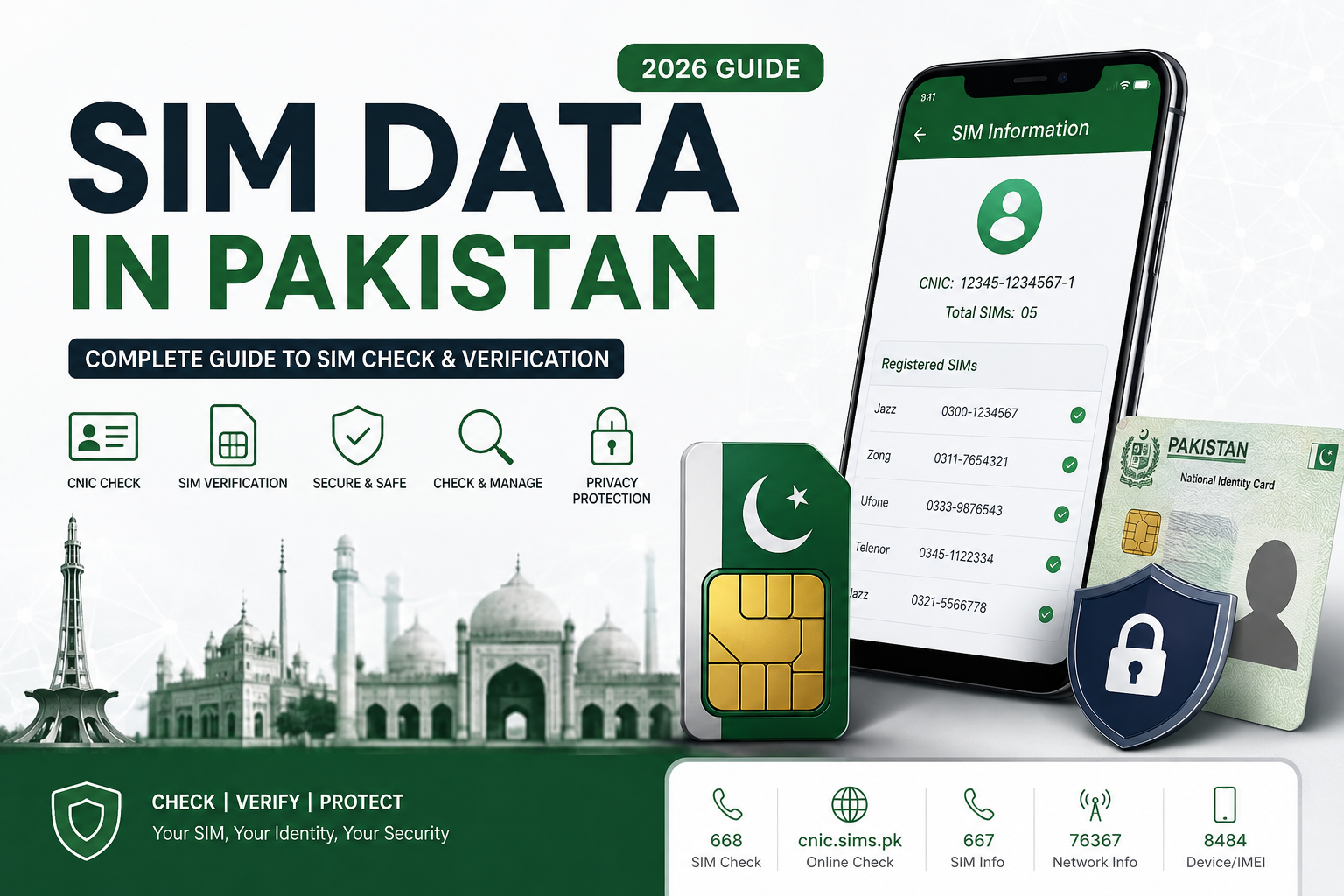
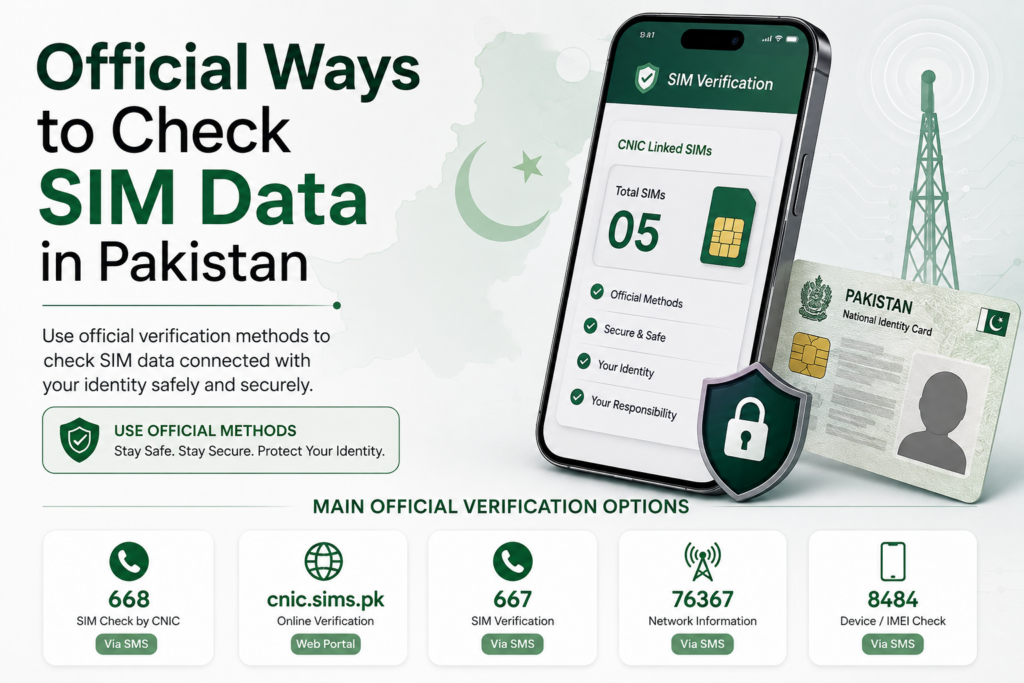
  • SIM Data in Pakistan: What It Means and What You Can Actually Check

    SIM Data in Pakistan: What It Means and What You Can Actually Check

    SIM data in Pakistan refers to information associated with mobile SIM registrations, subscriber records, and the connections linked with an identity document. For an individual user, the most important question is usually simple: which SIMs are registered against my CNIC, and how can I verify that information through legitimate channels?

    A SIM is not merely a small card inserted into a mobile phone. Its registration connects the mobile service with a subscriber identity, which is why keeping track of your registered connections is an important part of protecting your personal information.

    30-Second Quick Answer

    If you only need the basic answer, start with the official SIM verification options available for your own CNIC. Pakistan’s telecom verification system provides different methods for checking SIM-related information, while different codes and services have different purposes.

    The commonly used options include:

    • 668 — CNIC-based SIM information check
    • cnic.sims.pk — online SIM verification portal
    • 667 — SIM-related verification for a connection in your possession
    • 76367 — mobile network identification

    These services should not be treated as one universal database. Each has a specific purpose, and the information available through one method may differ from another.

    Most importantly, checking your own SIM record is different from trying to obtain another person’s private subscriber information.

    What Is SIM Data?

    The term SIM data can describe several different categories of information.

    It may refer to:

    • SIM registration information;
    • mobile operator information;
    • subscriber records;
    • CNIC-linked SIM registrations;
    • SIM activation details;
    • network information;
    • device-related information;
    • or other telecom records maintained within authorized systems.

    This does not mean that all of this information is publicly searchable.

    A person’s private subscriber information is not automatically available simply because a mobile number is known. Legitimate verification systems operate within specific purposes, permissions, and procedures.

    Why Is SIM Registration Important?

    When a SIM is issued, subscriber identification is an important part of the registration process. This helps telecom operators maintain records of who is associated with a particular mobile connection.

    For ordinary users, this creates an important responsibility: know which connections are registered against your own identity.

    You may have accumulated several SIMs over the years. Some may be active, some may no longer be used, and others may have been replaced. Without periodically checking your record, it can be difficult to remember every connection associated with your CNIC.

    SIM Data Is Not the Same as a Public Database

    One of the biggest misunderstandings surrounding SIM data is the idea that there is a public search box where anyone can enter any Pakistani mobile number and obtain a complete subscriber profile.

    That assumption is incorrect.

    A legitimate SIM verification process is primarily designed to help users manage or verify information they are authorized to access. It should not be confused with unrestricted access to another person’s CNIC, address, family information, call records, or private location data.

    This distinction will remain important throughout this guide.

    What This Complete Guide Covers

    This guide brings together the major aspects of SIM data and SIM verification in Pakistan in one place. It covers official checking methods, registration limits, verification procedures, ownership-related questions, privacy, legal considerations, SIM transfer and disowning, lost connections, security risks, operator-specific issues, special cases, and practical troubleshooting.

    It also explains how technologies and systems such as BVS/MBVS, SVMS, DIRBS, MNP, eSIM and IMEI-related services fit into Pakistan’s broader telecom environment.

    By the end, you should have a much clearer understanding of what SIM data means, what you can legitimately check, which method is appropriate for a particular situation, and how to keep your own mobile registration record accurate and secure.

    Official Ways to Check SIM Data in Pakistan

    Official ways to check SIM Data in Pakistan
    Official SIM verification methods for checking SIM Data in Pakistan.

    If you want to verify SIM data connected with your own identity, the safest starting point is an official verification method rather than an unofficial database, social-media page, or third-party application. Different services are designed for different purposes, so choosing the correct method is important.

    A useful rule is:

    First decide what you want to verify, then use the official method designed for that purpose.

    For example, checking how many SIMs are associated with your CNIC is different from checking the network of a mobile number or verifying a SIM already in your possession.

    The Main Official Verification Options

    For personal SIM verification in Pakistan, users commonly encounter several official channels and codes, including:

    MethodMain Purpose
    668CNIC-based SIM information
    cnic.sims.pkOnline CNIC-linked SIM verification
    667Verification related to a SIM in your possession
    76367Mobile network check
    Operator supportSIM-specific account and registration issues

    These methods should not be mixed together. Each one serves a different function.

    1. 668 — CNIC-Based SIM Check

    The 668 method is commonly used when a person wants to check SIM registrations associated with their own CNIC.

    This makes it particularly useful for a basic self-audit.

    If you have changed numbers several times, used multiple networks, or simply have not reviewed your registrations for a long period, a CNIC-based check can help you understand your current registration situation.

    The exact SMS format, response details and applicable charges should always be confirmed through current official instructions because telecom procedures can change.

    2. cnic.sims.pk — Online Verification

    Users who prefer a browser-based process can use the official cnic.sims.pk portal for CNIC-related SIM verification.

    An online portal can be convenient because information can be viewed directly on a screen rather than interpreted from a short SMS response.

    Before entering your CNIC, always check that you are using the genuine official website. Avoid entering sensitive identity information into websites that merely copy the appearance or terminology of official telecom services.

    3. 667 — SIM-Related Verification

    The 667 service has a different purpose from a general CNIC SIM-count check. It can be relevant when you are dealing with a SIM that you actually possess and need registration-related information or verification.

    This distinction matters because users sometimes assume that every telecom code performs the same function.

    Always follow the current instructions associated with the particular service instead of relying on old screenshots or instructions copied across websites.

    4. 76367 — Network Check

    If your question is simply which mobile network a number belongs to, a network-check service such as 76367 addresses a different need from CNIC-based SIM verification.

    Knowing a number’s network does not automatically provide permission to access the subscriber’s private identity information.

    This is an important distinction when researching SIM data.

    Official Does Not Mean Everything Is Public

    An official verification service should not be interpreted as a public database containing every detail about every subscriber.

    Legitimate services may provide specific information for a defined purpose, while sensitive subscriber information remains restricted.

    Therefore, if your objective is to check your own SIM registrations, use the appropriate CNIC-based method. If your objective involves a particular SIM, use the relevant operator or SIM-specific service.

    The safest approach

    Think of the verification process as a simple decision:

    Own CNIC → CNIC verification
    SIM in your possession → SIM-specific verification
    Need network information → network check
    Account or registration problem → mobile operator

    Using the correct channel reduces confusion, protects your personal information, and keeps the entire SIM verification process focused on legitimate self-checking.

    How to Check Your Own SIM Data Through 668

    How to check your own SIM Data through 668 in Pakistan
    Step-by-step guide to checking your own SIM Data through 668.

    For a quick self-check, the 668 SIM verification method is one of the most commonly used options for reviewing SIM registrations associated with your own CNIC. It is especially useful for people who want to check their mobile registrations without relying on an unfamiliar website or installing a third-party application.

    The important point is that 668 should be understood as a self-verification service. It is not a public tool for searching another person’s private subscriber information.

    How the 668 Method Works

    The basic idea is straightforward: you provide your own CNIC information according to the current official instructions, and the service returns SIM-related information associated with that identity record.

    Before sending an SMS, always check the latest instructions from the relevant official authority because SMS formats, charges, response details, and service procedures can change.

    Step 1 — Prepare Your CNIC

    Keep your own 13-digit CNIC number ready.

    If the current instructions require the CNIC without dashes or spaces, enter it exactly in that format. Do not add unnecessary personal information to the message.

    Step 2 — Send the Required SMS

    Follow the current official procedure for sending your CNIC information to 668.

    Do not use a random number provided by an unofficial website simply because it claims to offer a “SIM database” or “owner details” service.

    Step 3 — Review the Response

    Once you receive the response, carefully review the information provided.

    The result can help you understand the SIM registrations associated with your CNIC. Depending on the current service format, information may be presented according to mobile operators or registration categories.

    Do not assume that every number you remember using must appear in exactly the same way. Historical SIM usage, replacement connections, and changes in subscriber records can create situations that require further clarification.

    What If You See an Unfamiliar Registration?

    Do not immediately assume that the result proves identity theft.

    First, think about your own mobile history.

    Ask yourself:

    • Have I ever used this operator?
    • Did I previously have another number?
    • Did I replace a SIM?
    • Did I use a secondary or data connection?
    • Could this be an old registration I forgot about?

    If you still cannot explain the registration, identify the relevant operator and contact its official customer-service channel.

    The goal is to resolve the registration associated with your CNIC, not to investigate the private identity of another person.

    How Much Does the 668 Check Cost?

    The applicable SMS charge should be confirmed from the latest official information before using the service. Do not rely on an old article that gives a fixed price because telecom charges and service conditions can change.

    The online verification route may provide a different user experience and may have different conditions.

    668 Is Not a Stranger Lookup Tool

    A major misconception is that a person can use 668 to enter someone else’s mobile number and obtain their complete personal profile.

    That is not the purpose of the service.

    A legitimate CNIC-based verification process is intended for checking information connected with your own identity record. It should not be treated as permission to access another subscriber’s private CNIC, address, family details, call records, or location information.

    Keep a Record of Your Check

    If you are conducting a regular SIM audit, keep a private note of the date you performed the check and the SIMs you recognize.

    If something unexpected appears later, this history can help you identify changes more easily.

    The practical rule

    Use 668 to check your own SIM registration information, follow the latest official instructions, protect your CNIC, and contact the relevant operator if something does not match your records.

    This simple approach makes the 668 method useful as part of a broader personal SIM-data and identity-management routine.

    How to Check SIM Data Online Through cnic.sims.pk

    How to check SIM Data online through cnic.sims.pk in Pakistan
    Step-by-step guide to checking SIM Data online through cnic.sims.pk.

    The online SIM verification method is useful for people who prefer checking their SIM registration information through a browser rather than using SMS. The official cnic.sims.pk portal is designed for CNIC-based SIM verification, making it another important option for checking the mobile connections associated with your own identity.

    The key principle remains the same: use the official portal for your own verification and protect your CNIC information throughout the process.

    What Is cnic.sims.pk?

    The cnic.sims.pk portal provides an online route for checking SIM-related information associated with your CNIC.

    Instead of sending an SMS, you can use a browser-based interface to enter the information requested by the portal and review the available result.

    This can be convenient when you want to examine the result on a larger screen or keep a record of your verification.

    How to Check Your SIM Data Online

    Step 1 — Open the Official Portal

    Open the official cnic.sims.pk website directly.

    Be careful when searching for the portal through Google or another search engine because third-party websites may use similar terminology.

    Before entering your CNIC, check the website address carefully.

    Step 2 — Enter Your Own CNIC

    Enter your own CNIC information according to the format requested by the portal.

    Do not enter another person’s CNIC simply to investigate their mobile registrations.

    Your objective should be to verify the SIM data connected with your own identity.

    Step 3 — Complete the Required Verification

    Follow any verification instructions displayed on the portal.

    If the website asks you to complete a security check or another confirmation step, follow the instructions shown by the official system.

    Never provide an OTP, password, banking credential, or unrelated sensitive information simply because a third-party page claims that it is required for SIM verification.

    Step 4 — Review the Result

    Once the verification is completed, carefully examine the information presented.

    Compare the result with the mobile connections you currently recognize.

    If the information is organized by operator, review each operator separately rather than looking only at the overall total.

    What If You Find an Unfamiliar SIM?

    An unfamiliar entry should not automatically be interpreted as proof of fraud.

    First, consider your previous mobile usage. You may have used an older number, replaced a SIM, maintained a secondary connection, or forgotten a registration from several years ago.

    If you still cannot explain the registration, identify the relevant mobile operator and contact its official support channel.

    The operator can guide you through the appropriate process for verification, blocking, disowning, or another applicable resolution.

    Keep Your CNIC Private

    Your CNIC is sensitive personal information.

    Avoid entering it into websites that promise:

    • unlimited SIM databases;
    • another person’s owner details;
    • private addresses;
    • family information;
    • call records;
    • or real-time location.

    A legitimate online verification process should have a clear purpose.

    Also avoid downloading unknown browser extensions, APK files, or applications simply because a website claims they are required to access SIM data.

    Online Check vs SMS Check

    Both methods can be useful, but the experience is different:

    Feature668 SMScnic.sims.pk
    Internet requiredNoYes
    Browser requiredNoYes
    Quick self-checkYesYes
    Screen-based reviewLimitedMore convenient
    Best forSMS verificationOnline verification

    The exact interface, requirements and available information can change, so always follow the latest instructions shown by the official service.

    The main takeaway

    The online portal should be treated as a self-checking method, not as a public search engine for private subscriber information.

    Use your own CNIC, verify the information carefully, protect your personal data, and contact the relevant operator whenever an unexpected registration requires further investigation.

    How 667 SIM Verification Differs From 668

    Comparison of 667 SIM verification and 668 CNIC verification in Pakistan
    A clear comparison showing the different purposes of 667 SIM verification and 668 CNIC-based SIM checking.

    The 667 SIM verification method serves a different purpose from the 668 CNIC-based check. Understanding this difference is important because many people assume that every SIM-related code provides the same type of information.

    In reality, telecom verification services can have different functions depending on what you are trying to confirm. One method may help you review SIM registrations associated with your identity, while another may be relevant to a SIM that you already possess.

    What Is 667 Used For?

    The 667 service is associated with SIM-related verification, particularly when dealing with a SIM in your possession.

    This makes it different from a general CNIC-based registration check.

    If your question is:

    “Which SIM registrations are associated with my CNIC?”

    you need a CNIC-focused verification method.

    If your question concerns:

    “What registration information is associated with the SIM I currently have?”

    a SIM-specific verification method such as 667 may be more relevant.

    Always follow the latest instructions provided by the relevant official service because procedures can change.

    667 vs 668

    The easiest way to understand the distinction is through a comparison:

    Feature667668
    Main focusSIM-specific verificationCNIC-based SIM check
    Best suited forSIM in your possessionYour registered SIM record
    PurposeVerify relevant SIM informationReview CNIC-linked registrations
    Public stranger lookupNoNo
    Personal information requiredFollow current instructionsYour own CNIC

    This distinction prevents users from expecting one code to perform every type of SIM check.

    When Should You Use 667?

    You may encounter situations where a SIM you physically possess needs registration-related verification.

    For example, you might be dealing with:

    • a recently activated SIM;
    • an existing connection;
    • a replacement SIM;
    • an ownership-related question;
    • or another SIM-specific issue.

    Rather than searching random websites for an answer, use the appropriate official channel and follow its current procedure.

    When Should You Use 668 Instead?

    Use a CNIC-based method when your objective is to understand the SIM registrations associated with your own identity record.

    This can be useful during a personal SIM audit.

    For example, if you have used several networks over the years and want to determine whether your current record matches your understanding, a CNIC-based check is more appropriate than a SIM-specific verification.

    Neither Method Is a Stranger Lookup Tool

    This is one of the most important privacy principles in SIM verification.

    Knowing another person’s mobile number does not automatically give you the right to retrieve their private subscriber information.

    Neither 667 nor 668 should be treated as a public database for obtaining another person’s:

    • CNIC;
    • home address;
    • family information;
    • call history;
    • private messages;
    • or real-time location.

    The legitimate focus is self-verification and authorized subscriber management.

    What If You Are Unsure Which Method to Use?

    Start with the question you are actually trying to answer.

    Want to review your own CNIC-linked SIMs?
    Use the appropriate CNIC-based verification method.

    Want to verify a SIM you possess?
    Use the relevant SIM-specific method and follow its current instructions.

    Want to identify a mobile network?
    A network-check service such as 76367 addresses that different purpose.

    Have a registration or account problem?
    Contact the relevant mobile operator directly.

    Final takeaway

    The most effective SIM verification process is not about using every available code. It is about choosing the right official method for the specific question you need answered.

    Understanding the difference between 667 and 668 can save time, reduce confusion, and help you avoid unofficial services that make exaggerated claims about SIM owner information.

    How to Check a Mobile Network Using 76367

    How to check a mobile network using 76367 in Pakistan
    Step-by-step guide to checking mobile network information using 76367 in Pakistan.

    Not every SIM-related question requires a CNIC check. Sometimes you already have a mobile number and simply want to understand which network it is associated with. This is where a network-check service such as 76367 is different from CNIC-based SIM verification.

    Understanding this distinction can save you from using the wrong method or expecting information that a particular service is not designed to provide.

    What Is 76367 Used For?

    The 76367 service is associated with checking the mobile network of a number.

    This is a narrower type of verification than checking SIM registrations against your CNIC.

    For example, if you have a number and your question is:

    “Which mobile network is this number currently associated with?”

    a network-check service is more relevant than a CNIC-based SIM check.

    Network Check vs SIM Owner Details

    These two concepts are often confused.

    A network check is about the telecommunications network associated with a number.

    SIM owner details, on the other hand, concern subscriber registration and identity-related information.

    Knowing the network associated with a mobile number does not automatically provide access to the private identity of the subscriber.

    This distinction is especially important when researching SIM information online.

    What a Network Check Does Not Automatically Reveal

    A network check should not be treated as a public identity lookup.

    You should not assume that checking a number can legitimately reveal another person’s:

    • CNIC number;
    • residential address;
    • family information;
    • call history;
    • private messages;
    • bank information;
    • or real-time location.

    Telecom information exists in different categories, and access to sensitive subscriber information is subject to authorization and applicable rules.

    Why Network Information Can Be Useful

    Although a network check provides limited information, it can still be practical.

    You may want to identify the network when:

    • organizing your own contact records;
    • checking an unfamiliar number before contacting it;
    • troubleshooting a mobile connection;
    • comparing operator services;
    • or understanding which operator you need to contact about a particular issue.

    The information can also help you determine which mobile operator’s official support channel is relevant when dealing with a SIM-related problem.

    Do Not Rely on Old Number Prefixes Alone

    A common mistake is assuming that a mobile number’s starting digits always tell you its current network.

    Number portability can affect this assumption because a subscriber may move a number from one operator to another while retaining the same mobile number.

    Therefore, if you specifically need current network information, use an appropriate network-check service rather than relying only on the number’s original prefix.

    What Is MNP?

    MNP, or Mobile Number Portability, allows eligible subscribers to move their mobile number between participating operators while retaining the number.

    This is one reason why number prefixes should not always be treated as definitive evidence of the current operator.

    MNP is part of the wider telecom ecosystem and is separate from checking which SIM registrations are associated with your CNIC.

    What Should You Do After Identifying the Network?

    If you are dealing with a problem involving your own SIM, knowing the network can help you contact the correct operator.

    For example, if you need assistance with:

    • SIM replacement;
    • blocking a lost connection;
    • registration questions;
    • ownership-related procedures;
    • or another account issue,

    the relevant mobile operator is generally the appropriate place to begin.

    Always use the operator’s current official customer-support channels.

    The key distinction

    Think of the services this way:

    668 → your CNIC-linked SIM registrations
    cnic.sims.pk → online CNIC-based verification
    667 → SIM-specific verification
    76367 → network information

    The exact service procedures and available information can change, so confirm current instructions before using any telecom code.

    Most importantly, a network check is not a permission slip to investigate another person’s private identity. Use it for its intended purpose and keep your SIM verification focused on legitimate, authorized information.

    Understanding SIM Registration and Biometric Verification in Pakistan

    SIM registration is the process that connects a mobile connection with the subscriber information required by the telecom system. Because a SIM is linked to an identity record, verification plays an important role when a person activates, replaces, transfers, or manages a mobile connection.

    For users checking their own SIM data, understanding this registration process makes the results of official verification methods much easier to interpret.

    What Happens During SIM Registration?

    When a subscriber obtains a SIM through an authorized process, the operator records the information required for subscriber identification and verification.

    The purpose is to establish a connection between the mobile service and the person who is legally registered for that connection.

    This is why simply possessing a SIM card does not necessarily answer every ownership-related question. The subscriber record maintained by the operator is an important part of the overall registration process.

    What Is Biometric Verification?

    Biometric verification uses a person’s biological identity characteristics to confirm that the individual requesting a telecom service matches the identity record being used for the transaction.

    In Pakistan’s telecom environment, biometric verification has become an important part of SIM issuance and related subscriber processes.

    The objective is to reduce fraudulent registrations and make it harder for someone to obtain a connection using another person’s identity without authorization.

    BVS and MBVS

    You may encounter the terms BVS and MBVS when researching SIM registration.

    BVS generally refers to Biometric Verification System, while MBVS is used for Mobile Biometric Verification System.

    These systems relate to biometric identity verification within telecom-related processes.

    For an ordinary subscriber, the important point is not the technical architecture but the practical purpose: biometric verification helps establish that the person completing a relevant transaction is properly associated with the identity being used.

    Why Biometric Verification Matters

    Biometric verification can help reduce problems such as:

    • unauthorized SIM registrations;
    • fraudulent subscriber identities;
    • misuse of another person’s CNIC;
    • improperly activated connections;
    • and certain forms of identity-related telecom fraud.

    However, biometric verification does not mean that a subscriber should stop checking their own SIM registrations.

    Regular self-checking remains useful because keeping track of your registered connections is part of responsible identity management.

    What If Biometric Verification Fails?

    Sometimes a legitimate user may experience difficulty completing biometric verification.

    Possible reasons can include:

    • identity-record inconsistencies;
    • biometric matching difficulties;
    • documentation issues;
    • technical problems;
    • or operator-specific requirements.

    If verification fails, do not attempt to bypass the process through unofficial websites or agents.

    Instead, contact the relevant operator and follow its current procedure for resolving the issue.

    Biometric Verification and SIM Ownership

    Biometric verification should not be confused with a public owner-search system.

    The fact that SIM registration uses biometric verification does not mean that anyone can enter a mobile number and publicly retrieve the subscriber’s complete identity information.

    The purpose of the system is controlled verification and subscriber management.

    Keep Your CNIC Information Secure

    Your identity document remains sensitive even when biometric verification is part of the registration process.

    Do not send photographs of your CNIC, fingerprints, OTPs, or other sensitive information to random individuals claiming they can provide SIM data.

    If a transaction requires identity verification, use the operator’s authorized channel.

    The practical takeaway

    SIM registration, biometric verification, BVS, and MBVS are all connected to the broader process of establishing and maintaining legitimate subscriber records.

    For everyday users, the most important habits are simple:

    Use authorized registration channels → protect your identity information → verify your own SIM record → resolve problems through the relevant operator.

    Understanding these fundamentals will also make later sections about SIM transfers, disowning, biometric problems, fraud prevention, and special registration cases easier to follow.

    SIM Registration Limits in Pakistan: 5 Voice + 3 Data

    One of the most important things to understand when reviewing your SIM data is the registration limit associated with a CNIC. Pakistan’s telecom framework places a limit on the number of SIM connections that can be registered under one identity, with the commonly referenced maximum divided between voice and data connections.

    The practical limit is 8 SIMs in total: 5 voice SIMs and 3 data SIMs.

    Understanding the 8-SIM Limit

    The limit is easier to understand when separated into its two categories:

    SIM CategoryMaximum
    Voice SIMs5
    Data SIMs3
    Total8

    This means that reaching the overall number is not the only consideration. The voice and data categories are also relevant.

    For someone managing several mobile connections, keeping track of both categories can prevent confusion when activating another service.

    Why Does the SIM Limit Matter?

    The registration limit helps maintain control over the number of mobile connections associated with one identity.

    From a user’s perspective, it also creates a useful reason to periodically review their SIM registrations.

    For example, imagine someone has used several mobile networks over the years. They may remember only the numbers they currently use while forgetting older connections.

    If their CNIC-linked registrations are already close to the permitted limit, an attempt to obtain another connection may create an unexpected issue.

    A personal SIM audit can help identify unnecessary or unfamiliar registrations before they become a problem.

    What If You Have Reached the Limit?

    If your registered connections appear to have reached the applicable limit, do not try to bypass the system using unofficial methods.

    Instead, review your existing SIMs and determine whether there are connections you no longer need.

    If an old or unwanted registration needs to be removed, contact the relevant mobile operator and ask about the current SIM disowning or closure procedure.

    The exact process may depend on the circumstances of the connection.

    What If an Unknown SIM Is Counted Against You?

    An unfamiliar registration deserves attention, particularly if you are certain that you never activated or used the connection.

    Start by reviewing your own mobile history.

    If you still cannot identify the registration, contact the relevant operator through its official customer-service channel.

    Explain that the connection appears to be associated with your CNIC but you do not recognize it.

    Keep any complaint or reference number provided during the process.

    Does the Limit Mean Every Person Can Use Eight SIMs?

    Not necessarily.

    The limit represents the permitted registration framework; it does not mean every person needs or should maintain eight connections.

    Many users only need one or two active numbers.

    Maintaining unnecessary SIM registrations can make personal record management more difficult, so it is sensible to keep only the connections you genuinely need.

    Special Categories Need Extra Attention

    SIM registration can involve different circumstances, including:

    • voice connections;
    • data connections;
    • minors;
    • foreigners or POC holders;
    • company or organizational connections;
    • deceased subscribers;
    • and older or dormant registrations.

    These situations may have specific procedures or requirements, so they should not automatically be treated as identical to an ordinary individual SIM activation.

    Keep Your Own SIM Count Organized

    A simple private record can make the limit easier to manage.

    Write down the SIMs you currently recognize and identify which ones you actively use.

    Then compare that record with your official CNIC-based verification result.

    If something does not match, resolve it through the relevant operator rather than relying on an unofficial database.

    The main takeaway

    The commonly referenced Pakistani SIM registration limit is:

    5 voice + 3 data = 8 SIMs.

    Understanding this limit is useful, but the more important habit is maintaining awareness of the connections registered against your own identity.

    SIM Disowning in Pakistan: When and How to Remove a Registration

    If a SIM is no longer needed, has become unnecessary, or appears against your CNIC without a clear explanation, SIM disowning may become part of the resolution process. Disowning is different from simply removing a SIM card from your phone. The important issue is the subscriber record maintained by the relevant mobile operator.

    Understanding this difference can help you keep your SIM data organized and avoid unnecessary registrations remaining associated with your identity.

    What Does SIM Disowning Mean?

    SIM disowning generally refers to ending your association with a particular SIM registration through the applicable operator procedure.

    Simply stopping use of a number does not necessarily mean that you have completed every required subscriber-record action.

    If you no longer need a connection, ask the relevant operator about its current process for properly closing or disowning it.

    When Might You Need to Disown a SIM?

    You may consider the operator’s disowning procedure when:

    • you no longer use an old SIM;
    • a connection is unnecessary;
    • you have replaced an older number;
    • an unfamiliar registration appears on your CNIC;
    • or you need to resolve a subscriber-record issue.

    The correct procedure can depend on the circumstances, so do not assume that every case is handled identically.

    Disowning Is Different From Losing a SIM

    If your SIM has been lost or stolen, your first priority should be blocking or securing the connection through the relevant operator.

    Disowning and blocking are not automatically the same action.

    A lost SIM can present a security risk if it remains accessible to another person, particularly when the number is connected to important accounts or authentication services.

    For a lost connection, contact the operator promptly and follow its current instructions.

    What If an Unknown SIM Is Registered on Your CNIC?

    An unfamiliar registration should first be investigated through legitimate channels.

    Start by checking your own records and considering whether the number could be an old connection, replacement, secondary SIM, or another registration you have forgotten.

    If you still do not recognize it, contact the relevant operator and explain the situation.

    Do not attempt to obtain the suspected user’s private information through an unofficial database.

    The objective is to resolve the registration associated with your identity, not to investigate another subscriber.

    What Documents or Verification May Be Required?

    The exact requirements can vary depending on the operator and the type of request.

    You may be asked to complete identity verification or provide information necessary to establish that you are the registered subscriber.

    Because operator procedures can change, verify the current requirements before visiting a service location.

    Do not rely on an old blog post for a specific fee, document list, or processing requirement without checking the latest official information.

    Keep Proof of the Request

    If you submit a disowning or registration-related request, keep any relevant:

    • receipt;
    • complaint number;
    • reference number;
    • SMS confirmation;
    • or other official acknowledgement.

    This can be useful if you later need to follow up.

    Verify Your Record Again

    After the operator confirms that the matter has been processed, perform another official SIM verification when appropriate.

    The purpose is to confirm that your current subscriber record now matches your expectations.

    This creates a simple verification cycle:

    Identify → contact operator → resolve → confirm.

    Disowning Is Part of Good SIM Management

    Managing SIM data is not only about checking how many connections are registered against your CNIC. It is also about keeping that record accurate over time.

    When you stop using a connection, lose a SIM, discover an unfamiliar registration, or replace an old number, take the appropriate official action rather than assuming the record will automatically correct itself.

    SIM Transfer in Pakistan: Ownership Changes and Important Rules

    SIM transfer is different from simply changing the mobile phone in which a SIM is used. A transfer involves the subscriber record and the person to whom the connection is officially associated. Because the SIM registration is connected with identity information, ownership-related changes should always be completed through the appropriate operator process.

    Understanding the difference between SIM transfer, SIM replacement, and SIM disowning can prevent many common mistakes.

    What Does SIM Transfer Mean?

    SIM transfer generally refers to changing the registered subscriber associated with a mobile connection through the applicable official procedure.

    This can become relevant when a connection needs to be moved from one eligible subscriber to another.

    The exact requirements depend on the operator and the circumstances, so users should confirm the current procedure before beginning the process.

    SIM Transfer vs SIM Replacement

    These terms are often confused.

    SIM replacement normally concerns obtaining a replacement SIM for an existing connection, such as when the original SIM is damaged, lost, or needs to be replaced.

    SIM transfer, on the other hand, concerns the subscriber registration associated with the connection.

    Replacing a SIM does not automatically mean that the registered ownership has changed.

    When Might a Transfer Be Needed?

    A transfer may become relevant in situations such as:

    • a legitimate change in subscriber responsibility;
    • a family-related arrangement;
    • a business or organizational requirement;
    • or another circumstance where the operator’s rules allow the registration to be changed.

    Not every situation qualifies automatically. The operator may require identity verification and other documentation.

    The 365-Day Rule

    One important rule to understand when researching SIM transfer and disowning is the 365-day restriction associated with a newly activated SIM.

    Under the relevant PTA guidance, a newly activated SIM may be subject to a full-year period before certain disowning or transfer actions can be completed.

    Because rules and implementation procedures can change, always confirm the current requirement with the relevant operator or official PTA information before making a transfer-related decision.

    Do not rely solely on an old social-media post or an outdated article.

    Why the 365-Day Rule Matters

    The restriction is particularly important for people who have recently activated a connection and then immediately want to change its registration.

    A person may assume that because they possess the SIM, they can instantly transfer it to another individual.

    That assumption can be incorrect if the applicable restriction has not yet expired.

    Checking the activation date and confirming the current operator procedure can therefore save time.

    What Information Should You Keep?

    Before requesting any subscriber-record change, keep track of:

    • the mobile number;
    • the relevant operator;
    • activation information where available;
    • your identity documentation;
    • and any reference or receipt provided during the process.

    Do not send these details to unofficial agents who claim they can bypass operator requirements.

    What If You Cannot Transfer the SIM?

    If the connection is not eligible for the requested change, ask the operator what legitimate alternatives are available.

    Depending on the circumstances, that could involve continuing the existing registration, waiting until an applicable restriction expires, replacing the connection, or following another approved process.

    Never attempt to bypass the telecom registration system through an unofficial database or fraudulent documentation.

    Keep the three concepts separate

    Transfer → changes the registered subscriber relationship.

    Replacement → replaces the physical SIM associated with a connection.

    Disowning → ends your association with a SIM registration through the applicable procedure.

    Understanding these differences is an important part of managing your SIM data correctly.

    The 7-Day New-SIM Waiting Rule in Pakistan

    When researching SIM registration in Pakistan, users may come across another important timing requirement: the 7-day waiting rule associated with a newly issued SIM. Understanding this rule is useful because people sometimes expect a newly obtained connection to be immediately available for every type of subsequent action.

    The exact procedure can depend on the transaction and the operator, so the current official requirements should always be confirmed before taking action.

    What Is the 7-Day Rule?

    The 7-day rule refers to a waiting period associated with certain actions involving a newly issued SIM.

    The practical lesson is simple: if you have just obtained a new SIM, do not automatically assume that every ownership-related or subscriber-management action can be completed immediately.

    Some telecom procedures have timing restrictions designed to prevent rapid changes immediately after activation.

    Why Does a Waiting Period Matter?

    A waiting period can provide additional control around newly activated connections.

    Without understanding applicable timing requirements, a subscriber might visit an operator location expecting an immediate transfer, disowning action, or another change and discover that the request cannot yet be processed.

    Checking the relevant date before visiting an operator can therefore save time.

    How Should You Track the Waiting Period?

    If you have recently activated a SIM and expect to perform another subscriber-related action later, keep a private record of:

    • activation date;
    • mobile number;
    • operator;
    • transaction details;
    • and any receipt or confirmation provided.

    This makes it easier to determine whether the applicable waiting period has passed.

    Do Not Confuse 7 Days With 365 Days

    The 7-day rule and the 365-day rule are separate concepts and should not be treated as interchangeable.

    The 7-day requirement relates to a shorter waiting period associated with a newly issued connection, while the 365-day rule concerns a much longer restriction associated with certain disowning or transfer situations.

    Because these rules address different circumstances, always check which requirement applies to the specific transaction you are trying to complete.

    What If Your Request Is Rejected?

    If an operator tells you that a newly issued SIM is not yet eligible for the action you requested, ask the representative to explain the applicable current requirement.

    Do not attempt to bypass a waiting period through:

    • unofficial agents;
    • fake documentation;
    • altered subscriber information;
    • unofficial databases;
    • or unauthorized applications.

    If the restriction is legitimate, waiting until the applicable period has passed is safer than attempting to circumvent it.

    Why Current Information Matters

    Telecom procedures can be updated, and different transactions may have different requirements.

    For this reason, an article, social-media post, video, or screenshot published months or years ago should not automatically be treated as the current rule.

    Before making an important SIM transfer, disowning, replacement, or registration decision, confirm the current requirement with the relevant operator or official PTA information.

    A simple way to remember it

    New SIM → note the activation date → check the applicable waiting requirement → confirm with the operator → proceed through the official process.

    The 7-day rule is therefore best understood as part of the wider SIM-management framework rather than as a universal waiting period for every telecom service.

    If your situation involves both a recently activated SIM and a later ownership-related action, check the applicable rule carefully instead of assuming that one timing requirement applies to every transaction.

    SIM Disowning Fees and What You Should Know Before Visiting an Operator

    When you no longer need a SIM or discover a registration that you do not recognize, the next step is usually to understand the operator’s current process for resolving that registration. One important part of this process is the SIM disowning fee.

    The fee is only one part of the process. You should also understand when disowning is appropriate, what verification may be required, and why you should use an authorized operator channel.

    What Is a SIM Disowning Fee?

    A SIM disowning fee is the applicable charge associated with processing a request to end your registered association with a particular SIM, where the operator’s current procedure requires such a charge.

    The exact amount and applicable conditions can change, so do not rely on an old article or social-media post for the current fee.

    Before visiting an operator franchise or service centre, confirm the latest information through the operator’s official customer-support channel.

    When Might You Need SIM Disowning?

    Disowning may become relevant when:

    • you no longer use an old SIM;
    • a connection is unnecessary;
    • an unfamiliar registration appears on your CNIC;
    • you have changed your mobile arrangements;
    • or you need to correct your subscriber record.

    However, disowning is not automatically the correct solution for every SIM-related problem.

    For example, if a SIM has been lost or stolen, your immediate priority should be securing or blocking the connection through the operator.

    Do Not Confuse Disowning With Blocking

    These actions address different situations.

    Blocking is generally concerned with preventing a SIM or connection from being used, particularly in situations such as loss or theft.

    Disowning concerns your subscriber association with a registration.

    If you are unsure which action applies, explain your situation to the operator and ask for the appropriate current procedure.

    What Should You Take With You?

    Requirements can vary depending on the operator and the nature of the request.

    You may need to complete identity verification and provide information necessary to establish your subscriber status.

    Before visiting, check the operator’s current requirements so that you do not make an unnecessary trip.

    Avoid giving your CNIC documents to unofficial agents who promise to process the request faster or bypass normal verification.

    What If the SIM Is Unknown?

    If an unfamiliar SIM appears during your CNIC self-check, do not immediately assume that someone has committed fraud.

    First, compare the result with your own mobile history.

    If you genuinely cannot identify the connection, contact the relevant operator and explain that the registration is associated with your CNIC but is not recognized by you.

    Ask the operator what official process applies.

    Keep the complaint or reference number if one is provided.

    Confirm the Result Afterward

    After the operator confirms that the request has been completed, consider performing another official SIM verification when appropriate.

    This gives you a simple record-management cycle:

    Check → identify → contact operator → resolve → check again.

    If the registration remains after the stated resolution period, use the reference information from your original complaint when following up.

    Why Official Channels Matter

    SIM registration involves personal identity information. Using an authorized operator channel helps reduce the risk of exposing your CNIC or other sensitive information to an unnecessary third party.

    Be especially cautious of anyone who claims they can remove a SIM from your CNIC through a private database, unofficial application, or secret telecom system.

    A legitimate process should not require you to bypass the operator’s identity and registration procedures.

    Final takeaway

    The most important point about SIM disowning fees is not simply the amount charged. It is understanding whether disowning is actually the correct action, confirming the current fee and requirements, and completing the process through the relevant operator.

    Because fees and procedures may change, always verify the latest information before taking action.

    What to Do About an Unknown SIM Registered on Your CNIC

    Finding a SIM registration that you do not recognize can be concerning, but the right response is to verify first and resolve the registration through official channels. An unfamiliar entry does not automatically prove that someone has committed fraud. It may relate to an old connection, a replacement, a forgotten number, or another legitimate explanation.

    The important thing is not to ignore the issue.

    Step 1: Confirm the Result

    Before taking action, repeat your own SIM verification using the appropriate official method.

    Check that you entered your CNIC correctly and understood the information displayed.

    If the same unfamiliar registration continues to appear, move to the next step.

    Step 2: Compare It With Your SIM History

    Think about every mobile connection you have used.

    Ask yourself:

    • Have I ever used this operator?
    • Did I previously have another number?
    • Did I replace a SIM recently?
    • Did I have a secondary or data connection?
    • Could the registration be connected with an older SIM?

    People frequently forget connections they stopped using months or years ago.

    Step 3: Identify the Relevant Operator

    If you still cannot explain the registration, determine which operator is associated with it.

    This is important because the operator maintaining the subscriber relationship is generally the appropriate place to begin resolving a registration problem.

    Use the operator’s official customer-service channel or an authorized service location.

    Step 4: Explain the Problem Clearly

    Tell the operator that the SIM registration appears to be associated with your CNIC but you do not recognize the connection.

    You do not need to investigate or identify the person currently using the number yourself.

    The issue is the registration connected with your identity.

    Ask what official procedure applies to verify, block, disown, or otherwise resolve the connection.

    Step 5: Keep Your Complaint Reference

    If the operator creates a complaint or service request, keep the reference number.

    Also retain relevant:

    • receipts;
    • SMS confirmations;
    • emails;
    • screenshots;
    • and other official correspondence.

    These records can make follow-up much easier if the issue is not resolved immediately.

    Step 6: Verify Again After Resolution

    Once the operator confirms that the matter has been addressed, perform another official SIM check when appropriate.

    Compare the new result with your previous record.

    This provides a useful confirmation that the subscriber information has been updated.

    What You Should Not Do

    Do not try to solve an unknown registration by purchasing access to a private database.

    Avoid websites, social-media accounts, applications, or individuals claiming they can reveal the identity, address, family information, or other private details of the person using the number.

    You also should not publish the suspected number or your own CNIC publicly while asking strangers for help.

    Doing so can create additional privacy and security risks.

    What If You Believe Your Identity Was Misused?

    If there are genuine indications of identity misuse, fraud, harassment, or unauthorized telecom activity, preserve the relevant evidence and use the appropriate official complaint channels.

    Depending on the nature of the problem, this may involve the mobile operator, PTA, or the relevant cybercrime reporting authority.

    The safest approach is to report the specific issue rather than attempting to investigate the suspected individual yourself.

    Your Unknown-SIM Action Plan

    Remember the process:

    Check → compare → identify operator → contact operator → document complaint → resolve → verify again.

    This approach keeps the focus on protecting your own identity and maintaining an accurate SIM registration record.

    An unfamiliar SIM should be taken seriously, but it should also be handled calmly and through legitimate channels.

    Lost or Stolen SIM: Blocking, Replacement, and Reactivation

    Losing a SIM card is not just an inconvenience. A mobile number may be connected to banking services, digital wallets, email accounts, social-media profiles, and other important services. If a SIM is lost or stolen, acting quickly can reduce the risk of unauthorized use.

    The safest approach is to contact the relevant mobile operator through an official channel and explain that the SIM is missing.

    What Should You Do First?

    If your SIM has been lost or stolen, contact your operator as soon as possible.

    Depending on the operator’s current procedure, you may be able to request that the connection be blocked or temporarily secured.

    Do not wait several days simply because you think nobody will find the SIM.

    The number itself may be important even if the physical SIM card is not.

    Why Blocking Matters

    A mobile number can receive:

    • OTPs;
    • account verification messages;
    • password-reset codes;
    • banking notifications;
    • wallet notifications;
    • and other sensitive communications.

    If another person gains access to your lost SIM, they may attempt to use the number for unauthorized activity.

    Blocking the connection helps reduce this risk while you arrange the next step.

    SIM Blocking vs Replacement

    These are separate actions.

    Blocking is intended to prevent continued use of the missing connection.

    Replacement involves obtaining another SIM associated with the relevant mobile number, subject to the operator’s current verification requirements.

    If you want to keep the same number, ask the operator about its current replacement process.

    What About Reactivation?

    If a connection has been blocked, the procedure for restoring service depends on the reason for the block and the operator’s current rules.

    Do not assume that every blocked SIM can be reactivated through the same process.

    The operator may require identity verification before restoring or replacing the connection.

    Secure Accounts Connected to the Number

    After losing a SIM, think beyond the SIM itself.

    If the number is connected to important accounts, review their security settings.

    Pay particular attention to:

    • banking applications;
    • mobile wallets;
    • email accounts;
    • social-media accounts;
    • payment services;
    • and authentication systems.

    If you suspect that someone may have accessed the number, contact the relevant service provider immediately.

    What If the Phone Was Also Lost?

    If the SIM and phone were lost together, the situation requires additional attention.

    Use another trusted device to secure important accounts where possible.

    You may need to:

    • change passwords;
    • review active sessions;
    • contact your bank;
    • secure your wallet;
    • block the device through appropriate channels;
    • and contact your mobile operator.

    If the phone itself is lost or stolen, keep the device’s IMEI information available if you have previously recorded it.

    Do Not Give Your OTP to Anyone

    A lost SIM situation can also create opportunities for scams.

    Someone may contact you claiming to be an operator representative and ask for an OTP or verification code.

    Do not share authentication codes with unknown people.

    If you receive an unexpected request, independently contact the operator through its official channel.

    Keep Evidence

    If your SIM was stolen or you believe it may have been misused, keep relevant information such as:

    • the date you noticed the loss;
    • operator complaint details;
    • replacement receipt;
    • suspicious messages;
    • and relevant account alerts.

    This documentation can be useful if further action becomes necessary.

    Quick emergency checklist

    Lost SIM → contact operator → block connection → secure linked accounts → request replacement if needed → monitor important accounts.

    Taking action quickly is much safer than assuming a lost SIM is harmless.

    Your mobile number can be an important part of your digital identity, so protecting the connection should be treated as part of your overall personal security routine.

    SIM-Swap Fraud: How It Works and How to Protect Yourself

    A SIM swap is a type of account-security risk in which a mobile number is moved from one SIM card to another. The legitimate subscriber may suddenly lose mobile service while another SIM becomes associated with the number.

    Because mobile numbers are often connected to banking, wallets, email accounts, and OTP-based authentication, SIM-swap fraud can have consequences beyond the mobile connection itself.

    What Happens During a SIM Swap?

    In a legitimate SIM replacement, the subscriber requests a new SIM through the operator’s authorized process.

    The security problem occurs when someone fraudulently obtains control of the number or attempts to manipulate the replacement process.

    A successful attack can result in the genuine user losing access to the mobile connection while the attacker receives calls and messages intended for that number.

    Warning Signs to Watch For

    One important warning sign is an unexpected and sudden loss of mobile service.

    Pay attention if:

    • your phone unexpectedly loses network service;
    • calls and SMS stop working without an obvious reason;
    • you receive an unexpected SIM replacement notification;
    • an account suddenly reports a change in mobile access;
    • or you receive security alerts that you did not initiate.

    A temporary network problem does not automatically mean SIM-swap fraud. However, an unexplained loss of service should not simply be ignored.

    Why OTPs Matter

    Many online services use SMS-based OTPs as one layer of account verification.

    If an attacker gains control of your mobile number, they may attempt to receive OTP messages intended for you.

    This is why your mobile number should be treated as part of your digital-security infrastructure.

    Never forward an OTP to another person, even if they claim to be from a bank, mobile operator, wallet provider, or technical-support team.

    Protect Your Banking and Wallet Accounts

    Your mobile number may be linked to:

    • bank accounts;
    • mobile wallets;
    • payment applications;
    • investment platforms;
    • email accounts;
    • and other important services.

    If you suspect that your number has been compromised, contact the relevant financial institution immediately through its official channel.

    Ask about securing the account and follow its current fraud-response procedure.

    Use Strong Account Security

    Where supported, consider using stronger authentication methods instead of relying exclusively on SMS codes.

    Keep passwords unique and avoid reusing the same password across important accounts.

    Review account-recovery settings periodically and make sure your recovery information is current.

    Be Careful With Personal Information

    Fraudsters may try to collect personal information before attempting a SIM-related attack.

    Do not casually provide:

    • CNIC photographs;
    • OTPs;
    • passwords;
    • banking details;
    • security answers;
    • or other authentication information.

    Be particularly cautious when someone creates a sense of urgency and asks you to confirm sensitive information immediately.

    What to Do If You Suspect a SIM Swap

    Act quickly.

    First, contact your mobile operator through an official channel and report the unexpected loss of service or suspected SIM replacement.

    Second, secure important financial and online accounts linked to the number.

    Third, change compromised passwords and review recent account activity.

    Fourth, preserve suspicious messages, notifications, transaction records, and complaint references.

    If financial loss or cybercrime is involved, use the appropriate official reporting channel rather than attempting to investigate the suspected person yourself.

    SIM-swap protection checklist

    Unexpected service loss → contact operator → secure bank/wallet accounts → protect email → change compromised credentials → preserve evidence → report through official channels.

    A SIM-swap attack demonstrates why SIM data management is not simply about counting registered connections. Your mobile number can be an important gateway to other parts of your digital identity, making basic SIM security an essential part of personal cybersecurity.

    OTP Security and Protecting Your Bank & Mobile Wallet Accounts

    Your mobile number can be connected to important financial and online services, which makes OTP security an essential part of SIM protection. An OTP may look like a simple temporary code, but sharing it with the wrong person can give an attacker an opportunity to interfere with an account.

    For this reason, SIM security should extend beyond the physical SIM card itself.

    What Is an OTP?

    An OTP (One-Time Password) is a temporary verification code used by a service to confirm that a person is attempting to access or authorize an account.

    OTPs can be delivered through:

    • SMS;
    • an authentication application;
    • email;
    • or another approved verification method.

    The exact method depends on the service.

    An OTP is intended for your own authentication process. It should never be treated as a code that customer-support representatives, friends, agents, or strangers need you to forward to them.

    Never Share Your OTP

    One of the simplest security rules is also one of the most important:

    Never share an OTP with another person.

    This includes someone who claims to be:

    • a mobile operator representative;
    • a bank employee;
    • a wallet-support agent;
    • a government representative;
    • or a technical-support specialist.

    If someone asks you to read an OTP aloud, forward it, or send a screenshot containing the code, stop and independently contact the relevant organization through its official channel.

    Protect Your Bank Accounts

    Your mobile number may be connected to your bank account for transaction notifications, authentication, recovery, or other services.

    If your SIM suddenly stops working without an obvious explanation, pay attention to your financial accounts as well.

    Check for:

    • unexpected transaction alerts;
    • password-reset messages;
    • account-security notifications;
    • unfamiliar login attempts;
    • or changes you did not request.

    If anything looks suspicious, contact your bank immediately through its official support channel.

    Protect Mobile Wallets

    Mobile wallets can also depend heavily on the mobile number associated with the account.

    If your number is compromised, do not wait for an unauthorized transaction before taking action.

    Contact your wallet provider through its official support process and explain the situation.

    Never give an unknown caller your wallet PIN, OTP, password, or other authentication information.

    Secure Your Email Account

    Email is often the recovery point for other accounts.

    If an attacker gains access to your mobile number and then compromises your email account, the consequences can become much broader.

    Use a strong, unique password for your email and enable stronger authentication options where available.

    Review recovery information periodically and remove outdated phone numbers or email addresses.

    Be Careful With Screenshots

    A screenshot can contain more information than you realize.

    Before sharing a screenshot publicly or with someone who does not need the information, check whether it contains:

    • OTPs;
    • CNIC numbers;
    • phone numbers;
    • account numbers;
    • transaction details;
    • QR codes;
    • or personal addresses.

    When seeking technical help, hide sensitive information before sharing an image.

    What If You Accidentally Share an OTP?

    If you have accidentally disclosed an OTP, act quickly.

    Contact the relevant service provider through its official channel and explain what happened.

    If the OTP was connected with a bank or wallet, ask the institution about securing the account and review recent activity.

    If your mobile service is also behaving unexpectedly, contact your mobile operator.

    A Simple Security Routine

    You can reduce risk with a few basic habits:

    Protect your SIM → protect your OTPs → secure your email → monitor bank and wallet accounts → respond quickly to unexpected activity.

    SIM data management is therefore closely connected to broader digital security.

    Keeping your CNIC-linked registrations organized is useful, but protecting the authentication information associated with your mobile number is equally important.

    Fresh SIM Database and Pak SIM Data: Educational & Self-Check Resources

    The terms Fresh SIM Database and Pak SIM Data are widely searched by people looking for information about SIM registration, mobile networks, subscriber verification, and CNIC-linked SIM records in Pakistan. For users who want to understand this topic, educational websites built around these subjects can be useful because they bring different SIM-related concepts, checking methods, explanations, and safety guidance together in one place.

    A good SIM-information resource should focus on education, awareness, and responsible self-checking. It should help readers understand how SIM registration works, what official verification methods are available, and what steps they can take when they need to review their own mobile records.

    Fresh SIM Database as an Educational Resource

    A Fresh SIM Database website can be useful when it explains SIM-related terminology and guides users toward responsible verification.

    Educational content around Fresh SIM Database may cover topics such as:

    • SIM registration;
    • CNIC-based verification;
    • SIM owner information;
    • network identification;
    • SIM security;
    • registration limits;
    • operator procedures;
    • and practical self-checking guidance.

    For readers, the value comes from having these subjects explained in simple language rather than having to search through unrelated sources.

    When using any online resource, however, readers should still distinguish between educational information and an official telecom transaction. If an actual registration change, SIM replacement, blocking request, or ownership procedure is required, the relevant operator or official authority remains the appropriate channel.

    Pak SIM Data and Telecom Education

    Pak SIM Data is another important search term within Pakistan’s SIM-information space.

    A useful Pak SIM Data resource can educate readers about how SIM information is organized, how CNIC-linked registrations work, how different verification methods differ, and how users can perform legitimate checks on their own records.

    For example, someone searching for Pak SIM Data may actually be looking for answers to several different questions:

    • How can I check my own SIM registrations?
    • How many SIMs are associated with my CNIC?
    • Which network does a number belong to?
    • What should I do about an unfamiliar registration?
    • How can I protect my CNIC information?
    • What should I know before using a SIM-related service?

    A well-structured educational resource can answer these questions without making the reader navigate through dozens of unrelated pages.

    Self-Check Should Remain the Priority

    Whether a person arrives through a Fresh SIM Database search or a Pak SIM Data search, the safest educational approach is to bring the user back to their own verification needs.

    If you want to review SIMs associated with your CNIC, use the appropriate official verification method.

    If you need assistance with a specific connection, contact the relevant mobile operator.

    If you need information about telecom regulations, consult current official guidance.

    This creates a simple path:

    Learn → verify your own record → understand the result → take the appropriate official action.

    Educational Information vs Official Records

    It is also important to understand that an educational website and a telecom authority serve different purposes.

    An educational website can explain:

    • terminology;
    • procedures;
    • common questions;
    • security considerations;
    • and practical steps.

    An operator or relevant authority handles actual subscriber-record transactions.

    Keeping this distinction clear helps readers use online information responsibly while still benefiting from detailed educational resources.

    A Better Way to Use SIM Information Online

    When researching SIM data, readers should focus on accuracy, privacy, and practical usefulness.

    A good resource should help you understand the system rather than encourage unnecessary collection or sharing of personal information.

    Never provide an OTP, password, or sensitive identity information simply because a website claims that doing so will unlock additional information.

    The main takeaway

    Fresh SIM Database and Pak SIM Data can be valuable search topics for people trying to learn about Pakistan’s telecom and SIM-verification ecosystem. The most useful approach is to treat these resources as educational guides, use them to understand the available options, and rely on appropriate official channels whenever you need to verify or manage your own subscriber record.

    SIM Tracker in Pakistan: Understanding Mobile Tracking and Self-Check Options

    SIM Tracker is a commonly searched topic in Pakistan for people who want to understand mobile-number tracking, network information, device security, and available self-check options. A well-structured SIM Tracker resource can be useful because it brings these different topics together and explains them in simple, practical language.

    The important thing is to understand what type of information you are trying to find and which method is appropriate for that purpose.

    What Is a SIM Tracker?

    A SIM Tracker generally refers to information or tools related to identifying, monitoring, or understanding a mobile connection.

    Depending on the purpose, users may be interested in:

    • mobile network information;
    • SIM registration;
    • device location;
    • lost-phone recovery;
    • mobile-number information;
    • SIM security;
    • or general telecom guidance.

    These are different areas, so a useful SIM Tracker guide should explain each one separately rather than treating every tracking question as the same.

    SIM Tracking and Mobile Networks

    Mobile networks maintain technical information that allows telecom services to operate.

    When a mobile device connects to a network, the network can process information required to provide communication services.

    For an ordinary user, however, the practical question is usually much simpler:

    How can I check information related to my own SIM or device?

    For this purpose, users should begin with legitimate self-checking methods and the appropriate operator or official service.

    SIM Tracker for Your Own Device

    If you are trying to locate your own lost phone, the situation is different from trying to identify another person’s location.

    Modern smartphones can provide device-recovery and location features through the account and security systems associated with the device.

    These features may help users:

    • locate their own device;
    • secure the device;
    • lock the screen;
    • display a recovery message;
    • or protect personal information.

    It is useful to enable these security features before a phone is lost.

    SIM Information and Device Information Are Different

    A SIM and a mobile device are related, but they are not the same thing.

    A SIM is associated with the mobile subscriber connection, while the phone itself has its own device identifier.

    One important identifier is the IMEI (International Mobile Equipment Identity).

    Understanding this difference helps when dealing with lost phones, stolen devices, SIM replacement, and telecom verification.

    What Is IMEI?

    IMEI is a unique identifier associated with a mobile device.

    It is not the same as:

    • your CNIC;
    • your mobile number;
    • or your SIM registration.

    If you own a smartphone, keeping your IMEI recorded privately can be useful if the device is lost or stolen.

    You should avoid unnecessarily publishing your IMEI because it is device-related information that should be handled carefully.

    8484 and Device-Related Checking

    Pakistan’s telecom ecosystem also includes 8484, which is associated with IMEI/device-related information and verification.

    If you are checking a device rather than trying to understand your CNIC-linked SIM registrations, an IMEI-focused method is more appropriate than a general CNIC SIM check.

    Always confirm the current instructions and applicable procedure before using a telecom code.

    SIM Tracker and Self-Check

    The most useful approach is to identify your exact requirement first.

    Want to check your own SIM registrations?
    Use the appropriate CNIC-based verification method.

    Want to identify a mobile network?
    Use the relevant network-check service.

    Want to manage your own lost phone?
    Use the device’s official recovery and security features.

    Want to check device-related information?
    Use the appropriate IMEI/device verification method.

    This makes SIM Tracker information easier to understand and prevents different telecom services from being confused with one another.

    Why Educational SIM Tracker Guides Are Useful

    A good SIM Tracker resource can educate users about the difference between SIM information, network information, device identifiers, registration records, and authorized tracking features.

    It can also help users understand which information they can legitimately check themselves and when they should contact a mobile operator or relevant authority.

    The goal is not simply to find information about a mobile number. The goal is to understand your own mobile connections and devices and manage them responsibly.

    Final takeaway

    SIM Tracker is a broad topic that connects mobile-number information, SIM registration, network identification, device security, IMEI verification, and self-checking.

    The best approach is to identify what you actually need, select the appropriate method, protect your personal information, and use authorized channels for important subscriber or device-related actions.

    SIM Database Apps, APKs, and Safe Mobile Verification

    Mobile users searching for SIM information may come across Android applications, APK files, websites, and online tools that promise quick access to SIM-related information. These resources can be useful when they provide clear educational guidance, but users should always understand what an application is asking for before installing it or granting permissions.

    The safest approach is to use trusted resources for self-checking, education, and legitimate SIM management.

    SIM Information Apps

    A SIM-related application may provide educational material, network information, device tools, or guidance about SIM registration.

    Before installing an app, check:

    • the developer or publisher;
    • the app’s stated purpose;
    • requested permissions;
    • update history;
    • privacy information;
    • and whether the application is available through a trusted distribution channel.

    An app requesting access that is unrelated to its stated purpose deserves additional scrutiny.

    What Are APK Files?

    An APK is the installation package used by Android applications.

    Android users may sometimes find APK files outside the official app marketplace. An APK is not automatically unsafe simply because it is an APK, but downloading applications from unknown sources can increase security risks.

    Before installing an APK, understand where it came from and why it is being offered.

    Never install an unknown application simply because a website claims that it will reveal additional SIM information.

    Protect Your CNIC Information

    Some SIM-related services may ask users for personal information.

    Before entering your CNIC into an application or website, ask:

    Why does this service need my CNIC?

    If the answer is unclear, do not provide it.

    Your CNIC should be handled carefully because it is a sensitive identity document.

    Avoid sending CNIC photographs, OTPs, passwords, or authentication codes to individuals through messaging applications simply because they promise to perform a SIM check for you.

    Watch Application Permissions

    When installing an app, review the permissions it requests.

    A SIM-information application may reasonably need certain device-related permissions depending on its purpose, but unnecessary access to unrelated information should make you cautious.

    Pay attention to requests involving:

    • contacts;
    • SMS;
    • call logs;
    • microphone;
    • camera;
    • location;
    • files;
    • and other personal information.

    The appropriate permissions depend on the application’s actual function.

    Malware and Data-Harvesting Risks

    One reason to be careful with unknown APKs is that malicious applications can attempt to collect information from a device.

    Potential risks can include:

    • personal-data collection;
    • unwanted advertisements;
    • account compromise;
    • malicious downloads;
    • unauthorized access to messages;
    • or other security problems.

    This does not mean that every third-party SIM application is malicious. It means that users should evaluate the source and permissions before installation.

    Use Trusted Resources for Self-Checking

    If your objective is simply to check SIMs associated with your own CNIC, there may be no reason to install an unknown application at all.

    Use the appropriate official verification method or trusted educational resource to understand the process.

    For operator-specific issues such as replacement, blocking, transfer, or registration problems, contact the relevant mobile operator.

    Keep Your Phone Updated

    Basic device security also matters.

    Keep your operating system and applications updated whenever appropriate. Use a device lock, protect important accounts, and avoid installing software from sources you do not trust.

    If an application behaves unusually after installation, review its permissions and consider removing it.

    A Safe App-Checking Checklist

    Before installing a SIM-related app, ask:

    1. Who published it?
    2. What exactly does it do?
    3. Why does it need the requested permissions?
    4. Where did I obtain it?
    5. Does it require unnecessary personal information?
    6. Can I accomplish the same self-check through an official method?

    These questions take only a few minutes but can prevent unnecessary exposure of your personal information.

    Final takeaway

    SIM databases, educational applications, and mobile tools can help users understand telecom information, but security should always come before convenience.

    For self-checking, use legitimate methods. For SIM management, use authorized operator channels. And before installing any SIM-related application or APK, verify its source, purpose, permissions, and privacy practices.

    Truecaller, SIM Information, and the Difference Between Caller ID and Subscriber Records

    Truecaller and similar caller-identification services are often mentioned when people search for SIM data or SIM owner details. These services can be useful for identifying callers, but it is important to understand what caller-ID information means and how it differs from official telecom subscriber records.

    What Is Truecaller?

    Truecaller is primarily known as a caller-identification and spam-detection service.

    Depending on the available information and the service’s features, it may help users recognize an incoming number or identify potentially unwanted calls.

    This is different from checking the official SIM registration associated with a CNIC.

    A caller-ID result should therefore not automatically be treated as proof of legal SIM ownership.

    Caller ID vs Official SIM Registration

    These are two different types of information.

    Caller identification helps users understand who a number may be associated with based on the information available to the service.

    Official SIM registration concerns the subscriber record maintained through the authorized telecom system.

    For example, a caller-ID application may display a name associated with a number, but that does not necessarily establish that the displayed name is the legally registered subscriber.

    This distinction is especially important when a user is trying to resolve an ownership or registration issue.

    Why Can Names Differ?

    A mobile number may be saved under different names by different people, and caller-identification services can obtain information through their own systems and user-provided data.

    As a result, the name displayed by a caller-ID service may not match the official subscriber record.

    This does not automatically mean that either source is incorrect. They are simply answering different questions.

    When Is Truecaller Useful?

    Caller-identification services can be helpful when you want to:

    • recognize an unknown caller;
    • identify potential spam;
    • organize your contacts;
    • understand whether a number is commonly associated with a particular name;
    • or reduce unwanted calls.

    These functions are different from checking how many SIMs are registered against your own CNIC.

    When Should You Use Official SIM Verification?

    If your question is:

    “Which SIMs are registered against my CNIC?”

    use the appropriate official CNIC-based verification method.

    If your question is:

    “Who might be calling me?”

    a caller-identification service may provide useful context.

    If your question concerns:

    “Which network does this number use?”

    a network-check method is more appropriate.

    Understanding the question first helps you select the right source.

    Can Truecaller Replace an Official SIM Check?

    No single caller-ID service should be treated as a replacement for an official subscriber-record verification process.

    If you are checking your own SIM registrations, rely on the appropriate official method.

    If you are trying to resolve a registration problem, contact the relevant mobile operator.

    Caller-ID information can be supplementary information, but it should not be confused with the telecom registration record.

    Protect Your Privacy

    Before using any caller-identification application, review its current privacy information and permissions.

    Be careful about granting unnecessary access to:

    • contacts;
    • call information;
    • messages;
    • location;
    • or other personal data.

    You should understand what information an application requests and how that information is handled.

    A Simple Comparison

    Tool / MethodMain Purpose
    TruecallerCaller identification and spam awareness
    668CNIC-based SIM verification
    cnic.sims.pkOnline CNIC SIM check
    667SIM-related verification
    76367Network information
    Operator supportSIM account and registration issues

    The methods complement different needs rather than performing exactly the same job.

    Final takeaway

    Truecaller can be useful for caller identification, while official SIM verification methods are designed for authorized subscriber and registration checks.

    If you are performing a personal SIM audit, use the official verification route. If you simply want additional context about an incoming call, a caller-ID service may be useful.

    Keeping these two purposes separate makes SIM information easier to understand and helps you make better decisions about which service to use.

    NADRA, PTA and Their Roles in Pakistan’s SIM Registration System

    Understanding SIM data becomes much easier when you know which organization is responsible for which part of the process. Two names that frequently appear in discussions about CNICs and SIM registration are NADRA and PTA. Although their roles are connected, they are not the same.

    NADRA’s Role

    NADRA is Pakistan’s identity-registration authority. Its role is centered around national identity records and identity-document services.

    When SIM registration involves identity verification, NADRA’s identity infrastructure becomes relevant because the subscriber’s identity needs to be established against an official identity record.

    For an ordinary user, the important distinction is:

    NADRA → identity records and identity-document matters

    If your problem concerns a CNIC, identity information, renewal, or another NADRA-related matter, the appropriate NADRA service is the correct starting point.

    PTA’s Role

    PTA, the Pakistan Telecommunication Authority, has a different responsibility.

    PTA regulates Pakistan’s telecommunications sector and is involved in telecom-related policies, rules, consumer complaints, and regulatory matters.

    For SIM users, PTA can therefore become relevant when the issue concerns:

    • SIM registration rules;
    • telecom regulations;
    • operator-related complaints;
    • SIM-related advisories;
    • or broader telecommunications policy.

    A simple way to remember the difference is:

    NADRA → identity side

    PTA → telecommunications regulatory side

    Why Both Organizations Matter

    SIM registration sits at the intersection of identity and telecommunications.

    A subscriber needs an identity record, while the mobile operator provides the telecommunications service under the applicable regulatory framework.

    This is why users may encounter both NADRA and PTA when researching SIM registration or CNIC-related telecom questions.

    What About Mobile Operators?

    The mobile operator also has an important role.

    If you have a problem with a specific SIM, the operator is often the first practical point of contact.

    For example, operator support may be relevant for:

    • SIM replacement;
    • blocking a lost SIM;
    • subscriber-record issues;
    • SIM transfer;
    • disowning;
    • biometric problems;
    • and account-related questions.

    So the three roles should not be confused:

    OrganizationGeneral Role
    NADRANational identity records and CNIC services
    PTATelecom regulation and consumer-related telecom matters
    Mobile OperatorYour specific SIM and mobile account

    When Should You Contact NADRA?

    If your problem is primarily related to your identity document, such as an expired CNIC or another identity-record issue, NADRA is the relevant authority.

    For current procedures, requirements, fees, and identity-document services, always consult NADRA’s official information rather than relying on outdated third-party instructions.

    When Should You Contact PTA?

    PTA becomes particularly relevant when your issue involves telecom regulation or a complaint involving a mobile operator that requires regulatory attention.

    Keep records of previous operator complaints when escalating a matter.

    Useful information can include:

    • complaint/reference number;
    • date of complaint;
    • operator name;
    • mobile number involved;
    • and relevant supporting evidence.

    Why This Distinction Helps With SIM Self-Checks

    When checking your own SIM data, you do not necessarily need to contact every organization.

    Start with the appropriate verification method.

    If the result identifies a problem with a particular SIM, contact the relevant operator.

    If the matter concerns identity documentation, NADRA may be relevant.

    If the issue becomes a telecom regulatory complaint, PTA may be the appropriate escalation channel.

    Final takeaway

    NADRA, PTA, and mobile operators have different but connected responsibilities within Pakistan’s SIM and identity ecosystem.

    Knowing which organization handles which issue can save time and prevent users from sharing sensitive information with the wrong person or service.

    For personal SIM management, the practical path is simple:

    Check your own record → identify the issue → contact the appropriate organization → keep your complaint/reference details → verify the result.

    SVMS, DIRBS and MNP: Understanding Pakistan’s Telecom Systems

    Pakistan’s telecom environment includes several technical systems and terms that users may encounter when researching SIM data, mobile registration, and device-related services. Three important terms are SVMS, DIRBS, and MNP.

    These systems have different purposes. Understanding the difference helps prevent confusion when checking SIM information or dealing with a mobile device.

    What Is SVMS?

    SVMS refers to a system associated with the management and verification of mobile subscriber information within the telecom environment.

    For an ordinary user, the most important point is that subscriber-management systems support the broader process through which mobile connections are registered, verified, and managed.

    This should not be confused with a public database that allows anyone to access another person’s private subscriber information.

    What Is DIRBS?

    DIRBS stands for Device Identification, Registration and Blocking System.

    Its focus is primarily on mobile devices, rather than simply determining which SIMs are registered against a CNIC.

    DIRBS is therefore relevant when you are researching:

    • mobile-device registration;
    • IMEI-related matters;
    • compliant and non-compliant devices;
    • imported phones;
    • and device blocking or registration issues.

    This is an important distinction:

    SIM registration → subscriber/SIM side

    DIRBS → device side

    Why Is DIRBS Important?

    A mobile phone and a SIM are two different components of the telecom ecosystem.

    The SIM identifies the mobile subscription, while the device has its own IMEI.

    When users buy a phone, especially an imported device, they may encounter questions about whether the device is properly registered for use on Pakistani mobile networks.

    That is where device-focused systems such as DIRBS become relevant.

    What Is MNP?

    MNP stands for Mobile Number Portability.

    It allows eligible subscribers to move their mobile number from one operator to another while retaining the same number.

    This is important when interpreting mobile-number information.

    A number’s starting digits may have originally been associated with one operator, but the subscriber can potentially move the number to another network through number portability.

    Therefore, relying only on a number prefix may not always tell you the subscriber’s current network.

    SIM Data vs Device Data

    These concepts can be separated into three broad areas:

    System / ConceptMain Focus
    SIM registrationSubscriber and SIM association
    DIRBSMobile-device/IMEI registration
    MNPMoving a mobile number between operators

    This distinction is particularly useful when troubleshooting a mobile problem.

    For example, if your issue is an unfamiliar SIM registered against your CNIC, you need a subscriber-focused solution.

    If your imported phone has a device-registration issue, the relevant question is different.

    If you want to retain your number while changing operators, MNP becomes relevant.

    Why Users Should Know These Terms

    Telecom terminology can make simple problems seem complicated.

    A person may search for “SIM data” when their actual problem is an IMEI issue. Another person may search for a network based on a number prefix when the number has already been ported.

    Knowing what each system does helps you choose the correct route.

    Keep Your Own Records Organized

    If you own multiple mobile devices and SIMs, maintain a private record of:

    • mobile numbers;
    • operators;
    • device models;
    • IMEI numbers;
    • and important registration information.

    Do not publish these details publicly.

    Keeping them organized can make it easier to resolve problems involving lost devices, SIM replacement, network changes, or device registration.

    Final takeaway

    SVMS, DIRBS, and MNP are not the same system.

    SVMS relates to subscriber-management and verification processes, DIRBS focuses on mobile-device identification and registration, while MNP concerns retaining a mobile number when changing operators.

    Understanding these differences gives you a clearer picture of Pakistan’s telecom ecosystem and helps you select the right verification or support channel for your specific problem.

    eSIM, IMEI and Mobile Device Information in Pakistan

    Modern mobile services are no longer limited to traditional physical SIM cards. eSIM technology allows compatible devices to use a digital SIM profile, while the device itself continues to have an IMEI that identifies the hardware.

    Understanding these differences is useful when researching SIM data, changing devices, checking registration information, or dealing with a lost phone.

    What Is an eSIM?

    An eSIM, or embedded SIM, is a digital SIM profile built into a compatible device.

    Unlike a traditional SIM card, an eSIM does not require a removable plastic card to provide the subscriber connection.

    Depending on the operator and device, users may be able to activate or manage an eSIM through an operator-supported process.

    The important point is that moving to eSIM does not mean that the subscriber identity system disappears. The mobile service still operates within the applicable registration and verification framework.

    eSIM vs Physical SIM

    The main difference is the way the SIM profile is delivered.

    FeaturePhysical SIMeSIM
    Physical cardYesNo
    Compatible device requiredNo special eSIM supportYes
    Subscriber registrationRequiredRequired
    Mobile numberCan be assignedCan be assigned
    Operator involvementYesYes

    The exact activation process depends on the mobile operator and the device.

    What Is IMEI?

    The IMEI (International Mobile Equipment Identity) identifies a mobile device.

    It is separate from your:

    • CNIC;
    • mobile number;
    • SIM;
    • and subscriber registration.

    This distinction is important because a person may have a perfectly valid SIM but encounter a problem with the device using that SIM.

    Why IMEI Matters

    IMEI information can become relevant when dealing with:

    • imported phones;
    • lost or stolen devices;
    • device registration;
    • network compatibility;
    • and device-related telecom services.

    If you own a phone, keeping a private record of its IMEI can be useful for future reference.

    Do not unnecessarily publish your IMEI online.

    8484 and Device Verification

    8484 is associated with device/IMEI-related checking in Pakistan.

    If your question concerns the status or identity of a mobile device, a device-focused verification method is more appropriate than using a CNIC-based SIM check.

    Always confirm the current instructions and service requirements before using a telecom code because procedures can be updated.

    What Is DIRBS?

    DIRBS stands for Device Identification, Registration and Blocking System.

    Its purpose is related to identifying and managing mobile devices within Pakistan’s telecom environment.

    This is different from checking the SIMs registered against your CNIC.

    Think of it this way:

    SIM question → subscriber/SIM verification

    Phone question → IMEI/device verification

    Keeping these two categories separate makes troubleshooting much easier.

    Lost or Stolen Phone

    If your phone is lost or stolen, record the IMEI if you have it available.

    You should also:

    1. Contact your mobile operator about the SIM.
    2. Secure important accounts connected to the number.
    3. Use the device’s official recovery/security features where available.
    4. Keep records of relevant device information.
    5. Follow the applicable official procedure for the lost device.

    If the phone contained banking or wallet applications, review those accounts immediately.

    eSIM Security

    An eSIM should be treated with the same level of care as a physical SIM.

    Protect:

    • your account credentials;
    • verification codes;
    • operator communications;
    • device access;
    • and recovery information.

    Never share an OTP or activation credential with someone who contacts you unexpectedly.

    Final takeaway

    eSIM, SIM, IMEI and DIRBS address different parts of the mobile ecosystem.

    An eSIM is a digital SIM profile, the SIM represents the subscriber connection, IMEI identifies the device, and DIRBS relates to device registration and management.

    Understanding these differences helps you choose the correct self-check or official support route instead of searching for unrelated SIM information.

    Special SIM Registration Cases in Pakistan

    Not every SIM registration situation is identical. Most users deal with ordinary individual registrations, but Pakistan’s telecom environment also includes foreigners, POC holders, companies, minors, overseas Pakistanis, expired CNICs, deceased subscribers, and dormant or recycled SIMs.

    Understanding these special cases is important because the normal self-check process may not answer every question by itself.

    Foreigners and POC Holders

    Foreign nationals and people holding a Pakistan Origin Card (POC) may have different documentation and eligibility requirements from ordinary CNIC holders.

    If you fall into this category, do not assume that procedures designed specifically for CNIC holders automatically apply to you.

    Use the relevant operator or official authority to confirm:

    • acceptable identity documents;
    • SIM eligibility;
    • registration requirements;
    • validity periods;
    • and applicable limits.

    Company and Organizational SIMs

    Businesses may maintain mobile connections for employees, departments, devices, or operational purposes.

    A company-managed connection should not automatically be treated like an individual’s personal SIM.

    If a business SIM needs to be transferred, replaced, blocked, or otherwise managed, the organization should follow the operator’s current business-registration procedure.

    Keep organizational subscriber records separate from personal SIM records where appropriate.

    Minor SIM Registrations

    SIM registration involving minors can involve additional requirements or restrictions.

    Parents and guardians should not assume that an ordinary adult registration procedure applies in every case.

    Before obtaining or managing a SIM for a minor, confirm the current eligibility and documentation requirements with the relevant operator.

    Overseas Pakistanis

    Overseas Pakistanis may have SIM-related questions when returning to Pakistan, maintaining an existing number, using roaming services, or managing identity documentation from abroad.

    If your CNIC has expired or your documentation has changed while you are overseas, confirm the current requirements before attempting a registration-related transaction.

    Do not rely on an unofficial intermediary simply because you are outside Pakistan.

    Expired CNIC

    An expired CNIC can create problems for services that depend on valid identity information.

    If your CNIC has expired, check the current renewal requirements with NADRA and determine whether your telecom issue is connected with the identity-document status.

    Do not provide your CNIC information to unofficial services promising to “update” your telecom record remotely.

    Deceased Person’s SIMs

    SIMs registered to a deceased person require particular care.

    Family members should not simply continue using a deceased person’s SIM indefinitely without understanding the applicable operator procedure.

    Where a family member needs to close, transfer, or otherwise manage such a connection, contact the relevant operator and ask about the current documentation and process.

    This may involve identity and relationship documentation depending on the circumstances.

    Dormant and Recycled SIMs

    A number that has not been used for a long period may eventually become subject to the operator’s applicable dormant or recycling policies.

    This is one reason why people should not assume that an old number will remain under their control forever.

    If you have stopped using a SIM, keep your important accounts updated and remove obsolete numbers from account-recovery settings where appropriate.

    Biometric Problems

    A legitimate subscriber may occasionally experience difficulty with biometric verification.

    Possible issues can include identity-record mismatches, biometric matching difficulties, technical problems, or documentation concerns.

    If verification fails, use the operator’s authorized resolution process rather than attempting to bypass the system.

    Special Cases Need Current Verification

    The important principle across all these situations is:

    Special circumstances should be checked individually.

    A rule that applies to an ordinary CNIC-based SIM registration may not automatically apply to a company connection, foreign national, POC holder, minor, deceased subscriber, or overseas Pakistani.

    Before taking action, confirm the current requirements with the relevant operator or authority.

    Quick reference

    SituationRecommended starting point
    Foreign nationalOperator + applicable identity requirements
    POC holderOperator + current POC requirements
    Company SIMOperator’s business support
    MinorOperator + current minor-registration rules
    Overseas PakistaniOperator + identity documentation
    Expired CNICNADRA + relevant operator
    Deceased subscriberRelevant operator + required documentation
    Biometric issueAuthorized operator support

    The goal is always the same: maintain an accurate subscriber record while using the correct procedure for your specific circumstances.

    Final SIM Data Self-Check Checklist

    You now have the complete framework for understanding SIM Data in Pakistan, from official verification methods to SIM registration, privacy, security, device information, and special cases.

    The most important principle is simple: use SIM information responsibly and focus on checking and managing your own records.

    Your Personal SIM Audit

    Use this checklist regularly:

    • Check the SIMs registered against your own CNIC through an appropriate official method.
    • Compare the result with the SIMs you actually use.
    • Investigate any registration you genuinely do not recognize.
    • Contact the relevant mobile operator when a registration needs clarification.
    • Disown unnecessary connections through the applicable official procedure.
    • Block a lost or stolen SIM immediately.
    • Keep your important banking and wallet accounts secure.
    • Never share OTPs, passwords, or sensitive identity information.
    • Keep your CNIC information private.
    • Record important device information such as your IMEI privately.
    • Use appropriate official channels for telecom complaints or cybercrime reporting.

    Choose the Right Method

    Remember the difference between the major services discussed in this guide:

    668 → CNIC-based SIM verification
    cnic.sims.pk → online CNIC SIM checking
    667 → SIM-related verification
    76367 → network information
    8484 → device/IMEI-related checking

    These services have different purposes, so always select the method that matches your actual question.

    Keep Your Information Updated

    Your SIM record can change over time as you activate, replace, transfer, disown, or stop using connections.

    That is why a monthly SIM audit is a useful personal-security habit.

    You do not need to investigate other people’s private information. Simply keep your own subscriber record accurate, secure your mobile accounts, and use legitimate channels whenever something needs to be corrected.

    Final Takeaway

    SIM Data is much broader than simply finding information about a mobile number. It includes SIM registration, CNIC-linked connections, network information, device identifiers, security, verification procedures, and responsible subscriber management.

    Whether you reached this guide through a Fresh SIM Database, Pak SIM Data, or SIM Tracker search, the most valuable outcome is better understanding and safer self-checking.

    Use official verification methods, protect your CNIC and OTPs, keep your SIM registrations organized, and contact the relevant operator or authority whenever an issue requires formal action.

    Your SIM record is part of your digital identity. Check it, understand it, and protect it.

  • SIM Owner Details by CNIC in Pakistan: Complete Guide

    SIM Owner Details by CNIC in Pakistan: Complete Guide

    In Pakistan, checking the SIM cards registered against your CNIC is more than a routine verification step; it is an important part of managing your personal identity and mobile connections. Many people do not know exactly how many SIMs are registered under their CNIC, which networks those connections belong to, or whether an old or unused number is still associated with their record. This complete guide explains SIM Owner Details by CNIC in Pakistan, including how to check your registered SIMs, understand the information provided through official verification methods, identify unfamiliar registrations, and take the appropriate steps to keep your mobile records accurate and secure.

    What Does SIM Owner Details by CNIC Mean?

    What Does SIM Owner Details by CNIC Mean
    SIM Owner Details by CNIC refers to checking mobile connections registered against your own CNIC.

    SIM Owner Details by CNIC generally refers to checking the mobile connections that are registered against your own Computerized National Identity Card (CNIC) through legitimate verification channels. The important point is that this process is about your own subscriber record, not about obtaining private information belonging to another person.

    When a SIM card is issued in Pakistan, subscriber information is associated with an identity record. Because of this connection, checking your CNIC-related SIM information can help you understand which mobile connections are associated with your identity and whether the information appears consistent with the SIMs you actually use.

    SIM owner information vs. SIM registration information

    These two terms are often confused.

    SIM registration information concerns the record connecting a mobile SIM with its registered subscriber identity.

    SIM owner details, when used in a legitimate context, should therefore be understood as information about the registration of a SIM or the SIM connections associated with your own identity record.

    It does not mean that every person can legally enter a random mobile number and obtain another person’s:

    • full name
    • CNIC number
    • residential address
    • family information
    • location
    • call history
    • other private records

    A website claiming to provide unrestricted personal information about a stranger should therefore be treated cautiously.

    Why CNIC-based verification is useful

    The main benefit of checking your own CNIC-related SIM record is identity awareness.

    For example, you may have:

    • an old SIM that you no longer remember;
    • a number that you stopped using years ago;
    • a replacement SIM whose previous connection you forgot about;
    • a connection you do not recognize;
    • concerns that someone may have used your identity without your knowledge.

    Regularly reviewing your own record gives you an opportunity to identify something unusual and take appropriate action through the relevant official channel.

    What this guide will and will not provide

    This guide focuses on lawful self-verification. It will explain how to understand your own SIM registration situation, what official checking methods are designed for, how to interpret available information, and what practical steps to take when something does not look right.

    It will not promote unofficial databases, unauthorized identity lookups, leaked records, or services claiming that anyone can obtain a stranger’s private subscriber information simply by entering a mobile number.

    That distinction is important for both privacy and accuracy.

    Google’s current guidance emphasizes original, reliable, comprehensive content that provides substantial value rather than simply copying or rewriting other sources.

    For anyone searching for SIM Owner Details by CNIC in Pakistan, the focus should remain on legitimate self-verification and responsible management of personal SIM registrations. Using SIM Owner Details by CNIC information correctly means checking your own record, protecting your CNIC information, and contacting the relevant operator when an unfamiliar registration needs to be investigated.

    Why Should You Check SIMs Registered on Your CNIC?

    Checking the SIMs registered against your CNIC can help you maintain better control over your mobile identity records. Many people remember the numbers they currently use but forget about older connections, replacement SIMs, temporary numbers, or subscriptions that were activated several years ago. A regular review can help you identify connections that no longer have a clear purpose.

    Your CNIC is an important identity document, and mobile connections registered against it should be treated with the same level of attention as other personal records. If you discover an unfamiliar SIM, the first step should not be to search for its owner through an unofficial service. Instead, you should verify the information through an appropriate official channel and contact the relevant mobile operator when necessary.

    1. Find SIMs You No Longer Use

    People frequently change mobile numbers, upgrade devices, switch networks, or stop using a particular SIM. An old connection may remain associated with your registration record even after you have stopped using it.

    Checking your record gives you an opportunity to identify older connections and determine whether they still need to remain active.

    2. Identify an Unfamiliar SIM

    One of the most important reasons for checking your CNIC is to notice a connection that you do not recognize.

    An unfamiliar SIM does not automatically prove that fraud has occurred. There may be an innocent explanation, such as an old number, replacement process, family-related registration, or an incomplete understanding of your previous connections.

    However, anything you cannot explain should be investigated through the proper operator or official process rather than ignored.

    3. Reduce the Risk of Identity Misuse

    A mobile connection associated with your identity can potentially create complications if it is being used without your knowledge. Regular verification gives you an early opportunity to notice something unusual.

    This is particularly useful if you have lost a SIM, changed your number, replaced a damaged SIM, or have not reviewed your registered connections for a long period.

    4. Keep Your Mobile Records Organized

    Checking your CNIC-related SIM information is also a simple form of digital housekeeping. Just as people review their bank accounts, email accounts, and important documents, reviewing mobile registrations can help keep personal records organized.

    You can make the process more useful by keeping a dated personal note of the SIMs you actually use. If something unfamiliar appears during a later check, you will have a clearer basis for comparison.

    5. Take Action When Something Is Wrong

    The real benefit of verification is not simply seeing a number or count. It is being able to recognize an unexpected registration and respond appropriately.

    Depending on the situation, you may need to contact the relevant operator, visit an authorized service location, request disowning or blocking of an unwanted connection, or use an appropriate complaint channel.

    A simple habit can make verification easier

    You do not need to wait until you suspect a problem before reviewing your record. Periodic checks can help you stay aware of the connections associated with your identity.

    Most importantly, always distinguish between checking your own CNIC record and attempting to obtain another person’s private subscriber information. The first is the purpose of legitimate SIM verification; the second raises significant privacy and legal concerns.

    Official Ways to Check SIMs Registered on Your CNIC in Pakistan

    If you want to verify the SIM connections associated with your own CNIC, it is important to start with official and legitimate verification methods rather than relying on websites or applications that claim to reveal private subscriber information. Different methods may provide different types of information, so understanding their purpose before using them can save time and prevent confusion.

    The most useful approach is to identify whether you want to check the number of SIMs associated with your CNIC, verify information about a SIM already in your possession, identify a mobile network, or resolve an unfamiliar registration. These are different tasks and should not be treated as one single type of lookup.

    1. CNIC-Based SMS Verification

    The SMS-based CNIC verification method is one of the simplest options for checking information associated with your own identity record. It is particularly useful when you want a quick overview without navigating through an online website.

    The process generally involves using your own 13-digit CNIC information in the format required by the official service. The resulting response can help you understand the SIM registration situation associated with your identity.

    Before using any SMS service, make sure you are following the current instructions provided by the relevant official authority or mobile operator, because service procedures and charges can change.

    2. Official Online SIM Verification

    An online verification portal can be more convenient when you want to review information through a browser. The official PTA-related SIM verification system is designed to help users check information associated with their own CNIC.

    Online checking can be particularly useful when you need to examine the information more carefully instead of relying only on a short SMS response.

    Always make sure that you are visiting the genuine official website. Avoid entering your CNIC into unfamiliar websites simply because they promise a detailed SIM owner report.

    3. Verification Through a Mobile Operator

    If your issue concerns a particular SIM that you physically possess, the relevant mobile operator can also be an important source of assistance.

    This may become necessary when:

    • a SIM is lost;
    • a replacement SIM was issued;
    • ownership information appears incorrect;
    • you want to discontinue an unwanted connection;
    • an unfamiliar registration needs investigation;
    • or the online information does not resolve your problem.

    An authorized operator service location may request identity verification before taking action on a subscriber record.

    4. Network or SIM-Specific Checks

    Some official services are designed for narrower purposes rather than providing a complete CNIC-based SIM record. For example, a service may help determine the network associated with a number or verify the registration status of a SIM already in your possession.

    This distinction is important because not every official code performs the same function.

    A common mistake is assuming that one code or portal can provide every possible piece of subscriber information. In reality, different services can have different purposes, limitations and eligibility requirements.

    5. What You Should Avoid

    Avoid websites claiming that you can enter any person’s mobile number and instantly obtain their complete name, CNIC, address, family information, live location or other private records.

    Such claims should be treated with caution. A professional SIM verification process should focus on your own records and legitimate subscriber services, not unrestricted access to another person’s identity.

    Choose the method according to your purpose

    The best method depends on what you actually need to verify. If your goal is simply to understand which SIM connections are associated with your own CNIC, use the official CNIC verification route. If you have a problem with a particular SIM, the relevant operator may be more appropriate. If you need network-related information, use the official service designed for that specific purpose.

    This approach keeps the verification process accurate, lawful, secure and easier to understand.

    How to Check SIMs Registered on Your CNIC Through SMS

    How to Check SIMs Registered on Your CNIC Through SMS
    Check SIMs registered on your CNIC through the official 668 SMS service.

    For users who want a quick way to review the SIM registration status associated with their own CNIC, SMS-based verification can be one of the most convenient options. It does not require installing an application, creating an account on an unfamiliar website, or sharing your identity information with a third-party service.

    The important point is to use the officially designated SMS service and the current instructions rather than relying on codes or numbers circulated by random websites.

    What is the 668 SIM Check?

    The 668 service is commonly used in Pakistan for checking SIM information associated with a user’s CNIC. The purpose is to help a person review the mobile connections registered against their own identity record.

    This is fundamentally different from a public “SIM owner lookup” service. The purpose of the process is self-verification: you are checking information connected to your own CNIC rather than trying to obtain another person’s private identity details.

    How to Check Your CNIC Through 668

    Before sending anything, keep your own CNIC information available and make sure you are using the official procedure currently applicable to the service.

    Step 1: Prepare your CNIC number

    Use your 13-digit CNIC number in the format required by the service. If the instructions specify that dashes should be removed, enter the number without them.

    For example, instead of entering a formatted identity number with separators, use the required continuous numerical format.

    Step 2: Send the required SMS

    Send your CNIC information to the officially designated 668 service according to the current PTA instructions.

    Do not add unnecessary personal information, passwords, bank details, or other sensitive data to the message.

    Step 3: Wait for the response

    The service can return information related to the SIM registrations associated with the CNIC. The exact presentation and information available can depend on the current service configuration.

    Read the response carefully rather than assuming that every number you remember must appear in exactly the same format.

    Step 4: Compare the information

    Compare the returned information with the SIM connections you actually use or recognize.

    If the result appears consistent with your current connections, keep the information for your own records if useful.

    If something appears unfamiliar, do not immediately assume that it represents fraud. First consider whether it could be an old connection, a replacement, a number you previously used, or another registration you may have forgotten.

    What If You Find an Unknown SIM?

    An unfamiliar registration deserves attention, particularly if you cannot explain why it is associated with your CNIC.

    You can document the result and then contact the relevant mobile operator through its official customer-service or authorized service channel. Depending on the circumstances, you may need to request further verification, blocking, or disowning of the connection.

    Do not attempt to investigate the person supposedly using the number through unofficial databases. The safer approach is to resolve the registration through the operator and official complaint mechanisms.

    Is 668 a Complete Owner-Details Database?

    No. It should not be treated as a public database that provides unlimited personal information.

    Its purpose is related to legitimate verification of SIM registrations connected with your own CNIC. It should not be confused with websites claiming to provide a stranger’s complete name, CNIC, address, family information, location, or call records from a mobile number.

    A useful rule to remember

    668 is for checking your own registered SIM information — not for investigating another person’s private identity.

    Because telecom procedures can change, always verify the current instructions through official PTA or operator information before relying on a particular SMS format, fee, or response structure.

    How to Check SIM Registration Online Through the Official Portal

    For people who prefer using a browser instead of SMS, an online verification method can be more convenient for reviewing SIM registration information associated with their own CNIC. It can also make it easier to read information carefully, especially when you are trying to understand whether the displayed registration matches the connections you currently use.

    The most important rule is simple: use the genuine official portal and do not enter your CNIC information into an unknown website merely because it promises detailed SIM owner information.

    What Is the Online SIM Verification Portal?

    The official online route is intended to help users verify SIM-related information connected with their own identity record. Instead of depending on an unofficial database, the user interacts with an authorized system designed for subscriber verification.

    This distinction matters because many websites use phrases such as “SIM owner details,” “SIM database,” or “CNIC SIM information” while offering services that are unrelated to official telecom verification.

    An official verification portal should be treated differently from a third-party website claiming to expose another person’s private information.

    How to Use the Online Method

    Step 1: Open the official portal

    Start by accessing the current official PTA-related SIM verification portal through a trusted source.

    Before entering your CNIC, check the website address carefully. Avoid pages that have suspicious domain names, excessive advertisements, misleading download buttons, or requests for unnecessary personal information.

    Step 2: Enter your own CNIC information

    Use your own identity information exactly as requested by the portal.

    Do not enter another person’s CNIC simply to investigate their mobile connections. The purpose of the system is legitimate self-verification.

    Step 3: Complete any required verification

    The portal may require a verification step before displaying information. Follow the instructions presented on the official website rather than using third-party tools that claim to bypass verification.

    Never share an OTP, password, or authentication code with another person.

    Step 4: Review the result carefully

    Once the information is displayed, compare it with the SIM connections you recognize.

    Do not judge the result solely by the number of connections. Think about whether the registrations correspond to your current or previous mobile usage.

    An unfamiliar entry can have several explanations, so investigate it through the relevant official operator channel before reaching a conclusion.

    What If the Portal Shows Something You Do Not Recognize?

    If you discover a SIM registration that you cannot explain, save the relevant information for your records and contact the appropriate mobile operator through its official support channel.

    Depending on the situation, you may need to:

    • verify the registration;
    • identify the relevant operator;
    • request blocking or disowning;
    • provide identity verification;
    • visit an authorized service location;
    • or submit a complaint through an official channel.

    Do not try to identify the person using the SIM through unofficial databases. That approach can create additional privacy and security problems.

    Online Portal vs SMS Verification

    Both methods can serve useful purposes, but they are not necessarily identical.

    FeatureSMS MethodOnline Portal
    Internet requiredNoYes
    Convenient for quick checkingYesYes
    Browser requiredNoYes
    Easier to review detailed informationLimitedGenerally better
    Best useQuick self-checkBrowser-based verification

    The exact information, interface and procedure can change over time. Therefore, users should always confirm the current process from official PTA information before relying on an old screenshot or outdated tutorial.

    Stay focused on your own record

    The online portal should be viewed as a self-verification tool, not as a public search engine for people’s identities.

    A legitimate SIM verification process helps you understand the mobile connections associated with your own CNIC. It should not be used to obtain a stranger’s private name, CNIC, address, location or other confidential information.

    How to Check SIM Information Through Mobile Operators

    How to Check SIM Information Through Mobile Operators in Pakistan
    Learn how mobile operators can help verify and manage SIM information in Pakistan.

    If you are trying to verify a particular SIM that you currently possess, the mobile operator can be an important part of the verification process. CNIC-based checking gives you an overview of registrations associated with your identity, while an operator can help when the issue involves a specific connection, replacement, blocking, ownership-related problem, or a SIM that you no longer want to keep active.

    Pakistan has several major mobile operators, including Jazz, Zong, Ufone and Telenor. Their customer-service procedures can differ, so users should always rely on the operator’s current official instructions rather than an old code or unofficial website.

    When Should You Contact the Operator?

    You may need operator assistance when:

    • you have lost your SIM;
    • a SIM has stopped working;
    • you need a replacement;
    • an unfamiliar registration appears against your CNIC;
    • you want to discontinue a connection;
    • registration information appears inconsistent;
    • you need clarification about a particular number;
    • or an online verification result does not answer your question.

    The operator is generally more appropriate for connection-specific issues than an unofficial SIM database.

    Jazz SIM Verification

    If the SIM belongs to Jazz, use Jazz’s official customer-support or authorized service channels for account and SIM-related assistance.

    If your issue involves a lost, blocked, replacement, or registration-related SIM, be prepared to complete the identity verification requested by the operator. This protects the subscriber record from unauthorized changes.

    Do not give your CNIC details, OTPs or account credentials to someone claiming to represent Jazz through an unverified channel.

    Zong SIM Verification

    Zong customers can similarly use Zong’s official customer-service and authorized service channels for SIM-related assistance.

    If you need help with a particular connection, explain the actual problem clearly—for example, whether the SIM is lost, inactive, unfamiliar, or requires replacement.

    The operator may require identity verification before making changes to the subscriber record.

    Ufone SIM Verification

    Ufone users should use Ufone’s official support channels or authorized service locations for problems involving their SIM or subscriber account.

    If an unexpected registration is associated with your CNIC, avoid trying to identify the person using that connection yourself. Instead, ask the operator what official procedure is available to investigate or resolve the registration.

    Telenor SIM Verification

    Telenor customers can use the operator’s current official customer-support channels for SIM-related queries.

    As with other operators, identity verification may be required before sensitive account or SIM actions can be performed.

    Because telecom services and procedures can change, always confirm the latest instructions directly from the operator before visiting a franchise or relying on an older online guide.

    What Should You Take to an Authorized Service Location?

    If the issue requires an in-person visit, keep your original CNIC available and explain exactly what you need.

    For example:

    “A SIM registration appears on my CNIC that I do not recognize. I want to verify and resolve it through the official process.”

    This is much safer than approaching an unofficial agent and asking for a private lookup.

    Depending on the situation, the operator may guide you through verification, blocking, replacement, disowning, or another appropriate procedure.

    Important Difference: Operator Help vs SIM Lookup Websites

    A genuine mobile operator deals with subscriber records through its authorized systems. An unofficial website claiming that it can reveal a stranger’s complete identity from a mobile number is a completely different matter.

    Do not assume that a website is legitimate simply because it uses terms such as SIM database, SIM owner, CNIC record, live tracker, or telecom verification.

    Best approach

    Use CNIC-based official verification when you want to understand your own registrations, and use the relevant mobile operator when you need help with a specific SIM or subscriber-account issue.

    This two-step approach keeps the process practical, safer and focused on information you are actually authorized to access.

    Understanding the Difference Between SIM Count, SIM Registration and Owner Information

    When people search for SIM Owner Details by CNIC, they often expect one single result containing every piece of information about a SIM. In reality, different verification services can provide different types of information, and understanding this distinction is important before checking your record.

    A CNIC-based SIM check, a network check, and the registration status of a particular SIM are not necessarily the same thing. Confusing these services can lead to incorrect assumptions about what information is officially available.

    SIM Count and SIM Registration Are Different

    A SIM count generally refers to the number of mobile connections associated with your CNIC or identity record.

    For example, a verification result may tell you that your CNIC has registrations associated with particular mobile operators. This can help you determine whether the number of connections appears consistent with your own usage.

    A count does not necessarily mean that the system is providing a complete personal profile for every number.

    What Does SIM Registration Mean?

    SIM registration refers to the association between a mobile connection and the subscriber identity used when that connection was registered.

    When you check your own registration information, the purpose is to establish whether a particular mobile connection is associated with your identity record.

    This becomes especially important when you:

    • purchase a new SIM;
    • replace an existing SIM;
    • lose a number;
    • stop using a connection;
    • discover an unfamiliar registration;
    • or need to resolve a subscriber-record issue.

    What Is Owner Information?

    The phrase “owner information” can be misleading because it is often used online to describe information that is not publicly available.

    For legitimate self-verification, the relevant question is generally:

    Which SIM connections are registered against my own CNIC?

    That is different from asking:

    Who is the person behind this stranger’s mobile number?

    The first question concerns your own subscriber record. The second can involve another person’s private identity information and should not be treated as an ordinary public lookup.

    Network Information Is Another Category

    Sometimes a person only wants to know which network a mobile number currently belongs to.

    That is a much narrower question than asking for subscriber identity information.

    A network-related service may help identify the operator associated with a number, but that does not mean it provides the registered person’s complete name, CNIC, address or other private information.

    Keeping these purposes separate prevents a lot of confusion.

    Why Do Online Websites Mix These Terms?

    Many websites use phrases such as:

    • SIM owner details;
    • SIM database;
    • CNIC SIM check;
    • SIM tracker;
    • number owner;
    • live SIM information.

    These terms can sound similar even though the underlying services may be completely different.

    Some pages may be describing legitimate self-verification, while others may make exaggerated claims about accessing private subscriber information. Users should therefore look at what the service actually verifies, not simply the keyword used on its page.

    What Should You Check First?

    If your goal is to protect your own identity, start with the simplest question:

    How many SIM connections are associated with my CNIC?

    Then compare the result with the connections you recognize.

    If you find something unfamiliar, move to the appropriate operator or official complaint process rather than attempting to identify the person behind the number yourself.

    If your goal is to determine a mobile network, use the official service designed for network identification.

    If you need information about a SIM that you physically possess, use the relevant operator’s official support channel.

    The key distinction

    Think of SIM verification as several separate layers:

    CNIC → SIM registrations → operator/network → specific SIM

    These layers should not automatically be treated as permission to access another person’s private identity.

    Understanding this distinction makes the rest of the verification process much easier and helps you avoid unreliable websites that promise more information than legitimate telecom systems are designed to provide.

    How Many SIMs Can Be Registered on One CNIC in Pakistan?

    One of the most common questions people have after checking their SIM registration record is whether the number of connections associated with their CNIC is within the permitted limit. Knowing the applicable limit can help you recognize an unusual situation and understand when further verification may be necessary.

    The important thing to remember is that a SIM limit is not the same thing as a list of numbers you are currently using. A person may have changed numbers, replaced SIMs, stopped using older connections, or otherwise changed their mobile usage over time. Therefore, the most useful approach is to check your current registration record and compare it with the connections you actually recognize.

    What Is the SIM Limit?

    Pakistan has a limit on the number of SIM connections that can be registered against a single CNIC. The commonly cited national ceiling is 8 SIMs per CNIC, divided between voice and data connections.

    The limit is important because it establishes a maximum registration capacity rather than simply describing how many SIM cards a person owns physically.

    For example, someone may only carry one phone but still have several registrations associated with their identity because of previous or additional connections.

    Why Does the Limit Matter?

    The limit provides a useful reference when reviewing your own SIM record.

    If your verification result shows registrations that you do not recognize, the number itself may be an important warning sign. However, even when your total is below the maximum, you should not assume that every registration is correct.

    An unfamiliar SIM deserves attention regardless of whether your total is two, five or eight.

    Voice and Data SIMs

    The permitted number is commonly explained through separate categories for voice and data connections.

    This distinction matters because a data-only connection and a traditional voice SIM may be treated differently within the applicable registration framework.

    Instead of trying to calculate your limit from memory, the safest approach is to review your official record and use the current PTA information when determining whether a registration is valid.

    What If You Reach the Limit?

    Reaching the permitted number does not automatically mean that something is wrong.

    You may legitimately have several connections for different purposes, such as:

    • personal communication;
    • business use;
    • internet/data connectivity;
    • secondary numbers;
    • family-related usage.

    The important question is whether the registrations are known and authorized by you.

    If you have reached the limit and want another connection, you may first need to review your existing registrations and determine whether an older or unnecessary SIM should be discontinued through the appropriate official process.

    What If Your Record Shows More Than Expected?

    If your CNIC record contains more SIM registrations than you recognize, do not attempt to investigate the unknown number through an unofficial owner-lookup website.

    Instead:

    1. Record the information shown by the official verification service.
    2. Identify the relevant mobile operator.
    3. Check whether the connection could be an old or previously used SIM.
    4. Contact the operator through its official channel.
    5. Follow the applicable procedure for blocking, disowning or resolving the registration.

    This approach addresses the actual registration problem instead of creating another privacy issue.

    Check the Current Rule Before Acting

    Telecom rules, service procedures and verification systems can change. Therefore, an old article, social-media post or random website should not be treated as the final authority for the current SIM limit.

    Use current information from PTA and the relevant operator when making decisions about SIM registration.

    The practical takeaway

    The SIM limit is useful as a reference point, but it should not be your only reason for checking your CNIC.

    Even if you are well below the maximum, regular verification can help you discover old, unused or unfamiliar registrations before they become a larger problem.

    What to Do If an Unknown SIM Is Registered on Your CNIC

    Finding a SIM registration that you do not recognize can be concerning, but it is important not to panic or immediately assume that someone has committed fraud. There can be several explanations for an unfamiliar connection, including an old number, a forgotten registration, a replacement-related record, or a connection that genuinely requires investigation.

    The safest response is to verify the information through official channels and resolve the registration with the relevant mobile operator.

    First, Confirm the Information

    Before taking action, review the result you received from the official CNIC verification method.

    Make a note of:

    • the mobile operator;
    • the number or registration information shown;
    • the date you checked the record;
    • any other information provided by the official system.

    Keeping a dated record can be useful if you later need to explain the situation to the operator or submit a complaint.

    Do Not Try to Identify the Person Yourself

    An unfamiliar SIM may tempt you to search the number on websites claiming to reveal the owner’s name, CNIC, address or other personal information.

    Avoid this approach.

    Your objective is to determine why the SIM is associated with your CNIC, not to investigate another individual. Unofficial databases can contain outdated, inaccurate or improperly obtained information and may create additional privacy risks.

    The correct route is to deal with the registration itself through the operator.

    Identify the Relevant Operator

    Once you know which network the unfamiliar SIM belongs to, contact that operator through its official customer-service channel or visit an authorized service location if required.

    Explain the situation clearly:

    A SIM registration appears to be associated with my CNIC, but I do not recognize the connection.

    The operator can then explain what verification or procedure is available for the particular case.

    Take Your Original CNIC If an In-Person Visit Is Required

    If the operator asks you to visit a franchise or authorized service center, take the required identity document and follow its verification process.

    Telecom providers have to protect subscriber records, so you may be required to verify your identity before information can be changed, blocked or disowned.

    Do not hand your original CNIC to an unrelated agent or allow an unofficial person to perform a private “database check” for you.

    Request the Appropriate Resolution

    The exact action depends on the circumstances.

    You may need to request:

    • verification of the registration;
    • blocking of an unwanted connection;
    • disowning of a SIM;
    • correction of a subscriber record;
    • replacement-related clarification;
    • or another operator-approved solution.

    Do not assume that simply ignoring the unfamiliar SIM will make the registration disappear.

    What If You Suspect Fraud?

    If there are additional signs that your identity may have been misused—for example, repeated unexplained registrations, suspicious activity, or attempts to use your identity for telecom services—keep all relevant evidence.

    Record dates, screenshots, messages and complaint references where appropriate.

    Then use the official complaint and support channels relevant to the operator or authority involved.

    Avoid publishing your CNIC, phone number, screenshots containing sensitive information, or other personal details publicly while asking for help online.

    Check Again After the Issue Is Resolved

    Once the operator has completed the required action, perform another official verification after an appropriate interval to confirm that your record reflects the change.

    This creates a simple cycle:

    Check → identify → contact operator → resolve → verify again.

    That final verification step is important because it confirms that the registration issue was actually addressed rather than simply reported.

    The key rule

    An unfamiliar SIM on your CNIC should be treated as a registration issue that needs official verification, not as an invitation to search for another person’s private identity.

    Use official verification services for your own record, work with the relevant operator to resolve unexpected registrations, and keep your personal identity information protected throughout the process.

    How to Disown or Remove an Unwanted SIM From Your CNIC

    If an unfamiliar, old, lost, or unnecessary SIM appears to be associated with your CNIC, identifying the registration is only the first step. The next objective is to resolve the registration through the relevant mobile operator. Leaving an unwanted connection attached to your identity can create unnecessary confusion when you check your record in the future.

    The exact disowning procedure can vary between operators and can change when telecom policies are updated. For that reason, users should always confirm the latest requirements through the operator’s official customer-service channels before taking action.

    What Does Disowning a SIM Mean?

    Disowning a SIM generally means removing your association with a mobile connection that you no longer want registered under your identity.

    This can be relevant when:

    • you stopped using an old number;
    • a SIM was lost;
    • you replaced a connection;
    • a SIM remains registered after you no longer need it;
    • an unfamiliar registration appears on your CNIC;
    • or you want to reduce unnecessary connections associated with your identity.

    Disowning is different from simply removing the SIM card from your phone. Taking a SIM out of a device does not necessarily mean that its subscriber registration has been removed.

    Step 1: Identify the Operator

    Start by determining which network the unwanted SIM belongs to.

    Your official CNIC verification result may help you understand which operator has the relevant registration. Once the operator is known, use that company’s official support channel or an authorized service location.

    Do not rely on an unofficial agent who claims to have access to a private telecom database.

    Step 2: Verify Your Identity

    If the disowning process requires an in-person visit, you should expect to complete the operator’s identity verification requirements.

    Your original CNIC may be required because the operator needs to confirm that the person requesting the change is actually the registered subscriber.

    This verification is an important security measure. It prevents someone else from attempting to remove or change a SIM registration without authorization.

    Step 3: Explain the Reason Clearly

    Tell the representative exactly why you want the connection removed.

    For example:

    • “I no longer use this SIM.”
    • “This is an old connection.”
    • “I do not recognize this registration.”
    • “The SIM was lost.”

    Providing the correct reason can help the operator determine which procedure applies.

    Step 4: Follow the Operator’s Current Procedure

    The operator may ask for additional verification, documentation or confirmation before completing the request.

    Do not assume that every SIM can be removed using the same process. A normal unused connection, a lost SIM, an ownership dispute and a potentially unauthorized registration may require different handling.

    Follow the official procedure applicable to your specific situation.

    Step 5: Keep the Reference or Confirmation

    If the operator provides a receipt, complaint number, transaction reference or confirmation, keep it.

    This can be useful if the registration does not disappear immediately or if you need to follow up later.

    Avoid throwing away documentation until you have confirmed that the issue has been resolved.

    Step 6: Check Your CNIC Again

    After the operator confirms that the unwanted registration has been resolved, perform another official SIM verification when appropriate.

    The purpose is to make sure your current record reflects the change.

    Think of the complete process as:

    Identify → Contact operator → Verify identity → Disown/resolve → Keep proof → Check again.

    What You Should Not Do

    Do not try to obtain the supposed user’s personal information simply because you found an unfamiliar SIM on your CNIC.

    You do not need the stranger’s name, address or other private information to resolve the registration. The issue can be handled by addressing the SIM registration associated with your own identity through the authorized operator process.

    Also avoid sharing your CNIC publicly on social media, forums or random websites while seeking assistance.
    SIM Owner Details by CNIC is an important part of maintaining an accurate mobile subscriber record in Pakistan. By checking the SIM connections associated with your own CNIC, you can understand which registrations belong to you, review unfamiliar entries, and take the appropriate steps when a connection no longer matches your current records. Using official verification channels also helps protect your personal information while giving you a reliable way to manage your registered mobile connections.

    Final Reminder

    An unwanted SIM registration should be dealt with through the appropriate official channel rather than ignored. The goal is not to investigate another person’s identity; it is to make sure your own CNIC record is accurate and properly managed.

    Because PTA requirements, operator procedures and applicable fees can change, always verify the latest disowning instructions before starting the process.

    What to Do With Lost, Old, or Unused SIMs

    Lost, old, and unused SIM cards are easy to forget, especially when a person changes mobile networks, upgrades a phone, replaces a number, or stops using a connection for a long period. However, forgetting about a SIM does not mean you should automatically assume that its registration has disappeared from your CNIC record.

    This is why checking your own SIM registrations periodically is useful. It allows you to compare the connections associated with your identity with the numbers you actually recognize and use.

    Lost SIM: Take Action Quickly

    If you lose a SIM card, do not simply assume that the problem is solved because the physical card is no longer in your possession.

    The first priority should be to contact the relevant mobile operator through its official support channel and follow the current procedure for a lost SIM.

    Depending on your circumstances, you may need to:

    • request that the lost connection be blocked;
    • verify your identity;
    • obtain a replacement SIM;
    • or take another action recommended by the operator.

    The correct procedure can vary, so always follow the operator’s latest instructions.

    Why is a lost SIM important?

    A SIM can remain associated with your subscriber identity even though you no longer physically possess it. If the number is important for account verification, communication, or other services, losing control of it can also create practical security concerns.

    Therefore, treating a lost SIM as an account-management issue is better than simply replacing the physical card and forgetting about the old registration.

    Old SIMs You No Longer Use

    Many people have accumulated SIMs over the years.

    You may have:

    • changed from one network to another;
    • stopped using a secondary number;
    • replaced a SIM with a newer connection;
    • used a temporary number;
    • or kept a data SIM that is no longer necessary.

    An old connection may remain relevant to your subscriber record, so review your CNIC-related registrations instead of relying only on memory.

    If you are certain that you no longer need a connection, ask the relevant operator about the current process for discontinuing or disowning it.

    Unused Does Not Always Mean Removed

    A common misunderstanding is that simply leaving a SIM unused automatically removes it from your CNIC.

    You should not rely on this assumption.

    There can be a difference between:

    not using a SIM and formally resolving its subscriber registration.

    If you want an old connection removed from your identity record, confirm the applicable procedure with the mobile operator.

    For users researching SIM Owner Details by CNIC, the first priority should always be accurate information about their own registered mobile connections. SIM Owner Details by CNIC can help users understand their subscriber record, review existing registrations, and recognize connections that may need further attention. When using SIM Owner Details by CNIC, always rely on legitimate verification methods and protect your personal identity information.

    What About an Old SIM You Cannot Remember?

    If an unfamiliar number appears during your CNIC verification, first think about your previous mobile history.

    Ask yourself:

    • Did I ever use this network?
    • Did I replace a number?
    • Did I have a second SIM?
    • Did I use a data connection?
    • Could this be an old registration I forgot?

    If you still cannot explain it, contact the relevant operator rather than searching for the supposed user’s identity online.

    Keep Your Own SIM List

    A simple personal list can make future verification much easier.

    Record the mobile connections you currently recognize and periodically compare that list with your official CNIC verification result.

    This does not require publishing your numbers or sharing them with anyone. It is simply a private record that helps you notice changes.

    The practical approach

    For a lost SIM, secure the connection through the operator.

    For an old SIM, confirm whether you still need it.

    For an unused SIM, do not assume that inactivity automatically resolves its registration.

    For an unfamiliar SIM, investigate the registration through the operator rather than trying to identify another person.

    Keeping your SIM registrations organized is a small step, but it can make your overall mobile identity management much easier.

    SIMs Registered on a Deceased Person’s CNIC

    When a family member passes away, their mobile connections can become an overlooked part of the family’s administrative responsibilities. A SIM that was registered while the person was alive does not necessarily disappear from every record simply because the subscriber has died. Family members may therefore need to understand what should happen to those connections and how to handle them through the appropriate operator process.

    This topic is especially important when a deceased relative had multiple mobile numbers, a number that is still being used by a family member, or a connection that is no longer required.

    Why Should a Family Check the Record?

    A deceased person’s CNIC may have been associated with one or more mobile connections. Some may have been actively used, while others could be old or forgotten.

    Reviewing the situation can help the family determine:

    • which connections existed;
    • which numbers are still being used;
    • which connections are no longer needed;
    • whether a family member is relying on a number originally registered to the deceased;
    • and what action should be taken with each connection.

    The purpose is not simply to count the SIMs. It is to make sure that mobile registrations are handled properly after the subscriber’s death.

    What If a Family Member Still Uses the Number?

    A particularly important situation occurs when a son, daughter, spouse, parent, or another relative continues using a SIM that was registered under the deceased person’s identity.

    The family should not assume that long-term use automatically changes the registered subscriber.

    If the number needs to remain in use, contact the relevant mobile operator and ask about the current official ownership or transfer procedure applicable to the circumstances.

    The operator can explain what documents and identity verification are required.

    What Documents May Be Relevant?

    The exact documentation can depend on the operator’s current procedure and the type of request being made.

    A family dealing with a deceased subscriber may potentially need documents such as:

    • the deceased person’s death certificate;
    • relevant family documentation;
    • identity documents of the family member making the request;
    • and any other documentation required by the operator.

    Do not rely on an old social-media post or an unofficial agent’s checklist. Requirements can change, so confirm them directly with the relevant operator before making a visit.

    What About SIMs Nobody Uses?

    If a deceased family member had connections that nobody needs anymore, ask the relevant operator what the appropriate process is for closing or resolving those registrations.

    Do not simply distribute the SIMs among family members without first understanding the applicable subscriber-registration requirements.

    A mobile connection should remain associated with the correct subscriber according to the operator’s current rules.

    Why Is Timely Action Useful?

    Telecom registration records are connected with subscriber identity information. Leaving old or unclear registrations unresolved can make future verification more complicated.

    It is therefore useful for families to organize the deceased person’s mobile connections along with other important administrative matters.

    Make a private list of the known numbers, identify which ones are still required, and then deal with each connection through the appropriate official operator channel.

    Do Not Use Unofficial “Owner Lookup” Services

    If the family discovers an unfamiliar number while reviewing records, there is no need to search for a supposed owner through an unofficial SIM database.

    The objective should be to resolve the registration associated with the deceased person’s identity, not to obtain another individual’s private information.

    A practical family checklist

    1. Identify the deceased person’s known SIMs.
    2. Determine which numbers are still being used.
    3. Contact the relevant operator.
    4. Ask about transfer, closure or other applicable procedures.
    5. Prepare the required documentation.
    6. Keep confirmation of any completed request.
    7. Review the record again when appropriate.

    Handling deceased-person SIM registrations through official channels helps keep family mobile records organized while reducing unnecessary privacy and administrative problems.

    Expired CNIC and Its Impact on SIM Registration

    Expired CNIC and Its Impact on SIM Registration in Pakistan
    Learn how an expired CNIC can affect SIM registration and mobile subscriber records in Pakistan.

    An expired CNIC can create complications when you are managing mobile connections registered against your identity. Your CNIC is not only used as an identification document for everyday services; it is also connected with subscriber verification for mobile SIM registration. For that reason, keeping your identity document valid is an important part of maintaining accurate telecom records.

    If your CNIC has expired, you should not ignore the situation simply because your existing SIM is still working. The practical impact can depend on current telecom rules and enforcement procedures, so users should always confirm the latest requirements through official PTA and NADRA information.

    Why Does CNIC Validity Matter?

    A SIM registration is associated with a subscriber’s identity. If the underlying identity document has expired, the information connected with that identity may require attention.

    This becomes particularly important if you:

    • need to purchase a new SIM;
    • want to replace a lost SIM;
    • need to update subscriber information;
    • want to transfer or manage a connection;
    • discover an unexpected registration;
    • or are trying to keep several mobile connections properly organized.

    An expired CNIC can therefore become more than an ordinary documentation issue.

    Check Your CNIC Status

    If you are unsure whether your CNIC is still valid, first confirm its status through the appropriate official NADRA service or documentation.

    Do not rely on an old photograph of your identity card or assume that the expiry date is irrelevant because your phone is still receiving calls.

    The safest approach is to keep your identity document current and follow the latest instructions provided by the relevant authorities.

    What Should You Do If Your CNIC Has Expired?

    The appropriate first step is generally to address the CNIC renewal itself through NADRA.

    Once your identity document is renewed, keep the updated documentation available for situations where a mobile operator requires identity verification.

    If you have multiple SIM connections, you should also review your registrations after dealing with the identity-document issue. This can help ensure that your mobile records remain consistent with the identity information you are currently using.

    What If You Have SIMs Registered on an Expired CNIC?

    Do not immediately assume that every SIM will stop working at the same moment or that the registration will automatically disappear.

    Telecom systems and enforcement procedures can involve different stages, and current rules may change.

    Instead:

    1. Verify the current status of your CNIC.
    2. Renew it through the appropriate NADRA process if required.
    3. Review your SIM registrations through an official verification method.
    4. Contact the relevant operator if you encounter a registration problem.
    5. Keep confirmation or documentation of any changes.

    This approach is more reliable than depending on social-media claims about automatic blocking or deactivation.

    Why Regular SIM Checks Still Matter

    CNIC renewal does not replace the need to review your SIM registrations.

    After your identity document is updated, it is useful to understand which connections are still associated with your record and whether they match the numbers you actually recognize.

    If you find an unfamiliar SIM, deal with the registration through the relevant operator instead of trying to discover another person’s private identity.

    Protect Your CNIC Information

    An expired or renewed CNIC should still be treated as sensitive personal information.

    Avoid uploading complete identity documents to random websites claiming to provide SIM owner details. Do not send your CNIC photograph, OTP or authentication information to unknown individuals.

    Use official portals, authorized operator channels and trusted government services whenever identity verification is required.

    Keep the whole record updated

    Your mobile identity management should follow a simple cycle:

    Valid CNIC → accurate SIM registration → periodic verification → prompt resolution of unexpected connections.

    Because CNIC and telecom procedures can be updated by the relevant authorities, always check the latest official guidance before taking action based on a specific rule, deadline, fee or deactivation claim.

    Keeping your CNIC current and periodically reviewing your registered SIMs can make it easier to maintain an accurate and secure mobile subscriber record.

    SIM Owner Details by Mobile Number: What Can Actually Be Checked?

    SIM Owner Details by Mobile Number and What Can Be Checked
    Learn what SIM information can be checked by mobile number and which details require official verification.

    One of the most searched questions around SIM verification is whether a person can enter a mobile number and immediately discover the complete details of its registered owner. This is where many users become confused because number-based information and CNIC-based verification serve different purposes.

    If your goal is to protect your own identity, the safest approach is to understand exactly what legitimate telecom services are designed to provide and what information should not be expected from a public lookup.

    Can You Find a SIM Owner’s Complete Details by Number?

    A mobile number is connected to a subscriber record, but that does not mean the subscriber’s complete private identity information is publicly available to everyone.

    Information such as a person’s:

    • full name;
    • CNIC number;
    • residential address;
    • family information;
    • location;
    • call records;
    • or other confidential subscriber data

    should not be treated as ordinary public search information.

    A website claiming that anyone can enter any Pakistani mobile number and instantly receive a complete private profile should therefore be approached with caution.

    What Can a Legitimate Number Check Do?

    Some legitimate services can provide limited information about a mobile number.

    For example, a network-related check may help determine which operator is associated with a number. A SIM-specific verification process may also help a legitimate subscriber deal with a SIM that they physically possess.

    These are very different from obtaining the complete identity profile of another person.

    Understanding this difference prevents users from confusing a network check with an owner-identity lookup.

    Why Do People Search for SIM Owner Details by Number?

    There are several reasons people search this query.

    Someone may have:

    • received repeated calls from an unknown number;
    • lost contact with a person;
    • received suspicious messages;
    • found a number associated with an unfamiliar account;
    • received a scam call;
    • or simply want to know who is calling.

    Although the motivation may be understandable, the solution should still respect privacy.

    If you are dealing with harassment, fraud, threats or suspicious communication, save the relevant evidence and use the appropriate official reporting or operator channels instead of purchasing private information from an unofficial database.

    Be Careful With “SIM Database” Claims

    Search results may contain websites advertising phrases such as:

    SIM Owner Details, SIM Database, Live SIM Tracker, Number Owner, or CNIC Data.

    The terminology alone does not prove that a service has legitimate access to current telecom subscriber records.

    Some databases may contain old, inaccurate, incomplete or improperly obtained information. Even when a website displays a name or other personal information, that does not establish that the information is current, accurate or lawfully obtained.

    What About Live SIM Tracking?

    A mobile number is not the same thing as a public GPS tracking device.

    Websites claiming that you can enter any phone number and instantly see another person’s exact live location should be treated very cautiously. Legitimate location services generally depend on authorization, device permissions, network systems or other controlled mechanisms.

    A simple public number search should not be assumed to provide unrestricted real-time tracking.

    What Should You Do Instead?

    If the number belongs to you, use the relevant official verification method to check your own registration.

    If you want to identify its network, use a legitimate network-identification service.

    If the number is being used for harassment, fraud or another serious issue, preserve evidence and contact the relevant operator or official reporting authority.

    The safest principle

    Your own CNIC and SIM record can be verified through legitimate channels. Another person’s private identity should not be treated as publicly searchable information.

    This distinction keeps SIM verification useful while protecting subscribers from unreliable databases, misleading lookup claims and unnecessary privacy risks.

    SIM Fraud, Unauthorized Registration and Identity Misuse

    A SIM registered against your CNIC can become a serious concern when you do not recognize the connection or cannot explain how it became associated with your identity. This does not automatically mean that fraud has occurred, but it is a situation that should be investigated through the appropriate official channels.

    Your mobile identity is connected with important subscriber information, so keeping track of the SIMs registered against your CNIC can help you notice unusual activity earlier.

    What Is Unauthorized SIM Registration?

    Unauthorized registration generally refers to a situation where a mobile connection is associated with your identity without your knowledge or without your proper authorization.

    There can be different reasons behind an unexpected registration. It may be an old connection you forgot about, a previous SIM that you stopped using, or a genuine registration problem that requires operator assistance.

    For this reason, the first step should always be verification rather than accusation.

    Common Warning Signs

    You may want to investigate your record if:

    • a SIM appears that you do not recognize;
    • you receive unexpected telecom-related messages;
    • you discover a connection you stopped using long ago;
    • your SIM registration information does not match your records;
    • you lose a SIM and do not immediately secure the connection;
    • or you notice unusual activity connected with a mobile account.

    One sign alone does not necessarily prove identity misuse, but multiple unexplained issues should not be ignored.

    What Should You Do First?

    Start by checking your own SIM registration information through an official verification method.

    Once you have identified an unfamiliar registration, note the relevant operator and keep a record of the information shown.

    Do not publish your CNIC or complete SIM information online while asking strangers for help.

    Contact the Relevant Mobile Operator

    After identifying the operator, use its official customer-service channel or authorized service location.

    Explain that a connection appears to be associated with your CNIC and that you do not recognize it.

    The operator may require identity verification before investigating or changing the subscriber record. Follow the current procedure provided by the operator and keep any complaint number, receipt or reference that you receive.

    What If the SIM Is Being Misused?

    If you have reason to believe that a SIM connected to your identity is being used for fraudulent, threatening or otherwise unlawful activity, preserve relevant evidence.

    Useful evidence can include:

    • screenshots;
    • messages;
    • dates and times;
    • mobile numbers;
    • operator correspondence;
    • complaint references;
    • and other relevant records.

    Do not confront or attempt to investigate the suspected user yourself. Use the appropriate official reporting route for the nature of the problem.

    Protect Your CNIC and Mobile Information

    Identity misuse becomes more difficult when personal information is unnecessarily shared.

    Avoid giving your CNIC number, CNIC photographs, OTPs or account credentials to unknown people. Be particularly careful with websites that request extensive personal information simply to perform a basic SIM-related check.

    A legitimate verification process should have a clear purpose.

    Prevention Is Better Than Waiting for a Problem

    You do not have to wait until fraud occurs before checking your SIM registrations.

    A simple routine can help:

    Check your CNIC → compare the registrations → investigate unfamiliar entries → resolve unwanted connections → check again later.

    Also keep your own list of active SIMs and review it whenever you change numbers, replace a SIM or stop using a connection.

    Final takeaway

    An unexpected SIM registration should be treated seriously but calmly. Verify first, contact the relevant operator, document the issue and use official complaint channels when necessary.

    The objective is not to discover another person’s private identity. The objective is to ensure that your own CNIC and mobile subscriber record remain accurate, secure and under your control.

    How to Keep Your SIM Registration Records Safe and Updated

    Managing the SIMs registered against your CNIC should not be something you do only after a problem appears. A simple and consistent checking routine can help you keep track of your mobile connections, identify unfamiliar registrations earlier, and reduce confusion when you change numbers or replace SIM cards.

    Your goal should be straightforward: know which SIMs you recognize, keep unnecessary connections under control, and use official channels whenever something needs to be changed.

    Keep a Personal Record of Your Active SIMs

    Start by maintaining a private list of the mobile numbers you currently use.

    You do not need to upload this list anywhere. It can simply be a personal note containing:

    • the mobile number;
    • the operator;
    • whether it is a voice or data connection;
    • and whether you actively use it.

    This makes future CNIC checks much easier because you can compare the official result with your own records.

    Review Your SIM Registrations Periodically

    People often remember their current numbers but forget connections they used months or years ago.

    A periodic review can help you identify:

    • old connections;
    • unused SIMs;
    • replacement-related registrations;
    • connections you no longer recognize;
    • or changes that need clarification.

    There is no need to create unnecessary anxiety around every check. The purpose is simply to maintain awareness of your own subscriber record.

    Update Your Records When You Change a SIM

    Whenever you purchase, replace, discontinue or change a SIM, update your private list.

    For example, if you stop using an old number and move to a new connection, record the change. If you replace a SIM because it was damaged or lost, keep note of what happened.

    This small habit can prevent confusion later when an older registration appears during a verification check.

    Protect Your CNIC Information

    Your CNIC number is sensitive personal information, so avoid sharing it unnecessarily.

    Be cautious when:

    • submitting your CNIC to websites;
    • uploading a CNIC photograph;
    • responding to unknown messages;
    • providing information to unofficial agents;
    • or entering personal details into unfamiliar SIM-related services.

    A website does not become trustworthy simply because it uses words such as “official,” “database,” “verification,” or “SIM owner” in its title.

    Before providing personal information, understand why it is required and whether the service is actually appropriate for your purpose.

    Protect Your OTPs and Authentication Information

    Your CNIC is not the only information that needs protection.

    Never casually share:

    • OTP codes;
    • account passwords;
    • verification codes;
    • banking credentials;
    • or authentication messages.

    If someone contacts you claiming to be from a telecom company and asks for a sensitive verification code, independently confirm the request through the operator’s official support channel.

    Deal With Lost SIMs Promptly

    If you lose a SIM, contact the relevant operator and follow its current procedure rather than waiting.

    This is particularly important when the number is connected to important accounts, services or communications.

    The quicker you secure a lost connection, the easier it can be to reduce unnecessary risk.

    Review After Important Changes

    A useful time to check your SIM registration is after a major change, such as:

    • replacing a SIM;
    • changing your mobile number;
    • renewing identity documentation;
    • discontinuing an old connection;
    • or resolving an unfamiliar registration.

    A follow-up check can help confirm that your records now match your actual mobile usage.

    Use Official Information for Rule Changes

    Telecom procedures can change over time. A method, fee, requirement or service process that was correct several years ago may not remain exactly the same.

    When you need to make an important decision about your SIM registration, verify the current procedure through PTA, the relevant mobile operator, or another appropriate official source.

    A simple long-term routine

    You can keep your mobile identity records organized with five habits:

    Know your SIMs → protect your CNIC → secure lost connections → resolve unfamiliar registrations → verify again.

    This approach does not require complicated tools. It simply means taking responsibility for the mobile connections associated with your identity and using legitimate channels whenever you need assistance.

    Common SIM Owner Details and CNIC Verification Mistakes

    Many problems with SIM verification happen because users misunderstand what a particular service is designed to do. A person may enter the wrong CNIC format, use an outdated procedure, confuse a network check with a registration check, or rely on an unofficial website that promises information beyond the scope of legitimate telecom services.

    Understanding these common mistakes can make the verification process easier and safer.

    Mistake 1: Using an Unofficial Website First

    One of the biggest mistakes is searching for a random “SIM owner details” website before checking the official options.

    A third-party page may use attractive claims, but that does not establish that its information is current or officially sourced.

    For your own SIM registration, start with the appropriate official verification method.

    Mistake 2: Assuming Every Number Lookup Shows the Owner

    A mobile-number check and a CNIC-based SIM check are not necessarily the same service.

    Some legitimate services can provide limited network or SIM-related information, while subscriber identity information may be restricted.

    Do not assume that entering any mobile number should produce the complete private profile of its registered subscriber.

    Mistake 3: Entering the CNIC Incorrectly

    A small formatting mistake can prevent a verification request from working correctly.

    When using an official service, follow its current instructions exactly. If the service requires a 13-digit CNIC without dashes, use that format rather than adding spaces or unnecessary characters.

    Do not repeatedly submit information without checking the instructions first.

    Mistake 4: Assuming an Unknown SIM Means Immediate Fraud

    Seeing a registration you do not recognize can be concerning, but it is not automatic proof of identity theft.

    It may be:

    • an old SIM;
    • a previously used number;
    • a replacement-related registration;
    • a connection you forgot about;
    • or a registration that genuinely requires investigation.

    First verify the information and then contact the relevant operator if you cannot explain it.

    Mistake 5: Ignoring Old or Unused SIMs

    People often stop using a number and assume that removing the SIM card from their phone is enough.

    Physical inactivity and subscriber-record management are not necessarily the same thing.

    If you no longer need a connection, ask the relevant operator about the appropriate current procedure for discontinuing or resolving it.

    Mistake 6: Sharing CNIC or OTP Information With Strangers

    Never provide sensitive identity or authentication information simply because someone promises to “check your SIM details.”

    Be especially careful with requests for:

    • CNIC photographs;
    • OTPs;
    • passwords;
    • verification codes;
    • banking details;
    • or unnecessary personal documents.

    Use official channels instead.

    Mistake 7: Following Outdated Information

    Telecom procedures can change. An old article may mention a fee, code, process or requirement that is no longer current.

    Before acting on a specific instruction, verify it through the relevant official authority or operator.

    This is especially important when dealing with SIM blocking, ownership changes, disowning, verification requirements or identity-document issues.

    Mistake 8: Not Checking Again After a Change

    Another common mistake is assuming that a problem is resolved simply because an operator has accepted a request.

    If appropriate, perform another official verification after the change has been processed.

    This gives you a second confirmation that your current registration record matches your expectations.

    Mistake 9: Publishing Your Personal Information While Seeking Help

    If you have an unknown SIM or registration problem, do not post your full CNIC, phone number, screenshots containing sensitive information, or account details publicly on social media or forums.

    Keep evidence private and share it only through appropriate official channels.

    The safest verification habit

    The simplest rule is:

    Use official methods → enter accurate information → understand what the result means → resolve unexpected registrations through the operator → verify again.

    Avoiding these mistakes can save time, protect your personal information and make the entire SIM verification process much more reliable.

    How to Read and Understand Your SIM Verification Result

    Getting a SIM verification result is only useful if you understand what the information means. Many users receive an operator-wise result or registration information and immediately try to interpret every entry as a current SIM they personally use. In reality, your result should be compared carefully with your own mobile history before you decide that something is wrong.

    The purpose of reviewing the result is to understand which registrations are associated with your CNIC and whether those registrations make sense to you.

    Start With the Overall SIM Count

    First, look at the total information provided by the official verification method.

    The number of registrations can give you a general idea of how many connections are associated with your identity. However, the total alone does not tell you whether every connection is currently being used by you.

    A person may have several registrations because of old numbers, replacements, additional connections or previous mobile usage.

    Therefore, do not judge your record solely by the total.

    Check the Operator-Wise Information

    If the result separates information by mobile operator, review each category individually.

    For example, you may recognize your current number on one network while seeing another registration under a different operator.

    Ask yourself:

    • Have I ever used this network?
    • Did I previously have a number from this operator?
    • Did I replace or change a SIM?
    • Could this be an older connection?
    • Is there any family or business-related explanation?

    This simple review can help distinguish a forgotten connection from a genuinely unexpected registration.

    Compare the Result With Your Own Records

    Your personal SIM list becomes useful here.

    Compare the official result with the numbers you currently recognize. If you have kept records of previous connections, compare those as well.

    Do not rely entirely on memory, especially if you have been using mobile services for many years.

    An unfamiliar result deserves further attention, but it should not automatically be treated as proof of unauthorized activity.

    What If Something Does Not Match?

    If an entry remains unexplained after reviewing your own records, identify the relevant operator and contact it through an official channel.

    Explain that the registration appears under your CNIC but you cannot identify the connection.

    The operator may ask for identity verification or provide instructions for resolving the issue.

    Keep any complaint number, receipt or reference provided during the process.

    Understand What the Result Does Not Tell You

    A SIM verification result should not automatically be interpreted as a complete personal profile of every subscriber.

    It may provide information related to SIM registrations associated with your own identity, but that does not mean you can use the same service to retrieve another person’s private information.

    Similarly, a network-related result should not be confused with subscriber identity information.

    Knowing the network of a number is a different task from determining the private identity of the person using it.

    Avoid Making Public Accusations

    If you discover an unfamiliar registration, do not post the number or your CNIC information publicly and accuse someone of using your identity.

    There may be an innocent explanation, and publishing personal information can create another privacy problem.

    Resolve the matter through the operator and appropriate official channels instead.

    Keep a Record of Important Changes

    If you successfully resolve an unwanted registration, keep confirmation of the action. Later, perform another official check when appropriate to confirm that your record has been updated.

    This gives you a useful timeline:

    Original check → unexpected registration → operator complaint → resolution → follow-up check.

    The most important principle

    Your SIM verification result should be treated as a record to understand and manage, not as a tool for investigating other people.

    Take your time, compare the information with your own records, verify anything unexpected through the relevant operator, and protect the personal information contained in your result.

    This approach makes your CNIC SIM check more meaningful and helps ensure that your mobile subscriber record remains accurate over time.

    What Information Can You Get From an Official SIM Check?

    When you perform a SIM verification using an official method, it is important to understand what the result is designed to show. Many users search for “SIM Owner Details” expecting a complete personal profile, but legitimate telecom verification is more focused on subscriber registration and SIM connections associated with your own identity.

    Understanding the scope of the result helps you avoid confusion and prevents you from relying on unofficial services that promise information beyond what a legitimate verification system is intended to provide.

    SIM Registration Information

    The most important purpose of a CNIC-based SIM check is to help you understand the mobile connections associated with your identity record.

    Depending on the official service being used, the result may provide information related to the number or category of SIM registrations associated with your CNIC.

    This can help you compare the result with the mobile connections you currently use.

    Operator Information

    A verification result may also organize information according to the mobile operator.

    This is useful because you may recognize a registration once you know which network it belongs to.

    For example, if you have only recently started using one network but discover an entry associated with another operator, you can consider whether it relates to an older connection.

    Operator information can therefore make your personal record easier to understand.

    Information About Your Own SIM

    Some official or operator-specific services may provide information about a SIM that you physically possess or about the subscriber relationship associated with your own connection.

    These services should not automatically be interpreted as public databases.

    The exact information available depends on the purpose and design of the particular official service.

    What an Official Check Does Not Mean

    A legitimate SIM verification result should not be treated as permission to retrieve another person’s complete private profile.

    For example, users should not assume that an official self-check provides unrestricted access to another person’s:

    • residential address;
    • family information;
    • call history;
    • private communications;
    • real-time location;
    • or other confidential records.

    The purpose of self-verification is to help you understand your own subscriber information.

    Network Information Is Different

    A network identification service can answer a narrower question:

    Which mobile network is associated with this number?

    That is different from:

    Who is the private individual using this number?

    Keeping these two questions separate is important when researching SIM-related information online.

    Why Information Can Sometimes Look Different

    Your current mobile usage and your historical subscriber record may not always appear identical.

    You may have:

    • changed your mobile number;
    • replaced a SIM;
    • stopped using a connection;
    • moved between operators;
    • or maintained a secondary connection.

    Therefore, an unexpected entry should first be compared with your own history.

    If you still cannot explain it, contact the relevant operator rather than trying to obtain private information about another person.

    Use the Result as a Verification Tool

    The most useful way to think about an official SIM check is as a record-management tool.

    Use it to:

    1. Understand your registered connections.
    2. Compare them with the SIMs you recognize.
    3. Identify anything unexpected.
    4. Contact the relevant operator when necessary.
    5. Confirm the record again after an issue is resolved.

    This approach turns a simple SIM check into a useful part of your personal identity-management routine.

    Keep your expectations realistic

    No single verification method should automatically be assumed to provide every type of telecom information.

    The exact result depends on the service, the purpose of the check and the current procedures established by the relevant authority or operator.

    For that reason, always read the instructions associated with the official service you are using and avoid relying on third-party claims about what a particular code or portal can supposedly reveal.

    The key principle is simple: use official SIM verification to understand and manage your own CNIC-linked registrations, while respecting the privacy of other subscribers.
    SIM Owner Details by CNIC helps users understand the mobile connections associated with their own identity record. When reviewing SIM Owner Details by CNIC, users can compare their registered connections with the SIMs they currently use and identify registrations that may require further clarification. This makes SIM Owner Details by CNIC a useful starting point for maintaining an accurate and organized subscriber record.

    What to Do When Your SIM Verification Information Is Incorrect

    Sometimes the result of a SIM verification may not match what you expect. You may see a connection you do not recognize, discover that an old SIM is still associated with your record, or find that the information you have in your personal notes does not match the current subscriber record.

    An unexpected result does not automatically mean that the system is wrong or that identity fraud has occurred. The right approach is to compare, verify and resolve the issue through the appropriate official channel.

    1. Check the Information Again

    Before taking any major action, review the result carefully.

    Make sure you entered your CNIC correctly and followed the current instructions of the official verification service.

    If you made a formatting mistake or misunderstood the displayed information, the apparent problem may simply be a verification error.

    2. Compare It With Your Mobile History

    Think about every SIM you have used in the past.

    Consider whether the unfamiliar information could relate to:

    • an old number;
    • a previous operator;
    • a replacement SIM;
    • a secondary connection;
    • a data connection;
    • or a number you stopped using some time ago.

    People often remember their current numbers but forget connections from several years earlier.

    3. Identify the Relevant Operator

    If the information still appears incorrect or unfamiliar, determine which mobile operator is associated with the registration.

    This is important because the operator responsible for the subscriber record is generally the appropriate place to begin resolving a connection-specific issue.

    Use the operator’s current official customer-service channel or visit an authorized service location when required.

    4. Ask for Verification or Correction

    Clearly explain the problem to the operator.

    For example:

    “This SIM registration appears against my CNIC, but I do not recognize or use this connection.”

    The operator may require identity verification and may then explain what procedure applies.

    Depending on the circumstances, the appropriate solution could involve clarification, blocking, disowning, replacement-related action, or another subscriber-record procedure.

    Do not assume that every unexpected registration can be handled using the same process.

    5. Keep Proof of Your Complaint

    If you contact the operator, keep any relevant:

    • complaint number;
    • receipt;
    • reference number;
    • SMS confirmation;
    • email;
    • or other official response.

    This information can become useful if the issue takes time to resolve or you need to follow up later.

    6. Check Again After Resolution

    Once the operator confirms that the issue has been addressed, perform another official SIM verification when appropriate.

    The purpose is to determine whether your current record now reflects the expected situation.

    A second check is particularly useful when you have requested the removal or resolution of an unwanted registration.

    What If You Believe the Information Is Being Misused?

    If the situation includes signs of identity misuse, fraud, harassment or another serious issue, preserve evidence and use the relevant official complaint mechanism.

    Do not publish your complete CNIC or personal subscriber information publicly while seeking assistance.

    Also avoid attempting to investigate the suspected user yourself. The issue can be addressed by resolving the registration connected with your identity.

    Keep Your Personal Records Updated

    One useful prevention method is maintaining your own private list of active SIMs.

    Whenever you:

    • activate a new connection;
    • replace a SIM;
    • discontinue a number;
    • change operators;
    • or resolve an unfamiliar registration,

    update your record.

    This makes future verification much easier because you have something reliable to compare against the official result.

    A simple resolution process

    When something looks wrong, follow this sequence:

    Check your information → compare your history → identify the operator → request official verification → keep the reference → verify again.

    This approach avoids unnecessary assumptions while still taking unexpected SIM registrations seriously.

    The goal of a SIM verification system is not simply to produce a result. Its real value comes from helping you understand and manage the mobile connections associated with your own identity.

    If you believe that your personal or telecom information has been misused, exposed, or involved in a cybercrime, it is important to use an official reporting channel rather than relying on unofficial services. The National Cyber Crime Investigation Agency (NCCIA) is Pakistan’s designated agency for cybercrime inquiries, investigations, and prosecutions, and its official website provides information about complaint procedures and reporting centres. Visit the official NCCIA website

    Frequently Asked Questions About SIM Owner Details by CNIC

    People searching for SIM Owner Details by CNIC often have very specific questions. Some want to check how many SIMs are associated with their CNIC, while others need help understanding an unfamiliar registration, a lost SIM, an old connection, or the difference between official verification and third-party claims.

    The following questions address the most common practical situations.

    Can I check SIMs registered on my CNIC?

    Yes. You can use the appropriate official SIM verification method to review the connections associated with your own CNIC. Always follow the current instructions provided by the relevant authority or operator.

    How can I check my SIM registration through SMS?

    The commonly used 668 SMS service can be used for CNIC-related SIM verification. Follow the current official instructions regarding CNIC format, SMS procedure and applicable charges.

    Can I check SIM registration online?

    Yes, an official online verification route is available for checking SIM-related information associated with your own CNIC. Make sure you are using the genuine official portal and not an unrelated third-party website.

    Can I find someone’s name from a mobile number?

    A mobile number should not be treated as a public key that gives unrestricted access to another person’s private identity information. Legitimate services may provide limited network or subscriber-related information for specific purposes, but that is different from obtaining a stranger’s complete personal profile.

    How many SIMs can be registered on one CNIC?

    Pakistan has a defined limit on SIM registrations associated with a CNIC. The commonly cited limit is 8 SIMs, with separate treatment for voice and data connections. Always verify the current rule through official PTA information because telecom policies can change.

    What should I do if an unknown SIM appears on my CNIC?

    First, review your own mobile history and make sure the registration is genuinely unfamiliar. Then identify the relevant operator and contact its official customer-service channel or authorized service location. Do not attempt to identify the other user through an unofficial database.

    Does an unused SIM automatically disappear from my CNIC?

    You should not assume that simply stopping use of a SIM automatically resolves its subscriber registration. If you no longer need a connection, ask the relevant operator about the current procedure for discontinuing or disowning it.

    What should I do if my SIM is lost?

    Contact your mobile operator promptly and follow its official lost-SIM procedure. Depending on the situation, you may need to block the connection, request a replacement, or complete another identity-verification process.

    Can I check the SIMs of another person using their CNIC?

    CNIC-based verification should be used for your own identity record. Do not enter another person’s CNIC into a service simply to investigate their private mobile registrations.

    Is a SIM network check the same as an owner check?

    No. A network check can answer which operator is associated with a number, while subscriber registration information concerns the relationship between a SIM and its registered identity. These are separate types of information.

    What if my SIM verification result looks incorrect?

    Check that you entered your CNIC correctly and followed the current instructions. Compare the result with your previous mobile connections. If an entry remains unexplained, contact the relevant operator and request clarification or resolution.

    Can I remove an unwanted SIM from my CNIC?

    If a SIM is no longer required or appears incorrectly registered, contact the relevant operator and follow its current disowning or resolution procedure. Requirements can vary depending on the circumstances.

    What if a deceased family member had SIMs?

    The family should identify the relevant connections and contact the appropriate operator about the current process for transfer, closure or other applicable action. Documentation may be required.

    Does an expired CNIC affect SIM registration?

    An expired identity document can create telecom-related complications. If your CNIC has expired, address the identity-document issue through the appropriate NADRA process and then check your SIM registrations using current official guidance.

    Should I share my CNIC with a SIM lookup website?

    Be cautious. Before submitting your CNIC to any website, confirm why the information is required and whether the service is genuinely appropriate for your purpose. For your own SIM registration, prefer official verification channels.

    Should I share an OTP with someone who offers SIM verification?

    No. Do not give authentication codes or OTPs to unknown individuals. If someone claims to represent a telecom company, independently verify the request through the operator’s official channel.

    Can a SIM number reveal someone’s live location?

    A mobile number should not be assumed to provide the public with unrestricted real-time location information. Legitimate location features generally depend on authorized services, devices, permissions or controlled systems.

    How often should I check my SIM registrations?

    There is no need to become obsessive about checking, but periodic reviews can be a useful part of personal identity management. It is particularly sensible to review your record after changing, replacing, losing or discontinuing a SIM.

    What is the safest way to check SIM Owner Details?

    The safest approach is to focus on your own CNIC and SIM registrations, use official verification methods, contact the relevant operator when something is unclear, and avoid services that promise unrestricted access to another person’s private information.

    What is the most important thing to remember?

    SIM verification is primarily about managing your own subscriber record. If you find something unexpected, verify it, contact the relevant operator, document the process and check again after the issue has been resolved.

    Final Checklist: How to Check and Manage SIMs on Your CNIC

    Checking SIM Owner Details by CNIC should not end when you receive a verification result. The real purpose of the process is to understand your registered connections, identify anything unexpected, and keep your mobile identity records organized over time.

    Use the following checklist whenever you want to review your SIM registrations.

    Step 1: Use an Official Verification Method

    Start with the appropriate official CNIC-based SIM verification service.

    Avoid beginning with an unfamiliar website that promises extensive personal information from a mobile number or CNIC.

    Your first objective should always be checking your own record through a legitimate source.

    Step 2: Enter Your Information Correctly

    Use your own CNIC and follow the current instructions provided by the verification service.

    Check the required format carefully before submitting your information.

    Never share OTPs, passwords or other authentication details with someone who claims they can perform the check for you.

    Step 3: Review the Result Carefully

    Look at the information provided by the official service.

    Consider:

    • the total number of registrations;
    • operator-wise information;
    • connections you currently use;
    • old numbers you may have forgotten;
    • and anything that genuinely looks unfamiliar.

    Do not immediately assume that an unexpected entry proves fraud.

    Step 4: Compare It With Your Own SIM List

    Maintain a private list of the mobile connections you recognize.

    When you perform a new verification, compare the result with that list.

    This makes it easier to identify old or unnecessary registrations and can help you notice unexpected changes.

    Step 5: Investigate Unfamiliar Registrations

    If you still cannot explain a registration, identify the relevant mobile operator.

    Contact its official customer-service channel or visit an authorized service location if required.

    Explain that the connection appears to be associated with your CNIC but you do not recognize it.

    Step 6: Follow the Official Resolution Process

    Depending on the circumstances, the operator may guide you through:

    • verification;
    • blocking;
    • disowning;
    • replacement;
    • ownership-related procedures;
    • or another appropriate resolution.

    Follow the current requirements rather than relying on an outdated online tutorial.

    Step 7: Keep Your Evidence

    If you report an unexpected registration, save:

    • screenshots;
    • complaint numbers;
    • receipts;
    • reference numbers;
    • SMS confirmations;
    • and relevant correspondence.

    Keep this information private and use it only when communicating with the appropriate authority or operator.

    Step 8: Verify Again

    After an operator confirms that a problem has been resolved, perform another official check when appropriate.

    This final step helps confirm that your current record matches the action that was taken.

    Step 9: Review Your SIMs After Major Changes

    Consider checking your record after:

    • activating a new SIM;
    • replacing a SIM;
    • losing a SIM;
    • discontinuing a number;
    • changing operators;
    • renewing identity documentation;
    • or resolving an unfamiliar registration.

    This creates a useful habit without requiring constant checking.

    Step 10: Protect Your Personal Information

    Never publish your full CNIC, sensitive screenshots, OTPs, passwords or account credentials publicly.

    Be cautious with any website or person asking for more information than is reasonably necessary for the service being provided.

    Your Complete SIM Verification Routine

    The entire process can be remembered with one simple sequence:

    Check → Compare → Identify → Contact → Resolve → Confirm.

    This approach keeps the focus where it belongs: managing the SIM registrations associated with your own identity.

    Final takeaway

    SIM Owner Details by CNIC should be approached as a personal verification and record-management process, not as a way to investigate strangers.

    Use official methods, keep your own SIM information organized, resolve unfamiliar registrations through the relevant operator, protect your CNIC and authentication details, and verify important changes afterward.

    Telecom procedures can change, so whenever you are dealing with a specific code, fee, limit, deadline or operator requirement, confirm the current information through the relevant official source before taking action.

  • SIM Owner Details Online Check in Pakistan (2026)

    SIM Owner Details Online Check in Pakistan (2026)

    Checking SIM Owner Details Online Check in Pakistan can be useful when you want to understand SIM registration, verify your own mobile connections, or find the appropriate way to handle a SIM-related issue. However, an online SIM check should not be confused with unrestricted access to private subscriber information.

    Many people search for an instant online service where they can enter a mobile number and receive complete owner details. In practice, the type of information that can legitimately be checked depends on what you are trying to verify, whose SIM is involved, and which verification channel you use.

    This guide explains the online SIM-check process from a practical and privacy-conscious perspective.

    What Does SIM Owner Details Online Check Mean?

    The term SIM Owner Details Online Check generally refers to searching for information related to a mobile SIM or its registration through an online service.

    Different users may have completely different reasons for performing a check.

    For example, you may want to:

    • Verify information about your own SIM
    • Review SIMs associated with your own CNIC
    • Understand the registration status of a connection
    • Find the appropriate network or operator
    • Investigate an unfamiliar SIM-related issue
    • Learn how to handle an ownership or registration mismatch
    • Find safer ways to verify telecom information online

    Because these situations are different, there is no reason to treat every SIM search as the same type of lookup.

    Online Checking Does Not Mean Complete Private Information

    One of the most important points to understand is that an online SIM check does not automatically mean that a person can publicly retrieve every piece of information associated with a mobile number.

    Private subscriber information should not be treated as ordinary search-engine data.

    For example, users should be cautious about websites claiming that they can instantly provide another person’s:

    • Complete CNIC information
    • Residential address
    • Biometric details
    • Family information
    • Confidential subscriber records
    • Private telecom history

    A responsible online verification process focuses on information that can actually be verified through an appropriate and recognized method.

    Why People Search for SIM Owner Details Online

    The reason behind a SIM search often determines the correct verification method.

    Someone who has just purchased a SIM may want to confirm its registration.

    Another person may be reviewing the SIMs connected to their own CNIC.

    Someone else may have received suspicious calls from an unknown number and want to understand what they can safely do about it.

    These are three different situations, even though all three may use the same search phrase.

    That is why this guide will focus not only on what can be checked online, but also on how to choose the right verification method without unnecessarily exposing personal information.

    A Better Way to Approach an Online SIM Check

    Instead of starting with:

    “Which website will show me the owner’s complete details?”

    start with:

    “What information do I actually need to verify?”

    Then determine whether the appropriate route is:

    Your own SIM → Mobile operator verification

    Your own CNIC → CNIC-based SIM registration check

    Unknown or suspicious number → Security, blocking and appropriate reporting

    Registration problem → Relevant telecom operator

    This approach makes an online SIM check more useful and significantly reduces the risk of relying on misleading third-party databases.

    What Information Can You Check Through an Online SIM Verification?

    What information can you check through online SIM verification
    Information that can be checked through online SIM verification in Pakistan

    When people search for SIM Owner Details Online Check in Pakistan, they often expect an online form to provide a complete profile of the person associated with a mobile number. The reality is more specific: different verification methods provide different types of information, and the information available depends on the purpose of the check.

    Understanding these limits helps you avoid unreliable services and focus on information that can actually be verified.
    For official information about CNIC and identity registration in Pakistan, users can refer to the National Database & Registration Authority (NADRA). NADRA provides official identity and verification services, making it a useful reference when understanding CNIC-related registration information.

    1. SIM Registration Information

    One of the most useful reasons for performing an online SIM check is to understand SIM registration.

    If you are checking your own connections, registration-related information can help you determine whether your known SIMs are properly associated with your identity.

    This can be particularly useful when:

    • You have several old SIMs.
    • You recently obtained a new connection.
    • You replaced a SIM.
    • You previously used multiple mobile networks.
    • You want to review your registered connections.

    However, registration verification should be performed through a recognized telecom or official verification channel rather than an unknown database.

    2. SIMs Associated With Your CNIC

    A CNIC-based verification serves a different purpose from a public mobile-number lookup.

    If you want to know how many SIM connections are associated with your own CNIC, a recognized SIM Information System can help you review your registrations.

    This can be useful for identifying connections you may have forgotten about.

    For example, a person who has used several networks over many years may not remember every SIM that was registered in their name.

    A periodic review can help them identify connections that require further investigation.

    3. Network or Operator Information

    Depending on the verification method, you may also be able to determine information about the mobile network associated with a number.

    This can be useful when dealing with a specific connection because it helps you identify the appropriate operator to contact.

    However, remember that a number’s original prefix should not automatically be considered proof of its current network because mobile-number portability can affect network association.

    For important matters, use a current recognized network or operator verification method.

    4. Your Own SIM Registration Status

    If the mobile number belongs to you, online research can help you understand the appropriate process for verifying its registration.

    The relevant operator is generally the appropriate source for questions involving:

    • Ownership
    • Registration
    • SIM replacement
    • Ownership transfer
    • Account-related issues
    • Registration corrections

    An online article or third-party database can provide general educational information, but it should not replace an authorized operator record when you need to resolve an actual ownership issue.

    5. What You Should Not Expect From a Public Search

    A major misunderstanding surrounding SIM Owner Details Online Check is the belief that every detail associated with a mobile number should be publicly accessible.

    You should not assume that an ordinary online search can legitimately provide another person’s:

    • Complete CNIC
    • Residential address
    • Biometric information
    • Family details
    • Private account records
    • Confidential telecom history

    If a website promises all of these details from a simple mobile-number search, evaluate the source carefully before providing any information.

    6. Why the Source Matters

    Two websites may display similar information while having completely different levels of reliability.

    One may be an educational resource explaining SIM verification.

    Another may claim to provide a private database without explaining where its information comes from.

    The second type of service should not automatically be considered trustworthy simply because it displays a name, number, or database-style interface.

    For important verification, recognized telecom and official channels should take priority.

    7. Online Information Is Not Always Current

    SIM information can change over time.

    A connection may be:

    • Transferred
    • Replaced
    • Deactivated
    • Reissued
    • Ported to another network
    • Updated through an operator

    An old third-party record may therefore no longer represent the current situation.

    This is another reason why SIM Owner Details Online Check in Pakistan should be treated as a verification process rather than a simple search for the first result available online.

    Official Online Methods for Checking SIM Information in Pakistan

    Official online methods for checking SIM information in Pakistan
    Official methods for checking SIM information and verifying SIM registration in Pakistan

    When looking for SIM Owner Details Online Check in Pakistan, the safest approach is to begin with recognized telecom and official verification methods. The correct method depends on whether you are checking your own CNIC, your own SIM, or trying to understand an unfamiliar number.

    1. CNIC-Based SIM Verification

    If your main question is:

    How many SIMs are registered against my CNIC?

    then a CNIC-based SIM verification method is more appropriate than searching random websites for a person’s name.

    Pakistan’s recognized SIM Information System provides a way to review SIM registrations associated with your own CNIC.

    This is particularly useful for:

    • Reviewing your registered connections
    • Identifying unfamiliar registrations
    • Checking multiple network registrations
    • Keeping track of old SIM connections
    • Investigating possible registration discrepancies

    The purpose is primarily to help you review your own telecom registrations, rather than provide unrestricted access to another person’s private subscriber information.

    2. Mobile Operator Verification

    When your question concerns a specific SIM that you personally use, the relevant mobile operator can be an appropriate source.

    An operator’s recognized customer-service or authorized service channel can guide you regarding:

    • SIM registration
    • Ownership verification
    • SIM replacement
    • Ownership transfer
    • Registration correction
    • Account-related questions

    This route is particularly important when an online search produces conflicting information.

    An unofficial website may display a name or registration claim, but the operator’s authorized process is more appropriate for resolving an actual subscriber or ownership issue.

    3. Authorized Service Centers

    Some SIM-related issues cannot be properly resolved through a simple online search.

    If identity verification or a physical service procedure is required, an authorized service center may be necessary.

    For example, ownership-related requests or certain SIM replacement procedures may require identity verification according to the operator’s current requirements.

    Do not rely on an unknown person offering to perform such services privately.

    4. Official Telecom Resources

    For information concerning SIM registration, telecom regulations, complaints, or verification procedures, prioritize recognized official resources.

    This is especially important when dealing with:

    • Registration disputes
    • Unexpected SIMs
    • Ownership issues
    • Suspicious telecom activity
    • Questions about current verification procedures

    Official resources are generally more appropriate than websites making unsupported claims about access to private SIM databases.

    5. What About Online “SIM Owner” Websites?

    Search engines may show websites that claim to provide instant SIM owner information.

    These websites should be evaluated carefully.

    A page may call itself a:

    • SIM database
    • SIM owner checker
    • SIM information system
    • Number tracker
    • Owner details service

    but the name alone does not prove that it is an official telecom database.

    Before entering personal information, determine who operates the service and whether the information being requested is actually necessary.

    6. Use the Method That Matches Your Situation

    A simple rule can make online SIM verification easier:

    Checking your own SIM registrations
    → Use the recognized CNIC-based verification method.

    Checking your own specific connection
    → Use the relevant operator’s authorized process.

    Finding an unfamiliar registration under your CNIC
    → Identify the network and contact the relevant operator.

    Dealing with a suspicious number
    → Prioritize blocking, evidence preservation, and appropriate reporting.

    This approach prevents you from using a public-number search when your actual requirement is a CNIC registration check.

    7. Why Official Verification Is Better

    The biggest advantage of using an appropriate official method is reliability.

    Third-party websites may contain outdated or incomplete information, while authorized telecom channels are designed to handle actual subscriber and registration matters.

    Therefore, when the information could affect your SIM ownership, CNIC registration, or account security, do not rely solely on an unverified online result.

    How to Check Your Own SIM Registration Online

    If your goal is SIM Owner Details Online Check in Pakistan for a SIM that you personally use, the most important step is to distinguish between online information and official registration verification.

    A mobile number working in your phone does not automatically mean that the registration record is correctly associated with your identity. The proper verification method depends on your operator and the type of information you need.

    Start With Your Own SIM

    First identify the exact mobile number you want to verify.

    Think about its history:

    • When did you obtain the SIM?
    • Did you purchase it yourself?
    • Was it previously used by another family member?
    • Was it transferred to you?
    • Have you replaced the physical SIM?
    • Is it an old or secondary connection?

    Knowing this background can help explain an unexpected registration result.

    Use the Relevant Mobile Operator

    For questions specifically related to a SIM you use, the relevant mobile operator is an important source of current registration information.

    Use its recognized customer-service channel or authorized service location when you need to clarify:

    • SIM registration
    • Subscriber ownership
    • Ownership transfer
    • SIM replacement
    • Registration correction
    • Account-related issues

    Do not assume that a third-party website displaying a name beside your number represents the current official registration.

    Check Your CNIC Registrations

    If you want to review the SIMs associated with your own CNIC, use the recognized CNIC-based SIM verification process.

    This answers a different question from a number search.

    A CNIC-based check can help you compare the registrations associated with your identity against the SIMs you actually know and use.

    For example, if you have used several networks over the years, an unexpected registration may turn out to be an old connection you forgot about.

    What If Your SIM Is Registered to Someone Else?

    This can happen when a person uses a SIM originally obtained by another person.

    Physical possession of a SIM does not necessarily mean that the telecom registration has automatically changed.

    If you discover that the registration does not match your identity, contact the relevant operator and ask about its current ownership-transfer procedure.

    Follow the operator’s required verification process rather than using an unofficial agent.

    Keep Your Purchase or Transfer Records

    If you recently obtained or transferred a SIM, keep any relevant documentation.

    This may include:

    • Purchase receipt
    • Confirmation message
    • Reference number
    • Service-center documentation
    • Ownership-transfer record

    These records can be useful if you later need to clarify the registration.

    What If Online Information Conflicts?

    Suppose a website says one thing but your operator provides different information.

    Do not immediately assume that your operator’s record is wrong.

    Third-party databases can be outdated, incomplete or inaccurate.

    For an actual registration or ownership issue, use the current authorized telecom process to determine the correct status.

    Protect Your Personal Information

    During the verification process, never give an unknown person your:

    • OTP
    • Password
    • Banking credentials
    • Full CNIC image
    • Biometric information

    just because they claim they can verify your SIM.

    If sensitive information is legitimately required, provide it through the appropriate official channel yourself.

    A Simple Verification Process

    For your own SIM, follow:

    Identify Number → Review SIM History → Use Operator Channel → Verify Registration → Correct Any Issue → Keep Proof

    For your own CNIC registrations:

    Check CNIC → Review Registered SIMs → Identify Anything Unfamiliar → Contact Relevant Operator → Recheck

    This makes SIM Owner Details Online Check much more useful than relying on an anonymous online database.

    How to Check SIM Owner Details Online Safely

    How to check SIM owner details online safely in Pakistan
    Safe methods for checking SIM owner details online using recognized verification sources in Pakistan

    When using SIM Owner Details Online Check in Pakistan, safety should be treated as part of the verification process. Finding information quickly is not useful if the website you use collects unnecessary personal data or gives you an unreliable result.

    Start With a Recognized Source

    Before entering a mobile number or CNIC online, determine who operates the service.

    Prefer:

    • Recognized telecom operator channels
    • Official SIM verification systems
    • Official telecom resources
    • Authorized service centers when physical verification is required

    Do not assume that a website is official simply because its page contains words such as “PTA,” “SIM Database,” or “Owner Details.”

    Check What Information the Website Requests

    A legitimate verification process should have a clear reason for requesting personal information.

    Be cautious if a simple SIM check suddenly asks for:

    • Complete CNIC image
    • CNIC back and front
    • OTP
    • Password
    • Banking details
    • Biometric information
    • Contact-list access
    • Unnecessary app permissions

    The less unnecessary information you provide, the lower your exposure to privacy risks.

    Never Share an OTP

    An OTP should remain private.

    If someone tells you:

    “Send me the OTP and I will check the SIM owner.”

    do not provide it.

    The same applies to people claiming they can activate, transfer, block, verify, or remove a SIM on your behalf.

    If an official service requires authentication, complete the verification yourself through the appropriate interface.

    Be Careful With “Complete Database” Claims

    Some websites may promise instant access to:

    • Complete owner names
    • CNIC details
    • Home addresses
    • Family information
    • Live locations
    • Private telecom records

    These promises should be treated cautiously.

    A website displaying a database-style interface does not prove that it has authorized access to current subscriber information.

    Verify Before Acting on a Result

    An online result should not automatically be considered proof.

    If the information concerns your own SIM, compare it with the appropriate operator or recognized verification process.

    If an unfamiliar number is involved, consider whether the actual problem is unwanted communication, fraud, harassment, or another security concern.

    In such cases, blocking, preserving evidence, and reporting may be more appropriate than attempting to uncover private subscriber information.

    Protect Your CNIC

    Your CNIC is sensitive identity information.

    Avoid uploading it to an unknown website simply because the page promises a more detailed SIM result.

    If identity verification is genuinely required, use the relevant authorized telecom channel.

    Also avoid sharing screenshots publicly if they contain your CNIC number, mobile number, OTP, address, or other identifying information.

    Keep Your Device Secure

    Online SIM checking should not require you to compromise your device.

    Avoid downloading unknown applications, browser extensions, or files simply to obtain SIM information.

    Before installing an application, check its developer, permissions, purpose, and reputation.

    A Safe Online Checking Formula

    Use this simple process:

    Recognized Source → Minimum Information → Verify Result → Protect CNIC → Never Share OTP

    This approach makes an online SIM check more secure while helping you avoid misleading databases and unnecessary exposure of personal information.

    SIM Owner Details Online Check by CNIC: Understanding the Difference

    When people search for SIM Owner Details Online Check in Pakistan, they may confuse a mobile-number search with a CNIC-based SIM verification. These are different approaches, and understanding the distinction is important for getting the right information.

    What Is a CNIC-Based SIM Check?

    A CNIC-based SIM check starts with your own CNIC rather than another person’s mobile number.

    Its main purpose is to help you review SIM registrations associated with your identity.

    This can be useful if you want to:

    • Review your registered SIM connections
    • Identify an unfamiliar registration
    • Check multiple network registrations
    • Investigate an unexpected SIM count
    • Maintain better control over your telecom identity

    The key point is that this process is primarily about your own registrations, not publicly searching another subscriber’s private information.

    CNIC Check vs. Mobile Number Check

    The difference can be summarized simply:

    VerificationStarting PointMain Purpose
    CNIC-basedYour CNICReview SIMs registered to your identity
    Number-basedMobile numberInvestigate a particular connection
    Operator verificationSIM/account informationResolve registration or ownership issues

    If your concern is how many SIMs are registered against your identity, a CNIC-based method is generally more appropriate than searching random websites for owner information.

    Why CNIC Verification Can Be Useful

    People sometimes forget about SIMs they previously used.

    You may have:

    • Changed networks
    • Replaced an old SIM
    • Stopped using a number
    • Used a secondary connection
    • Had a family or business connection associated with your identity

    A periodic review can help you recognize registrations that you may otherwise overlook.

    What If You Find an Unknown Registration?

    Do not immediately assume that an unfamiliar registration means fraud.

    First compare it with your own SIM history.

    Ask:

    Have I ever used this network?

    Did I previously have another number?

    Was this connection related to a family or business arrangement?

    Did I recently replace or transfer a SIM?

    If you still cannot explain the registration, identify the relevant operator and contact it through an authorized channel.

    CNIC Verification Does Not Mean Public Owner Lookup

    A common misunderstanding is that because you can check SIM registrations against your own CNIC, you should also be able to enter another person’s CNIC or mobile number and obtain their complete private details.

    That is not the same thing.

    A responsible SIM Owner Details Online Check process respects the difference between information you are authorized to verify about yourself and confidential information belonging to another subscriber.

    Protect Your CNIC During Online Verification

    Because CNIC information is sensitive, use caution when entering it online.

    Before submitting your information, make sure you understand:

    • Who operates the service
    • Why the CNIC is required
    • Whether the service is recognized
    • What information will be displayed
    • Whether an alternative official channel exists

    Never give your CNIC details to an unknown person simply because they promise to perform the check for you.

    What About OTP Requests?

    If a service requires authentication, complete the process yourself through the recognized interface.

    Never send an OTP to another person.

    An OTP is an authentication credential, not ordinary SIM information.

    Best Practice

    For SIM Owner Details Online Check in Pakistan, remember:

    Your CNIC → Review your own SIM registrations

    Your mobile number → Investigate your own specific connection

    Unknown number → Focus on security and appropriate reporting

    Registration mismatch → Contact the relevant operator

    This keeps your SIM verification process focused, accurate and privacy-conscious.

    Online SIM Information Check: Official vs. Unofficial Sources

    When performing a SIM Owner Details Online Check in Pakistan, one of the most important decisions is choosing the right source. Search engines can return many pages about SIM information, but not every website provides verified or current telecom information.

    A good online checking process begins by understanding the difference between official verification, educational resources, and unofficial database claims.

    Official Telecom Sources

    Official telecom and regulatory resources should be your first choice when the information concerns your own SIM registration, CNIC-linked connections, ownership, or a formal complaint.

    These sources are more appropriate for matters such as:

    • SIM registration
    • Ownership verification
    • SIM replacement
    • Registration correction
    • CNIC-linked SIM information
    • Telecom complaints
    • Operator-specific services

    If the information could affect your identity or SIM ownership, an authorized source should take priority over an anonymous website.

    Educational SIM Resources

    Educational websites can still be useful when you want to understand:

    • How SIM verification works
    • Which checking method is appropriate
    • What information may be available
    • How to identify suspicious SIM services
    • How to protect your personal information
    • What steps to take after discovering a registration issue

    For example, users looking for additional educational material about SIM registration, verification, and related telecom information can explore Fresh SIM Tracker for related resources.

    An educational website should be viewed as a source of guidance, while actual subscriber or registration issues should be confirmed through the appropriate telecom channel.

    Unofficial SIM Database Websites

    The third category includes websites that claim to provide instant SIM owner information without clearly explaining their source.

    Be cautious when a website promises:

    • Complete owner information
    • Full CNIC details
    • Residential addresses
    • Family information
    • Live location
    • Private subscriber records
    • “100% accurate” database results

    The presence of a search box does not prove that the service has authorized access to telecom records.

    Why Search Engine Results Can Be Misleading

    A website appearing in search results does not automatically mean that its information has been verified.

    A page can rank because of:

    • Strong SEO
    • Popular keywords
    • Backlinks
    • Frequently searched phrases
    • Content optimization

    Search visibility and data authority are two different things.

    Therefore, never assume that the first result for SIM Owner Details Online Check is necessarily the best source for sensitive subscriber information.

    Compare Information Before Taking Action

    If you find information online that appears important, verify it before making a decision.

    For your own SIM:

    Online information → Compare with operator → Confirm → Take action

    For your own CNIC:

    CNIC-based check → Review registrations → Identify discrepancies → Contact operator

    For an unknown number:

    Assess communication → Protect yourself → Block/report if necessary

    This prevents an unverified online claim from becoming the basis for a serious accusation or decision.

    A Simple Source-Quality Test

    Before trusting a SIM-related website, ask:

    Who operates the website?

    Does it clearly explain its purpose?

    Does it make realistic claims?

    Does it unnecessarily request sensitive information?

    Can important information be independently verified?

    If several answers are unclear, use a recognized telecom source instead.

    How to Identify a Reliable SIM Owner Details Online Check

    When searching for SIM Owner Details Online Check in Pakistan, choosing a reliable source is just as important as knowing the checking method itself. Many online pages may look professional, but design alone does not prove that the information is accurate, current, or authorized.

    A careful user should evaluate the source before entering any personal information or relying on a result.

    Check Who Operates the Website

    Start by identifying the organization or business behind the website.

    Look for:

    • Clear website ownership
    • About information
    • Contact details
    • Privacy information
    • A clearly explained purpose
    • Consistent information across the website

    A website that provides no meaningful information about who operates it deserves additional caution, particularly if it asks for sensitive identity information.

    Examine What the Website Promises

    Pay attention to the language used on the page.

    A responsible SIM-information resource should explain its limitations instead of promising unlimited access to private records.

    Be cautious when a website claims that you can instantly obtain:

    • Complete CNIC information
    • Full residential address
    • Private subscriber history
    • Family information
    • Biometric records
    • Live location
    • Confidential telecom data

    The more sensitive the information being promised, the more carefully the source should be evaluated.

    Check Whether the Information Has a Clear Purpose

    A useful website should explain what its service is actually designed to help users do.

    For example, an educational guide may explain SIM registration, CNIC-linked SIM checks, network information, privacy precautions, and official verification procedures.

    That is very different from a website that simply presents a search box and claims to reveal confidential owner information.

    Understanding this difference can prevent users from confusing an educational resource with an authorized subscriber database.

    Look at the Information the Website Requests

    Before entering anything, ask whether the requested information makes sense for the task.

    If you are simply trying to understand general SIM verification procedures, there should be no reason to provide:

    • Banking credentials
    • Passwords
    • OTPs
    • Unnecessary CNIC photographs
    • Biometric information
    • Contact-list access

    If a website requests excessive information, stop and evaluate the service before continuing.

    Don’t Treat HTTPS as Proof of Legitimacy

    A secure connection is useful, but it does not automatically prove that a website is trustworthy.

    A suspicious website can also use HTTPS.

    Therefore, security indicators should be considered alongside:

    Website ownership + purpose + transparency + information requirements + verification options

    This provides a much stronger basis for judging a source.

    Verify Important Results

    Even if an online result looks convincing, verify important information through an appropriate telecom or official channel.

    This is especially important if the result concerns:

    • Your own SIM ownership
    • Your CNIC
    • An unfamiliar SIM registration
    • A registration dispute
    • An account-related issue

    The more important the decision, the stronger the verification should be.

    Avoid Publicly Sharing Unverified Results

    If an online service displays a name or other information connected to a mobile number, do not immediately publish it on social media.

    The result could be:

    • Outdated
    • Incorrect
    • Incomplete
    • Associated with a previous subscriber
    • From an unofficial source

    Keep potentially sensitive information private until it has been properly verified.

    A Reliable Online SIM Check Should Protect Privacy

    The best SIM Owner Details Online Check experience is not the one that promises the largest amount of personal information.

    It is the one that helps users understand:

    What can be checked → How it can be verified → What should remain private → What action should be taken

    This approach gives users practical information while reducing unnecessary exposure of personal and subscriber data.

    What to Do When an Online SIM Check Shows Unexpected Information

    When using SIM Owner Details Online Check in Pakistan, you may sometimes encounter information that does not match your expectations. An online result can appear unfamiliar for several reasons, so it is important to verify the situation before reaching any conclusion.

    First, Identify the Exact Problem

    Determine what information appears incorrect.

    It could be:

    • An unfamiliar SIM registration
    • A different network
    • An unexpected SIM count
    • A name that does not match your records
    • An outdated result
    • Conflicting information between two sources

    Each situation requires a different response.

    Review Your Own SIM History

    If the issue concerns your own CNIC, think about connections you have used previously.

    An unexpected registration may belong to:

    • An old personal number
    • A previous network
    • A secondary SIM
    • A family or business connection
    • A SIM that you replaced
    • A connection you simply forgot about

    This is why an unfamiliar result should be investigated before being treated as unauthorized activity.

    Verify Through the Relevant Operator

    If you still cannot explain the information, identify the relevant mobile operator and use its recognized customer-service or authorized service channel.

    Explain the issue clearly and ask what verification or correction procedure currently applies.

    This is more reliable than repeatedly searching different third-party databases.

    What If Two Websites Show Different Results?

    Do not automatically choose the result that looks more convincing.

    Third-party websites may contain:

    • Old information
    • Copied information
    • Incorrect records
    • Incomplete information

    Instead, use an appropriate official or operator-based verification process for important questions.

    Keep Evidence

    If the issue concerns your own SIM or CNIC, keep relevant records privately.

    These may include:

    • Screenshots
    • Confirmation messages
    • Receipts
    • Complaint numbers
    • Reference numbers
    • Dates of verification

    Having a record can make follow-up easier if the issue needs to be escalated.

    Don’t Publicly Accuse the Person Listed Online

    If an online service displays a person’s name beside a mobile number, do not automatically assume that the information is current or accurate.

    Avoid posting the person’s alleged identity publicly or making accusations based solely on an unverified result.

    If there is a genuine telecom or security issue, use the appropriate reporting channel instead.

    What If You Find an Unfamiliar SIM Under Your CNIC?

    Use a simple process:

    Confirm the result → Identify the network → Review your SIM history → Contact the operator → Follow the correction process → Recheck

    The objective is to protect your own identity and telecom registration, not to obtain another subscriber’s private information.

    Don’t Give Sensitive Information to “Helpers”

    Be particularly careful if someone offers to solve the problem for you in exchange for:

    • OTP
    • CNIC photograph
    • Password
    • Banking information
    • Biometric information

    Complete legitimate verification yourself through the appropriate official channel whenever possible.

    How to Verify SIM Registration Information Online Without Taking Unnecessary Risks

    When performing a SIM Owner Details Online Check in Pakistan, the most important thing is to use the right verification method while keeping your personal information protected. An online search can help you understand the available options, but it should not encourage you to submit sensitive information to every website that appears in search results.

    A safe verification process should answer two questions:

    What information am I trying to verify?

    Which source is appropriate for verifying it?

    Start With Your Actual Requirement

    Before entering a mobile number or CNIC online, identify the purpose of your search.

    You may want to:

    • Check your own SIM registration
    • Review SIMs associated with your CNIC
    • Understand a particular mobile connection
    • Investigate an unfamiliar registration
    • Resolve an ownership mismatch
    • Learn about SIM verification procedures

    Once the purpose is clear, selecting the appropriate verification method becomes much easier.

    Use the Minimum Information Necessary

    A useful privacy principle is to provide only the information genuinely required for the verification process.

    For example, do not provide a complete CNIC image simply because an unfamiliar website asks for it.

    Similarly, do not provide your OTP, password, banking information, or biometric information to someone claiming that these details are necessary to “check the SIM owner.”

    If sensitive information is legitimately required for an official telecom procedure, submit it through the appropriate authorized channel yourself.

    Verify Your Own SIM Through the Operator

    If the mobile number belongs to you and your question concerns its registration or ownership, the relevant mobile operator is an appropriate starting point.

    An operator’s authorized channel may be able to guide you regarding:

    • Current registration
    • Ownership verification
    • SIM replacement
    • Ownership transfer
    • Registration correction
    • Account-related questions

    This is particularly important if information found online conflicts with your understanding of the SIM.

    Use CNIC-Based Verification for Your Own Registrations

    If your actual question is:

    How many SIMs are registered against my CNIC?

    then a CNIC-based SIM verification method is more appropriate.

    This allows you to review your own registered connections rather than searching for private information about another subscriber.

    After checking the result, compare it with your known SIM history.

    You may recognize an old connection that you had forgotten about.

    What If Something Still Looks Wrong?

    Do not immediately conclude that your identity has been misused.

    First:

    Confirm the result

    Then:

    Identify the relevant network

    Then:

    Review your previous SIM connections

    Then:

    Contact the relevant operator

    If the operator confirms that there is an issue involving your registration, follow the applicable correction or complaint procedure.

    Be Careful With Online “Verification Agents”

    You may encounter individuals on social media or messaging platforms claiming that they can check SIM owner information for you.

    Avoid giving such people your:

    • OTP
    • CNIC photograph
    • Password
    • Banking information
    • Biometric information

    You should not need to surrender control of your sensitive information simply to perform a basic SIM-related check.

    Don’t Assume a Search Result Is Current

    Online SIM-related information may become outdated.

    Numbers can change networks, registrations can change, and connections can become inactive or be replaced.

    Therefore, when the information is important, prioritize a current authorized verification method rather than relying on an old database entry.

    A Reliable Online Verification Routine

    Use this sequence:

    Define the purpose → Choose the appropriate method → Use a recognized source → Provide minimum necessary information → Verify the result → Protect your personal data

    This approach makes SIM Owner Details Online Check more useful while reducing the risks associated with unreliable websites and unnecessary disclosure of personal information.

    How to Check SIM Information Online for Different Mobile Networks

    How to check SIM information online for different mobile networks in Pakistan
    How to check SIM information through recognized channels for different mobile networks in Pakistan

    When searching for SIM Owner Details Online Check in Pakistan, users may also want to know whether the checking process changes depending on the mobile network. Pakistan has multiple major telecom operators, and while the general principles of SIM verification are similar, the exact customer-service process can differ between operators.

    The important point is to use the relevant operator’s recognized channels when the issue concerns your own SIM registration, ownership, replacement, or account.

    Jazz SIM Information

    If you use a Jazz SIM and need to verify information about your own connection, start with Jazz’s recognized customer-service or authorized service channels.

    This can be useful when you need help with:

    • SIM registration
    • Ownership questions
    • SIM replacement
    • Registration correction
    • Account-related issues

    Avoid assuming that a third-party website showing a Jazz number has access to current Jazz subscriber records.

    Zong SIM Information

    For Zong users, the same principle applies.

    If your concern involves a Zong connection that you personally use, use Zong’s recognized support or authorized service channels for registration and ownership-related questions.

    This is particularly important if an online result appears different from your actual SIM records.

    Ufone SIM Information

    Ufone customers should similarly use the operator’s appropriate customer-service or authorized service channels when dealing with their own SIM.

    If you recently purchased, replaced, or transferred a connection, keep any relevant confirmation messages or receipts that may help if you later need to clarify the registration.

    Telenor SIM Information

    For Telenor connections, registration and ownership questions should also be directed toward recognized operator channels.

    If a SIM appears to have an unexpected registration status, avoid relying solely on third-party “owner details” websites.

    Instead, explain the issue to the operator and follow its current verification procedure.

    Why Network-Specific Searches Can Be Confusing

    Searches such as:

    Jazz SIM Owner Details

    Zong SIM Owner Details

    Ufone SIM Owner Details

    or

    Telenor SIM Owner Details

    may produce many online pages.

    However, a network-specific keyword does not automatically make a page an official source.

    Some pages may simply provide general educational information, while others may make unsupported claims about subscriber databases.

    Always distinguish between guidance and authorized verification.

    Network Information Is Not the Same as Owner Information

    Knowing which network a number uses does not automatically identify its private subscriber.

    For example:

    Network information → Telecom operator

    Subscriber information → Registered user

    These are separate categories.

    A website may correctly identify a network while still having no legitimate access to confidential subscriber records.

    What If You Are Unsure Which Network Is Involved?

    If the issue concerns your own number, use an appropriate current network-checking method or contact the relevant operator.

    Do not rely entirely on the original number prefix because mobile-number portability can affect the current network association.

    Best Practice for All Networks

    Regardless of whether the SIM is associated with Jazz, Zong, Ufone, or Telenor, follow the same basic process:

    Identify the network → Define the problem → Use the recognized operator channel → Provide only necessary information → Keep relevant records.

    This keeps your SIM Owner Details Online Check process focused on legitimate verification instead of unverified database claims.

    How to Check SIM Registration Status Online in Pakistan

    Official ways to verify SIM information in Pakistan
    Official methods for verifying SIM information safely in Pakistan

    When performing a SIM Owner Details Online Check in Pakistan, one of the most useful things to understand is the difference between checking a mobile number and checking its registration status. Registration information is particularly important when you are managing your own SIMs or reviewing connections associated with your identity.

    What Does SIM Registration Mean?

    SIM registration connects a mobile connection with a subscriber record maintained through the relevant telecom process.

    For a user, registration matters because the SIM may later need to be:

    • Replaced
    • Transferred
    • Verified
    • Deactivated
    • Managed through customer service
    • Used for other subscriber-related requests

    Simply having a SIM card in your phone does not necessarily explain its complete registration history.

    Check Your Own Registration

    If you want to verify a SIM that you personally use, start by identifying the mobile operator and using its recognized customer-service or verification channel.

    You may need to complete an identity-verification process depending on the request.

    Do not rely on a third-party website that simply displays a name or registration claim.

    Review SIMs Associated With Your CNIC

    If your concern is broader and you want to know which SIM connections are registered against your own CNIC, use the recognized CNIC-based SIM Information System.

    This is useful for maintaining awareness of your telecom registrations.

    After obtaining the result, compare it against your own records.

    You may find:

    • Current SIMs
    • Old connections
    • Secondary numbers
    • Registrations you forgot about
    • A connection requiring further investigation

    What If You Find an Unexpected Registration?

    An unexpected result should be treated as something to investigate, not immediate proof of misuse.

    Start by asking whether the registration could be related to an old number or previous telecom connection.

    If you still cannot identify it, determine the relevant operator and contact its authorized support channel.

    Explain that the registration does not match your records and ask what procedure applies.

    Keep Your Verification Records

    Whenever you complete an important SIM-related request, keep relevant documentation.

    This can include:

    • Confirmation messages
    • Service receipts
    • Reference numbers
    • Complaint numbers
    • Ownership-transfer documentation

    These records can be useful if the registration requires follow-up later.

    Don’t Confuse Online Results With Official Records

    An online article or third-party website can explain how SIM verification works, but it should not automatically be treated as an official subscriber database.

    For an actual registration dispute, use the relevant operator or recognized telecom process.

    This is especially important when an online result conflicts with information you receive through an authorized channel.

    Protect Your Identity During the Check

    Never provide your OTP, password, banking credentials or unnecessary CNIC copies to an unknown person who offers to check your SIM registration.

    If identity verification is legitimately required, complete it through the appropriate official process.

    A Simple Registration Check

    Use this workflow:

    Identify SIM → Identify Network → Choose Recognized Method → Verify Registration → Investigate Any Mismatch → Correct if Necessary → Recheck

    This makes SIM Owner Details Online Check more practical because the focus remains on information you can actually verify and act upon.

    What to Do If Your Online SIM Check Shows an Unfamiliar Registration

    When using SIM Owner Details Online Check in Pakistan, you may sometimes discover a SIM registration that you do not immediately recognize. This does not automatically mean that your identity has been misused. The information should first be confirmed and then investigated through the appropriate telecom channel.

    Confirm the Result First

    Before taking any action, repeat the relevant check through a recognized source.

    Make sure you have correctly identified:

    • The number or registration
    • The relevant mobile network
    • The date of the check
    • Whether the information concerns your own CNIC
    • Whether the result is current

    This prevents an old or misunderstood result from becoming an unnecessary concern.

    Review Your SIM History

    Think about connections you have used in the past.

    An unfamiliar registration could be connected to:

    • An old personal number
    • A previous network
    • A secondary SIM
    • A family connection
    • A business connection
    • A replaced or transferred SIM

    People often forget about connections they stopped using years ago.

    Therefore, reviewing your own telecom history should be the first step.
    For official telecom information and consumer-related guidance, users should refer to the Pakistan Telecommunication Authority (PTA) and its recognized resources. This is especially useful when you need to verify a SIM registration issue or submit a telecom-related complaint through an official channel.

    Identify the Relevant Network

    If you still cannot explain the registration, identify the network associated with it.

    Once you know the relevant operator, contact its recognized customer-service channel or authorized service location.

    Explain that you have found a registration associated with your identity that you do not recognize and ask what verification procedure is available.

    Do Not Try to Identify Another Subscriber

    If an unfamiliar registration appears under your CNIC, the objective should be to resolve your own registration record.

    You do not need to obtain the private identity information of another subscriber.

    Avoid websites offering:

    • Complete CNIC details
    • Residential addresses
    • Family information
    • Private subscriber records
    • Live location

    Such information is not necessary for resolving your own registration issue.

    Keep Evidence

    If you believe the registration requires formal investigation, keep relevant evidence privately.

    This may include:

    • Screenshot of the result
    • Date and time
    • Network information
    • Complaint/reference number
    • Operator response
    • Relevant messages or receipts

    Good records make follow-up much easier.

    Follow the Operator’s Correction Process

    If the operator confirms that the registration requires correction, follow its current procedure.

    Depending on the circumstances, the operator may provide a process for:

    • Registration clarification
    • Ownership correction
    • SIM deactivation
    • Ownership transfer
    • Other subscriber-related action

    Do not rely on unofficial agents promising instant removal or correction.

    Recheck After the Issue Is Resolved

    After completing the appropriate correction process, perform another relevant check when enough time has passed for the information to update.

    The goal is:

    Check → Confirm → Investigate → Correct → Document → Recheck

    This provides a much stronger approach than repeatedly searching random websites.

    Protect Your Information During the Investigation

    Never give your OTP, password, banking credentials, or unnecessary identity documents to someone who claims they can resolve the issue for you.

    If sensitive verification is required, complete it through an authorized channel yourself.

    How to Verify an Online SIM Result Before Trusting It

    When using SIM Owner Details Online Check in Pakistan, finding a result is only the beginning. Before relying on that information, you should determine whether the source is trustworthy, whether the information is current, and whether the result actually answers the question you were trying to investigate.

    Check the Source

    First, determine where the information came from.

    Ask:

    • Is it an official telecom source?
    • Is it an authorized operator channel?
    • Is it an educational resource?
    • Is it an unknown third-party database?
    • Does the website explain how its information is obtained?

    A professional-looking website is not automatically an official source.

    Check the Date and Context

    SIM-related information can change.

    A number may be:

    • Transferred
    • Replaced
    • Ported to another network
    • Deactivated
    • Reissued
    • Updated through the operator

    An old online record may therefore no longer represent the current situation.

    If a website provides no indication of when its information was updated, treat the result cautiously.

    Compare Important Information

    If the result concerns your own SIM or CNIC, compare it with information available through the relevant operator or recognized verification process.

    For example, if a third-party website displays a particular registration claim but an authorized operator process gives different information, do not automatically trust the third-party result.

    The objective is to establish the current and appropriate information, not simply to find matching results across multiple websites.

    Don’t Trust a Result Because Multiple Websites Show It

    Several websites can display the same information because they copied it from one another.

    Therefore:

    Five websites showing the same result ≠ five independent confirmations.

    The source of the information matters more than the number of websites repeating it.

    Be Careful With Personal Information

    If a website asks for additional information after showing a partial result, stop and evaluate the request.

    Be particularly cautious about requests for:

    • CNIC photographs
    • OTPs
    • Passwords
    • Banking details
    • Biometric information
    • Contact-list access

    A basic online SIM-information search should not automatically require extensive personal information.

    What If the Result Shows Someone’s Name?

    Do not automatically treat the displayed name as proof of current SIM ownership.

    Third-party information can be:

    • Outdated
    • Incorrect
    • Incomplete
    • Associated with an earlier subscriber
    • Collected from an unrelated source

    If the issue is important, use the appropriate operator or official verification method.

    Unknown Number? Focus on the Actual Problem

    If you are researching an unfamiliar number because of suspicious calls or messages, ask what you actually need to accomplish.

    If your objective is to stay safe, you may be better served by:

    Blocking the number → Saving evidence → Avoiding sensitive information → Reporting where appropriate

    Trying to uncover private subscriber information is not necessary for every unknown-number situation.

    A Three-Step Reliability Test

    Before relying on an online SIM result, use:

    Source

    Who provided the information?

    Currency

    Could the information have changed?

    Confirmation

    Can the important information be verified through an appropriate authorized channel?

    If these three questions are satisfied, you have a much stronger basis for making a decision.

    How to Protect Your CNIC During an Online SIM Check

    When performing a SIM Owner Details Online Check in Pakistan, protecting your personal information should be treated as seriously as verifying the SIM itself. A useful online checking process should help you obtain relevant information without unnecessarily exposing your CNIC, OTP, account credentials, or other sensitive details.

    Never Share Your OTP

    An OTP is intended for authentication and should remain private.

    Do not give an OTP to someone claiming they can:

    • Check SIM owner information
    • Verify your SIM
    • Transfer ownership
    • Block a SIM
    • Remove an unwanted SIM
    • Activate a connection

    If authentication is legitimately required, complete the process yourself through the appropriate authorized service.

    Be Careful With CNIC Uploads

    Your CNIC contains sensitive identity information.

    Before uploading a CNIC image to any website, determine:

    • Who operates the website?
    • Why is the CNIC required?
    • Is the service recognized?
    • Can the same task be completed through an official telecom channel?
    • What information will be stored?

    If the answers are unclear, do not upload the document.

    Avoid Unofficial “Verification Agents”

    People offering SIM checks through social media or messaging platforms may ask you to send your CNIC, mobile number, OTP, or other information.

    Even if they claim to provide fast results, you should not give them control over sensitive authentication information.

    Use recognized channels yourself whenever possible.

    Protect Screenshots

    SIM-related screenshots can contain more information than you realize.

    Before sharing a screenshot publicly, check for:

    • Full CNIC number
    • Mobile number
    • Name
    • OTP
    • Address
    • Reference numbers
    • Account information

    Hide sensitive information before sharing anything.

    Don’t Install Unknown Applications

    Some websites may ask you to install an application to “complete” a SIM owner check.

    Be cautious.

    Before installing anything, verify:

    • Developer identity
    • App permissions
    • Purpose of the application
    • Source of the download
    • Whether the application is actually required

    A simple information search should not become a reason to compromise your device.

    Use Minimum Necessary Information

    A good privacy principle is:

    Provide only what is genuinely necessary for the verification task.

    If you are reading an educational guide, you generally do not need to provide personal information at all.

    If you are completing an authorized telecom procedure, provide the information required by that service and no more.

    Protect Your Own SIM and Accounts

    Your mobile number may be connected to important online accounts.

    For that reason:

    • Keep passwords secure.
    • Never share authentication codes.
    • Be cautious about unexpected SIM-related messages.
    • Contact your operator if you experience unusual SIM activity.
    • Keep important account recovery information secure.

    What If You Already Shared Sensitive Information?

    If you have accidentally provided an OTP, password, CNIC image, or other sensitive information to a suspicious person or website, stop communicating with the source and secure any affected accounts or services.

    Keep relevant messages and screenshots privately in case they are needed for follow-up or reporting.

    The Privacy-First Rule

    A safe SIM Owner Details Online Check should follow:

    Recognized source → Minimum information → Private authentication → Verify result → Protect your records

    The purpose of online SIM verification should be to obtain useful and appropriate information without unnecessarily exposing your identity.

    How to Compare Online SIM Information With Your Own Records

    When using SIM Owner Details Online Check in Pakistan, an online result becomes more useful when you compare it with information you already know about your own SIMs. This can help you identify outdated records, forgotten connections, or registration issues without immediately assuming that an unfamiliar result is fraudulent.

    Start With Your Known SIMs

    Make a private list of the SIM connections you currently use.

    For each connection, note:

    • Mobile number
    • Network
    • Approximate date you obtained it
    • Whether it is currently active
    • Whether you recently replaced or transferred it

    This gives you a reference point when reviewing your SIM registrations.

    Review Older Connections

    People often forget about SIMs they stopped using.

    Think about numbers associated with:

    • Previous mobile phones
    • Old networks
    • Secondary connections
    • Business use
    • Family arrangements
    • Replaced SIM cards

    An unfamiliar registration may therefore have a legitimate explanation.

    Compare the Network

    If an online result identifies a network, compare it with the network you remember using.

    However, do not rely solely on an old number prefix. Mobile-number portability can mean that the current network may differ from the original allocation.

    For important verification, use an appropriate current source or contact the operator.

    Compare Registration Information

    If you are reviewing SIMs registered against your own CNIC, compare the result with your private records.

    Ask:

    Do I recognize this number?

    Have I ever used this network?

    Could this be an old connection?

    Did I recently replace or transfer a SIM?

    If you still cannot explain the registration, contact the relevant operator for clarification.

    Don’t Compare Third-Party Databases as If They Were Official Records

    Finding the same information on multiple websites does not necessarily establish its accuracy.

    Several websites may have copied the same outdated information.

    Instead, compare important claims against an appropriate recognized telecom source.

    This is especially important when the information concerns your identity or SIM ownership.

    Keep a Private Verification Record

    For ongoing SIM management, it can be useful to maintain a private record containing:

    • Your active SIM numbers
    • Relevant networks
    • Purchase or transfer documentation
    • Important service confirmations
    • Complaint/reference numbers

    Avoid publishing this information publicly.

    A private record makes future verification easier and can help you identify unexpected changes.

    What If Something Still Does Not Match?

    Use a structured process:

    Compare → Confirm → Identify Network → Contact Operator → Follow the Required Process → Recheck

    Do not immediately accuse another person or rely on an unofficial owner database.

    The purpose of comparing information is to determine whether your own telecom records are accurate and whether any action is actually required.

    Why This Comparison Helps

    A careful comparison can help you distinguish between:

    Forgotten registration

    and

    Potential registration issue

    That distinction matters.

    An old SIM you forgot about requires a different response from a connection that genuinely appears without explanation.

    For SIM Owner Details Online Check, the most reliable approach is therefore not simply finding more online results. It is combining your own records with an appropriate verification process and taking action only when the information has been properly confirmed.

    How to Check Whether Your SIM Information Is Correct

    When performing a SIM Owner Details Online Check in Pakistan, finding a result is not enough. You also need to determine whether the information is relevant, current, and connected to the correct SIM or registration record.

    Start With the Information You Already Know

    Before comparing an online result, review your own SIM details.

    Check whether you recognize:

    • The mobile number
    • The network
    • The approximate date you obtained the SIM
    • Whether the SIM is currently active
    • Whether you previously replaced or transferred it

    This basic information can help identify ordinary differences that may otherwise look suspicious.

    Check Your Own CNIC Registrations

    If your concern is the number of SIMs associated with your identity, use the recognized CNIC-based verification method.

    Compare the result with the SIMs you actually know.

    If everything matches, you have greater confidence that your known registrations are accounted for.

    If something does not match, investigate the specific registration instead of assuming the result automatically proves unauthorized activity.

    Verify Your Own Mobile Number

    For a particular SIM that you personally use, the relevant mobile operator is the appropriate source for registration or ownership questions.

    This is especially important if:

    • You recently purchased the SIM
    • You transferred ownership
    • You replaced the SIM
    • Your registration information appears incorrect
    • A third-party website displays a different name

    Use the operator’s recognized customer-service or authorized service process to clarify the situation.

    Check Whether the Information Is Current

    SIM information can change over time.

    A number may be:

    • Reassigned
    • Replaced
    • Transferred
    • Ported
    • Deactivated
    • Updated through the operator

    Therefore, an old online result may not represent the current status.

    Whenever the information matters, confirm it through a current recognized channel.

    Don’t Assume a Name Equals Ownership

    A name displayed next to a number on an unofficial website should not automatically be treated as proof of current subscriber ownership.

    The information could be outdated or incorrect.

    For an actual ownership question, use the appropriate operator verification process.

    Watch for Conflicting Results

    If two online sources show different information, don’t simply choose the result you prefer.

    Instead:

    Identify the sources → Check the dates/context → Use an authorized source → Confirm the current status

    This approach is much safer than comparing multiple unofficial databases.

    Protect Your Personal Information While Checking

    Never provide sensitive information to an unknown person simply to confirm your SIM.

    Keep your:

    • OTP
    • Passwords
    • Banking credentials
    • Biometric information
    • Unnecessary CNIC copies

    private.

    If identity verification is legitimately required, complete it through the appropriate authorized service.

    A Simple Accuracy Checklist

    Before relying on a SIM-related result, ask:

    ☑ Is this my own SIM or someone else’s?
    ☑ Is the source recognized?
    ☑ Could the information be outdated?
    ☑ Does it match my known SIM history?
    ☑ Can the result be independently verified?
    ☑ Am I protecting my sensitive information?

    These checks make SIM Owner Details Online Check more reliable and help prevent false conclusions.

    What to Do When SIM Registration Information Does Not Match

    When performing a SIM Owner Details Online Check in Pakistan, you may sometimes discover that the information you expected does not match the result. A mismatch should be handled carefully because it can have several possible explanations, including an old connection, a previous registration, a transfer, or outdated third-party information.

    Identify the Exact Mismatch

    First determine what is different.

    It may be:

    • The number you expected is missing
    • An unfamiliar number appears
    • The network appears different
    • Registration information does not match your records
    • A third-party website shows a different name
    • Your SIM history does not match an online result

    Do not treat every mismatch as the same issue.

    Review Your Previous SIM Connections

    Think about all the SIMs you have used in the past.

    An unfamiliar registration may be connected to:

    • An old mobile number
    • A previous network
    • A replacement SIM
    • A secondary connection
    • A transferred connection
    • A number you stopped using

    This simple review can explain many unexpected results.

    Confirm Through the Relevant Operator

    If you still cannot explain the mismatch, contact the relevant mobile operator through its recognized customer-service or authorized service channel.

    Explain the exact issue rather than simply saying that an online website showed different information.

    For example, you can explain that you are reviewing your own registration and have found information that does not correspond with your records.

    The operator can then explain the applicable verification or correction procedure.

    Do Not Rely on Multiple Unofficial Websites

    Searching several websites may seem like a good way to confirm the information, but it can actually create more confusion.

    Multiple websites may copy information from the same source.

    Therefore:

    More websites ≠ more reliable verification

    An appropriate authorized source is more valuable than several unverified database pages.

    What If the Issue Is Your Own SIM?

    If you personally use the SIM but its registration does not appear correct, focus on resolving the registration.

    Keep any relevant:

    • Purchase records
    • Transfer documents
    • Confirmation messages
    • Service receipts
    • Complaint/reference numbers

    These may help establish the history of the connection.

    What If the Issue Is an Unknown Registration on Your CNIC?

    If the registration is associated with your own CNIC and you cannot identify it, first confirm the result and then contact the relevant operator.

    Follow the operator’s current process for investigating or correcting the registration.

    Do not attempt to identify another person through unofficial databases.

    Don’t Publish the Information

    If an online result shows a person’s name or other personal information, avoid posting it publicly to ask strangers whether the information is correct.

    The result may be outdated or inaccurate.

    Keep sensitive information private and use the appropriate telecom or reporting channel if action is necessary.

    Protect Your Authentication Information

    During the investigation, never give your OTP, password, banking details, or unnecessary biometric/CNIC information to an unknown person claiming to help.

    Complete legitimate verification through an authorized channel yourself.

    The Correct Resolution Process

    For an unexpected mismatch, use:

    Identify → Confirm → Review History → Contact Operator → Follow Procedure → Recheck

    This keeps the focus on resolving the actual registration issue instead of relying on uncertain online claims.

    How to Handle an Unknown Mobile Number Safely

    When using SIM Owner Details Online Check in Pakistan, you may sometimes be searching because an unfamiliar number has contacted you. In this situation, the safest approach is not necessarily to identify the private subscriber behind the number. Instead, focus on understanding the nature of the communication and protecting yourself.

    First, Identify Why the Number Contacted You

    Consider whether the caller or sender is:

    • Asking for an OTP
    • Requesting CNIC information
    • Asking for money
    • Sending suspicious links
    • Claiming to represent a bank or company
    • Offering an unexpected prize or service
    • Repeatedly calling without a clear reason

    The behavior of the caller is often more important than trying to discover a private owner profile.

    Do Not Share Sensitive Information

    If an unknown number contacts you, never provide your:

    • OTP
    • Password
    • Banking credentials
    • CNIC details
    • Card information
    • Account recovery codes

    A legitimate organization should not require you to hand over confidential authentication information simply because someone contacted you from an unfamiliar number.

    Avoid Clicking Suspicious Links

    Unknown numbers may send links through SMS or messaging applications.

    Before opening a link, consider whether you were actually expecting the message.

    Be particularly cautious when the message creates urgency, such as claiming that:

    • Your account will be blocked
    • Your SIM will expire
    • You have won a prize
    • You must verify your CNIC immediately
    • You need to pay a fee
    • Your account requires an urgent OTP

    Unexpected urgency is a reason to verify the claim through the organization’s recognized channel.

    Save Evidence When Necessary

    If the number is involved in suspicious activity, keep relevant evidence privately.

    You may save:

    • Screenshots
    • Messages
    • Call records
    • Dates and times
    • Transaction information
    • Relevant links

    Do not edit evidence unnecessarily if you may need it for a complaint or report.

    Block Unwanted Communication

    If the number is repeatedly contacting you without a legitimate reason, blocking it may be the simplest solution.

    You do not need to know the subscriber’s complete identity before protecting yourself from unwanted communication.

    Report Genuine Problems

    If the communication involves suspected fraud, harassment, threats, or another serious issue, use the appropriate telecom or official reporting mechanism.

    Provide factual information and relevant evidence rather than making unverified claims about the person allegedly behind the number.

    Don’t Publish Alleged Owner Details

    If an online service displays a name connected to the number, do not automatically publish that person’s information on social media.

    The information could be outdated, incorrect, or associated with a previous user.

    The safest approach is:

    Identify the problem → Protect yourself → Preserve evidence → Block if appropriate → Report when necessary

    This makes SIM Owner Details Online Check a safer and more responsible process, especially when the original reason for the search is an unfamiliar mobile number.

    How to Protect Your Personal Information During Online SIM Searches

    When using SIM Owner Details Online Check in Pakistan, protecting personal information should remain a priority throughout the entire process. A user may begin with a simple search for SIM information but accidentally expose much more data than necessary by using unfamiliar websites, sharing screenshots, or responding to people offering unofficial verification services.

    Share Only What Is Necessary

    Before entering any information, ask whether it is actually required for your specific purpose.

    There is a major difference between:

    Reading general SIM verification information

    and

    Completing an authorized telecom verification process.

    An educational article should not require you to submit your personal information. An official service may require certain details for identity verification, but those details should be provided through the appropriate channel.

    Keep Your CNIC Private

    Your CNIC should not be treated like an ordinary piece of information.

    Avoid sending its photograph to:

    • Unknown websites
    • Social-media accounts
    • Unverified agents
    • Random messaging contacts
    • Unofficial SIM-check services

    If an authorized process genuinely requires identity verification, complete it through the recognized service yourself.

    Never Share Authentication Codes

    An OTP, verification code, PIN, or similar authentication credential should remain private.

    Someone may claim:

    “I only need the code to complete your SIM check.”

    Do not provide it.

    The same rule applies even if the person claims to work for a telecom company or another organization. If you receive an unexpected request, independently contact the organization through its recognized channel.

    Be Careful With Screenshots

    Screenshots can reveal more information than intended.

    Before uploading or sharing a screenshot, check whether it contains:

    • Your full name
    • CNIC number
    • Mobile number
    • OTP
    • Address
    • Account details
    • Complaint/reference numbers

    If the screenshot is needed for educational discussion or technical assistance, hide unnecessary personal information first.

    Don’t Give Unknown Apps Excessive Permissions

    Some SIM-related websites may encourage users to download applications.

    Before installing an application, review the permissions it requests.

    Be cautious if an app asking about SIM information also wants unnecessary access to:

    • Contacts
    • Messages
    • Photos
    • Files
    • Microphone
    • Location

    The requested permissions should make sense for the application’s actual purpose.

    Protect Your Other Accounts

    Your mobile number may be connected to email, social-media, financial, or other online accounts.

    For this reason, protect your broader digital identity as well.

    Use strong passwords, keep authentication methods secure, and be careful about unexpected password-reset or verification messages.

    What If You Already Shared Information?

    If you accidentally shared sensitive information with an unknown source, stop providing additional information.

    Depending on what was exposed, you may need to secure the relevant account or contact the appropriate service provider.

    Keep evidence of suspicious messages, requests, or websites privately if you may need it later.

    A Privacy-First SIM Search

    A responsible SIM Owner Details Online Check should follow:

    Search → Evaluate Source → Share Minimum Information → Verify → Protect Records

    The objective is not to collect as much information as possible. It is to obtain the information you legitimately need while keeping your own identity and account information secure.

    Free SIM Owner Details Online Check: What You Can Actually Verify

    When users search for a SIM Owner Details Online Check in Pakistan, they often look for a free method that can provide useful information without requiring payment or unnecessary personal details. Free verification can certainly be useful, but it is important to understand exactly what a free online check can and cannot establish.

    A service being free does not automatically make it official, and a paid service is not automatically more accurate. The important factors are source, purpose, authorization, accuracy, and privacy.

    What Does a Free SIM Check Usually Mean?

    A free online SIM check may refer to information or guidance that does not require a payment before you can access it.

    Depending on the service, users may be looking for:

    • General SIM information
    • Network information
    • SIM registration guidance
    • CNIC-based registration information
    • Verification procedures
    • Telecom-related educational resources

    However, these categories should not be confused with access to confidential subscriber records.

    Free Does Not Mean Complete

    One of the most common misunderstandings is expecting a free search to provide a complete private profile of a mobile subscriber.

    A legitimate public-facing service should not be assumed to provide another person’s:

    • Complete CNIC
    • Residential address
    • Biometric information
    • Family information
    • Private telecom records
    • Confidential account history

    If a website claims that all of this is available instantly and for free, examine the claim very carefully.

    The word “free” should never be the only reason you trust a service.

    Check Your Own SIM Information

    If your purpose is to understand your own SIM registration, a free verification route can be useful when it comes from a recognized telecom or official source.

    For example, you may want to determine whether:

    • Your SIM is properly registered
    • Your known connections are accounted for
    • An old connection remains associated with your identity
    • A registration issue requires further attention

    In such situations, the goal is not to discover someone else’s private information. The goal is to maintain awareness of your own telecom registrations.

    Free CNIC-Based Verification

    A CNIC-based SIM check is particularly useful when your question is:

    Which SIM connections are registered against my own CNIC?

    This is different from entering another person’s mobile number and expecting their complete subscriber profile.

    After receiving your own registration information, compare it with the connections you know.

    If an unfamiliar registration appears, investigate it through the relevant operator rather than searching random databases for the supposed owner.

    Be Careful With Free Database Websites

    Some websites may advertise themselves as completely free SIM databases.

    Before using them, consider:

    Who operates the website?

    Where does the information come from?

    Is the information current?

    Why are they offering sensitive information for free?

    Are they asking you for personal information in return?

    A free service that asks for your CNIC photograph, OTP, banking details, or unnecessary permissions should immediately raise concerns.

    Free Information Can Still Be Useful

    Free does not mean useless.

    Educational resources can provide significant value by explaining:

    • How SIM registration works
    • Which verification method fits your situation
    • How to check your own registrations
    • How to handle unexpected SIM information
    • How to recognize misleading claims
    • How to protect your CNIC
    • How to deal with suspicious numbers

    The key is understanding the difference between educational guidance and authorized subscriber verification.

    Don’t Pay Someone for an Unofficial Lookup

    You may also encounter individuals who claim that they can provide “premium” SIM owner information for a fee.

    Payment does not make private or unverified information legitimate.

    Avoid paying someone simply because they promise:

    • Complete owner details
    • Full CNIC records
    • Address information
    • Private telecom history
    • Guaranteed live information

    If you have a legitimate registration problem, using the relevant operator or recognized telecom process is a much more appropriate approach.

    What Makes a Free Check Worth Using?

    A useful free resource should:

    • Clearly explain its purpose
    • Avoid unrealistic claims
    • Respect privacy
    • Explain limitations
    • Avoid unnecessary personal-data requests
    • Direct users toward appropriate official verification when necessary

    This gives users practical information without creating false expectations.

    Free vs. Reliable

    These are two separate questions.

    Is the service free?

    and

    Is the information reliable and appropriate to use?

    The second question is much more important.

    For SIM Owner Details Online Check in Pakistan, always prioritize a recognized and appropriate verification method over a service simply because it promises more information at no cost.

    How to Avoid Fake SIM Owner Details Websites

    When searching for SIM Owner Details Online Check in Pakistan, one of the biggest challenges is identifying whether an online service is genuinely useful or simply making attractive claims to get visitors or collect personal information.

    Check the Website’s Purpose

    Before using a SIM-related website, understand what it actually provides.

    A useful website should clearly explain whether it offers:

    • Educational information
    • SIM registration guidance
    • General telecom information
    • A recognized verification service
    • Links or instructions for official verification

    Be cautious when the purpose is unclear but the website promises highly sensitive information.

    Be Suspicious of Unrealistic Claims

    Certain phrases should immediately encourage additional checking:

    • “100% accurate”
    • “Live SIM database”
    • “Complete owner details”
    • “Full CNIC”
    • “Exact home address”
    • “Private subscriber data”
    • “Instant live location”

    A simple mobile number should not automatically be treated as a public key to someone’s entire identity.

    Don’t Trust a Database Screenshot

    A website may display screenshots showing names, CNIC numbers, addresses, or other records.

    That does not prove that the information is:

    • Official
    • Current
    • Accurate
    • Legally obtained
    • Connected to the number being searched

    A professional-looking database interface is not evidence of authorization.

    Check What the Website Asks You to Provide

    A major warning sign is unnecessary information collection.

    Be cautious if an online SIM service asks for:

    • OTP
    • Password
    • Banking details
    • Full CNIC photograph
    • Biometric information
    • Contact-list access
    • Unnecessary device permissions

    Do not provide sensitive information simply because the website promises a more detailed result.

    Don’t Assume Search Ranking Means Trust

    A website appearing near the top of search results does not automatically make it an official telecom source.

    Search rankings can be influenced by SEO, backlinks, content quality, popularity and many other factors.

    Search visibility ≠ official authority.

    For important SIM registration or ownership questions, verify information through an appropriate recognized telecom channel.

    Check for Transparency

    Before trusting a website, look for basic information about:

    • Who operates it
    • What its service does
    • How information is used
    • Privacy practices
    • Contact information
    • Service limitations

    A transparent website is generally easier to evaluate than an anonymous page making extreme claims.

    What If a Website Gives You a Name?

    Do not immediately assume that the displayed name represents the current subscriber.

    Third-party information may be:

    • Outdated
    • Incorrect
    • Copied
    • Incomplete
    • Associated with a previous user

    If the result concerns your own SIM, verify it through the relevant operator.

    If the number belongs to someone else, avoid publishing the alleged identity or using the information to make accusations.

    Use a Simple Five-Point Test

    Before trusting an online SIM service, ask:

    1. Who operates it?

    2. What exactly does it verify?

    3. Does it make realistic claims?

    4. Does it request unnecessary personal information?

    5. Can important information be independently verified?

    If the answers are unclear, do not treat the result as confirmed.

    The Safest Approach

    A reliable SIM Owner Details Online Check should help you understand what information can actually be verified rather than promising unrestricted access to private subscriber records.

    Use recognized sources for important verification, protect your CNIC and authentication information, and treat unsupported database results as unverified until independently confirmed.

    SIM Owner Details Online Check: Common Questions and Answers

    When people search for SIM Owner Details Online Check in Pakistan, they often have similar questions about mobile numbers, CNIC registration, ownership, and online verification. Understanding these questions can make the checking process easier and help users avoid unreliable information.

    Can I Check SIM Owner Details Online?

    You can research and verify legitimate SIM-related information online, particularly information concerning your own SIMs and registrations. However, you should not assume that a public mobile-number search can legally provide another person’s complete private subscriber profile.

    For important registration or ownership matters, use the relevant operator or recognized verification method.

    Can I Check SIMs Registered Against My CNIC?

    Yes, if you are checking your own CNIC registrations, you can use the recognized SIM Information System or appropriate telecom verification process.

    This is useful for identifying SIM connections that you recognize as well as registrations that may require further investigation.

    Can a Mobile Number Reveal Someone’s Complete CNIC?

    You should not expect a legitimate public service to provide another person’s complete CNIC simply because you know their mobile number.

    Be particularly cautious of websites claiming to provide complete CNIC records from a basic number search.

    Can I Find Someone’s Home Address From a SIM Number?

    A person’s private residential address should not be treated as ordinary public SIM information.

    If a website claims that it can instantly provide an exact address from a mobile number, evaluate the source very carefully and avoid submitting unnecessary personal information.

    What If an Online Result Shows a Name?

    Treat the result as unverified unless it can be confirmed through an appropriate authorized source.

    Third-party information can be outdated, incorrect, copied from another source, or associated with a previous user.

    Do not publicly accuse or identify someone based solely on an unofficial result.

    What If My SIM Is Registered Under Another Person?

    If you personally use a SIM but discover that its registration does not match your identity, contact the relevant mobile operator.

    Ask about the current ownership-transfer or registration-correction process.

    Physical possession of a SIM does not automatically establish its registered ownership.

    What If I Find an Unknown SIM Under My CNIC?

    First confirm the result.

    Then identify the relevant network and contact the operator through an authorized channel.

    Follow the applicable procedure for investigating or correcting the registration.

    Keep any reference numbers, receipts, or confirmation messages for your records.

    Should I Give My OTP to a SIM Verification Agent?

    No.

    Do not share OTPs with people claiming they can check, activate, transfer, block, or remove a SIM for you.

    If authentication is required for a legitimate service, complete it yourself through the appropriate official interface.

    Are Free SIM Owner Websites Always Reliable?

    No.

    A service being free does not prove that its information is accurate or authorized.

    Likewise, a paid service is not automatically trustworthy.

    Evaluate the source, its claims, privacy practices, and whether important information can be independently verified.

    What Is the Safest SIM Checking Method?

    The safest method depends on what you are trying to accomplish:

    Your own SIM → Relevant operator

    Your own CNIC registrations → Recognized CNIC-based verification

    Unknown number → Protect yourself, block/report when appropriate

    Registration dispute → Relevant operator and appropriate complaint process

    This approach keeps SIM Owner Details Online Check focused on legitimate verification rather than unsupported private-data claims.

    SIM Owner Verification in Pakistan: A Practical Step-by-Step Guide

    For users searching for SIM Owner Details Online Check in Pakistan, the most useful approach is to follow a clear verification process instead of trying multiple random websites. The correct method depends on whether you are checking your own SIM, your own CNIC registrations, or dealing with an unfamiliar number.

    Step 1 — Define What You Need

    First decide exactly what you want to verify.

    You may want to check:

    • Your own SIM registration
    • SIMs associated with your CNIC
    • A particular mobile connection
    • An unexpected registration
    • A registration or ownership problem

    Defining the purpose prevents you from using an inappropriate lookup method.

    Step 2 — Choose the Appropriate Source

    Once you know what you need, select the relevant verification channel.

    For your own SIM, the relevant mobile operator is an appropriate source.

    For SIMs registered against your own CNIC, use the recognized CNIC-based SIM verification process.

    For general educational information, use a transparent resource that clearly explains what can and cannot be verified.

    Step 3 — Provide Only Necessary Information

    Do not provide more personal information than the process requires.

    In particular, never share your:

    • OTP
    • Password
    • Banking credentials
    • Biometric information
    • Unnecessary CNIC copies

    with an unknown person or website.

    Step 4 — Evaluate the Result

    Once you receive information, ask whether it actually answers your original question.

    If the result comes from a third-party source, consider whether it could be outdated or incomplete.

    An online name or registration claim should not automatically be treated as proof of current ownership.

    Step 5 — Confirm Important Information

    If the result could affect your identity, SIM registration, or account security, confirm it through an appropriate authorized telecom channel.

    This is particularly important when two sources provide different information.

    Step 6 — Take the Appropriate Action

    After verification, decide what action is actually necessary.

    For example:

    Own SIM issue → Contact operator

    Unknown CNIC registration → Investigate with relevant operator

    Suspicious number → Block, preserve evidence, and report where appropriate

    No issue found → Keep your records updated

    Step 7 — Keep Verification Records

    For important matters, keep confirmation messages, receipts, reference numbers, or complaint details privately.

    These records can help if you need to follow up later.

    Final Verification Formula

    DEFINE → CHOOSE → VERIFY → CONFIRM → PROTECT → ACT

    Following this process makes SIM Owner Details Online Check more reliable while reducing unnecessary exposure of personal information.
    If you experience online fraud, harassment, data theft, or another cyber-related issue, you can report it through the National Cyber Crime Investigation Agency (NCCIA) and its official complaint channels. NCCIA Official Website NCCIA Complaint Portal

    Final Guide to SIM Owner Details Online Check in Pakistan

    A SIM Owner Details Online Check in Pakistan should always begin with a clear purpose. Whether you are checking your own SIM, reviewing SIMs registered against your CNIC, investigating a registration mismatch, or dealing with an unfamiliar number, the correct verification method depends on the situation.

    The safest approach is to avoid treating every online database as an official subscriber record.

    Remember the Main Difference

    Your own SIM:
    Use the relevant mobile operator’s recognized verification or customer-service process.

    Your own CNIC registrations:
    Use the recognized CNIC-based SIM verification method.

    Unknown number:
    Focus on your safety, block unwanted communication, preserve evidence, and report genuine problems through appropriate channels.

    Registration mismatch:
    Confirm the result and contact the relevant operator for clarification or correction.

    Protect Your Personal Information

    Never share your OTP, password, banking credentials, biometric information, or unnecessary CNIC copies with unknown websites or individuals.

    A website promising “complete SIM owner details” does not automatically have legitimate access to confidential subscriber information.

    Always consider:

    • Who operates the website?
    • What exactly does it verify?
    • Is the information current?
    • Why is personal information being requested?
    • Can the result be verified through an appropriate authorized channel?

    Don’t Trust Unverified Owner Claims

    A name displayed beside a mobile number on an unofficial website should not automatically be treated as proof of current ownership.

    Information can be outdated, incomplete, copied, or associated with a previous user.

    For important decisions, authorized verification should take priority over an anonymous database.

    The Complete Verification Process

    The entire approach can be simplified into six steps:

    1. Identify your purpose
    Know exactly what you need to check.

    2. Choose the correct method
    Use number-based, CNIC-based, or operator verification according to your situation.

    3. Use a recognized source
    Avoid relying solely on unsupported database claims.

    4. Provide minimum information
    Never expose unnecessary personal or authentication data.

    5. Confirm important results
    Especially when the information concerns your identity or SIM registration.

    6. Take appropriate action
    Contact the operator, correct a registration issue, or report suspicious activity when necessary.

    The goal of SIM Owner Details Online Check in Pakistan should not be simply to obtain the maximum amount of information. The better goal is to obtain relevant, verifiable information while protecting privacy and using the appropriate telecom channels.

  • SIM Owner Details by Number in Pakistan (2026): Complete Guide

    SIM Owner Details by Number in Pakistan (2026): Complete Guide

    Finding information about a mobile number can be useful when you want to understand its registration status, verify a SIM connection, or identify whether a number is associated with a legitimate registration. However, there is an important difference between checking SIM registration information and obtaining private subscriber information that is not publicly available.

    This complete guide explains SIM Owner Details by Number in Pakistan from a practical and privacy-conscious perspective. Instead of relying on random websites or unverified SIM databases, the goal is to understand which information can actually be verified, which methods are appropriate, and how to protect your CNIC and personal information during the process.

    What Are SIM Owner Details by Number?

    The phrase SIM Owner Details by Number is commonly used when someone wants to learn more about a mobile connection using its phone number as the starting point.

    People may search for this information for several reasons, including:

    • Verifying an unfamiliar mobile number
    • Checking whether a SIM belongs to a known connection
    • Understanding SIM registration status
    • Checking information related to a personal SIM
    • Investigating an unexpected or unwanted mobile connection
    • Confirming information before taking further action
    • Learning which official verification method applies to a particular situation

    However, a mobile number should not automatically be treated as a public identity lookup key.

    A number may be associated with subscriber records maintained by a telecom operator, but that does not mean a person’s complete name, CNIC number, address, or other private information should be publicly exposed through an ordinary online search.

    This distinction is extremely important when researching SIM Owner Details by Number in Pakistan.

    Why People Search for SIM Owner Details by Number

    The search intent behind this keyword is broader than simply wanting someone’s name.

    For example, a person may receive repeated calls from an unknown number and want to understand whether the number is legitimate. Another user may have an old SIM and want to confirm its registration status. Someone else may discover an unfamiliar SIM connection and want to determine what action should be taken.

    In each situation, the correct solution can be different.

    A reliable SIM verification process should therefore answer three basic questions:

    1. What information are you trying to verify?
    2. Which official or recognized method is appropriate?
    3. What information should you avoid giving to an unknown website or service?

    Understanding these questions can prevent users from relying on misleading “SIM database” websites that promise more information than they can legitimately provide.

    SIM Number Verification vs. Private Owner Information

    One of the biggest misconceptions surrounding SIM searches is that entering any mobile number into a website should reveal complete subscriber details.

    That assumption is not safe.

    There is a major difference between:

    SIM registration verification
    and
    private subscriber identification.

    Registration-related information may be available through appropriate telecom or regulatory verification channels, depending on the purpose and method being used.

    Private information such as a person’s complete CNIC, residential address, personal records, or other sensitive identity information should not be treated as publicly searchable data.

    Therefore, throughout this guide, SIM Owner Details by Number refers primarily to understanding legitimate SIM-related verification options rather than obtaining unauthorized private information.

    What Information Can You Actually Check From a Mobile Number?

    What information can you check from a mobile number in Pakistan
    What information can actually be checked from a mobile number in Pakistan

    When people search for SIM Owner Details by Number in Pakistan, they often expect a complete profile to appear after entering a mobile number. In reality, the information that can be verified depends on the service, the telecom operator, the purpose of the check, and whether the verification is being performed through an authorized channel.

    Understanding this limitation is important because it helps users distinguish between legitimate SIM verification and websites that make unrealistic promises.

    1. Mobile Number and Network Information

    A mobile number can provide basic clues about the connection, such as the number’s format and potentially the associated mobile network or operator.

    However, users should not assume that a network prefix alone proves the current operator. Mobile numbers can be affected by number portability and other changes, so the original prefix should not always be treated as definitive evidence of the current network.

    For someone researching SIM Owner Details by Number, this is the first distinction to understand: identifying basic number information is not the same as identifying the private subscriber.

    2. SIM Registration Status

    One of the more useful purposes of SIM verification is determining whether a connection is properly registered.

    If you are checking a SIM that belongs to you, the appropriate verification process can help you understand whether the connection is associated with your subscriber record.

    This is particularly useful when:

    • You have recently obtained a new SIM.
    • You have an old connection that you no longer use.
    • You suspect an unfamiliar connection may be associated with your identity.
    • You want to review your mobile registrations periodically.
    • You are dealing with a registration or ownership issue.

    The important point is that registration verification should be performed through recognized channels, rather than assuming that an unknown website has access to an official subscriber database.

    3. Does a Mobile Number Reveal the Complete CNIC?

    No legitimate assumption should be made that entering a mobile number into a random website will reveal someone’s complete CNIC information.

    A CNIC is sensitive identity information. Users should be extremely careful with websites, apps, social-media accounts, or individuals claiming that they can provide complete CNIC details simply from a mobile number.

    Requests for unnecessary identity information should be treated as a warning sign.

    If a service asks you to upload your CNIC, provide an OTP, enter banking information, or submit other sensitive credentials merely to perform an ordinary SIM-related search, stop and evaluate the source before proceeding.

    4. Can You Get a Person’s Full Address?

    Another common expectation behind SIM Owner Details by Number searches is finding the subscriber’s home address.

    A person’s residential address is private information and should not be treated as something that can legitimately be obtained from a public SIM lookup.

    Websites advertising “complete address,” “live location,” or similar private information through a simple mobile-number search should therefore be approached with extreme caution.

    A professional SIM-information guide should make this distinction clear rather than encouraging users to search for private data through questionable databases.

    5. Why Online SIM Databases Can Be Misleading

    Search engines may display pages claiming to provide:

    • Complete SIM owner name
    • CNIC information
    • Home address
    • Live location
    • Family details
    • Complete subscriber records
    • Private telecom database access

    The presence of such a claim does not establish that the service is official or accurate.

    Some pages may simply collect information from public sources, provide outdated records, generate misleading results, or use attractive terminology such as “PTA database” or “SIM database” to appear authoritative.

    Therefore, when checking SIM Owner Details by Number in Pakistan, always separate search results from verified information.

    6. The Safer Principle

    The safest approach is simple:

    Use a mobile number as the starting point for legitimate verification, not as permission to obtain someone’s private identity information.

    This approach protects both the person performing the check and the subscriber whose information is involved.

    It also makes your SIM verification process more reliable because you are focusing on information that can actually be confirmed rather than chasing unverified database claims.

    In the next sections, we will look more closely at official SIM verification methods in Pakistan, how number-based checking differs from CNIC-based checking, and which method is appropriate for different situations.

    Official Ways to Verify SIM Information in Pakistan

    Official ways to verify SIM information in Pakistan
    Official ways to verify SIM information and SIM registration in Pakistan

    If your goal is to understand SIM Owner Details by Number in Pakistan, the first step should always be identifying the correct verification method. Different SIM-related questions require different checks, and using the wrong method can produce confusion.

    For example, checking the total number of SIMs registered against a CNIC is different from investigating one particular mobile number. Similarly, checking a network is different from obtaining private subscriber information.

    Start With the Official SIM Information System

    Pakistan’s official SIM Information System provides a recognized route for checking SIM registrations associated with a CNIC.

    The system allows users to submit their CNIC information and view the number of SIMs registered against that identity, with the result organized by mobile network. This makes it particularly useful when the concern is how many SIMs are associated with your own CNIC.

    The important distinction is that this is a CNIC-based verification, not a public tool for searching another person’s private details by entering their mobile number.

    When Should You Use a CNIC-Based Check?

    A CNIC-level check is useful when you want to:

    • Review your own registered SIMs
    • Identify an unexpected registration
    • Check whether your SIM records match your personal records
    • Review old or unused connections
    • Investigate an unexplained increase in your registered SIM count
    • Maintain better control over your telecom identity

    For example, if you have used several networks over the years, you may not remember every connection that was previously registered under your CNIC.

    A periodic review can help you identify registrations that need clarification.

    What About Checking One Specific Number?

    This is where many users misunderstand SIM Owner Details by Number.

    A specific mobile number and a CNIC-level SIM count are two different starting points.

    If your concern is one particular SIM that you personally use, the appropriate verification process may involve the relevant mobile operator and its current subscriber-verification procedures.

    If your concern is the total number of connections registered under your identity, use the CNIC-level SIM Information System.

    The correct approach therefore depends on the question you are trying to answer.

    Use the Relevant Mobile Operator

    When a problem involves a specific connection, contacting the relevant mobile operator through an authorized channel is often the safest next step.

    This can be important when:

    • A SIM appears to be registered incorrectly.
    • You recently purchased a connection.
    • A SIM is being used by someone else.
    • You need to clarify ownership.
    • A number has been lost or stolen.
    • You believe an unauthorized change occurred.

    Instead of relying on a third-party “SIM owner database,” explain the issue directly to the operator and ask what verification or corrective procedure currently applies.

    Do Not Confuse Verification With Public Lookup

    A legitimate verification process is designed to help you manage or confirm information you are authorized to access.

    It should not be interpreted as permission to obtain another person’s private subscriber profile.

    Therefore, a website claiming:

    “Enter any Pakistani mobile number and get complete owner information instantly”

    should not automatically be treated as an official service.

    The more sensitive the information being promised, the more carefully you should evaluate the source.

    Official Sources Should Come First

    When dealing with SIM registration, CNIC information, ownership, or telecom complaints, prioritize:

    Official telecom operator channels

    Official PTA resources

    Recognized SIM verification systems

    rather than random databases or social-media sellers.

    This approach is not only safer; it also reduces the chance of relying on outdated or fabricated information.

    A Simple Verification Decision Tree

    You can remember the process like this:

    Want to check your total SIM registrations?
    → Use the CNIC-based SIM Information System.

    Want to investigate one particular SIM?
    → Use the relevant operator’s current verification process.

    Found something you cannot explain?
    → Contact the operator and request clarification.

    Issue remains unresolved?
    → Use the appropriate official complaint route.

    This distinction will become especially important when we compare SIM Owner Details by Number vs. SIM Owner Details by CNIC in the following parts.

    SIM Owner Details by Number vs. CNIC: What Is the Difference?

    SIM Owner Details by Number vs CNIC in Pakistan
    SIM Owner Details by Number vs CNIC — Understanding the Difference in Pakistan

    The terms SIM Owner Details by Number and SIM Owner Details by CNIC are often used interchangeably in online searches, but they describe two different starting points for SIM-related verification.

    Understanding this difference can save you time and also prevent you from using an inappropriate or unofficial service.

    SIM Owner Details by Number

    With a number-based search, the mobile number is the starting point.

    A user may want to investigate a particular connection because:

    • The number is unfamiliar.
    • They received repeated calls.
    • They want to verify a SIM they personally use.
    • They are dealing with an ownership issue.
    • They want to understand which verification method applies.

    However, starting with a phone number does not automatically provide access to the subscriber’s complete private identity record.

    The information that can legitimately be verified depends on the specific service and the user’s authorization.

    SIM Owner Details by CNIC

    With a CNIC-based check, the CNIC is the starting point.

    This approach is particularly useful when the question is:

    How many SIMs are registered under my identity?

    The official SIM Information System is designed to provide a network-wise count of SIMs associated with a CNIC.

    For example, a result may show separate counts for different mobile networks.

    This makes CNIC-based checking useful for identifying unexpected registrations or reviewing your own telecom connections.

    Quick Comparison

    FeatureBy Mobile NumberBy CNIC
    Starting informationMobile numberCNIC
    Main purposeInvestigate a particular connectionReview registrations under your identity
    Suitable for your own SIMYesYes
    Complete private subscriber profileNot automatically availableNot a public lookup
    Network-level informationMay be relevantUsually shown as registration count
    Unauthorized SIM investigationPossible starting pointParticularly useful
    Privacy sensitivityHighVery high
    Best approachRelevant operator/official processOfficial SIM Information System

    Why the Difference Matters

    Suppose you receive a call from an unfamiliar number.

    Your first instinct might be to search that number online for a complete owner profile.

    That is where many users encounter misleading websites.

    A safer approach is to avoid assuming that a public number lookup should reveal private information. If the number is causing a legitimate problem, use appropriate telecom or complaint channels.

    Now consider a different situation.

    You discover that several SIMs may be registered against your own CNIC.

    Here, a CNIC-level SIM check is much more relevant because your question concerns your own registrations, not another subscriber’s private information.

    Number-Based Checking Is Not a Public Identity Search

    This point deserves special attention.

    A mobile number can be associated with a subscriber record, but that does not mean every detail in that record should be publicly searchable.

    Therefore, when users search for SIM Owner Details by Number in Pakistan, they should understand that the phrase does not guarantee access to:

    • Complete CNIC information
    • Residential address
    • Family information
    • Private account records
    • Biometric information
    • Live location
    • Confidential telecom data

    Any website promising all of these through a simple number search should be treated cautiously.

    CNIC Checking Has a Different Purpose

    CNIC-based verification is primarily useful for managing your own SIM registrations.

    It can help you identify whether the number of connections associated with your identity appears consistent with your records.

    If an unexpected registration appears, the appropriate response is not to search for the supposed user’s private details.

    Instead:

    Check → Compare → Identify the network → Contact the operator → Follow the official corrective process → Recheck

    Which Method Should You Use?

    Use this simple rule:

    Have a specific number and a legitimate reason to investigate it?
    → Start with the relevant operator or recognized verification process.

    Want to know how many SIMs are registered under your CNIC?
    → Use the official CNIC-based SIM Information System.

    Found an unfamiliar registration under your CNIC?
    → Contact the relevant operator and follow the official resolution process.

    This distinction makes the entire topic of SIM Owner Details by Number much easier to understand while keeping the focus on legitimate verification and personal-data protection.

    How to Check SIM Owner Details by Mobile Number in Pakistan

    When someone searches for SIM Owner Details by Number in Pakistan, the first thing to understand is that there is no single public lookup method that should be treated as a universal database for private subscriber information.

    The correct process depends on what you are trying to verify and whether the SIM belongs to you.

    Start by Identifying Your Purpose

    Before entering a mobile number into any website or service, ask what information you actually need.

    For example:

    • Do you want to verify your own SIM?
    • Are you checking the registration status of a connection you use?
    • Are you trying to identify an unfamiliar caller?
    • Are you checking whether a SIM is registered under your CNIC?
    • Are you dealing with an ownership problem?

    These questions have different answers.

    A common mistake is searching for a “SIM owner database” when the real requirement is simply to verify a SIM registration.

    For Your Own SIM

    If the mobile number belongs to you, start with the mobile operator’s recognized verification and customer-service channels.

    This is the safest approach because the operator maintains the relevant subscriber relationship and can guide you through the appropriate process.

    You may need to provide identity information when the service legitimately requires subscriber verification, but you should only provide it through an authorized channel.

    For an Unknown Number

    If an unfamiliar number is calling or messaging you, do not assume that an online search should reveal the person’s private identity.

    Instead, consider the nature of the contact.

    If the number is:

    • Repeatedly calling
    • Sending suspicious messages
    • Asking for OTPs
    • Requesting money
    • Claiming to represent an organization
    • Sending suspicious links

    then the priority should be security, not trying to obtain the person’s private information.

    Block the number where appropriate, avoid interacting with suspicious messages, and use the relevant official complaint or reporting channel if the situation requires escalation.

    Be Careful With “Owner Details” Websites

    Search results may contain websites advertising instant information from a mobile number.

    Some may use phrases such as:

    “100% accurate SIM owner details”

    “Complete CNIC by number”

    “Live SIM database”

    “Full address and owner information”

    These claims should not automatically be trusted.

    A professional approach to SIM Owner Details by Number should focus on information that can actually be verified rather than promising access to confidential subscriber records.

    Do Not Upload Your CNIC Unnecessarily

    A website may ask you to upload:

    • CNIC front image
    • CNIC back image
    • Selfie
    • Phone number
    • OTP
    • Email address
    • Other personal information

    Before providing anything, determine whether the service is actually an official or authorized provider.

    If an ordinary number lookup demands excessive personal information, that is a reason to stop and investigate the service first.

    What About 667 and 668?

    667 and 668 are often mentioned alongside SIM verification searches, but they should not be treated as a universal solution for obtaining private owner details.

    The 668/SIM Information System context is primarily relevant when checking SIM registrations associated with a CNIC.

    For a specific mobile number, the relevant operator or applicable official verification procedure may be more appropriate.

    This is why searching for SIM Owner Details by Number in Pakistan should begin with understanding the verification objective rather than simply finding the first website appearing in Google.

    A Safer Number-Check Workflow

    Use this sequence:

    Mobile Number

    Identify the Purpose

    Choose the Relevant Official Method

    Verify Only Authorized Information

    Protect Personal Data

    Take Action if a Problem Is Found

    This workflow is more reliable than entering a mobile number into multiple random databases.

    The Most Important Rule

    A mobile number can be the starting point for legitimate verification, but it should not be treated as a permission slip to obtain another person’s private identity information.

    If your purpose is to manage your own SIM, use your operator and recognized verification channels.

    If your purpose is to investigate suspicious communication, prioritize blocking, reporting and security rather than attempting to uncover private subscriber information.

    That distinction will remain important throughout this guide because the goal is not simply to provide information about a mobile number—it is to help users understand what can legitimately be checked and what should remain private.

    Can You Find the SIM Owner Name by Mobile Number?

    One of the most common searches related to SIM Owner Details by Number in Pakistan is whether a mobile number can be entered online to reveal the registered owner’s complete name.

    This is where users need to separate legitimate SIM verification from claims made by unofficial websites.

    Can a Mobile Number Reveal the Owner’s Name?

    A mobile operator may maintain subscriber information associated with a mobile connection, but that does not mean the complete subscriber profile should be publicly searchable by anyone who enters the number.

    A telecom subscriber record can contain sensitive information. Therefore, users should not assume that a public website claiming to display a person’s name from a mobile number is an official or reliable source.

    The important question is not:

    “Which website can show me the owner’s name?”

    The better question is:

    “What information am I legitimately authorized to verify about this SIM?”

    That change in approach makes SIM verification much safer.

    Why Do So Many Websites Claim to Show Owner Names?

    Search engines may contain pages using phrases such as:

    • SIM owner name
    • SIM owner details
    • SIM owner by number
    • CNIC by mobile number
    • complete SIM database
    • live SIM information

    Some pages may appear convincing because they use telecom-related terminology, logos, screenshots or claims about accessing a “database.”

    However, appearance alone does not establish that a website has legitimate access to current telecom subscriber records.

    Information may also be outdated, incomplete, incorrectly attributed or simply presented as if it were official.

    Therefore, never treat a search result as proof that the displayed information is genuine.

    What About Your Own Number?

    If you want to confirm information about a SIM that belongs to you, the situation is different.

    Your mobile operator is the appropriate starting point for subscriber-related questions concerning your own connection.

    An authorized customer-service channel or service center can explain:

    • Registration status
    • Ownership-related issues
    • SIM replacement requirements
    • Ownership transfer procedures
    • Account-related verification
    • Other services available for the connection

    The exact process can vary depending on the operator and the type of request.

    What If You Want to Identify an Unknown Caller?

    This is another situation where people commonly search for SIM Owner Details by Number.

    Suppose an unfamiliar number repeatedly calls you.

    Instead of trying to obtain the caller’s private identity information through an unofficial database, first consider whether the communication appears suspicious.

    Warning signs can include:

    • Requests for OTPs
    • Requests for money
    • Fake prize announcements
    • Suspicious links
    • Threatening messages
    • False banking or government claims
    • Requests for CNIC information

    If the communication appears suspicious, protecting yourself is more important than finding the caller’s personal details.

    You can block the number, avoid responding to suspicious requests, and use appropriate official reporting channels where necessary.

    Do Not Confuse Caller Identification With Subscriber Verification

    A phone number appearing under a person’s name in a third-party application does not necessarily prove that the person is the official telecom subscriber.

    Similarly, information found through social media does not automatically establish SIM ownership.

    There can be:

    • Shared phones
    • Business numbers
    • Family connections
    • Old registrations
    • Reassigned numbers
    • Number portability
    • Incorrect third-party information

    Therefore, third-party information should never be treated as definitive telecom ownership proof.

    Why Privacy Matters

    A person’s mobile number is connected to their communications and potentially to other online accounts.

    Attempting to obtain private subscriber information without authorization can create privacy and security risks.

    This is why a strong SIM Owner Details by Number guide should explain both sides of the topic:

    What users can legitimately verify

    and

    What information should not be obtained through unofficial methods.

    The Safe Rule

    If you are checking your own SIM, use the operator’s authorized verification process.

    If you are checking your CNIC’s SIM registrations, use the appropriate official CNIC-based SIM verification method.

    If you are dealing with an unknown or suspicious number, prioritize blocking, reporting and personal security.

    Do not give an unofficial website your CNIC, OTP, biometric information or account credentials simply because it promises to reveal an owner’s name.

    The most reliable SIM verification is not necessarily the service that promises the most information. It is the service that provides accurate, authorized and appropriate information while protecting subscriber privacy.

    How to Verify the Registration of a SIM You Own

    If you are searching for SIM Owner Details by Number in Pakistan because you want to verify a SIM that you personally use, the safest approach is to focus on the connection’s registration and ownership status rather than trying to obtain private information through an unofficial database.

    A mobile number that works in your phone is not, by itself, proof that the registration record is correctly associated with you.

    Start With Your Own Mobile Number

    Take the SIM you currently use and identify the exact number you want to verify.

    Then ask:

    • Is this SIM registered in my name?
    • Did I purchase it myself?
    • Have I ever transferred or received this number?
    • Is it an old family or business connection?
    • Have I recently replaced the physical SIM?
    • Has the ownership ever changed?

    These questions can help you determine whether there is a genuine registration issue or simply an old connection you forgot about.

    Use the Relevant Official Channel

    For subscriber-related questions concerning your own connection, the mobile operator is the appropriate place to begin.

    Use the operator’s official customer-service channel or an authorized franchise when you need to clarify registration or ownership.

    Depending on the situation, the operator may guide you through:

    • Subscriber verification
    • Ownership confirmation
    • SIM replacement
    • Ownership transfer
    • Registration correction
    • Other account-related procedures

    The exact requirements can vary, so avoid relying on old screenshots or instructions copied from random websites.

    CNIC-Based Verification Has a Different Purpose

    If your question is:

    How many SIMs are registered against my CNIC?

    then a CNIC-based SIM check is more appropriate.

    The official SIM Information System is designed to show SIM registration counts associated with a CNIC, organized by network.

    This can help you compare the result with the SIMs you actually know about.

    For example, if you currently use one connection but your CNIC-level result shows additional registrations, you can investigate those registrations through the relevant operators.

    What If Your SIM Is Registered Under Someone Else?

    This can happen when a person continues using an old family member’s SIM, receives a connection from another person, or uses a number whose ownership was never formally transferred.

    Do not assume that physically possessing the SIM changes its registered owner.

    If you discover a mismatch, contact the relevant operator and ask about its current ownership-transfer or registration-correction procedure.

    Avoid unofficial agents who promise to change ownership remotely.

    Keep Your Transaction Evidence

    If you recently purchased, replaced or transferred a SIM, keep any relevant:

    • Receipt
    • Confirmation message
    • Reference number
    • Service-center documentation

    This can be useful if the registration does not appear as expected later.

    It also gives you something concrete to provide when contacting the operator.

    What If the Registration Looks Wrong?

    Use a simple process:

    Verify → Compare → Contact Operator → Correct → Keep Proof → Recheck

    Do not immediately assume that an unexpected result means your identity has been misused.

    First determine whether the registration could be connected to an old, family, business or previously used connection.

    If you still cannot explain it, then request clarification through the appropriate operator channel.

    Protect Your CNIC During Verification

    Never send your CNIC image, OTP or biometric information to an unknown person who claims they can “check the SIM owner” for you.

    A legitimate verification process should not require you to hand over sensitive information to an unrelated third party simply because you found their website through Google.

    This is particularly important because searches for SIM Owner Details by Number can lead users toward unofficial services promising information they may not legitimately provide.

    Final Check

    After the operator completes any required correction or ownership procedure, verify the status again when appropriate.

    Your goal should be:

    Correct registration + documented action + secure personal information.

    That is much more useful than simply finding a name on an unverified website.

    How to Check SIM Registration Information Safely Online

    If you are researching SIM Owner Details by Number in Pakistan, using an online service may seem like the fastest option. However, the most important part of an online SIM check is not speed—it is knowing which information is legitimate to verify and which websites should not be trusted.

    Start With the Correct Verification Method

    Before searching online, determine whether you are checking:

    • Your own SIM
    • Your own CNIC registrations
    • A specific mobile connection
    • An ownership problem
    • An unfamiliar or suspicious number

    This prevents you from using a CNIC-based service when your actual requirement concerns one specific SIM.

    For your own CNIC registrations, the official SIM Information System provides a recognized way to review the number of SIMs associated with your identity.

    For a specific connection, the relevant mobile operator remains an important source for registration and ownership-related questions.

    Use Recognized Sources

    When searching online, prioritize:

    Official telecom operator websites

    Official PTA resources

    Recognized SIM verification systems

    Avoid treating a random search result as an official database simply because its page contains words such as “PTA,” “SIM Database,” or “Owner Details.”

    A professional website should clearly distinguish between information it can verify and information it cannot legitimately provide.

    Check the Website Before Entering Information

    Before entering your mobile number or CNIC into an unfamiliar website, examine the page carefully.

    Look for:

    • Clear ownership information
    • A legitimate privacy policy
    • Secure connection
    • Transparent contact information
    • A clear explanation of the service
    • Reasonable information requirements

    Be especially cautious if a simple SIM lookup asks for significantly more information than appears necessary.

    Never Give Away Your OTP

    An OTP should remain private.

    If a website or person asks you to provide an OTP so they can “verify the SIM owner,” stop before proceeding.

    An OTP can be connected to account authentication or other security processes. Giving it to an unknown person can create risks far beyond the original SIM search.

    The same principle applies to passwords and account recovery codes.

    Be Careful With CNIC Upload Requests

    Some websites may request a photograph of your CNIC.

    Before uploading it, ask:

    Why is this information required?

    Who operates the website?

    Is this an official or authorized service?

    Can the same task be completed through an official telecom channel?

    If the answer is unclear, do not upload your identity document simply to obtain information about a mobile number.

    Avoid “Live SIM Database” Claims

    One of the biggest warning signs is a website promising instant access to a “live” or “complete” telecom database.

    Be cautious of claims such as:

    • Complete owner name
    • Full CNIC
    • Home address
    • Family details
    • Live location
    • All numbers belonging to a person
    • Private subscriber history

    Such claims should not be accepted merely because the website presents a professional-looking interface.

    What If the Result Looks Suspicious?

    Suppose you enter information and receive a result that appears inaccurate.

    Do not immediately share the result publicly.

    Instead:

    Save the relevant information privately → Verify through an official source → Contact the operator if necessary → Take corrective action if required.

    This prevents an unverified result from being treated as fact.

    Protect Your Browser and Device

    When using online verification services, basic digital-security practices also matter.

    Keep your browser and operating system updated, avoid downloading unknown files from SIM-related websites, and do not install an application merely because a page claims it is required for verification.

    A SIM check should not require you to compromise the security of your device.

    The Safe Online SIM Check Formula

    Remember:

    Recognized source → Minimum required information → No OTP sharing → No unnecessary CNIC upload → Verify important results → Contact the operator when needed

    This approach allows you to research SIM Owner Details by Number without turning a simple verification task into a privacy or cybersecurity problem.

    How to Check Whether a SIM Is Registered in Your Name

    If you are searching for SIM Owner Details by Number in Pakistan because you want to confirm whether a particular SIM actually belongs to you, the safest approach is to verify the registration rather than relying on a third-party name lookup.

    A SIM can be physically in your possession while its official registration is associated with another subscriber. This can happen with old family connections, transferred numbers, business SIMs, or connections that were never formally updated.

    Start With the SIM You Actually Use

    First identify the mobile number you want to verify.

    Then review its history:

    • When did you obtain the SIM?
    • Did you purchase it yourself?
    • Was it given to you by someone else?
    • Has the number been used by a family member?
    • Was ownership ever transferred?
    • Have you replaced the physical SIM recently?

    This simple review can explain many apparent ownership mismatches.

    Use the Operator’s Official Channel

    For a specific SIM, the relevant mobile operator is the appropriate starting point for ownership or registration questions.

    Use an official customer-service channel or authorized franchise and explain that you want to confirm the registration status of the connection you use.

    Depending on the situation, the operator may guide you through the applicable process for:

    • Registration verification
    • Ownership confirmation
    • Ownership transfer
    • SIM replacement
    • Registration correction

    Requirements can vary, so always follow the operator’s current procedure.

    Check Your CNIC Separately

    A CNIC-level SIM check answers a different question.

    It helps you understand how many SIMs are registered against your identity, rather than providing a public owner lookup for any mobile number.

    This is useful if you want to compare your known connections with the registrations associated with your CNIC.

    For example, you might know that you currently use two SIMs but discover a higher number during your CNIC-level check.

    That does not immediately prove unauthorized activity.

    First investigate whether the additional registrations belong to:

    • An old number
    • A previous network
    • A family connection
    • A business SIM
    • A connection you forgot about

    What If the SIM Is Registered to Someone Else?

    If you discover that the SIM you regularly use is registered under another person, contact the operator.

    Do not assume that continuing to use the number changes its official subscriber record.

    Ask about the current ownership-transfer process and follow the authorized procedure.

    If the previous subscriber is available, the operator may provide a process involving both parties and identity verification.

    If the previous subscriber is unavailable, explain the situation directly to the operator and ask what options are currently available.

    Keep Proof After Any Change

    If you complete an ownership transfer, replacement or registration correction, keep any relevant documentation.

    This may include:

    • Receipt
    • Transaction/reference number
    • Confirmation message
    • Service-center documentation

    After the change has had time to update, perform an appropriate verification again.

    The ideal sequence is:

    Original verification → Identify mismatch → Official correction → Keep proof → Recheck

    Do Not Trust a Third-Party Name Result

    Suppose a website claims that your number belongs to a particular person.

    That information alone should not be treated as definitive proof of telecom ownership.

    Third-party databases can be outdated, incomplete or inaccurate.

    The relevant telecom operator is a much more appropriate source when you need to resolve an actual registration or ownership issue.

    Why This Matters

    Correct SIM registration is important for practical reasons.

    If a connection is registered under another person, you may face complications when you later need to:

    • Replace a lost SIM
    • Resolve an account issue
    • Transfer ownership
    • Make a subscriber-related request
    • Deal with a disputed registration

    Correcting the registration while you still have access to the number is generally better than waiting until an urgent problem occurs.

    A Simple Ownership Verification Checklist

    Before considering your SIM registration properly verified, ask:

    ☑ Do I know who the registered subscriber is?
    ☑ Is the SIM associated with my own identity where appropriate?
    ☑ Can I explain the registration history?
    ☑ Did I use an authorized verification channel?
    ☑ Do I have proof of any recent ownership change?
    ☑ Have I avoided sharing sensitive information with unofficial services?

    If you can answer these questions confidently, you have a much stronger understanding of your SIM’s registration status than you would get from an unverified online “owner details” search.

    What to Do If You Find Incorrect or Unfamiliar SIM Registration

    If you are checking SIM Owner Details by Number in Pakistan and discover that a SIM does not appear to match your records, do not immediately assume that the registration is fraudulent. The first step is to verify the information and understand why the mismatch may exist.

    An unfamiliar registration can sometimes be connected to an old number, a family connection, a business SIM, or an ownership change that was never formally completed.

    Confirm the Information First

    Before taking corrective action, repeat the relevant verification through an appropriate official channel.

    Check:

    • The exact mobile number
    • The network involved
    • Your current SIM records
    • Any old SIMs you previously used
    • Recent ownership or replacement activity
    • Any relevant receipts or confirmation messages

    This helps distinguish a genuine registration problem from a simple misunderstanding.

    Review Your Previous Connections

    Think about SIMs you have used over the years.

    An unexpected registration may relate to:

    • An old personal number
    • A previous network
    • A family member’s connection
    • A business or work SIM
    • A replacement connection
    • A number transferred between users

    The fact that you no longer use a SIM does not necessarily mean you should assume its registration has automatically disappeared.

    If you no longer need a connection, ask the relevant operator about the current procedure for handling it.

    Identify the Relevant Network

    If your verification shows that an unfamiliar registration belongs to a particular operator, contact that operator through an official customer-service channel or authorized service point.

    Explain the situation clearly:

    “I have found a SIM registration that I cannot identify and would like to verify its status.”

    The operator can tell you what verification or corrective procedure applies.

    Keep Evidence

    If you report a registration problem, keep any information provided during the process.

    Useful records may include:

    • Complaint number
    • Reference number
    • Receipt
    • Confirmation SMS
    • Date of your request
    • Service-center documentation

    This becomes particularly useful if the issue requires follow-up.

    What If the SIM Is Actually Yours?

    Sometimes users discover a registration they initially do not recognize and later realize that it belongs to an old or secondary connection.

    In that case, maintain a private record of the connection and decide whether it is still required.

    If it is no longer needed, contact the operator instead of simply discarding the physical SIM.

    What If the Registration Is Not Yours?

    If you genuinely cannot explain the registration, follow the operator’s official process for investigating or correcting it.

    Do not attempt to identify the unknown subscriber yourself.

    In particular, avoid websites promising:

    • Complete owner information
    • Private CNIC details
    • Home address
    • Family information
    • Live location

    The objective is to correct your own telecom registration, not to obtain another person’s private information.

    When Should You Escalate?

    If you have contacted the relevant operator and the issue remains unresolved, use the appropriate official telecom complaint mechanism.

    Keep your previous reference or complaint information so that you can explain what action has already been taken.

    This creates a much stronger record than repeatedly submitting the same issue through unrelated websites.

    Recheck After the Correction

    Do not consider the matter finished simply because an operator representative tells you that a correction has been requested.

    Where appropriate, perform another verification after the relevant update.

    The ideal process is:

    Check → Confirm → Investigate → Contact Operator → Correct → Keep Proof → Recheck

    This process is useful whether you are dealing with an old registration, an ownership mismatch or a genuinely unfamiliar connection.

    Protect Your Identity During the Process

    Never give an unknown person your:

    • OTP
    • Password
    • Full CNIC image
    • Banking details
    • Biometric information

    just because they claim they can remove an unwanted SIM or reveal its owner.

    Use recognized telecom channels yourself.

    That is especially important when searching for SIM Owner Details by Number, because unofficial services may use the user’s interest in SIM information to collect additional personal data.

    SIM Owner Details by Number: Understanding Network and Operator Information

    When checking SIM Owner Details by Number in Pakistan, identifying the relevant mobile network can be an important part of the verification process. However, the network associated with a number should not be confused with the private identity of the subscriber.

    A mobile number can tell you something about its telecom connection, but it does not automatically provide permission to access confidential subscriber information.

    Why Network Information Matters

    Suppose you receive a number from an unfamiliar contact and want to understand which operator is associated with it.

    Knowing the relevant network can help you determine where to direct a legitimate telecom-related inquiry.

    It can also be useful when:

    • You are troubleshooting your own SIM.
    • You are investigating a registration issue.
    • You are preparing to contact a mobile operator.
    • You are reviewing your own SIM connections.
    • You are comparing information after a network change.

    However, never assume that a number’s original prefix alone proves its current network.

    Mobile Number Prefixes Are Not Always Enough

    Pakistan has multiple major mobile operators, and mobile numbers traditionally use different prefixes.

    But number portability means a subscriber can move a number from one operator to another while retaining the same mobile number.

    Therefore, using a prefix as permanent proof of the current operator can lead to an incorrect conclusion.

    For important verification, use an appropriate current network-check or operator-based method instead.

    Network Information Is Different From Owner Information

    This distinction is essential.

    Network information answers a question such as:

    Which telecom operator is associated with this number?

    Owner information concerns:

    Who is the registered subscriber?

    These are not the same thing.

    Finding the network does not automatically reveal the subscriber’s complete identity.

    A website that correctly identifies a network should not therefore be assumed to have legitimate access to the operator’s private subscriber records.

    When You Should Contact the Operator

    If you are dealing with your own number, the relevant operator is the most appropriate place for registration-related questions.

    For example, contact the operator if:

    • Your SIM registration appears incorrect.
    • You need ownership clarification.
    • You recently transferred a number.
    • Your SIM replacement created confusion.
    • You believe an unauthorized change occurred.
    • You need information about an account-related issue.

    Use the operator’s official customer-service channels or authorized service locations.

    What If You Only Have an Unknown Number?

    If the number belongs to someone else and your concern is suspicious communication, do not attempt to obtain their private subscriber record through an unofficial database.

    Instead, assess the behavior of the number.

    Be cautious if the caller:

    • Requests an OTP.
    • Asks for your CNIC.
    • Requests money.
    • Sends suspicious links.
    • Claims to represent a bank or government organization.
    • Threatens you.
    • Attempts to obtain account credentials.

    In such cases, security and reporting are more important than identifying the private subscriber.

    Number Portability and Owner Searches

    Number portability also explains why some online databases can produce outdated information.

    A database might have been created or updated at a different point in time. The number may have changed networks, while an old record remains available somewhere online.

    This is another reason not to treat an unofficial “SIM owner details” result as definitive evidence.

    For reliable information, use current and appropriate telecom verification channels.

    A Better Verification Process

    If you are researching SIM Owner Details by Number, use this sequence:

    Mobile Number

    Check Relevant Network Information

    Determine Your Actual Purpose

    Use the Appropriate Official Channel

    Verify Authorized Information

    Take Corrective or Security Action if Required

    This process keeps network information and subscriber information separate.

    Important Privacy Reminder

    A mobile number should not be treated as a shortcut for obtaining someone’s private identity.

    Avoid websites or individuals offering:

    • Private CNIC records
    • Residential addresses
    • Family information
    • Biometric data
    • Live location
    • Confidential subscriber history

    If the service promises information that would normally be private, that is a strong reason to question its legitimacy.

    The best SIM verification process is one that provides useful, current and authorized information without unnecessarily exposing anyone’s personal data.

    SIM Owner Details by Number: How to Handle an Unknown Caller Safely

    Receiving a call from an unfamiliar mobile number is one of the main reasons people search for SIM Owner Details by Number in Pakistan. However, trying to identify an unknown caller through unofficial databases can create more problems than it solves.

    A safer approach is to first determine whether the number represents a genuine communication, a marketing call, a wrong number, or potentially suspicious activity.

    Start With the Nature of the Call

    Before searching for any supposed owner information, consider what happened.

    Was the caller:

    • Calling repeatedly?
    • Asking for your CNIC?
    • Requesting an OTP?
    • Asking for money?
    • Claiming to represent a bank?
    • Offering a prize or investment?
    • Sending suspicious links?
    • Threatening or harassing you?

    The behavior of the caller is often more useful than an unverified name displayed by a random website.

    Do Not Trust Every Online Owner Result

    A search result claiming that a mobile number belongs to a particular person does not automatically prove that information is accurate.

    Third-party databases may contain:

    • Old information
    • Incorrect information
    • User-submitted information
    • Incomplete records
    • Information copied from other sources

    A person’s name appearing beside a number on an unofficial website should therefore not be treated as definitive proof of telecom ownership.

    For legitimate registration questions, use the relevant operator or recognized verification channel.

    What to Do With a Suspicious Caller

    If the number appears suspicious, avoid providing personal information.

    Never give an unknown caller:

    • CNIC number
    • OTP
    • Banking password
    • PIN
    • Account recovery code
    • Card details
    • Biometric information

    A legitimate organization should not require you to disclose sensitive authentication information to an unknown caller simply because they contacted you.

    If the Caller Claims to Be From a Bank

    Do not rely on the caller ID alone.

    If someone claims to represent your bank, end the call and contact the bank using the official number listed on its website, card or official account documentation.

    Do not use a callback number supplied by the suspicious caller.

    This simple habit can prevent many social-engineering attempts.

    If the Caller Claims to Be From a Government Organization

    The same principle applies.

    Do not provide your CNIC, OTP or other sensitive information simply because someone says they are calling from a government department.

    Verify the organization independently through its official communication channels.

    When Should You Block the Number?

    If a number repeatedly sends unwanted calls or messages and there is no legitimate reason to continue communication, blocking it can be an appropriate first step.

    Most modern smartphones provide built-in options for:

    Block → Report → Delete

    Use these options when appropriate.

    Blocking a number does not establish who the subscriber is. It simply prevents further unwanted communication from reaching you.

    What If the Number Is Harassing You?

    Keep evidence.

    Useful records can include:

    • Call history
    • Message screenshots
    • Dates and times
    • Relevant messages
    • Any threats or suspicious requests

    Do not edit evidence unnecessarily if you may need it for a formal complaint.

    If the behavior is serious, use the appropriate official reporting or complaint channel.

    Should You Publish the Number Online?

    Avoid publicly posting an individual’s mobile number along with accusations about their identity.

    Even if you believe the caller is suspicious, an unverified accusation can create privacy and reputational problems.

    Instead, keep the evidence private and report the issue through an appropriate channel.

    SIM Owner Details Are Not the Same as Caller Identification

    This distinction is worth remembering:

    Caller identification may tell you how a number is labeled by a particular service.

    SIM registration information concerns the subscriber relationship maintained through telecom systems.

    These should not automatically be treated as identical.

    That is why a strong SIM Owner Details by Number guide should encourage verification rather than encouraging users to trust every name displayed online.

    A Safe Unknown-Caller Workflow

    Use this simple process:

    Unknown Number

    Assess the Call

    Do Not Share Sensitive Information

    Block or Ignore if Unwanted

    Save Evidence if Suspicious

    Report Through an Appropriate Official Channel

    This keeps the focus on your safety instead of attempting to obtain private subscriber information.

    Final Reminder

    If you are searching for SIM Owner Details by Number in Pakistan, remember that the safest solution is not always the one that claims to reveal the most information.

    For your own SIM, use the operator’s recognized verification process.

    For your own CNIC registrations, use the appropriate official SIM-checking method.

    For an unknown caller, prioritize privacy, security, blocking and reporting rather than relying on an unofficial owner database.

    SIM Owner Details by Number: How to Verify Information Before Trusting It

    When searching for SIM Owner Details by Number in Pakistan, finding information is only the first step. The next and more important step is deciding whether that information is actually reliable.

    A name, network, registration claim, or other detail displayed by an online service should not automatically be treated as confirmed subscriber information. Before taking action based on any result, verify its source, purpose, and relevance.

    Why Verification Matters

    Online SIM-related information can come from many different sources.

    A page may contain:

    • Official information
    • User-submitted information
    • Old records
    • Automatically generated content
    • Unverified database entries
    • Information copied from another website

    These sources do not have the same level of reliability.

    For this reason, a result should be treated as information to verify, not automatically as proof.

    Check Where the Information Came From

    Before trusting a result, ask:

    Who operates the website?

    Is the source connected to the relevant telecom operator or an official authority?

    Does the page explain how the information was obtained?

    Is the information current?

    Does the service clearly explain its limitations?

    A trustworthy service should not need to hide what it does.

    Compare With Official Information

    If the result concerns your own SIM, compare it with information available through your mobile operator’s recognized channels.

    For example, if an online page claims that a number has a particular registration status, but the operator provides different information when you make an authorized inquiry, the operator’s current records should receive greater weight.

    The same principle applies when checking your own CNIC registrations.

    Be Careful With Old SIM Data

    One reason online results can be misleading is that mobile connections can change over time.

    A number may have:

    • Changed users
    • Been transferred
    • Changed networks
    • Been replaced
    • Become inactive
    • Been reissued under applicable telecom procedures

    Therefore, an old database entry may not represent the current registration status.

    This is particularly important when a website presents information without showing when it was last updated.

    Do Not Treat Screenshots as Proof

    A screenshot showing someone’s alleged SIM owner information is not necessarily evidence of current ownership.

    Screenshots can be:

    • Edited
    • Outdated
    • Taken from an unofficial service
    • Missing important context

    If a matter is important, verify it through an appropriate official channel instead of relying on a screenshot circulating on social media.

    Check the Difference Between a Claim and a Verification

    Consider these two statements:

    “This website says the number belongs to X.”

    and:

    “The relevant authorized telecom process confirms the registration.”

    They are not equivalent.

    The first is simply a claim made by a website.

    The second represents information obtained through an appropriate verification process.

    This distinction is one of the most important concepts when researching SIM Owner Details by Number.

    What If Different Websites Show Different Names?

    Do not choose the result that looks most convincing.

    Instead, stop relying on third-party databases and determine whether your question can be answered through an official source.

    If the number is yours, contact the relevant operator.

    If the number belongs to someone else and is involved in suspicious activity, focus on reporting or blocking the number rather than trying to establish the person’s private identity through unofficial sources.

    Avoid “100% Accurate” Claims

    Be cautious with websites that promise:

    • 100% accurate owner details
    • Live subscriber information
    • Complete CNIC records
    • Guaranteed address information
    • Real-time private databases

    The stronger the promise, the more important it is to verify the source.

    A professional SIM information resource should explain what it can verify and what it cannot legitimately provide.

    A Practical Verification Checklist

    Before trusting any SIM-related result, ask:

    ☑ Is the source recognized?
    ☑ Is the information current?
    ☑ Is the result relevant to my actual question?
    ☑ Can I verify it through the operator?
    ☑ Am I being asked for unnecessary personal information?
    ☑ Is the service promising private information that should not be publicly available?

    If several answers raise concerns, do not rely on the result.

    The Three-Level Verification Rule

    A simple framework can help:

    Level 1 — Online claim
    Treat it as unverified information.

    Level 2 — Recognized source
    Check whether the information comes from an established telecom or official source.

    Level 3 — Authorized verification
    Use the appropriate operator or official process when the information actually matters.

    This approach makes SIM Owner Details by Number in Pakistan much safer and more useful.

    The objective is not simply to find a name attached to a number. The objective is to determine what information is genuinely verifiable, current, and appropriate to use.

    SIM Owner Details by Number: What to Do When Information Does Not Match

    Sometimes a user searches for SIM Owner Details by Number in Pakistan and finds information that does not match what they expected. A mismatch does not automatically mean that the information is fraudulent. Mobile connections can have different histories, and online third-party information may also be outdated or inaccurate.

    The correct response is to verify the discrepancy before taking action.

    First, Identify What Does Not Match

    Start by identifying the exact difference.

    For example:

    • The displayed network is different.
    • The registration appears unfamiliar.
    • A third-party name does not match your records.
    • An old number appears to have different information.
    • Your own SIM appears to have an unexpected registration status.
    • An online result conflicts with information provided by the operator.

    Do not treat all mismatches as the same problem.

    Check Whether the Number Has a History

    A mobile number can have a history that explains why different sources show different information.

    Consider whether the number has:

    • Been used for a long period
    • Changed networks through portability
    • Been transferred between users
    • Been replaced
    • Been inactive for a period
    • Been associated with a family or business connection

    This is one reason an old online database should not automatically be considered more accurate than a current authorized telecom record.

    If It Is Your Own SIM

    If the number belongs to you, contact the relevant mobile operator through its official customer-service channel when the registration information appears incorrect.

    Explain exactly what you are trying to verify.

    For example:

    “I am using this mobile number and need to confirm its current registration status.”

    The operator can then explain what verification or correction process is available.

    If the Number Belongs to Someone Else

    The situation is different when you are checking a number that belongs to another person.

    An information mismatch does not give you permission to obtain that person’s private subscriber information through unofficial methods.

    Instead, if there is a legitimate reason for concern, focus on the actual problem.

    For example, if the number is being used for suspicious calls, scams or harassment, preserve relevant evidence and use the appropriate reporting route.

    Don’t Try to “Fix” a Third-Party Database

    If an unofficial website displays incorrect information about a number, do not assume that you need to contact the person listed there.

    The website may simply have outdated or inaccurate data.

    For an actual telecom registration issue, the relevant operator is the more appropriate source.

    This is especially important when researching SIM Owner Details by Number, because search results can sometimes create the impression that every online database has access to current subscriber records.

    What If Your CNIC Is Involved?

    If the mismatch concerns a SIM registered against your own CNIC, switch from a number-only investigation to a CNIC-level verification.

    Review your registered SIM count and compare it with your own records.

    If you discover an unexplained registration:

    Confirm the result → Identify the network → Contact the operator → Follow the correction process → Keep proof → Recheck

    This focuses the investigation on protecting your own identity rather than trying to identify another subscriber.

    Keep a Record of the Discrepancy

    If the issue is important, maintain a private record of:

    • Mobile number
    • Date of verification
    • Source of the information
    • Relevant screenshot
    • Operator response
    • Complaint/reference number
    • Any corrective action

    Do not publish the complete number or personal information publicly unless there is a legitimate reason and you understand the privacy implications.

    Avoid Quick Conclusions

    An online result saying one thing while another source says something different does not automatically prove:

    • Identity theft
    • Fraud
    • Illegal SIM issuance
    • Fake registration
    • Subscriber impersonation

    Those conclusions require proper verification.

    The safer approach is to treat the discrepancy as a verification problem first.

    A Simple Mismatch Resolution Process

    Use this five-step method:

    1. Identify

    Determine exactly which piece of information is different.

    2. Verify

    Check whether the information comes from a current and recognized source.

    3. Compare

    Compare the result with your own SIM history or authorized operator information.

    4. Correct

    If the issue concerns your own registration, contact the relevant operator.

    5. Recheck

    After corrective action, verify the status again where appropriate.

    This approach prevents a questionable online result from turning into unnecessary confusion.

    The Key Lesson

    When researching SIM Owner Details by Number in Pakistan, the most reliable answer is not always the first answer you find online.

    A current, authorized verification should take priority over an old database, social-media post, screenshot or anonymous website.

    If the information does not match, verify first, document the issue, and use the appropriate official channel for resolution.

    SIM Owner Details by Number: How to Protect Your CNIC and Personal Information

    Searching for SIM Owner Details by Number in Pakistan can expose users to another important issue: privacy. The biggest mistake is focusing only on finding information while ignoring how much personal information you may reveal during the search itself.

    A safe verification process should protect your CNIC, mobile number, OTP, account credentials, and biometric information just as carefully as the SIM information you are trying to verify.

    Never Share Your CNIC With Unknown Services

    Your CNIC is sensitive identity information.

    If an unfamiliar website claims that it can provide SIM owner information but first asks you to upload your complete CNIC, stop and evaluate the service.

    Ask yourself:

    • Why does this service need my CNIC?
    • Is the website an official telecom service?
    • Is there a recognized privacy policy?
    • Can the same verification be completed through an operator?
    • Who will have access to the information I submit?

    A simple mobile-number search should not automatically justify handing your identity document to an unrelated website.

    Protect Your OTP

    An OTP should remain private.

    Never give an OTP to:

    • Unknown callers
    • Social-media contacts
    • Unofficial SIM agents
    • Random websites
    • People claiming to be “SIM verification experts”

    If someone asks for an OTP so they can check, transfer, block, activate or “verify” a SIM on your behalf, treat the request with caution.

    Complete the process yourself through the appropriate official channel whenever possible.

    Be Careful With Biometric Information

    Biometric verification is highly sensitive.

    If a SIM-related transaction legitimately requires biometric verification, complete it through an authorized operator process.

    Do not provide biometric information to an unknown person who promises to:

    • Remove a SIM
    • Change ownership
    • Check an owner
    • Activate a number
    • Provide database information

    Convenience should never outweigh identity security.

    Avoid Posting Your SIM Information Publicly

    If you need help with a SIM-related problem online, do not publicly post:

    • Complete CNIC number
    • Full mobile number
    • CNIC photographs
    • OTP messages
    • Account credentials
    • Personal addresses
    • Screenshots containing sensitive information

    If a screenshot is genuinely necessary, hide sensitive information before sharing it.

    Don’t Trust “Complete SIM Database” Claims

    One of the biggest risks associated with searches for SIM Owner Details by Number is the large number of websites claiming to have complete telecom databases.

    Be cautious when a service promises:

    Full CNIC

    Complete home address

    Family information

    Live location

    All registered numbers

    Private subscriber history

    A professional verification service should clearly explain what it can legitimately provide instead of promising unrestricted access to confidential records.

    Use Official Channels for Your Own SIM

    If you need information about a SIM that belongs to you, start with the relevant mobile operator or recognized telecom verification system.

    This gives you a much safer route for questions involving:

    • Registration
    • Ownership
    • Replacement
    • Transfer
    • Account-related issues
    • Unexpected SIM activity

    Do not rely on a random third party simply because it promises an instant result.

    Protect Your Mobile Account

    Your mobile number can be connected to important online services.

    For additional security:

    • Use strong account passwords.
    • Avoid reusing passwords.
    • Enable additional security features where available.
    • Keep recovery information updated.
    • Be cautious about unexpected password-reset messages.
    • Contact your operator quickly if your SIM suddenly loses service without explanation.

    A SIM-related security problem can sometimes affect access to other accounts, so unusual activity should not be ignored.

    What If You Already Shared Your Information?

    If you have already given your CNIC, OTP or other sensitive information to a suspicious person or website, do not continue communicating with them.

    Instead:

    Stop sharing information → Secure relevant accounts → Contact the appropriate service provider → Monitor for unusual activity → Report where appropriate

    Keep screenshots, messages and other evidence privately if you believe the information may be needed later.

    Privacy Should Be Part of SIM Verification

    A good SIM Owner Details by Number in Pakistan process is not simply:

    Search → Find Information

    It should be:

    Identify Your Purpose → Use an Appropriate Source → Share Minimum Information → Verify → Protect Your Identity

    This approach makes the process safer while still allowing legitimate SIM-related questions to be answered.

    The most valuable result is not simply finding information about a number. It is being able to verify what you are authorized to know without unnecessarily exposing your own personal information.

    SIM Owner Details by Number vs. CNIC: Which Verification Method Should You Use?

    When people search for SIM Owner Details by Number in Pakistan, they may come across several different verification methods and assume that all of them provide the same information. They do not.

    The correct method depends on whether you are checking a specific mobile number, reviewing SIMs registered against your own CNIC, or trying to resolve an ownership or registration problem.

    Mobile Number Check

    A number-based search begins with the mobile number itself.

    This can be relevant when you are:

    • Investigating a particular connection
    • Checking a SIM that you personally use
    • Dealing with an unfamiliar number
    • Trying to understand which verification route applies
    • Looking into a telecom-related issue

    However, a mobile number should not be treated as a public key for obtaining someone’s complete private identity information.

    CNIC-Based SIM Check

    A CNIC-based check begins with your own identity document.

    Its main purpose is different:

    How many SIM connections are registered against my CNIC?

    This is particularly useful for reviewing your own telecom registrations.

    If the result shows more registrations than you recognize, you can investigate the relevant network and contact the appropriate operator.

    Operator-Based Verification

    A third route is going directly to the mobile operator.

    This is especially useful when you have a problem involving:

    • Ownership
    • Registration
    • SIM replacement
    • Transfer
    • Incorrect subscriber information
    • An unexpected connection

    For a specific SIM that you use, the operator can explain which current verification procedure applies.

    Quick Comparison

    Verification MethodStarting PointBest Use
    Mobile-number basedMobile numberSpecific connection/inquiry
    CNIC-basedYour CNICReview your own SIM registrations
    Operator verificationSIM/account + required identity verificationOwnership and registration issues
    Complaint routeExisting complaint/problemUnresolved telecom issue

    The important lesson is that SIM Owner Details by Number is not a single universal process.

    Example: You Receive an Unknown Call

    Suppose an unknown number repeatedly contacts you.

    Your first instinct might be to search for the person’s name.

    Instead, consider the behavior.

    If the caller is asking for:

    • OTP
    • CNIC information
    • Money
    • Banking credentials
    • Passwords
    • Suspicious links

    your priority should be security.

    You can block the number, preserve evidence and use an appropriate reporting route when necessary.

    You do not need to obtain the person’s private subscriber profile to protect yourself.

    Example: You Find an Extra SIM Under Your CNIC

    This situation is completely different.

    Here, your concern is about your own identity record.

    Start with the official CNIC-based SIM verification process.

    Then:

    Review the result → Identify the network → Check your old SIM history → Contact the relevant operator → Follow the correction procedure → Recheck

    This is a much more appropriate use of CNIC-based verification.

    Example: Your SIM Is Registered Under Someone Else

    If you personally use a number but discover that its registration does not match your identity, contact the relevant operator.

    The appropriate solution may involve an ownership transfer or another registration procedure, depending on the circumstances.

    Do not assume that physically possessing a SIM automatically makes you its registered owner.

    Why Choosing the Right Method Matters

    Using the wrong verification method can create unnecessary confusion.

    For example, someone trying to investigate their own CNIC registrations might spend time searching third-party websites for a particular number when a CNIC-level check would be more appropriate.

    Likewise, someone dealing with an unknown caller might search multiple “owner details” websites when the actual problem is unwanted or suspicious communication.

    The best method is therefore determined by the problem you are trying to solve, not simply by the keyword you searched.

    A Simple Decision Guide

    If you want to check your own registrations:

    Use the CNIC-based SIM verification route.

    If you want to verify your own specific SIM:

    Use the relevant operator’s authorized process.

    If you are dealing with an unknown caller:

    Prioritize security, blocking and reporting.

    If you find an unexplained registration:

    Contact the relevant operator and follow the official correction process.

    If an operator does not resolve the issue:

    Use the appropriate official complaint mechanism.

    Final Takeaway

    There is no reason to force every SIM-related question into a single “owner details by number” lookup.

    A reliable approach separates:

    Number verification

    from

    CNIC registration checking

    from

    operator ownership verification

    and from

    telecom complaint handling.

    Understanding these differences makes your search more accurate, protects personal information, and reduces the risk of relying on misleading third-party SIM databases.

    How to Check SIM Owner Details by Number for Different Mobile Networks

    When searching for SIM Owner Details by Number in Pakistan, users may also want to know whether the process differs between Jazz, Zong, Ufone, and Telenor connections. While the basic principles of SIM verification remain similar, the exact customer-service process can vary from one operator to another.

    Jazz SIM Verification

    If the number you are checking belongs to Jazz, use Jazz’s official customer-service or authorized service channels for questions concerning your own SIM registration, ownership, replacement, or account-related issues.

    Avoid assuming that a third-party website showing a Jazz number has access to current Jazz subscriber records.

    If you are dealing with an unfamiliar Jazz number because of suspicious calls or messages, focus on your own security rather than attempting to obtain private subscriber information.

    Zong SIM Verification

    For a Zong connection, the appropriate approach is to use Zong’s recognized customer-service and authorized service channels when you need help with your own SIM.

    This may be relevant when:

    • You need registration clarification.
    • Your SIM information appears incorrect.
    • You need an ownership-related service.
    • You have lost or replaced your SIM.
    • You suspect an issue with your connection.

    Third-party “SIM owner database” results should not be treated as a replacement for operator verification.

    Ufone SIM Verification

    Ufone users should similarly rely on Ufone’s official channels for subscriber-related questions.

    If a number is personally yours, an authorized operator process is more useful than searching multiple unofficial databases for a name attached to the number.

    Keep any relevant receipts, confirmation messages, or service documentation if you recently obtained or transferred the SIM.

    Telenor SIM Verification

    For Telenor connections, use the operator’s recognized support or authorized service channels when dealing with registration or ownership questions.

    This is particularly important if your physical SIM and the registration information do not appear to match.

    Why Network-Specific Searching Can Be Misleading

    A search such as:

    “Jazz SIM Owner Details”

    or:

    “Zong SIM Owner Details”

    does not mean that a public website should be able to reveal confidential subscriber information.

    Network-specific pages may provide general guidance, but current subscriber verification should be handled through the relevant operator or recognized telecom process.

    Network vs. Subscriber

    Always separate these two concepts:

    Network information identifies the telecom operator or connection context.

    Subscriber information relates to the registered user and may be protected information.

    Knowing that a number is associated with a particular network does not automatically reveal the person’s private identity.

    The Best Approach

    Regardless of whether the number is Jazz, Zong, Ufone, or Telenor, follow the same basic principle:

    Identify the network → Determine your purpose → Use the relevant official channel → Share only necessary information → Keep verification records.

    This makes SIM Owner Details by Number searches more practical while reducing the risk of relying on outdated or unauthorized information.

    SIM Owner Details by Number: Common Mistakes to Avoid

    When searching for SIM Owner Details by Number in Pakistan, many users make mistakes because they expect a simple number search to reveal complete subscriber information. Understanding these mistakes can help you choose safer verification methods and avoid unreliable results.

    1. Using the First Website You Find

    A high Google ranking does not automatically mean a website is an official telecom source.

    Some pages may use attractive titles such as “complete SIM database” or “100% accurate owner details,” but their claims should still be evaluated carefully.

    Always determine who operates the service and whether it is actually relevant to your verification requirement.

    2. Assuming a Name Is Proof of Ownership

    Finding a person’s name beside a mobile number on an unofficial website does not necessarily prove current SIM ownership.

    The information may be:

    • Outdated
    • Incorrect
    • User-submitted
    • Copied from another source
    • Associated with an old registration

    For important ownership questions, use the relevant operator’s authorized process.

    3. Sharing Your CNIC With Unknown Websites

    This is one of the most serious mistakes.

    A website should not automatically receive your CNIC simply because you want to check a mobile number.

    Before submitting identity information, confirm the source and understand why the information is required.

    4. Giving Someone Your OTP

    Never provide an OTP to someone claiming they can check or update SIM information for you.

    An OTP can be used as an authentication mechanism, so treating it like an ordinary piece of information can put your accounts at risk.

    5. Believing “Live Database” Claims

    Terms such as:

    • Live SIM database
    • Complete owner database
    • Real-time CNIC records
    • Full subscriber information

    can make a service sound authoritative.

    However, terminology is not proof.

    A reliable verification process should explain its purpose and limitations instead of promising unrestricted access to private telecom records.

    6. Confusing Prefix With Current Network

    A mobile-number prefix may provide information about the number’s original allocation, but number portability means it should not always be treated as proof of the current network.

    For important verification, use an appropriate current network or operator-based method.

    7. Treating Third-Party Apps as Official Sources

    Some apps claim to identify SIM owners or provide detailed mobile-number information.

    Before installing such an application, consider:

    • Who developed it?
    • What permissions does it request?
    • Does it require unnecessary personal information?
    • Is it connected to an official telecom organization?
    • Why does it need access to your contacts, messages or files?

    Never install an unknown app simply because it promises instant owner details.

    8. Publishing Someone’s Number and Alleged Identity

    If you find information about an unfamiliar number, avoid publicly posting the number alongside accusations or personal details.

    An unverified result can be wrong, and publishing personal information can create privacy and reputational problems.

    Keep relevant evidence private and use an appropriate reporting channel if there is a genuine issue.

    9. Ignoring Your Own SIM Registration

    Sometimes users focus so much on identifying unknown callers that they forget to check their own registrations.

    A periodic review of SIMs associated with your own CNIC can help you identify connections you no longer recognize.

    If something appears unfamiliar, investigate it through the appropriate operator instead of trying to identify the supposed subscriber yourself.

    10. Repeating the Same Search Across Random Databases

    Using ten different websites does not make an unverified result more accurate.

    If several sites copy information from the same source, they can all display the same outdated or incorrect data.

    Quality matters more than quantity.

    A Better Approach

    Instead of:

    Search → Trust Result → Share Information

    use:

    Identify Purpose → Select Appropriate Source → Verify → Protect Personal Data → Take Action

    This simple change can significantly improve the quality of your SIM-related research.

    Final Checklist

    Before trusting any result related to SIM Owner Details by Number, ask:

    ☑ Is the source recognized?
    ☑ Is the information current?
    ☑ Am I checking my own SIM or someone else’s?
    ☑ Am I being asked for unnecessary personal information?
    ☑ Have I avoided sharing my OTP?
    ☑ Can the result be verified through an appropriate telecom channel?
    ☑ Am I avoiding public disclosure of someone else’s information?

    The safest SIM verification process is one that gives you useful information without compromising your own privacy or someone else’s.

    SIM Owner Details by Number: Benefits of Using a Proper Verification Process

    When searching for SIM Owner Details by Number in Pakistan, the real benefit is not simply finding information about a mobile number. A proper verification process helps you make better decisions, protect your identity, and avoid unreliable sources.

    1. Better Understanding of Your SIM

    A structured verification process helps you understand the difference between a mobile number, its network, and its registration status.

    This is especially useful when you have used several SIMs over the years or recently changed a connection.

    2. Helps Identify Registration Issues

    If you are checking your own SIM or reviewing registrations associated with your CNIC, proper verification can help you notice information that does not match your records.

    An unexpected result can then be investigated through the appropriate operator.

    3. Reduces Dependence on Unofficial Databases

    One of the biggest advantages is avoiding websites that promise unrealistic access to private subscriber information.

    Instead of trusting an unknown database, you can identify the correct official route for your particular problem.

    4. Protects Your CNIC

    A proper verification process encourages you to provide sensitive identity information only when it is genuinely required.

    This reduces the risk of unnecessarily exposing your CNIC to unknown websites, agents or applications.

    5. Helps Protect OTPs and Account Access

    SIM-related scams can involve requests for OTPs or other authentication information.

    Following a recognized verification process makes it easier to understand when information should remain private.

    An OTP should never be handed to someone simply because they claim they can check SIM owner information.

    6. Makes Unknown-Number Situations Easier to Handle

    If an unfamiliar number contacts you, you do not necessarily need to discover the subscriber’s private identity.

    Instead, you can evaluate the behavior of the caller, block unwanted communication, preserve evidence when necessary, and use appropriate reporting channels.

    This keeps the focus on solving the actual problem.

    7. Helps With Ownership Problems

    If a SIM you personally use appears to be registered incorrectly, proper verification can help you identify that issue early.

    You can then contact the relevant operator and ask about the current ownership-transfer or registration-correction process.

    8. Creates a Clear Verification Record

    When you use recognized channels, you may have useful records such as:

    • Confirmation messages
    • Service receipts
    • Reference numbers
    • Complaint numbers
    • Transaction records

    These can be valuable if you need to follow up later.

    9. Supports Better Digital Security

    Your mobile number can be connected to important online accounts.

    Maintaining accurate SIM registration information and protecting your telecom credentials can therefore become part of your broader digital-security routine.

    10. Helps You Avoid False Conclusions

    An unofficial result may make you believe that a particular person owns a number when the information is outdated or incorrect.

    A proper verification process reduces this risk by giving greater importance to current, authorized information.

    The Real Benefit

    The biggest benefit of SIM Owner Details by Number in Pakistan is not unrestricted access to private information.

    It is having a clear, responsible and reliable method for understanding what can actually be verified about a SIM.

    The ideal process is:

    Identify the purpose → Choose the right method → Verify through an appropriate source → Protect personal information → Take action when necessary.

    This approach provides practical value while respecting subscriber privacy.

    SIM Owner Details by Number: Frequently Asked Questions

    When users search for SIM Owner Details by Number in Pakistan, they often have very specific questions about what can be checked, which method should be used, and whether online owner-information services can be trusted. This FAQ section answers the most common questions in a simple and practical way.

    Can I check SIM Owner Details by Number in Pakistan?

    You can investigate legitimate SIM-related information about a number, but you should not assume that entering a mobile number into a random website will provide a complete private subscriber profile.

    For important registration or ownership questions, use the relevant telecom operator or recognized verification channel.

    Can I find the complete owner’s CNIC from a mobile number?

    You should not expect a legitimate public lookup service to provide another person’s complete CNIC simply because you have their mobile number.

    CNIC information is sensitive personal data and should be handled through appropriate authorized processes.

    Be cautious of websites promising complete CNIC information from any mobile number.

    Can I find someone’s home address from their SIM number?

    A person’s residential address should not be treated as publicly available SIM information.

    Websites claiming to provide a complete home address from a mobile number should be approached with extreme caution.

    If your concern involves suspicious communication, focus on blocking, preserving evidence and reporting rather than attempting to obtain private address information.

    How can I check SIMs registered against my CNIC?

    If you want to know how many SIM connections are registered against your own CNIC, use the recognized CNIC-based SIM Information System.

    This is different from searching for another person’s details by mobile number.

    After receiving the result, compare the registrations with your own records and investigate anything you do not recognize through the relevant operator.

    Can I verify whether my own SIM is registered in my name?

    Yes, if you are trying to verify a SIM you personally use, contact the relevant mobile operator through its authorized customer-service or service-center channels.

    The operator can explain the current process for registration, ownership verification, transfer or correction.

    What should I do if I find an unfamiliar SIM registered against my CNIC?

    First, confirm the result.

    Then identify the relevant network and contact the operator through an official channel.

    Use this process:

    Check → Confirm → Identify Network → Contact Operator → Correct → Keep Proof → Recheck

    Do not attempt to identify the supposed subscriber through unofficial databases.

    Is every SIM owner website trustworthy?

    No.

    A website can claim to provide “complete SIM owner details” without being an official telecom service.

    Be particularly cautious about services promising:

    • Complete CNIC
    • Full address
    • Family information
    • Live location
    • Private subscriber history
    • Real-time telecom database access

    Always evaluate the source before submitting personal information.

    Should I give my OTP to someone checking SIM information?

    No.

    Never share an OTP with an unknown person, agent, website operator or caller simply because they claim they need it for SIM verification.

    An OTP can be part of an authentication process and should remain private.

    Does a mobile-number prefix prove the current network?

    Not necessarily.

    Number portability means that a number can move between networks while retaining the same number.

    Therefore, a prefix should not automatically be treated as definitive proof of the current operator.

    Can I use third-party apps to find SIM owner details?

    You should be cautious.

    Before installing an app, check who developed it, what permissions it requests and whether it is genuinely connected to an authorized service.

    Do not install unknown applications merely because they promise private subscriber information.

    What is the safest way to investigate an unknown number?

    Start by considering why the number concerns you.

    If it is simply unfamiliar, you may choose to ignore or block it.

    If it is making suspicious calls or sending fraudulent messages, preserve evidence and use an appropriate reporting mechanism.

    Your priority should be personal security, not obtaining someone’s private identity information.

    What if an online SIM result conflicts with the operator?

    Give greater weight to current information obtained through the relevant authorized telecom process.

    Third-party databases can be outdated or inaccurate.

    If the discrepancy concerns your own registration, ask the operator to clarify the current status.

    Can I publicly post a number and its alleged owner?

    It is better to avoid publishing someone’s mobile number together with unverified personal information or accusations.

    An online result may be incorrect, outdated or associated with another person.

    Keep evidence private and use appropriate reporting channels if necessary.

    What is the main purpose of SIM Owner Details by Number?

    The useful purpose is legitimate SIM verification and understanding available information, not unrestricted access to private subscriber records.

    A responsible approach helps users verify their own connections, understand registration procedures, identify potential issues and protect personal information.

    How to Check SIM Owner Details by Number Without Compromising Privacy

    When searching for SIM Owner Details by Number in Pakistan, users often focus on getting an answer as quickly as possible. A better approach is to make the search accurate, authorized, and privacy-conscious.

    Start With the Minimum Information

    Before using any verification service, determine exactly what you need.

    If you only need to understand a network or verify your own connection, do not provide unnecessary CNIC information, photographs, OTPs, or other sensitive data.

    The principle is simple:

    Only provide information that is genuinely required for the legitimate verification process.

    Don’t Turn a Number Search Into a Personal-Data Search

    A mobile number may be associated with a subscriber record, but that does not mean every piece of information connected to that record should be publicly available.

    Avoid trying to obtain:

    • Complete CNIC information
    • Residential address
    • Biometric information
    • Family records
    • Private account information
    • Live location

    A responsible SIM verification process should focus on information you are authorized to access.

    Verify Your Own Information Through Appropriate Channels

    If the number belongs to you, use the relevant operator’s official customer-service or authorized service channel for registration and ownership questions.

    If you want to review SIM registrations associated with your own CNIC, use the recognized CNIC-based SIM verification method.

    These approaches are safer than submitting your information to multiple third-party websites.

    Protect Your Search From Fake Services

    Before using an unfamiliar website, look for basic trust indicators:

    • Clear website ownership
    • Transparent contact information
    • Privacy information
    • Secure connection
    • Clear explanation of the service
    • Reasonable information requirements

    A page that immediately asks for extensive personal information should be treated cautiously.

    Never Exchange OTPs for Information

    One particularly important rule is:

    Never give an OTP to someone in exchange for SIM owner information.

    An individual may claim they need your OTP to access a “SIM database” or complete a verification request.

    Do not provide it.

    If an authentication code is required for a legitimate service, enter it yourself through the appropriate official interface.

    Protect Screenshots Too

    Even screenshots can expose sensitive information.

    Before sharing a screenshot of a SIM-related result, check whether it contains:

    • Full mobile number
    • CNIC number
    • Name
    • Address
    • OTP
    • Account information
    • Reference numbers

    Hide sensitive information before sharing anything publicly.

    Use Official Sources for Important Decisions

    If the result could affect your SIM ownership, CNIC registration, account security or complaint, do not make an important decision based solely on an anonymous website.

    Use an appropriate telecom operator or recognized official source to confirm the information.

    This is especially important if two websites provide conflicting results.

    Keep Your Own Records

    If you complete a legitimate SIM-related transaction, keep relevant evidence privately.

    Useful records may include:

    • Receipts
    • Confirmation messages
    • Reference numbers
    • Complaint numbers
    • Service-center documents

    These records can make future verification much easier.

    A Privacy-First Verification Routine

    A simple routine can be:

    Define the purpose

    Choose the appropriate verification method

    Use a recognized source

    Provide minimum necessary information

    Never share OTPs

    Verify important results

    Keep evidence privately

    This routine allows you to research SIM Owner Details by Number without unnecessarily exposing your identity.

    Why This Approach Is Better

    A fast result is not necessarily a reliable result.

    A privacy-first approach helps you:

    • Reduce exposure of your CNIC
    • Avoid suspicious websites
    • Protect authentication codes
    • Reduce false conclusions
    • Keep better records
    • Resolve genuine registration problems through the correct channel

    The purpose of SIM verification should ultimately be clarity and security, not unrestricted access to private subscriber information.

    SIM Owner Details by Number: How to Deal With Fake or Misleading Results

    When searching for SIM Owner Details by Number in Pakistan, one of the biggest challenges is separating useful information from misleading claims. A website may display a name, number, network, or other details and present them as an official result even when there is no clear evidence that the information is current or authorized.

    Learning how to recognize these situations can protect both your privacy and your decisions.

    Check the Source Before Trusting the Result

    Before accepting any SIM-related result, identify where it came from.

    Ask:

    • Is this an official telecom source?
    • Is the website clearly operated by a legitimate organization?
    • Does it explain its verification method?
    • Is the information dated or otherwise supported?
    • Does it provide realistic limitations?

    A professional resource should not pretend to have unrestricted access to confidential subscriber records.

    Be Careful With Unrealistic Promises

    Some websites may use phrases such as:

    • “100% accurate SIM owner”
    • “Live SIM database”
    • “Complete CNIC details”
    • “Full address by number”
    • “Instant owner information”
    • “Private telecom database”

    These claims should immediately encourage you to investigate the source more carefully.

    The more sensitive the promised information is, the more important verification becomes.

    A Search Result Is Not Automatically Proof

    Search engines index information from many different websites.

    A result appearing on Google does not mean that Google has verified the accuracy of the information.

    For example, several websites may publish the same name because they copied it from one original source. Seeing the same information repeatedly does not necessarily make it accurate.

    This is why important SIM-related information should be confirmed through an appropriate telecom or official channel.

    Watch for Outdated Information

    Mobile-number information can change.

    A number may have:

    • Changed users
    • Been transferred
    • Changed network
    • Been replaced
    • Become inactive
    • Been reissued according to applicable procedures

    An old database may continue displaying information that no longer reflects the current situation.

    Therefore, the date and source of information matter.

    Don’t Enter Sensitive Information Just to “Unlock” Results

    Another warning sign is a website that initially shows a partial result and then asks you to provide additional personal information to reveal the supposed owner details.

    Be cautious if it asks for:

    • CNIC photographs
    • OTP
    • Password
    • Banking information
    • Biometric information
    • Contact-list access
    • Unnecessary app permissions

    Do not provide sensitive information simply because a website claims it will reveal more details.

    What If the Result Concerns Your Own Number?

    If you are checking a SIM that belongs to you, the safest way to resolve a disagreement is to use the relevant operator’s recognized verification process.

    An unofficial website cannot replace an authorized telecom record when you need to resolve an actual registration or ownership issue.

    What If the Result Concerns an Unknown Number?

    If an unfamiliar number is involved in suspicious activity, focus on the behavior rather than trying to obtain private subscriber information.

    You can:

    Block → Save evidence → Avoid sharing information → Report through an appropriate channel

    This is generally more useful than trusting an anonymous owner lookup.

    A Simple Fake-Result Test

    Before trusting a SIM-related website, ask four questions:

    1. Is the source recognized?

    If not, treat the information cautiously.

    2. Does it promise private information?

    If it promises complete confidential records from a simple number search, be skeptical.

    3. Does it demand sensitive information?

    Unnecessary CNIC, OTP or biometric requests are warning signs.

    4. Can the result be independently verified?

    If the answer is no, do not treat the result as confirmed.

    Final Rule

    The safest way to handle SIM Owner Details by Number in Pakistan is to distinguish between:

    Online claim → Information to investigate

    and

    Authorized verification → Information you can rely on

    This simple distinction can prevent users from trusting outdated databases, fake owner profiles, or misleading SIM-check services.

    Final Verification Checklist

    Before relying on any information related to SIM Owner Details by Number in Pakistan, always verify the purpose of your search and use the appropriate channel. A mobile number can help you identify the connection you are concerned about, but it should not be treated as permission to access another person’s confidential identity information.

    For your own SIM, use the relevant operator’s authorized verification process. For SIMs registered against your own CNIC, use the recognized CNIC-based SIM verification method. If an unfamiliar number is contacting you, prioritize security, blocking and reporting instead of attempting to obtain private subscriber information.

    A reliable verification routine should follow:

    Identify → Verify → Protect → Document → Take Action

    Keep receipts, reference numbers and confirmation messages when completing legitimate SIM-related transactions.

    Part 24 — Quick Safety Tips

    Keep these points in mind whenever you search for SIM Owner Details by Number:

    • Never share your OTP with anyone.
    • Do not upload your CNIC to unknown websites.
    • Avoid unofficial “live SIM database” claims.
    • Do not trust screenshots as proof of ownership.
    • Do not publicly expose another person’s mobile number or alleged identity.
    • Verify important information through recognized telecom channels.
    • Keep evidence of genuine registration or ownership transactions.
    • If you discover an unfamiliar SIM under your own CNIC, contact the relevant operator.
    • Recheck important registration changes after corrective action.

    These simple habits can make SIM verification considerably safer.

    Part 25 — Final Conclusion

    SIM Owner Details by Number in Pakistan is a broad search topic, but responsible verification requires understanding the difference between legitimate SIM information and private subscriber data.

    A mobile number may help you investigate a specific connection, but complete CNIC details, addresses, family information, biometric data and other confidential records should not be treated as ordinary public lookup information.

    The best approach is to use the right method for the right situation:

    Own SIM → Operator verification

    Own CNIC registrations → CNIC-based SIM check

    Unknown or suspicious number → Block, document and report

    Registration problem → Relevant operator and official complaint route

    Avoid websites that promise unrestricted access to private telecom databases, especially when they request unnecessary CNIC information, OTPs or other sensitive credentials.

    The goal of SIM verification should always be accurate information, personal security and responsible use of telecom services.

  • 667 and 668 SIM Check Pakistan (2026): Complete Guide

    667 and 668 SIM Check Pakistan (2026): Complete Guide

    667 and 668 SIM Check Pakistan can help you understand different SIM verification requirements, including CNIC-level SIM registration checking, specific SIM verification, and MNP-related processes.
    When people search for 667 SIM Check Pakistan, 668 SIM Check, or 667 and 668 SIM verification, they are often looking for a quick way to understand their mobile registration information. The problem is that many online pages mix different SIM-related services together, making it difficult to understand which code is relevant, what it is supposed to verify, and what you should do if the expected result does not appear.

    This guide is designed to make that process much clearer.

    The first thing to understand is that 667 and 668 should not automatically be treated as identical services. A CNIC-wide SIM registration check is a different task from verification associated with a particular mobile connection or MNP-related information. Pakistan’s official SIM Information System separately provides a CNIC-based facility for finding the total number of SIMs registered against a CNIC.
    This 667 and 668 SIM Check Pakistan guide explains the main verification methods in simple terms.

    Why 667 and 668 Matter
    667 and 668 SIM Check Pakistan: Quick Reference

    Your mobile number is connected to important identity and telecom records. That makes SIM verification more than simply finding out which network a number belongs to.

    A proper verification process can help you understand:

    • Which type of SIM information you actually need.
    • Whether you are checking your complete CNIC registration record or a particular connection.
    • Which official method is appropriate.
    • What information a result can reasonably tell you.
    • What to do when an SMS does not arrive.
    • What to do when a result looks unexpected.
    • When you should contact the mobile operator.
    • When an issue may need to be escalated through an official complaint process.

    PTA guidance specifically recommends periodically checking the number of SIMs issued in your name through 668 and taking action against illegally issued SIMs.

    That makes understanding the purpose of these services useful for anyone who wants to keep their telecom registration information under control.
    The 667 and 668 SIM Check Pakistan process should always be completed through recognized verification channels.

    667 vs 668: The Basic Idea

    At the beginning of this guide, keep this simple distinction in mind:

    668 → associated with checking SIM registrations against your CNIC.

    667 → associated with a different SIM/MNP-related verification context.

    That distinction is important because a person searching for “SIM check” may actually have several different questions.

    For example:

    “How many SIMs are registered against my CNIC?”

    is not the same question as:

    “What information can I verify about this particular mobile connection?”

    And neither question is necessarily the same as:

    “Which network currently serves this number?”

    The official SIM Information System itself provides a separate network-check facility and states that a user can check the network of a number by sending the prescribed message to 76367.

    Understanding the question first is therefore more important than memorizing random codes.

    What This Complete Guide Will Cover

    This article will take the topic from basic understanding to practical troubleshooting.

    You will learn:

    1. What 667 means

    We will explain its relevant SIM/MNP context, what type of question it is intended to address, and why it should not be confused with a CNIC-wide SIM count.

    2. What 668 means

    We will explain its relationship with checking SIM registrations associated with a CNIC and how that fits alongside the official online SIM Information System.

    3. 667 vs 668 comparison

    Instead of simply listing the two numbers, we will compare their purpose, use case, information type and appropriate situation.

    4. How to use the relevant verification methods

    The guide will explain the process in practical steps and highlight where users commonly make mistakes.

    5. What a result actually means

    Receiving a result does not automatically mean that you have received every possible piece of private information about a SIM or subscriber.

    We will explain the difference between registration count, SIM ownership, network information and specific-number verification.

    6. What to do when the service does not work

    This is one of the most important sections.

    We will cover problems such as:

    • No SMS response
    • Incorrect CNIC format
    • Temporary service problems
    • Unexpected results
    • Confusion between 667 and 668
    • Online verification problems
    • Delayed information
    • When to use an alternative official method

    7. Privacy and security

    Your CNIC and telecom information should be handled carefully. PTA’s telecom cybersecurity material treats CNIC numbers and phone numbers as personal data and emphasizes security and confidentiality of telecom data.

    Therefore, this guide will also explain why unofficial “live SIM database” claims and requests for CNICs, OTPs or biometric information should be approached cautiously.

    What 667 and 668 Are NOT

    Another important part of understanding these services is knowing what not to expect.

    Neither code should be treated as a magic shortcut for obtaining unrestricted private information about another person.

    A CNIC SIM check is fundamentally about verifying your own registration information.

    Likewise, a search for someone’s private identity details through an unofficial website is not the same thing as using an official telecom verification service.

    If your goal is to protect your own CNIC record, the correct approach is:

    Identify the question → use the appropriate official verification method → understand the result → take action if necessary.

    Start With the Right Question

    Before sending any SMS or opening a verification website, ask yourself:

    Do I want to check all SIM registrations associated with my CNIC?

    If yes, you are dealing with a CNIC-level SIM registration check.

    Do I want to investigate a particular mobile number or connection?

    Then you need a more specific verification route.

    Do I want to know which network currently serves a number?

    That is a network-identification question. The official SIM Information System currently provides a separate method for this purpose.

    This simple distinction prevents a large number of common mistakes.

    Why You Should Use Official Channels

    SIM registration involves identity information. PTA guidance warns about illegally issued SIMs and specifically advises consumers to check SIMs issued in their name.

    For that reason, do not enter your CNIC into every website that appears in search results.

    Avoid services claiming they can provide:

    • Complete private SIM databases
    • Another person’s CNIC information
    • Hidden subscriber details
    • Unrestricted SIM owner records
    • “Live” telecom databases
    • Remote biometric verification

    If a service asks you to send your CNIC, OTP or biometric information to an unknown person, stop and verify the service independently.

    The Goal of This Guide

    The goal is not simply to tell you:

    “Send this code to this number.”

    A genuinely useful guide should also answer:

    Why?

    When?

    What should happen?

    What if it does not happen?

    What does the result mean?

    What should you do next?

    That is the approach we will follow throughout the remaining parts.

    By the end, you should be able to distinguish 667 from 668, choose the appropriate verification route, understand the limitations of each method, troubleshoot common problems and protect your CNIC-related telecom information without relying on questionable third-party services.

    What Is 668 SIM Check in Pakistan?

    668 SIM Check is one of the most important parts of understanding SIM registrations in Pakistan because it is associated with checking the number of SIMs registered against a person’s CNIC.

    PTA guidance recommends checking the number of SIMs issued in your name through 668, particularly as a precaution against illegally issued SIMs. The official SIM Information System also provides an online CNIC-based facility for checking the total number of SIMs registered against a CNIC.

    What Does 668 Help You Check?

    The basic purpose is to answer:

    How many SIM registrations are associated with my CNIC?

    This is a CNIC-level check. It should not be confused with a service that provides unrestricted private details about another person’s mobile number.

    The official online system presents the result by network, with categories such as Jazz, Telenor, Ufone and Zong, along with a total.

    For example, a result may be understood like this:

    NetworkSIM Count
    Jazz1
    Telenor2
    Ufone0
    Zong1
    Total4

    This is only an example—not a real person’s result.

    Why Should You Use 668?

    The biggest benefit is identity awareness.

    If you have used mobile services for several years, you may no longer remember every SIM that was registered under your CNIC. Checking periodically can help you identify registrations that need further attention.

    It can be especially useful after:

    • Getting additional SIMs
    • Changing mobile networks
    • Replacing old SIMs
    • Discontinuing a number
    • Discovering an unexpected telecom issue
    • Reviewing your personal SIM records

    The purpose is not to create unnecessary concern. It is to give you a way to compare the official registration count with what you actually know about your own SIM history.

    What 668 Does Not Mean

    A common mistake is assuming that a CNIC SIM check provides a complete list of private information about every person using a number.

    That is not the right way to interpret the service.

    The key distinction is:

    CNIC SIM registration check → registration information associated with your identity

    versus:

    Private subscriber lookup → information about another person

    This guide focuses on the first.

    You should also avoid websites claiming that they can provide unrestricted “live SIM databases” or complete private records simply by entering a mobile number.

    668 and the Online SIM Information System

    You do not have to think of the SMS method and online method as competitors.

    They can be viewed as two ways of approaching the same broader CNIC-level verification task.

    The official online system currently asks for a CNIC and provides the total number of SIMs registered against it.

    If the SMS route is inconvenient or does not provide the expected response, the online system can therefore be an important alternative.

    What If the Result Is Higher Than Expected?

    Suppose you believe you have two SIM registrations, but your result indicates five.

    Do not immediately conclude that your CNIC has definitely been misused.

    First review:

    1. Old SIMs you previously owned.
    2. Numbers you stopped using.
    3. SIMs obtained for family or business purposes.
    4. Previous network connections.
    5. Recent registration or replacement activity.

    If the extra registration remains unexplained, identify the relevant network and contact that operator through an official channel.

    The correct approach is:

    Check → Compare → Investigate → Verify → Correct if necessary → Recheck

    What If 668 Does Not Respond?

    A missing SMS response does not automatically mean that no SIMs are registered against your CNIC.

    Possible causes can include:

    • Incorrect CNIC format
    • Incorrect SMS destination
    • Mobile-network/SMS problems
    • Temporary service issues
    • Outdated instructions
    • Delayed response

    First verify the information you entered and the current official instructions. If the SMS route still does not work, use the official online SIM Information System.

    Do not send your CNIC to random numbers claiming to provide the same service.

    668 vs 667

    This distinction will be covered in much greater detail later, but the basic rule is:

    668 → CNIC-level SIM registration checking

    667 → different SIM/MNP-related verification context

    Therefore, if your question is:

    “How many SIMs are registered against my CNIC?”

    you should think about the CNIC-level 668/official SIM Information System route, rather than treating 667 as an identical alternative.

    Important Security Reminder

    Your CNIC is sensitive information.

    Do not give your CNIC, OTP or biometric information to an unknown person who claims:

    “I can check your SIMs for you.”

    Use the official verification route yourself whenever possible.

    The official SIM Information System also notes that the displayed SIM information does not itself reflect CNIC validity, which is another reason not to interpret the result as more than what the system actually provides.

    In the next part, we will focus specifically on 667—what it is, where it fits into SIM/MNP verification, and why it should not be confused with the CNIC-wide 668 check.

    What Is 667 SIM Check in Pakistan?

    667 SIM Check is different from the CNIC-wide 668 check. The historical government record describes SIM Identity System 667 as a way for customers to check the antecedents of a particular SIM, and notes that the same mechanism later became part of the Mobile Number Portability (MNP) request process.

    That distinction is important because many people search for “667 SIM owner check” expecting it to show all SIMs registered against their CNIC. That is not the purpose of 667.

    What Does 667 Check?

    The basic idea is to verify the specific SIM that you have in your possession, rather than auditing every SIM connected with your CNIC.

    A commonly used current procedure is to insert the relevant SIM into your phone and send MNP to 667. Current operator guidance also references this process in connection with number portability.

    This makes 667 useful when your question is:

    “Is the SIM currently in my phone registered correctly?”

    That is a much narrower question than:

    “How many SIMs are registered against my CNIC?”

    For the second question, the CNIC-level 668 method and official SIM Information System are the appropriate starting points. PTA’s own guidance recommends checking the number of SIMs issued in your name through 668.

    How 667 Fits Into MNP

    MNP means Mobile Number Portability—the process of moving a mobile number from one network to another while retaining the same number.

    The historical government record explains that the 667 SIM Identity System later formed the basis of the MNP request-initiation process.

    This is why you may see MNP associated with 667 rather than simply “CNIC SIM check.”

    A current example is Onic’s official MNP instructions, which tell customers beginning a port-in process to activate the SIM and then text MNP to 667 as part of the process.

    So 667 has an important relationship with specific-SIM verification and portability, rather than being a duplicate of the 668 CNIC audit.

    667 vs 668: Simple Difference

    QuestionRelevant Method
    How many SIMs are registered against my CNIC?668 / official SIM Information System
    I want to verify the SIM currently in my phone667 / MNP-related SIM verification
    I want to know the current network of a number76367 network check
    I found an unexpected CNIC-level SIM count668 → investigate with the relevant operator

    The official SIM Information System separately states that a number’s current network can be checked by sending the prescribed N 03xx3456789 format to 76367.

    Why 667 Is Useful

    There are several practical situations where a specific-SIM verification route can be helpful.

    Checking a SIM You Physically Have

    If you have a SIM in your possession and want to verify its registration context, 667 is relevant because the process is tied to the SIM itself rather than asking for a complete CNIC-wide count.

    Preparing for Number Porting

    If you intend to move your number between operators, MNP-related verification becomes part of the process. This is one reason the term MNP is strongly associated with 667.

    Checking an Unfamiliar SIM in Your Possession

    If you have an old SIM, replacement SIM or another physical connection and need to understand its registration context, a specific-SIM verification route can be more useful than performing another complete CNIC audit.

    What 667 Does NOT Mean

    667 should not be treated as a public “search any person’s SIM owner details” service.

    Do not interpret it as permission to enter a stranger’s number and obtain their private identity information.

    The legitimate concept is much narrower:

    You have the SIM → you verify the SIM through the appropriate channel.

    That privacy boundary is important because telecom information includes personal data. Pakistan’s telecom data regulations specifically identify information such as CNIC numbers and phone numbers as personal data requiring protection.

    What If You Send the Wrong Message?

    This is where users should be careful.

    Do not blindly follow an old screenshot or a random blog’s instructions. MNP procedures can involve additional steps depending on the operator and the specific porting situation.

    If your objective is simply to count the SIMs registered against your CNIC, you do not need to start an MNP process. Use the CNIC-level 668/official portal route instead.

    If your objective is number portability, follow the current instructions provided by the operator you are actually moving to.

    667 and the Physical SIM Principle

    A useful way to remember 667 is:

    668 looks at your identity-level SIM registration count.

    667 is associated with the specific SIM/MNP verification context.

    That makes the two services complementary rather than competing.

    For example:

    Scenario A:
    You have five SIM registrations showing against your CNIC and want to know whether the total is correct.

    → Start with 668 / official SIM Information System.

    Scenario B:
    You have a particular SIM in your phone and want to verify its registration before dealing with portability.

    → The 667/MNP route is relevant.

    Scenario C:
    You only want to know which network currently serves a particular number.

    → Use the official 76367 network-check method.

    This question-first approach is much safer than memorizing codes without understanding their purpose.

    One Important Warning

    Do not assume that an unexpected result from one method automatically means that another method will show exactly the same information.

    Each service has a different purpose.

    A CNIC-level count, a specific-SIM verification, and a network identification are three different verification tasks.

    Understanding this difference will make the rest of this guide much easier to follow.

    In the next part, we will break down 667 vs 668 side by side, including which one to use in specific situations and how to avoid choosing the wrong verification method.

    667 vs 668: Which One Should You Use?

    The easiest way to avoid confusion between 667 and 668 is to start with the question you actually want answered. These services are connected with different verification purposes, so choosing the wrong one can leave you thinking that the service is not working when you are simply using it for the wrong task.

    667 vs 668 at a Glance

    What You Want to CheckRelevant Route
    SIMs registered against your CNIC668 / official SIM Information System
    Verification related to a particular SIM/MNP process667
    Current network of a mobile number76367 network check
    Unexpected CNIC SIM count668 → operator verification

    The official SIM Information System currently provides a CNIC-based facility for finding the total number of SIMs registered against an identity and separately provides a network-check service through 76367.

    When Should You Use 668?

    Use the 668/CNIC-level route when your main question is:

    “How many SIMs are registered against my CNIC?”

    This is particularly useful for periodically reviewing your identity record.

    PTA guidance specifically recommends checking the number of SIMs issued in your name through 668 and taking action against illegally issued SIMs.

    The online system can show the registration count by network, making it easier to compare the result with your own records.

    Example

    Suppose your result shows:

    • Jazz — 2
    • Telenor — 1
    • Ufone — 0
    • Zong — 1
    • Total — 4

    Your next question should be:

    “Do these four registrations make sense based on my own SIM history?”

    If yes, keep the record.

    If no, investigate the unexplained registration through the appropriate operator.

    When Should You Use 667?

    667 belongs to a different verification context and is particularly associated with specific-SIM/MNP-related processes.

    So if your situation involves a particular SIM or a number-porting process, 667 may be relevant.

    The important distinction is:

    668 → think CNIC-wide registration count.

    667 → think specific SIM/MNP verification context.

    This simple rule prevents you from expecting 667 to produce the same CNIC-wide result as 668.

    What If You Want to Know a Number’s Current Network?

    That is a third question.

    The official SIM Information System currently instructs users to send:

    N 03xx3456789

    to 76367 for a network check, with the listed charge of Rs. 2 + tax.

    This is useful because a mobile number’s prefix should not automatically be treated as proof of its current network when number portability is involved.

    So remember:

    CNIC count → 668

    Specific SIM/MNP context → 667

    Network identification → 76367

    Why People Choose the Wrong Code

    The main reason is that online searches often use broad phrases such as:

    • SIM check
    • SIM owner check
    • SIM verification
    • CNIC SIM check
    • 667 check
    • 668 check

    These phrases can make different services appear interchangeable.

    Instead of searching only by the word “SIM”, identify your actual goal first.

    Goal 1

    I want to know how many SIMs are registered on my CNIC.

    → Use the CNIC-level route.

    Goal 2

    I am dealing with a particular SIM and an MNP-related process.

    → The 667 route may be relevant.

    Goal 3

    I want to identify the current network of a number.

    → Use the official network-check method.

    What If You Accidentally Use the Wrong Method?

    Don’t panic.

    Using the wrong verification route does not automatically damage your SIM or CNIC record.

    Simply stop and identify the information you actually need.

    For example, if you were trying to check your CNIC-wide SIM count but started with a specific-SIM/MNP route, return to the official CNIC SIM Information System.

    Likewise, if your issue concerns a specific mobile connection, do not keep repeating a CNIC-wide check expecting it to provide detailed information about that particular connection.

    A Useful Three-Step Rule

    Whenever you are unsure, follow this:

    STEP 1 — Identify the question

    What exactly am I trying to verify?

    STEP 2 — Choose the appropriate official method

    CNIC count, specific SIM/MNP verification or network identification?

    STEP 3 — Interpret only what the result actually provides

    Do not assume a basic registration result contains private information that the service was never designed to disclose.

    This approach is safer, faster and much easier than trying random codes from different websites.

    Important Privacy Point

    Telecom information is personal information. PTA’s Critical Telecom Data Regulations specifically include information such as CNIC numbers and phone numbers within personal-data examples.

    Therefore, avoid websites or individuals claiming they can provide unrestricted SIM databases.

    If your goal is to verify your own registration, you generally do not need an unknown person to perform the check for you.

    Final Takeaway

    Do not memorize 667 and 668 as two interchangeable “SIM check codes.”

    Remember their different contexts:

    668 — CNIC-level SIM registration checking

    667 — specific SIM/MNP-related verification context

    76367 — network identification

    Once you understand that distinction, most of the confusion surrounding these numbers disappears.

    In the next part, we will go deeper into how the 668 CNIC check works step by step, including what information you need, how to submit it correctly and how to interpret the resulting network-wise count.

    How to Check SIMs Registered on CNIC Through 668

    How to Check SIMs Registered on CNIC Through 668
    Step-by-step guide to checking SIMs registered on a CNIC through 668 in Pakistan.

    This 667 and 668 SIM Check Pakistan guide also explains how to choose the correct verification method.
    If your main goal is to find out how many SIMs are registered against your CNIC, the CNIC-level SIM Information System is the most direct starting point. The official portal asks for your CNIC and provides the total number of registered SIMs, with the result presented by network.

    PTA guidance also recommends periodically checking the number of SIMs issued in your name through 668 and taking action if an illegally issued SIM is identified.

    Step 1: Keep Your CNIC Ready

    Use your own valid 13-digit CNIC number.

    Before submitting it, check every digit carefully. An incorrect digit can prevent the system from processing your request correctly.

    Do not post your complete CNIC publicly or give it to someone who claims they can perform the check for you.

    Step 2: Use the Appropriate Official Method

    For an online check, open the official SIM Information System and select the CNIC option.

    The current portal specifically instructs users to enter their CNIC and click Submit to find the total number of SIMs registered against that CNIC. It also provides a separate option for Foreign ID users.

    For the SMS-based method, PTA’s guidance identifies 668 as the route for periodically checking SIMs issued in your name.

    Step 3: Enter the CNIC Correctly

    Follow the format requested by the service.

    If the online system rejects your entry, check that you have entered all 13 digits correctly. The official system specifically displays an error when the CNIC does not contain the required 13 digits.

    Avoid adding unnecessary spaces, symbols or extra information.

    Step 4: Complete Verification

    If the online page displays a verification or CAPTCHA challenge, complete it before submitting the request.

    If verification fails, retry carefully rather than repeatedly entering incorrect information.

    A failed verification does not mean that your CNIC has no SIM registrations.

    Step 5: Submit the Check

    Once the required information has been entered correctly, submit the request.

    The official system then displays the SIM registration information by network. The current result interface can show categories such as Jazz, Telenor, Ufone and Zong, together with the total SIM count.

    Step 6: Read the Result Carefully

    Do not look only at the final total.

    For example, an illustrative result might look like:

    NetworkRegistered SIMs
    Jazz2
    Telenor1
    Ufone0
    Zong1
    Total4

    This is only an example.

    The important point is to compare each network’s count with your own SIM history.

    If you remember two Jazz SIMs and one Zong SIM, but the result shows additional registrations, those extra registrations deserve further investigation.

    Important: The Result Is Not a Complete Private Database

    A CNIC-level SIM result should not be interpreted as unrestricted access to private subscriber information.

    Its purpose is to help you understand the SIM registrations associated with your own identity.

    PTA’s telecom data regulations classify information such as CNIC numbers and phone numbers as personal data and require protection against unauthorized disclosure.

    Therefore, avoid websites or individuals claiming they can provide a stranger’s complete SIM history, CNIC information or private subscriber record.

    What If Your Result Shows More SIMs Than Expected?

    Do not immediately assume that the extra SIM is fraudulent.

    First check:

    • Old numbers you previously used.
    • SIMs obtained for family purposes.
    • Business or work-related connections.
    • Previous network usage.
    • SIM replacement history.
    • Recent registration or transfer activity.

    If you still cannot explain the additional registration, identify the relevant network and contact that operator through its official channel.

    PTA guidance specifically recommends blocking illegally issued SIMs after discovering them.

    What If the Result Shows Fewer SIMs?

    A lower-than-expected result also deserves careful interpretation.

    You may be remembering:

    • An old registration.
    • A number that has already been removed or changed.
    • A recently completed transaction that has not yet reflected.
    • A SIM that you use but are confusing with another registration.

    If the difference remains important, keep your relevant operator receipts or confirmation messages and ask the operator for clarification.

    668 Is the Starting Point, Not the Whole Investigation

    The most useful way to think about the process is:

    668/CNIC Check → Review Count → Compare Records → Investigate → Contact Operator → Correct if Necessary → Recheck

    This is much more useful than simply memorizing a code.

    The purpose of this guide is to help you understand what to do before, during and after the check, especially when the result does not match your expectations.

    In the next part, we will cover how to use the 667/MNP-related process for a specific SIM, and how that differs from checking all SIM registrations against your CNIC.

    How 667 Works for SIM and MNP Verification

    The 667 SIM check needs to be understood differently from the CNIC-wide 668 check. The current official operator guidance shows 667 being used in the Mobile Number Portability (MNP) process: for example, Onic instructs customers who are transferring an existing number to send “MNP” to 667 and then forward the response to 76333.

    This means you should not approach 667 as another way to display the total number of SIMs registered against your CNIC. That CNIC-level question belongs with the official SIM Information System and its applicable CNIC-checking process.

    What Is MNP?

    MNP stands for Mobile Number Portability.

    It allows a customer to move an existing mobile number from one operator to another while keeping the same number.

    For example, a customer may want to move an existing number to another network without informing everyone that their number has changed.

    This is where 667 becomes relevant.

    Typical MNP Flow

    The process can involve:

    Existing SIM → MNP request → 667 → response → operator’s next step

    The exact process can vary by the operator you are moving to, so current operator instructions should always be followed.

    For example, Onic’s current instructions say customers should activate the SIM, send MNP to 667, and then forward the response to 76333 as part of its port-in process.

    Why Is 667 Different From 668?

    The easiest way to remember the distinction is:

    668 → Think CNIC-level SIM registration checking.

    667 → Think specific SIM/MNP-related processing.

    If your question is:

    “How many SIMs are registered against my CNIC?”

    you should use the CNIC-level SIM Information System rather than starting an MNP procedure. The official portal specifically provides a CNIC-based facility for finding the total number of registered SIMs.

    If your question is:

    “I want to transfer my existing mobile number to another operator.”

    then 667 may form part of the MNP process, depending on the operator’s current instructions.

    Example: When 667 Is Relevant

    Imagine you currently have a mobile number with Operator A and want to move that same number to Operator B.

    You do not want a completely new number.

    You want:

    Same number + different operator

    That is a portability situation.

    The receiving operator may instruct you to initiate the MNP process and send the required SMS to 667.

    Current Onic guidance provides exactly this type of flow for customers transferring an existing number.

    Example: When 667 Is NOT the Right Starting Point

    Now imagine your question is:

    “I have four SIMs and want to know how many are registered against my CNIC.”

    There is no reason to start an MNP request.

    Instead, use the official CNIC SIM Information System. The portal currently asks for the CNIC and displays the total number of SIMs registered against it, including network-wise information.

    This distinction saves you from using a service for a purpose it was not designed to answer.

    What If You Want to Port Your Number?

    Before starting an MNP request, check the receiving operator’s current eligibility requirements.

    For example, Onic currently states that port-in is not available in certain circumstances, including where ownership was recently changed or the current SIM has been used for less than 60 days.

    This illustrates an important point:

    667 alone does not determine whether your porting request will succeed.

    The receiving operator may have eligibility checks, documentation requirements and additional processing steps.

    Therefore, always follow the current instructions of the operator to which you are transferring the number.

    What If the 667 Message Does Not Work?

    If you are trying to port a number and the expected response does not arrive, do not immediately assume that 667 itself is permanently unavailable.

    First check:

    • Whether your SIM is active.
    • Whether you are following the receiving operator’s current MNP instructions.
    • Whether the message was sent in the required format.
    • Whether your number meets the operator’s eligibility requirements.
    • Whether the operator requires an additional step after the 667 response.

    For example, Onic’s current process requires the response from 667 to be forwarded to 76333, so receiving the first response is not necessarily the end of the process.

    667 Is Not a Public SIM Owner Lookup

    Another important point is privacy.

    Do not interpret 667 as a tool for searching a random person’s private identity information.

    A legitimate MNP process is connected to the customer’s own mobile connection and the porting request they are initiating.

    It should not be confused with websites claiming to provide:

    • Complete SIM owner profiles
    • Private CNIC records
    • Address information
    • “Live” SIM databases
    • Personal information of strangers

    For your own telecom verification, use the relevant operator and official telecom channels.

    667 and Network Checking Are Also Different

    If your question is:

    “Which network currently operates this number?”

    that is another separate task.

    The official SIM Information System currently provides a network-check facility using the prescribed format sent to 76367.

    So there are now three different questions:

    QuestionRelevant Route
    How many SIMs are registered against my CNIC?CNIC SIM Information System / 668
    Port my existing number to another operatorMNP process / 667 where instructed
    Which network currently serves a number?76367 network check

    Keeping these separate is one of the easiest ways to avoid SIM-verification confusion.

    A Practical Rule

    Before using 667, ask yourself:

    “Am I dealing with an MNP or specific-SIM process?”

    If yes, check the current instructions of your receiving operator.

    If your actual question is about the total number of SIM registrations against your CNIC, go back to the CNIC-level checking method instead.

    That simple decision can prevent unnecessary SMS requests and incorrect expectations.

    668 SIM Check by SMS: Step-by-Step Guide

    If your main objective is to check how many SIMs are registered against your CNIC, the 668 method is one of the important routes to understand. PTA guidance specifically advises consumers to periodically check the number of SIMs issued in their name by sending their CNIC number to 668 and to take action against illegally issued SIMs.

    Step 1: Keep Your CNIC Ready

    Use your own 13-digit CNIC number and check every digit before sending it.

    Do not share your CNIC with an unknown person who offers to perform the check for you.

    Step 2: Follow the Current Official SMS Instructions

    Use the current instructions associated with the 668 SIM-check service rather than relying on an old screenshot, forwarded WhatsApp message or random blog.

    Service procedures can change, so if an SMS attempt fails, verify the current official route before repeatedly trying.

    Step 3: Send Your CNIC for the Check

    The purpose of the request is to obtain information about SIM registrations associated with your identity.

    The important point is that this is a CNIC-level registration check. It is not intended to provide unrestricted private information about other subscribers.

    Step 4: Review the Response

    When the response is received, compare the information with your own SIM history.

    The official online SIM Information System similarly provides a network-wise breakdown and total count. Its current interface lists networks including Jazz, Telenor, Ufone and Zong and displays the total number of SIMs.

    For example:

    NetworkSIM Count
    Jazz1
    Telenor2
    Ufone0
    Zong1
    Total4

    This is only an example and does not represent a real subscriber.

    Step 5: Compare the Result With Your Records

    Ask yourself:

    • Which SIMs do I currently use?
    • Which old numbers have I previously owned?
    • Did I ever use another network?
    • Did I obtain a SIM for business or family use?
    • Have I recently replaced or transferred a SIM?

    If the result matches your known history, keep a record for future reference.

    If it does not, investigate instead of immediately assuming fraud.

    What If 668 Does Not Reply?

    A missing response does not mean that your CNIC has no SIM registrations.

    Check:

    1. Whether the CNIC was entered correctly.
    2. Whether the current SMS instructions were followed.
    3. Whether your phone can send normal SMS.
    4. Whether there is a temporary service problem.
    5. Whether the official online SIM Information System is available.

    The official online system currently allows users to enter their CNIC directly to find the total number of registered SIMs.

    What If You Find an Unknown Registration?

    Do not search for the supposed owner’s private information through an unofficial SIM database.

    Instead:

    Recheck → identify the network → contact the relevant operator → follow the official corrective process → keep proof → recheck.

    PTA specifically recommends taking action against illegally issued SIMs after discovering them.

    Protect Your CNIC During the Process

    CNIC numbers and phone numbers are recognized as personal data under Pakistan’s telecom data regulations.

    Therefore:

    • Never publish your complete CNIC.
    • Never share an OTP with an unknown caller.
    • Do not send biometric information through WhatsApp.
    • Avoid unofficial “live SIM database” services.
    • Use official operator/PTA channels for corrections.

    The 668 check is most useful when treated as an identity-security check, not simply as a code to memorize.

    In the next part, we will cover what information the 668 result can and cannot tell you, including the difference between SIM count, ownership, active usage and private subscriber information.

    What Information Does a 668 SIM Check Actually Show?

    A 668 SIM check is mainly useful for understanding the SIM registrations associated with your CNIC. The important thing is to interpret the result correctly instead of assuming that a basic registration check provides every detail about each mobile connection.

    The official SIM Information System provides a CNIC-based result showing the number of SIMs registered against the identity, with the information organized by mobile network.

    SIM Count vs Individual Number

    One of the biggest misunderstandings is assuming that a CNIC check is automatically a complete list of every mobile number.

    These are different questions:

    SIM count:
    How many SIM registrations are associated with the CNIC?

    Specific number:
    What is the status or information related to one particular mobile connection?

    Ownership:
    Which subscriber is officially registered against a connection?

    A CNIC-level check should therefore be treated as an identity-registration overview, not as a public directory.

    Network-Wise Information

    The result can be easier to understand when you look at each network separately.

    For example:

    NetworkRegistered SIMs
    Jazz2
    Telenor1
    Ufone0
    Zong1
    Total4

    This is only an example.

    The useful part is the comparison between the displayed count and your own records.

    If you remember one Jazz SIM and one Zong SIM but the result shows additional registrations, those registrations deserve further investigation.

    Does the Result Prove That Every SIM Is Active?

    Not necessarily.

    There is an important difference between a SIM being registered against your identity and a connection being currently active and regularly used.

    For this reason, do not automatically interpret a registration count as a live usage report.

    If you are concerned about one particular SIM, you may need to use the relevant operator-level verification or support process.

    Does It Reveal Another Person’s Private Details?

    You should never interpret the CNIC check as permission to obtain another person’s private information.

    If a website claims that it can reveal someone’s complete CNIC, address, subscriber history or other private information from a mobile number, treat that claim with caution.

    Your goal should be to verify your own registration record and correct anything that you genuinely cannot explain.

    What If the Number Looks Wrong?

    Suppose your result shows four registrations but you can only explain three.

    Do not immediately conclude that the fourth registration is fraudulent.

    First check:

    • Previous SIMs
    • Old network connections
    • Family-related SIMs
    • Business/work connections
    • Replacement history
    • Recent registration or transfer activity

    If the registration still cannot be explained, identify the relevant operator and use its official verification process.

    Keep Your Own Record

    If you are checking your CNIC for security reasons, record the date and network-wise counts privately.

    For example:

    Date checked: 16 August 2026
    Jazz: 1
    Zong: 2
    Ufone: 0
    Telenor: 1

    Do not publish your real CNIC alongside this information.

    Keeping a record is particularly useful when you later obtain, replace, transfer or discontinue a SIM and want to compare the registration status again.

    The Main Rule

    Think of the 668 check as:

    CNIC → Registration Count → Network Breakdown → Compare → Investigate if Necessary

    Do not expect one basic check to answer every possible SIM-related question.

    That is why this guide separates CNIC checking, 667/MNP verification, network identification, ownership, replacement and troubleshooting into different sections.

    In the next part, we will cover what to do when the 668 SMS does not arrive, fails, or produces an unexpected response, including the safest troubleshooting sequence.

    668 SIM Check Not Working? Complete Troubleshooting Guide

    Sometimes the 668 SIM check may not produce the response you expect. An SMS may not arrive, the information may appear confusing, or you may discover that the online method gives a different result.

    The important rule is: a failed response does not automatically mean that no SIM is registered on your CNIC.

    1. Check Your CNIC Number

    First, make sure the CNIC number was entered correctly.

    Check all 13 digits carefully. A single incorrect digit can prevent the request from being processed properly.

    Do not add unnecessary spaces, symbols or personal information unless the current official instructions specifically require them.

    2. Confirm the SMS Method

    Telecom procedures can change over time. If you are using an SMS-based 668 method, make sure you are following the current official instructions rather than an old screenshot, forwarded message or outdated blog post.

    If you are unsure, verify the current procedure through an official telecom source before trying repeatedly.

    3. Check Your Mobile Service

    If the SMS does not receive a response, check whether your phone can send normal SMS messages.

    Possible problems include:

    • Weak network coverage
    • Temporary SMS problems
    • SIM/service restrictions
    • Incorrect message format
    • Temporary service-side delays

    If ordinary SMS is also failing, resolve the basic mobile-service issue first.

    4. Try the Official Online Method

    If the SMS route is not responding, use the official SIM Information System as an alternative CNIC-level checking method.

    The online system allows you to enter your CNIC and view the SIM registration count by network.

    This is particularly useful because it gives you a visual result that can be compared more easily with your own SIM records.

    5. Do Not Assume “No Reply” Means “No SIMs”

    This is a very common mistake.

    For example:

    You send the request → no response → “There must be zero SIMs.”

    That conclusion is not justified.

    A technical problem, incorrect format or temporary service issue could produce the same result.

    Instead use:

    No response → Check details → Verify service → Try official alternative → Investigate if necessary

    6. What If the Result Looks Different?

    If your SMS result and online result appear different, first check whether:

    • You used the same CNIC.
    • Both checks were performed correctly.
    • The checks were performed at different times.
    • You recently registered, replaced or transferred a SIM.
    • You are comparing the total count correctly.

    If the discrepancy remains, keep the relevant information and contact the appropriate mobile operator.

    7. What If the Result Shows an Unknown SIM?

    Do not try to identify the supposed subscriber through an unofficial “SIM owner database.”

    Instead:

    Recheck → Identify the network → Contact the operator → Follow the official corrective process → Keep the reference → Recheck

    This protects your own identity record without creating another privacy risk.

    8. Avoid Random “SIM Check” Websites

    A failed 668 request may tempt users to search for another website that promises instant SIM information.

    This is exactly when you should be more careful.

    Do not enter your CNIC into websites claiming to provide:

    • Live SIM databases
    • Complete CNIC records
    • Private subscriber information
    • SIM owner details of strangers
    • Unofficial telecom records

    For your own verification, stay with recognized official channels.

    Quick Troubleshooting Flow

    668 not responding

    Check CNIC + current instructions

    Check SMS/mobile service

    Try official online SIM Information System

    Compare the result with your records

    Contact the relevant operator if something remains unexplained

    The key takeaway is simple: when 668 does not work, troubleshoot the verification method instead of assuming the CNIC record is empty or switching to an unofficial database.

    In the next part, we will cover how to use the online SIM Information System as an alternative to the SMS method, including what to enter, what the result shows and how to read it correctly.

    How to Check SIMs Online Through the Official SIM Information System

    If the 668 SMS method is unavailable or inconvenient, the official online SIM Information System provides another way to check the number of SIMs registered against your CNIC. The official portal specifically instructs users to enter their CNIC and submit it to find the total number of registered SIMs.

    Step 1: Open the Official Portal

    Use:

    https://cnic.sims.pk

    The portal provides separate options for CNIC and Foreign ID, so select the option applicable to you.

    Step 2: Enter Your CNIC

    Enter your complete 13-digit CNIC number in the designated field.

    Check the digits carefully before submitting. The system specifically validates the required CNIC format.

    Do not enter your CNIC into an unofficial website simply because it appears in search results.

    Step 3: Complete the Verification

    The website may require a verification step before displaying the result.

    If verification fails, retry carefully. A verification failure does not mean that there are no SIMs registered against your CNIC.

    Step 4: Submit the Request

    After entering the required information, select Submit.

    The system can display SIM information according to network. The current result interface includes categories for Jazz, Telenor, Ufone and Zong, with a total count.

    Depending on the result interface, the system may also distinguish between Voice + Data SIMs and Data Only SIMs.

    Step 5: Understand the Result

    Do not focus only on the total.

    For example, an illustrative result might show:

    NetworkSIMs
    Jazz1
    Telenor2
    Ufone0
    Zong1
    Total4

    The example above is only for understanding the layout.

    Your task is to compare the displayed network-wise counts with your own SIM history.

    What If You Find an Unexpected Count?

    First, review your previous connections.

    Consider:

    • Old SIMs
    • Previous networks
    • Family-related connections
    • Business/work SIMs
    • Recent replacements
    • Recent registration or ownership changes

    If the result still cannot be explained, contact the relevant operator through an official channel.

    Do not use an unofficial “SIM owner database” to investigate another person’s private information.

    What If the Online System Shows Zero?

    A displayed zero should be interpreted in the context of the actual request and result.

    If you expected registrations but the result appears empty, check that:

    • Your CNIC was entered correctly.
    • The verification step was completed.
    • The page processed the request successfully.
    • You are using the official portal.

    The official system itself notes that the displayed information does not reflect CNIC validity, so the result should not be interpreted as a complete identity-status check.

    Online Check vs 668 SMS

    Both methods fit into the broader CNIC SIM-verification process, but the online portal is particularly convenient when you want to visually review the result.

    A practical approach is:

    668 SMS → If unavailable, use official online system → Compare result → Investigate discrepancies

    The important thing is not which method you prefer; it is that you use an official verification route and understand what the result actually represents.

    Network Check Is Different

    The same official portal separately states that the network of a mobile number can be checked by sending the prescribed format to 76367.

    Therefore, do not confuse:

    CNIC SIM count

    with:

    Current network of a particular number.

    They answer different questions.

    The next part will explain how to interpret different network-wise results and what to do when your count does not match the SIMs you remember using.

    How to Understand Your SIM Check Result

    After completing a 667/668 SIM verification, the most important step is understanding what the displayed information actually means. A result should be read according to the purpose of the service rather than assuming every number represents the same type of information.

    For a CNIC-level check, the official SIM Information System displays SIM counts by network and a total. The current system also separates Voice + Data SIMs and Data Only SIMs in its detailed result interface.

    Check the Network-Wise Count

    Do not look only at the final total.

    For example, a result might conceptually show:

    NetworkSIMs
    Jazz2
    Telenor1
    Ufone1
    Zong0
    Total4

    The example is only for explanation.

    The important step is comparing the network-wise result with your own SIM history.

    If you remember one Jazz and one Ufone connection but the result shows additional registrations, those extra registrations should be investigated.

    Voice + Data vs Data-Only SIMs

    The current official SIM Information System can display separate categories for Voice + Data SIMs, Data Only SIMs, and the combined total.

    This matters because a person may associate “SIM” only with the number they use for calls and SMS.

    A data-only connection can be part of the broader registration picture as well.

    Therefore, when the detailed result is available, review the categories instead of looking only at one total.

    What Does the Total Tell You?

    The total gives you an overview of the SIM registrations associated with the identity used for the check.

    It does not automatically mean:

    • Every SIM is currently being used.
    • Every SIM is physically in your possession.
    • Every registration is a separate person.
    • The result is a complete private subscriber profile.
    • An unexpected count automatically proves fraud.

    The official system itself notes that the displayed SIM information does not reflect CNIC validity.

    What If Your Count Is Higher Than Expected?

    Use a simple investigation process:

    Check → Compare → Identify → Verify → Correct if necessary → Recheck

    First review old numbers, previous networks, family/business connections and recent SIM transactions.

    If you still cannot explain the additional registration, contact the relevant operator through its official channel.

    Do not try to identify another person through unofficial “SIM owner database” websites.

    What If Your Count Is Lower?

    A lower-than-expected result can also require clarification.

    Think about whether:

    • A recent registration has not updated.
    • An old SIM is no longer reflected.
    • You confused an active number with a registration.
    • A previous transaction changed the registration record.

    If the discrepancy remains important, preserve your receipts or confirmation messages and ask the relevant operator.

    One More Important Distinction

    A CNIC registration result and a specific mobile-number network check answer different questions.

    The official SIM Information System separately provides a network-check method using the prescribed format sent to 76367.

    So don’t use a CNIC count to answer a question it was not designed to answer.

    Quick Rule

    CNIC result → Understand registration count

    Specific number → Use the appropriate network/SIM verification route

    Unexpected registration → Contact the relevant operator

    This simple distinction makes the result much easier to interpret correctly.

    What to Do If You Find an Unexpected SIM on Your CNIC

    An unexpected SIM registration should be treated as something that needs verification, not as immediate proof of fraud. PTA guidance specifically advises consumers to periodically check SIMs issued in their name and take action against illegally issued SIMs.

    Step 1: Check the Result Again

    Before taking action, repeat the check through the official method and make sure your CNIC was entered correctly.

    Record:

    • Date of the check
    • Network showing the unexpected registration
    • Total count
    • Any relevant confirmation or reference

    The official SIM Information System displays registration information by network, making this comparison easier.

    Step 2: Review Your SIM History

    Think about SIMs you have used in the past.

    Check whether the unexpected count could relate to:

    • An old number
    • A previous network
    • A family-related connection
    • A business SIM
    • A replacement SIM
    • A recently completed registration or transfer

    This step is important because an unfamiliar count does not automatically mean an unfamiliar person.

    Step 3: Identify the Network

    Once you know which network has the unexpected registration, focus on that operator.

    Do not search random websites for the supposed SIM owner’s details.

    Instead, contact the relevant operator through its official customer-service or authorized service channel and explain that a registration appears against your CNIC that you cannot identify.

    Step 4: Follow the Operator’s Corrective Process

    Depending on the circumstances, the operator may guide you toward the appropriate process for verification, blocking, disowning or another correction.

    Do not assume that physically throwing away an old SIM automatically removes its registration.

    If the operator requires identity or biometric verification, complete it only through an authorized process.

    Step 5: Keep Evidence

    Save your:

    • Complaint/reference number
    • Receipt
    • Confirmation SMS
    • Service-center documentation
    • Date of action

    This information can be extremely useful if you need to follow up later.

    Step 6: Recheck Your CNIC

    After the operator confirms that corrective action has been completed, check your CNIC again when appropriate.

    The goal is to establish:

    Before: unexpected registration

    Action: operator verification/correction

    After: updated registration record

    If the unexpected registration remains, return to the operator using your previous complaint or reference information.

    Never Try to Investigate the Person Yourself

    Finding an unexpected SIM does not give you a reason to search for someone’s private CNIC, address or subscriber information.

    Pakistan’s telecom regulations treat information such as CNIC numbers and phone numbers as personal data.

    Your objective should be simple:

    Protect your identity → correct your registration record → document the process.

    If the operator’s official process does not resolve the issue, use the appropriate PTA complaint channel rather than relying on unofficial “SIM database” services.
    For safer results, follow the 667 and 668 SIM Check Pakistan guidance instead of using unofficial SIM databases.

    How to Handle an Unauthorized or Unfamiliar SIM Registration

    How to Handle Unauthorized or Unfamiliar SIM Registration
    Steps to verify and handle an unauthorized or unfamiliar SIM registration in Pakistan.

    Finding a SIM registration that you do not recognize can be concerning, but the correct response is verification first, action second. PTA specifically advises consumers to periodically check the SIMs issued in their name through 668 and take action against illegally issued SIMs.

    1. Confirm the Result

    Before assuming anything is wrong, perform the CNIC check again through the appropriate official method.

    Record:

    • Network showing the unexpected registration
    • Total SIM count
    • Date of the check
    • Any relevant confirmation or reference

    A second check helps separate a genuine registration issue from a simple misunderstanding.

    2. Review Your Previous SIMs

    Think beyond the numbers you currently use.

    Check whether the result could include:

    • An old SIM
    • A previous network connection
    • A family-related SIM
    • A business or work connection
    • A replacement or recently changed SIM
    • A connection you stopped using but never formally resolved

    This is important because an unfamiliar registration is not automatically proof of unauthorized activity.

    3. Contact the Relevant Operator

    If you still cannot explain the registration, identify the network showing the unexpected count and contact that operator through an official customer-service or authorized service channel.

    Explain clearly:

    “A SIM registration appears to be associated with my CNIC that I do not recognize.”

    Ask what official process is available to verify or correct the registration.

    4. Follow the Required Corrective Process

    The operator may require identity verification or another authorized procedure.

    Depending on the situation, the appropriate resolution could involve:

    • Verification
    • Blocking
    • Disowning
    • Ownership correction
    • Another operator-specific procedure

    Do not assume that simply throwing away an old SIM removes its registration.

    5. Keep Proof of Your Complaint

    If you report the issue, save:

    • Complaint/reference number
    • Receipt
    • Confirmation SMS
    • Date of visit
    • Relevant service-center documentation

    This creates a useful record if the issue continues.

    6. Recheck After Resolution

    Once the operator confirms that the required action has been completed, perform another CNIC-level check when appropriate.

    Your objective is:

    Original check → Unexpected registration → Operator action → Confirmation → Recheck

    If the registration remains, return to the operator with your previous reference information.

    Protect Your Personal Information

    Do not respond to an unexpected SIM registration by searching for the supposed subscriber through unofficial databases.

    PTA’s telecom data regulations classify information such as CNIC numbers and phone numbers as personal data.

    Therefore, never give an unknown person your:

    • CNIC
    • OTP
    • Biometric information
    • Account credentials

    simply because they claim they can “remove the SIM.”

    What If the Operator Does Not Resolve It?

    If you have already followed the operator’s official process and the matter remains unresolved, the appropriate next step can be a PTA complaint.

    PTA’s current Complaint Management System allows consumers to register and track telecom complaints through its online system.

    The safest overall process is:

    CHECK → VERIFY → CONTACT OPERATOR → CORRECT → DOCUMENT → RECHECK → ESCALATE IF NECESSARY

    This protects your CNIC without exposing your personal information to unofficial SIM-checking services.

    SIM Registration Safety: How to Protect Your CNIC

    SIM Registration Safety How to Protect Your CNIC
    SIM registration safety tips for protecting your CNIC and preventing unauthorized SIM issuance.

    Checking your SIM registrations is useful, but preventing unauthorized SIM issuance in the first place is even better. PTA guidance warns about illegally issued SIMs and recommends periodically checking the number of SIMs issued in your name through 668.

    Buy SIMs Through Authorized Channels

    When purchasing a new SIM, use an authorized cellular franchise or official service point.

    PTA’s cybersecurity guidance specifically recommends purchasing SIMs from a cellular franchise rather than kiosks, portable vans, standalone booths or door-to-door sellers.

    This reduces the risk associated with unauthorized SIM issuance and improper handling of identity information.

    Never Give Your Biometric Information Casually

    Your biometric information is extremely sensitive.

    Be especially careful if someone asks for your thumb impression while claiming they are:

    • Issuing a free SIM
    • Updating your account
    • Providing a promotional offer
    • Registering a government-related service
    • Activating an unrelated facility

    PTA’s guidance specifically warns that criminals have used deceptive methods to obtain biometric information and subsequently use it for illegal SIM issuance.

    If biometric verification is genuinely required, complete it through the appropriate authorized process.

    Protect Your CNIC Number

    Your CNIC number and phone number are examples of personal data under Pakistan’s Critical Telecom Data Regulations.

    Therefore, avoid posting your complete CNIC publicly or sending it to unknown people through WhatsApp, social media or unofficial websites.

    If someone says:

    “Send me your CNIC and I will check all your SIMs.”

    there is usually no reason to trust that person when an official verification route is available.

    Be Careful With “SIM Database” Claims

    Avoid websites or individuals claiming to provide:

    • Complete live SIM databases
    • Private subscriber profiles
    • Another person’s CNIC
    • Hidden SIM records
    • Full address information
    • Unauthorized biometric verification

    A legitimate SIM check should help you manage your own telecom registration, not expose another person’s private information.

    Check Your CNIC Periodically

    PTA’s own guidance recommends periodically checking the number of SIMs issued in your name through 668 and taking action if an illegally issued SIM is identified.

    You do not need to check every day. A periodic review, particularly after major SIM-related changes, can help you notice unexpected registrations sooner.

    What If You Find an Unauthorized SIM?

    Use this sequence:

    Check → Confirm → Identify Network → Contact Operator → Correct → Keep Proof → Recheck

    If the operator does not resolve the matter through its official process, you can use PTA’s Complaint Management System for an appropriate telecom complaint. The current PTA CMS provides an online process for registered users to submit and manage complaints.

    Safety Rule to Remember

    Never trade your CNIC, OTP or biometric information for convenience.

    The safest SIM verification is one you perform through an official channel yourself.

    How to Protect Yourself From Fake 667 & 668 SIM Check Services

    How to Protect Yourself From Fake 667 and 668 SIM Check Services
    Safety tips for avoiding fake 667 and 668 SIM check services in Pakistan.

    Searching for 667 SIM Check Pakistan or 668 SIM Check can bring up many pages, apps and social-media posts claiming to provide instant SIM information. The biggest mistake is assuming that every service using terms such as “PTA SIM Check” or “SIM Database” is official.

    For telecom and identity information, the safer approach is to use recognized official channels and avoid giving sensitive information to unknown intermediaries.

    Avoid Unofficial SIM Database Websites

    Be cautious with websites promising:

    • Complete SIM owner details
    • CNIC information by mobile number
    • Live SIM databases
    • Private subscriber records
    • Address details
    • Downloadable SIM databases
    • “Secret” PTA databases

    A legitimate CNIC verification process is designed to help you check information associated with your own identity. It should not be treated as a public search engine for another person’s private information.

    Never Share Your OTP

    An OTP is designed to verify access to an account or service.

    If someone calls or messages you saying:

    “Give me the OTP and I will check/remove your SIM.”

    do not provide it.

    Instead, close the conversation and contact the relevant organization through its official channel yourself.

    Be Careful With Biometric Requests

    Biometric information requires even greater caution.

    PTA’s cybersecurity guidance specifically warns about deceptive methods used to obtain people’s thumb data and recommends purchasing SIMs through cellular franchises rather than informal sellers.

    If biometric verification is genuinely required for a SIM transaction, complete it through the appropriate authorized process.

    Don’t Install Random SIM-Checking Apps

    Avoid installing an unknown Android application simply because its name contains phrases such as:

    “Registered SIM Checker”

    “PTA SIM Database”

    SIM Owner Details

    PTA’s National Telecom CERT has previously warned about malicious modified applications, including an app presented as a SIM-card validity checker, and recommended using trusted sources such as government websites or official app stores.

    Before installing any application, consider:

    • Who published it?
    • Where did you obtain it?
    • What permissions does it request?
    • Does it actually need access to SMS, contacts, microphone or location?
    • Is the service available through an official website instead?

    Protect Your CNIC

    CNIC numbers and phone numbers are recognized as examples of personal data in Pakistan’s Critical Telecom Data Regulations.

    Therefore, avoid posting your complete CNIC in screenshots, comments or public groups.

    If you need help with a result, hide sensitive digits before sharing an image.

    Use Official Complaint Channels

    If you discover an unexplained registration and the operator does not resolve the issue through its normal process, use the appropriate official complaint mechanism rather than paying an unknown “SIM expert.”

    PTA’s Complaint Management System provides a process for registered users to submit and manage telecom complaints.

    Simple Safety Formula

    Official source → Minimum information → No OTP sharing → No unofficial database → No remote biometric sharing → Keep records

    Following these rules makes your 667/668 SIM verification much safer and reduces the risk of turning a simple SIM check into a privacy or security problem.

    667 SIM Ownership Verification: What It Means and When to Use It

    While 668 is mainly associated with checking the number of SIMs registered against your CNIC, 667 is associated with verification of a particular SIM and has also been used in the Mobile Number Portability (MNP) process. Government records describe the SIM Information System 667 and 668 as separate systems, while current operator instructions continue to use 667 in MNP-related procedures.

    What Does 667 Help You Verify?

    The important question is:

    “Is the SIM I am using registered under my own identity?”

    This is different from asking:

    “How many SIMs are registered against my CNIC?”

    The second question belongs to the CNIC-level 668 / SIM Information System check.

    Older official guidance describes 667 as a method through which an individual could verify ownership of a particular SIM, with the response containing subscriber-related information.

    Because telecom procedures can change, always follow the current instructions of the relevant operator rather than relying entirely on old screenshots or copied SMS procedures.

    Why Is 667 Important?

    Imagine you have a SIM in your phone that you believe is registered under your name.

    Instead of assuming that possession automatically proves ownership, the relevant verification process can help you confirm the registration context.

    This becomes particularly useful when:

    • You have recently purchased a SIM.
    • You have an older SIM and are unsure about its registration.
    • You are preparing for number portability.
    • You suspect a SIM may be registered under another person’s identity.
    • You want to make sure your mobile connection is associated with your own identity.

    PTA has recently emphasized that SIMs should be registered in the actual user’s name and that the registered user remains responsible for use or misuse of the connection.

    667 Is Not the Same as 668

    Keep this distinction clear:

    QuestionMain Verification Context
    How many SIMs are registered against my CNIC?668 / official SIM Information System
    Is a particular SIM associated with my identity?667 / applicable SIM ownership verification
    Is a number being moved between networks?667 may form part of MNP procedures
    Which network currently serves a number?Separate network-check method

    This distinction prevents one of the most common mistakes in SIM-related searches: expecting one short code to answer every telecom question.

    What If You Recently Purchased a SIM?

    Do not panic if a newly purchased connection does not immediately produce the result you expected.

    Registration systems can involve processing and updating stages. If the operator has provided you with a receipt, confirmation or transaction reference, keep it.

    If the issue continues, contact the operator through an authorized service channel and ask them to verify the registration status.

    What If the SIM Is Registered Under Someone Else?

    Do not continue using a connection registered under another person’s identity simply because the SIM physically works in your phone.

    The safer approach is to contact the relevant operator and ask about the current official ownership process.

    PTA’s recent guidance specifically advises consumers to ensure that only required and actively used SIMs remain registered against their own CNIC.

    The Main Rule

    Think of 667 as a specific-SIM/ownership and MNP-related verification context, while 668 is your primary CNIC-level SIM registration check.

    If your concern is your complete CNIC record, start with 668 or the official SIM Information System.

    If your concern is one particular SIM, investigate that connection through the relevant operator’s current verification process.

    What If Your SIM Is Registered Under Someone Else?

    One of the situations that can create confusion during SIM verification is discovering that the SIM you are using is not registered under your own identity.

    Simply having physical possession of a SIM does not automatically mean that the telecom registration belongs to you. PTA guidance emphasizes proper subscriber verification and recommends consumers check the SIMs issued in their name.

    Why Can This Happen?

    There can be several explanations.

    For example:

    • You may be using an old family member’s SIM.
    • Someone may have handed a number to you without completing an ownership change.
    • You may have purchased a used connection.
    • You may be using a business-related number.
    • The registration may have never been updated after a change in user.

    The important point is to verify the registration instead of assuming ownership based on possession.

    What Should You Do?

    If you discover that a SIM you regularly use is registered under another person’s identity, contact the relevant mobile operator through an authorized channel.

    Explain that:

    “I am currently using this SIM, but I want to verify and correct its registration status.”

    Ask the operator about the current procedure for transferring or correcting ownership.

    Do not rely on an informal arrangement where the previous subscriber simply gives you the SIM and assumes the registration no longer matters.

    Why Correct Registration Matters

    A mobile connection is connected with subscriber identity and telecom records. PTA guidance warns against illegally issued SIMs and recommends purchasing SIMs through authorized cellular franchises.

    Correct registration also makes future problems easier to resolve.

    For example, if you lose the SIM, need a replacement, encounter an account problem or require an ownership-related service, having the connection correctly associated with you can be important.

    What If the Previous Owner Is Available?

    If the person whose identity is currently associated with the SIM is available, ask the operator about the official ownership-transfer procedure.

    Do not attempt to change the registration through unofficial agents or websites.

    The operator can tell both parties what documentation and verification are currently required.

    What If the Previous Owner Is Not Available?

    This situation can be more complicated.

    Do not assume that an old CNIC copy, WhatsApp message or informal authorization is enough to transfer the connection.

    Instead, contact the operator and explain the circumstances. Ask what official options are available based on the current registration status.

    The required procedure may depend on the specific situation.

    What If You Do Nothing?

    Continuing to use a SIM registered under someone else’s identity can create unnecessary complications.

    Instead of waiting until you need an urgent replacement or account service, it is better to clarify the registration while you still have access to the connection.

    A useful rule is:

    Using the SIM → Verify registration → Correct ownership if required → Keep confirmation

    Do Not Confuse Ownership With SIM Count

    This is another important distinction.

    A CNIC-level check tells you about registrations associated with a particular identity. The official SIM Information System presents the number of SIMs registered against a CNIC by network.

    It does not mean that every physical SIM you happen to possess is automatically registered under your name.

    Therefore, if you discover a mismatch, treat it as an ownership-verification issue and contact the relevant operator.

    SIM Ownership Transfer After 667/668 Verification

    If your SIM verification reveals that a number is registered under another person, the next step is not to keep using the connection informally. You should ask the relevant mobile operator about the official ownership-transfer procedure.

    Ownership transfer is different from simply handing a SIM to another person.

    When Is Ownership Transfer Relevant?

    It may be relevant when:

    • You are using a family member’s old SIM.
    • A number was previously used by another person.
    • A business connection has changed users.
    • You purchased or received an existing number.
    • The current subscriber wants the registration changed to you.

    The exact requirements can vary by operator and situation, so use the operator’s current official instructions.

    Ownership Transfer vs SIM Replacement

    These two processes should not be confused.

    SIM replacement generally concerns replacing the physical SIM associated with an existing connection.

    Ownership transfer concerns changing the registered subscriber.

    Getting a replacement SIM does not automatically mean that the registered owner has changed.

    What Should You Prepare?

    Before visiting an authorized service point, keep relevant documents available, such as:

    • Original CNIC
    • Existing SIM
    • Previous subscriber information where required
    • Any relevant account or transaction information

    Do not assume that a photocopy, photograph or WhatsApp message will substitute for whatever verification the operator currently requires.

    Why Correct Registration Matters

    Keeping your mobile connection correctly registered can make future telecom services easier to manage.

    It can also prevent confusion if you later need:

    • SIM replacement
    • Account verification
    • Ownership-related services
    • Complaint resolution
    • Number portability

    The important principle is:

    Physical possession of a SIM and official subscriber ownership are not necessarily the same thing.

    After the Transfer

    Do not stop after completing the transfer.

    Keep any receipt, reference number or confirmation provided by the operator.

    After the relevant system update, perform an appropriate verification again to confirm that the registration now matches your records.

    A useful sequence is:

    Verify → Identify ownership issue → Transfer through official channel → Keep proof → Recheck

    If the registration still appears incorrect, return to the operator with your previous documentation rather than starting the process from scratch.

    Avoid Unofficial Transfer Services

    Never give your CNIC, OTP or biometric information to someone who claims they can transfer ownership remotely.

    PTA guidance recommends using authorized cellular franchises for SIM-related transactions and warns about deceptive methods involving biometric information. (ntcert.pta.gov.pk)

    The safest ownership transfer is one completed through the operator’s recognized process.

    SIM Swapping, Unauthorized Changes and 667/668 Verification

    A SIM registration problem is not always limited to an extra SIM appearing on your CNIC. Another serious situation is SIM swapping, where a fraudster attempts to convince a mobile operator to activate another SIM for your existing number. PTA describes SIM swapping as a situation where control of the victim’s phone number is transferred to a different SIM and device.

    How SIM Swapping Can Affect You

    If someone gains control of your mobile number, calls and SMS messages intended for you may reach the fraudster’s device instead.

    This can become especially concerning when your mobile number is used for:

    • Account recovery
    • Banking alerts
    • OTP-based verification
    • Email security
    • Social-media authentication

    That is why unexpected changes to your mobile service should not be ignored.

    Warning Signs

    Pay attention if:

    • Your phone suddenly stops receiving calls or SMS.
    • Your SIM unexpectedly loses service.
    • You receive an unfamiliar SIM-related notification.
    • An operator contacts you about a transaction you did not request.
    • Your account suddenly shows unusual activity.

    PTA advises users who suddenly stop receiving calls or texts without knowing why to contact their wireless provider immediately.

    What Should You Do?

    If you suspect that your number has been transferred to another SIM:

    Contact your mobile operator immediately.

    Explain that you believe your number may have been transferred or replaced without your authorization.

    Do not wait for your normal 667/668 check to resolve the situation. A possible SIM-swap incident requires prompt operator attention.

    Protect Your Accounts

    PTA recommends strengthening mobile-account security and avoiding unnecessary exposure of personal information that attackers could use to impersonate you.

    Where available, consider:

    • A strong account password
    • A separate carrier PIN/passcode
    • Strong security questions
    • Limited public exposure of your phone number and personal details

    Also review important accounts connected to your mobile number if you suspect unauthorized access.

    667/668 vs SIM-Swap Response

    Remember that these are different situations.

    668: useful for reviewing SIM registrations associated with your CNIC.

    667: associated with specific SIM/MNP-related processes.

    Suspected SIM swap: contact your mobile operator immediately.

    Do not rely on a normal CNIC check as your only security measure when your phone has suddenly lost service.

    Keep Evidence

    If you suspect unauthorized SIM activity, record:

    • Date and approximate time
    • SMS or alerts received
    • Loss of mobile service
    • Operator communications
    • Complaint/reference number
    • Any suspicious account activity

    This documentation can help when communicating with the operator or using an appropriate complaint channel.

    The Golden Rule

    Unexpected SIM registration → verify.

    Unexpected loss of mobile service → contact the operator immediately.

    Suspicious account activity → secure the affected accounts.

    Your CNIC SIM check is an important preventive tool, but it works best as part of a broader mobile-security routine.
    For safer verification, always use the official methods discussed in this 667 and 668 SIM Check Pakistan guide.

    How Often Should You Check SIMs Registered on Your CNIC?

    Checking your CNIC-linked SIM registrations should be treated as a regular identity-security habit, not something you do only after discovering a problem. PTA currently encourages consumers to regularly verify the SIMs registered against their CNIC through the official portal or by sending the CNIC number without dashes to 668.

    When Should You Perform a Check?

    There is no need to check your CNIC every day. A practical approach is to review your registrations periodically and especially after an important SIM-related change.

    Consider checking when:

    • You purchase a new SIM.
    • You replace an existing SIM.
    • You transfer ownership.
    • You stop using a number.
    • You change networks.
    • You discover an unexpected telecom notification.
    • You suspect that a SIM may have been issued without your knowledge.

    This creates a simple habit:

    SIM activity changes → verify your CNIC record → compare the result with your own records.

    Keep a Personal SIM Record

    If you have several connections, maintaining your own small record can make future checks much easier.

    You can record:

    InformationExample
    NetworkJazz
    NumberYour own number
    PurposePersonal
    StatusActive
    Approx. registration date2026
    NotesCurrent SIM

    Do not store or share unnecessary sensitive information.

    The purpose of this record is simply to help you remember which registrations legitimately belong to you.

    Why Regular Checking Matters

    PTA has recently emphasized that users should ensure SIMs are registered in the actual user’s name and that only required and actively used SIMs remain associated with their CNIC.

    This is especially important because a registered subscriber can remain responsible for the use or misuse of a connection registered under their identity.

    Therefore, discovering an unnecessary or suspicious registration should not simply be ignored.

    What If You Find an Unnecessary SIM?

    First determine whether it is genuinely unnecessary or simply an old connection you forgot about.

    If you no longer need a SIM, contact the relevant operator and ask about the current official procedure for dealing with that registration.

    Do not assume that throwing away the physical SIM automatically removes its registration from your CNIC.

    Important 2026 Update

    PTA has recently strengthened the rules around newly activated SIMs. Reporting in June 2026 states that the SIM disowning period was extended from 60 days to 365 days, with users urged to exercise caution during biometric verification and to monitor SIMs registered against their CNIC.

    This makes it even more important to be careful before completing a new SIM activation rather than assuming you can immediately reverse the decision later.

    Best Routine

    A simple routine is enough:

    Check your CNIC → Compare registrations → Keep only required connections → Report anything suspicious → Recheck after corrective action.

    You do not need unofficial databases or third-party “SIM experts” to maintain this routine.

    Use the official verification system and the relevant mobile operator whenever an issue requires correction.

    667/668 SIM Check for Families, Old SIMs and Multiple Connections

    People who have used mobile services for many years can easily accumulate several registrations. A CNIC result that appears higher than expected therefore needs to be investigated carefully rather than treated as automatic evidence of misuse.

    PTA recommends periodically checking the SIMs issued in your name and taking action against illegally issued SIMs.

    Family SIMs

    Sometimes a person may have obtained a connection for a family member while the registration remained associated with their own CNIC.

    If your result contains an unfamiliar registration, ask yourself:

    • Did I ever obtain a SIM for a parent?
    • Did I arrange a number for a child?
    • Did another family member use a connection registered under my identity?
    • Did I previously share or hand over a number?

    If the answer is yes, identify whether that registration still needs to remain associated with your CNIC.

    Old and Unused SIMs

    An old SIM can easily be forgotten, especially if you have changed phones or networks several times.

    Create a simple list of your previous connections and compare it with the network-wise result.

    Do not assume:

    “I don’t use the SIM anymore” = “the registration has automatically disappeared.”

    If you no longer need a connection, contact the relevant operator and ask about the appropriate current procedure.

    Multiple Personal Connections

    Some users legitimately maintain several SIMs for different purposes:

    • Personal calls
    • Mobile data
    • Business communication
    • Travel
    • Backup connectivity

    A higher total does not automatically indicate a problem.

    The important question is:

    Can I explain every registration associated with my CNIC?

    If yes, maintain your records.

    If no, investigate the unexplained registration.

    Business and Work SIMs

    Business users can face additional confusion because several connections may have been obtained for staff or operational purposes.

    Keep a basic internal record showing:

    Number → Network → Purpose → Current user → Registration status

    When an employee leaves or a number is no longer required, review its registration instead of leaving it unresolved indefinitely.

    What If a Family Member Is Using Your Registered SIM?

    If another person is regularly using a SIM registered under your CNIC, do not assume that physical possession changes the official subscriber record.

    If the connection should belong to that person, ask the relevant operator about the appropriate ownership-transfer process.

    This is particularly important because PTA guidance emphasizes proper subscriber verification and authorized SIM issuance.

    A Simple Family SIM Audit

    Once in a while, create a private list:

    ConnectionUserPurposeStill Required?
    SIM 1SelfPersonalYes
    SIM 2Family memberPersonalYes
    SIM 3BusinessWorkNo
    SIM 4UnknownInvestigate

    This makes your next CNIC check much easier.

    Important Privacy Rule

    Do not post the complete list online or share CNIC information with someone offering to “clean” your registrations.

    CNIC numbers and phone numbers are treated as personal data under Pakistan’s telecom data regulations.

    Your objective should always be:

    Identify legitimate registrations → resolve unnecessary ones → investigate unexplained ones → keep your CNIC record under control.

    If an issue cannot be resolved through the operator, PTA’s Complaint Management System provides a mechanism for consumers to lodge and track telecom complaints.

    What to Do When 667 or 668 Gives an Unexpected Result

    An unexpected 667 or 668 result does not always mean that something is wrong. The correct response depends on what you were checking and what information the service actually returned.

    For a CNIC-level check, PTA currently advises consumers to verify the SIMs registered against their CNIC through cnic.sims.pk or by sending their CNIC number without dashes to 668.

    If 668 Shows More SIMs Than You Expect

    Start by comparing the result with your own history.

    Ask yourself:

    • Did I previously use another network?
    • Did I obtain a SIM for a family member?
    • Did I have a business or work connection?
    • Did I replace an old SIM?
    • Did I recently change or transfer a connection?

    An unexpected count should be investigated before you conclude that the registration is unauthorized.

    If the discrepancy remains, contact the relevant mobile operator and ask for the appropriate correction process. PTA guidance specifically says consumers should approach the service provider when a SIM has been issued without their knowledge or consent.

    If 667 Gives an Unexpected Response

    667 is associated with specific-SIM ownership verification and MNP-related processes, rather than being a replacement for the CNIC-wide 668 check. Historical government and Punjab Police guidance describe 667 as a specific-SIM ownership verification route.

    If the response does not match what you expected:

    1. Make sure you are checking the intended SIM.
    2. Confirm that you followed the current operator instructions.
    3. Consider whether the SIM was recently activated or changed.
    4. Contact the operator if the registration remains unclear.

    Do not assume that a single unexpected SMS automatically proves identity misuse.

    If a Recently Purchased SIM Shows Incomplete Information

    Older official guidance notes that newly purchased SIM information could take some time to appear in the relevant verification system.

    Therefore, if you have just obtained a SIM and the expected information is not immediately available, keep your purchase/activation evidence and follow the operator’s current guidance rather than repeatedly trying random verification services.

    If Your Result Still Looks Wrong

    Use a documented approach:

    Check → Compare → Contact Operator → Correct → Keep Proof → Recheck

    Keep your complaint number, receipt or other confirmation if the operator provides one.

    Do not publish your complete CNIC or send it to an unofficial “SIM expert” for investigation.

    The Most Important Rule

    Never use an unexpected result as a reason to search for another person’s private information.

    Your objective should remain:

    Verify your own SIM registration → resolve discrepancies → protect your identity.

    This approach is safer and keeps the 667/668 verification process focused on what these services are actually intended to do.

    667/668 SIM Check: Complete Safety and Privacy Checklist

    A SIM verification process should not end with receiving a result. Because your CNIC number and phone number are personal information, the checking process itself should also be handled carefully. PTA’s telecom regulations specifically include CNIC numbers and phone numbers among examples of personal data.

    Before Checking Your SIMs

    Before using 667, 668 or an online verification system:

    • Use an official source.
    • Keep your own CNIC available.
    • Check the CNIC digits carefully.
    • Avoid public Wi-Fi when entering sensitive information where possible.
    • Do not send your CNIC to an unknown person for a “SIM check.”
    • Do not rely on screenshots of old SMS procedures without verifying the current instructions.

    The purpose should always be to verify your own telecom registration, not to obtain somebody else’s private information.

    During the Verification

    Never share sensitive information simply because someone claims to be helping you.

    Be particularly careful with:

    • OTPs
    • CNIC photographs
    • Biometric information
    • Account passwords
    • Banking information
    • SIM-related confirmation messages

    PTA guidance warns about illegal SIM issuance involving improperly obtained biometric information and recommends obtaining SIMs through authorized cellular franchises rather than informal sellers.

    After Receiving the Result

    Do not immediately publish the result online.

    If you need to keep a record, save it privately and hide sensitive information before sharing any screenshot.

    For a CNIC-level result, compare the displayed SIM count with your own records.

    Ask:

    Can I explain every registration?

    If yes, maintain your records.

    If no, identify the relevant network and contact the appropriate operator.

    If You Find an Unauthorized SIM

    PTA guidance specifically recommends periodically checking the number of SIMs issued in your name and taking action against illegally issued SIMs.

    Use this sequence:

    Check → Confirm → Identify Network → Contact Operator → Correct → Keep Proof → Recheck

    Do not attempt to investigate the supposed subscriber through an unofficial database.

    If Someone Offers to “Fix” Your CNIC

    Be extremely cautious if someone says:

    “Send me your CNIC and OTP; I will remove the extra SIM.”

    or:

    “Give me your biometric information and I will correct your record remotely.”

    These are strong warning signs.

    Use the operator’s authorized channel yourself.

    Keep a Simple SIM Record

    If you regularly use multiple connections, maintain a private record containing:

    ItemRecord
    NetworkYour network
    NumberYour own number
    PurposePersonal/business
    StatusActive/unused
    NotesRelevant information

    This makes future 668 checks much easier because you can immediately compare the official result with your own records.

    Final Safety Rule

    The safest SIM-checking process is:

    Official source → Correct information → Private verification → Careful interpretation → Official corrective action

    You do not need an unofficial “SIM expert” to manage your CNIC registration.

    And if a telecom issue becomes a formal complaint matter, PTA’s Complaint Management System provides a mechanism for registered users to submit and manage complaints.

    667 & 668 SIM Check: Complete Quick Reference Guide

    After understanding the different verification methods, it helps to have one short reference that you can return to whenever you are unsure which method to use.

    Which Method Should You Choose?

    Your QuestionBest Starting Point
    How many SIMs are registered against my CNIC?668 / Official SIM Information System
    I want to verify a particular SIMRelevant operator/667 verification context
    I want to port my existing numberMNP process / 667 where instructed
    I want to know a number’s current networkOfficial network-check method
    I found an unexpected registrationRecheck → Operator
    The operator does not resolve the issuePTA Complaint Management System

    PTA guidance specifically recommends periodically checking the number of SIMs issued in your name through 668 and taking action against illegally issued SIMs.

    The 667 Rule

    Think of 667 in the context of a particular SIM and MNP-related processes.

    If you are preparing to transfer a number between networks, follow the current instructions of the operator you are moving to. Do not assume that an old 667 procedure found on social media is still the complete process.

    The 668 Rule

    Think of 668 when your question is:

    How many SIMs are associated with my CNIC?

    The result should then be compared with your own SIM history.

    If the count makes sense, keep your records.

    If it does not, investigate the relevant registration through the mobile operator.

    The Safety Rule

    Never turn a SIM verification problem into a privacy problem.

    Your CNIC number and phone number are personal data under Pakistan’s telecom data regulations.

    Therefore:

    • Don’t publish your complete CNIC.
    • Don’t share OTPs with strangers.
    • Don’t send biometric information through informal channels.
    • Don’t use random SIM database websites.
    • Don’t pay an unknown person to “remove” a SIM.
    • Use authorized telecom channels for corrections.

    If You Discover an Unauthorized SIM

    Follow this exact sequence:

    CHECK

    CONFIRM

    IDENTIFY THE NETWORK

    CONTACT THE OPERATOR

    COMPLETE THE REQUIRED CORRECTION

    KEEP YOUR REFERENCE/PROOF

    RECHECK

    PTA’s cybersecurity guidance specifically recommends purchasing SIMs through cellular franchises rather than informal sellers and periodically checking SIMs issued in your name.

    If the Operator Does Not Resolve It

    Keep your complaint/reference information and use the appropriate PTA complaint mechanism.

    PTA’s Complaint Management System allows telecom consumers to register complaints, track their status and receive updates through the online system.

    The important thing is to escalate with documentation rather than starting the entire process again.

    Final 667/668 Memory Trick

    You can remember the whole guide with three simple questions:

    CNIC count? → 668

    Specific SIM/MNP? → 667 context

    Problem unresolved? → Operator → PTA complaint route

    This simple framework prevents most of the confusion surrounding 667 SIM Check Pakistan and 668 SIM Check.

    Final 667 & 668 SIM Check Guide: Key Takeaways

    Understanding 667 and 668 SIM checks in Pakistan becomes much easier when you separate the different purposes of each verification method.

    Remember These Three Points

    668 → CNIC-level SIM registration check

    Use the applicable 668 method or official SIM Information System when your main question is:

    How many SIMs are registered against my CNIC?

    PTA guidance recommends periodically checking SIMs issued in your name through 668 and taking action against illegally issued SIMs.

    667 → Specific SIM / MNP-related verification

    667 should not be treated as another version of the complete CNIC-wide SIM count. When dealing with number portability or a particular SIM, follow the current instructions provided by the relevant operator.

    Network check → Separate process

    If your question is about the current network associated with a particular number, use the appropriate official network-verification method rather than expecting 667 or 668 to answer every SIM-related question.

    If Something Looks Wrong

    Use this simple formula:

    CHECK → CONFIRM → IDENTIFY → CONTACT OPERATOR → CORRECT → KEEP PROOF → RECHECK

    Never try to solve an unexpected registration by using an unofficial “live SIM database.”

    Protect Your Identity

    Your telecom information needs protection. PTA’s cybersecurity material recommends obtaining SIMs through authorized cellular franchises and periodically checking SIMs issued in your name.

    Also remember that SIM-swap fraud can allow criminals to gain control of a mobile number, which is why sudden unexplained loss of calls or SMS should be reported to the mobile operator immediately.

    Final Checklist

    ☑ Use official verification channels
    ☑ Understand the difference between 667 and 668
    ☑ Keep your own SIM records
    ☑ Investigate unexplained registrations
    ☑ Never share OTPs or biometric information with strangers
    ☑ Avoid unofficial SIM databases and suspicious apps
    ☑ Contact your operator when a registration needs correction
    ☑ Recheck after corrective action

    The goal of SIM verification is simple: know what is registered under your identity, correct anything that should not be there, and keep your telecom information secure.

  • SIM Ownership Transfer in Pakistan 2026: Complete Guide

    SIM Ownership Transfer in Pakistan 2026: Complete Guide

    SIM Ownership Transfer Pakistan is the official process of changing the registered subscriber of a mobile connection from one eligible person to another.
    If a mobile SIM is registered under one person’s CNIC but is now permanently being used by another person, the proper solution is SIM ownership transfer. The transfer changes the subscriber registration so that the mobile connection is associated with the new owner’s identity through the applicable operator and verification process.

    SIM ownership transfer is different from simply giving your SIM card to another person. Physically handing over a SIM does not automatically change the registered owner. The SIM remains associated with the original subscriber until the appropriate ownership process is completed.

    This distinction is important because a mobile number can be connected to important services, accounts, recovery options, and personal communications. Keeping the registration under the correct person’s identity helps maintain accurate subscriber records and reduces unnecessary security and account-management problems.


    What Is SIM Ownership Transfer?

    SIM ownership transfer is the process of changing the registered subscriber of a mobile connection from the current owner to a new owner.

    For example:

    Current Owner’s CNIC → Ownership Transfer Process → New Owner’s CNIC

    The mobile number may remain the same while its registered ownership changes, subject to the operator’s rules and the applicable regulatory requirements.

    This can be relevant when:

    • A SIM is being permanently given to another family member
    • A person is using a number registered under someone else’s CNIC
    • A business needs to reorganize company SIM registrations
    • A previously shared number needs to be registered correctly
    • A family member needs to take responsibility for a connection
    • A legitimate registration correction is required

    The exact procedure can depend on the circumstances and the mobile operator.


    SIM Usage Is Not the Same as SIM Ownership

    This is one of the most important concepts to understand.

    Suppose a SIM is registered under your father’s CNIC, but you use that SIM every day.

    You may physically possess and use the SIM, but the registration can still remain under your father’s identity.

    Therefore:

    SIM user ≠ necessarily registered SIM owner

    If the number is intended to belong to you permanently, you should ask the relevant operator about the official ownership-transfer procedure rather than continuing to use another person’s registration indefinitely.


    Why Should SIM Ownership Be Transferred?

    Correct registration provides several practical advantages.

    1. Accurate Subscriber Records

    The mobile operator’s records correspond more closely with the person actually responsible for the connection.

    2. Easier Account Management

    When the correct person is registered, future SIM replacement, account-related requests, and other services can be easier to manage.

    3. Better Identity Awareness

    The owner can monitor which SIMs are associated with their own CNIC through recognized SIM-verification methods.

    4. Reduced Confusion

    Family members, employees, and businesses can avoid situations where one person uses a number that remains registered to someone else.

    5. Improved Security

    Correct ownership reduces uncertainty when a SIM is lost, replaced, blocked, or involved in a security issue.


    When Should You Consider SIM Ownership Transfer?

    There is no single situation in which everyone must transfer a SIM. The need depends on who legally and practically owns the connection and how it is being used.

    Common scenarios include:

    A SIM Registered Under a Parent’s CNIC

    A child may have used a number for years even though the registration belongs to a parent.

    If the number is now intended to be the child’s personal connection, the family can ask the operator about transferring the registration.

    A Number Bought or Received From Another Person

    If a mobile number changes hands, simply receiving the physical SIM is not enough to establish the new subscriber’s registration.

    The proper operator process should be followed.

    Business or Employee SIM

    A company may need to review connections assigned to employees and ensure that the registration structure matches its actual ownership and business requirements.

    Family Member’s Number

    A number may be used by one family member while remaining registered under another person’s identity.

    If permanent ownership is changing, official transfer should be considered.


    Is SIM Ownership Transfer the Same as SIM Replacement?

    No.

    These are two different processes.

    SIM Replacement

    A replacement usually concerns the physical SIM or service continuity.

    For example:

    Lost SIM → Replacement SIM → Same mobile service

    Ownership Transfer

    Ownership transfer concerns the registered subscriber.

    For example:

    Current CNIC Holder → Ownership Transfer → New CNIC Holder

    A person can sometimes need both services at different times, but they should not be treated as the same procedure.


    Is SIM Ownership Transfer the Same as SIM Registration?

    Not exactly.

    SIM registration generally refers to registering a mobile connection with a subscriber’s identity.

    SIM ownership transfer refers to changing the registered subscriber from one person to another through the applicable process.

    Understanding this difference will help you avoid following the wrong procedure.


    Can SIM Ownership Be Changed Online?

    Do not assume that ownership transfer can be completed entirely online.

    Because ownership changes involve identity verification, the operator may require an authorized service location and biometric or other verification procedures.

    Online pages, apps, or unofficial agents claiming that they can transfer a SIM remotely for a fee should be treated cautiously.

    Always confirm the current process directly with the relevant mobile operator.


    Why Biometric Verification Matters

    SIM ownership is connected to subscriber identity, so identity verification is a major part of the legitimate transfer process.

    Depending on the current rules and the circumstances, the operator may require biometric verification of the parties involved.

    This is designed to help ensure that a transfer request is associated with the actual individuals involved rather than someone simply claiming ownership.

    Never allow an unknown person to perform biometric verification on your behalf.


    What Should You Carry to an Operator Service Center?

    Before visiting an authorized operator franchise or service center, confirm the current requirements.

    Depending on the situation, you may need items such as:

    • Original CNIC of the current owner
    • Original CNIC of the new owner
    • The relevant SIM
    • Required biometric verification
    • Additional documentation in special cases

    Requirements can differ for unusual situations, such as deceased subscribers, corporate connections, overseas owners, or legal representatives.

    Therefore, confirm the current requirements with the operator before making the visit.


    Important: Don’t Use Unofficial Transfer Services

    Be especially careful with websites, social-media pages, or individuals claiming:

    “We can transfer your SIM ownership online without biometric verification.”

    A legitimate ownership change should follow the applicable operator and regulatory procedure.

    Never send your:

    • CNIC photographs
    • Fingerprint information
    • OTP
    • Account passwords
    • Banking credentials

    to an unknown person claiming to be a SIM-transfer agent.


    What Happens After a Successful Transfer?

    Once the operator completes the applicable ownership process, the mobile registration should reflect the new subscriber according to the operator’s system and applicable telecom records.

    Afterward, the new owner should:

    1. Keep the transfer documentation or receipt.
    2. Verify the mobile number and account details.
    3. Review the registration through an official SIM-check method when appropriate.
    4. Update important account information where necessary.
    5. Keep personal identity information secure.

    Check Your SIM Registration After Transfer

    After completing an ownership change, it is useful to maintain awareness of your registered SIMs.

    Your existing 668 SIM Check Pakistan article can be used here as an internal resource for readers who want to understand CNIC-based SIM registration verification.

    Similarly, readers who need a broader explanation of SIM verification can be directed to your existing SIM Verification Pakistan guide.

    This creates a natural internal-link structure:

    Ownership Transfer → SIM Registration → 668 Check → SIM Verification


    Important Difference Between Ownership and Possession

    Remember this simple rule:

    Having the SIM does not automatically mean you are the registered owner.

    The physical card can be in your hand while the subscriber record remains under another person’s CNIC.

    If permanent ownership has genuinely changed, use the appropriate official process instead of relying on informal arrangements.


    Quick Summary

    QuestionAnswer
    What is ownership transfer?Changing the registered subscriber of a SIM
    Does giving someone a SIM transfer ownership?No
    Is replacement the same as transfer?No
    Can another person use your SIM while it remains under your CNIC?They may physically use it, but registration remains associated with the registered subscriber
    Is biometric verification relevant?It may be required under the applicable process
    Can an unknown website transfer ownership safely?Do not rely on unofficial services
    Should you keep transfer proof?Yes
    Should you verify the registration afterward?It is a useful precaution

    Key Takeaway

    SIM ownership transfer in Pakistan is about changing the registered subscriber of a mobile connection through the applicable official operator process.

    Do not confuse ownership with physical possession, replacement, or ordinary SIM usage.

    If a number is permanently changing hands, the safest approach is:

    Confirm the current rules → Visit the authorized operator channel → Complete the required identity verification → Obtain confirmation → Verify the updated registration.

    The exact requirements can change, so current operator and regulatory instructions should always take priority over old blog posts, social-media claims, or unofficial transfer services.

    SIM Ownership Transfer Requirements in Pakistan

    SIM ownership transfer requirements in Pakistan 2026
    SIM Ownership Transfer Requirements in Pakistan – CNIC and biometric verification

    SIM ownership transfer is an identity-based process. The exact requirements can vary according to the mobile operator and the situation, so users should confirm the current requirements before visiting an operator service center.

    For a normal transfer, the most important consideration is proving the identity of the people involved and completing the operator’s required verification process.

    Basic Requirements

    In a straightforward ownership transfer, you should generally be prepared to provide:

    • Original CNIC of the existing registered subscriber
    • Original CNIC of the person receiving the SIM
    • The relevant mobile number/SIM
    • Required biometric verification
    • Any additional information requested by the operator

    Do not rely on photocopies, screenshots, or unofficial instructions without first confirming what the operator currently accepts.


    Does the Current Owner Need to Be Present?

    For a normal voluntary ownership transfer, the operator may require verification of the existing registered subscriber as well as the new subscriber.

    This is important because transferring a SIM should not simply be possible because someone possesses the physical card.

    The purpose of identity verification is to establish that the requested ownership change is legitimate.

    Before visiting a franchise, confirm whether both parties must appear together for your particular case.


    Does the New Owner Need an Original CNIC?

    For identity-based telecom services, the new subscriber should be prepared to provide the required identity document according to the operator’s current procedure.

    If the operator requires an original CNIC, do not assume that a photograph of the CNIC will be sufficient.

    The safest approach is:

    Take the original required document → Visit an authorized service point → Complete the requested verification.


    Biometric Verification

    Biometric verification is an important part of legitimate SIM-related identity processes in Pakistan.

    During an ownership transfer, the operator may require biometric verification to establish the identities of the parties involved.

    Do not allow an unknown person to perform biometric verification on your behalf.

    Also avoid giving your fingerprints to an unofficial SIM agent who claims that they can complete the transfer remotely.


    Why Biometric Verification Is Important

    Biometric verification helps connect the subscriber identity with the person requesting the telecom service.

    It can help reduce situations where:

    • Someone attempts to transfer a SIM without the registered owner’s involvement
    • A person uses another individual’s identity
    • An unofficial agent attempts to process a transaction without proper authorization

    However, biometric verification does not mean you should trust every person claiming to be an operator representative.

    Always use an authorized operator franchise or service center.


    Can Ownership Transfer Be Done Without Biometric Verification?

    Do not assume that it can.

    The requirements depend on the current regulatory and operator process and may also depend on special circumstances.

    If someone says:

    “No biometric verification is needed. Just send me the CNIC and OTP.”

    treat the offer as suspicious.

    Instead, confirm the procedure directly with the relevant operator.


    What If the Original Owner Is Not Available?

    This is where the situation becomes more complicated.

    A normal voluntary transfer and a special-case transfer should not be treated the same way.

    Examples include:

    • Registered owner is deceased
    • Registered owner is abroad
    • Registered owner cannot visit
    • SIM belongs to a company
    • Legal representative is involved
    • Ownership is disputed

    The operator may require additional documentation or a specific process.

    Do not try to solve these cases through an unofficial agent.


    SIM Ownership Transfer After the Registered Owner’s Death

    If the registered subscriber has died, the process may involve additional documentation and verification.

    Do not assume that a family relationship alone automatically transfers ownership.

    The relevant operator should explain:

    • Required documents
    • Relationship/proof requirements
    • Verification process
    • Whether the number is eligible for transfer
    • Any applicable restrictions

    Keep all original documents secure and provide them only through authorized channels.


    SIM Ownership Transfer When the Owner Is Abroad

    If the registered owner is outside Pakistan, the normal process may not apply in exactly the same way.

    The operator may have special requirements depending on the circumstances.

    Before sending documents to anyone, contact the operator through its official support channel and ask what procedure applies to an overseas subscriber.

    Never send biometric information to an unknown person claiming to complete the transfer remotely.


    Corporate or Business SIM Ownership

    Business connections can involve a different ownership structure from an ordinary personal SIM.

    A company may have:

    • Multiple mobile numbers
    • Employee-assigned connections
    • Departmental connections
    • Corporate accounts
    • Authorized representatives

    For corporate transfers, the operator may require business documentation and authorization in addition to ordinary identity verification.

    The company should maintain its own record of:

    Number → Registered entity → Assigned employee → Status

    This can prevent future ownership confusion.


    What Documents Should You Keep?

    After completing an ownership transfer, keep any relevant documentation provided by the operator.

    Useful records may include:

    • Transfer receipt
    • Service request/reference number
    • Date of transfer
    • Mobile number
    • Operator
    • Any applicable confirmation message

    Do not publish these documents online because they may contain sensitive identity or account information.


    What If the Operator Rejects the Transfer?

    Do not immediately assume that the operator is refusing without reason.

    Ask:

    1. Why was the request rejected?
    2. Is the number eligible for transfer?
    3. Is additional documentation required?
    4. Does the current owner need to appear?
    5. Is additional verification necessary?
    6. Is there a different process for this situation?

    Write down the response and keep any reference number.

    If the issue remains unresolved, you can consider the applicable telecom complaint process.


    PTA’s Role in SIM Ownership Transfer

    Pakistan Telecommunication Authority (PTA) is the telecom regulator, while the mobile operator handles the subscriber’s specific SIM/account transaction.

    For a normal ownership transfer, your first point of contact should generally be the relevant operator.

    PTA can become relevant when an applicable telecom complaint remains unresolved or requires regulatory escalation.

    The practical sequence is:

    Operator → Complaint → Follow-up → PTA escalation where applicable

    Do not contact PTA first for every ordinary SIM transaction when the operator can directly handle the request.


    NADRA and SIM Ownership Transfer

    NADRA’s identity infrastructure is relevant to Pakistan’s broader identity-verification ecosystem, but users should not assume that NADRA itself performs ordinary mobile-SIM ownership transfers.

    The mobile operator handles the SIM/account transaction according to the applicable telecom process.

    A useful distinction is:

    NADRA → Identity-related infrastructure

    Mobile Operator → SIM/account service

    PTA → Telecom regulation and applicable consumer complaints

    This distinction prevents users from visiting the wrong organization for a SIM-specific problem.


    NCCIA and SIM-Related Fraud

    If a SIM ownership issue develops into a genuine cybercrime, impersonation, online fraud, or identity-misuse matter, the relevant cybercrime reporting authority may become important.

    However, NCCIA should not be treated as the normal first stop for a routine ownership transfer.

    For a normal transfer:

    Contact the mobile operator first.

    For suspected cybercrime or digital fraud:

    Preserve evidence → Use the appropriate official reporting channel.

    Do not make an allegation of cybercrime simply because a SIM record looks unfamiliar. First verify the registration and investigate it through the operator.


    Can an Agent Transfer the SIM for You?

    Be careful.

    An authorized franchise employee can assist with a legitimate transaction, but you should still verify that you are dealing with an official service point.

    Avoid individuals who offer:

    • Remote ownership transfer
    • Transfer without verification
    • “Special PTA access”
    • Transfer using only a CNIC photo
    • Transfer through WhatsApp
    • OTP-based transfer without proper procedure

    A low-effort transfer may create a much bigger identity-security problem later.


    What If Someone Requests Your OTP?

    Do not share it.

    An OTP should be treated as confidential authentication information.

    If somebody claims:

    “I need your OTP to complete your SIM ownership transfer.”

    stop the process and verify the request independently through the operator.


    Ownership Transfer Requirements Checklist

    Before visiting the operator, confirm:

    • Current registered owner requirements
    • New owner requirements
    • Original CNIC requirements
    • Biometric verification requirements
    • SIM/mobile number details
    • Special-case documentation if applicable
    • Authorized service location
    • Current operator procedure

    This prevents unnecessary visits and reduces the risk of relying on outdated information.


    Key Takeaway

    A legitimate SIM ownership transfer should be based on proper identity verification and the current operator procedure.

    For a normal transfer:

    Current Owner + New Owner → Required CNICs → Biometric/identity verification → Operator processing → Confirmation

    For special cases such as deceased owners, overseas subscribers, corporate connections, or disputed ownership, do not guess the process. Contact the relevant operator and obtain the current requirements first.

    How to Transfer SIM Ownership in Pakistan: Step-by-Step Process

    How to transfer SIM ownership in Pakistan step by step
    Step-by-step SIM ownership transfer process in Pakistan with CNIC and biometric verification

    If you have decided that a mobile number should permanently be registered under another person’s CNIC, the safest approach is to follow the official process of the relevant mobile operator.

    The exact requirements can change, so confirm the current procedure before visiting the operator’s authorized service center.


    Step 1 — Confirm That You Actually Need an Ownership Transfer

    First, determine whether the problem is really about ownership.

    For example:

    SIM is lost → You may need SIM replacement/blocking.

    SIM is damaged → You may need replacement.

    Another person permanently owns the number → Ownership transfer may be appropriate.

    You only want to use another person’s SIM temporarily → An ownership transfer may not be necessary.

    Understanding the difference prevents you from requesting the wrong service.


    Step 2 — Identify the Current Registered Owner

    Before beginning the transfer, determine who the SIM is currently registered under.

    This is important because the person physically using the SIM may not be the registered subscriber.

    If you are unsure about the registration, use the appropriate official SIM-verification method for your own records or contact the operator.

    Your existing 668 SIM Check Pakistan guide can also be linked here to explain CNIC-based SIM registration checking.


    Step 3 — Identify the New Owner

    The new subscriber should be the person who will legitimately take responsibility for the mobile connection.

    For example:

    Current Owner: Person A
    New Owner: Person B

    The operator can then process the ownership request according to its current requirements.

    Do not attempt to transfer a number using another person’s identity without their knowledge or authorization.


    Step 4 — Visit an Authorized Operator Service Point

    For an ordinary ownership transfer, use the relevant mobile operator’s authorized franchise or service center.

    Avoid informal mobile shops that claim:

    “We can change ownership instantly.”

    A legitimate telecom transaction should follow the operator’s required identity-verification procedure.


    Step 5 — Take the Required Identification

    Before leaving for the service center, confirm which documents are required.

    For a normal case, you may need the original CNIC of:

    • Current registered owner
    • New owner

    You may also need the relevant SIM/mobile number and any additional documentation required by the operator.

    Do not assume that a CNIC photograph or WhatsApp copy will be accepted.


    Step 6 — Complete Biometric Verification

    If biometric verification is required, the relevant individuals should complete it through the authorized operator process.

    The purpose is to verify that the people involved in the transaction are actually the subscribers represented by their identity documents.

    Never allow an unknown person to collect or misuse your biometric information.


    Step 7 — Submit the Ownership Transfer Request

    Once the required verification is completed, the operator can process the request.

    The operator may:

    • Verify the current subscriber
    • Verify the new subscriber
    • Check the SIM/account status
    • Process the ownership change
    • Provide a confirmation or reference

    The exact workflow can vary by operator and situation.


    Step 8 — Keep the Transaction Receipt

    Do not leave the service center without keeping any available proof of the transaction.

    Save:

    • Receipt
    • Reference number
    • Date
    • Mobile number
    • Operator name
    • Confirmation message

    These details can become useful if the registration does not update as expected.


    Step 9 — Confirm the Updated Registration

    After the ownership process has been completed, verify that the mobile connection is now associated with the intended subscriber according to the available official verification method.

    This is an important final step.

    Do not assume that because an operator employee accepted your request, you should never verify the result.


    Step 10 — Update Important Accounts

    If the mobile number is connected to:

    • Email
    • Banking
    • Social media
    • Messaging applications
    • Recovery accounts
    • Business services

    make sure the account information is appropriate for the new owner.

    The previous owner should not continue receiving sensitive account notifications belonging to the new subscriber.


    SIM Ownership Transfer Process at a Glance

    Current owner identified

    New owner identified

    Authorized operator service center

    Required CNIC/document verification

    Biometric verification where required

    Ownership transfer request

    Operator processing

    Receipt/reference

    Registration confirmation

    Update relevant accounts


    What If the Current Owner and New Owner Live in Different Cities?

    Do not assume that the transfer can be completed remotely.

    The requirements can depend on the operator and the specific circumstances.

    Before travelling, contact the operator through its official support channel and ask:

    • Does the current owner need to appear?
    • Does the new owner need to appear?
    • Can the transaction be handled at any authorized franchise?
    • Are additional documents required?

    Getting the answer first can save considerable time.


    What If the SIM Is Currently With the New Owner?

    Physical possession of the SIM does not automatically establish registered ownership.

    For example:

    A SIM may be physically used by Ali while remaining registered under Ahmed’s CNIC.

    If Ali is supposed to become the legitimate subscriber, the appropriate ownership-transfer procedure should be followed.


    What If the Current Owner Refuses to Cooperate?

    This is an important limitation.

    If the number is registered under another person and you do not have the cooperation or authorization required by the operator, do not attempt to bypass the identity-verification process.

    Instead, discuss the situation with the operator and ask what legitimate options are available.

    Avoid unofficial agents offering to “fix” the registration without the registered subscriber.


    What If the SIM Was Purchased Second-Hand?

    Be especially careful with second-hand numbers.

    Before relying on the number for important services, establish:

    Who is the registered subscriber?

    Who currently controls the SIM?

    Is the previous owner cooperating with the proper transfer process?

    A second-hand SIM should not simply be treated as yours because you paid for or received the physical card.


    What If the Number Is Used for Banking?

    This requires extra care.

    If ownership of a mobile number changes, the new subscriber should review any financial accounts or services connected to that number.

    The previous subscriber should also ensure that their important accounts are no longer dependent on a number they have given away.

    Never share banking passwords, PINs or OTPs during a SIM ownership transaction.


    What If the Number Is Used for WhatsApp?

    A mobile-number change can affect messaging-account access.

    The previous owner should ensure that the number is no longer being used as their personal recovery or authentication number.

    The new owner should configure their own account appropriately.

    The SIM transfer itself should not be confused with transferring another person’s private WhatsApp account or messages.


    PTA: When Should You Contact It?

    PTA Official Website

    For an ordinary ownership transfer, begin with the mobile operator.

    PTA becomes relevant when you have an applicable telecom complaint that has not been properly resolved through the operator’s normal process.

    Keep your operator complaint/reference information before escalating.

    For example:

    Operator request → Complaint/reference → Follow-up → PTA complaint where applicable


    NADRA: What Is Its Role?

    NADRA is associated with Pakistan’s national identity system, but it should not be confused with the mobile operator responsible for processing a normal SIM ownership transaction.

    Think of the roles separately:

    NADRA → Identity

    Mobile Operator → SIM/account service

    PTA → Telecom regulation and applicable complaints

    This distinction can prevent unnecessary visits to the wrong organization.


    NCCIA: When Does It Become Relevant?

    NCCIA is not the normal destination for a routine SIM ownership transfer.

    It becomes more relevant when the situation involves suspected cybercrime or digital fraud, such as:

    • Identity misuse
    • Online impersonation
    • Cyber-enabled fraud
    • Malicious digital activity

    If you suspect genuine cybercrime, preserve relevant evidence and use the appropriate official reporting channel.

    For a normal transfer dispute, however, start with the operator.


    Common Mistakes During SIM Ownership Transfer

    Mistake 1: Giving the SIM to Someone and Assuming Ownership Changed

    Reality: Physical possession does not automatically change registration.

    Mistake 2: Using an Unofficial Agent

    Reality: You may expose your CNIC or biometric information.

    Mistake 3: Sharing an OTP

    Reality: OTPs should remain confidential.

    Mistake 4: Not Keeping the Receipt

    Reality: You may have difficulty proving when the request was made.

    Mistake 5: Not Checking the Result

    Reality: Always confirm that the intended registration change was completed.


    Final Checklist

    Before considering the transfer complete:

    • Current owner identified
    • New owner identified
    • Current operator confirmed
    • Authorized service point used
    • Required CNICs available
    • Required biometric verification completed
    • Ownership request submitted
    • Receipt/reference saved
    • Registration checked afterward
    • Important accounts reviewed
    • Personal information kept private

    Key Takeaway

    A SIM ownership transfer should be treated as an identity and account-management process, not simply a physical handover of a SIM card.

    The safest sequence is:

    Identify → Verify → Visit authorized operator → Complete required verification → Transfer → Keep proof → Confirm registration

    If anything unusual occurs, do not attempt to bypass the operator’s process through an unofficial agent. Use the appropriate operator, PTA complaint mechanism, or cybercrime reporting channel depending on the nature of the problem.

    Jazz, Zong, Ufone, Telenor & SCOM SIM Ownership Transfer

    SIM ownership transfer by mobile operator in Pakistan
    SIM ownership transfer process for Jazz, Zong, Ufone, Telenor and SCOM in Pakistan

    SIM ownership transfer can involve different procedures depending on the mobile operator. The overall concept remains the same—changing the registered subscriber—but the available channels, documentation requirements, service-center process, and special-case handling can differ.

    Because operator procedures can change, always confirm the latest requirements directly with the relevant operator before visiting a franchise.


    Jazz SIM Ownership Transfer

    For a Jazz number, start by confirming the current registered subscriber and then contact an authorized Jazz service channel about ownership transfer.

    A normal transfer may involve:

    • Current owner verification
    • New owner verification
    • Original CNICs
    • Biometric verification where required
    • The relevant mobile number/SIM
    • Operator processing and confirmation

    Do not assume that simply handing a Jazz SIM to another person changes its registered ownership.

    Jazz Transfer Checklist

    Current owner → New owner → CNIC verification → Required biometric verification → Authorized Jazz channel → Confirmation

    If the number is being used by someone other than the registered subscriber, ask Jazz about the current ownership-transfer procedure rather than relying on an unofficial agent.


    Zong SIM Ownership Transfer

    For a Zong connection, the same basic principle applies: physical possession of the SIM and registered ownership are not necessarily the same thing.

    Before requesting a transfer, confirm the current subscriber information and ask an authorized Zong service point about the applicable process.

    You may need:

    • Original CNIC of the current subscriber
    • Original CNIC of the new subscriber
    • SIM/mobile number
    • Biometric verification where required
    • Additional documentation for special cases

    Zong Transfer Checklist

    Verify ownership → Prepare documents → Visit authorized service point → Complete verification → Submit request → Keep confirmation

    If the SIM belongs to a deceased person, company, overseas subscriber, or another special situation, ask Zong about the specific procedure rather than following a normal transfer guide.


    Ufone SIM Ownership Transfer

    Ufone subscribers should also distinguish between SIM usage and registered ownership.

    If another person has been permanently using a Ufone number that remains registered under your CNIC, contact an authorized Ufone service channel to determine whether an ownership transfer is appropriate.

    The operator may require identity and biometric verification depending on the transaction.

    Ufone Transfer Checklist

    • Current subscriber identified
    • New subscriber identified
    • Required CNICs available
    • Required verification completed
    • Authorized Ufone service point used
    • Transfer confirmation retained

    Never send your CNIC image or biometric information to an unknown person offering to complete the process online.


    Telenor SIM Ownership Transfer

    For a Telenor number, contact an authorized Telenor service channel and confirm the current ownership-transfer requirements.

    The process can involve identity verification and may differ depending on whether the request concerns:

    • Normal voluntary transfer
    • Lost SIM
    • Replacement
    • Deceased subscriber
    • Corporate connection
    • Other special circumstances

    Do not assume that a procedure described in an old article or social-media post is still current.

    Telenor Transfer Checklist

    Current owner + New owner → Required verification → Authorized Telenor channel → Transfer request → Confirmation


    SCOM SIM Ownership Transfer

    SCOM subscribers should also confirm the current procedure directly through the operator’s recognized service channels.

    Because special or regional telecom procedures can differ, avoid applying instructions from another operator to an SCOM connection without confirmation.

    For an ownership-related issue, prepare the relevant identity documents and ask the operator what verification and documentation are currently required.


    Are the Procedures Exactly the Same?

    Not necessarily.

    The basic principle is similar:

    The registered subscriber must be properly verified before ownership can be changed.

    However, the practical process can vary by operator.

    OperatorMain Approach
    JazzAuthorized Jazz service channel + required verification
    ZongAuthorized Zong service channel + required verification
    UfoneAuthorized Ufone service channel + required verification
    TelenorAuthorized Telenor service channel + required verification
    SCOMConfirm current operator-specific procedure

    This is why you should not copy a Jazz procedure and assume that the same steps automatically apply to Zong, Ufone, Telenor or SCOM.


    What If You Do Not Know the Operator?

    If you have the mobile number but are unsure which network it belongs to, first identify the current operator through a recognized method.

    Do not rely solely on old mobile-number prefixes because numbers can be affected by number-portability arrangements.

    Once you know the operator, contact its authorized service channel.


    What If the Number Was Ported?

    Mobile number portability can make operator identification less straightforward.

    A number may have a familiar prefix associated with one network while currently being used on another network.

    Therefore, for ownership-transfer purposes, focus on the current service provider and current subscriber record, not simply the original prefix.


    What If the SIM Is Registered Under Someone Else?

    This is one of the most common situations where ownership questions arise.

    For example:

    You use a number every day, but it is registered under a parent, sibling, friend, employee, or previous owner.

    Do not assume that years of usage automatically make you the registered subscriber.

    If permanent ownership needs to change, ask the current operator about its official transfer process.


    Internal Guide: Check Your Existing Registration

    Before starting a transfer, it can be useful to understand the SIMs already associated with your own CNIC.

    You can naturally connect this section to your existing 668 SIM Check Pakistan article using anchor text such as:

    668 SIM Check Pakistan

    That gives readers a logical path:

    Ownership problem → Check registration → 668 guide → Transfer process

    You can also link your existing CNIC SIM Check Pakistan article here for readers who want a broader explanation of CNIC-based SIM verification.


    PTA and Operator Responsibilities

    A common mistake is assuming that PTA directly performs every SIM transaction.

    The roles are different.

    Mobile Operator

    Handles subscriber/account services and applicable SIM transactions.

    PTA

    Regulates the telecom sector and provides applicable consumer complaint mechanisms.

    For an ordinary ownership-transfer request, start with the operator.

    If a relevant telecom complaint remains unresolved, PTA’s complaint mechanism may become the appropriate escalation route.

    PTA Official Website


    NADRA and Operator Responsibilities

    NADRA and mobile operators also have different roles.

    NADRA is associated with national identity services and identity-related infrastructure.

    The mobile operator is responsible for handling the customer’s SIM/account service according to the applicable telecom process.

    Therefore:

    CNIC identity → Identity system

    SIM transaction → Mobile operator

    Do not visit an unrelated service provider expecting it to directly transfer a mobile number.


    NCCIA and Ownership-Transfer Problems

    NCCIA should not be treated as the normal place to request a routine SIM ownership transfer.

    However, if a SIM-related situation develops into suspected:

    • Cyber fraud
    • Online impersonation
    • Identity misuse
    • Digital deception
    • Other relevant cybercrime

    then preserving evidence and using the appropriate cybercrime reporting route may become important.

    For an ordinary transfer:

    Operator first.

    For suspected cybercrime:

    Preserve evidence → Use the appropriate official reporting channel.


    Operator-Wise Safety Rules

    Regardless of the network, follow the same basic security principles:

    • Use an authorized service point.
    • Carry the required original identification.
    • Complete verification yourself.
    • Never give your OTP to an agent.
    • Do not send biometric information through WhatsApp.
    • Keep transaction receipts.
    • Verify the result after completion.
    • Avoid unofficial “SIM transfer” websites.

    What If an Agent Says the Transfer Is Possible Without the Owner?

    Be cautious.

    A person claiming:

    “The registered owner does not need to come.”

    may be describing a special case—or may be attempting to bypass the legitimate process.

    Do not rely on verbal claims.

    Ask the operator directly whether the specific situation qualifies for an alternative procedure.


    Operator-Wise Quick Decision

    Jazz

    Contact an authorized Jazz channel and confirm the current ownership-transfer requirements.

    Zong

    Use an authorized Zong service point and complete the required identity verification.

    Ufone

    Confirm the current Ufone procedure before submitting the transfer request.

    Telenor

    Use an authorized Telenor channel and verify the requirements for your particular situation.

    SCOM

    Confirm the current SCOM procedure directly before attempting the transfer.


    Key Takeaway

    The concept of SIM ownership transfer is similar across Pakistani networks, but the exact procedure should always be confirmed with the current operator.

    The safest approach is:

    Identify current operator → Confirm current requirements → Prepare original documents → Visit authorized service point → Complete required verification → Keep proof → Verify the updated registration

    Do not assume that a third-party guide, old article, social-media post, or unofficial agent has the latest operator procedure.

    SIM Ownership Transfer for Special Cases in Pakistan

    SIM ownership transfer for special cases in Pakistan
    Special SIM ownership transfer cases in Pakistan including lost SIMs, deceased owners, overseas subscribers, and family or business cases

    Not every SIM ownership transfer is a straightforward transaction between two people. Some situations involve a lost SIM, a deceased registered owner, a family member, a business connection, an overseas subscriber, or a disagreement about who should control the number.

    These cases should not be handled by simply following the normal transfer procedure. The correct approach is to identify the situation first and then confirm the current requirements with the relevant mobile operator.


    SIM Ownership Transfer After Losing the SIM

    If the physical SIM has been lost, SIM replacement and ownership transfer are separate issues.

    First, secure the mobile connection through the operator.

    A basic sequence is:

    Lost SIM → Contact operator → Secure/block connection → Verify ownership → Request replacement or applicable ownership service

    Do not wait for an ownership-transfer appointment while an important mobile number is potentially accessible to someone else.

    If the number is also registered under another person’s CNIC, explain the complete situation to the operator rather than attempting to solve it through an unofficial agent.


    SIM Ownership Transfer After the Registered Owner Dies

    This is a special situation.

    A deceased subscriber cannot participate in an ordinary voluntary transfer in the same way as a living subscriber.

    The operator may therefore require additional documentation and verification.

    Depending on the circumstances, relevant documents could include proof of death and documents establishing the relationship or legal authority of the person requesting the change.

    Do not assume that being a family member automatically means the number can be transferred.

    The correct approach is:

    Contact operator → Explain deceased-subscriber situation → Ask for current requirements → Provide required documentation → Complete applicable verification


    What If a Parent Wants to Transfer a SIM to a Child?

    This is a common family situation.

    For example, a mobile number may have been registered under a parent’s CNIC for years but is now permanently used by an adult child.

    The family should determine whether the number should remain under the parent’s registration or whether ownership should formally change.

    If the transfer is appropriate:

    Parent/current owner → Child/new owner → Operator verification → Applicable transfer process

    Do not simply assume that long-term usage automatically changes ownership.


    What If a Husband or Wife Uses the Other Spouse’s SIM?

    Marriage does not automatically change the registered subscriber.

    If a SIM is registered under one spouse’s CNIC but permanently belongs to the other spouse, the couple should discuss whether formal ownership transfer is necessary.

    The same principle applies:

    Physical possession ≠ registered ownership

    If a transfer is desired, follow the operator’s current process.


    What If a Sibling Uses Your SIM?

    Family sharing can create confusion over registration.

    If your brother or sister uses a SIM registered under your CNIC, decide whether:

    • You remain the genuine subscriber, or
    • The connection should be transferred to the sibling.

    If ownership should change permanently, ask the operator about the applicable transfer process.

    Do not give an unrelated person access to your identity information simply because they are using your number.


    Business and Employee SIMs

    Companies often have multiple mobile connections.

    A business may assign numbers to:

    • Employees
    • Sales teams
    • Managers
    • Drivers
    • Customer-support staff
    • Field workers

    The company should maintain a private inventory showing:

    Mobile Number → Registered Entity → Assigned User → Status

    This becomes especially important when an employee leaves the organization.


    What Happens When an Employee Leaves?

    Before the employee leaves, the company should review any SIMs and mobile accounts associated with that person.

    Depending on the ownership arrangement, the business may need to:

    • Recover the SIM
    • Deactivate the number
    • Transfer responsibility
    • Update subscriber information
    • Confirm account ownership

    The correct action depends on how the connection was originally registered and the operator’s current corporate procedures.


    Company-Owned SIM vs Employee-Owned SIM

    These should not be treated as the same.

    Company-Owned SIM

    The organization may be the relevant subscriber/entity.

    Employee-Owned SIM

    The employee may personally own the connection even if the company paid the bill or used it for work.

    Therefore, before requesting a transfer, establish who actually owns the registration.

    Payment of a mobile bill alone does not necessarily determine registered ownership.


    SIM Ownership Transfer for an Overseas Owner

    If the registered subscriber is outside Pakistan, do not assume that an ordinary transfer can be completed remotely.

    The operator may have special requirements depending on:

    • Location of the subscriber
    • Type of connection
    • Identity verification
    • Authorized representative
    • Documentation
    • Current operator rules

    Contact the operator before sending CNIC documents or appointing anyone to act on your behalf.

    Never send fingerprints or sensitive identity information to an unknown person overseas or in Pakistan.


    What If Someone Else Has Your SIM?

    If the SIM is registered under your CNIC but another person physically possesses it, consider the security implications.

    If you no longer want that person to use the number, contact the operator and ask what legitimate action is available.

    Do not try to recover the SIM through threats, impersonation, or unauthorized access.

    If the situation involves harassment, fraud, threats, or cybercrime, preserve evidence and use the appropriate official reporting channel.


    Disputed SIM Ownership

    A disputed registration is different from an ordinary ownership transfer.

    For example:

    • Two people claim the same number.
    • One person says the SIM was transferred without permission.
    • A previous owner disputes a transfer.
    • A business and employee disagree about ownership.
    • A family member claims the registration was changed without authorization.

    Do not attempt to settle the dispute by using an unofficial SIM database.

    Instead:

    Collect documentation → Contact operator → Submit formal complaint → Keep reference number → Escalate where appropriate


    Unknown SIM Registered Against Your CNIC

    If you discover an unfamiliar SIM registration, first determine whether it could be:

    • An old SIM
    • A previous number
    • A replacement
    • A secondary connection
    • A business number
    • A family connection
    • A genuinely unauthorized registration

    If you cannot explain it, contact the relevant operator.

    Your existing CNIC SIM Check Pakistan article can be internally linked here because it gives readers additional information about checking registrations associated with their identity.

    Your 668 SIM Check Pakistan guide can also be linked where the reader needs a detailed explanation of the 668 verification process.


    What If the SIM Was Transferred Without Your Permission?

    This is more serious than a normal ownership transfer.

    If you believe your SIM registration was changed without authorization:

    1. Contact the operator immediately.
    2. Explain that you did not authorize the transaction.
    3. Request an investigation.
    4. Keep the complaint/reference number.
    5. Secure important accounts linked to the number.
    6. Preserve relevant SMS or account notifications.
    7. Escalate through the applicable telecom complaint mechanism if necessary.

    If the matter involves suspected cybercrime or identity misuse, consider the appropriate cybercrime reporting route after documenting the issue.


    PTA’s Role in a Disputed Transfer

    PTA Complaint Management System

    The operator should generally be the first place to address a SIM/account transaction.

    If an applicable telecom complaint remains unresolved, PTA’s complaint mechanism can provide a route for escalation.

    Keep:

    • Operator complaint number
    • Date of complaint
    • Relevant screenshots/messages
    • Transaction receipts
    • Any correspondence

    Documentation makes escalation much easier.


    NADRA and Special SIM Cases

    NADRA-related identity information can be relevant to subscriber verification, but NADRA should not be treated as the ordinary destination for transferring a mobile number.

    For special cases:

    Identity/document issue → Follow the appropriate identity-service process

    SIM/account issue → Contact the mobile operator

    Telecom complaint → PTA where applicable

    Keeping these responsibilities separate prevents confusion.


    NCCIA and Serious SIM-Related Fraud

    If an ownership dispute involves suspected cyber-enabled fraud, impersonation, identity misuse, or another relevant digital crime, the situation may go beyond an ordinary telecom complaint.

    In that case:

    Preserve evidence → Secure your accounts → Contact the operator → Use the appropriate cybercrime reporting channel

    Do not publicly accuse another person based solely on an unexplained SIM record.


    Never Use a “SIM Transfer Agent”

    Special cases are exactly where scammers may target people.

    Be suspicious if someone promises:

    • Transfer without the registered owner
    • Transfer without biometric verification
    • Instant online ownership change
    • PTA backdoor access
    • NADRA database access
    • Transfer using only a CNIC photo
    • Transfer using an OTP

    These promises should not replace the operator’s legitimate procedure.


    Special-Case Decision Guide

    Lost SIM

    Secure the connection first → Contact operator → Replacement/other applicable action

    Deceased Owner

    Contact operator → Ask for special-case documents → Complete applicable verification

    Parent-to-Child

    Confirm desired ownership → Current owner + new owner → Official transfer process

    Spouse/Sibling

    Determine actual intended owner → Use operator’s applicable transfer process

    Business SIM

    Confirm company ownership → Review authorization → Use corporate/operator process

    Overseas Owner

    Contact operator first → Confirm remote/special requirements

    Unknown Registration

    Verify → Identify operator → Complaint → Escalate if necessary

    Unauthorized Transfer

    Contact operator immediately → Preserve evidence → Secure accounts → Escalate where applicable


    Key Takeaway

    Special SIM ownership cases should never be solved by guessing or using unofficial agents.

    Whether the problem involves a lost SIM, deceased owner, family member, employee, overseas subscriber, business connection, or disputed registration, start by identifying the exact situation and then confirm the current process with the relevant operator.

    The safest formula is:

    Identify the situation → Contact the operator → Complete legitimate verification → Keep documentation → Escalate when appropriate

    This protects both the mobile number and the identity associated with it.

    SIM Ownership Transfer Cost, Time, Eligibility, Rejection Reasons & Common Problems in Pakistan

    The cost and processing time for a SIM ownership transfer in Pakistan can depend on the mobile operator, the type of request, and the circumstances of the subscriber. Because operator charges and procedures can change, users should confirm the current information directly with their operator before visiting a service center.

    Is SIM Ownership Transfer Free?

    There is no single universal charge that can safely be stated for every operator and every situation.

    The applicable cost may depend on:

    • Operator
    • Type of transaction
    • Replacement requirement
    • Special-case documentation
    • Current operator policy

    Therefore, do not rely on an old blog claiming a fixed nationwide transfer fee.

    Before starting the process, ask the operator:

    “What is the current ownership-transfer fee for this number?”

    If a person asks you for an unofficial “PTA fee” or “NADRA fee” through a personal account, verify the claim directly with the operator.


    How Long Does SIM Ownership Transfer Take?

    A normal request may be processed during the service visit, but the exact timing can vary.

    Factors can include:

    • Identity verification
    • Biometric verification
    • Operator system status
    • Documentation
    • Special-case requirements
    • Account status

    For that reason, avoid promises such as:

    “Every SIM transfer takes exactly 10 minutes.”

    The operator’s current process should be treated as the authoritative source.


    Basic Eligibility

    Before requesting a transfer, make sure the situation is legitimate.

    A normal transfer generally involves:

    Current registered subscriber → New subscriber → Required verification → Operator processing

    The operator may refuse or delay a request if required identity verification cannot be completed.


    Common Reasons a SIM Ownership Transfer May Be Rejected

    1. Identity Verification Problem

    If the identity information cannot be properly verified, the transaction may not proceed.

    Confirm that the required identity documents are valid and match the relevant subscriber.


    2. Biometric Verification Failure

    A biometric verification attempt may fail for technical or identity-related reasons.

    If this happens, ask the authorized operator representative what the current procedure is for resolving the verification problem.

    Do not give your fingerprints to an unofficial person who claims they can bypass the process.


    3. Current Owner Is Not Available

    A standard voluntary transfer may require participation or verification from the registered subscriber.

    If the current owner is unavailable, ask the operator whether a special procedure applies.

    Do not attempt to bypass the registered owner’s involvement through an unofficial agent.


    4. Special Subscriber Situation

    A different procedure may apply when the registered owner is:

    • Deceased
    • Overseas
    • A company
    • Represented by an authorized person
    • Involved in a disputed ownership situation

    Always explain the complete situation to the operator.


    5. Incorrect Documentation

    A transfer can be delayed if the required documentation is incomplete or does not meet the operator’s current requirements.

    Before visiting, confirm:

    • Which CNIC documents are required
    • Whether originals are required
    • Whether both parties must appear
    • Whether additional documents are necessary

    What If the Transfer Request Is Delayed?

    Don’t immediately submit multiple requests.

    Instead, ask the operator:

    1. What is causing the delay?
    2. Is additional verification required?
    3. Is any document missing?
    4. Is there a technical issue?
    5. Is the number eligible for transfer?
    6. Is there a reference number for the request?

    Keep the reference number and date.


    What If the Operator Says the Number Is Not Eligible?

    Ask for clarification rather than assuming the operator is wrong.

    Possible reasons can relate to:

    • Account status
    • Verification requirements
    • Special-case restrictions
    • Incorrect documentation
    • Current operator policy

    If you believe the response is incorrect, request a formal explanation or complaint reference.


    What If the SIM Is Blocked?

    A blocked SIM is not automatically an ownership-transfer problem.

    First determine why the SIM is blocked.

    It may require:

    • Reactivation
    • Replacement
    • Account verification
    • Another operator-specific procedure

    Resolve the underlying issue before assuming that an ownership transfer will fix it.


    What If the Number Is Already Registered to You?

    If the number is already correctly registered under your own CNIC, you may not need an ownership transfer.

    Instead, determine whether you actually need:

    • SIM replacement
    • Account update
    • Number recovery
    • Service activation
    • Another operator service

    This is why checking the current registration before starting a transfer can save time.


    What If the Number Is Registered Under an Unknown Person?

    This situation requires additional caution.

    Do not use a random online “SIM owner database” to identify the person.

    Instead:

    Verify your own registration → Identify the operator → Contact the operator → Explain the situation

    If you have legitimate documentation showing that the number belongs to you, keep it available for the operator’s review.


    What If the Previous Owner Has Given You the SIM?

    Even if the previous owner voluntarily gave you the physical SIM, that does not automatically mean the registration has changed.

    The safest approach is to complete the applicable official ownership process if the number is intended to become your permanent connection.


    What If You Paid for the Number?

    Payment alone does not automatically establish the telecom subscriber record.

    For example, buying a used phone that contains a SIM does not automatically make the SIM registered under your CNIC.

    Always separate:

    Physical possession

    from

    Registered subscriber ownership


    What If the SIM Is Used for Important Accounts?

    Before changing ownership, identify services connected to the mobile number.

    These may include:

    • Email recovery
    • Banking alerts
    • Social-media accounts
    • Business accounts
    • Two-factor authentication
    • Messaging applications

    If the number changes ownership, both the old and new users should ensure that their accounts are properly separated.


    Ownership Transfer and Privacy

    A mobile number can be connected to personal information, so privacy should remain a priority during the transfer.

    Do not publicly share:

    • CNIC numbers
    • CNIC photographs
    • Biometric information
    • OTPs
    • Account passwords
    • Private operator correspondence

    Keep transaction receipts and documents in a secure location.


    PTA Complaint Process

    If the operator does not resolve an applicable telecom complaint, PTA’s complaint mechanism may provide an escalation route.

    PTA Complaint Management System

    Before escalating, keep:

    • Operator complaint/reference number
    • Date
    • Relevant screenshots
    • Receipts
    • SMS confirmations
    • Details of the issue

    This gives you a clear record of what happened.


    When NADRA Is Relevant

    NADRA is relevant to identity-related matters, but it should not be treated as the organization that performs every mobile-SIM transaction.

    If your problem is:

    Identity document issue → Relevant identity-service channel

    If your problem is:

    SIM ownership/account issue → Mobile operator

    If your problem is:

    Unresolved telecom complaint → PTA mechanism where applicable

    Understanding these roles prevents wasted time.


    When NCCIA May Be Relevant

    A normal SIM transfer problem is not automatically a cybercrime case.

    NCCIA becomes relevant when the situation involves suspected cybercrime or digital fraud, such as:

    • Identity misuse
    • Online impersonation
    • Cyber-enabled fraud
    • Digital harassment
    • Other applicable cybercrime matters

    If you suspect such activity, preserve evidence and use the appropriate official reporting route.

    Do not make accusations solely because an ownership record is confusing.


    Common Scam: “Pay Me and I’ll Transfer It”

    Be careful if someone offers:

    “Send me money and I’ll transfer the SIM remotely.”

    Especially if they promise:

    • No biometric verification
    • No current owner
    • No franchise visit
    • Instant transfer
    • PTA/NADRA internal access
    • Transfer through WhatsApp

    Use the official operator instead.


    Common Scam: “Send CNIC + OTP”

    Never send your CNIC and OTP to an unknown person simply because they claim to be processing SIM ownership.

    If you receive an unexpected OTP, stop and verify the request independently.


    Cost and Time Checklist

    Before visiting the operator, ask:

    • Current transfer fee
    • Required documents
    • Whether both parties must appear
    • Biometric requirements
    • Expected processing time
    • Special-case requirements
    • Whether the number is eligible
    • Whether a receipt/reference will be provided

    Key Takeaway

    There is no single fee or processing time that should be assumed for every SIM ownership transfer in Pakistan.

    The correct information depends on the operator and the specific situation.

    The safest process is:

    Confirm eligibility → Ask current fee → Confirm documents → Complete verification → Submit request → Keep reference → Verify completion

    If a transfer fails, do not immediately search for an unofficial solution. Find out why it failed and use the appropriate operator, PTA, identity-service, or cybercrime channel depending on the actual problem.

    SIM Ownership Transfer vs SIM Replacement, Registration & Porting

    SIM ownership transfer vs SIM replacement registration and porting in Pakistan
    Difference between SIM ownership transfer, SIM replacement, SIM registration and SIM porting in Pakistan

    Many people use the terms SIM ownership transfer, SIM replacement, SIM registration, and SIM porting as if they mean the same thing. They do not.

    Understanding the difference is important because choosing the wrong service can waste time and may leave the registration under the wrong person’s CNIC.


    SIM Ownership Transfer

    SIM ownership transfer means changing the registered subscriber from one person to another.

    Example:

    Ahmed’s CNIC → Ownership Transfer → Ali’s CNIC

    The mobile number may remain the same, but the registered subscriber changes through the applicable operator process.

    This is useful when a number is permanently changing hands.


    SIM Replacement

    SIM replacement generally means replacing the physical SIM while continuing the relevant mobile service.

    Common examples include:

    • Lost SIM
    • Damaged SIM
    • Faulty SIM
    • Replacement requirement

    The key point is:

    Replacement does not automatically mean ownership transfer.

    If the number is registered under your CNIC and you replace the physical SIM, the registration situation is fundamentally different from transferring the number to another person.


    SIM Registration

    SIM registration is the process through which a mobile connection is associated with the subscriber’s identity according to the applicable requirements.

    This is why a SIM can be physically possessed by someone while the registered subscriber remains another person.

    For readers who want to understand the broader concept, your existing SIM Registration Pakistan article is a natural internal-link opportunity here.


    SIM Ownership Transfer vs Registration

    FeatureSIM RegistrationOwnership Transfer
    Main purposeRegister subscriberChange registered subscriber
    Existing ownerMay be new registrationExisting subscriber
    New ownerUsually not applicableNew subscriber
    CNIC verificationRequired according to applicable processRequired according to applicable process
    Biometric verificationMay applyMay apply
    Mobile numberNew/existing connectionUsually existing connection
    Main objectiveEstablish registrationChange registration

    SIM Porting

    Mobile number portability (porting) is different again.

    Porting generally concerns moving a mobile number from one network/operator to another while retaining the number, subject to the applicable rules.

    For example:

    Existing Network → Porting Process → Different Network

    The number can remain the same even though the service provider changes.

    Porting should therefore not be confused with ownership transfer.


    Ownership Transfer vs SIM Porting

    These are two completely different questions:

    Ownership Transfer

    Who is the registered subscriber?

    Porting

    Which mobile operator currently provides the service?

    A number can potentially involve both concepts at different points in its history, but one does not automatically perform the other.


    Ownership Transfer vs SIM Replacement vs Porting

    The easiest way to remember the difference is:

    Ownership Transfer → Changes the registered subscriber

    SIM Replacement → Replaces the physical SIM/service card

    SIM Registration → Establishes subscriber registration

    SIM Porting → Changes the mobile network while retaining the number, subject to applicable rules


    Why This Difference Matters

    Imagine a person says:

    “I bought this SIM from someone, so I need a replacement.”

    That may not solve the actual problem.

    If the number is still registered under the previous person’s identity, simply replacing the physical SIM does not necessarily make the new user the registered subscriber.

    The correct question is:

    Do I need a replacement, or does the registered ownership need to change?


    Example 1 — Lost SIM

    You lose your own SIM.

    Correct concern: SIM security/replacement.

    You should contact the operator promptly.

    This is normally not an ownership-transfer problem.


    Example 2 — Parent’s SIM Used by Child

    A parent owns the registration, but the child permanently uses the number.

    Correct concern: Potential ownership transfer.

    The family should determine whether the number should remain under the parent’s registration or be transferred through the applicable operator process.


    Example 3 — Changing Network

    You want to keep your existing number but move to another network.

    Correct concern: Porting.

    This is not automatically a change of ownership.


    Example 4 — Used SIM From Another Person

    You receive a SIM from another person and intend to make the number your permanent connection.

    Correct concern: Ownership registration.

    Do not assume that possessing the SIM means you are now its registered owner.


    Example 5 — Damaged SIM

    Your SIM stops working because the physical card is damaged.

    Correct concern: Replacement.

    Ownership may remain unchanged.


    Example 6 — Unknown SIM Registered Against Your CNIC

    You discover a registration that you cannot explain.

    Correct concern: Investigation.

    First verify the result, identify the operator, and contact the operator.

    Do not immediately use an unofficial database to investigate another person’s identity.


    Use Your 668 Guide Here

    This section provides an excellent internal-link opportunity to your existing:

    668 SIM Check Pakistan

    article.

    The reader can follow:

    Understand registration → Check CNIC registrations → Identify an unexpected SIM → Investigate through the operator

    This is much more useful than inserting an unrelated internal link.


    SIM Verification vs Ownership Transfer

    SIM verification is primarily about checking or confirming registration information.

    Ownership transfer is an actual account/registration change.

    Therefore:

    Verification → Find out what is registered

    Transfer → Change who the registration belongs to

    You should verify the current situation before requesting a transfer.


    What About CNIC SIM Check?

    A CNIC SIM check can help you understand which SIM registrations are associated with your identity through recognized verification methods.

    It does not automatically transfer ownership.

    For a reader interested in this topic, your existing CNIC SIM Check Pakistan article can be linked naturally here.

    The relationship is:

    CNIC SIM Check → Understand current registrations

    Ownership Transfer → Correct the registered subscriber where appropriate


    What About SIM Owner Details?

    Another common misunderstanding is believing that a SIM check provides unrestricted access to another person’s personal information.

    A legitimate verification process should not be treated as a public database for obtaining:

    • Private addresses
    • Call records
    • SMS contents
    • Live location
    • Banking information
    • Passwords

    Your existing SIM Owner Details Pakistan article can be linked here to explain the distinction between legitimate SIM registration information and claims made by unofficial databases.


    PTA’s Role

    For an ordinary ownership transfer, the mobile operator is generally the first place to start.

    PTA’s role is different.

    PTA regulates Pakistan’s telecom sector and provides applicable consumer complaint mechanisms.

    If an operator-related complaint remains unresolved, PTA may become relevant for escalation.

    PTA Official Website

    The simple structure is:

    Operator → Service/Transaction

    PTA → Regulation/Applicable Complaint Escalation


    NADRA’s Role

    NADRA should also not be confused with the mobile operator.

    For SIM-related identity verification, identity information can be relevant to the broader registration ecosystem, but a normal SIM ownership transaction is handled through the applicable mobile operator process.

    Think of it as:

    Identity → NADRA-related identity ecosystem

    SIM service → Mobile operator

    Telecom regulation → PTA

    This distinction can prevent unnecessary visits and confusion.


    NCCIA’s Role

    NCCIA is not the normal destination for changing the registered owner of an ordinary SIM.

    However, if a SIM-related problem involves suspected cybercrime, identity misuse, online impersonation, or digital fraud, the matter can move beyond an ordinary telecom transaction.

    In such cases:

    Preserve evidence → Secure accounts → Contact operator → Use the appropriate cybercrime reporting route

    Do not label an ordinary registration mismatch as cybercrime without first investigating it.


    Quick Comparison Table

    SituationAppropriate Direction
    Lost physical SIMReplacement/security
    Damaged SIMReplacement
    Number permanently changing handsOwnership transfer
    New subscriber registrationSIM registration
    Moving number to another networkPorting
    Unknown SIM under your CNICInvestigate with operator
    Telecom complaint unresolvedPTA complaint mechanism where applicable
    Suspected cyber fraudAppropriate cybercrime reporting channel

    How to Choose the Correct Service

    Ask yourself one question:

    What exactly has changed?

    If the physical SIM has a problem:

    → Consider replacement.

    If the registered person needs to change:

    → Consider ownership transfer.

    If the network provider needs to change:

    → Consider porting.

    If you simply want to know what is registered:

    → Use the recognized SIM verification method.

    If something appears unauthorized:

    → Investigate through the operator and use the appropriate escalation route.


    Final Takeaway

    The four concepts should remain separate:

    SIM Registration establishes subscriber registration.

    SIM Verification helps you review or confirm registration information.

    SIM Ownership Transfer changes the registered subscriber.

    SIM Replacement replaces the physical SIM/service card.

    SIM Porting concerns changing the network while retaining the number, subject to applicable rules.

    Knowing this difference makes the ownership-transfer process much easier and helps prevent users from following the wrong procedure.

    SIM Ownership Transfer Safety: Scams, Privacy, OTP Fraud & Fake PTA/NADRA Claims

    SIM ownership transfer safety scams privacy OTP fraud and fake PTA NADRA claims
    SIM ownership transfer safety guide covering scams, OTP fraud, privacy protection and fake PTA or NADRA claims

    Changing the registered owner of a SIM involves personal identity information, so security should be treated as seriously as the transfer itself.

    A legitimate ownership transfer should be completed through the relevant mobile operator’s authorized process. You should never give an unknown person unrestricted access to your CNIC, OTP, biometric information, or account credentials simply because they claim to be able to transfer a SIM.


    Why SIM Ownership Transfer Requires Security

    A mobile number can be connected to important services such as:

    • Email recovery
    • Banking alerts
    • Social-media accounts
    • Two-factor authentication
    • Messaging applications
    • Business accounts
    • Password recovery

    If control of a number changes, the previous and new users should make sure that their accounts are properly separated.

    This is one reason why ownership should not be changed through informal arrangements.


    Never Share Your OTP

    An OTP is designed to verify a specific action or login.

    If someone says:

    “Send me the OTP so I can transfer your SIM.”

    Do not send it.

    Instead:

    Stop → Contact the operator yourself → Confirm the request → Continue only through the authorized process

    An operator representative should not require you to casually disclose confidential authentication codes to an unknown individual.


    Protect Your CNIC

    Your CNIC is sensitive identity information.

    Avoid sending CNIC photographs through:

    • Unknown WhatsApp numbers
    • Facebook pages
    • Random websites
    • Unverified SIM agents
    • Telegram groups
    • Social-media advertisements

    If a legitimate operator service requires identification, provide it through the appropriate authorized channel.


    Never Give Your Fingerprint to an Unofficial Agent

    Biometric verification is particularly sensitive.

    If someone says:

    “Give me your fingerprint and I’ll complete the transfer.”

    make sure the transaction is taking place through a legitimate operator process.

    Do not allow a stranger to collect biometric information simply because they claim to have access to PTA or NADRA systems.


    Fake PTA Claims

    Scammers may use the name of PTA to create urgency.

    For example:

    “Your SIM is illegal.”

    “PTA has blocked your CNIC.”

    “Your SIM ownership must be transferred immediately.”

    “Pay this fee to avoid SIM cancellation.”

    Do not automatically believe these messages.

    Instead:

    End the conversation → Find the official PTA/operator website yourself → Verify the claim → Contact the relevant organization

    Never use a phone number or link supplied by an unknown caller as your only method of verification.


    Fake NADRA Claims

    NADRA’s name may also be misused by scammers.

    A person may claim:

    “We have access to NADRA records and can transfer your SIM remotely.”

    Treat such claims with extreme caution.

    A normal SIM ownership transaction should be handled through the applicable mobile operator procedure, not through an unknown person claiming access to an identity database.


    Fake “SIM Database” Websites

    Search engines and social media may contain websites claiming to provide:

    • Complete SIM owner details
    • CNIC profiles
    • All numbers owned by another person
    • Addresses
    • Call records
    • Live locations
    • Private subscriber information

    Do not treat these websites as legitimate simply because they use words such as:

    PTA

    NADRA

    SIM Database

    Official

    Government

    A website’s wording does not prove that it is an authorized government or telecom service.


    SIM Ownership Transfer Scam

    A common scam pattern is:

    “Send your CNIC → send OTP → pay fee → we will transfer the SIM.”

    This is dangerous because you may give an unknown person enough information to attempt account manipulation.

    The safer approach is:

    Authorized operator → Identity verification → Official transaction → Receipt/reference


    What If Someone Offers a Very Cheap Transfer?

    Price alone does not prove whether a service is legitimate.

    A person may advertise:

    “SIM transfer in five minutes.”

    “No biometric required.”

    “No owner needed.”

    “Online transfer available.”

    “PTA special access.”

    These promises should be independently verified before you provide any information.


    Protect Your Old Number Before Transferring It

    If you are giving a number to another person, first identify all important services connected to it.

    Review:

    • Email recovery
    • Banking alerts
    • Social accounts
    • Messaging apps
    • Two-factor authentication
    • Business accounts
    • Delivery/payment services

    Remove or update your own account information before permanently handing the number over.

    This is particularly important for numbers that have been used for several years.


    What Should the New Owner Do?

    After the transfer, the new owner should:

    1. Confirm the mobile number.
    2. Keep the transaction receipt.
    3. Verify the registration where appropriate.
    4. Update their own account information.
    5. Enable suitable account security.
    6. Avoid using the previous owner’s credentials.
    7. Never request the previous owner’s private account information.

    The new subscriber should treat the number as a fresh personal connection from a security perspective.


    Ownership Transfer Does Not Transfer Private Accounts

    This is extremely important.

    Transferring ownership of a mobile number does not give the new subscriber legitimate access to the previous owner’s:

    • WhatsApp messages
    • SMS history
    • Email
    • Banking account
    • Social-media account
    • Passwords
    • Photos
    • Cloud data

    A mobile number and an online account are separate things.

    If a previous owner has not properly removed a number from an account, that is an account-security issue—not permission for the new owner to access it.


    SIM Swap vs Ownership Transfer

    Do not confuse a legitimate ownership transfer with a SIM-swap attack.

    Legitimate Ownership Transfer

    The appropriate parties knowingly request a change through the operator.

    SIM-Swap Attack

    An attacker attempts to gain control of a mobile number without the legitimate subscriber’s authorization.

    If your phone suddenly loses calls and SMS without an obvious reason, contact your operator promptly and ask them to investigate the SIM/account status.


    Warning Signs of SIM-Swap Activity

    Watch for:

    • Sudden loss of mobile service
    • Calls no longer reaching your phone
    • SMS messages suddenly stopping
    • Unexpected account-security notifications
    • Unusual password-reset messages
    • An unexpected SIM-related communication

    One symptom alone does not prove a SIM swap, but unexplained loss of service should not be ignored.


    What To Do If You Suspect Fraud

    Follow this sequence:

    1. Contact Your Operator

    Ask them to verify the SIM/account status.

    2. Secure Important Accounts

    Review accounts connected to your mobile number.

    3. Change Important Credentials

    Where appropriate, update passwords and recovery information.

    4. Preserve Evidence

    Keep suspicious messages, screenshots, receipts and complaint references.

    5. Escalate Where Appropriate

    Use the applicable telecom complaint mechanism or cybercrime reporting channel depending on the nature of the incident.


    PTA, NADRA and NCCIA — Who Handles What?

    Understanding the roles of these organizations helps prevent confusion.

    PTA

    PTA Official Website

    PTA is the telecom regulator. It can be relevant to applicable telecom complaints and regulatory matters.

    For a normal SIM ownership transaction, start with the mobile operator.

    NADRA

    NADRA is associated with Pakistan’s identity ecosystem.

    It should not be treated as the ordinary place to request a mobile SIM ownership transfer.

    NCCIA

    NCCIA can become relevant to applicable cybercrime matters such as digital fraud, impersonation or identity misuse.

    It is not the normal first stop for a routine SIM ownership transfer.


    When Is a SIM Problem a Cybercrime Issue?

    Not every SIM problem is cybercrime.

    For example:

    Wrong registration → Telecom/operator issue

    Lost SIM → Operator/security issue

    Transfer rejected → Operator issue

    Unknown registration → Investigate through operator

    But if the situation involves suspected:

    • Digital fraud
    • Identity misuse
    • Online impersonation
    • Cyber-enabled financial fraud
    • Other applicable cybercrime

    then the matter may require a cybercrime reporting route.


    How to Report Safely

    Do not post sensitive evidence publicly.

    Avoid uploading:

    • Full CNIC images
    • OTP screenshots
    • Complete phone numbers
    • Banking information
    • Private correspondence

    Instead, preserve the evidence privately and provide it through the appropriate official reporting channel.


    Internal Link Opportunity: 668 SIM Check

    If readers are concerned about whether a SIM is associated with their CNIC, this is the perfect place to link your existing:

    668 SIM Check Pakistan

    guide.

    Suggested anchor:

    668 SIM Check Pakistan

    The context is natural:

    Before investigating an unfamiliar mobile connection, users should first review their own registered SIM information through a recognized verification method.


    Internal Link Opportunity: SIM Verification

    You can also link your existing:

    SIM Verification Pakistan

    article here.

    Suggested anchor:

    SIM verification

    This helps readers move from the security section to a more detailed explanation of the verification process.


    Internal Link Opportunity: CNIC SIM Check

    Another useful internal link is:

    CNIC SIM Check Pakistan

    Suggested anchor:

    CNIC SIM check

    This gives readers a logical path from ownership security to CNIC-based registration checking.


    Security Checklist Before SIM Ownership Transfer

    • Confirm the current registered owner.
    • Confirm the new owner.
    • Use an authorized operator channel.
    • Keep your original identity documents secure.
    • Complete verification yourself.
    • Never share an OTP.
    • Never give biometric information to an unofficial agent.
    • Avoid unknown SIM databases.
    • Remove your accounts from a number before giving it away.
    • Keep the transfer receipt.
    • Verify the updated registration.
    • Report genuine fraud through the appropriate channel.

    Key Takeaway

    The safest SIM ownership transfer is one that happens directly through the legitimate operator process.

    You do not need a mysterious “SIM database expert,” an unofficial PTA agent, a person claiming NADRA access, or someone asking for your OTP.

    Remember:

    CNIC → Keep private

    OTP → Never share

    Biometric data → Authorized process only

    SIM transfer → Operator

    Telecom complaint → PTA where applicable

    Cybercrime → Appropriate cybercrime reporting channel

    A few minutes spent verifying the legitimacy of a transfer can protect your mobile account and personal identity from much bigger problems.

    What to Do After SIM Ownership Transfer

    What to do after SIM ownership transfer in Pakistan 2026
    Important steps to follow after completing SIM ownership transfer in Pakistan.

    Once the ownership-transfer process has been completed, the work should not end at the operator’s service counter. The new subscriber should confirm that the transaction was completed correctly and make sure the number is no longer unnecessarily connected to the previous owner’s accounts.

    1. Keep Your Transfer Receipt

    Keep any receipt, reference number, confirmation SMS, or service request information provided by the operator.

    Record:

    • Mobile number
    • Operator
    • Transfer date
    • Reference number
    • Service center/franchise details
    • Any confirmation received

    Do not upload these documents publicly because they may contain personal information.


    2. Confirm the Mobile Number Is Working

    After the transfer, check basic services:

    • Incoming calls
    • Outgoing calls
    • SMS
    • Mobile data
    • Network registration

    If something does not work normally, contact the operator rather than repeatedly attempting random SIM procedures.


    3. Verify the Updated Registration

    After allowing the operator’s system to update, verify the registration through an appropriate official method.

    This is particularly useful if the number was transferred because it previously belonged to another person.

    You can internally link your existing 668 SIM Check Pakistan article here.

    Suggested anchor:

    668 SIM Check Pakistan

    This creates a natural sequence:

    Ownership Transfer → Confirmation → SIM Registration Check


    4. Check Your CNIC-Based SIM Registrations

    After becoming the new subscriber, it is useful to understand which SIM registrations are associated with your own CNIC.

    Your existing CNIC SIM Check Pakistan article is another natural internal-link opportunity here.

    Suggested anchor:

    CNIC SIM check

    This helps readers understand the difference between:

    checking registrations

    and

    changing ownership.


    5. Update Your Important Accounts

    If the number is now yours, review accounts that use it.

    These may include:

    • Email recovery
    • Social-media accounts
    • Messaging applications
    • Business accounts
    • Two-factor authentication
    • Payment applications
    • Other legitimate services

    Make sure the recovery information belongs to you.


    6. The Previous Owner Should Remove the Number

    The previous subscriber should also review their accounts.

    This is especially important when the number has been used for years.

    The previous owner should update or remove the number from services where it is no longer their active contact or recovery number.


    Why This Matters

    Suppose a number was previously owned by Person A and is now registered to Person B.

    If Person A’s old accounts still use that number for password recovery, Person B could unexpectedly receive authentication messages.

    The correct solution is not to access Person A’s account.

    The correct solution is for the previous owner to update their account recovery information.


    7. Do Not Access the Previous Owner’s Accounts

    Ownership of a mobile number does not give you permission to access accounts previously connected to that number.

    Do not attempt to access another person’s:

    • WhatsApp
    • Email
    • Social-media account
    • Banking account
    • Cloud storage
    • Private messages

    If an old account sends an unexpected verification message to your newly acquired number, do not use it to access someone else’s account.


    8. What If You Receive Someone Else’s OTP?

    This can happen when a previous subscriber has not updated an account.

    If you receive an OTP intended for another person:

    Do not share it.

    Do not enter it into another person’s account.

    Do not forward it to anyone.

    Simply ignore it and, where appropriate, inform the relevant service that the number now belongs to someone else.


    9. Review Messaging Applications

    If the number is going to be used for WhatsApp or another messaging service, configure your own account appropriately.

    Do not assume that ownership transfer automatically transfers a previous user’s messaging account.

    Your mobile subscription and your application account are separate systems.


    10. Review Banking and Financial Services

    If the number is being used with financial services, make sure the correct subscriber updates their own contact information through the financial institution’s official process.

    Never attempt to access a previous owner’s financial account simply because an SMS or OTP arrives on your newly acquired number.

    If you receive suspicious banking messages, contact the relevant bank directly.


    11. Protect Your New SIM

    After ownership transfer, follow normal mobile-security practices.

    Never share:

    • OTPs
    • Passwords
    • PINs
    • CNIC copies with unknown people
    • Biometric information
    • Banking credentials

    Be especially cautious with unexpected calls claiming to be from a mobile operator.


    12. Watch for SIM-Swap Warning Signs

    After any important SIM-related transaction, stay alert for unusual activity.

    Potential warning signs can include:

    • Unexpected loss of mobile service
    • Sudden inability to receive SMS
    • Unexpected account-reset messages
    • Unfamiliar security alerts
    • Unexpected SIM-related notifications

    These signs do not automatically prove fraud, but unexplained changes should be investigated promptly.


    13. Contact the Operator If Something Looks Wrong

    If the number stops working or the registration does not appear to have updated as expected, contact the relevant operator.

    Explain:

    • Ownership transfer was recently requested/completed
    • Date of transaction
    • Mobile number
    • Reference number
    • What changed

    Having your receipt/reference information makes the conversation easier.


    14. What If the Registration Still Shows the Previous Owner?

    Do not panic.

    First confirm whether enough time has passed for the relevant system to update.

    Then contact the operator and provide the transfer reference.

    Ask them to verify:

    • Current subscriber status
    • Transfer status
    • Any pending verification
    • Whether additional action is required

    Do not attempt to solve the issue through an unofficial SIM database.


    15. What If Your CNIC Shows an Unexpected SIM?

    If your own CNIC shows a registration that you cannot explain, investigate it carefully.

    Possible explanations include:

    • Old SIM
    • Secondary connection
    • Previous registration
    • Family connection
    • Business connection
    • Replacement history
    • Genuine unauthorized registration

    Start with verification and the relevant operator.

    Your existing SIM Information System Pakistan guide can also be linked here for readers who want broader information about SIM registration systems.


    PTA After Ownership Transfer

    PTA Official Website

    PTA should not be treated as the place to perform every ordinary SIM transaction.

    For a normal post-transfer issue:

    Mobile operator → Investigation/support

    If an applicable telecom complaint remains unresolved:

    Operator complaint → PTA complaint mechanism where appropriate

    Keep your operator reference number before escalating.


    PTA Complaint as a Follow-Up Option

    If you have already contacted the operator and an applicable telecom complaint remains unresolved, you can use the PTA complaint system.

    PTA Complaint Management System

    Keep supporting information such as:

    • Complaint/reference number
    • Date
    • Relevant messages
    • Receipts
    • Screenshots
    • Description of the issue

    Avoid uploading unnecessary sensitive personal information.


    NADRA After Ownership Transfer

    NADRA should not be confused with the operator’s SIM-account service.

    If your concern is about a mobile connection:

    Start with the operator.

    If your concern is about an identity document or identity-related service:

    Use the appropriate NADRA channel.

    This separation helps avoid wasting time.


    NCCIA After Ownership Transfer

    NCCIA is not the ordinary destination for a normal ownership-transfer follow-up.

    It becomes more relevant when the situation involves suspected cybercrime, such as:

    • Digital fraud
    • Online impersonation
    • Identity misuse
    • Cyber-enabled financial fraud
    • Other applicable cybercrime

    If you believe a cybercrime occurred:

    Preserve evidence → Secure your accounts → Contact the relevant operator → Use the appropriate reporting route


    Internal Link: SIM Verification

    This section is an ideal location to link your existing SIM Verification Pakistan article.

    Suggested anchor:

    SIM verification

    Example context:

    After completing the ownership transfer, a SIM verification check can help you understand the updated registration status.

    This is a natural contextual link rather than a forced keyword insertion.


    Internal Link: SIM Owner Details

    Readers may also search for information about the registered owner of a mobile number.

    Your existing SIM Owner Details Pakistan article can be linked here to explain what legitimate SIM-registration information means and what private information should not be obtained through unauthorized methods.

    Suggested anchor:

    SIM Owner Details Pakistan


    Internal Link: SIM Information System

    For readers who want a broader explanation of SIM registration, link to your existing:

    SIM Information System Pakistan

    Suggested anchor:

    SIM Information System

    This creates a useful internal structure:

    Ownership Transfer → Registration → Verification → SIM Information System


    What the New Owner Should Do

    A simple post-transfer checklist:

    • Confirm the number works.
    • Keep the receipt.
    • Save the reference number.
    • Verify registration when appropriate.
    • Review recovery accounts.
    • Configure messaging services.
    • Protect OTPs.
    • Protect CNIC information.
    • Avoid unofficial SIM databases.
    • Contact the operator if anything looks incorrect.

    What the Previous Owner Should Do

    The previous owner should:

    • Remove the number from old recovery accounts.
    • Update two-factor authentication.
    • Update banking/contact information where appropriate.
    • Remove the number from messaging/account recovery where no longer relevant.
    • Never attempt to access the new owner’s accounts.
    • Keep proof of the ownership-transfer transaction.

    Final Post-Transfer Security Rule

    The most important principle is simple:

    A transferred mobile number should become a clean connection for the new subscriber, while the previous subscriber removes it from their old accounts.

    This protects both sides.

    The new owner should not inherit another person’s private accounts, and the previous owner should not continue depending on a number they no longer control.


    Final Checklist

    • Transfer receipt saved
    • Reference number saved
    • SIM services tested
    • Registration verified
    • CNIC registration reviewed
    • Previous owner’s accounts separated
    • New owner’s accounts configured
    • OTPs kept private
    • CNIC kept secure
    • Operator contacted if anything is incorrect
    • PTA escalation considered only where applicable
    • Cybercrime reporting considered only when genuinely relevant

    Key Takeaway

    Completing the ownership-transfer request is only one part of the process.

    The final step is making sure the registration, mobile service, personal accounts and security information are properly separated between the previous and new subscribers.

    Use official verification methods, keep your transaction records, protect your identity information, and contact the operator if anything does not match the expected result.

    SIM Ownership Transfer FAQs in Pakistan 2026

    1. What is SIM ownership transfer?

    SIM ownership transfer is the process of changing the registered subscriber of a mobile connection from the current owner to another eligible person through the applicable operator procedure.

    The physical SIM and mobile number may remain the same, while the registered subscriber changes.


    2. Does giving my SIM to another person transfer ownership?

    No.

    Handing over the physical SIM does not automatically change the subscriber record.

    If another person is going to permanently own the connection, the applicable ownership-transfer process should be followed.


    3. Can I transfer a SIM to a family member?

    A family relationship does not automatically transfer ownership.

    If the connection is intended to become the family member’s registered connection, ask the relevant operator about its current transfer procedure and required verification.


    4. Can a parent transfer a SIM to a child?

    It may be possible where the operator’s applicable requirements are satisfied.

    The important point is that the parent being the current subscriber and the child becoming the new subscriber must be handled through the proper operator process.


    5. Can a husband transfer a SIM to his wife?

    Marriage itself does not automatically change SIM registration.

    If the number should permanently become the spouse’s registered connection, confirm the applicable ownership-transfer procedure with the operator.


    6. Can a brother or sister transfer a SIM to me?

    A sibling relationship does not itself establish ownership.

    The current registered subscriber and intended new subscriber should follow the applicable verification and transfer requirements.


    7. Does SIM ownership transfer change the mobile number?

    Normally, ownership transfer concerns the registered subscriber, not the mobile number itself.

    However, the exact service outcome depends on the operator and transaction.


    8. Is SIM replacement the same as ownership transfer?

    No.

    SIM replacement generally concerns replacing the physical SIM or restoring the service.

    Ownership transfer concerns changing the registered subscriber.

    For example:

    Lost SIM → Replacement

    Number permanently changing hands → Ownership transfer


    9. Is SIM porting the same as ownership transfer?

    No.

    Porting concerns moving a mobile number between networks while retaining the number, subject to applicable rules.

    Ownership transfer concerns who is registered as the subscriber.


    10. Do I need biometric verification?

    Biometric or other identity verification may be required depending on the current operator procedure and circumstances.

    Because requirements can change, confirm the current process with the operator before visiting.

    Never allow an unofficial agent to perform or collect your biometric information.


    11. Can SIM ownership be transferred without the current owner?

    Do not assume that it can.

    A normal voluntary transfer may require the participation or verification of the existing subscriber.

    Special situations—such as a deceased, overseas, or otherwise unavailable subscriber—can have different requirements.

    Contact the operator directly for the applicable procedure.


    12. What if the registered owner has died?

    A deceased-subscriber case is generally a special situation rather than an ordinary voluntary transfer.

    The operator may require additional documentation and verification.

    Do not assume that being a family member automatically makes you eligible to take over the number.


    13. Can an overseas owner transfer the SIM remotely?

    Do not assume that a normal transfer can be completed remotely.

    The operator may have a special process depending on the subscriber’s circumstances.

    Contact the operator before sending CNIC copies, authorization documents, or any sensitive information to another person.


    14. Can a business transfer an employee’s SIM?

    It depends on how the connection is registered.

    A company-owned connection and an employee-owned connection are not necessarily the same.

    The business should first establish who is the registered subscriber and then follow the applicable corporate/operator process.


    15. Can I transfer a second-hand SIM to my CNIC?

    If you have received a number from another person and want it to become your legitimate personal connection, do not assume that physical possession establishes ownership.

    Ask the operator about the applicable ownership-transfer process.


    16. What if the SIM is registered under someone else’s CNIC?

    First determine whether the registration is expected.

    For example, it could belong to:

    • A parent
    • A spouse
    • A sibling
    • A previous owner
    • A business
    • Another legitimate subscriber

    If the number should permanently belong to you, discuss the appropriate process with the operator.


    17. How can I check SIMs registered against my CNIC?

    Use recognized SIM-verification methods and official operator/regulatory resources.

    Your 668 SIM Check Pakistan guide can be internally linked here for readers who want a detailed explanation of the 668-related verification process.

    Suggested anchor:

    668 SIM Check Pakistan


    18. What is the difference between checking a SIM and transferring ownership?

    This distinction is important.

    SIM checking/verification helps you understand registration information.

    Ownership transfer changes the registered subscriber.

    Checking information does not automatically change ownership.


    19. What if I find an unknown SIM registered against my CNIC?

    Do not immediately assume that the registration is fraudulent.

    First investigate whether it could be:

    • An old connection
    • A secondary SIM
    • A family connection
    • A business connection
    • A previous registration
    • Another legitimate connection

    If you still cannot explain it, contact the relevant operator.

    Your existing CNIC SIM Check Pakistan article can be linked here for additional guidance.


    20. Can I get another person’s private SIM owner details?

    A legitimate SIM-verification process should not be treated as permission to obtain another person’s private information.

    Be cautious of websites claiming to provide:

    • Private addresses
    • Call history
    • SMS contents
    • Live location
    • Banking information
    • Complete private CNIC profiles

    Do not assume that a website is legitimate simply because it uses the names of PTA, NADRA, or other institutions.


    21. What role does PTA have?

    PTA Official Website

    PTA is Pakistan’s telecom regulator.

    For a normal SIM ownership transaction, the mobile operator is generally the first place to contact.

    PTA can become relevant to applicable telecom complaints or regulatory matters, particularly where an issue has not been resolved through the operator’s normal process.


    22. What role does NADRA have?

    NADRA is associated with Pakistan’s national identity ecosystem.

    However, users should not assume that NADRA directly performs ordinary mobile-SIM ownership transfers.

    For a SIM/account transaction, start with the relevant mobile operator.

    For an identity-document matter, use the appropriate identity-service channel.


    23. What role does NCCIA have?

    NCCIA should not be treated as the normal destination for an ordinary SIM ownership transfer.

    If a situation involves suspected cybercrime, digital fraud, online impersonation, or identity misuse, the appropriate cybercrime reporting process may become relevant.

    For a normal ownership problem:

    Operator first.

    For suspected cybercrime:

    Preserve evidence → Secure accounts → Use the appropriate reporting route.


    24. What if someone asks for my OTP to transfer the SIM?

    Do not share it.

    An OTP is confidential authentication information.

    If someone unexpectedly requests an OTP:

    Stop → Contact the operator independently → Verify the request

    Never forward an OTP simply because someone claims to be an operator, PTA, NADRA, or another organization.


    25. Can an agent transfer my SIM through WhatsApp?

    Do not rely on an unofficial WhatsApp agent for an identity-sensitive transaction.

    If an agent claims to offer ownership transfer remotely, verify the claim directly with the relevant operator.

    Do not send:

    • CNIC images
    • OTPs
    • Passwords
    • Banking information
    • Biometric information

    to an unknown contact.


    26. What if someone promises transfer without biometric verification?

    Treat the claim cautiously.

    There can be different procedures for different circumstances, but an unofficial person should not be allowed to bypass the legitimate identity-verification process simply because they promise a faster service.

    Confirm the current requirements directly with the operator.


    27. Is SIM ownership transfer always free?

    Do not assume a single nationwide fee.

    Charges, if applicable, can depend on the operator and the specific transaction.

    Before visiting, ask the operator for the current applicable charges.

    Do not pay an unofficial “PTA fee” or “NADRA fee” to a personal account without independently verifying the claim.


    28. How long does SIM ownership transfer take?

    There is no single processing time that should be guaranteed for every operator and situation.

    Processing can depend on:

    • Identity verification
    • Biometric verification
    • Operator systems
    • Documentation
    • Special-case requirements

    Ask the operator for the current expected processing time.


    29. What if the transfer request is rejected?

    Ask the operator why it was rejected.

    Possible issues can include:

    • Identity verification problem
    • Missing documentation
    • Eligibility issue
    • Special-case requirement
    • Technical problem

    Keep the request/reference number and ask what action is required next.


    30. What if the biometric verification fails?

    Do not attempt to bypass the verification through an unofficial agent.

    Ask the authorized operator representative about the appropriate next step.

    The correct solution can depend on the reason for the failed verification.


    31. What if the previous owner refuses to transfer the SIM?

    Do not try to bypass the person’s identity verification or use an unofficial service.

    Contact the operator and explain the circumstances.

    If you have a genuine legal or contractual dispute, obtain appropriate professional advice rather than attempting unauthorized access to the registration system.


    32. What if I receive the previous owner’s OTP after the transfer?

    Do not use it.

    Do not forward it.

    Do not attempt to access the previous owner’s account.

    The previous owner should update their recovery/contact information, while you should treat the OTP as someone else’s confidential authentication code.


    33. What if the new SIM owner receives my old account messages?

    If you previously owned the number, update your own accounts as soon as possible.

    Review:

    • Recovery numbers
    • Two-factor authentication
    • Banking/contact information
    • Email accounts
    • Social accounts
    • Messaging services

    A transferred number should no longer remain unnecessarily connected to your private accounts.


    34. Can ownership transfer give the new owner access to my WhatsApp?

    No.

    Mobile-number ownership and application-account ownership are separate matters.

    The new subscriber should never attempt to access another person’s private account simply because the number has changed ownership.


    35. What should I do if I suspect an unauthorized SIM transfer?

    Act promptly:

    1. Contact the operator.
    2. Explain that you did not authorize the change.
    3. Ask for the relevant complaint/reference number.
    4. Secure important accounts.
    5. Preserve SMS and other evidence.
    6. Use the applicable telecom complaint mechanism if necessary.
    7. If genuine cybercrime is involved, use the appropriate cybercrime reporting channel.

    Final SIM Ownership Transfer Checklist

    Before considering the process complete, make sure you have:

    • Confirmed the current registered owner
    • Identified the intended new owner
    • Confirmed the current operator procedure
    • Prepared the required identity documents
    • Completed applicable verification
    • Used an authorized service channel
    • Saved the receipt/reference number
    • Confirmed the mobile service
    • Verified the updated registration where appropriate
    • Updated important account information
    • Removed the old number from previous accounts
    • Protected CNIC and OTP information

    Final Conclusion

    SIM ownership transfer in Pakistan should be treated as an official subscriber-management process rather than a simple exchange of a physical SIM card.

    The most important principles are straightforward:

    Using a SIM does not automatically make you its registered owner.

    Giving someone a SIM does not automatically transfer ownership.

    Replacement is not the same as ownership transfer.

    Porting is not the same as ownership transfer.

    CNIC verification and applicable biometric procedures should be completed through legitimate channels.

    PTA, NADRA and NCCIA have different roles and should not be treated as interchangeable services.

    Never share OTPs, passwords or biometric information with unofficial agents.

    If a number is genuinely changing hands, confirm the current operator requirements, complete the appropriate identity verification, keep proof of the transaction, and verify the result afterward.

    Internal Linking Opportunities for This Article

    This article naturally supports links to your older content on:

    • 668 SIM Check Pakistan
    • CNIC SIM Check Pakistan
    • SIM Verification Pakistan
    • SIM Information System Pakistan
    • SIM Owner Details Pakistan
    • SIM Registration Pakistan
    • PTA SIM Check Pakistan

    These links should be placed inside the relevant explanatory paragraphs rather than grouped together at the end.

  • 668 SIM Check Pakistan 2026: Complete Introduction

    668 SIM Check Pakistan 2026: Complete Introduction

    668 SIM Check Pakistan is a recognized method associated with CNIC-based SIM verification and can help subscribers understand how many SIMs are registered against their own CNIC. It is designed to help subscribers review SIM registrations connected with their own identity and identify connections they may no longer use or recognize.

    SIM registration is important because a mobile connection is linked to subscriber identity information. Keeping track of your registered SIMs can help you notice unexpected registrations, manage old connections, and take appropriate action through the relevant mobile operator when something appears incorrect.

    This guide explains the 668 SIM check in Pakistan, how the method works, what information you can expect, how it differs from other SIM-verification methods, common problems, privacy and security considerations, and what to do if an unfamiliar SIM appears under your CNIC.


    What Is the 668 SIM Check?

    The 668 SIM check is a CNIC-based SIM-registration checking method associated with Pakistan’s telecom system.

    The basic concept is:

    Your CNIC → 668 verification → SIM registration information → Review the result → Take action if required

    The purpose is to help an individual check SIM registrations associated with their own CNIC.

    It should not be confused with unofficial websites claiming to provide complete private SIM-owner information.


    Why Should You Check SIMs Registered Against Your CNIC?

    Many people have used different mobile numbers over the years. They may have:

    • Changed mobile networks
    • Replaced an old SIM
    • Stopped using a number
    • Purchased a secondary SIM
    • Forgotten an older connection
    • Used a business SIM
    • Replaced a damaged or lost SIM

    As a result, the number of SIMs associated with a person’s CNIC may not always match the number they currently remember.

    A periodic SIM check can help you understand your current registration status and identify anything that requires further investigation.


    668 SIM Check Pakistan: How SIM Verification Works

    What Does 668 Help You Check?

    The 668 method is primarily associated with checking SIM registrations against a CNIC.

    It is not a tool for obtaining unrestricted access to another person’s private information.

    A legitimate SIM-registration check should not be treated as a way to obtain:

    • Private call records
    • SMS contents
    • WhatsApp messages
    • Live location
    • Banking credentials
    • Passwords
    • OTPs
    • Private addresses

    If a website claims that entering a mobile number or CNIC will reveal all of these details, treat the claim with caution.


    668 SIM Check vs. SIM Owner Details

    These terms are often mixed together online, but they are not necessarily the same thing.

    SIM verification focuses on verifying registration information associated with a subscriber.

    SIM owner details can refer to information about the subscriber associated with a particular mobile connection.

    The important point is that legitimate verification should be used for your own information and through authorized channels.


    Is 668 an Official SIM Verification Method?

    PTA National CERT guidance has referenced checking the number of SIMs issued in a subscriber’s name through 668. PTA consumer guidance has also referenced the official SIM Information System and the 668 SMS method for checking SIMs registered against a CNIC.

    Because telecom services and procedures can change, always verify the current official instructions before relying on an old SMS format, screenshot, or third-party article.


    What You Will Learn in This Guide

    This complete guide will cover:

    • What the 668 SIM check is
    • How the 668 method works
    • How to check SIMs against your CNIC
    • Online SIM verification
    • 667 vs. 668
    • PTA’s role
    • NADRA and biometric verification
    • Operator-specific support
    • Common 668 errors
    • Incorrect or unexpected SIM counts
    • Unauthorized SIM registrations
    • SIM-swap risks
    • CNIC and OTP security
    • Privacy considerations
    • Official complaint procedures
    • Common SIM-verification mistakes
    • FAQs and practical checklists

    The goal is to provide a complete, practical and safety-focused resource rather than simply explaining one SMS short code.


    Important: Use Your Own CNIC

    The 668 SIM check should be used to review SIM registrations associated with your own identity.

    Do not use another person’s CNIC simply to investigate their mobile connections.

    Likewise, avoid websites or individuals offering unauthorized access to private subscriber information.

    A responsible approach is:

    Check your own information → Identify an issue → Contact the relevant official channel → Resolve the problem


    Quick Answer

    If your main question is:

    “How can I check how many SIMs are registered against my CNIC in Pakistan?”

    The recognized 668 method and the official online SIM Information System are the key methods to consider. Check the current PTA instructions before performing the verification because telecom procedures can change.

    If the result shows an unfamiliar registration, do not immediately assume fraud. First review your old connections and then contact the relevant mobile operator if the registration remains unexplained.

    How to Check SIMs Registered Against Your CNIC Using 668

    How to check SIMs registered against your CNIC using 668
    How to check SIMs registered against your CNIC using the 668 SIM verification method in Pakistan.

    If you want to check the SIM registrations associated with your own CNIC, 668 is one of the recognized methods referenced in Pakistan’s telecom guidance.

    The purpose of this check is simple: to help you review SIM connections registered against your identity.


    How the 668 SIM Check Works

    The basic process is:

    CNIC Information → 668 → Verification Response → Review SIM Registrations

    You provide your own CNIC information according to the current official procedure, and the service provides the applicable SIM-registration information.

    Before using the service, always confirm the latest instructions because telecom procedures and service formats can change.


    Step-by-Step 668 SIM Check

    Step 1 — Keep Your CNIC Ready

    Use the CNIC belonging to you.

    Check the number carefully before sending any verification request.

    Do not use another person’s CNIC to investigate their SIM registrations.


    Step 2 — Open Your SMS Application

    Open the standard SMS/messaging application on your mobile phone.

    You do not need to install a random third-party SIM-checking application for the basic 668 method.


    Step 3 — Follow the Current 668 Format

    Enter your CNIC information according to the current official instructions for the 668 service.

    Do not blindly copy an old SMS format from a social-media post or an outdated article.

    The important point is to follow the currently published procedure.


    Step 4 — Send the Request to 668

    Send the required CNIC information to:

    668

    The service is intended for checking SIM registrations associated with your identity.


    Step 5 — Wait for the Response

    After submitting the request, wait for the service response.

    A delayed response does not necessarily mean that your CNIC or SIM registration is incorrect.

    Temporary network or service issues can occur.


    Step 6 — Review the Result

    Carefully review the information returned.

    Compare it with the SIM connections you currently use and any older connections you remember having.

    For example:

    Your RecordsVerification Result
    Personal SIMPresent
    Business SIMPresent
    Old SIMPossibly present
    Unknown connectionRequires investigation

    What If the Number of SIMs Is Higher Than Expected?

    Do not panic.

    An unexpected number of registrations can have several explanations.

    Check whether you previously:

    • Used another mobile network
    • Owned an additional number
    • Replaced a SIM
    • Lost a SIM
    • Used a business connection
    • Had an old number you stopped using
    • Purchased a SIM that you later forgot about

    If you still cannot explain the registration, contact the relevant mobile operator.


    What If the Result Looks Correct?

    If the result matches your known connections, you generally do not need to take corrective action.

    However, it is still good practice to:

    • Keep track of active SIMs.
    • Review old connections periodically.
    • Protect your CNIC.
    • Never share OTPs.
    • Use authorized SIM services.

    SIM verification is most useful when combined with good mobile-security habits.


    What If You Find an Unfamiliar SIM?

    An unfamiliar SIM should be investigated through official channels.

    Use this process:

    Review your records → Identify the operator → Contact the operator → Complete verification → Follow the applicable corrective procedure

    Do not attempt to find the supposed subscriber’s private information through an unofficial SIM database.


    Does 668 Show Complete SIM Owner Details?

    No.

    The 668 process should not be treated as a public database containing unrestricted private subscriber information.

    Do not expect a legitimate verification service to provide:

    • Private address
    • Call history
    • SMS history
    • WhatsApp messages
    • Live location
    • Banking information
    • Passwords
    • OTPs

    If an unofficial website claims that it can provide these details from a CNIC or mobile number, treat the claim with extreme caution.


    668 SIM Check and Privacy

    Your CNIC is sensitive identity information.

    When performing a SIM check:

    Do

    • Use your own CNIC.
    • Use recognized official channels.
    • Follow current instructions.
    • Keep the result private.

    Don’t

    • Send your CNIC to random individuals.
    • Upload verification screenshots publicly.
    • Share OTPs.
    • Use leaked SIM databases.
    • Give your identity information to unknown agents.

    Can You Check Someone Else’s SIMs With 668?

    The responsible use of the service is to check SIM registrations associated with your own CNIC.

    You should not use SIM-verification services to investigate another person’s private telecom information.

    If you need information about your own SIM or account, use the relevant official verification or operator-support process.


    668 vs. Online SIM Verification

    The 668 SMS method is not the only way users may encounter SIM-registration verification.

    PTA’s consumer guidance has also referenced the SIM Information System online facility as a way to check SIMs registered against a CNIC.

    The two approaches can be summarized as:

    MethodMain Purpose
    668 SMSCNIC-based SIM registration check
    Official online facilityOnline SIM registration check
    Mobile operatorSpecific SIM/account issues
    PTA complaint mechanismApplicable telecom complaint escalation

    Use the method that best fits your situation while relying on current official instructions.

    668 SIM Check Pakistan Security & Privacy


    Important 668 Safety Rule

    Never give your OTP, password, banking information, or other unrelated credentials to someone who claims they need them to complete a 668 verification.

    A person calling you and saying:

    “Your SIM verification has failed. Give me the OTP.”

    should be treated as suspicious.

    Instead:

    End the conversation → Find the official operator contact yourself → Contact the operator → Verify the situation


    What If 668 Does Not Respond?

    If you do not receive the expected response, check:

    1. Your CNIC information.
    2. The current SMS format.
    3. The destination short code.
    4. Your mobile network.
    5. Whether SMS is working normally.
    6. Whether the service is temporarily unavailable.

    If the problem continues, use the current official online facility or contact the relevant official support channel.

    Do not immediately move to an unofficial SIM database.


    Quick 668 Checklist

    Before sending your request:

    • ☑ Use your own CNIC.
    • ☑ Check every CNIC digit.
    • ☑ Follow the current official procedure.
    • ☑ Send to the recognized 668 service.
    • ☑ Wait for the response.
    • ☑ Compare the result with your own records.
    • ☑ Investigate unexplained registrations through the operator.
    • ☑ Keep your CNIC and verification information private.

    Key Takeaway

    The 668 SIM check is primarily useful for checking SIM registrations associated with your own CNIC.

    The correct process is:

    Prepare your CNIC → Follow current 668 instructions → Submit the request → Review the result → Contact the relevant operator if something is unexplained.

    Do not confuse this process with unofficial “SIM owner database” services, and never use it as a way to obtain another person’s private telecom information.

    668 SIM Check Online: Official SIM Information System, Online Verification & Security

    The 668 SIM check is not limited to SMS-based verification. Subscribers may also use the official online SIM Information System when they want to check SIM registrations associated with their own CNIC.

    The important point is to distinguish an official verification facility from third-party websites that claim to provide complete SIM-owner information.


    What Is the Online SIM Information System?

    The online SIM Information System is designed to help users check SIM-registration information associated with their CNIC through an online interface.

    The basic process is:

    CNIC → Official Online Verification → SIM Registration Result → Review → Take Action if Required

    PTA consumer guidance has referenced the official online SIM Information System as a way for subscribers to check SIMs registered against their CNIC.


    How to Check SIMs Online

    Step 1 — Use the Official Resource

    Start with the current official PTA SIM Information System.

    Do not use a random website just because it appears in search results.

    Step 2 — Follow the Current Instructions

    Read the instructions shown by the official service before entering your information.

    Step 3 — Provide Your Own CNIC Information

    Only use your own identity information for your own verification.

    Step 4 — Complete the Required Verification

    Follow any verification step presented by the official system.

    Step 5 — Review the Result

    Compare the displayed information with your own SIM records.

    Step 6 — Contact the Relevant Operator if Necessary

    If something appears unfamiliar, identify the relevant network and contact its official support channel.


    668 SMS vs Online SIM Check

    Both methods are useful for personal SIM-registration verification, but the experience is different.

    Feature668 SMSOnline SIM Information System
    MethodSMSWebsite
    Main purposeCNIC-based SIM checkCNIC-based SIM check
    Internet requiredNoYes
    Uses your identity informationYesYes
    Useful for personal verificationYesYes
    Official source requiredYesYes
    Provides private call historyNoNo
    Provides private messagesNoNo

    The best option depends on the method currently available and your preference.


    Why Use the Official Online Method?

    1. Convenience

    An online interface can be easier for users who prefer checking information through a browser.

    2. Current Instructions

    An official service is the appropriate place to find current instructions rather than relying on old third-party guides.

    3. Better Privacy

    Using the legitimate service reduces the risk of handing your CNIC to an unknown website.

    4. Better Reliability

    Official telecom resources are more appropriate for subscriber verification than websites claiming to maintain private “SIM databases.”


    What Information Can You Expect?

    The purpose of the service is to help you understand SIM registrations associated with your identity.

    Depending on the current service configuration, the information may include registration-related details such as:

    • SIM registration count
    • Network/operator information
    • Other information made available through the official system

    The exact interface and information displayed can change.

    Therefore, users should rely on the current official portal, not an old screenshot reproduced on another website.


    What the Online System Does Not Mean

    Online SIM verification does not mean that a user can access a complete private subscriber profile.

    It should not be used to obtain:

    • Call history
    • SMS contents
    • WhatsApp messages
    • Live location
    • Banking information
    • Passwords
    • OTPs
    • Private addresses

    If a website promises these things from a simple CNIC or mobile-number search, be extremely cautious.


    Official Website vs. Unofficial SIM Database

    This is one of the most important distinctions in the entire topic.

    Official Verification

    Your CNIC → Authorized system → Registration information

    Unofficial Database

    Mobile/CNIC → Unknown database → Claimed private information

    The second model creates significant privacy and security concerns.

    A website may look professional and still be completely unrelated to PTA or a mobile operator.


    How to Recognize an Unofficial SIM Website

    Be cautious if a website claims:

    • “Check any SIM owner”
    • “Get complete CNIC details”
    • “Find address by number”
    • “Track SIM live location”
    • “Get call history”
    • “Access secret PTA database”

    Other warning signs include:

    • Requests for OTPs
    • Unnecessary CNIC information
    • Payment requests for supposedly official data
    • Fake government logos
    • Unknown APK downloads
    • Excessive advertisements
    • No clear organization behind the website

    When sensitive identity information is involved, verify the source before entering anything.


    Protect Your CNIC During Online Verification

    Before entering your CNIC online:

    Check the Website

    Make sure you are using the legitimate official resource.

    Check the Purpose

    Understand why your information is being requested.

    Avoid Unnecessary Information

    Do not provide additional personal information simply because a form asks for it.

    Never Share OTPs

    Keep OTPs confidential.

    Avoid Public Devices

    Where possible, use a trusted device and network when accessing sensitive identity services.


    What If the Online Result Shows More SIMs Than Expected?

    Do not immediately assume that the result represents fraud.

    First check your own history:

    • Old SIMs
    • Previous operators
    • Secondary numbers
    • Business connections
    • SIM replacements
    • Forgotten numbers

    If you still cannot explain the result, contact the relevant operator.

    The operator can advise you about the applicable procedure for investigating or correcting the registration.


    What If an Unknown SIM Appears?

    Use this process:

    Check the result → Review your records → Identify the operator → Contact official support → Complete identity verification → Follow the applicable corrective procedure

    Do not search for the supposed owner’s private information.

    Your goal is to resolve the registration associated with your own identity, not investigate another subscriber.


    Can You Remove a SIM Through the Online Portal?

    Do not assume that an online SIM-information service can directly deactivate every connection.

    Information checking and account management are different functions.

    For de-registration, blocking, replacement, or other account actions, contact the relevant mobile operator and ask about the current procedure.


    Online SIM Verification Security Checklist

    Before using an online SIM-checking service:

    • ☑ Confirm that it is an official resource.
    • ☑ Use your own CNIC.
    • ☑ Read the current instructions.
    • ☑ Avoid unofficial SIM databases.
    • ☑ Never share an OTP.
    • ☑ Avoid unknown downloads.
    • ☑ Keep screenshots private.
    • ☑ Contact the operator if something is incorrect.

    668 and Online Verification: Which Should You Use?

    If your goal is simply:

    “How many SIMs are registered against my CNIC?”

    Use the currently recognized 668 or official online verification method.

    If one method is temporarily unavailable, check whether the official alternative is available.

    Do not replace an official service with an unknown third-party database simply because it offers more information.


    Quick Comparison

    SituationRecommended Starting Point
    Check SIM count against your CNIC668 / official online facility
    Prefer browser-based verificationOfficial online facility
    668 not respondingCheck current official instructions / online alternative
    Unknown SIM registrationRelevant mobile operator
    SIM replacementMobile operator
    Lost SIMMobile operator immediately
    Unresolved telecom complaintApplicable PTA complaint mechanism

    Key Takeaway

    The online SIM Information System provides another recognized route for checking SIM registrations associated with your own CNIC.

    The safest approach is:

    Use the official portal → Enter your own information → Review the result → Contact the relevant operator if something is unexpected.

    Never sacrifice privacy for convenience. A website offering “more details” is not necessarily providing a better service—it may simply be asking for information that should never be entered there.

    668 SIM Check Result Explained: SIM Count, Network Information, Unknown Registrations & Next Steps

    668 SIM Check Result explained with SIM count and network information
    668 SIM Check Result explained — SIM count, network information, unknown registrations and next steps.

    After completing a 668 SIM check, the next important step is understanding what the result actually means.

    A SIM-verification result should not simply be viewed as a number. You should compare it with your own mobile history, identify connections you recognize, and investigate anything that remains unexplained.


    What Does a 668 SIM Check Result Mean?

    The purpose of the 668 service is to help you understand SIM registrations associated with your CNIC.

    In simple terms:

    CNIC → SIM registration records → Result → Review your connections

    The result can help you determine whether the registrations associated with your identity generally match your own records.

    It is a verification and awareness tool, not a public database for obtaining another subscriber’s private information.


    How to Read Your SIM Check Result

    When reviewing the result, focus on the information that is actually provided.

    Depending on the current service format, you may encounter information related to:

    • Registered SIM count
    • Mobile network/operator
    • SIM-registration status
    • Other applicable registration information

    Do not assume that every result will contain the same details forever. Telecom systems and interfaces can change.


    What Does the SIM Count Mean?

    The SIM count represents the number of SIM registrations associated with the identity information being checked, according to the applicable verification system.

    For example, suppose your records show:

    • 1 personal SIM
    • 1 business SIM
    • 1 secondary SIM

    You may expect approximately three connections.

    If the official result indicates a different number, investigate the difference.


    A Higher SIM Count Does Not Automatically Mean Fraud

    This is extremely important.

    If your result shows more SIMs than expected, there may be a perfectly legitimate explanation.

    You may have:

    • Forgotten an old number
    • Changed operators
    • Replaced a SIM
    • Used a secondary number
    • Had a business connection
    • Replaced a lost SIM
    • Stopped using a number without completing the appropriate closure process

    Therefore:

    Unexpected count ≠ Automatically fraud

    First review your history.


    What If Your SIM Count Is Lower Than Expected?

    A lower-than-expected number can also require clarification.

    Possible reasons include:

    • A connection is no longer active
    • A registration has changed
    • You are remembering an old connection
    • A SIM replacement changed the applicable registration status
    • The current service only displays information according to its present system rules

    If the result appears inconsistent with your current account information, contact the relevant operator.


    What If the Network Information Is Different From Your Records?

    You may recognize a SIM but not recognize the operator shown in the result.

    This can happen when:

    • You changed networks
    • A number was migrated/ported
    • Your records are outdated
    • You are remembering the original operator rather than the current service arrangement

    Do not immediately conclude that the registration is unauthorized.

    Verify the current information with the relevant operator.


    What Is an Unfamiliar SIM Registration?

    An unfamiliar registration is a SIM connection associated with your identity that you cannot match to any current or previous mobile connection you recognize.

    For example:

    You check your registrations and recognize your personal and business SIMs, but another registration remains unexplained.

    That registration deserves further investigation.


    What Should You Do With an Unknown Registration?

    Follow this process:

    Step 1 — Check Your Own Records

    Think about every mobile number you have used.

    Step 2 — Check Old SIMs

    Look for old SIM packaging, messages, receipts, or account records if available.

    Step 3 — Identify the Operator

    Use the available official information to determine the relevant network.

    Step 4 — Contact the Operator

    Use its official customer-support channel or authorized service center.

    Step 5 — Complete Identity Verification

    The operator may require you to verify your identity before discussing the registration.

    Step 6 — Request Appropriate Action

    Ask what procedure applies if you did not authorize the connection.

    Step 7 — Keep the Reference Number

    Save the complaint or service reference for future follow-up.


    Should You Search for the Owner of an Unknown SIM?

    No.

    If a SIM appears under your CNIC and you do not recognize it, your goal should be to resolve the registration associated with your identity.

    Do not attempt to obtain another person’s:

    • Address
    • Call history
    • Messages
    • Location
    • Banking information
    • Private identity records

    through unofficial databases.

    Contact the operator instead.


    What If the Operator Confirms the SIM Is Registered to You?

    If the operator confirms that the registration is genuinely associated with your identity but you did not knowingly request it, ask about the applicable corrective procedure.

    Depending on the circumstances, this could involve:

    • Blocking
    • De-registration
    • Record correction
    • Further identity verification
    • Formal complaint

    The operator can tell you which process currently applies.


    Keep Evidence of the Problem

    If an unfamiliar registration becomes a serious issue, maintain a private record.

    Useful information includes:

    • Date of the SIM check
    • Verification method
    • Operator
    • Complaint/reference number
    • Relevant SMS
    • Account notifications
    • Communication with support
    • Important dates

    Do not publish these records publicly.


    What If the Result Shows Only SIM Counts?

    Do not assume that a count-only result is incomplete or incorrect simply because it does not display every detail you expected.

    A verification service can have a specific purpose and limited output.

    If you need information about a particular connection, the relevant mobile operator is the appropriate next step.


    668 Result vs. Complete SIM Owner Details

    These should not be confused.

    668 SIM CheckUnofficial “Owner Details” Claims
    Checks SIM registration informationMay claim private personal information
    Based on subscriber identityOften based on mobile/CNIC searches
    Intended for legitimate verificationMay involve unauthorized data
    Official procedureSource may be unknown
    Privacy-focusedCan create privacy risks

    A website claiming to provide more information is not necessarily more accurate or more official.


    Can a 668 Result Show Call History?

    No.

    A SIM-registration check should not be interpreted as access to private call records.

    Similarly, it should not provide:

    • SMS contents
    • WhatsApp messages
    • Call recordings
    • Live location
    • Passwords
    • Banking credentials

    If a website claims otherwise, treat the claim as suspicious.


    Can a 668 Result Show Live SIM Location?

    No legitimate SIM-registration check should be treated as a live-location tracking service.

    SIM registration and location tracking are entirely different concepts.

    Do not enter your CNIC or mobile number into websites promising “live SIM location.”


    What If You Recently Purchased a SIM?

    If you recently purchased a SIM, your records may not immediately look exactly like your personal list of numbers.

    Keep your purchase or activation documentation where appropriate.

    If the registration appears inconsistent, contact the operator.


    What If You Recently Replaced a SIM?

    A SIM replacement can make your records confusing because the physical SIM may change while the mobile service/number remains associated with your account.

    Therefore, when reviewing your registrations, consider recent:

    • SIM replacements
    • Lost-SIM replacements
    • Damaged-SIM replacements
    • Operator changes

    What If You Recently Stopped Using a SIM?

    Stopping use of a number is not necessarily the same as completing every applicable account/de-registration process.

    If you no longer need a connection, contact the operator and ask about the correct procedure.

    This can help keep your registrations organized.


    What If Your Result Is Completely Unexpected?

    If the result appears significantly different from your own records:

    Do not panic.

    First:

    1. Confirm that you used your own CNIC.
    2. Confirm that you followed the current official procedure.
    3. Check whether the service may be experiencing a temporary issue.
    4. Review your previous mobile connections.
    5. Contact the relevant operator.
    6. Keep a record of the complaint.

    This approach is much safer than relying on an unofficial website for clarification.


    Important Difference: Registration vs. Usage

    A SIM-registration record and actual usage are not necessarily the same thing.

    A number may be registered but not actively used.

    Likewise, someone may remember only the numbers they currently use while forgetting older registrations.

    This is why periodic review is useful.


    668 Result Review Checklist

    After receiving your result:

    • ☑ Confirm the CNIC was yours.
    • ☑ Review the total SIM count.
    • ☑ Compare it with your known connections.
    • ☑ Think about old numbers.
    • ☑ Consider previous operators.
    • ☑ Consider SIM replacements.
    • ☑ Identify anything unexplained.
    • ☑ Contact the relevant operator if necessary.
    • ☑ Keep your complaint/reference number.
    • ☑ Protect the result from public exposure.

    Quick Decision Guide

    Result Matches Your Records

    No major discrepancy → Maintain normal SIM-security practices.

    Result Shows Extra SIMs

    Review old connections → Identify the operator → Contact operator if still unexplained.

    Result Shows an Unknown Registration

    Verify → Contact operator → Request appropriate corrective action.

    SIM Suddenly Stops Working

    Contact operator promptly → Confirm SIM status → Review account security.

    Someone Requests Your OTP

    Do not share it → Verify through official channels.


    Key Takeaway

    A 668 SIM check result is most useful when you interpret it carefully rather than simply looking at the number of registrations.

    An unexpected result does not automatically mean fraud, but it should not be ignored either.

    The safest process is:

    Check → Compare → Investigate → Contact → Document → Resolve

    Always use official channels for SIM-related issues and never turn an identity-verification result into an attempt to access another person’s private information.

    668 SIM Check by Network: Jazz, Zong, Ufone, Telenor & SCOM

    668 SIM Check by Network for Jazz Zong Ufone Telenor and SCOM
    668 SIM Check by Network — Jazz, Zong, Ufone, Telenor and SCOM.

    The 668 SIM check is designed around CNIC-based SIM registration, but once you identify an unexpected registration, the next step is usually to determine which mobile operator is associated with it.

    Pakistan’s major cellular operators include Jazz, Zong, Ufone, Telenor and SCOM. Each operator has its own customer-support channels and procedures for handling SIM-related issues.

    The important distinction is:

    668 → Helps you check registrations associated with your CNIC

    Mobile Operator → Helps you investigate or resolve a specific SIM/account issue


    Why the Mobile Network Matters

    Suppose your SIM check indicates more registrations than you expected.

    You cannot resolve the issue simply by looking at the total number. You need to determine which network or operator is associated with the connection, where the available official information allows this.

    Once the operator is identified, you can contact its official support channel.

    The process becomes:

    668 Check → Review Result → Identify Operator → Contact Operator → Verify → Resolve


    Jazz SIM Verification

    If an unexpected registration appears to be associated with Jazz, use Jazz’s official customer-support channels.

    Jazz currently lists 111 for prepaid customers calling from a Jazz number and 0 111 300 300 for calls from other networks.

    You can also use Jazz’s official digital support options where available.

    Contact Jazz When:

    • You find an unfamiliar Jazz registration.
    • Your Jazz SIM is lost.
    • Your SIM needs replacement.
    • Your SIM is not working.
    • You have an account-related problem.
    • You need clarification about a subscriber registration.

    Do not give your CNIC or OTP to an unofficial Jazz “agent” contacting you through social media.


    Zong SIM Verification

    If the unexpected registration is associated with Zong, contact Zong through its official customer-support channels.

    Zong currently lists 310 when calling from a Zong number and (051) 111-222-111 as its UAN.

    Contact Zong When:

    • An unfamiliar Zong registration appears.
    • Your SIM is lost or damaged.
    • You need a replacement.
    • You have an activation problem.
    • You need account assistance.
    • You want to report a SIM-related concern.

    Use the official Zong website or authorized service location rather than an unofficial SIM agent.


    Ufone SIM Verification

    For Ufone-related issues, use Ufone’s official customer-support channels.

    Ufone currently lists 333 when calling from a Ufone number and 033-11-333-100 as a customer-support contact.

    Contact Ufone When:

    • You discover an unfamiliar Ufone registration.
    • Your SIM is lost.
    • You require SIM replacement.
    • Your connection has stopped working.
    • You have an account issue.
    • You need clarification about your SIM registration.

    Always verify current contact information through Ufone’s official resources before relying on an old number.


    Telenor SIM Verification

    If the registration appears to be associated with Telenor, use Telenor’s current official support channels.

    Telenor has historically used 345 for customer support from a Telenor number, but users should verify the current support arrangement before relying on older information.

    Contact Telenor For:

    • Unknown Telenor registration
    • Lost SIM
    • SIM replacement
    • Activation problems
    • Account issues
    • Network/service complaints

    Telecom contact numbers and procedures can change, so current official information should take priority over old blog posts.


    SCOM SIM Verification

    SCOM is operated by the Special Communications Organization (SCO) and is particularly relevant in Azad Jammu & Kashmir and Gilgit-Baltistan.

    SCO currently lists 355 as a customer-support helpline when calling from an SCOM number.

    Contact SCOM When:

    • An unfamiliar SCOM registration appears.
    • Your SCOM SIM is lost.
    • You need SIM replacement.
    • You have an account problem.
    • You experience a service issue.

    Use an official SCO/SCOM channel for subscriber-related matters.


    Operator Support Quick Reference

    OperatorCommon Support Channel
    Jazz111 from Jazz prepaid
    Zong310 from Zong
    Ufone333 from Ufone
    Telenor345 historically used; verify current details
    SCOM355 from SCOM

    Important: Customer-support numbers can change. Always confirm current contact details through the operator’s official website or authorized service channel.


    What If You Don’t Recognize the Operator?

    If the available SIM-check information does not make the operator clear, do not use an unofficial database to investigate the registration.

    Instead:

    1. Review your previous SIM history.
    2. Check old operator accounts.
    3. Look for previous SIM receipts or records.
    4. Contact the appropriate official telecom support channel.
    5. Ask how the unfamiliar registration can be identified or resolved.

    Unknown Jazz SIM: What to Do

    If you recognize that the unfamiliar connection is associated with Jazz:

    Check your old Jazz numbers → Contact Jazz → Explain the unfamiliar registration → Complete verification → Follow the applicable procedure

    Do not attempt to identify another subscriber through a leaked database.


    Unknown Zong SIM: What to Do

    For an unfamiliar Zong connection:

    Review your records → Contact Zong → Verify the registration → Request appropriate action → Keep your reference number

    If the operator confirms an issue, follow its current procedure for correction, blocking, or de-registration where applicable.


    Unknown Ufone SIM: What to Do

    For Ufone:

    Review previous Ufone connections → Contact official Ufone support → Explain the issue → Complete verification → Follow the operator’s instructions

    Keep any complaint or reference number provided.


    Unknown Telenor SIM: What to Do

    For Telenor:

    Review your previous numbers → Verify the operator → Contact current official support → Complete identity verification → Request appropriate action

    Do not rely on an outdated helpline simply because it appears in an old article.


    Unknown SCOM SIM: What to Do

    For SCOM:

    Review your previous SCOM connections → Contact SCO/SCOM support → Verify your identity → Explain the unfamiliar registration → Follow the applicable process

    Keep documentation of the complaint.


    What Information Might an Operator Request?

    Depending on the issue, the operator may ask for information needed to verify your identity or investigate the account.

    This can include:

    • CNIC information
    • Mobile number
    • SIM/account information
    • Complaint details
    • Relevant dates
    • Previous complaint/reference number

    Only provide this information through an official operator channel.


    Never Give an OTP to Operator Impersonators

    One of the most common social-engineering tricks is pretending to be a telecom representative.

    A caller may say:

    “Your SIM registration has a problem. Give us the OTP to verify your account.”

    Do not provide the OTP.

    Instead:

    End the call → Find the operator’s official contact information → Contact the operator yourself → Verify the situation

    This simple habit can prevent many account-security problems.


    Operator vs. PTA: Who Should You Contact?

    Understanding this difference saves time.

    Contact the Operator First For:

    • SIM replacement
    • Lost SIM
    • Damaged SIM
    • Activation issues
    • Account problems
    • SIM-registration clarification
    • Network/service problems

    PTA May Be Relevant For:

    • Applicable unresolved telecom complaints
    • Regulatory escalation
    • Consumer complaints requiring regulatory intervention

    The general process is:

    Operator → Complaint → Follow-up → PTA escalation where applicable


    Authorized Franchise vs. Unknown SIM Agent

    If you need an in-person SIM service, use an authorized operator franchise or service center.

    Avoid individuals who claim:

    • “I can remove any SIM.”
    • “I can show you the complete owner record.”
    • “I have access to the PTA database.”
    • “Send me your OTP.”
    • “I can fix the CNIC registration remotely.”

    Such claims should be treated with caution.


    Keep Your Complaint Reference

    Whenever you report an unfamiliar SIM, keep:

    • Complaint/reference number
    • Date
    • Operator
    • Relevant mobile number
    • Description of the issue
    • Response from support
    • Follow-up dates

    This becomes especially useful if the matter needs escalation later.


    Network-Wise SIM Check: Quick Decision Table

    SituationRecommended Action
    Unexpected Jazz registrationContact Jazz
    Unexpected Zong registrationContact Zong
    Unexpected Ufone registrationContact Ufone
    Unexpected Telenor registrationContact Telenor
    Unexpected SCOM registrationContact SCOM/SCO
    Lost SIMContact operator immediately
    SIM suddenly stops workingContact operator promptly
    Operator does not resolve applicable complaintConsider PTA escalation
    Someone requests OTPDo not share
    Unknown SIM agentDo not provide personal information

    Key Takeaway

    The 668 SIM check helps you identify SIM registrations associated with your CNIC, but the mobile operator is normally the next step when you need to investigate or resolve a specific registration.

    Remember:

    668 = Check

    Operator = Resolve

    PTA = Applicable regulatory escalation

    If an unfamiliar SIM appears, do not search for another person’s private information. Identify the relevant operator, contact its official support channel, complete the required verification, and keep your complaint reference.

    668 Not Working? Complete Troubleshooting Guide

    668 SIM not working troubleshooting guide
    668 SIM check troubleshooting — common problems and solutions.

    The 668 SIM check is useful when you want to review SIM registrations associated with your CNIC, but sometimes the expected response may not arrive or the verification process may not work as expected.

    A failed or delayed response does not automatically mean there is a problem with your CNIC or SIM registration. Technical issues, incorrect information, service changes, or temporary network problems can all affect the process.

    The safest approach is to troubleshoot the problem step by step before assuming anything is wrong.


    Why Is 668 Not Working?

    There can be several possible reasons:

    • Incorrect CNIC information
    • Incorrect SMS procedure
    • Incorrect short code
    • Mobile-network issue
    • SMS service problem
    • Temporary service interruption
    • Changes to the verification process
    • Temporary technical maintenance
    • Incorrect assumptions based on an outdated guide

    Because telecom procedures can change, always compare the instructions you are following with the current official information.


    1. Check Your CNIC Information

    The first thing to verify is the CNIC information you entered.

    Check every digit carefully.

    A single incorrect digit can prevent the expected verification response.

    Before sending:

    • Confirm that the CNIC belongs to you.
    • Check every digit.
    • Follow the currently required format.
    • Do not add unnecessary characters unless the official instructions specifically require them.

    2. Confirm the Current 668 Procedure

    Old websites and social-media posts can contain outdated instructions.

    If your message is not working, do not immediately assume that 668 has been permanently discontinued.

    Instead:

    Check the current official instructions → Follow the current format → Try again

    This is particularly important because telecom services can be updated.


    3. Check Your Mobile Network

    A simple network problem can affect SMS delivery.

    Check:

    • Signal strength
    • Whether calls are working
    • Whether other SMS messages are being sent successfully
    • Whether your SIM is active
    • Whether your phone has a temporary network issue

    If normal SMS services are not working, resolve the mobile-network problem first.


    4. Restart Your Phone

    A basic restart can sometimes resolve temporary network or messaging problems.

    After restarting:

    1. Wait for the network signal to return.
    2. Open your SMS application.
    3. Check your message format.
    4. Send the verification request again according to the current official instructions.

    5. Check Whether the SIM Is Active

    If the SIM itself has an account or service problem, verification may not work as expected.

    If you cannot:

    • Make calls
    • Send SMS
    • Receive SMS
    • Connect to the network

    contact your mobile operator.


    6. What If You Receive No Response?

    If there is no response after sending the request:

    First

    Wait a reasonable amount of time.

    Then

    Check:

    • CNIC information
    • SMS format
    • Destination number
    • Network service

    Finally

    Check the current official online SIM-information option or contact the appropriate support channel.

    Do not repeatedly send requests without checking whether the problem is actually caused by an incorrect procedure.


    7. What If You Get an Error Message?

    If you receive an error, first determine what type of error it represents.

    It could relate to:

    • Incorrect input
    • Invalid format
    • Temporary system issue
    • Service availability
    • Network problem
    • Verification requirements

    Do not assume an error means your CNIC is blocked or your SIM is illegal.

    A technical error and a registration problem are two different things.


    8. What If the Online SIM Portal Is Not Working?

    If the official online SIM Information System does not load:

    1. Check your internet connection.
    2. Refresh the page.
    3. Try another browser.
    4. Clear temporary browser data if necessary.
    5. Check whether the official website is currently available.
    6. Try again later.
    7. Use the recognized SMS method if currently supported.

    Do not replace the official service with a random website claiming to provide a “complete SIM database.”


    9. What If 668 Works for Someone Else but Not You?

    This does not automatically mean there is something wrong with your CNIC.

    Possible explanations include:

    • Different network conditions
    • Temporary service problems
    • Incorrect message format
    • Different service status
    • Changes in the current procedure

    Check your own request carefully before drawing conclusions.


    10. What If You Are Using an Old Article?

    This is a common reason for failed SIM-verification attempts.

    An old article may contain:

    • An outdated SMS format
    • An old website
    • An old operator number
    • An outdated short code
    • Previous service instructions

    Use older articles for background information, but verify current procedures through official sources.


    11. What If You Recently Changed Your SIM?

    If you recently:

    • Replaced your SIM
    • Changed operators
    • Ported a number
    • Lost and replaced a SIM

    your personal records may not immediately match what you remember.

    Review the current registration information and contact your operator if something appears incorrect.


    12. What If You Recently Bought a New SIM?

    A new SIM should be obtained through an authorized operator or franchise.

    Keep any relevant documentation or transaction information.

    If the registration does not appear as expected, contact the operator rather than relying on an unofficial database.


    13. What If Your SIM Is Blocked?

    If your SIM is blocked or inactive, the 668 process may not behave as you expect.

    Contact the relevant operator and ask about:

    • SIM status
    • Account status
    • Replacement
    • Reactivation
    • Identity verification

    Only the operator can explain the account-specific issue.


    14. What If the SIM Suddenly Stops Working?

    Sudden loss of mobile service deserves attention.

    A network outage can cause the same symptom, but if the loss is unexplained, contact your operator promptly.

    PTA National CERT’s SIM-swapping guidance advises contacting the mobile carrier immediately when calls and texts unexpectedly stop.

    A useful sequence is:

    Check network → Contact operator → Confirm SIM status → Review important account notifications


    15. What If You Entered the Wrong CNIC?

    If you realize you entered incorrect information, simply stop and repeat the process using your own correct CNIC according to the current official instructions.

    Never attempt to use another person’s CNIC to obtain information.


    16. What If You Keep Getting No Response?

    If you have checked the basics and the service still does not respond:

    Option 1

    Check the official online SIM Information System.

    Option 2

    Contact your mobile operator if the problem appears account-specific.

    Option 3

    Check current PTA information for any updated procedure.

    Do not assume that an unofficial website offering a faster result is safer.


    17. Do Not Download an Unknown “668 Fix” App

    You may encounter websites claiming:

    “Download this app to check your SIM when 668 is not working.”

    Avoid installing unknown APK files simply to perform a SIM check.

    PTA National CERT has previously warned about malicious Android applications and recommended installing applications from trusted sources and reviewing permissions.

    A basic SIM-verification problem does not justify giving an unknown application access to:

    • SMS
    • Contacts
    • Files
    • Location
    • Camera
    • Microphone

    18. Do Not Give Your OTP to “Support”

    If someone contacts you claiming:

    “668 is not working because your SIM needs verification. Give me the OTP.”

    Do not provide the OTP.

    Instead:

    End the conversation → Find official support information yourself → Contact the operator → Verify the issue


    19. What If Someone Offers to Fix Your SIM Registration Remotely?

    Be cautious of anyone promising:

    • Instant SIM de-registration
    • Remote CNIC correction
    • Complete SIM-owner details
    • PTA database access
    • Guaranteed SIM removal
    • OTP-based verification

    Use the official operator or authorized service center instead.


    20. Troubleshooting Decision Tree

    Use this simple process:

    668 Does Not Respond

    Check CNIC + current SMS procedure

    Check network/SMS service

    Try again

    Use official online facility if available

    Contact operator/official support if necessary


    Unknown SIM Appears

    Review old connections

    Identify operator

    Contact operator

    Complete verification

    Request applicable corrective action


    SIM Suddenly Stops Working

    Check network

    Contact operator promptly

    Confirm SIM status

    Review important account security


    668 Troubleshooting Checklist

    Before contacting support, check:

    • ☑ Correct CNIC
    • ☑ Your own CNIC
    • ☑ Current 668 instructions
    • ☑ Correct destination
    • ☑ Working mobile network
    • ☑ SMS functionality
    • ☑ Active SIM
    • ☑ Current official online alternative
    • ☑ Operator support if required

    What You Should Not Do When 668 Fails

    Never:

    • Use a leaked SIM database.
    • Enter your CNIC into a random website.
    • Download an unknown APK.
    • Share an OTP.
    • Give your fingerprint to an unknown agent.
    • Pay an unofficial person claiming to have PTA access.
    • Use someone else’s CNIC.
    • Assume a technical error means fraud.

    Key Takeaway

    When 668 is not working, the correct response is not to search for an unofficial alternative.

    Use this sequence:

    Check your information → Verify the current procedure → Check your network → Try the official alternative → Contact the relevant operator if necessary.

    If the problem is accompanied by a sudden loss of calls or SMS, investigate the SIM status promptly because unexpected service loss can sometimes be associated with SIM-swap attempts.

    668 vs 667 vs Other SIM Short Codes in Pakistan

    Pakistan’s telecom services use different short codes for different purposes, and one of the most common sources of confusion is treating 667 and 668 as if they perform exactly the same function.

    They do not necessarily serve the same purpose.

    The 668 method is specifically referenced in PTA guidance for checking the number of SIMs issued in a subscriber’s name.

    Because short codes and telecom procedures can change, users should always verify the current instructions before relying on an older code or SMS format.


    668 — CNIC-Based SIM Registration Check

    The 668 service is associated with checking SIMs registered against your CNIC.

    PTA National CERT guidance advises subscribers to periodically check the number of SIMs issued in their name by sending their CNIC number to 668.

    The basic purpose is:

    Your CNIC → 668 → SIM registration information → Review

    This makes 668 particularly relevant when your question is:

    “How many SIMs are registered against my CNIC?”


    667 — SIM Ownership Verification

    667 has historically been associated with SIM ownership verification, rather than simply checking the total number of SIMs associated with a CNIC.

    However, old online guides frequently repeat historical instructions without checking whether the service is still operating in exactly the same way.

    Therefore, do not rely on an old 667 instruction without first confirming the current operator-supported procedure.

    The key distinction is:

    668 → CNIC-based SIM registration checking

    667 → SIM ownership verification/service-specific function where currently supported


    667 vs 668

    Feature667668
    Main associationSIM ownership verificationCNIC-based SIM registration check
    Primary questionIs this SIM associated with the subscriber?How many SIMs are registered against my CNIC?
    Current procedureVerify before useVerify current official instructions
    Private call recordsNoNo
    Private messagesNoNo
    Live locationNoNo
    Another person’s private profileNot an authorized purposeNot an authorized purpose

    The most important thing is not to confuse a SIM-registration check with a private subscriber-information lookup.


    What About Other SIM Short Codes?

    Mobile operators also use different short codes for services such as:

    • Customer support
    • Balance information
    • Packages
    • Internet services
    • Account management
    • Service activation
    • Complaint/support functions

    These codes are operator-specific and should not automatically be described as SIM-verification codes.

    For this reason, a high-quality SIM guide should separate:

    SIM verification codes

    from:

    ordinary operator USSD/service codes


    *#06# — IMEI Check

    The code:

    *#06#

    is commonly used to display a phone’s IMEI.

    However, IMEI and SIM information are different.

    IMEI

    Identifies the mobile device.

    SIM

    Represents the subscriber module/service connection.

    Mobile Number

    Identifies the cellular number used for service.

    CNIC

    Represents the subscriber’s identity information.

    Therefore:

    IMEI check ≠ SIM ownership check

    If you want to check your device, *#06# is relevant.

    If you want to check SIM registrations against your CNIC, use the appropriate official SIM-verification method.


    Why Short Codes Should Not Be Treated as Permanent

    Telecom operators can change:

    • Short codes
    • SMS procedures
    • USSD commands
    • Customer-support numbers
    • Online portals
    • Verification requirements
    • Service availability

    This is why an article published several years ago may contain information that is no longer current.

    Whenever you see a SIM short code online, verify it through the relevant official source before using it.


    What If 667 Does Not Work?

    Do not immediately assume that the service has been permanently discontinued.

    Possible reasons include:

    • Changed procedure
    • Temporary service issue
    • Operator-specific restrictions
    • Incorrect message format
    • Service maintenance
    • Outdated instructions

    Use the current official operator information to determine what procedure currently applies.


    What If 668 Does Not Work?

    Follow the troubleshooting process from the previous section:

    Check CNIC → Check current instructions → Check SMS/network → Try official online alternative → Contact official support if necessary

    Do not replace the official method with an unknown “SIM database” website.


    Can Short Codes Provide Complete SIM Owner Details?

    No.

    A legitimate SIM-verification service should not be interpreted as unrestricted access to another person’s private information.

    Do not expect a short code to legitimately provide:

    • Home address
    • Call history
    • SMS contents
    • WhatsApp messages
    • Live location
    • Banking credentials
    • Passwords
    • OTPs

    Websites promising these details should be treated with caution.


    Short Codes vs Operator Support

    These functions are different.

    Short Code

    Usually performs a specific automated service.

    Operator Support

    Allows you to discuss an account or SIM-specific problem.

    For example:

    668 result shows unexpected registration → Operator support → Investigation/corrective procedure

    Therefore, if you have a specific SIM problem, don’t keep trying different short codes when the appropriate next step is contacting the operator.


    Important Short-Code Safety Rules

    Use:

    • Your own CNIC
    • Current official instructions
    • Recognized operator channels

    Avoid:

    • Unknown SMS numbers
    • Unofficial SIM databases
    • Leaked subscriber information
    • Unknown agents
    • OTP sharing
    • Unofficial apps

    PTA National CERT has also warned about malicious apps presented as SIM-checking tools and recommends installing applications only from trusted sources and reviewing permissions.


    Do Not Download an App Just to Check a SIM

    If a website tells you:

    “668 is not working. Download this SIM Checker APK.”

    do not automatically install it.

    PTA National CERT previously identified a malicious app presented as a “Registered SIMs Checker” and advised users to use trusted sources and review application permissions.

    A simple SIM-verification task should not require an unknown application to access your:

    • SMS
    • Contacts
    • Camera
    • Microphone
    • Location
    • Files

    Short-Code Decision Guide

    Want to know how many SIMs are registered against your CNIC?

    → 668 / current official online facility

    Want to verify a particular SIM?

    → Use the currently supported operator ownership-verification procedure

    Need SIM replacement?

    → Contact your mobile operator

    Lost your SIM?

    → Contact your operator immediately

    Need your phone’s IMEI?

    *→ #06#

    Have an unresolved telecom complaint?

    → Use the applicable PTA Complaint Management System

    PTA’s current CMS allows consumers to register and track telecom complaints through its complaint platform.


    Why Using the Correct Code Matters

    Using the wrong code can create confusion.

    For example, if your actual question is:

    “How many SIMs are registered against my CNIC?”

    you should not search for a generic “SIM owner details” service.

    Instead, use the CNIC-based SIM registration check.

    Likewise, if you have a specific account problem, the operator is usually better placed to resolve it than a generic short code.


    Short-Code Safety Checklist

    Before using any SIM-related code:

    • ☑ Confirm what the code actually does.
    • ☑ Check the current official instructions.
    • ☑ Use your own information.
    • ☑ Never share an OTP.
    • ☑ Do not use another person’s CNIC.
    • ☑ Avoid unofficial databases.
    • ☑ Avoid unknown SIM-checking apps.
    • ☑ Contact the operator for account-specific problems.

    Key Takeaway

    The easiest way to remember the main distinction is:

    668 → Check SIM registrations against your CNIC

    667 → SIM ownership verification where currently supported

    *#06# → Check device IMEI

    Operator → Resolve SIM/account problems

    PTA CMS → Applicable telecom complaint escalation

    Short codes should always be verified against current official information, because telecom services can change.

    668 SIM Check Security & Privacy: CNIC Protection, OTP Scams, Fake Websites & SIM-Swap Risks

    Checking SIMs against your CNIC is useful, but the process also involves sensitive identity information. The safest approach is to use recognized verification channels and protect your CNIC, OTPs, biometric information, and mobile-account details.

    PTA guidance specifically recommends periodically checking the SIMs issued in your name and blocking illegally issued SIMs.

    Why SIM Verification Is a Security Issue

    Your mobile number can be connected to important services such as:

    • Email accounts
    • Banking services
    • Social-media accounts
    • Messaging applications
    • Recovery systems
    • Two-factor authentication

    That means unauthorized control of a mobile number can create risks beyond the SIM itself.

    PTA has warned about SIM-swapping, where a fraudster tricks a carrier into activating another SIM for the victim’s number.


    Protect Your CNIC

    Your CNIC should only be provided when genuinely required by an authorized service.

    Avoid entering it into:

    • Random SIM-check websites
    • Unknown apps
    • Social-media forms
    • Unverified “SIM owner” databases
    • Links received from unknown people

    A website looking professional does not automatically make it an official telecom service.


    Never Share Your OTP

    An OTP should remain confidential.

    If someone contacts you and says:

    “Your SIM verification needs an OTP.”

    Do not provide it.

    Instead:

    End the conversation → Find the organization’s official contact information yourself → Contact them directly → Verify the request.


    Beware of Fake PTA Websites

    Scammers can create pages that imitate government or telecom websites.

    Before entering sensitive information, check:

    • The exact website address
    • Whether the service is linked from an official source
    • Why the information is being requested
    • Whether unnecessary information is being requested
    • Whether the page asks for an OTP without a clear reason

    Do not assume a page is official because it displays a PTA or operator logo.


    Avoid Unofficial SIM Databases

    Websites claiming to provide:

    • Complete SIM-owner details
    • CNIC profiles
    • Home addresses
    • Call records
    • Live location
    • Private subscriber information

    should be treated with caution.

    A legitimate SIM verification process is intended to help you manage your own subscriber information, not provide unrestricted access to other people’s private data.


    SIM-Swap Fraud

    SIM-swap fraud occurs when an attacker convinces a mobile carrier to transfer your number to a SIM controlled by the attacker.

    PTA’s SIM-swap advisory explains that once the fraudulent SIM is activated, calls and texts intended for the victim can be redirected to the attacker’s device.

    Warning Signs

    Pay attention if:

    • Your phone suddenly loses cellular service
    • Calls stop unexpectedly
    • SMS messages stop arriving
    • You receive unexpected account-security notifications
    • Your mobile service disappears without an obvious network problem

    PTA recommends contacting your wireless provider immediately if calls and texts unexpectedly stop without explanation.


    What To Do If You Suspect SIM-Swap Fraud

    Act quickly:

    1. Contact your mobile operator.
    2. Ask them to check the status of your SIM/account.
    3. Explain the unexpected loss of service.
    4. Secure important accounts linked to your number.
    5. Review account-security notifications.
    6. Keep records of your communications.

    Do not wait for the problem to resolve itself if the loss of service is unexplained.


    Protect Your Mobile Account

    Where your operator or service supports it, consider using:

    • A strong account password
    • A separate account PIN
    • Strong security questions
    • Additional authentication

    PTA’s SIM-swap advisory specifically recommends strengthening mobile-account security and using a separate carrier PIN/passcode where available.


    Be Careful With Personal Information Online

    Avoid publicly posting unnecessary details such as:

    • Full name
    • Home address
    • Phone number
    • CNIC information

    PTA notes that information available online or through social media can potentially help attackers impersonate victims during SIM-swap attempts.


    Don’t Install Random SIM-Checking Apps

    You should not install an unknown APK simply because it claims to provide SIM information.

    PTA National CERT has previously warned about a malicious Android application presented as a “Registered SIMs Checker” and recommended using trusted sources and reviewing app permissions.

    Be especially cautious if an app requests unnecessary access to:

    • SMS
    • Contacts
    • Camera
    • Microphone
    • Location
    • Files

    A simple SIM-checking task should not automatically justify broad device permissions.


    Use Authorized SIM Registration Channels

    When purchasing or replacing a SIM, use an authorized operator franchise or service channel.

    PTA guidance advises consumers to purchase SIMs through cellular franchises rather than informal kiosks or door-to-door sellers.

    This is particularly important where biometric or identity verification is involved.


    Protect Your Biometric Information

    Never allow an unknown person to collect your fingerprint or biometric information under vague promises such as:

    • Free SIM
    • Prize
    • Government scheme
    • Special offer
    • SIM verification
    • Account upgrade

    Use an authorized channel and understand why biometric verification is required.


    What If You Receive a Suspicious SIM Message?

    Do not immediately click a link in an unexpected SMS.

    Instead:

    Read the message carefully → Identify the claimed organization → Open its official website independently → Verify the message.

    PTA National CERT has advised users not to click links received from untrusted sources through SMS, email, WhatsApp, and similar communication channels.


    Privacy Checklist

    Before performing a SIM verification:

    • ☑ Use your own CNIC.
    • ☑ Use an official or recognized service.
    • ☑ Verify the website before entering information.
    • ☑ Keep OTPs private.
    • ☑ Protect biometric information.
    • ☑ Avoid unofficial databases.
    • ☑ Avoid unknown APK files.
    • ☑ Keep verification screenshots private.
    • ☑ Contact the operator for account-specific problems.

    Security Mistakes to Avoid

    Mistake 1: Sharing an OTP

    Fix: Never provide it to an unexpected person.

    Mistake 2: Using a Random SIM Database

    Fix: Use official verification channels.

    Mistake 3: Installing an Unknown SIM App

    Fix: Use trusted app sources and official websites.

    Mistake 4: Ignoring Sudden Loss of Service

    Fix: Contact your operator promptly.

    Mistake 5: Publishing Your CNIC Online

    Fix: Keep identity documents private.

    Mistake 6: Using an Unofficial SIM Agent

    Fix: Use an authorized operator franchise.


    668 Security Formula

    Remember this simple formula:

    Verify → Protect → Monitor → Report

    Verify your own SIM registrations.

    Protect your CNIC, OTPs, passwords and biometric information.

    Monitor unexpected SIM or account activity.

    Report suspicious or unauthorized activity through the appropriate official channel.


    Key Takeaway

    The purpose of a 668 SIM check is not simply to find a number. It is part of responsible mobile identity and account management.

    Use official verification channels, protect your personal information, avoid unofficial SIM databases and unknown applications, and take sudden unexplained loss of mobile service seriously.

    The safest principle is:

    Your CNIC is yours, your OTP is private, and your SIM information should be handled through authorized channels.

    Unauthorized SIM Registered Against Your CNIC: Causes, Warning Signs, Complaint & Resolution

    Finding a SIM registration that you do not recognize can be concerning, but it does not automatically prove fraud. The correct approach is to verify the result, review your previous connections, and use the relevant operator’s official complaint process.

    If the issue cannot be resolved through the appropriate telecom provider, PTA’s Complaint Management System provides consumers with a way to register and track applicable telecom complaints.


    What Is an Unauthorized SIM?

    An unauthorized SIM is a mobile connection appearing under your identity that you did not knowingly obtain or authorize.

    However, before calling it unauthorized, check whether it could be:

    • An old number
    • A previous operator connection
    • A replacement SIM
    • A secondary number
    • A business connection
    • A number you simply forgot about
    • An administrative or registration issue

    The first objective is verification, not accusation.


    Why Can an Unknown SIM Appear?

    There are several possible explanations.

    Old SIM

    You may have stopped using a number without realizing it remained associated with your records.

    Forgotten Connection

    People who have used several numbers may simply forget an older registration.

    SIM Replacement

    A replacement can make your historical SIM records confusing.

    Secondary SIM

    A backup or temporary number may have been registered but is no longer actively used.

    Business Connection

    A business-related connection may not be immediately remembered.

    Genuine Unauthorized Registration

    If none of the legitimate explanations fit, the matter should be investigated through the relevant operator.


    Signs That Require Attention

    Pay particular attention if:

    • The SIM is completely unfamiliar.
    • You have never used the indicated operator.
    • You receive unexpected SIM-related messages.
    • Your mobile service suddenly stops.
    • You receive unexpected account-security alerts.
    • Someone contacts you asking for an OTP.
    • An unknown person claims to have “fixed” your SIM registration.

    One sign alone may not prove fraud, but multiple unusual events deserve prompt attention.


    What Should You Do First?

    Follow this sequence:

    668/official verification → Review your records → Identify the operator → Contact operator → Complete verification → Request appropriate action

    Do not start by searching an unofficial database for the supposed owner’s details.


    Step 1 — Confirm the Result

    Before taking action, make sure:

    • You checked your own CNIC.
    • You followed the current official verification procedure.
    • You understood the result correctly.
    • You did not rely on a screenshot from an unofficial website.

    This prevents unnecessary complaints caused by misunderstandings.


    Step 2 — Review Your Mobile History

    Think about every number you have previously used.

    Check whether the unknown registration could relate to:

    • Your previous SIM
    • An old network
    • A replacement
    • A temporary number
    • A business connection
    • A family/business arrangement you authorized

    If you can explain the registration, there may be no unauthorized activity involved.


    Step 3 — Identify the Operator

    Where the official result provides network/operator information, identify the relevant mobile operator.

    This determines where you should start the complaint or clarification process.


    Step 4 — Contact the Operator

    Use the operator’s official customer-support channel or authorized service center.

    Explain clearly:

    “A SIM registration associated with my CNIC is unfamiliar to me, and I would like to verify and resolve the registration.”

    The operator may require identity verification before discussing the account.


    Step 5 — Request the Appropriate Action

    Depending on the circumstances, ask the operator what procedure applies.

    Possible actions can include:

    • Investigation
    • Blocking
    • De-registration
    • Record correction
    • SIM replacement
    • Additional identity verification

    Do not assume that every case uses the same procedure.


    Step 6 — Keep Your Complaint Reference

    Always keep the reference number if the operator provides one.

    Record:

    • Date
    • Operator
    • Complaint/reference number
    • Nature of the problem
    • Response received
    • Follow-up date

    This creates a useful record if further escalation becomes necessary.


    What If the Operator Does Not Resolve the Issue?

    If the applicable telecom complaint remains unresolved, you can consider PTA’s Complaint Management System.

    PTA’s CMS allows telecom consumers to submit complaints, monitor their status, and receive updates through their account.

    The practical sequence is:

    Operator → Complaint → Follow-up → PTA CMS where applicable

    Do not skip documentation.


    PTA Complaint Management System

    PTA’s CMS requires users to create a profile before submitting complaints. The current user manual describes identity and contact information requirements and provides functionality for complaint submission and status tracking.

    Use the current official PTA CMS rather than relying on old third-party complaint links.


    What Evidence Should You Keep?

    If you believe a registration is genuinely unauthorized, preserve relevant evidence.

    Useful records can include:

    • SIM-check result
    • Date of verification
    • Operator name
    • Relevant SMS
    • Complaint/reference number
    • Operator correspondence
    • Account-security alerts
    • Important dates

    Keep this information private.


    Do Not Investigate the Other Subscriber Yourself

    If an unfamiliar SIM is registered against your CNIC, your objective is to resolve your own registration record.

    Do not attempt to obtain the other person’s:

    • Address
    • CNIC
    • Call history
    • Messages
    • Location
    • Banking information

    through leaked databases or unofficial services.

    That can create additional privacy and legal problems.


    What If Someone Claims to Be From PTA?

    Be cautious.

    A person may contact you and claim:

    “Your CNIC has an illegal SIM. Give us your OTP so we can remove it.”

    Do not provide the OTP.

    Instead:

    End the call → Find the official PTA/operator contact yourself → Contact them → Verify the claim

    Never allow fear or urgency to push you into sharing sensitive information.


    What If Your SIM Suddenly Stops Working?

    Unexpected loss of calls and SMS should be investigated promptly.

    Possible causes include:

    • Network outage
    • SIM damage
    • Account problem
    • SIM replacement
    • SIM-swap attempt

    If the loss is sudden and unexplained:

    Contact your operator → Confirm SIM status → Secure important accounts → Review security notifications

    Do not wait unnecessarily.


    What If You Find Multiple Unknown SIMs?

    If several registrations are completely unfamiliar:

    1. Confirm the result.
    2. Review your history.
    3. Identify the networks.
    4. Contact the relevant operators.
    5. Document every complaint.
    6. Follow the applicable escalation process.

    Handle each registration systematically rather than trying to resolve everything through an unofficial website.


    What If You No Longer Need an Old SIM?

    If you have stopped using a SIM, contact the relevant operator and ask about the current procedure for deactivation or de-registration.

    Keeping old registrations organized reduces confusion during future SIM checks.


    Unauthorized SIM Safety Checklist

    • ☑ Confirm the result.
    • ☑ Use your own CNIC.
    • ☑ Review old SIMs.
    • ☑ Identify the operator.
    • ☑ Contact official support.
    • ☑ Complete identity verification.
    • ☑ Request appropriate corrective action.
    • ☑ Save the complaint number.
    • ☑ Escalate through PTA CMS when applicable.
    • ☑ Protect your CNIC and OTP.
    • ☑ Never use leaked subscriber databases.

    Quick Decision Flow

    Unknown SIM appears

    Could it be an old/forgotten connection?

    Yes → Review your records.

    No → Identify the operator.

    Contact the operator

    Complete verification

    Request corrective action

    Keep complaint reference

    Unresolved applicable complaint?

    → PTA Complaint Management System


    Key Takeaway

    An unfamiliar SIM registration should be taken seriously, but it should not automatically be treated as proof of fraud.

    The safest resolution process is:

    Verify → Review → Contact → Document → Resolve → Escalate if applicable

    Your priority should be protecting your own identity and correcting your own registration record—not trying to obtain private information about another subscriber.

    668 SIM Check for Different Situations: New, Old, Lost, Replaced, Business & Multiple SIMs

    The 668 SIM check becomes especially useful when your mobile history includes several numbers, SIM replacements, old connections, or business-related SIMs.

    A person’s current SIM list may not always match what they remember. That is why the best approach is to check the result, compare it with your own records, and investigate anything you cannot explain.


    668 Check After Getting a New SIM

    When you purchase a new SIM, use an authorized operator channel and complete the required identity-verification process.

    After activation, keep a record of:

    • Mobile number
    • Operator
    • Date of activation
    • Purpose of the SIM
    • Relevant account information

    This makes future SIM verification easier.

    If your registration information does not appear as expected, contact the operator rather than using an unofficial database.


    668 Check After Replacing a SIM

    SIM replacement can create confusion because the physical SIM may change while your mobile service remains associated with your account.

    Examples include:

    • Damaged SIM replacement
    • Lost SIM replacement
    • Upgrade/replacement
    • Network-related replacement

    When reviewing your SIM registrations, consider recent replacements before assuming that an unfamiliar entry is unauthorized.


    668 Check for an Old SIM

    If you stopped using a number years ago, do not automatically assume that it disappeared from your registration history.

    Review your old mobile connections and contact the relevant operator if you want to clarify the current status.

    A useful personal record can contain:

    NumberOperatorCurrent Status
    PersonalOperator AActive
    BusinessOperator BActive
    Old numberOperator CNo longer used
    BackupOperator AActive

    Keeping such a record can make future verification much easier.


    What If You Lost Your SIM?

    If your SIM is lost, contact the operator as soon as possible.

    The basic process is:

    Lost SIM → Contact operator → Block/secure the connection → Complete verification → Request replacement if needed

    Do not wait for a 668 check before securing a lost SIM.

    The immediate priority is protecting the mobile connection.


    Why a Lost SIM Can Be a Security Risk

    Your mobile number may be connected to important services.

    Depending on your accounts, it may be used for:

    • Login verification
    • Password recovery
    • Banking alerts
    • Email recovery
    • Social-media security
    • Two-factor authentication

    Therefore, losing control of a mobile number can create risks beyond simply losing the physical SIM.


    668 Check After Losing a SIM

    Once the lost SIM has been secured through your operator, you can review your registrations as part of your normal account-management routine.

    If anything looks unexpected, investigate it with the relevant operator.

    The sequence should be:

    Secure lost SIM → Check registrations → Review accounts → Resolve anything unusual


    668 Check for Multiple SIM Users

    People who use several numbers should maintain a simple private record.

    For example:

    • Personal number
    • Business number
    • Secondary number
    • Data SIM
    • Backup number
    • Previous number

    This makes it easier to compare the 668 result with your actual mobile history.


    Business SIMs

    Businesses may have multiple connections registered for employees, departments, or operational purposes.

    Companies should maintain an internal record of:

    • Number
    • Operator
    • Assigned employee
    • Department
    • Date issued
    • Current status
    • Replacement history

    Access to this information should be limited to authorized personnel.


    Employee Leaves the Company

    When an employee leaves, the organization should review any company-owned mobile connections assigned to that employee.

    Depending on ownership and the applicable operator procedure, the company may need to:

    • Recover the SIM
    • Transfer responsibility
    • Deactivate the connection
    • Update internal records
    • Confirm the current registration status

    This reduces future confusion.


    668 Check for People With Many Numbers

    If you have several SIMs, do not judge your result based only on memory.

    Create a simple list:

    Number → Operator → Purpose → Status

    Then compare the list with your verification result.

    This is much more reliable than trying to remember every number you have ever used.


    What If You Have SIMs From Multiple Networks?

    That is normal.

    For example, you might have:

    • Jazz personal SIM
    • Zong business SIM
    • Ufone secondary SIM
    • Telenor old SIM

    The important thing is knowing which connections are yours.

    If one remains unexplained, contact the relevant operator.


    What If You Changed Operators?

    Changing mobile networks can make your historical records more difficult to remember.

    If you have moved between operators, consider:

    • Previous numbers
    • Old SIMs
    • Number portability
    • Replacements
    • Secondary connections

    Do not assume that a different operator automatically means an unauthorized registration.


    What If You Stopped Using a Number?

    Simply stopping usage does not mean you should forget about the connection.

    If you no longer need the number, ask the operator about the appropriate process for ending or managing the service.

    Keep your own records updated.


    What If Your SIM Is Damaged?

    A damaged SIM may stop working even though the underlying mobile account remains active.

    Contact the operator for replacement.

    After replacement, keep the new SIM details with your records and continue normal security practices.


    What If You Are Traveling?

    If you use another SIM while traveling, keep track of which SIM belongs to you and where it was obtained.

    When returning to your normal mobile setup, make sure you do not accidentally lose track of your primary or secondary connections.


    What If You Have a Data-Only SIM?

    A data SIM may not be used for ordinary voice calls, but it can still be part of your mobile-service records.

    Keep it in your personal SIM inventory just like other connections.


    What If You Have a SIM in an Old Phone?

    An old phone containing an old SIM should not be forgotten.

    If the SIM is still associated with your identity and you no longer need it, contact the operator about its current status.


    668 Check for Parents or Family Members

    Do not use another person’s CNIC to secretly investigate their SIM registrations.

    If a family member needs help checking their own registrations, assist them while they use their own identity information and an appropriate official method.

    Privacy should be respected even within families.


    What If You Bought a SIM From an Informal Seller?

    Be cautious.

    SIMs should be obtained through authorized operator channels and completed according to applicable identity-verification requirements.

    If you are uncertain about how a SIM was registered, contact the operator and ask them to clarify the registration.


    What If Someone Registered a SIM for You?

    If you knowingly authorized the registration, keep the relevant details in your records.

    If you did not authorize it, contact the operator and report the issue.

    Never accept a SIM registered through a process you do not understand.


    668 Check After a SIM-Swap Concern

    If your phone suddenly loses calls and SMS without a normal network explanation:

    Contact your operator immediately.

    After securing the number:

    • Review your important accounts.
    • Check security notifications.
    • Change relevant credentials where necessary.
    • Review SIM registrations.
    • Keep records of what happened.

    A 668 check can be part of the review, but it should not delay contacting the operator.


    Multiple SIMs: Best Management System

    For people with several connections, maintain this simple table:

    InformationExample
    Mobile NumberYour number
    OperatorNetwork
    PurposePersonal/Business
    StatusActive/Inactive
    Date ObtainedMonth/Year
    NotesReplacement/backup

    Keep this information private.


    Situational SIM Checklist

    New SIM

    Register through authorized channel → Keep records → Verify when appropriate

    Lost SIM

    Contact operator immediately → Secure/block → Replace if required

    Old SIM

    Review status → Contact operator if no longer needed

    Replaced SIM

    Update your records → Keep replacement information

    Business SIM

    Maintain company records → Review assignments regularly

    Unknown SIM

    Verify → Identify operator → Contact operator → Document

    Sudden loss of service

    Contact operator promptly → Secure accounts → Investigate


    What You Should Never Do

    Regardless of the situation, avoid:

    • Buying leaked SIM databases
    • Searching another person’s CNIC without authorization
    • Sharing OTPs
    • Giving CNIC information to unknown agents
    • Installing unknown SIM-checking apps
    • Clicking suspicious SIM-related links
    • Paying unofficial people claiming to have PTA access

    Key Takeaway

    The 668 SIM check becomes most valuable when combined with good SIM management.

    Whether you have one number or ten, keep track of your own connections and investigate anything that you cannot explain.

    Remember:

    New SIM → Record it

    Old SIM → Review it

    Lost SIM → Secure it immediately

    Replaced SIM → Update your records

    Unknown SIM → Investigate through the operator

    Sudden service loss → Contact the operator promptly

    This simple system can make SIM verification much easier and can help you respond more quickly when something unusual occurs.

    668 SIM Check FAQs, Common Myths & Facts

    The 668 SIM check is a simple concept, but many incorrect claims about SIM verification circulate online. Some websites mix together SIM registration, SIM ownership, CNIC information, IMEI, call records, and private subscriber data.

    This section clears up the most common questions and separates genuine SIM-verification information from misleading claims.


    Is 668 Used to Check SIMs Registered Against a CNIC?

    Yes. The 668 method is associated with checking SIMs issued in a subscriber’s name.

    The important point is that the check should be performed using your own CNIC and according to the current official procedure.


    Does 668 Show Every Detail of a SIM Owner?

    No.

    A SIM-registration check should not be treated as unrestricted access to someone’s private profile.

    Do not expect it to provide:

    • Private address
    • Call history
    • SMS contents
    • WhatsApp messages
    • Live location
    • Banking information
    • Passwords
    • OTPs

    Websites making such claims should be treated cautiously.


    Can I Check Someone Else’s SIMs Through 668?

    The responsible purpose of CNIC-based verification is to check your own registrations.

    You should not use another person’s CNIC to investigate their private telecom information.


    Does 668 Show a Person’s Live Location?

    No.

    SIM registration and location tracking are completely different concepts.

    A website claiming that you can enter a mobile number and obtain a person’s live location should not be treated as an official SIM-verification service.


    Does 668 Provide Call History?

    No.

    SIM registration checking is not the same as accessing telecom usage records.

    Call history and other private communications are separate matters and should not be confused with CNIC-based SIM verification.


    Can 668 Show WhatsApp Messages?

    No.

    WhatsApp messages are not part of a normal SIM-registration check.

    Any website claiming that a CNIC or mobile number can be used to retrieve someone’s private WhatsApp messages should be treated as highly suspicious.


    Is 668 the Same as 667?

    No.

    They have been associated with different SIM-related functions.

    668 is associated with checking SIM registrations against a CNIC.

    667 has historically been associated with SIM ownership verification where supported.

    Because telecom procedures can change, always confirm the current procedure through the relevant official source.


    Is *#06# a SIM Check Code?

    No.

    *#06# is commonly used to display a phone’s IMEI.

    Remember:

    IMEI → Device

    SIM → Subscriber module/service

    CNIC → Subscriber identity

    Therefore, an IMEI check is not the same as checking SIMs registered against a CNIC.


    Does an Unknown SIM Automatically Mean Fraud?

    No.

    An unexpected registration can have several explanations.

    It may be:

    • An old number
    • A previous operator
    • A replacement
    • A secondary connection
    • A business SIM
    • A forgotten registration
    • An administrative issue
    • Or genuinely unauthorized

    Always investigate before making a conclusion.


    What Should I Do If I Find an Unknown SIM?

    Use this sequence:

    Confirm the result → Review your history → Identify the operator → Contact the operator → Complete verification → Request appropriate action

    Keep your complaint/reference number for future follow-up.


    Can I Remove an Unknown SIM Through 668?

    Do not assume that 668 itself performs account-management actions.

    The verification service and the mobile operator have different roles.

    If you need to block, deactivate, replace, or correct a specific connection, contact the relevant operator and follow its current procedure.


    Is the 668 Result Always Instant?

    Not necessarily.

    A response can be affected by:

    • Network conditions
    • SMS delivery
    • Temporary technical issues
    • Service availability
    • Changes in the verification system

    If you do not receive the expected response, check the current official instructions rather than repeatedly trying random formats.


    What If 668 Is Not Working?

    Try the basic troubleshooting process:

    1. Confirm your CNIC.
    2. Check the current official procedure.
    3. Check your mobile network.
    4. Confirm that SMS is working.
    5. Try the official online alternative if available.
    6. Contact the relevant support channel if the problem continues.

    Do not switch to an unofficial SIM database simply because it appears faster.


    Can I Check SIMs Without Internet?

    The 668 method is associated with an SMS-based verification process, so it does not depend on browsing a website in the same way as online verification.

    However, you still need functioning mobile/SMS service.


    Can I Check SIMs Online?

    Yes, the official SIM Information System provides an online route for checking applicable SIM-registration information.

    Always use the current official resource rather than a third-party website claiming to provide a “complete SIM database.”


    Is the Official Online Method Better Than 668?

    Neither should automatically be considered “better.”

    They can provide different user experiences for the same general purpose.

    668

    Useful when you prefer an SMS-based method.

    Online Verification

    Useful when you prefer a browser-based method.

    The important factor is using the recognized official method.


    Can a SIM Be Registered Without My Knowledge?

    Unauthorized registration is possible enough to justify checking your own SIM registrations periodically.

    However, an unfamiliar result should first be investigated.

    If you genuinely did not authorize the connection, contact the relevant operator and follow the applicable complaint procedure.


    Can Someone Use My CNIC to Register a SIM?

    SIM registration is subject to identity-verification requirements, but if you discover a registration that you do not recognize, you should report it through the appropriate official channel.

    Do not attempt to investigate the suspected person yourself.


    What If Someone Asks for My OTP During SIM Verification?

    Do not share it.

    An unexpected request for an OTP is a significant security warning.

    Instead:

    Stop → Verify independently → Contact the official organization yourself


    Should I Enter My CNIC on Any SIM-Check Website?

    No.

    Only provide sensitive information to a service after confirming that it is an authorized and legitimate resource.

    Avoid websites claiming to provide:

    • Complete CNIC profiles
    • Private addresses
    • Call records
    • Live location
    • Secret SIM databases

    Are SIM-Owner Database Websites Official?

    Not automatically.

    A website using terms such as:

    PTA SIM Database

    or

    SIM Owner Database Pakistan

    does not become official simply because it uses government-related terminology.

    Always verify the source.


    Can I Buy a SIM From Any Seller?

    Use an authorized operator franchise or official service channel and complete the required registration process.

    Avoid informal sellers who cannot explain how the SIM will be registered.


    What If My SIM Suddenly Stops Working?

    Contact your mobile operator promptly.

    Sudden unexplained loss of calls and SMS can have ordinary technical causes, but it can also be a warning sign of SIM-swap activity.

    The safer approach is:

    Contact operator → Confirm SIM status → Secure important accounts → Review security activity


    668 Myths vs Facts

    MythFact
    668 gives complete owner detailsIt is associated with CNIC-based SIM registration checking
    668 shows live locationSIM registration is not live tracking
    668 gives call historySIM verification is not call-record access
    668 shows WhatsApp messagesIt does not provide private messages
    Any SIM database is officialAlways verify the source
    Unknown SIM automatically means fraudInvestigate first
    IMEI and SIM are the sameIMEI identifies the device
    668 can remove every SIMAccount actions are handled through the relevant operator
    You can safely share OTP with supportOTPs should remain confidential
    More information means a better serviceUnofficial “extra information” can create privacy risks

    Frequently Asked Questions — Quick Answers

    What is 668?

    A recognized SMS-based method associated with checking SIM registrations against a subscriber’s CNIC.

    What is 667?

    A short code historically associated with SIM ownership verification where currently supported.

    Can 668 check another person’s SIMs?

    Use CNIC-based verification for your own information, not to investigate another person’s private telecom records.

    What if my 668 check fails?

    Check the current official procedure, your CNIC, SMS service and network. Use the official online alternative if available.

    What if an unknown SIM appears?

    Review your history and contact the relevant operator.

    Should I share my CNIC with an unknown SIM agent?

    No.

    Should I share an OTP?

    No.

    Can 668 show live location?

    No.

    Can 668 show call history?

    No.

    Can *#06# check SIM registrations?

    No. It displays the device’s IMEI.


    Final Myth-Busting Rule

    Whenever you see a claim that a SIM check can reveal everything about a person, stop and question the source.

    A legitimate SIM-verification service has a specific purpose.

    SIM registration checking ≠ private surveillance

    CNIC verification ≠ complete personal profile

    IMEI checking ≠ SIM ownership checking

    Mobile number ≠ permission to access private information

    Understanding these differences is one of the most important parts of using SIM-verification services safely.


    Key Takeaway

    The 668 SIM check is primarily a subscriber-awareness and SIM-registration verification tool.

    Use it to understand your own registrations, not to investigate other people.

    The safest rule is:

    Use official information for your own verification and use official operators to resolve problems.

    668 SIM Check Benefits, Limitations & Best Practices

    The 668 SIM check is most useful when it is treated as part of regular mobile-account management rather than a one-time search.

    Checking your own SIM registrations can help you understand your current mobile connections, identify unexpected registrations, manage old numbers, and respond more quickly when something appears unusual.


    Main Benefits of the 668 SIM Check

    1. Know Your Registered SIMs

    The most important benefit is awareness. You can compare the official result with the SIMs you currently use and the older connections you remember.

    2. Identify Unexpected Registrations

    If the result does not match your records, you have an opportunity to investigate the difference through the relevant operator.

    3. Manage Old SIMs

    People often change numbers and networks over time. Regular checking can help identify connections that are no longer needed.

    4. Improve Identity Awareness

    Your mobile connections are associated with subscriber identity information. Knowing what is registered against your CNIC makes it easier to notice something unusual.

    5. Support Fraud Prevention

    An unexplained registration can be investigated before it becomes a larger problem.


    Limitations of the 668 SIM Check

    The 668 service is useful, but it should not be treated as a complete security solution.

    It Does Not Guarantee Future Security

    A clean result today does not guarantee that no unauthorized activity can occur later.

    It Does Not Reveal Private Communications

    A SIM-registration check is not a tool for obtaining:

    • Call history
    • SMS contents
    • WhatsApp messages
    • Passwords
    • Banking information
    • Live location

    It Does Not Automatically Prove Fraud

    An unexpected SIM registration needs investigation before you reach a conclusion.

    It Does Not Replace the Mobile Operator

    If you need a SIM blocked, replaced, deactivated, or investigated, the relevant operator may need to handle the request.


    Best Practice for Regular SIM Management

    You do not need to check your registrations every day.

    Consider checking when:

    • You purchase a new SIM.
    • You replace a SIM.
    • You lose a SIM.
    • You stop using a number.
    • You change operators.
    • You notice unusual account activity.
    • You receive unexpected SIM-related notifications.

    The objective is simply to maintain awareness of your own connections.


    Keep a Private SIM Record

    If you use multiple numbers, maintain a simple private record.

    NumberOperatorPurposeStatus
    PersonalYour networkPersonalActive
    BusinessYour networkWorkActive
    SecondaryYour networkBackupActive
    OldPrevious networkNo longer usedReview

    This makes it much easier to compare your own records with a future SIM verification result.


    Best 668 Security Practices

    Remember these basic rules:

    Use your own CNIC.

    Use current official verification instructions.

    Protect your OTP.

    Avoid unofficial SIM databases.

    Use authorized operator channels.

    Keep verification results private.

    Contact the operator promptly when something is unexplained.

    These simple habits provide much more value than repeatedly searching for unofficial SIM information.


    When Should You Contact the Operator?

    Contact the relevant mobile operator when:

    • You find an unfamiliar registration.
    • Your SIM is lost.
    • Your SIM suddenly stops working.
    • You need a replacement.
    • You need account-specific information.
    • Your registration appears incorrect.
    • You need to deactivate a connection.

    The 668 check helps you identify and understand the situation; the operator is generally the next step for account-specific resolution.


    When Should PTA Be Considered?

    PTA is the telecom regulator and provides a complaint mechanism for applicable consumer telecom complaints.

    The practical approach is:

    Check → Contact Operator → Submit Complaint → Follow Up → PTA Escalation Where Applicable

    Keep your operator complaint/reference number and relevant records if escalation becomes necessary.


    668 Best-Practice Checklist

    Before finishing your SIM-security review:

    • ☑ Check your own CNIC.
    • ☑ Use the current official method.
    • ☑ Compare the result with your own records.
    • ☑ Review old and replaced SIMs.
    • ☑ Investigate unexplained registrations.
    • ☑ Contact the relevant operator.
    • ☑ Keep complaint references.
    • ☑ Protect your CNIC.
    • ☑ Never share OTPs.
    • ☑ Avoid unofficial databases and unknown apps.

    Key Takeaway

    The real value of the 668 SIM check is not simply knowing a number. It is knowing whether your mobile registrations make sense and having a clear process for dealing with anything that does not.

    Use this simple formula:

    Check → Compare → Protect → Contact → Resolve

    That approach is safer, more practical, and more useful than relying on unofficial SIM-owner databases.

    Final 668 SIM Check Guide: Quick Answers, Final Checklist & Conclusion

    You now have the complete process for understanding and using the 668 SIM check in Pakistan. The most important point is to use SIM verification for your own subscriber information and rely on official channels when a problem needs to be resolved.


    668 SIM Check — Quick Checklist

    Before completing your SIM verification, remember:

    • Use your own CNIC.
    • Follow the current official 668 procedure.
    • Compare the result with your own SIM records.
    • Consider old, replaced, secondary and business SIMs.
    • Investigate anything you genuinely do not recognize.
    • Contact the relevant mobile operator for account-specific problems.
    • Keep complaint/reference numbers.
    • Never share your OTP.
    • Avoid unofficial SIM-owner databases.
    • Do not install unknown SIM-checking applications.
    • Keep your CNIC and verification information private.

    Frequently Asked Questions

    How can I check SIMs registered against my CNIC?

    Use the currently recognized 668 SMS method or official online SIM Information System and follow the latest official instructions.

    What is 668 used for?

    668 is associated with checking SIM registrations issued against a subscriber’s CNIC.

    What should I do if 668 is not working?

    Check your CNIC, current SMS procedure, mobile network and SMS service. If the problem continues, use the official online alternative where available or contact the relevant official support channel.

    What if an unknown SIM appears against my CNIC?

    First review your old and previous connections. If the registration remains unexplained, contact the relevant mobile operator and follow its official complaint or correction procedure.

    Does 668 show complete SIM-owner details?

    No. It should not be treated as a public database containing unrestricted private subscriber information.

    Can 668 show call history or SMS?

    No. SIM-registration verification is different from access to private telecom communications.

    Can I check someone else’s SIM registration?

    SIM verification should be used to check your own CNIC and registrations. Do not use unauthorized methods to obtain another person’s private telecom information.

    What is the difference between 667 and 668?

    668 is associated with CNIC-based SIM registration checking, while 667 has historically been associated with SIM ownership verification where supported. Always verify current procedures before relying on an older short-code instruction.

    What does *#06# do?

    *#06# is commonly used to display a device’s IMEI. It is not the same as checking SIMs registered against a CNIC.

    What if my SIM suddenly stops working?

    Contact your mobile operator promptly and ask them to confirm the status of your SIM/account. Unexpected loss of calls and SMS can have ordinary technical causes but can also require investigation.

    Should I share my OTP during SIM verification?

    No. Keep OTPs confidential and independently contact the organization if someone unexpectedly requests one.

    Should I use a website offering complete SIM-owner details?

    Avoid unofficial services making claims about private subscriber information. Use recognized official verification resources instead.


    Final 668 SIM Verification Formula

    For most situations, remember this simple process:

    CHECK

    Use the recognized 668 or official online verification method.

    COMPARE

    Compare the result with your own SIM history.

    INVESTIGATE

    Review old, replaced, secondary and business connections.

    CONTACT

    Contact the relevant mobile operator if something remains unexplained.

    DOCUMENT

    Keep complaint and reference information.

    ESCALATE

    Use the applicable PTA complaint mechanism when an eligible telecom complaint remains unresolved.


    Final Conclusion

    The 668 SIM check Pakistan process is primarily about understanding SIM registrations associated with your own CNIC.

    It can help you maintain awareness of your mobile connections, identify registrations that require investigation, manage old SIMs, and respond more effectively to potential SIM-related security issues.

    However, 668 should not be treated as a tool for accessing another person’s private information. It does not turn a mobile number or CNIC into permission to obtain call records, messages, live location, passwords, banking information, or other confidential data.

    For the safest experience, use official verification methods, keep your CNIC and OTP private, purchase and replace SIMs through authorized channels, and contact the relevant operator when you need account-specific action.

    If an unfamiliar registration appears, don’t panic and don’t immediately assume fraud. First confirm the result, review your own mobile history, identify the relevant operator, and follow the official complaint or correction process.

    The complete approach is simple:

    Check → Compare → Investigate → Contact → Document → Resolve

    And when necessary:

    Operator → Follow-up → PTA escalation where applicable

    By following these steps, you can use SIM verification more responsibly while reducing unnecessary privacy, fraud and account-security risks.

    Important: Telecom short codes, websites, operator procedures and complaint processes can change. Always verify current instructions through the relevant official PTA or mobile-operator source before acting.

  • SIM Verification Pakistan 2026: Complete PTA, CNIC & 668 Guide

    SIM Verification Pakistan 2026: Complete PTA, CNIC & 668 Guide

    Introduction & Quick Answer

    SIM verification in Pakistan is the process of checking and confirming information related to mobile SIM registrations and connections associated with a subscriber’s identity. For Pakistani mobile users, regular SIM verification can help identify unfamiliar registrations and encourage better protection of CNIC and mobile-account information.

    The safest approach is to use official PTA resources, authorized mobile network operators, and recognized verification methods rather than unofficial SIM databases or websites claiming to provide private subscriber information.

    Table of Contents

    Quick Answer: How Can You Verify SIMs Registered Against Your CNIC?

    One of the commonly referenced methods for checking SIM registrations associated with your CNIC is the 668 SMS service.

    The basic process is:

    1. Use your own CNIC information.
    2. Follow the current official instructions for the 668 service.
    3. Send the required information to 668.
    4. Review the response.
    5. If you find an unfamiliar registration, contact the relevant mobile network operator through an official channel.

    An official online SIM-information facility may also be available, depending on the current PTA service configuration.

    Important: Telecom procedures, short codes, websites, and service requirements can change. Always verify the current procedure through an official PTA or mobile-operator source before relying on an old SMS format, URL, or code.


    What Is SIM Verification?

    SIM verification refers to checking or confirming information related to a mobile SIM registration and its associated subscriber information through an authorized process.

    It can involve several areas, including:

    • SIM registration
    • Subscriber verification
    • CNIC-related registration
    • Biometric verification
    • SIM-count checking
    • Mobile network operator records
    • SIM replacement
    • SIM activation
    • Unauthorized SIM identification

    SIM verification should not be confused with simply searching for a mobile number.

    A mobile number, SIM card, SIM serial number, IMEI, and CNIC are different identifiers with different purposes.


    SIM Verification vs. SIM Owner Details

    SIM Verification vs SIM Owner Details Pakistan
    SIM Verification and SIM Owner Details are different types of subscriber information.

    These terms are often used interchangeably online, but they are not necessarily the same.

    SIM verification focuses on checking or confirming legitimate SIM-registration information through an authorized process.

    SIM owner details generally refers to information associated with the registered subscriber.

    Users should not assume that entering a mobile number into an unofficial website gives them legitimate access to another person’s private subscriber information.

    Responsible SIM verification should focus on checking your own information through authorized channels.


    Why Is SIM Verification Important?

    Why SIM verification is important in Pakistan
    SIM verification helps users maintain awareness of registered mobile connections and improve account security.

    Regular SIM verification can help subscribers maintain awareness of the mobile connections associated with their identity.

    For example, a person may have:

    • Changed mobile operators
    • Replaced an old SIM
    • Lost a SIM
    • Stopped using an old number
    • Forgotten about a previous connection
    • Discovered an unfamiliar registration

    Checking your registered connections can provide an opportunity to investigate unexpected information through the appropriate official channel.

    Personal Security

    An unfamiliar SIM registration can create unnecessary privacy and security concerns. Identifying it early allows the subscriber to contact the relevant operator and determine what action is required.

    Fraud Awareness

    Periodic verification can help users notice unusual registrations and take appropriate action.

    Account Management

    People who have used multiple networks or replaced SIMs over time can use verification as part of their personal mobile-account management.

    Family Awareness

    Families can also benefit from learning how to protect CNIC information, recognize suspicious SIM-related requests, and use official verification methods.

    Business Management

    Businesses that manage multiple mobile connections can maintain records of company-issued SIMs and periodically review their status.


    What You Will Learn in This Complete Guide

    This guide covers the major aspects of SIM Verification Pakistan, including:

    • How SIM registration works
    • How to check SIMs associated with your CNIC
    • The 668 SMS method
    • Online SIM verification
    • PTA’s role
    • NADRA and biometric verification
    • Jazz, Zong, Ufone, Telenor, and SCOM
    • Relevant short codes and USSD services
    • 667 and 668
    • SIM registration and replacement
    • Unknown or unauthorized SIM registrations
    • SIM blocking
    • Common verification problems
    • SIM-swap risks
    • OTP and CNIC security
    • Privacy protection
    • Legal and regulatory considerations
    • Official complaint procedures
    • Common mistakes
    • Frequently asked questions

    The goal is to provide practical, responsible, and easy-to-understand information without promoting unofficial private-data lookup services.


    One of the most important things to understand is that legitimate SIM verification is different from searching an unofficial database for another person’s private information.

    Be extremely cautious with websites or individuals claiming that they can provide:

    • Complete SIM owner profiles
    • Private CNIC information
    • Home addresses
    • Call records
    • Private messages
    • Live locations
    • Banking information
    • OTPs
    • Secret telecom databases

    Such claims should not automatically be considered legitimate simply because a website uses terms such as PTA, NADRA, SIM Database, or SIM Owner Details.

    For your own SIM information, use the appropriate official process.


    Before You Verify Your SIMs

    Follow these basic safety rules:

    Use Your Own Information

    Only use your own CNIC and subscriber information when performing a personal verification.

    Use Official Sources

    Prefer PTA resources, official operator websites, authorized franchises, and recognized customer-support channels.

    Protect Your OTP

    Never give an OTP to an unexpected caller, website, agent, or person claiming to be performing SIM verification.

    Protect Your CNIC

    Do not enter your CNIC into random websites simply because they claim to provide SIM information.

    Avoid Unofficial SIM Databases

    A website claiming to provide complete private subscriber information should not be treated as an official verification service without reliable evidence.


    What Should You Do If You Find an Unknown SIM?

    If an official verification result shows a SIM registration that you do not recognize, do not immediately assume that a crime has occurred.

    First:

    Review your old connections → Identify the relevant operator → Contact the operator → Complete the required verification → Follow the official corrective procedure

    An unfamiliar registration may have several possible explanations, including an old connection, forgotten number, previous replacement, administrative issue, or genuinely unauthorized registration.

    The safest approach is to verify the situation through the relevant official channel.


    PTA, NADRA, and Mobile Operators Have Different Roles

    Understanding the difference between these organizations makes SIM verification much easier.

    Organization / SystemGeneral Role
    PTATelecommunications regulation and oversight
    NADRANational identity infrastructure
    Mobile OperatorsCellular services and subscriber account management
    SubscriberOwns/uses the mobile connection and protects personal information

    These roles should not be confused.

    For example, a mobile operator manages your cellular service, while PTA has a regulatory role in the telecommunications sector.


    SIM Verification and Privacy

    SIM-related information can be sensitive, especially when combined with identity information.

    Avoid unnecessarily sharing:

    • CNIC number
    • Mobile number
    • SIM serial/ICCID
    • IMEI
    • OTP
    • Account passwords
    • Security answers
    • Verification screenshots containing personal information

    If you need to share a screenshot for technical assistance, hide unnecessary personal information first.


    A Simple SIM Verification Formula

    You can remember the entire process using this simple sequence:

    Check → Review → Verify → Contact → Resolve

    Check

    Use an official verification method.

    Review

    Compare the result with your known SIM connections.

    Verify

    Investigate anything unexpected through the relevant official channel.

    Contact

    Contact the mobile operator if a specific SIM or account issue exists.

    Resolve

    Follow the operator’s or appropriate authority’s procedure.


    Key Takeaway

    SIM verification in Pakistan is primarily about knowing and responsibly managing the mobile connections associated with your own identity.

    The 668 method, official online resources, mobile network operators, authorized verification procedures, and appropriate complaint channels can all play a role depending on the situation.

    The most important rule is simple:

    Use official methods, protect your CNIC and OTP, and never rely on unofficial private SIM databases.

    How SIM Registration Works in Pakistan

    How SIM registration works in Pakistan
    How SIM registration connects subscriber identity, verification, SIM registration and mobile activation in Pakistan.

    Understanding how SIM registration works makes the rest of the SIM Verification Pakistan process much easier. A mobile connection is not simply identified by its telephone number. Several different identifiers and verification processes can be involved.

    The most important distinction is between your CNIC, mobile number, SIM, ICCID, and IMEI.


    SIM Registration in Simple Terms

    SIM registration is the process through which a mobile connection is associated with a subscriber under the applicable registration and verification requirements.

    A simplified flow is:

    Subscriber Identity → Verification → SIM Registration → Mobile Operator → Cellular Service

    The exact procedure can depend on the type of transaction, operator, and current regulatory requirements.


    CNIC and SIM Registration

    The CNIC is an identity document, while the SIM provides access to a mobile network.

    When a SIM is registered, the subscriber’s identity information is associated with the mobile service through the applicable verification process.

    This is why checking SIMs registered against your CNIC is different from simply searching for a mobile number.

    Important distinction:

    CNIC → Identifies the subscriber

    Mobile Number → Identifies the telephone service

    SIM/ICCID → Identifies the SIM or subscriber module

    IMEI → Identifies the mobile device

    These identifiers should not be treated as interchangeable.


    What Is a Mobile Number?

    A mobile number is the number people use to call or send messages to a subscriber.

    For example, changing the physical SIM may not necessarily mean that the subscriber changes their mobile number.

    A mobile number is therefore primarily associated with the telecommunications service, while the SIM itself is the physical or digital subscriber module used to access that service.


    What Is an ICCID?

    The ICCID (Integrated Circuit Card Identifier) is a unique identifier associated with a SIM card/profile.

    It is different from:

    • Your CNIC
    • Your mobile number
    • Your device’s IMEI

    The ICCID may be relevant when dealing with certain SIM-management or technical situations.

    Users should avoid unnecessarily sharing their complete ICCID publicly.


    What Is an IMEI?

    The IMEI (International Mobile Equipment Identity) identifies a mobile device.

    This creates an important distinction:

    IMEI = Device

    SIM/ICCID = SIM

    Mobile Number = Cellular service

    CNIC = Subscriber identity

    A phone can use different SIMs over its lifetime, while the device itself can retain its IMEI.

    Therefore, an IMEI check is not the same thing as a SIM-owner check.


    Why This Difference Matters

    Many online articles incorrectly mix these terms.

    For example, someone may search for:

    “Check SIM owner using IMEI.”

    But an IMEI identifies the device, not the subscriber’s private profile.

    Similarly, knowing a mobile number does not automatically provide legitimate access to private CNIC information.

    Understanding these differences helps users avoid misleading SIM databases and inaccurate online claims.


    What Happens During SIM Registration?

    What happens during SIM registration in Pakistan
    The four-step SIM registration process from subscriber identification and verification to registration and activation.

    The exact process can vary depending on the service and current requirements, but the general concept involves:

    1. Subscriber Identification

    The subscriber provides the required identity information.

    2. Verification

    The applicable identity/verification process is completed.

    3. SIM Registration

    The mobile connection is associated with the subscriber according to the applicable requirements.

    4. Activation

    The operator activates the service when the required conditions have been satisfied.

    5. Ongoing Account Management

    The subscriber may later need to complete additional procedures for replacement, ownership-related matters, blocking, or other services.


    Why Biometric Verification Matters

    Biometric verification can be used as part of applicable SIM-related transactions to help verify that the person completing the transaction is the legitimate subscriber.

    The purpose is to reduce the risk of SIMs being issued through improper or fraudulent identity use.

    PTA National CERT guidance emphasizes proper subscriber verification/authentication and advises consumers to obtain SIMs through authorized cellular franchises.


    SIM Registration Is Not the Same as SIM Verification

    These terms are related but have different meanings.

    SIM Registration

    Associating a mobile service with a subscriber through the applicable registration process.

    SIM Verification

    Checking or confirming relevant information about SIM registrations through an authorized method.

    SIM Replacement

    Obtaining a replacement SIM for an existing mobile service under the operator’s applicable procedure.

    SIM Blocking

    Restricting or disabling a mobile connection through the appropriate process.

    Keeping these concepts separate makes it easier to understand what action is required in each situation.


    The Role of the Mobile Operator

    The mobile network operator is responsible for providing the actual cellular service.

    Depending on the situation, the operator may handle:

    • SIM activation
    • SIM replacement
    • Subscriber account management
    • Network services
    • Customer support
    • Service complaints
    • Applicable SIM-related requests

    This is why a subscriber who discovers an unfamiliar SIM registration will often need to contact the relevant operator for the next step.


    The Role of PTA

    The Pakistan Telecommunication Authority (PTA) has a regulatory role in Pakistan’s telecommunications sector.

    Its role is different from that of a mobile operator.

    A simple way to remember it:

    PTA → Regulation and oversight

    Operator → Cellular service and subscriber support

    This distinction becomes particularly important when deciding where to report a problem.


    The Role of NADRA

    NADRA is associated with Pakistan’s national identity infrastructure.

    Identity information can be relevant to telecom verification processes, but NADRA is not a cellular network operator.

    Therefore:

    NADRA does not replace the mobile operator.

    If you have a SIM-specific service issue, the relevant mobile network operator remains an important point of contact.


    What Happens When You Replace a SIM?

    A SIM may need to be replaced if it is:

    • Lost
    • Damaged
    • Malfunctioning
    • Being upgraded to a different SIM format
    • Being replaced through another eligible service procedure

    The exact requirements depend on the operator and current rules.

    A replacement should be completed through an authorized operator channel rather than through an unknown agent.


    What Happens When You Stop Using a SIM?

    Stopping regular use of a SIM does not mean you should simply forget about it.

    If you have old mobile connections, periodically review your registered SIMs and determine whether they are still required.

    This is particularly useful for people who have:

    • Changed networks
    • Used temporary numbers
    • Replaced SIMs
    • Maintained separate personal and business numbers

    Keeping track of old connections reduces confusion when reviewing your SIM registrations.


    Why Authorized SIM Channels Matter

    PTA National CERT guidance recommends purchasing SIMs through authorized cellular franchises and warns users about informal or unauthorized SIM-distribution practices.

    When obtaining a new SIM, prefer:

    Official operator outlet → Authorized franchise → Required verification → Activation

    Avoid accepting a SIM from an unknown person simply because it is cheaper or more convenient.


    Protect Your Registration Information

    Your SIM-related information should be treated carefully.

    Avoid giving your:

    • CNIC
    • ICCID
    • IMEI
    • Mobile number
    • OTP
    • Account credentials

    to unknown individuals.

    If a person claims to be an operator representative, independently verify the request through the operator’s official customer-support channel.


    A Simple Example

    Imagine a subscriber has:

    • One personal Jazz number
    • One business Zong number
    • One old number they stopped using

    When they check their registered SIM information, they may initially be surprised by the total number of connections.

    Instead of assuming that the result means fraud, they should first compare it with their previous connections.

    If an additional registration still cannot be explained, the next step is to contact the relevant operator.

    This is a much safer approach than searching for the supposed owner’s private details online.


    SIM Registration and Security

    Proper registration is only one part of mobile security.

    Subscribers should also:

    • Protect their CNIC
    • Protect OTPs
    • Avoid suspicious SIM-related links
    • Use authorized operators
    • Report lost SIMs promptly
    • Watch for unexpected loss of mobile service
    • Periodically review their registered SIMs

    PTA National CERT’s SIM-related security guidance similarly emphasizes subscriber verification, authorized SIM channels, and periodic checking of SIMs issued in a subscriber’s name.


    Quick Comparison

    TermWhat It Represents
    CNICSubscriber identity/document
    Mobile NumberTelephone service identifier
    SIMSubscriber module used for network access
    ICCIDSIM/profile identifier
    IMEIMobile device identifier
    PTATelecom regulator
    OperatorProvides cellular service
    NADRANational identity infrastructure

    Key Takeaway

    SIM registration connects a subscriber with a mobile service through the applicable verification process. However, CNIC, mobile number, SIM/ICCID, and IMEI are different things and should not be treated as interchangeable.

    For safe SIM management:

    Use authorized registration channels → protect identity information → periodically review your registered connections → contact the operator when something appears unfamiliar.

    How to Check SIMs Registered Against Your CNIC

    How to check SIMs registered against CNIC in Pakistan
    Four-step guide to checking SIMs registered against your CNIC using recognized verification methods.

    Checking the number of SIM connections registered against your own CNIC is one of the most useful parts of SIM Verification Pakistan. It can help you identify connections you recognize and highlight registrations that may require further investigation.

    The most important rule is to use official or authorized verification methods and avoid websites claiming to provide private SIM-owner databases.


    668 SIM Verification Method

    The 668 SMS service is a commonly referenced method for checking SIM registrations associated with a CNIC.

    The basic process is:

    1. Open the SMS application on your mobile phone.
    2. Enter your own CNIC information according to the current official instructions.
    3. Send the required information to 668.
    4. Wait for the response.
    5. Review the SIM-registration information provided.
    6. If something appears unfamiliar, contact the relevant mobile operator through an official channel.

    PTA National CERT guidance specifically advises subscribers to periodically check the number of SIMs issued in their name and references sending the CNIC number to 668 for this purpose.


    Use Your Own CNIC

    The 668 method should be used for legitimate verification of your own identity information.

    Do not use another person’s CNIC simply to investigate their private mobile connections.

    Your CNIC is sensitive information, so avoid sending it to:

    • Unknown numbers
    • Unofficial websites
    • Random social-media accounts
    • Unverified agents
    • Websites claiming to provide “complete SIM owner details”

    What Does the 668 Result Tell You?

    The purpose of the check is to help you understand the SIM registrations associated with your identity.

    It should not be treated as a public database containing complete personal profiles.

    A legitimate SIM verification process should not be expected to provide unauthorized access to:

    • Private addresses
    • Call records
    • SMS history
    • WhatsApp conversations
    • Live location
    • Banking information
    • Passwords
    • OTPs

    If a website claims that a simple CNIC or mobile-number search can reveal all of these details, treat the claim with caution.


    What If the Number of SIMs Is Higher Than Expected?

    Suppose you normally remember having two mobile connections, but your verification result indicates a higher number.

    Do not immediately assume that fraud has occurred.

    First review your previous connections.

    You may have:

    • Used an old SIM years ago
    • Changed mobile operators
    • Replaced a SIM
    • Stopped using a number without reviewing its status
    • Used a separate business or temporary connection

    If the additional registration still cannot be explained, contact the relevant mobile operator.


    Step-by-Step Action for an Unknown SIM

    Step 1 — Review Your Own Records

    Think about previous numbers and operators you have used.

    Step 2 — Identify the Operator

    If the official information indicates the relevant network, determine which operator is involved.

    Step 3 — Contact the Operator

    Use the operator’s official helpline, website, app, or authorized service center.

    Step 4 — Explain the Issue

    Tell the operator that the registration is unfamiliar and request the appropriate verification process.

    Step 5 — Complete Required Verification

    The operator may require identity verification before taking corrective action.

    Step 6 — Keep the Reference

    If you submit a complaint or request, keep the complaint/reference number for your records.


    Online SIM Verification

    An official online SIM-information facility may also be available for users who prefer a web-based method.

    Because online services and URLs can change, always access the service through the current official PTA resource rather than relying on an old third-party URL.

    The general process is:

    Open official resource → Follow current instructions → Enter your own information → Complete verification if required → Review result

    Do not enter your CNIC into a website simply because it uses government logos or the words “PTA SIM Database.”


    668 vs. Online Verification

    Feature668 SMSOfficial Online Method
    Uses mobile phoneYesNot necessarily
    Uses subscriber informationYesMay be required
    SMS-basedYesNo
    Web-basedNoYes
    Useful for SIM registration checkingYesYes
    Requires an official sourceYesYes
    Provides private owner profilesNoNo

    The important distinction is that both methods are intended for legitimate verification, not unrestricted access to another person’s private information.


    What If 668 Does Not Respond?

    A delayed or missing response does not automatically mean that your CNIC has no registered SIMs.

    Possible reasons can include:

    • Incorrect information
    • Temporary service issue
    • SMS delivery problem
    • Network problem
    • Maintenance
    • Changes to the service
    • Incorrect message format

    Before trying random alternatives, verify the current official instructions.


    What If You Enter the Wrong CNIC?

    If the information is entered incorrectly, the service may not return the expected result.

    Before sending your request:

    • Check every digit.
    • Use your own CNIC.
    • Follow the current official format.
    • Confirm the destination short code.
    • Avoid adding information that the official instructions do not request.

    If you are unsure about the current format, check the latest official instructions rather than relying on an old screenshot or social-media post.


    Can You Check Someone Else’s SIMs?

    SIM verification should be used responsibly.

    Do not use another person’s CNIC to investigate their private mobile connections without authorization.

    A person’s subscriber information can be sensitive, and legitimate SIM verification should focus on self-verification through authorized channels.


    What If You Discover an Unauthorized SIM?

    If you believe a registration genuinely does not belong to you:

    Do not try to identify or contact the supposed owner yourself.

    Instead:

    1. Contact the relevant operator.
    2. Explain the unfamiliar registration.
    3. Complete the operator’s verification process.
    4. Ask about the applicable blocking, de-registration, or corrective procedure.
    5. Keep the complaint/reference number.
    6. If the circumstances indicate suspected fraud, use the appropriate official reporting channel.

    PTA National CERT guidance recommends periodically checking SIMs issued in your name and taking action regarding illegally issued SIMs.


    Should You Check SIM Registrations Regularly?

    Periodic checking can be a useful personal security habit.

    It can be particularly useful after:

    • Getting a new SIM
    • Replacing a SIM
    • Losing a SIM
    • Changing operators
    • Stopping the use of an old number
    • Receiving suspicious SIM-related messages
    • Noticing unexpected mobile-account activity

    The goal is awareness, not constant monitoring.


    Should You Save Your Verification Result?

    You may keep a private note or screenshot for your own records.

    For example:

    RecordExample
    Date checkedAugust 2026
    Verification methodOfficial method
    Result reviewedYes
    Unexpected registrationNone

    If you save a screenshot, keep it private and protect any CNIC or subscriber information shown in it.


    668 Verification Do’s and Don’ts

    Do

    • Use your own CNIC.
    • Follow current official instructions.
    • Use recognized PTA resources.
    • Review your result carefully.
    • Contact the relevant operator about unfamiliar registrations.
    • Keep complaint/reference information.

    Don’t

    • Use another person’s CNIC without authorization.
    • Send your CNIC to random numbers.
    • Use unofficial SIM databases.
    • Share OTPs.
    • Publish your complete verification result.
    • Assume an unfamiliar SIM automatically proves criminal activity.

    Quick 668 Checklist

    Own CNIC?

    Correct information?

    Current official instructions?

    Official 668 method?

    Result reviewed?

    Unexpected registration? → Contact the relevant operator.


    Important Accuracy Note

    Short codes and telecom procedures can change over time. Therefore, a high-quality SIM-verification guide should always be reviewed when official procedures change.

    This is also why users should prefer current official PTA and operator information over old articles that may contain outdated instructions.


    Key Takeaway

    The 668 method is useful for checking SIM registrations associated with your own CNIC, but it should be viewed as a verification tool rather than a private-data lookup system.

    If the result looks normal, keep your information secure and continue normal SIM-security practices.

    If something looks unfamiliar, follow the official process:

    Review → Identify the operator → Contact the operator → Verify → Resolve

    668 SMS Method in Detail: Step-by-Step Process, Common Errors & Next Steps

    The 668 SMS method is one of the most commonly referenced methods for checking SIM registrations associated with a CNIC in Pakistan. PTA National CERT guidance advises subscribers to periodically check the number of SIMs issued in their name and specifically references sending the CNIC number to 668 for this purpose.

    Because telecom services can change, users should always verify the current procedure through an official source before using an old SMS format or instruction.


    How the 668 SMS Method Works

    The basic process can be understood as:

    Your CNIC → SMS to 668 → Verification Response → Review SIM Registrations → Take Action if Required

    The service is intended to help subscribers check SIM registrations associated with their own identity.

    It is not intended to provide unrestricted access to another person’s private subscriber information.


    Step-by-Step 668 Verification

    Step 1 — Open Your SMS Application

    Open the normal messaging application on your mobile phone.

    Step 2 — Prepare Your CNIC

    Use your own CNIC number.

    Carefully check every digit before sending the request.

    Step 3 — Follow the Current 668 Instructions

    Send the required CNIC information to 668 according to the current official procedure.

    Do not rely on an old screenshot if the official instructions have changed.

    Step 4 — Wait for the Response

    Allow sufficient time for the service to respond.

    A delayed response does not automatically mean that the verification has failed.

    Step 5 — Review the Result

    Compare the information with the mobile connections you know about.

    Step 6 — Investigate Anything Unexpected

    If the result indicates an unfamiliar registration, identify the relevant operator and contact its official support channel.


    What Should You Do After Receiving the Result?

    The 668 check is only the first step.

    If the Result Looks Correct

    If the result is consistent with your known connections, no immediate corrective action may be required.

    You can keep a private record of the check if useful.

    If the Result Shows More SIMs Than Expected

    Review your previous connections first.

    Consider:

    • Old numbers
    • Previous operators
    • Replaced SIMs
    • Business connections
    • Temporary numbers
    • Connections you stopped using

    If you still cannot explain the additional registration, contact the relevant operator.

    If You Identify an Unfamiliar Registration

    Do not attempt to investigate the supposed owner yourself.

    Instead:

    Identify the operator → Contact official support → Complete verification → Follow the applicable corrective process


    Common 668 Problems

    1. No Response From 668

    If you do not receive the expected response, check:

    • Whether your CNIC information was entered correctly
    • Whether the current SMS format is correct
    • Whether your mobile network is functioning
    • Whether SMS services are working normally
    • Whether there is a temporary service problem

    Then verify the current official instructions.


    2. Incorrect CNIC Information

    A single incorrect digit can prevent the expected response.

    Before sending:

    • Check all CNIC digits.
    • Use your own CNIC.
    • Follow the current required format.
    • Confirm that you are sending the request to the correct short code.

    3. 668 Service Is Temporarily Unavailable

    If the service is temporarily unavailable, do not immediately search for an unofficial alternative.

    Instead:

    1. Check the current official PTA information.
    2. Wait and try again if appropriate.
    3. Use an official online verification option if currently available.
    4. Contact the relevant operator if you have a specific SIM problem.

    What If Your SIM Count Is Higher Than Expected?

    An unexpectedly high number does not automatically prove identity theft.

    For example, you may have previously:

    • Purchased a SIM and stopped using it.
    • Changed operators.
    • Replaced a damaged SIM.
    • Maintained a second number.
    • Used a business connection.
    • Forgotten an older connection.

    Review your history before treating the result as fraud.

    If the registration still cannot be explained, contact the relevant operator for clarification.


    What If an Unauthorized SIM Is Confirmed?

    If the operator confirms that a SIM registration is genuinely unauthorized, ask about the appropriate procedure for:

    • Blocking the connection
    • De-registration
    • Correcting subscriber records
    • Filing a complaint
    • Escalating the matter where necessary

    Keep any complaint or reference number provided by the operator.

    If the circumstances indicate suspected fraud or identity misuse, use the appropriate official reporting channel.


    Can 668 Provide Complete SIM Owner Details?

    No.

    A legitimate SIM-registration check should not be interpreted as a public database containing complete private subscriber profiles.

    It should not be used as a method to obtain:

    • Private addresses
    • Call history
    • SMS history
    • WhatsApp conversations
    • Live location
    • Banking information
    • Passwords
    • OTPs

    Any website claiming to provide unrestricted access to such information through a simple SIM or CNIC search should be treated with caution.


    668 and Privacy

    Your CNIC is sensitive information.

    When using a SIM-verification service:

    • Use your own CNIC.
    • Avoid sharing the result publicly.
    • Do not send your CNIC to random numbers.
    • Do not share OTPs.
    • Do not provide information to unofficial SIM agents.
    • Avoid third-party “SIM database” websites.

    The safest approach is to minimize the amount of personal information you provide and use official channels whenever possible.


    Should You Check SIMs Regularly?

    Periodic checking can be a useful security habit.

    It can be particularly helpful after:

    • Getting a new SIM
    • Replacing a SIM
    • Losing a SIM
    • Changing operators
    • Stopping use of an old number
    • Receiving suspicious SIM-related messages
    • Noticing unexpected mobile-account activity

    The purpose is to maintain awareness of your registrations rather than constantly monitor them.


    What If Your Phone Suddenly Loses Mobile Service?

    If your mobile service suddenly stops without an obvious network outage, do not ignore it.

    A sudden loss of calls or SMS can have several explanations, including a technical issue. However, it can also be a warning sign in a potential SIM-swap situation.

    Recommended action:

    Check basic network issues → Contact your operator → Confirm SIM status → Review important account security notifications

    PTA’s SIM-swapping guidance advises users to contact their wireless provider immediately if calls and texts unexpectedly stop.


    668 Safety Rules

    Do:

    • Use your own CNIC.
    • Follow current official instructions.
    • Verify important information through official sources.
    • Contact the relevant operator when necessary.
    • Keep complaint references.
    • Protect your verification records.

    Do Not:

    • Use another person’s CNIC without authorization.
    • Share OTPs.
    • Send CNIC information to unknown numbers.
    • Use unofficial SIM databases.
    • Publish your complete verification result.
    • Assume every unfamiliar SIM is automatically evidence of criminal activity.

    668 Quick Reference Table

    QuestionAnswer
    What is 668 used for?Checking SIM registrations associated with a CNIC
    Whose CNIC should you use?Your own
    Is it a complete private database?No
    Does it provide private call history?No
    Can an unfamiliar registration be investigated?Yes, through official channels
    Should random alternative numbers be used?No
    Can telecom procedures change?Yes
    Should current official instructions be checked?Yes

    Key Takeaway

    The 668 SMS method can be a useful way to check SIM registrations associated with your own CNIC. However, the result should be treated as a verification step, not as a private-data investigation tool.

    If everything looks correct, maintain normal SIM-security practices.

    If something looks unfamiliar:

    Review → Identify the operator → Contact official support → Verify → Resolve

    That approach is safer, more responsible, and more useful than relying on unofficial SIM-owner databases.

    Online SIM Verification in Pakistan

    Online SIM verification in Pakistan using official PTA resources
    Use official PTA resources for secure online SIM verification in Pakistan.

    Online SIM verification provides a convenient way to check SIM-related registration information through a web-based service. However, users should always distinguish between an official verification facility and an unofficial website claiming to provide private SIM-owner information.

    The most important rule is simple:

    Use the current official PTA resource and never enter your CNIC into an unverified SIM database website.


    What Is Online SIM Verification?

    Online SIM verification refers to checking SIM-related registration information through an authorized online platform.

    It can be useful when you want to:

    • Review SIM registrations associated with your identity
    • Check information without relying entirely on SMS
    • Follow the latest online verification procedure
    • Find official information about SIM-related services

    The exact information and features available through an online service can change, so users should follow the current instructions displayed by the official platform.


    How to Use an Official Online SIM Verification Service

    The general process is:

    Step 1 — Access the Official Resource

    Start from the current official PTA website or another clearly authorized government/operator resource.

    Do not rely on an old URL copied from an unknown blog.

    Step 2 — Read the Current Instructions

    Check what information the service currently requests and what type of verification it provides.

    Step 3 — Enter Your Own Information

    Only enter information belonging to you.

    Do not use another person’s CNIC or mobile information simply to investigate their private records.

    Step 4 — Complete Any Required Verification

    If the official service asks for a verification step, complete it according to the instructions provided.

    Step 5 — Review the Result

    Compare the available information with your known SIM connections.

    Step 6 — Take Action if Necessary

    If something appears unfamiliar, contact the relevant mobile operator through its official channel.


    What Can Online Verification Help You Check?

    Depending on the current service configuration, an official SIM-information system may help you understand information such as:

    • SIM registrations associated with your identity
    • Number of registered connections
    • Operator-related information where provided
    • Relevant registration information available through the service

    The exact information displayed should always be confirmed from the current official service.

    Do not assume that an old screenshot or article represents today’s interface or available information.


    What Online SIM Verification Does Not Provide

    Legitimate SIM verification should not be treated as an unrestricted private-data lookup service.

    It should not be used to obtain unauthorized access to:

    • Private call records
    • SMS history
    • WhatsApp conversations
    • Live location
    • Banking information
    • Passwords
    • OTPs
    • Private addresses
    • Complete personal profiles

    Websites promising all of these from a mobile number or CNIC should be treated with extreme caution.

    PTA’s telecom-security regulations classify information such as names, addresses, CNIC numbers, phone numbers and call-data-related information as personal/telecom data requiring appropriate security protections.


    Online Verification vs. 668 SMS

    Both methods can be useful, but they should not be confused.

    Feature668 SMSOnline Verification
    MethodSMSWeb
    Main purposeSIM-registration checkingOnline SIM-information checking
    Uses subscriber informationYesMay be required
    Requires an official sourceYesYes
    Complete private owner profileNoNo
    Useful for personal verificationYesYes
    Procedures can changeYesYes

    The choice between the two depends on the current official services available to subscribers.


    Why Use the Official Online Method?

    Better Reliability

    Official platforms are the appropriate place to obtain current instructions.

    Better Privacy

    You reduce the risk of handing your CNIC to an unknown third party.

    Better Security

    You avoid websites that may collect identity information for purposes unrelated to legitimate SIM verification.

    Current Information

    Official resources are more appropriate for checking whether a procedure, URL, or service has changed.


    How to Recognize a Suspicious SIM Verification Website

    Be particularly careful if a website claims:

    “Enter any mobile number and get complete SIM owner details.”

    Other warning signs include:

    • Requests for unnecessary CNIC information
    • Requests for OTPs
    • Claims of access to a “secret SIM database”
    • Promises of live location
    • Claims of complete call history
    • Requests for payment for supposedly official data
    • Fake government logos
    • Excessive pop-ups
    • Unknown downloads
    • No identifiable organization
    • No clear privacy policy
    • Requests to install an unknown application

    A professional-looking website is not automatically an official website.


    Do Not Install Random SIM-Checking Apps

    SIM verification searches can also lead users to suspicious mobile applications.

    PTA’s National CERT has previously warned about malicious Android applications, including an app presented as a “Registered SIMs Checker.” Its guidance recommends installing applications only from trusted sources and reviewing application permissions.

    Before installing any SIM-related application:

    • Check the developer.
    • Use an official app store or trusted government source.
    • Review permissions.
    • Avoid unnecessary SMS, location, microphone, camera, or contact permissions.
    • Do not install APK files from unknown websites.
    • Keep your phone’s security features enabled.

    Protect Your CNIC During Online Verification

    Your CNIC is sensitive identity information.

    Before entering it online:

    Check the Source

    Make sure you are using the appropriate official resource.

    Check the Website Address

    Do not assume that a website is official merely because its design contains government logos.

    Avoid Unnecessary Information

    Only provide information actually requested by the legitimate service.

    Never Share OTPs

    An OTP should not be given to an unexpected person claiming to complete your SIM verification.

    Avoid Public Computers

    Where possible, do not enter sensitive identity information on unknown or shared devices.


    What If the Online Result Shows an Unknown SIM?

    An unfamiliar result should be treated as a problem requiring verification, not immediate proof of fraud.

    Possible explanations include:

    • An old connection
    • A forgotten number
    • A previous SIM replacement
    • A business or secondary connection
    • An administrative issue
    • A genuinely unauthorized registration

    Use this process:

    Review your records → Identify the operator → Contact the operator → Complete verification → Follow the applicable corrective procedure

    Do not attempt to identify the supposed subscriber through an unofficial database.


    Can You Remove a SIM Online?

    Do not assume that an online SIM-information service allows you to directly deactivate or remove a SIM.

    SIM blocking, replacement, de-registration, or other account actions may require the mobile operator’s own procedure and identity verification.

    If an unfamiliar connection appears, contact the relevant operator and ask what corrective procedure applies.


    Online Verification for Multiple SIM Users

    People who use several mobile connections should maintain their own records.

    For example:

    ConnectionPurposeStatus
    Personal SIMPersonal communicationActive
    Business SIMWorkActive
    Old SIMPrevious numberReview
    Unknown registrationNot recognizedContact operator

    Maintaining a simple private record can make unexpected results easier to understand.


    Online SIM Verification for Businesses

    Businesses that provide mobile connections to employees should maintain accurate records of company-issued SIMs.

    A basic record may include:

    • Mobile number
    • Network operator
    • Assigned employee/department
    • Assignment date
    • Current status
    • Replacement history

    Sensitive identity information should only be accessible to authorized personnel.


    Privacy and Online SIM Verification

    The purpose of online verification is self-verification, not unrestricted access to another person’s personal data.

    A responsible approach is:

    Verify your own information → Identify an issue → Contact the relevant official channel → Resolve the issue

    This keeps the process focused on legitimate subscriber protection.


    Online Verification Safety Checklist

    Before using an online SIM-verification service:

    • ☑ Confirm the official source.
    • ☑ Use your own information.
    • ☑ Read the current instructions.
    • ☑ Avoid unofficial SIM databases.
    • ☑ Never share OTPs.
    • ☑ Do not install unknown SIM-checking applications.
    • ☑ Review app permissions before installation.
    • ☑ Keep verification results private.
    • ☑ Contact the operator if something appears incorrect.

    Key Takeaway

    Online SIM verification can make checking SIM-related registration information convenient, but the source matters more than the convenience.

    Use the current official resource, protect your CNIC and OTP, avoid suspicious websites and applications, and remember that legitimate SIM verification is fundamentally different from accessing another person’s private subscriber information.

    PTA SIM Verification: PTA’s Role, SIM Registration & Consumer Protection

    PTA SIM verification role and consumer protection in Pakistan
    PTA regulation, SIM registration, consumer protection and mobile operator services in Pakistan.

    The Pakistan Telecommunication Authority (PTA) plays an important regulatory role in Pakistan’s telecommunications sector. For SIM verification, it is important to understand what PTA does, what mobile network operators do, and where subscribers should go when they encounter a problem.

    PTA should not be confused with a mobile network operator. PTA regulates the telecommunications sector, while operators provide cellular services and manage subscriber accounts and SIM-related services.


    What Is PTA?

    The Pakistan Telecommunication Authority (PTA) is the regulatory authority responsible for Pakistan’s telecommunications sector.

    Its responsibilities broadly relate to:

    • Telecommunications regulation
    • Consumer protection
    • Regulatory requirements for telecom services
    • Oversight of licensed operators
    • Telecom-related complaints
    • Cybersecurity and public awareness
    • Applicable SIM-registration requirements

    This means PTA has a regulatory role, while the actual mobile service is provided by operators such as Jazz, Zong, Ufone, Telenor, and SCOM.


    PTA vs. Mobile Network Operator

    Understanding this difference is essential when dealing with a SIM problem.

    PTAMobile Network Operator
    Telecommunications regulatorCellular service provider
    Regulatory oversightMobile network
    Consumer/regulatory frameworkSIM and account management
    Telecom complaintsCustomer support
    Applicable regulatory requirementsActivation, replacement and service issues

    Example

    If your SIM is damaged and you need a replacement, the mobile operator is normally the appropriate first point of contact.

    If you have an unresolved telecom complaint, the applicable PTA complaint mechanism may become relevant.


    PTA and SIM Verification

    PTA’s role in SIM verification is connected to the regulatory framework surrounding subscriber registration and telecom services.

    PTA National CERT guidance advises subscribers to periodically check the number of SIMs issued in their name and references the 668 method for checking SIMs associated with a CNIC. It also advises consumers to obtain SIMs through authorized cellular franchises and take action regarding illegally issued SIMs.

    This makes SIM verification useful not only as an information check but also as a personal security and awareness practice.


    Why Does SIM Registration Matter?

    Proper subscriber verification helps establish accountability around mobile connections.

    Without appropriate verification, unauthorized SIM issuance could create risks involving:

    • Identity misuse
    • Fraud
    • Unauthorized communications
    • Account-security problems
    • SIM-swap attempts
    • Other telecom-related abuse

    PTA National CERT guidance emphasizes proper subscriber verification/authentication and warns about risks associated with illegally issued SIMs.


    What Is the 668 Method’s Relationship With PTA?

    The 668 service is frequently associated with PTA SIM verification.

    PTA National CERT’s published guidance specifically states that subscribers should periodically check the number of SIMs issued in their name and references sending the CNIC number to 668 for this purpose.

    The basic concept is:

    Own CNIC → 668 → SIM registration information → Review → Take action if necessary

    However, users should still verify the current official procedure, because telecom services and instructions can change.


    PTA Does Not Provide a Private SIM Database

    One of the most important points in SIM verification is understanding what legitimate PTA-related verification does not mean.

    PTA verification should not be interpreted as permission to obtain another person’s private information.

    Users should not expect a legitimate verification system to provide unrestricted access to:

    • Private addresses
    • Call history
    • SMS contents
    • WhatsApp messages
    • Live location
    • Banking information
    • Passwords
    • OTPs

    A website claiming to provide all of this simply by entering a mobile number should not automatically be considered an official PTA service.


    PTA and Consumer Protection

    Consumer protection is an important part of the telecommunications regulatory framework.

    If a subscriber has a problem with a mobile service, the normal approach is to first communicate with the relevant operator.

    For example:

    SIM replacement → Operator

    Account/service issue → Operator

    Network complaint → Operator

    Unresolved telecom complaint → PTA complaint mechanism where applicable

    This approach prevents users from treating PTA as a replacement for the operator’s customer-service department.


    PTA Complaint Management System

    PTA provides a Complaint Management System (CMS) through which consumers can submit and track applicable telecom-related complaints.

    PTA’s CMS documentation describes a process through which consumers can register complaints and follow their status.

    If an operator-level issue remains unresolved, the appropriate PTA complaint process may be considered.

    Before escalating, it is useful to keep:

    • Operator complaint number
    • Date of complaint
    • Relevant mobile number
    • Description of the issue
    • Supporting messages or records
    • Any response received from the operator

    What If You Find an Unauthorized SIM?

    If an official check indicates a SIM that you do not recognize, do not immediately accuse another person of wrongdoing.

    First determine whether the registration could be related to:

    • An old SIM
    • A previous operator
    • A replacement
    • A secondary number
    • A business connection
    • An administrative issue

    If you still cannot explain it, contact the relevant mobile operator.

    A practical process is:

    Verify → Identify Operator → Contact Operator → Complete Identity Verification → Request Appropriate Action

    If the matter appears to involve identity misuse or fraud, follow the appropriate official reporting process.


    PTA and SIM-Swap Awareness

    SIM verification is also connected to broader mobile-security awareness.

    In a SIM-swap situation, an attacker may attempt to convince a mobile carrier to transfer a victim’s mobile number to another SIM.

    PTA National CERT’s SIM-swapping advisory warns users about this risk and advises contacting the mobile carrier immediately if calls and text messages unexpectedly stop.

    Possible warning signs include:

    • Sudden loss of mobile service
    • Calls no longer arriving
    • SMS suddenly stopping
    • Unexpected account-security notifications
    • Unexpected password-reset messages
    • Unusual activity involving accounts connected to your mobile number

    A sudden service interruption can have many innocent causes, so it should not automatically be interpreted as a SIM swap. However, unexplained changes deserve prompt investigation.


    PTA, NADRA and Mobile Operators

    These organizations have different roles.

    PTA

    Telecommunications regulation and oversight

    NADRA

    National identity infrastructure

    Mobile Operators

    Cellular network and subscriber services

    Subscriber

    Uses the mobile connection and protects personal information

    A common mistake is to assume that all SIM-related matters are handled by one organization.

    In reality, the appropriate contact depends on the specific problem.


    How to Stay Safer When Buying a SIM

    PTA National CERT guidance recommends obtaining SIMs through authorized cellular franchises and warns consumers about informal or unauthorized SIM-distribution practices.

    When purchasing a SIM:

    1. Use an authorized operator/franchise.
    2. Complete the required verification process.
    3. Do not provide your identity information to random agents.
    4. Keep the relevant documentation or transaction information.
    5. Periodically check the SIMs registered in your name.

    PTA SIM Verification: Common Mistakes

    Avoid these mistakes:

    Mistake 1 — Assuming PTA Is the Operator

    PTA regulates the sector; your operator manages your cellular service.

    Mistake 2 — Using an Unofficial SIM Database

    A website claiming to provide private owner information is not automatically legitimate.

    Mistake 3 — Sharing Your OTP

    An OTP should remain confidential.

    Mistake 4 — Ignoring an Unknown Registration

    An unfamiliar registration should be investigated through the appropriate official channel.

    Mistake 5 — Assuming an Unknown SIM Automatically Means Fraud

    Verify the situation before making accusations.

    Mistake 6 — Using Old Short-Code Instructions

    Telecom procedures can change, so verify current instructions.


    PTA SIM Verification Safety Checklist

    Before performing a SIM check:

    • Use your own CNIC.
    • Use the current official method.
    • Protect your OTP.
    • Avoid unofficial databases.
    • Do not share sensitive screenshots publicly.
    • Contact the relevant operator for SIM-specific issues.
    • Keep complaint references.
    • Use PTA’s applicable complaint mechanism when escalation is appropriate.

    Key Takeaway

    PTA’s role in SIM verification is primarily regulatory and consumer-protection related, while mobile operators handle the actual cellular service and subscriber account processes.

    For users, the practical approach is:

    Check your own registrations → Review the result → Contact the relevant operator if necessary → Escalate through the appropriate PTA mechanism when applicable.

    Most importantly, PTA/SIM verification should never be interpreted as a legitimate way to obtain another person’s private telecom information.

    NADRA & Biometric SIM Verification in Pakistan

    Biometric verification is an important part of understanding how SIM registration works in Pakistan. It helps connect a subscriber’s identity with an applicable SIM-related transaction and adds an additional layer of identity verification.

    However, NADRA, PTA, and mobile network operators have different responsibilities. Understanding those differences can help you avoid confusion and protect your personal information.


    What Is NADRA?

    The National Database and Registration Authority (NADRA) is responsible for Pakistan’s national identity infrastructure.

    NADRA is associated with identity-related services and records, while mobile network operators provide cellular services.

    Therefore:

    NADRA → Identity infrastructure

    PTA → Telecommunications regulation

    Mobile Operator → Cellular service and subscriber management

    NADRA should not be treated as a mobile network operator or as a public source for private SIM-owner information.


    What Is Biometric Verification?

    Biometric verification uses a physical characteristic, such as a fingerprint, as part of an identity-verification process.

    In applicable SIM-related transactions, biometric verification helps establish that the person completing the transaction is the person associated with the identity information being presented.

    The exact requirements can vary depending on the type of transaction and current regulations.


    Why Is Biometric Verification Important for SIM Registration?

    Proper subscriber verification helps reduce the risk of SIMs being issued using someone else’s identity without authorization.

    PTA National CERT guidance emphasizes proper subscriber verification/authentication and recommends obtaining SIMs through authorized cellular franchises.

    This makes biometric verification an important part of the broader SIM-registration security framework.


    When Can Biometric Verification Be Relevant?

    Depending on the current rules and the type of transaction, identity verification may be relevant when:

    • Obtaining a new SIM
    • Replacing a SIM
    • Completing certain subscriber-account transactions
    • Updating applicable subscriber information
    • Completing other operator-authorized SIM procedures

    The exact requirements should always be confirmed with the relevant operator or authorized service location.


    Where Should You Complete SIM Verification?

    Use an authorized mobile network operator or authorized franchise/service location.

    PTA National CERT guidance specifically advises consumers to purchase SIMs through authorized cellular franchises and warns about unauthorized SIM-distribution practices.

    A safer process is:

    Authorized Franchise → Identity Verification → SIM Registration → Activation

    Avoid accepting a SIM from an unknown individual simply because the process appears faster or cheaper.


    Be Careful With Unsolicited Biometric Requests

    One of the most important safety rules is:

    Do not provide your fingerprint or identity information to an unknown person simply because they claim it is required for SIM verification.

    Be especially cautious if someone approaches you with claims such as:

    • Free SIM
    • Free mobile package
    • Prize or reward
    • Survey
    • Government benefit
    • Welfare registration
    • Account verification
    • Urgent SIM activation

    PTA National CERT awareness material has warned users about situations where biometric information may be requested under misleading pretexts.


    How to Verify a Biometric Request

    If someone asks you to complete biometric verification, consider the following.

    1. Verify the Organization

    Determine which company or organization the person represents.

    2. Verify the Purpose

    Ask why biometric verification is required.

    3. Verify the Location

    Prefer an authorized operator franchise or service center.

    4. Verify the Transaction

    Make sure you understand what service you are requesting before completing the process.

    5. Keep Documentation

    Where applicable, keep the receipt, transaction information, or reference provided by the operator.


    CNIC and Biometric Verification

    A CNIC and biometric verification serve related but different purposes.

    The CNIC provides identity/document information.

    Biometric verification can provide an additional mechanism for confirming the person completing an applicable transaction.

    Therefore:

    CNIC information ≠ Fingerprint

    and:

    Fingerprint verification ≠ Permission to access someone’s private telecom information

    Both should be handled carefully.


    Biometric Verification vs. 668

    These services have different purposes.

    MethodMain Purpose
    Biometric VerificationIdentity verification during applicable transactions
    668Checking SIM registrations associated with a CNIC
    Operator SupportResolving SIM/account problems
    PTA Complaint SystemApplicable telecom complaint escalation

    A 668 check does not replace biometric verification where biometric verification is required.

    Similarly, biometric verification is not a substitute for periodically checking your registered SIMs.


    What If Your Fingerprint Verification Fails?

    A failed biometric verification does not automatically mean that your CNIC or SIM registration is fraudulent.

    Possible reasons can include:

    • Fingerprint quality
    • Device/scanner issue
    • Technical problem
    • Verification mismatch
    • Temporary system issue
    • Other identity-verification circumstances

    If verification fails, ask the authorized operator/service center about the applicable next step.

    Do not immediately provide your biometric information to another unknown person or unofficial service.


    Protect Your Biometric Information

    Biometric information is sensitive and should be treated carefully.

    Basic safety practices include:

    • Use authorized service locations.
    • Understand the purpose of the verification.
    • Do not allow unknown people to use your biometric information.
    • Avoid unofficial SIM-registration agents.
    • Do not provide fingerprints for vague or unexplained offers.
    • Keep your CNIC and transaction information secure.

    What If Someone Offers a “Free SIM”?

    A free SIM offer should not automatically be considered legitimate.

    Before accepting:

    1. Verify the operator.
    2. Confirm the location is authorized.
    3. Understand the registration process.
    4. Ask what information is being collected.
    5. Do not complete biometric verification for an unexplained purpose.

    Convenience should never be more important than identity security.


    Biometric Verification and SIM Fraud

    Biometric verification is designed to strengthen subscriber verification, but users should still maintain basic security awareness.

    A secure SIM-management routine includes:

    Authorized registration → Identity verification → Keep documents secure → Protect OTPs → Periodically check registrations

    This layered approach is stronger than relying on any single verification method.


    What If an Unknown SIM Is Found After Verification?

    If you discover an unfamiliar SIM registration, biometric verification does not mean you should investigate the supposed owner yourself.

    Instead:

    Step 1

    Review your old mobile connections.

    Step 2

    Identify the relevant operator.

    Step 3

    Contact the operator through its official channel.

    Step 4

    Complete any identity verification requested by the operator.

    Step 5

    Ask about blocking, de-registration, or corrective action where applicable.

    Step 6

    Keep the complaint/reference number.

    If there are signs of identity misuse or fraud, use the appropriate official reporting mechanism.


    NADRA Does Not Mean “SIM Database”

    A common misconception is that because CNIC information is connected with SIM registration, users can search NADRA for another person’s complete SIM-owner profile.

    That is not an appropriate interpretation of the identity-verification system.

    Identity infrastructure and telecom subscriber services are separate functions.

    NADRA → Identity

    PTA → Telecom regulation

    Operator → Mobile service

    This distinction is important for both accuracy and privacy.


    Common Biometric Verification Mistakes

    Mistake 1 — Using an Unauthorized Agent

    Always prefer an authorized operator/franchise channel.

    Mistake 2 — Giving Fingerprints for a Free Offer

    Verify the purpose first.

    Mistake 3 — Sharing CNIC Copies Without Understanding Why

    Only provide information required for the legitimate transaction.

    Mistake 4 — Assuming Failed Verification Means Fraud

    Technical or biometric issues can occur.

    Mistake 5 — Assuming Biometric Verification Makes You Completely Safe

    Continue protecting your CNIC, OTPs, SIM and account information.


    Biometric SIM Verification Safety Checklist

    Before completing an applicable biometric transaction:

    • ☑ Use an authorized operator/franchise.
    • ☑ Verify the purpose.
    • ☑ Confirm the organization.
    • ☑ Protect your CNIC.
    • ☑ Do not share OTPs.
    • ☑ Avoid unknown agents.
    • ☑ Keep transaction records where appropriate.
    • ☑ Contact the operator if something appears suspicious.

    Key Takeaway

    Biometric verification is an important identity-verification mechanism in applicable SIM-related transactions, but it should always be completed through an authorized channel.

    Remember the basic relationship:

    NADRA → Identity infrastructure

    PTA → Telecom regulation

    Operator → Cellular service

    Biometric verification → Identity verification during applicable transactions

    And most importantly, never provide your CNIC, fingerprint, or OTP to an unknown person simply because they claim it is required for SIM verification.

    Jazz, Zong, Ufone, Telenor & SCOM SIM Support

    After checking your SIM registrations, you may need to contact a specific mobile network operator. This is especially important if you discover an unfamiliar registration, need a SIM replacement, have lost a SIM, or are experiencing an account or service problem.

    The important rule is:

    Use the official operator’s customer-support channels instead of unofficial agents or SIM databases.


    Jazz SIM Support

    Jazz provides several official customer-support options.

    For existing prepaid customers, Jazz currently lists 111 as its helpline. It also lists 0 111 300 300 for calls from other networks. Jazz additionally provides SIMOSA and other self-service options for customer queries and complaints.

    When Should You Contact Jazz?

    You may need to contact Jazz if you have:

    • An unfamiliar Jazz SIM registration
    • A lost or damaged SIM
    • A SIM replacement request
    • An account problem
    • An activation issue
    • A network/service complaint
    • A SIM-related security concern

    If a SIM verification result indicates an unfamiliar Jazz connection, contact Jazz directly and explain the situation.

    Jazz Official Website


    Zong SIM Support

    Zong’s official customer-support page currently lists 310 as its helpline when calling from a Zong number.

    Zong also lists (051) 111-222-111 as its UAN. Its official page also provides a 310 SMS service for product-related information and queries.

    When Should You Contact Zong?

    Contact Zong if you need assistance with:

    • An unfamiliar Zong registration
    • SIM replacement
    • SIM activation
    • Account-related issues
    • Service complaints
    • Network problems
    • Other subscriber-related matters

    Zong Official Website


    Ufone SIM Support

    Ufone’s official customer-service information currently lists 333 for calls from a Ufone number.

    Ufone also lists 033-11-333-100 as a customer-support contact number. Its official customer-care pages provide additional support options and service-center information.

    When Should You Contact Ufone?

    Ufone support may be relevant for:

    • Unknown Ufone SIM registrations
    • SIM replacement
    • SIM activation problems
    • Account issues
    • Customer complaints
    • Service-related problems

    Ufone Official Website


    Telenor SIM Support

    Telenor Pakistan’s published customer-support information has historically listed 345 for Telenor subscribers, while its official material also lists other numbers for calls from landlines and from different locations.

    Because operator services and contact arrangements can change, users should verify the current Telenor contact information from the official Telenor website before calling an older number found in an article or social-media post.

    When Should You Contact Telenor?

    You may need operator support for:

    • An unfamiliar Telenor registration
    • SIM replacement
    • Lost SIM
    • Account problems
    • Network issues
    • SIM activation
    • Service complaints

    Telenor Pakistan Official Website


    SCOM SIM Support

    SCOM is operated by the Special Communications Organization (SCO) and is particularly relevant in Azad Jammu & Kashmir and Gilgit-Baltistan.

    SCO’s official contact page currently lists 355 as the customer-support helpline when calling from an SCOM number. It also provides additional support channels, service centers, and franchise information.

    When Should You Contact SCOM?

    Contact SCOM for issues such as:

    • Unknown SCOM registration
    • SIM/account problems
    • SIM replacement
    • Service complaints
    • Regional network issues
    • Other SCOM subscriber matters

    SCO/SCOM Official Website


    Operator Support Quick Reference

    OperatorOfficially Listed Support
    Jazz111 from Jazz prepaid; 0 111 300 300 from other networks
    Zong310 from Zong; (051) 111-222-111 UAN
    Ufone333 from Ufone; 033-11-333-100
    Telenor345 from Telenor; verify current external contact details officially
    SCOM355 from SCOM

    Important: These are customer-support channels, not private SIM-owner lookup services.


    What If Your Unknown SIM Is a Jazz SIM?

    Use the following process:

    SIM verification → Identify Jazz → Contact official Jazz support → Complete required verification → Follow the applicable corrective procedure

    Do not attempt to discover the supposed subscriber’s private information through an unofficial website.


    What If Your Unknown SIM Is a Zong SIM?

    Follow:

    Verification result → Identify Zong → Contact Zong → Explain the unfamiliar registration → Complete verification → Follow the operator’s instructions

    Keep your complaint/reference number if one is provided.


    What If Your Unknown SIM Is a Ufone SIM?

    Use the same principle:

    Verification → Identify Ufone → Contact official Ufone support → Verify the registration → Request appropriate action

    The operator may require identity verification before discussing or changing account information.


    What If Your Unknown SIM Is a Telenor SIM?

    If the unfamiliar registration appears to be associated with Telenor:

    Verify → Contact current official Telenor support → Explain the issue → Complete verification → Follow the applicable procedure

    Because customer-support arrangements can change, verify the current contact details before relying on an old number.


    What If Your Unknown SIM Is an SCOM SIM?

    For SCOM users, the official SCO support channel is the appropriate starting point.

    SCO currently lists 355 as its customer-support helpline from an SCOM number.

    If the issue cannot be resolved through normal support, keep your complaint information and follow the applicable escalation process.


    What Information May the Operator Ask For?

    Depending on the issue, the operator may require information necessary to verify your identity or investigate the account.

    This could include:

    • CNIC information
    • Mobile number
    • SIM-related information
    • Account details
    • Complaint details
    • Relevant dates
    • Previous complaint/reference numbers

    Only provide information through an official operator channel.


    Never Share an OTP With an Unexpected Caller

    A caller may claim:

    “We need your OTP to complete SIM verification.”

    Do not provide the OTP.

    Instead:

    End the call → Find the operator’s official contact information yourself → Contact the operator directly → Verify the request

    This protects you against social-engineering attempts.


    Operator Support vs. PTA Complaint

    Another important distinction is knowing when to contact the operator and when regulatory escalation may be appropriate.

    Contact the Operator First For:

    • SIM replacement
    • Lost SIM
    • Damaged SIM
    • Activation issues
    • Account problems
    • Network/service issues
    • SIM-specific questions

    Consider PTA’s Applicable Complaint Mechanism For:

    • An unresolved telecom complaint
    • A regulatory/service complaint where escalation is appropriate
    • Issues that remain unresolved after using the operator’s complaint process

    The operator and PTA therefore have different roles in the resolution process.


    Why You Should Not Use Random SIM Agents

    An unofficial agent may claim:

    • “I can remove the SIM.”
    • “I can give you the owner’s complete details.”
    • “I can verify any CNIC.”
    • “I have access to the PTA database.”
    • “Send me your OTP.”

    Do not rely on such claims.

    Use:

    Official operator → Authorized franchise → Official complaint mechanism

    instead.


    Keep Your Complaint Reference

    If you report an unfamiliar SIM or another important account issue, keep:

    • Complaint/reference number
    • Date and time
    • Operator name
    • Relevant mobile number
    • Summary of the problem
    • Any official response

    This makes follow-up much easier.


    Important Difference Between Operator Support and SIM Verification

    The verification process can help you identify a potential issue.

    The operator can then help you investigate or resolve a specific SIM/account issue.

    Think of it as:

    Verification = Awareness

    Operator Support = Resolution

    PTA Complaint Mechanism = Applicable Regulatory Escalation


    Key Takeaway

    If you discover an unfamiliar SIM registration, do not try to obtain the supposed owner’s private information.

    Instead:

    Identify the network → Contact the official operator → Verify the registration → Follow the corrective procedure → Escalate through the appropriate official channel if necessary.

    This is safer, more accurate, and more responsible than using unofficial SIM databases or private-data services.

    667 vs. 668: SIM Short Codes and Important Verification Services in Pakistan

    Pakistan’s SIM-verification system includes several short codes and operator services, but 667 and 668 do not serve exactly the same purpose.

    This distinction is important because many online articles incorrectly describe every SIM-related short code as a general “SIM owner check.”

    According to government-published information, 668 is used to check the number of SIMs registered against a CNIC, while 667 has been used for SIM ownership verification.


    What Is 668 Used For?

    668 is associated with the SIM Information System.

    A subscriber can send their CNIC number to 668 to check the number of SIMs registered against that CNIC. PTA has also recently reminded consumers to verify SIMs registered against their CNIC through its online facility or by sending the CNIC number without dashes to 668.

    The basic purpose is:

    CNIC → 668 → Registered SIM information → Review

    The result can help you determine whether the number of registered connections matches your own records.


    What Is 667 Used For?

    667 has been associated with SIM ownership verification rather than simply counting all SIMs registered against a CNIC.

    Government-published guidance describes sending a blank SMS to 667 for ownership verification, with the response historically providing information related to the person associated with the SIM.

    However, because telecom services and procedures can change, users should verify the current 667 procedure with the relevant operator or official source before relying on an older instruction.

    This is particularly important because many online guides continue to reproduce historical short-code information.


    667 vs. 668 — Simple Difference

    CodeMain Purpose
    668Check SIMs registered against your CNIC
    667SIM ownership verification/service-specific verification
    Operator SupportAccount, SIM and service issues
    PTA Complaint SystemApplicable telecom complaint escalation

    The easiest way to remember the difference is:

    668 = How many SIMs are registered against my CNIC?

    667 = Ownership verification for a particular SIM/service, where currently supported.


    Why Is 668 More Important for CNIC SIM Counting?

    If your main question is:

    “How many SIMs are registered against my CNIC?”

    then the relevant service is 668.

    PTA’s current consumer guidance specifically recommends checking SIMs registered against your CNIC through cnic.sims.pk or by sending your CNIC number without dashes to 668.

    This makes 668 particularly relevant to users who want to perform a periodic personal SIM-registration check.


    What If You Want to Verify Your Current SIM?

    If the question is:

    “Is this particular SIM registered in my name?”

    that is different from asking for the total number of SIMs registered against your CNIC.

    For a specific SIM, use the applicable operator-supported ownership/verification procedure.

    Do not assume that a 668 response will provide every detail associated with an individual mobile number.


    Does 668 Give You Every Mobile Number?

    The purpose of the 668 system is to provide information about SIM registrations associated with your CNIC, including operator-related information as applicable.

    It should not be treated as a public database that gives unrestricted access to complete private subscriber records.

    If you need clarification about a particular SIM, contact the relevant operator.


    Does 667 Give Complete SIM Owner Details?

    No legitimate short-code service should be interpreted as permission to obtain another person’s complete private profile.

    SIM ownership verification should be used for an authorized purpose involving your own SIM or account.

    Do not use short codes as a method to obtain:

    • Another person’s address
    • Private call history
    • Private messages
    • Live location
    • Banking information
    • Passwords
    • OTPs

    Other Important SIM and Telecom Codes

    Not every telecom short code is a SIM-verification code.

    Some codes are designed for:

    • Customer support
    • Balance checking
    • Package information
    • Internet resources
    • Account services
    • Device information
    • Other operator-specific functions

    Therefore, a high-quality SIM guide should distinguish between SIM verification codes and ordinary operator USSD services.


    *#06# — IMEI Check

    The code:

    *#06#

    is commonly used on mobile phones to display the device’s IMEI.

    Remember:

    IMEI = Device

    SIM/ICCID = SIM

    Mobile Number = Cellular service

    CNIC = Subscriber identity

    Therefore, checking an IMEI is not the same thing as checking SIM ownership.


    Operator Helplines Are Different From Verification Codes

    For example, a customer-support number is designed to connect you with the operator.

    It is not necessarily designed to display SIM-registration information.

    A simple distinction is:

    Service TypePurpose
    668CNIC-associated SIM registration check
    667SIM ownership verification where currently supported
    Operator HelplineCustomer/account support
    USSD CodeOperator-specific service
    *#06#Device IMEI

    This prevents users from confusing a package or balance code with a SIM-verification service.


    Why Short Codes Change

    Telecom operators can modify:

    • Short codes
    • USSD commands
    • Customer-care numbers
    • Service procedures
    • Charges
    • Online portals
    • Verification requirements

    For this reason, old articles should not be treated as permanent references.

    A code that worked several years ago may no longer perform the same function today.


    Important Rule for This Article

    Whenever you see a SIM short code online, ask:

    1. What is the code for?

    Is it actually SIM verification?

    2. Who operates the code?

    Is it PTA, a mobile operator, or another service?

    3. Is the information current?

    Check the latest official information.

    4. Does it require sensitive information?

    Never provide unnecessary CNIC or OTP information.

    5. Is there a safer official alternative?

    If yes, prefer the official method.


    What If 667 or 668 Does Not Work?

    Do not immediately assume that the service has been permanently discontinued.

    Possible reasons include:

    • Temporary technical issue
    • Incorrect message format
    • Network problem
    • Service maintenance
    • Changes in the verification process
    • Operator-specific limitations

    The safest approach is:

    Check current official instructions → Try the recognized method → Contact the operator/PTA if necessary


    668 and Online Verification

    PTA’s current consumer guidance provides two relevant ways to check SIMs registered against a CNIC:

    Online: cnic.sims.pk

    SMS: Send CNIC without dashes to 668.

    PTA also advises consumers to ensure that only required and actively used SIMs remain registered against their name.

    This makes the online and SMS methods useful alternatives for personal SIM-registration awareness.


    Why You Should Keep Only Required SIMs

    Having old or unnecessary SIM registrations can make your records harder to manage.

    PTA has advised consumers to ensure that only the SIMs they require and actively use remain registered against their name.

    If you no longer need a connection, contact the relevant operator and ask about the appropriate procedure rather than simply leaving the registration unattended.


    Short-Code Safety Rules

    Do:

    • Use your own CNIC.
    • Verify the current procedure.
    • Use official sources.
    • Contact your operator when necessary.
    • Keep your verification information private.

    Do Not:

    • Send CNIC information to random numbers.
    • Share OTPs.
    • Use another person’s CNIC without authorization.
    • Trust unofficial “SIM database” claims.
    • Assume every short code provides private owner information.
    • Publish sensitive verification results online.

    Quick Reference

    QuestionRecommended Method
    How many SIMs are registered against my CNIC?668 / official online facility
    Is a particular SIM registered to me?Applicable operator ownership verification
    Need SIM replacement?Mobile operator
    Lost SIM?Mobile operator immediately
    SIM suddenly stopped working?Mobile operator
    Need telecom complaint escalation?PTA complaint mechanism where applicable
    Need device IMEI?*#06#

    Key Takeaway

    The most important distinction is:

    668 → CNIC-based SIM registration checking

    667 → SIM ownership verification/service-specific verification where currently supported

    Operator → Specific SIM/account problems

    PTA → Telecom regulation and applicable complaint escalation

    Always verify current short-code instructions before using them, because telecom services can change.

    For a personal SIM check, the safest approach remains:

    Use the official PTA method → Check your own CNIC → Review the result → Contact the relevant operator if anything is unexpected.

    SIM Verification Problems & Solutions

    Even when you use an official SIM-verification method, you may encounter technical issues, unexpected results, or confusion about what the result means. The most important thing is to verify the situation before taking action and avoid unofficial SIM databases or unknown agents.


    1. 668 SMS Response Is Not Received

    If you send the required information to 668 but do not receive the expected response, do not immediately assume that the service has failed permanently.

    Check the following:

    • Your CNIC number was entered correctly.
    • You followed the current official SMS format.
    • You sent the request to the correct short code.
    • Your mobile network is working normally.
    • SMS sending and receiving are working.
    • There is no temporary service interruption.

    PTA’s current guidance continues to reference the 668 SMS method for checking SIMs registered against a CNIC.

    If the problem continues, check the current official PTA instructions or use the official online facility.


    2. The Online SIM Verification Service Is Not Opening

    An official online service can occasionally be unavailable because of:

    • Temporary technical problems
    • Maintenance
    • Server issues
    • Internet connectivity
    • Browser problems
    • Changes to the online service

    Try the following:

    1. Check your internet connection.
    2. Refresh the page.
    3. Try another browser.
    4. Confirm that you are using the current official website.
    5. Try again later if the service is temporarily unavailable.

    Do not switch to an unknown “SIM database” website simply because the official service is temporarily unavailable.


    3. Your SIM Count Is Higher Than Expected

    This is one of the most common situations that can cause concern.

    For example, you may believe you have two SIMs but discover that more connections are associated with your CNIC.

    Before assuming fraud, review:

    • Old mobile numbers
    • Previous network operators
    • Replaced SIMs
    • Secondary numbers
    • Business SIMs
    • Temporary connections
    • SIMs that you stopped using

    PTA has advised consumers to ensure that only the SIMs they require and actively use remain registered against their name.

    If a registration still cannot be explained, contact the relevant operator.


    4. You Find an Unknown SIM Registration

    If a SIM registration genuinely appears unfamiliar, do not attempt to find the supposed owner’s private information yourself.

    Instead:

    Step 1 — Review Your Records

    Check whether the connection could be an old or forgotten number.

    Step 2 — Identify the Network

    Determine which operator is associated with the registration, where the available official information allows you to do so.

    Step 3 — Contact the Operator

    Use the operator’s official helpline, website, app, or authorized service center.

    Step 4 — Explain the Problem

    Tell the operator that the registration is unfamiliar and ask about the appropriate procedure.

    Step 5 — Complete Verification

    The operator may require identity verification.

    Step 6 — Keep Your Reference Number

    Save the complaint or service reference for future follow-up.


    5. You Have an Old SIM You No Longer Use

    An old SIM should not simply be forgotten.

    If you no longer need a connection, contact the relevant operator and ask about the appropriate deactivation or closure procedure.

    This can help keep your registered SIM information easier to manage.

    A useful personal record can look like this:

    SIMOperatorStatus
    Personal numberCurrent operatorActive
    Business numberCurrent operatorActive
    Old numberPrevious operatorReview
    Unknown registrationUnknownInvestigate

    6. The Verification Result Is Confusing

    If the result is unclear, do not post the complete result publicly asking strangers to identify the information.

    Instead:

    • Hide your CNIC.
    • Hide your full mobile number where possible.
    • Avoid sharing SIM serial numbers.
    • Contact the relevant operator.
    • Ask for clarification through an official channel.

    Sensitive information should remain private even when you are trying to solve a technical problem.


    7. You Cannot Identify the Number Behind an Unexpected Registration

    Some verification systems may provide registration counts or limited operator information rather than exposing every private detail.

    If you know that an unexpected registration exists but cannot determine the exact number, do not use an unofficial website claiming to reveal it.

    Contact the relevant operator and explain that you have identified an unfamiliar registration associated with your identity.


    8. An Operator Says the Registration Is Valid

    If the operator confirms that a registration is associated with your identity, but you believe you never requested it, ask what official corrective process is available.

    Depending on the circumstances, this may involve:

    • Blocking the connection
    • De-registration
    • Record correction
    • A formal complaint
    • Further identity verification

    Keep all relevant complaint information.

    If the matter appears to involve identity misuse or fraud, consider the appropriate official reporting mechanism.


    9. You Lost Your SIM

    A lost SIM should be reported to the relevant mobile operator as soon as reasonably possible.

    Recommended steps:

    1. Contact the operator.
    2. Request the applicable blocking procedure.
    3. Ask about SIM replacement.
    4. Complete required identity verification.
    5. Review accounts that rely on the mobile number for verification or recovery.

    Do not wait unnecessarily if the lost number is connected to important accounts.


    10. Your SIM Suddenly Stops Working

    A sudden loss of service can have many causes, including a network or technical problem.

    However, if:

    • Calls suddenly stop,
    • SMS suddenly stop,
    • The phone shows no service,
    • You did not request a SIM change,

    contact your operator promptly.

    PTA’s SIM-swapping advisory specifically recommends contacting the mobile carrier immediately when calls and text messages unexpectedly stop.


    11. You Start Receiving Unexpected OTPs

    If you receive an OTP that you did not request:

    Do not share it.

    Possible explanations include:

    • Someone entered your number incorrectly.
    • Someone is attempting to access an account.
    • A service is performing an unexpected verification.
    • Someone is attempting to reset an account.

    If the OTP relates to an important account, open that service through its official application or website and check your security settings.


    12. Someone Calls You About “SIM Verification”

    A scammer may claim:

    “Your SIM will be blocked unless you verify it immediately.”

    They may then ask for:

    • CNIC information
    • OTP
    • Account password
    • Fingerprint
    • SIM information

    Do not provide sensitive information simply because the caller sounds convincing.

    Instead:

    End the call → Find the operator’s official contact details yourself → Contact the operator → Verify the claim


    13. A Website Requests Your CNIC and OTP

    Be extremely cautious.

    A SIM-verification website should not automatically be trusted simply because it uses government terminology.

    If an unfamiliar website asks for:

    • CNIC
    • Mobile number
    • OTP
    • Password
    • Banking information

    stop and verify the website independently.

    Never provide an OTP to an unknown website or person.


    14. A SIM Verification App Requests Many Permissions

    Be careful with applications that request access to information unrelated to their claimed purpose.

    For example, a simple SIM-information application should make you question why it needs unnecessary access to:

    • Contacts
    • Microphone
    • Camera
    • Location
    • SMS
    • Files

    PTA National CERT has previously advised users to install applications only from trusted sources and review application permissions.


    15. You Suspect SIM-Swap Fraud

    If you suddenly lose cellular service without explanation, especially alongside suspicious account notifications, act quickly.

    Recommended sequence:

    Contact operator → Confirm SIM status → Secure important accounts → Review security notifications → Report suspected fraud through the appropriate official channel

    Do not wait several days if you strongly suspect that your mobile number has been transferred to another SIM.


    16. Does a Clean SIM Check Mean You Are Completely Safe?

    No.

    A clean verification result simply means that the check did not reveal an unexpected registration through the information available at that time.

    It does not guarantee protection against:

    • Future SIM fraud
    • SIM-swap attempts
    • Phishing
    • Account compromise
    • Identity theft
    • Future unauthorized registrations

    Continue following basic mobile-security practices.


    17. How Often Should You Check Your SIM Registrations?

    There is no need to check your registrations constantly.

    A periodic check can be particularly useful after:

    • Getting a new SIM
    • Replacing a SIM
    • Losing a SIM
    • Changing operators
    • Stopping an old connection
    • Discovering suspicious activity

    You can also establish a simple recurring personal reminder to review your registrations periodically.


    18. What Information Should You Keep as Evidence?

    If you discover a serious problem, keep relevant records privately.

    Useful information can include:

    • Date of verification
    • Verification result
    • Operator name
    • Complaint number
    • SMS notifications
    • Relevant account alerts
    • Communication with the operator
    • Dates of important events

    Do not upload sensitive records publicly.

    If you need to share a screenshot with support, hide unnecessary identity information first.


    19. When Should You Contact PTA?

    The mobile operator should normally be your first contact for a specific SIM or account problem.

    PTA’s complaint mechanism may become relevant when an applicable telecom complaint remains unresolved or requires regulatory escalation.

    A practical sequence is:

    Operator → Complaint/reference → Resolution attempt → PTA complaint mechanism where applicable

    This is more appropriate than sending every SIM question directly to a regulatory authority.


    SIM Verification Troubleshooting Table

    ProblemRecommended Action
    668 response not receivedCheck format, network and current official instructions
    Online service unavailableUse official alternative or try later
    SIM count is higherReview old connections
    Unknown SIMContact relevant operator
    Old unused SIMAsk operator about deactivation
    Lost SIMContact operator immediately
    Sudden loss of serviceContact operator promptly
    Unexpected OTPNever share it
    Suspicious callerDisconnect and contact official support
    Suspicious websiteDo not enter sensitive information
    Suspicious appAvoid installation/review permissions
    Unresolved telecom complaintConsider applicable PTA complaint mechanism

    What You Should Never Do

    Never:

    • Buy leaked SIM databases.
    • Search for another person’s private CNIC information.
    • Share an OTP with a caller.
    • Give your fingerprint to an unknown agent.
    • Enter your CNIC on random websites.
    • Install unknown SIM-checking APKs.
    • Assume an unfamiliar SIM automatically proves criminal activity.
    • Publish complete verification screenshots.
    • Rely permanently on outdated short-code information.

    Key Takeaway

    Most SIM-verification problems can be handled by following a simple process:

    Check → Review → Verify → Contact → Document → Resolve

    If the problem involves possible fraud or identity misuse, act promptly and use the appropriate official channel.

    The objective of SIM verification is not to investigate other people. It is to help you understand and responsibly manage the SIM connections associated with your own identity.

    SIM Fraud, SIM Swap, CNIC Privacy, OTP Security & Scam Prevention

    SIM verification is not only about checking how many connections are registered against a CNIC. Users should also understand the security risks associated with SIM swapping, identity misuse, phishing, OTP theft, and unauthorized access to mobile accounts.

    PTA National CERT has specifically issued guidance about SIM-swapping risks and recommends users take precautions to protect personal information and respond quickly to unexpected loss of mobile service.


    What Is SIM Swap Fraud?

    A SIM swap occurs when an attacker attempts to have a victim’s mobile number transferred to another SIM under the attacker’s control.

    A simplified example is:

    Personal Information → Social Engineering → Unauthorized SIM Transfer → Control of Mobile Number → Account Security Risk

    If the attacker gains control of the number, they may potentially receive calls and SMS intended for the legitimate subscriber.

    PTA’s SIM-swapping advisory explains that attackers may use stolen personal information or social-engineering techniques to manipulate a carrier into transferring a victim’s number.


    Why Is SIM Swap Dangerous?

    Many online accounts use mobile numbers for:

    • Login verification
    • Password recovery
    • Security alerts
    • OTP delivery
    • Account recovery

    If an attacker gains control of a mobile number, these account-security mechanisms can become a target.

    This is why protecting the SIM itself is an important part of protecting your wider digital identity.


    Warning Signs of a Possible SIM Swap

    One of the most important warning signs is an unexpected loss of mobile service.

    Pay attention if:

    • Calls suddenly stop working.
    • SMS messages suddenly stop arriving.
    • Your phone unexpectedly shows no service.
    • You did not request a SIM replacement.
    • You receive unexpected account-security notifications.
    • You receive password-reset messages you did not request.
    • Important accounts suddenly behave differently.

    A network outage or technical problem can cause similar symptoms, so these signs do not automatically prove SIM-swap fraud.

    However, an unexplained and sudden loss of service deserves prompt investigation.


    What to Do If Your SIM Suddenly Stops Working

    If your mobile service disappears unexpectedly:

    Step 1 — Check Basic Network Issues

    Restart your phone and check whether the problem affects only your device.

    Step 2 — Contact Your Operator

    If service does not return and the situation is unexplained, contact your mobile operator immediately.

    Step 3 — Confirm SIM Status

    Ask whether there has been a SIM replacement, transfer, or other account activity.

    Step 4 — Review Important Accounts

    Check security notifications from important services connected to your mobile number.

    Step 5 — Secure Affected Accounts

    If you notice suspicious activity, use the official security process of the affected service.

    PTA’s SIM-swapping guidance specifically recommends contacting the carrier immediately when calls or texts unexpectedly stop.


    Protect Your CNIC

    Your CNIC is an important piece of identity information and should not be shared unnecessarily.

    Avoid:

    • Uploading complete CNIC images publicly
    • Entering CNIC information on random websites
    • Sending CNIC copies to unknown agents
    • Sharing identity documents through suspicious links
    • Giving unnecessary personal information to callers

    PTA National CERT guidance also emphasizes protecting personal information because attackers can use publicly available information in social-engineering attempts.


    Never Share Your OTP

    An OTP should be treated as confidential.

    If someone calls and says:

    “Your SIM verification requires an OTP.”

    do not provide it.

    Instead:

    End the call → Find the organization’s official contact details yourself → Contact the organization → Verify the request

    An official organization should not require you to disclose a confidential OTP to an unexpected caller simply because they claim to be performing a verification.


    Unexpected OTP Messages

    Receiving an OTP that you did not request does not automatically mean your account has been hacked.

    Possible explanations include:

    • Someone entered your number incorrectly.
    • Someone attempted to log into an account.
    • Someone initiated a password reset.
    • A service generated a verification request.

    The correct response is:

    Do not share the OTP → Identify the relevant service → Open it through its official website/app → Review account security


    Protect Your Mobile Number

    Your phone number is often connected to multiple online services.

    Avoid publishing unnecessary combinations of information such as:

    Full Name + Phone Number + Address + Identity Information

    PTA’s SIM-swap guidance recommends limiting publicly available personal information because attackers may use it for social engineering.


    Be Careful With Fake SIM Verification Websites

    Search engines and social media can contain websites claiming to offer:

    • SIM owner details
    • Complete CNIC records
    • Private SIM databases
    • Live SIM location
    • Call history
    • Complete subscriber profiles

    A website making these claims should not automatically be considered official.

    Before entering sensitive information, verify that you are using the correct official source.


    Fake PTA or NADRA Branding

    Scammers may use:

    • Government logos
    • PTA references
    • NADRA references
    • Official-looking colors
    • Government-style language
    • Fake verification forms

    Visual appearance alone does not prove that a website or person is officially authorized.

    Always verify the source independently.


    SIM Verification Apps

    Users should also be cautious with mobile applications claiming to provide SIM-owner information.

    PTA National CERT has previously warned about malicious Android applications and advised users to install apps from trusted sources and review application permissions.

    Before installing a SIM-related app:

    • Check the developer.
    • Use a trusted app store.
    • Review permissions.
    • Avoid unknown APK files.
    • Be suspicious of unnecessary access to SMS, contacts, microphone, camera, or location.
    • Keep your operating system and security software updated.

    Biometric Security

    Fingerprint information should only be provided through an appropriate authorized process.

    Be cautious if someone asks for biometric verification for:

    • Free SIMs
    • Surveys
    • Prizes
    • Unexplained registrations
    • Door-to-door offers
    • Unverified welfare schemes

    PTA National CERT awareness material has highlighted risks associated with people collecting biometric information under misleading explanations.


    Use Authorized SIM Channels

    When purchasing or replacing a SIM, use an authorized operator or franchise.

    A safe approach is:

    Official Operator/Franchise → Identity Verification → SIM Registration → Activation

    Avoid buying SIMs from unknown individuals or informal sellers simply because they offer convenience.


    SIM Verification Is Not a Complete Security System

    A clean SIM-registration check does not mean that your digital identity is completely secure.

    You should still protect:

    • CNIC
    • Mobile number
    • OTPs
    • Passwords
    • Recovery information
    • Banking credentials
    • Email accounts
    • Social-media accounts

    SIM verification is one layer of security, not a replacement for general cybersecurity.


    SIM Fraud Prevention Checklist

    Before Getting a SIM

    • Use an authorized operator/franchise.
    • Complete the required verification.
    • Understand the transaction.
    • Protect your CNIC.

    After Getting a SIM

    • Keep your SIM secure.
    • Do not share OTPs.
    • Monitor unexpected account activity.
    • Keep your mobile number protected.

    Periodically

    • Check SIM registrations associated with your CNIC.
    • Review old or unused connections.
    • Contact the operator about unfamiliar registrations.
    • Review important accounts connected to your mobile number.

    What If You Confirm an Unauthorized SIM?

    If you have verified that a SIM registration genuinely does not belong to you:

    1. Contact the relevant mobile operator.
    2. Explain that the registration is unauthorized or unfamiliar.
    3. Complete the required identity verification.
    4. Ask about blocking, de-registration, or record correction.
    5. Keep your complaint/reference number.
    6. If identity misuse or fraud is suspected, use the appropriate official reporting channel.

    Do not attempt to identify the person yourself through leaked databases.


    SIM Fraud and Financial Accounts

    Mobile numbers can be connected to banking, wallets, email accounts, and other important services.

    If you discover suspicious SIM activity together with:

    • Unexpected banking alerts
    • Password-reset messages
    • Unknown login notifications
    • Unexpected account changes

    contact the affected financial or digital service through its official support channel.

    Do not use contact information supplied by a suspicious caller or message.


    Do Not Panic Over an Unknown SIM

    An unfamiliar SIM registration should be investigated, but it should not automatically be treated as proof of criminal activity.

    There can be legitimate explanations such as:

    • Old connections
    • Forgotten numbers
    • Replacement history
    • Administrative issues
    • Secondary/business connections

    The correct approach is:

    Check → Verify → Contact → Document → Resolve


    SIM Security Quick Reference

    RiskRecommended Response
    Unknown SIM registrationContact operator
    Sudden loss of mobile serviceContact operator promptly
    Unexpected OTPNever share it
    Suspicious callerEnd call and verify independently
    Fake SIM websiteDo not enter CNIC
    Unknown SIM appAvoid installation
    Unexplained biometric requestVerify authorization
    Lost SIMContact operator
    Suspicious financial activityContact financial provider
    Suspected identity misuseUse appropriate official reporting channel

    Key Takeaway

    Strong SIM security requires more than a single verification check.

    Protect your CNIC, mobile number, OTPs, biometric information, and account credentials, use authorized SIM channels, and respond quickly to unexplained changes in mobile service.

    If you suspect SIM-swap fraud or unauthorized SIM activity, the safest sequence is:

    Contact the operator → Confirm the SIM status → Secure important accounts → Preserve relevant evidence → Use the appropriate official reporting channel if necessary.

    SIM Verification Legal Guide: PTA, Unauthorized SIMs, Complaints, Privacy & Safe Practices

    SIM verification also has an important legal and regulatory dimension. Users should understand the difference between checking their own SIM registrations, reporting an unauthorized connection, and attempting to access another person’s private telecom information.

    The safest principle is:

    Verify your own information through authorized channels and use official procedures when a problem is discovered.


    Checking SIM registrations associated with your own identity through an authorized PTA or operator service is a legitimate subscriber-management activity.

    The problem begins when people attempt to obtain or use another person’s private telecom information without authorization.

    SIM verification should therefore be understood as a self-verification and account-management process, not as a method for investigating strangers.


    What Is an Unauthorized SIM?

    An unauthorized SIM is a connection associated with your identity that you do not recognize or did not knowingly request.

    However, an unfamiliar registration does not automatically establish criminal activity.

    Possible explanations can include:

    • An old SIM
    • A forgotten number
    • A previous mobile operator
    • A replacement SIM
    • A business or secondary connection
    • An administrative issue
    • A genuinely unauthorized registration

    The first step should always be official verification.


    What Should You Do If You Find an Unauthorized SIM?

    Follow this sequence:

    1. Confirm the Result

    Make sure the information came from an official verification method.

    2. Review Your History

    Think about previous SIMs, operators, replacements, and unused numbers.

    3. Identify the Operator

    Determine which network is associated with the unfamiliar registration where the available official information allows you to do so.

    4. Contact the Operator

    Use the operator’s official customer-service channel.

    5. Complete Identity Verification

    The operator may require you to verify your identity before discussing or changing subscriber information.

    6. Request the Appropriate Action

    Depending on the circumstances, this may involve blocking, de-registration, record correction, or another applicable procedure.

    7. Keep the Complaint Reference

    Save any reference or complaint number for future follow-up.


    PTA’s Role in SIM-Related Complaints

    PTA is the telecommunications regulator, while mobile operators manage the actual subscriber services.

    Therefore, the normal approach is:

    Operator → Complaint → Attempt Resolution → PTA Complaint Mechanism Where Applicable

    PTA’s Complaint Management System provides a mechanism for consumers to submit and track applicable telecom complaints.

    This means you should not necessarily contact PTA first for every SIM problem.

    For example:

    SIM replacement → Operator

    Lost SIM → Operator

    Account issue → Operator

    Unresolved applicable telecom complaint → PTA


    What Is PECA?

    The Prevention of Electronic Crimes Act (PECA) is part of Pakistan’s legal framework dealing with certain electronic and cyber-related offences.

    SIM-related incidents can sometimes overlap with broader issues involving:

    • Identity misuse
    • Fraud
    • Unauthorized access
    • Electronic communications
    • Cybercrime

    However, it is not appropriate to assume that every unfamiliar SIM registration automatically constitutes a specific PECA offence.

    The applicable legal position depends on the actual facts, evidence, applicable law, and circumstances of the case.


    SIM Fraud and Identity Misuse

    If an unauthorized SIM is genuinely registered against your identity and there are indications of deliberate misuse, preserve relevant evidence.

    Useful records may include:

    • Verification results
    • SMS messages
    • Operator correspondence
    • Complaint/reference numbers
    • Relevant account alerts
    • Dates and times of important events

    Keep this information private and provide it only through appropriate official channels.


    Can You Search Someone Else’s CNIC?

    You should not use another person’s CNIC simply to investigate their private mobile connections.

    Do not attempt to obtain:

    • Private SIM registrations
    • Complete CNIC profiles
    • Home addresses
    • Call records
    • Private messages
    • Live location
    • Banking information

    through unofficial databases or leaked information.

    The appropriate principle is:

    Verify your own information, not someone else’s private information.


    Are “SIM Owner Database” Websites Legal or Official?

    A website claiming to have a “complete SIM owner database” should not automatically be considered an official or lawful source.

    Warning signs include claims such as:

    • “Search any CNIC”
    • “Get complete owner details”
    • “Find address by mobile number”
    • “Get live location”
    • “Get call history”
    • “Access secret PTA database”

    Do not assume such claims are legitimate simply because the website uses PTA, NADRA, government logos, or official-sounding language.


    Privacy Is an Important Part of SIM Verification

    SIM-related information can contain or connect to sensitive personal information.

    Users should therefore avoid publicly sharing:

    • Full CNIC
    • Full mobile number
    • ICCID
    • IMEI
    • OTP
    • Account credentials
    • Biometric information
    • Complete verification screenshots

    If a screenshot must be shared for legitimate support, hide unnecessary personal information first.


    What Evidence Should You Keep?

    If you discover a serious SIM-related issue, create a simple private record.

    Date of discovery

    Verification method

    Operator

    Problem identified

    Complaint/reference number

    Relevant messages

    Actions already taken

    This can make follow-up easier if the issue requires escalation.


    What If the Operator Does Not Resolve the Issue?

    If you have already contacted the relevant operator and the applicable complaint remains unresolved, you may consider the appropriate PTA complaint mechanism.

    Keep evidence of your previous communication with the operator.

    For example:

    Operator complaint → Reference number → Follow-up → PTA complaint where applicable

    This creates a clearer record than simply submitting a complaint without first documenting the issue.


    What If You Suspect Cybercrime?

    If the circumstances suggest identity misuse, fraud, unauthorized access, or another cyber-related offence, use the current official government reporting channel appropriate to the circumstances.

    Government agencies and reporting structures can change over time, so users should verify the current official channel rather than relying on an old blog post or social-media message.

    For serious legal matters, professional legal advice may also be appropriate.


    SIM Verification Is Not a Legal Investigation

    A SIM check can help you identify an issue.

    It does not give you authority to:

    • Track another person
    • Search private databases
    • Obtain private telecom records
    • Access another person’s account
    • Identify a subscriber through leaked data

    If a genuine legal investigation is required, that should be handled through the appropriate authorized authorities and legal processes.


    What Are the Benefits of Proper SIM Verification?

    Responsible SIM verification can help with:

    Identity Awareness

    You can understand which SIM registrations are associated with your own identity.

    Early Detection

    An unexpected registration can be identified earlier.

    Better Account Management

    Old and unused connections can be reviewed.

    Fraud Prevention

    Unusual registrations can be investigated through official channels.

    Better Documentation

    You can maintain a record of your own mobile connections.


    Limitations of SIM Verification

    SIM verification also has limitations.

    It Does Not Guarantee Complete Security

    A clean result does not eliminate future fraud risk.

    It Does Not Provide Complete Private Information

    A legitimate verification service is not a public telecom database.

    It Does Not Automatically Prove Fraud

    An unfamiliar registration requires investigation.

    It Does Not Replace the Operator

    The operator remains important for account-specific actions.

    Procedures Can Change

    Short codes, websites, and complaint processes can be updated.


    Common Legal and Privacy Mistakes

    Mistake 1 — Searching Someone Else’s CNIC

    Avoid unauthorized searches.

    Mistake 2 — Buying Leaked SIM Data

    Do not rely on leaked or illegally obtained databases.

    Mistake 3 — Sharing Your CNIC Publicly

    Keep identity information private.

    Mistake 4 — Making Immediate Criminal Accusations

    Verify the registration first.

    Mistake 5 — Ignoring an Unknown Registration

    Investigate it through the relevant operator.

    Mistake 6 — Assuming Every Online SIM Database Is Official

    Verify the source.

    Laws, agencies, procedures, and reporting channels can change.


    Legal Safety Checklist

    If you discover an unfamiliar SIM:

    • Check the registration through an official method.
    • Review your previous connections.
    • Contact the relevant operator.
    • Document the complaint.
    • Request the appropriate corrective action.
    • Escalate through the applicable PTA mechanism if necessary.
    • Report suspected fraud through the appropriate current official channel.

    Do not attempt to investigate the other person’s private information yourself.


    Important Legal Disclaimer

    This guide provides general educational information about SIM verification, telecom procedures, privacy, and digital safety.

    It is not legal advice.

    Telecommunications procedures, regulatory requirements, government agencies, complaint systems, and applicable laws can change.

    If you are dealing with a serious identity-misuse, fraud, cybercrime, or legal matter, consult the relevant official authority and, where appropriate, a qualified legal professional.


    Key Takeaway

    The legal and responsible use of SIM verification is straightforward:

    Check your own information → Identify an issue → Contact the operator → Document the matter → Use the appropriate official complaint/reporting process.

    Do not turn SIM verification into an attempt to access another person’s private information.

    The purpose of a responsible SIM-verification system is to help subscribers protect and manage their own identity and mobile connections.

    Common SIM Verification Mistakes, Complete Safety Checklist & Final Guide

    Common SIM verification mistakes and safety checklist in Pakistan
    SIM verification safety checklist showing common mistakes to avoid and secure verification practices in Pakistan.

    After checking SIM registrations, understanding 668, learning about operator support, and reviewing the security and legal aspects of SIM verification, the final step is knowing how to use all of this information correctly.

    Most SIM-related problems can be avoided by following a few simple principles: use official services, protect your identity information, keep track of your own connections, and contact the relevant operator when something appears wrong.


    Common SIM Verification Mistakes

    1. Using Unofficial SIM Databases

    One of the biggest mistakes is entering a CNIC or mobile number into a website claiming to provide complete SIM-owner information.

    Avoid websites promising:

    • Complete CNIC profiles
    • Private addresses
    • Call history
    • SMS records
    • Live location
    • Private subscriber information
    • Secret telecom databases

    A legitimate SIM-verification service should not be treated as a public database of private information.


    2. Sharing Your OTP

    Never share an OTP with an unexpected caller, agent, website, or social-media account.

    If someone claims that an OTP is required for SIM verification:

    Stop → End the conversation → Contact the organization through its official channel → Verify independently


    3. Giving Your CNIC to Unknown Agents

    Your CNIC should only be provided when it is genuinely required for a legitimate transaction or verification process.

    Be particularly careful with people offering:

    • Free SIMs
    • Special packages
    • Surveys
    • Prizes
    • Unexplained registrations
    • Unofficial SIM services

    Always verify the organization and location first.


    4. Assuming Every Unknown SIM Is Fraud

    An unfamiliar registration deserves attention, but it does not automatically prove criminal activity.

    Before reaching a conclusion, check whether it could be:

    • An old SIM
    • A previous operator connection
    • A replaced SIM
    • A secondary number
    • A business connection
    • An administrative issue

    Then contact the relevant operator for clarification.


    5. Ignoring Old SIMs

    If you have stopped using a number, do not simply forget about it.

    Review your old connections periodically and ask the relevant operator about the appropriate procedure if a connection is no longer required.

    PTA has advised consumers to ensure that only SIMs they require and actively use remain registered against their name.


    6. Using Outdated Short-Code Information

    Telecom procedures can change.

    A short code, customer-care number, website, or verification process published years ago may no longer work in exactly the same way.

    Before relying on an old article:

    Check the current official PTA or operator information.


    7. Confusing IMEI With SIM Information

    Remember:

    IMEI = Mobile device

    SIM/ICCID = SIM

    Mobile number = Cellular service

    CNIC = Subscriber identity

    Using *#06# can help display the IMEI of a device, but an IMEI check is not the same as checking SIMs registered against a CNIC.


    Complete SIM Verification Checklist

    Use this checklist whenever you want to review your SIM registrations.

    Step 1 — Use an Official Method

    For checking SIMs associated with your own CNIC, use the current official 668 or online verification facility.

    Step 2 — Review the Result

    Compare the result with your own records.

    Step 3 — Identify Anything Unexpected

    Consider old numbers, previous operators, replacements, and secondary connections.

    Step 4 — Contact the Relevant Operator

    If something remains unexplained, contact the operator through an official channel.

    Step 5 — Complete Verification

    Follow the operator’s identity-verification requirements.

    Step 6 — Request Corrective Action

    If necessary, ask about blocking, de-registration, replacement, or record correction.

    Step 7 — Keep Documentation

    Save complaint/reference numbers and relevant records.

    Step 8 — Escalate When Appropriate

    If an applicable telecom complaint remains unresolved, use the appropriate PTA complaint mechanism.


    668 Quick Reference

    For a basic CNIC-based SIM registration check:

    Use the current official 668 procedure.

    PTA’s consumer guidance has specifically referenced sending the CNIC number without dashes to 668, as well as using the official online SIM-information facility.

    Always verify the latest instructions before using the service.


    667 Quick Reference

    667 has historically been associated with SIM ownership verification.

    However, short-code services and procedures can change, so users should verify the current procedure through the relevant operator or official source before relying on an older 667 instruction.

    Do not assume that 667 or any other short code provides unrestricted access to another person’s private information.


    What to Do If Your SIM Is Lost

    If your SIM is lost:

    1. Contact your mobile operator promptly.
    2. Ask about blocking the lost SIM.
    3. Complete the required identity verification.
    4. Ask about replacement.
    5. Review important accounts linked to the number.
    6. Watch for unexpected security notifications.

    The faster you secure a lost number, the lower the risk of someone attempting to misuse it.


    What to Do If Your SIM Suddenly Stops Working

    A sudden loss of service can be caused by a technical or network issue, but unexplained loss of calls and SMS can also be a warning sign of a potential SIM-swap situation.

    PTA National CERT advises users to contact their wireless provider immediately if calls and texts unexpectedly stop.

    Use this sequence:

    Check network → Contact operator → Confirm SIM status → Review important accounts → Secure affected accounts


    What to Do If You Receive an Unexpected OTP

    Never share the OTP.

    Instead:

    Ignore the request → Identify the relevant service → Open the official application/website → Review account activity → Change credentials if necessary

    An unexpected OTP does not automatically mean your account has been compromised, but it should not be ignored if it relates to an important account.


    What to Do If You Find an Unauthorized SIM

    Use this process:

    Verify → Review your history → Identify operator → Contact operator → Document complaint → Request corrective action

    If there are indications of identity misuse or fraud, use the appropriate current official reporting channel.

    Do not attempt to identify the supposed subscriber through leaked databases or unofficial websites.


    Protect Your CNIC and Personal Information

    Avoid publicly sharing:

    • Full CNIC
    • Full mobile number
    • SIM serial/ICCID
    • IMEI
    • OTP
    • Passwords
    • Security answers
    • Complete verification screenshots

    If you need to provide documentation to an official support channel, share only what is necessary.


    Protect Your Biometric Information

    Biometric verification should only be completed for a legitimate transaction through an authorized channel.

    Before providing biometric information:

    • Confirm the organization.
    • Confirm the purpose.
    • Use an authorized operator/franchise.
    • Avoid unknown agents.
    • Do not provide fingerprints for unexplained offers.

    Official vs. Unofficial SIM Services

    Official/Authorized ApproachUnofficial/Risky Approach
    PTA resourcesRandom SIM databases
    Official operator websiteUnknown websites
    Authorized franchiseUnknown agents
    Official customer supportSocial-media “agents”
    Recognized complaint mechanismLeaked databases
    Current official instructionsOutdated screenshots

    When dealing with identity information, convenience should never be more important than security.


    Best SIM Security Routine

    A simple routine can help you stay organized:

    Periodically

    Check the SIM registrations associated with your CNIC.

    After Getting a New SIM

    Confirm that the registration process was completed through an authorized channel.

    After Replacing a SIM

    Keep track of the replacement and review your active connections.

    After Losing a SIM

    Contact the operator immediately.

    After Stopping an Old Number

    Ask the operator about the appropriate deactivation procedure.

    After Suspicious Activity

    Review your SIM status and important account-security notifications.


    Final SIM Verification Decision Guide

    If you are unsure what to do, use this quick guide:

    “How many SIMs are registered against my CNIC?”

    668 / Official Online Verification

    “I found an unfamiliar registration.”

    Relevant Mobile Operator

    “I lost my SIM.”

    Mobile Operator Immediately

    “My SIM suddenly stopped working.”

    Contact Operator Promptly

    “Someone is asking for my OTP.”

    Do Not Share It

    “Someone wants my fingerprint for an unexplained SIM.”

    Do Not Proceed Until the Request Is Verified

    “My telecom complaint remains unresolved.”

    Applicable PTA Complaint Mechanism

    “I want another person’s SIM-owner information.”

    Do Not Use Unofficial Databases or Unauthorized Searches


    Final SIM Verification Safety Checklist

    Before considering your SIM-security process complete, make sure you can answer yes to these questions:

    • Do I know how to check SIMs registered against my own CNIC?
    • Am I using an official verification method?
    • Do I know the difference between 667 and 668?
    • Do I understand the difference between an IMEI and a SIM?
    • Do I know which operator to contact for a SIM problem?
    • Do I protect my CNIC?
    • Do I keep my OTP private?
    • Do I use authorized SIM-registration channels?
    • Do I know what to do if I find an unfamiliar SIM?
    • Do I know what to do if my SIM suddenly stops working?
    • Do I avoid unofficial SIM databases?
    • Do I keep important complaint/reference information?
    • Do I know when a telecom complaint may need PTA escalation?

    If the answer is yes, you have the basic knowledge required to manage your SIM registrations more safely.


    Frequently Asked Questions

    How can I check SIMs registered against my CNIC in Pakistan?

    Use the current official PTA SIM-information facility or the recognized 668 SMS method. PTA consumer guidance has referenced both options for checking SIMs associated with a CNIC.

    What is 668 used for?

    668 is associated with checking SIM registrations against a CNIC. Always verify the current official procedure before using the service.

    What is 667 used for?

    667 has historically been associated with SIM ownership verification. Because telecom procedures can change, confirm the current procedure with the relevant operator or official source.

    Can I check someone else’s SIM details?

    You should not use unauthorized methods to access another person’s private telecom or identity information. SIM verification should primarily be used to check your own registrations.

    What should I do if an unknown SIM is registered against my CNIC?

    Review your old connections first. If the registration remains unexplained, contact the relevant mobile operator and follow its official verification and corrective procedure.

    What if my SIM suddenly stops working?

    Contact your mobile operator promptly, especially if the loss of service is unexpected. Sudden loss of calls and SMS can sometimes be a warning sign of SIM-swap activity.

    Should I share an OTP with a caller?

    No. Never share a confidential OTP with an unexpected caller or agent.

    Is an IMEI the same as a SIM number?

    No. An IMEI identifies a mobile device, while the SIM/ICCID identifies the SIM or subscriber module.

    Is SIM verification enough to protect my identity?

    No. It is one part of mobile-security management. You should also protect your CNIC, OTPs, passwords, biometric information, and mobile accounts.

    Can an unfamiliar SIM automatically mean fraud?

    No. It may be an old connection, replacement, secondary number, business connection, administrative issue, or genuinely unauthorized registration. Verify it before reaching a conclusion.


    Final Conclusion

    SIM verification is an important part of responsible mobile-account management in Pakistan.

    The process becomes much easier when you understand the difference between:

    CNIC → Subscriber identity

    Mobile number → Cellular service

    SIM/ICCID → SIM identifier

    IMEI → Mobile device

    668 → CNIC-associated SIM registration checking

    667 → SIM ownership verification where currently supported

    Mobile Operator → SIM and account services

    PTA → Telecom regulation and applicable complaint escalation

    The safest approach is not to search for private information about other people. Instead, focus on verifying your own registrations, protecting your identity, and resolving problems through authorized channels.

    If you discover an unfamiliar SIM, do not panic and do not use an unofficial SIM database. Review your previous connections, identify the relevant operator, contact official support, complete the required verification, and keep a record of the complaint.

    Likewise, protect yourself from SIM-swap and identity-related risks by keeping your CNIC, OTPs, biometric information, passwords, and mobile-account details private.

    Most importantly, remember this simple formula:

    Check → Review → Verify → Contact → Resolve

    By following this process and relying on current official information, you can manage your SIM registrations more responsibly while reducing the risks associated with unauthorized SIMs, identity misuse, phishing, and SIM-swap fraud.

    This guide is for general educational information only. Telecom procedures, short codes, websites, regulatory requirements, and complaint channels can change. Always verify current details through the relevant official PTA or mobile-operator source.

  • SIM Ownership Pakistan (2026): Complete Official Guide

    SIM Ownership Pakistan (2026): Complete Official Guide

    Mobile phones have become an essential part of everyday life in Pakistan. A single mobile number is now used for communication, online banking, digital wallets, social media, business transactions, government services, and two-factor authentication. Because of this, ensuring that your SIM card is registered under your own identity is more important than ever.

    Many people purchase a SIM card without understanding who the registered subscriber actually is. Others continue using mobile numbers that were originally registered under the name of a family member or another individual. While this may seem harmless, it can create challenges when requesting subscriber services, verifying ownership, replacing a SIM card, or recovering access to important online accounts.

    SIM ownership is no longer just a telecom requirement—it has become a key part of protecting your digital identity. Understanding how SIM ownership works helps subscribers safeguard their personal information, use mobile services responsibly, and avoid common ownership-related issues.

    This comprehensive guide explains every major aspect of SIM ownership in Pakistan in a clear, practical, and easy-to-understand manner. It covers the official registration process, subscriber verification, ownership responsibilities, security best practices, fraud awareness, and the role of Pakistan’s telecommunications system in maintaining accurate subscriber records.

    Whether you are purchasing your first SIM card, verifying an existing mobile connection, updating subscriber information, or simply learning how SIM ownership works in Pakistan, this guide provides reliable knowledge for every mobile user.

    Unlike basic articles that cover only one aspect of the topic, this guide explores the complete SIM ownership lifecycle—from registration and verification to security, legal responsibilities, best practices, and future developments. Our goal is to provide accurate, trustworthy, and user-focused information that helps readers make informed decisions while following official procedures.

    Why This Guide Is Different

    Many online articles explain SIM ownership only at a basic level, leaving important questions unanswered. Some contain outdated information, while others rely on unofficial sources that may create confusion instead of providing practical guidance.

    This guide has been designed to be a complete educational resource rather than a brief overview. It combines clear explanations, practical examples, security recommendations, and officially recognized concepts to help readers understand how SIM ownership works in Pakistan.

    Instead of focusing on a single topic, this article covers the complete SIM ownership journey—from registration and verification to subscriber responsibilities, identity protection, fraud prevention, and long-term mobile security. Every section is written in simple language so that readers can easily understand both the concepts and their real-world importance.

    Whether you are learning about SIM ownership for the first time or looking for detailed information, this guide provides accurate, well-structured, and user-focused content to help you make informed decisions.


    Who Should Read This Guide?

    This guide is designed for anyone who wants to better understand SIM ownership in Pakistan, including:

    • Individuals purchasing a new SIM card.
    • Mobile users who want to verify subscriber ownership.
    • Families managing multiple mobile connections.
    • Business owners using corporate SIM cards.
    • Overseas Pakistanis using local mobile services.
    • Students obtaining their first mobile connection.
    • Users planning to update or review subscriber information.
    • Individuals interested in improving mobile security and protecting their digital identity.
    • Anyone seeking reliable information about Pakistan’s SIM ownership system.

    Whether you are a beginner or an experienced mobile user, this guide explains every concept in simple, practical language, making it easy to understand without compromising accuracy or reliability.

    What You Will Learn

    By the end of this guide, you will have a clear understanding of:

    • What SIM ownership means in Pakistan.
    • How the SIM registration and ownership process works.
    • Why SIM ownership verification is important.
    • The roles of PTA, NADRA, and mobile network operators.
    • Official methods for verifying SIM ownership.
    • How ownership-related requests are handled.
    • The documentation commonly required for subscriber services.
    • Best practices for protecting your mobile identity.
    • Common security risks and fraud prevention tips.
    • Subscriber rights and responsibilities.
    • Common misconceptions about SIM ownership.
    • Practical recommendations for managing your SIM securely.

    The guide is organized in a logical sequence, with each section building on the previous one to provide a clear and complete understanding of SIM ownership in Pakistan.

    SIM Ownership Pakistan (2026): Quick Answer

    SIM Ownership Pakistan refers to the official registration of a mobile SIM card under the identity of its verified subscriber. Mobile connections are registered through the subscriber verification procedures followed by licensed mobile network operators in accordance with Pakistan’s telecommunications framework.

    The registered subscriber is recognized by the mobile network operator as the official owner of the SIM card. Subscriber information is used when processing services such as SIM replacement, ownership-related requests, customer verification, and other account services, subject to the operator’s applicable procedures.

    Understanding SIM ownership helps protect your digital identity, reduce the risk of identity misuse, support secure mobile services, and encourage responsible management of your mobile connection.


    Official Information Notice

    This guide is intended for educational and informational purposes only. It explains SIM ownership concepts, subscriber responsibilities, security best practices, and general registration procedures using publicly available information. For services related to your specific mobile connection, always contact your mobile network operator through its official customer support channels.

    This article does not provide access to private subscriber records, confidential databases, unauthorized lookup services, or any method of obtaining personal information unlawfully.

    For SIM ownership verification or subscriber-related services, readers should always use the official support channels provided by their mobile network operator and follow the guidance issued by the Pakistan Telecommunication Authority (PTA), where applicable.

    Why SIM Ownership Matters in 2026

    The role of a mobile number has evolved significantly over the past decade. Today, a single SIM card is often linked to many essential digital services, making accurate SIM ownership more important than ever.

    A registered mobile number may be connected with:

    • Online banking and financial services
    • Digital wallets
    • Government services
    • Identity verification
    • Two-factor authentication (2FA)
    • WhatsApp and other messaging apps
    • Email account recovery
    • Business and corporate accounts
    • Freelancing platforms
    • Social media accounts
    • E-commerce and online shopping
    • Ride-hailing services
    • Food delivery applications
    • Educational platforms
    • Healthcare applications

    Because one mobile number now provides access to so many services, protecting SIM ownership has become an essential part of safeguarding your digital identity, maintaining account security, and ensuring uninterrupted access to important online platforms.

    Because mobile numbers are now connected to many essential digital services, keeping your SIM registered under your own identity is an important part of protecting your digital life.

    Using a mobile number that is registered under someone else’s name may create difficulties when requesting subscriber services, recovering online accounts, completing identity verification, or accessing security-related features linked to that number.


    Key Highlights of This Guide

    This guide provides a complete understanding of SIM ownership in Pakistan, covering both the practical and security aspects of mobile subscriber management.

    You’ll learn about:

    • SIM ownership and subscriber registration.
    • The official registration process.
    • Biometric verification.
    • The roles of PTA, NADRA, and mobile network operators.
    • Official SIM ownership verification methods.
    • Ownership-related procedures and subscriber services.
    • Documentation commonly required for SIM-related requests.
    • Subscriber rights and responsibilities.
    • Mobile security best practices.
    • Common scams, fraud awareness, and prevention tips.
    • Frequently asked questions.
    • Practical recommendations for protecting your digital identity.

    Every section is written in clear, easy-to-understand language, making this guide suitable for both first-time mobile users and experienced subscribers.


    Who Should Read This Guide?

    This guide is valuable for anyone who wants to understand SIM ownership in Pakistan, including:

    New Mobile Users

    Learn how the official SIM registration process works, what documents are commonly required, and why registering a SIM under your own identity is important.

    Existing Subscribers

    Understand how SIM ownership works, when ownership verification may be required, and why maintaining accurate subscriber information is essential.

    Families

    Parents and guardians managing mobile connections for family members can better understand subscriber responsibilities and the importance of accurate registration.

    Business Owners

    Organizations using multiple mobile connections can learn the fundamentals of responsible subscriber management and corporate mobile usage.

    Overseas Pakistanis

    Individuals returning to Pakistan can familiarize themselves with the official registration process before obtaining or using a local mobile connection.

    Students

    Students obtaining their first mobile number can understand the registration process and the importance of responsible SIM ownership from the beginning.

    Professionals

    Professionals who rely on their mobile number for banking, business communication, online services, and account authentication can learn how proper SIM ownership supports long-term security.


    What Makes This Guide Different?

    Many online articles focus on only one aspect of SIM ownership, such as SIM registration or ownership verification, without explaining how the entire system works.

    This guide takes a broader approach by covering the complete SIM ownership lifecycle in one place. It combines practical guidance, security best practices, and easy-to-understand explanations to help readers understand both the technical and everyday aspects of SIM ownership.

    Throughout this guide, you’ll learn:

    • Why SIM ownership is important.
    • How Pakistan’s SIM registration system works.
    • The role of subscriber verification and biometric authentication.
    • How SIM ownership supports digital identity and account security.
    • Common ownership-related mistakes and how to avoid them.
    • Best practices for protecting your personal information and mobile services.

    Our objective is to provide accurate, practical, and trustworthy information that helps readers understand SIM ownership and make informed decisions while following official procedures.


    Table of Contents

    This guide includes the following major sections:

    • What is SIM Ownership?
    • Understanding Mobile Subscriber Registration
    • History of SIM Registration in Pakistan
    • Role of PTA
    • Role of NADRA
    • Biometric Verification System
    • How SIM Ownership Works
    • Official Registration Process
    • Ownership Verification Methods
    • Ownership Transfer Process
    • Required Documentation
    • Subscriber Rights
    • Subscriber Responsibilities
    • Common Mistakes
    • Security Risks
    • Fraud Prevention
    • Frequently Asked Questions (FAQs)
    • Official Resources
    • Best Practices
    • Final Summary

    Each section has been organized in a logical order, allowing readers to understand the complete SIM ownership process from beginning to end.

    Before You Continue

    Before learning how to verify or manage SIM ownership, it is important to understand what SIM Ownership actually means.

    Many people believe that purchasing or using a SIM card automatically makes them its legal owner. In reality, ownership is determined by the official subscriber registration maintained by the mobile network operator after the required identity verification and registration procedures have been completed.

    Understanding this concept is essential because every topic discussed throughout this guide builds upon it.

    In the next section, we’ll explain what SIM Ownership means, how it is established, who is recognized as the registered subscriber, and why official registration is an important part of Pakistan’s mobile telecommunications system.


    What is SIM Ownership Pakistan?

    What is SIM Ownership Pakistan official registration process illustration
    Illustration explaining how SIM ownership is established through official subscriber registration and identity verification in Pakistan.

    SIM Ownership Pakistan refers to the official registration of a mobile SIM card under the identity of its verified subscriber. A SIM becomes associated with a subscriber after the required registration and identity verification procedures are completed by a licensed mobile network operator in accordance with Pakistan’s telecommunications framework.

    In simple terms, the registered subscriber is recognized by the mobile network operator as the official owner of the SIM card. This subscriber record is maintained by the operator and is used when processing services such as customer verification, SIM replacement, ownership-related requests, and other subscriber services.

    Many people assume that simply possessing or using a SIM card makes them its legal owner. However, possession and ownership are two different concepts. A person may use a mobile number every day, but if it was originally registered under another individual’s identity, the official subscriber record remains associated with the registered subscriber unless it is updated through the operator’s applicable procedures.

    This distinction is important because mobile numbers are now linked to banking services, digital wallets, online accounts, government services, and two-factor authentication (2FA). Maintaining accurate SIM ownership helps protect your digital identity and ensures smoother access to subscriber-related services whenever verification is required.

    Understanding SIM Ownership in Simple Words

    Understanding SIM Ownership in Simple Words infographic
    Illustration explaining the difference between a SIM user and the officially registered SIM owner in Pakistan.

    Imagine purchasing a vehicle.

    Driving the vehicle every day does not automatically make you its legal owner. Legal ownership is determined by the official registration records maintained by the relevant authority.

    A SIM card works in much the same way.

    Using a mobile number every day does not necessarily mean you are its registered owner. Official ownership belongs to the individual whose identity was verified during the registration process.

    This is why mobile network operators verify the registered subscriber before processing services such as:

    • SIM replacement
    • SIM blocking
    • SIM restoration
    • Ownership-related requests
    • Subscriber verification
    • Subscriber information updates

    Successful identity verification is generally required before these subscriber services can be processed.

    Definition of a Registered Subscriber

    A registered subscriber is the person whose:

    • CNIC was submitted during SIM registration.
    • Identity was verified through official biometric verification.
    • Mobile number was activated by the telecom operator.
    • Subscriber record exists within the operator’s customer database.

    This registered subscriber is recognized as the lawful owner of the mobile connection.


    Who is Considered the Legal Owner?

    The legal owner is always the person whose verified identity appears in the operator’s subscriber records.

    The following information is generally associated with the registered subscriber:

    • Full Name
    • CNIC Number
    • Biometric Verification Status
    • Mobile Number
    • Network Operator
    • Registration Date
    • Subscriber Profile

    This information enables telecom companies to verify ownership whenever subscriber services are requested.


    Why Legal Ownership Matters

    Why legal SIM ownership matters in Pakistan
    Illustration showing why official SIM ownership is important for secure banking, digital identity, and online account protection.

    Many important services depend upon ownership verification.

    Examples include:

    • Obtaining a replacement SIM after loss.
    • Recovering a blocked mobile connection.
    • Completing biometric verification.
    • Changing subscriber information.
    • Transferring ownership.
    • Resolving registration disputes.
    • Updating customer records.
    • Accessing operator support services.

    If a SIM is not registered under your own identity, completing these procedures may become significantly more difficult.


    Ownership vs Usage

    Many users confuse these two concepts.

    OwnershipUsage
    Legal RegistrationDaily Use
    Verified IdentityPhysical Possession
    Official SubscriberCurrent User
    Recognized by Telecom OperatorMay Not Be Registered
    Required for Official ServicesNot Proof of Ownership

    A person may use a SIM for several years, but if it remains registered under another person’s CNIC, the legal ownership does not change automatically.


    Real-Life Example 1

    Ali purchases a SIM card using his own CNIC.

    His fingerprints are verified.

    The telecom operator activates the connection.

    Ali becomes the legal owner of the SIM.

    Even if another family member occasionally uses the phone, ownership remains with Ali because his verified identity was used during registration.


    Real-Life Example 2

    Ahmed receives a SIM card from his cousin.

    The SIM was originally registered under the cousin’s CNIC.

    Ahmed continues using the number for several years.

    Although Ahmed is the regular user, he is not the legal owner because the registration record still belongs to his cousin.

    If Ahmed later needs a replacement SIM, ownership verification will normally require the registered subscriber.


    Real-Life Example 3

    A company purchases multiple SIM cards for employees.

    The SIMs are officially registered through the company’s approved subscriber process.

    Different employees may use different numbers.

    However, ownership records remain associated according to the official registration maintained by the operator.


    Why Pakistan Uses Official SIM Ownership

    The SIM ownership system exists to improve:

    • National security.
    • Identity verification.
    • Subscriber accountability.
    • Mobile fraud prevention.
    • Digital identity protection.
    • Cybercrime investigations.
    • Consumer protection.
    • Telecom regulation.

    Without subscriber registration, anonymous mobile connections could easily be misused for illegal activities.

    Official registration helps reduce these risks while protecting genuine mobile users.


    How Ownership is Established

    SIM ownership is normally established through a sequence of official steps:

    1. The subscriber presents a valid CNIC.
    2. Identity details are verified.
    3. Biometric verification is completed.
    4. Subscriber information is recorded.
    5. The telecom operator activates the SIM.
    6. Ownership is linked to the verified subscriber profile.

    Once these steps are completed successfully, the subscriber becomes the recognized owner of the mobile connection.


    Can Ownership Change Automatically?

    No.

    Ownership does not change simply because another individual starts using the SIM.

    Similarly, ownership does not automatically change because:

    • The SIM changes hands.
    • The phone is sold.
    • A family member uses the number.
    • Someone else pays the mobile balance.
    • The device is replaced.

    Ownership normally changes only after the official procedures required by the telecom operator have been completed.


    Common Misconceptions About SIM Ownership

    Many users believe:

    ❌ Buying a SIM from someone makes them the owner.

    ❌ Using a SIM for many years transfers ownership automatically.

    ❌ Saving contacts proves ownership.

    ❌ Recharge history determines ownership.

    ❌ Phone possession proves ownership.

    These assumptions are incorrect.

    Only the official subscriber registration maintained by the telecom operator determines legal ownership.


    Why Ownership Verification Protects Users

    Ownership verification provides several important benefits.

    It helps:

    • Prevent identity theft.
    • Reduce unauthorized SIM usage.
    • Improve subscriber security.
    • Protect banking authentication.
    • Secure two-factor authentication.
    • Support account recovery.
    • Prevent fraudulent ownership claims.
    • Improve telecom record accuracy.

    As mobile numbers continue to play a larger role in digital identity, ownership verification becomes increasingly important for every subscriber.


    Expert Note

    From a cybersecurity perspective, a mobile number is no longer just a communication tool. It serves as a digital identity credential that is often connected with financial accounts, authentication systems, and personal records.

    For this reason, ensuring that your SIM is officially registered under your own verified identity is considered one of the most important security practices for mobile users in Pakistan.


    Key Takeaways

    • SIM ownership refers to the official legal registration of a mobile connection.
    • The registered subscriber is the legal owner.
    • Daily use does not automatically establish ownership.
    • Official registration is completed after identity and biometric verification.
    • Ownership affects many subscriber services, including SIM replacement and verification.
    • Possession and ownership are not the same.
    • Official records maintained by telecom operators determine lawful ownership.
    • Understanding SIM ownership helps protect your digital identity and reduces the risk of fraud.

    How SIM Registration Works in Pakistan

    How SIM registration works in Pakistan infographic
    Step-by-step illustration of the official SIM registration process in Pakistan, including CNIC verification, biometric authentication, and SIM activation.

    Before understanding SIM ownership in depth, it is important to know how the official SIM registration system operates in Pakistan.

    Every mobile connection follows a structured registration process before it becomes active. This process has been developed to ensure that every SIM card is associated with a verified individual rather than remaining anonymous.

    The registration system combines identity verification, biometric authentication, telecom operator procedures, and regulatory oversight to create a secure mobile ecosystem.

    When a subscriber purchases a new SIM card, several verification stages are completed before the number is activated. These stages help confirm that the subscriber is genuine and that the registration complies with applicable telecommunications regulations.


    Purpose of the SIM Registration System

    Pakistan’s SIM registration system has several important objectives.

    Its primary goals include:

    • Protecting subscriber identity.
    • Preventing anonymous mobile usage.
    • Reducing telecom fraud.
    • Supporting digital security.
    • Improving customer record accuracy.
    • Strengthening national telecommunications management.
    • Protecting banking authentication systems.
    • Improving emergency response capabilities.
    • Assisting lawful investigations where legally applicable.
    • Ensuring every active SIM is linked with a verified subscriber.

    The system benefits both mobile operators and subscribers by maintaining reliable ownership records.


    How SIM Registration Begins

    The registration process usually starts when a customer visits an authorized franchise, customer service center, or official retailer of a mobile network operator.

    The subscriber selects a mobile network and requests a new SIM connection.

    Before activation, the telecom operator begins identity verification.

    The subscriber is generally required to present a valid Computerized National Identity Card (CNIC) or another officially accepted identification document where applicable.


    Step-by-Step SIM Registration Process

    The official registration process generally follows these stages.

    Step 1 – Customer Visits an Authorized Retailer

    The customer visits an authorized mobile network franchise or customer service center.

    Using authorized channels helps ensure that subscriber information is processed according to official procedures.


    Step 2 – Identity Verification

    The representative verifies the subscriber’s identity using official identification documents.

    This stage helps confirm that the applicant is eligible to register the requested mobile connection.

    Identity verification reduces the possibility of fraudulent registrations.


    Step 3 – Subscriber Information Collection

    Basic subscriber information is collected during registration.

    Depending on official procedures, this may include information necessary to establish the subscriber profile.

    The telecom operator records this information within its customer management system.


    Step 4 – Biometric Verification

    One of the most important stages is biometric verification.

    The subscriber provides fingerprint authentication using the official biometric verification system.

    Biometric verification confirms that the person requesting the SIM is the same individual associated with the identification record.

    This significantly improves registration accuracy.


    Step 5 – Verification Response

    After biometric authentication, the registration request is processed according to the operator’s verification procedures.

    If the verification is successful, the registration process continues.

    If verification cannot be completed successfully, additional verification or corrective action may be required before activation.


    Step 6 – SIM Activation

    Once all required verification stages have been completed successfully, the telecom operator activates the mobile connection.

    The subscriber becomes the officially registered owner of the SIM.


    SIM Registration Workflow

    The complete registration process can be summarized as follows:

    StageDescription
    Customer RequestSubscriber requests a new SIM.
    Identity VerificationOfficial identity is verified.
    Biometric AuthenticationFingerprints are verified.
    Subscriber Record CreationCustomer profile is created.
    Operator VerificationRegistration is reviewed.
    SIM ActivationMobile number becomes active.
    Ownership EstablishedSubscriber becomes the registered owner.

    Who Participates in the Registration Process?

    Several organizations contribute to the registration ecosystem.

    Subscriber

    Provides accurate identification information and completes biometric verification.


    Mobile Network Operator

    Processes the registration request, creates the subscriber record, activates the SIM, and manages customer services.


    Pakistan Telecommunication Authority (PTA)

    Acts as the national telecommunications regulator and establishes policies governing subscriber registration and mobile network operations.


    NADRA

    Supports identity verification infrastructure used during official biometric authentication.


    Why Biometric Verification Is Important

    Before biometric verification became standard practice, fraudulent registrations were easier to perform.

    Today, fingerprint verification provides an additional layer of protection by helping confirm that the individual requesting the SIM matches the official identity record.

    Benefits include:

    • Reduced identity fraud.
    • Better subscriber authentication.
    • Improved telecom security.
    • Protection against unauthorized registrations.
    • Higher confidence in subscriber records.

    What Happens After Registration?

    After successful activation, the subscriber gains access to the services offered by the mobile operator.

    The SIM can then be used for:

    • Voice calls.
    • SMS messaging.
    • Mobile internet.
    • Banking OTPs.
    • Digital wallets.
    • Government verification services.
    • Mobile applications.
    • Two-factor authentication.

    The subscriber’s ownership record remains associated with the mobile connection unless officially updated according to the operator’s procedures.


    Common Reasons Registration May Be Delayed

    Although most registrations are completed smoothly, delays may occur for several reasons.

    Examples include:

    • Identity verification issues.
    • Biometric authentication mismatch.
    • Incomplete subscriber information.
    • Technical verification delays.
    • Operator system maintenance.
    • Documentation problems.

    Following official procedures carefully helps reduce these delays.


    Best Practices During SIM Registration

    Subscribers should follow these recommendations:

    • Register SIMs only through authorized channels.
    • Use valid identification documents.
    • Ensure personal information is accurate.
    • Complete biometric verification personally.
    • Keep registration records safe.
    • Avoid registering SIMs on behalf of unknown individuals.
    • Contact the operator if subscriber information changes.

    These practices improve both security and record accuracy.


    Registration vs Activation

    Many users assume these terms mean the same thing, but they describe different stages.

    RegistrationActivation
    Identity is verified.SIM becomes operational.
    Subscriber record is created.Network services begin.
    Ownership is established.Calls, SMS, and data become available.
    Administrative process.Service process.

    Registration normally occurs before activation.


    Common Misunderstandings

    Some people believe:

    • Buying a SIM online automatically activates ownership.
    • Using another person’s CNIC has no consequences.
    • Biometric verification is optional.
    • SIM activation alone proves legal ownership.

    These assumptions are incorrect.

    Official registration and successful identity verification remain fundamental components of the subscriber registration process.


    Expert Insight

    Modern telecommunications depend heavily on accurate subscriber records.

    Because mobile numbers are increasingly connected with banking, digital identity, online authentication, and government services, maintaining accurate ownership information has become a critical part of cybersecurity and consumer protection.

    Subscribers who understand how registration works are better prepared to protect their mobile identity and avoid future ownership-related complications.


    Key Takeaways

    • SIM registration is the official process of creating a verified subscriber record.
    • Identity verification and biometric authentication are essential steps.
    • Registration establishes legal ownership.
    • Activation occurs after successful verification.
    • Authorized retailers and telecom operators manage the registration process.
    • Accurate subscriber information improves security and protects digital identity.
    • Understanding the registration system helps users make informed decisions and comply with official requirements.

    The Organizations Behind Pakistan’s SIM Ownership System

    When people think about SIM ownership, they usually focus only on the mobile network operator. In reality, Pakistan’s SIM registration system works because multiple organizations perform different responsibilities.

    Every officially registered SIM passes through a structured ecosystem involving identity verification, subscriber registration, telecom regulation, and network management.

    Understanding the responsibilities of these organizations helps users appreciate why SIM ownership is taken seriously and why accurate subscriber records are essential for both public safety and digital security.

    The three main participants are:

    • Pakistan Telecommunication Authority (PTA)
    • National Database and Registration Authority (NADRA)
    • Mobile Network Operators (Jazz, Zong, Ufone, Telenor, SCO where applicable)

    Each organization performs a different role while working together to maintain an organized telecommunications environment.


    Overview of the SIM Ownership Ecosystem

    The SIM ownership process can be simplified into the following workflow:

    Subscriber
          │
          ▼
    Authorized Franchise / Customer Center
          │
          ▼
    Identity Verification
          │
          ▼
    Biometric Authentication
          │
          ▼
    Mobile Network Operator
          │
          ▼
    SIM Activation
          │
          ▼
    Official Subscriber Record
          │
          ▼
    Regulatory Compliance

    Every stage has an important purpose.


    Role of Pakistan Telecommunication Authority (PTA)

    Role of the Pakistan Telecommunication Authority PTA infographic
    Illustration explaining the role of the Pakistan Telecommunication Authority (PTA) in regulating mobile telecommunications and supporting secure SIM registration.

    The Pakistan Telecommunication Authority (PTA) is the country’s telecommunications regulator.

    Its responsibility is not to sell SIM cards directly to consumers.

    Instead, PTA develops policies, regulations, licensing requirements, and compliance standards that telecom operators must follow.

    PTA works to ensure that Pakistan’s telecommunications system remains secure, organized, and reliable.


    Major Responsibilities of PTA

    PTA is responsible for:

    • Regulating mobile network operators.
    • Developing subscriber registration policies.
    • Monitoring telecom compliance.
    • Supporting consumer protection.
    • Improving telecommunications security.
    • Managing regulatory standards.
    • Promoting responsible mobile usage.
    • Encouraging lawful subscriber verification.
    • Supporting digital communications infrastructure.

    PTA plays an oversight role rather than managing individual subscriber accounts.


    Why PTA Is Important for SIM Ownership

    Without a central regulator, every telecom operator could potentially follow different registration procedures.

    PTA helps ensure consistency by establishing national regulatory standards.

    This creates a more secure telecommunications environment for all subscribers.

    Benefits include:

    • Standardized registration procedures.
    • Better consumer protection.
    • Improved network accountability.
    • Stronger digital security.
    • Higher confidence in subscriber records.

    Does PTA Store Every Subscriber’s Personal Data?

    Many people misunderstand PTA’s role.

    PTA regulates telecommunications.

    Individual subscriber accounts and customer service operations are generally managed by the respective mobile network operators according to applicable laws and regulations.

    This distinction is important because many users incorrectly assume PTA directly controls every subscriber account.


    Role of NADRA

    Role of NADRA in SIM ownership verification in Pakistan
    Illustration showing how identity verification supports secure SIM registration and subscriber authentication in Pakistan.

    Another essential organization involved in SIM ownership is the National Database and Registration Authority (NADRA).

    NADRA manages Pakistan’s national identity system.

    The organization is responsible for maintaining official identity records and issuing national identity documents.

    During SIM registration, identity verification depends upon official identification processes.

    This helps ensure that the person requesting a mobile connection is genuinely associated with the presented identity.


    Why Identity Verification Matters

    Why identity verification matters for SIM ownership in Pakistan
    Illustration showing how identity verification helps protect SIM ownership, digital identity, and online accounts.

    Identity verification helps protect subscribers against:

    • Identity theft.
    • Fake registrations.
    • Fraudulent mobile accounts.
    • Unauthorized subscriber records.
    • Duplicate identity misuse.

    Without identity verification, fraudulent registrations would become much easier.


    Biometric Verification

    One of the strongest security measures within Pakistan’s SIM registration system is biometric verification.

    Instead of relying only on printed documents, biometric verification confirms that the individual requesting registration matches the official identity record.

    Advantages include:

    • Higher registration accuracy.
    • Reduced identity fraud.
    • Improved customer authentication.
    • Better subscriber protection.
    • Increased confidence in official records.

    Biometric verification has become one of the foundations of Pakistan’s subscriber registration framework.


    Role of Mobile Network Operators

    Mobile network operators interact directly with subscribers.

    These companies provide mobile services while managing customer registration according to regulatory requirements.

    Examples of operators include:

    • Jazz
    • Zong
    • Ufone
    • Telenor
    • SCO (where available)

    Each operator maintains subscriber records for its own customers.


    Responsibilities of Mobile Operators

    Mobile operators generally perform the following tasks:

    • Register new subscribers.
    • Process biometric verification.
    • Activate SIM cards.
    • Maintain customer records.
    • Provide customer support.
    • Handle ownership-related requests.
    • Process SIM replacement.
    • Process ownership transfer requests.
    • Update subscriber information.
    • Manage billing and network services.

    These responsibilities continue throughout the lifetime of the subscriber relationship.


    Subscriber Responsibilities

    The system also depends upon responsible subscriber behavior.

    Every user should:

    • Provide accurate identification.
    • Complete biometric verification personally.
    • Keep registration information updated.
    • Report lost SIM cards promptly.
    • Protect personal identity documents.
    • Use official customer service channels.
    • Avoid registering SIMs for unknown individuals.

    Responsible subscribers contribute to a safer telecommunications environment.


    How These Organizations Work Together

    Although each organization has different responsibilities, they work together to create a secure registration ecosystem.

    The process typically follows this structure:

    Subscriber

    Provides identity.

    Mobile Operator

    Processes registration.

    Identity Verification

    Confirms subscriber identity.

    Regulatory Compliance

    Ensures official registration standards are followed.

    SIM Activation

    Subscriber becomes the registered owner.


    Why Multiple Organizations Are Necessary

    Some users ask why SIM registration cannot be managed by a single organization.

    The answer is simple.

    Different responsibilities require different expertise.

    For example:

    OrganizationPrimary Responsibility
    PTATelecom regulation
    NADRANational identity management
    Mobile OperatorCustomer registration and network services
    SubscriberAccurate information and responsible usage

    This division improves transparency, efficiency, and accountability.


    Consumer Protection Benefits

    The SIM ownership ecosystem protects consumers in several important ways.

    It helps:

    • Reduce fake registrations.
    • Improve customer verification.
    • Protect subscriber identities.
    • Support banking authentication.
    • Strengthen telecom security.
    • Improve complaint resolution.
    • Reduce unauthorized ownership claims.

    These protections benefit millions of mobile subscribers across Pakistan.


    Common Misconceptions

    Several myths continue circulating online.

    Myth 1

    PTA directly activates every SIM.

    Reality: Activation is performed by the respective telecom operator after completing the required registration procedures.


    Myth 2

    Any retailer can register a SIM without verification.

    Reality: Official registration requires compliance with applicable verification procedures.


    Myth 3

    Biometric verification is unnecessary.

    Reality: Biometric verification remains an important part of subscriber authentication.


    Myth 4

    Using another person’s SIM automatically transfers ownership.

    Reality: Usage does not automatically change legal registration.


    Security Best Practices

    Subscribers should always remember the following recommendations.

    ✔ Register SIMs only through official channels.

    ✔ Never share biometric verification with unauthorized individuals.

    ✔ Keep CNIC information secure.

    ✔ Verify subscriber records when necessary.

    ✔ Contact your operator immediately if a SIM is lost.

    ✔ Avoid purchasing pre-registered SIM cards.

    ✔ Protect OTPs and verification codes.

    ✔ Review mobile account activity regularly.


    Expert Insight

    The strength of Pakistan’s telecommunications system depends upon cooperation between regulators, identity verification authorities, telecom operators, and subscribers.

    Every participant performs a specific responsibility that contributes to a more secure digital environment.

    As mobile numbers continue to become central to banking, e-commerce, government services, healthcare, education, and online authentication, maintaining accurate subscriber ownership records becomes increasingly important for protecting digital identities.

    Understanding the responsibilities of PTA, NADRA, and telecom operators helps subscribers make informed decisions while using official procedures instead of relying on misinformation found on unofficial websites.


    Key Takeaways

    • PTA regulates Pakistan’s telecommunications sector.
    • NADRA supports identity verification through the national identity system.
    • Mobile operators manage subscriber registration and customer services.
    • SIM ownership is established through official registration procedures.
    • Each organization has a different but complementary responsibility.
    • Accurate subscriber records improve digital security and consumer protection.
    • Official registration remains the safest way to establish lawful SIM ownership.

    Official SIM Ownership Verification Methods in Pakistan

    Official SIM ownership verification methods in Pakistan
    Illustration showing official methods used to verify SIM ownership through secure subscriber verification procedures.

    Knowing that a SIM card is active is not the same as confirming that it is officially registered under your own identity. SIM ownership verification is the process of confirming whether the subscriber information associated with a mobile connection matches the lawful registered owner maintained by the relevant telecom operator.

    Ownership verification has become increasingly important because mobile numbers are now connected with banking applications, digital wallets, online accounts, government services, educational platforms, healthcare systems, and two-factor authentication. A single mobile number often becomes a person’s digital identity, making accurate ownership records essential.

    Whether you recently purchased a new SIM card, have been using the same number for years, or simply want to ensure your subscriber information is accurate, understanding official verification methods helps protect both your identity and your mobile services.


    Why SIM Ownership Verification Is Important

    Many subscribers only think about ownership verification after a problem occurs.

    However, verifying ownership before issues arise can help avoid unnecessary complications later.

    Ownership verification helps you:

    • Confirm your mobile number is correctly registered.
    • Reduce the risk of identity misuse.
    • Prepare for SIM replacement requests.
    • Improve account recovery success.
    • Protect banking authentication.
    • Maintain accurate subscriber records.
    • Avoid ownership disputes.
    • Improve overall digital security.

    Routine verification is considered a good security practice, especially for numbers used with important online accounts.


    When Should You Verify SIM Ownership?

    Ownership verification is recommended in several situations.

    Purchasing a New SIM

    Always ensure the new connection has been officially registered according to the required verification process.


    Before Linking Banking Services

    Many banking platforms rely on your mobile number for authentication and transaction verification.

    Using a correctly registered number improves account security.


    After Long-Term SIM Usage

    Some people continue using SIM cards that were originally registered many years ago.

    Reviewing subscriber information periodically helps ensure records remain accurate.


    Before Requesting a Replacement SIM

    If your SIM card becomes damaged or stops working, operators generally verify subscriber information before issuing a replacement.


    Before Ownership Transfer

    Verification helps confirm the existing subscriber record before ownership-related procedures begin.


    Following Identity Changes

    Whenever subscriber information requires updating according to operator procedures, verification may become necessary.


    Official Verification Channels

    Subscribers should always rely on official communication channels provided by their mobile network operator.

    Using unofficial websites or unknown applications may expose personal information unnecessarily.

    Official channels generally include:

    • Customer Service Centers
    • Authorized Franchises
    • Official Mobile Applications
    • Official Customer Support
    • Official Operator Websites
    • Official Verification Services where available

    Always ensure you are communicating directly with the authorized operator.


    Operator Verification Process

    Although every operator may have slight procedural differences, the overall verification process generally follows similar principles.

    Step 1

    The subscriber requests verification.


    Step 2

    Identity confirmation is performed according to applicable procedures.


    Step 3

    Subscriber records are reviewed.


    Step 4

    Verification is completed.


    Step 5

    If updates are required, the operator explains the next official steps.


    Information Commonly Verified

    During ownership verification, the operator may verify information necessary to confirm the subscriber’s identity.

    Examples include:

    • Subscriber identity.
    • Registered mobile connection.
    • Verification status.
    • Customer profile.
    • Registration information.
    • Identity confirmation.

    The exact process depends on the operator’s procedures and applicable regulations.


    Common Reasons for Verification Failure

    Verification may not always be completed immediately.

    Possible reasons include:

    Incorrect Subscriber Information

    Minor errors within subscriber records may require correction.


    Identity Mismatch

    If verification information does not match the registered subscriber, additional verification may be necessary.


    Incomplete Registration

    Older registrations may require updated verification according to current procedures.


    Technical Issues

    Temporary system maintenance or connectivity problems may delay verification.


    Documentation Problems

    Incomplete or invalid documentation can affect the verification process.


    Verification Checklist

    Before requesting ownership verification, ensure that:

    ✔ Your identification documents are available.

    ✔ Personal information is accurate.

    ✔ You visit an authorized operator location if required.

    ✔ You follow official verification instructions.

    ✔ You avoid sharing sensitive information with unofficial sources.

    Following these simple precautions helps reduce delays.


    Official vs Unofficial Verification

    Many online platforms claim to provide subscriber information.

    Subscribers should understand the difference between official and unofficial sources.

    Official VerificationUnofficial Sources
    Uses authorized proceduresMay contain inaccurate information
    Protects subscriber privacyPrivacy cannot be guaranteed
    Follows applicable regulationsMay not follow official standards
    Provides customer supportLimited accountability
    Managed by authorized entitiesUnknown reliability

    Whenever ownership confirmation is required, official channels remain the safest choice.


    Common Mistakes During Verification

    Many users unintentionally create delays by making avoidable mistakes.

    Examples include:

    • Visiting unauthorized retailers.
    • Using outdated identification documents.
    • Providing incorrect information.
    • Ignoring operator instructions.
    • Assuming daily usage proves ownership.
    • Sharing personal verification details with strangers.

    Avoiding these mistakes improves the verification experience.


    Security Tips During Verification

    Protecting your personal information is just as important as completing verification itself.

    Follow these recommendations:

    • Never share OTP codes with unknown individuals.
    • Keep your CNIC secure.
    • Verify that you are dealing with an authorized representative.
    • Do not disclose confidential information through unofficial websites.
    • Avoid downloading unknown verification applications.
    • Report suspicious activity immediately to your operator.

    These habits strengthen your overall digital security.


    Expert Recommendation

    From a cybersecurity perspective, every subscriber should treat their mobile number as a valuable digital asset.

    Today, one mobile number may control access to banking, email accounts, business platforms, cloud storage, social media, and government services.

    Periodic ownership verification helps ensure that these services remain connected to the correct subscriber identity and reduces the possibility of future account recovery problems.

    Maintaining accurate subscriber information is one of the simplest yet most effective ways to protect your digital identity.


    Quick Summary

    Ownership verification helps confirm that:

    • Your SIM is associated with the correct subscriber.
    • Subscriber records remain accurate.
    • Identity information is properly maintained.
    • Future ownership-related services can be completed more efficiently.
    • Your mobile number remains a secure part of your digital identity.

    Regular verification supports better security, stronger identity protection, and improved confidence in your mobile services.


    ✅ Key Takeaways

    • SIM ownership verification confirms the registered subscriber.
    • Official operator channels should always be preferred.
    • Verification improves digital identity protection.
    • Subscriber information should remain accurate and up to date.
    • Avoid unofficial websites or unknown applications.
    • Responsible verification practices reduce future ownership-related problems.

    Required Documents for SIM Ownership in Pakistan

    One of the most common questions asked by mobile subscribers is:

    “Which documents are required to register or verify SIM ownership in Pakistan?”

    The answer depends on the type of subscriber, the telecom operator’s official procedures, and the nature of the requested service. Whether you are purchasing a new SIM card, updating your subscriber information, replacing a damaged SIM, or completing an ownership-related request, accurate documentation plays a vital role in protecting both the subscriber and the telecommunications network.

    Official documentation helps mobile operators verify identity, maintain accurate customer records, and ensure that every active mobile connection is associated with the correct individual according to applicable regulations.

    Providing complete and accurate documentation also reduces processing delays and helps prevent identity-related disputes.


    Why Documentation Is Important

    Documentation is not simply an administrative requirement.

    It helps telecom operators:

    • Confirm subscriber identity.
    • Prevent identity fraud.
    • Maintain accurate customer records.
    • Support biometric verification.
    • Reduce unauthorized registrations.
    • Improve customer security.
    • Protect mobile subscribers.
    • Ensure regulatory compliance.

    Without proper documentation, subscriber verification may not be completed successfully.


    Basic Documents Commonly Required

    Although requirements may vary depending on the specific service requested, subscribers are generally expected to present valid identification during official registration or ownership-related procedures.

    The following table provides a general overview.

    PurposeCommon Requirement
    New SIM RegistrationValid identity verification
    SIM ReplacementIdentity confirmation
    Ownership VerificationSubscriber authentication
    Customer Information UpdateIdentity verification
    Ownership TransferVerification of eligible parties (according to operator procedures)

    Always follow the latest instructions provided by your mobile network operator.


    Valid Identification

    Accurate identity verification forms the foundation of Pakistan’s SIM ownership system.

    Subscribers should always present valid and authentic identification during official registration procedures.

    Using incorrect, expired, altered, or unauthorized documents may delay processing or prevent successful verification.

    Maintaining updated identity records also helps simplify future customer service requests.


    Who Can Register a SIM?

    Generally, a mobile connection should be registered by the individual who intends to become its lawful subscriber.

    The registered subscriber is responsible for maintaining accurate information and complying with applicable telecom requirements.

    Examples of eligible subscribers may include:

    • Pakistani citizens with valid identification.
    • Individuals meeting operator eligibility requirements.
    • Customers completing official registration procedures.
    • Business entities registering corporate connections through approved processes where applicable.

    Specific eligibility requirements may vary according to operator policies and applicable regulations.


    Individual Subscriber Registration

    Most mobile subscribers fall into this category.

    An individual subscriber registers a mobile connection using their own verified identity through official registration procedures.

    Benefits include:

    • Direct ownership.
    • Easier customer support.
    • Simplified SIM replacement.
    • Better account recovery.
    • Improved identity protection.
    • Faster ownership verification.

    Whenever possible, subscribers should register SIM cards under their own identity rather than relying on another individual’s registration.


    Family SIM Usage

    Many families share mobile devices or allow relatives to use a SIM card temporarily.

    While shared usage may be practical in some situations, legal ownership generally remains associated with the officially registered subscriber.

    Examples include:

    • Parents allowing children to use a mobile number.
    • Elderly family members receiving assistance from relatives.
    • Temporary usage during travel.
    • Emergency communication.

    Daily usage does not automatically change official ownership records.


    Business and Corporate SIM Ownership

    Organizations often require multiple mobile numbers for employees.

    Corporate connections are generally managed according to operator procedures designed for business customers.

    Business subscribers may use mobile services for:

    • Customer support.
    • Sales teams.
    • Delivery services.
    • Field operations.
    • Employee communication.
    • Official business correspondence.

    Companies should maintain accurate internal records to ensure responsible management of corporate mobile connections.


    Overseas Pakistanis

    Many overseas Pakistanis continue using Pakistani mobile numbers for banking, family communication, and digital services.

    Before requesting ownership-related services, overseas subscribers should consult their mobile operator regarding the latest procedures and available customer support options.

    Using official communication channels helps ensure accurate guidance.


    Students and First-Time Subscribers

    Students obtaining their first mobile connection should carefully complete the official registration process.

    A properly registered SIM provides long-term benefits, including:

    • Easier verification.
    • Secure banking authentication.
    • Reliable educational platform access.
    • Better digital identity protection.
    • Simplified future customer service requests.

    Starting with correct registration helps avoid unnecessary ownership complications later.


    Updating Subscriber Information

    Over time, subscriber information may require updating.

    Examples include:

    • Correcting personal information.
    • Updating customer records.
    • Completing additional verification when requested.
    • Maintaining accurate subscriber profiles.

    Keeping records current helps improve future service quality and ownership verification.


    Common Documentation Mistakes

    Many ownership-related delays occur because of avoidable documentation errors.

    Examples include:

    ❌ Providing inaccurate information.

    ❌ Visiting unauthorized registration centers.

    ❌ Using incomplete documentation.

    ❌ Ignoring operator instructions.

    ❌ Assuming previous registration never requires review.

    Avoiding these mistakes saves time and improves the overall customer experience.


    Best Practices Before Visiting an Operator

    Before requesting ownership-related services, subscribers should:

    ✔ Carry valid identification.

    ✔ Verify that the service center is authorized.

    ✔ Review operator instructions.

    ✔ Ensure personal information is accurate.

    ✔ Keep important documents secure.

    ✔ Follow official registration procedures.

    These simple precautions reduce delays and improve verification success.


    Subscriber Responsibilities

    Every registered subscriber shares responsibility for maintaining accurate ownership information.

    Subscribers should:

    • Protect personal identity documents.
    • Avoid allowing unknown individuals to register SIMs on their behalf.
    • Report lost SIM cards promptly.
    • Keep registration information accurate.
    • Follow official procedures whenever ownership-related services are required.

    Responsible subscriber behavior strengthens both personal security and the national telecommunications system.


    Expert Insight

    Documentation is often viewed as a routine administrative requirement, but it serves a much larger purpose.

    Every verified subscriber record contributes to a safer telecommunications environment by reducing identity misuse, improving customer protection, and supporting secure digital communication.

    As Pakistan’s digital economy continues to grow, maintaining accurate subscriber documentation becomes increasingly important for protecting online identities, financial services, and mobile-based authentication systems.


    Key Takeaways

    • Proper documentation supports secure SIM ownership.
    • Accurate identity verification protects subscribers.
    • Individual registration provides the strongest ownership protection.
    • Corporate and family usage should follow official procedures.
    • Maintaining updated subscriber records improves future customer services.
    • Responsible documentation practices help reduce identity-related risks.

    Can SIM Ownership Be Transferred in Pakistan?

    Official SIM ownership transfer process in Pakistan
    Illustration showing the official SIM ownership transfer process through identity verification and subscriber authentication.

    One of the most frequently asked questions among mobile subscribers is whether a SIM card can be transferred from one person’s name to another.

    The short answer is that ownership-related requests should always be handled through the official procedures of the respective mobile network operator. Ownership is not transferred simply because a SIM changes hands or another individual begins using it.

    A mobile number may remain in daily use by someone other than the registered subscriber for months or even years. However, this does not automatically change the official subscriber record maintained by the operator.

    Whenever ownership-related changes are required, subscribers should contact their mobile operator and follow the latest official requirements and verification procedures.


    Why Do People Want to Transfer SIM Ownership?

    There are many legitimate situations where subscribers may wish to update or transfer ownership through official channels.

    Some common examples include:

    • A family member has been using the SIM for many years.
    • A business number needs to be reassigned.
    • A mobile connection was originally registered by another person.
    • The original subscriber is no longer using the number.
    • Customer records require updating.
    • Subscriber information needs correction after an official review.

    Each situation should be handled according to the operator’s approved procedures.


    Ownership Transfer vs Daily Usage

    Many users mistakenly believe that using a SIM for a long period automatically makes them the owner.

    This is incorrect.

    The following table explains the difference.

    Daily UsageOfficial Ownership
    Using the SIM regularlyRegistered subscriber in operator records
    Paying recharge billsVerified ownership record
    Using the number for bankingOfficial registration remains unchanged
    Physical possessionLegal subscriber information

    Using a SIM and legally owning it are two separate concepts.


    When Should Ownership Information Be Updated?

    Subscriber information may need review in situations such as:

    Long-Term Family Usage

    A parent may register a SIM initially, while another family member becomes its long-term user.


    Business Mobile Connections

    Organizations often review subscriber records when employees change roles or leave the company.


    Record Corrections

    Occasionally, subscriber information may need updating according to operator procedures.


    Identity Protection

    Keeping subscriber records accurate helps reduce future verification issues.


    General Official Process

    Although procedures vary between operators, ownership-related requests generally follow a structured process.

    Step 1

    Contact the official customer support channel or visit an authorized customer service center.


    Step 2

    Explain the ownership-related request.


    Step 3

    Complete any required identity verification.


    Step 4

    Provide any documentation requested by the operator.


    Step 5

    Follow the operator’s instructions regarding the request.


    Step 6

    Wait for the operator to complete the review according to its procedures.


    Important Verification

    Ownership-related requests usually require identity verification because mobile numbers are connected with sensitive services such as:

    • Banking authentication
    • Digital wallets
    • Government services
    • Two-factor authentication
    • Online accounts
    • Business communication

    Identity verification helps protect both the existing subscriber and the individual requesting the service.


    Why Telecom Operators Verify Ownership Carefully

    Operators cannot simply change subscriber records without proper verification.

    Careful verification helps prevent:

    • Identity theft
    • Unauthorized ownership claims
    • Fraudulent registrations
    • Account misuse
    • Subscriber disputes

    These protections benefit every mobile subscriber.


    Common Situations

    Situation 1

    A son has been using his father’s SIM for several years.

    Although the son is the regular user, the subscriber record may still belong to the father until officially updated according to operator procedures.


    Situation 2

    A company issues a mobile number to an employee.

    When the employee leaves, the company reviews the allocation according to its internal policies and the operator’s procedures.


    Situation 3

    A subscriber discovers that the mobile connection is not associated with the expected subscriber information.

    The safest approach is to contact the operator directly for guidance.


    Common Mistakes

    Subscribers should avoid:

    ❌ Purchasing already registered SIM cards from unknown individuals.

    ❌ Assuming recharge history proves ownership.

    ❌ Sharing identity documents with unauthorized persons.

    ❌ Using unofficial agents.

    ❌ Ignoring subscriber verification.


    Best Practices

    To reduce future ownership issues:

    ✔ Register mobile connections under your own identity.

    ✔ Keep subscriber information updated.

    ✔ Protect your CNIC.

    ✔ Report lost SIMs promptly.

    ✔ Use official operator channels.

    ✔ Keep important registration documents secure.

    ✔ Never purchase suspicious pre-registered SIMs.


    Expert Advice

    From a digital security perspective, every mobile number should remain connected with its rightful subscriber.

    Today, one mobile number often controls access to banking applications, government portals, email recovery, social media accounts, cloud services, and online payments.

    Maintaining accurate ownership records significantly reduces the risk of identity-related complications in the future.


    Ownership Transfer Myths

    Many misconceptions continue circulating online.

    Myth

    Changing the phone automatically changes SIM ownership.

    Reality

    The device and the subscriber record are separate.


    Myth

    Using a SIM for several years automatically transfers ownership.

    Reality

    Usage alone does not change official subscriber records.


    Myth

    Recharge receipts prove ownership.

    Reality

    Recharge history is not the same as official subscriber registration.


    Myth

    Buying a SIM from another person makes you the legal owner.

    Reality

    Official subscriber records determine ownership, not private transactions.


    Comparison Table

    SituationRecommended Action
    New SIMComplete official registration
    Long-term family useVerify subscriber information with the operator
    Business connectionFollow official business procedures
    Lost SIMContact the operator immediately
    Ownership concernUse official customer support

    Security Reminder

    Every subscriber should periodically review the mobile numbers they actively use and ensure those numbers are associated with the correct subscriber information through official channels where appropriate.

    Good record management today can prevent major verification problems in the future.


    Key Takeaways

    • SIM ownership does not automatically change through daily usage.
    • Official subscriber records determine legal ownership.
    • Ownership-related requests should always be handled through the relevant mobile operator.
    • Identity verification protects subscribers from fraud.
    • Maintaining accurate subscriber information improves long-term security.
    • Avoid unofficial services or private ownership claims.

    Why SIM Ownership Security Is More Important Than Ever

    A mobile SIM card is no longer just a tool for making phone calls or sending text messages. In today’s digital world, a single mobile number often serves as the primary identity used across banking, e-commerce, government portals, healthcare applications, educational platforms, business accounts, cloud services, and social media.

    Because one mobile number can unlock access to many important services, protecting SIM ownership has become one of the most important aspects of digital security.

    If the ownership of a mobile connection is not properly managed, unauthorized access, identity misuse, account recovery issues, and security complications may become more likely. Understanding these risks helps subscribers take practical steps to protect their mobile identity while using official procedures.


    The Connection Between SIM Ownership and Digital Identity

    Many people think their identity is protected only by their CNIC or passport.

    In reality, your mobile number has become another critical part of your digital identity.

    Today, a mobile number may be linked with:

    • Banking applications
    • Debit and credit card verification
    • Internet banking
    • Mobile wallets
    • Government services
    • Tax portals
    • Email recovery
    • Social media accounts
    • Messaging applications
    • Cloud storage
    • Online shopping accounts
    • Business communication
    • Educational platforms
    • Healthcare applications

    If the registered subscriber information is not accurate, recovering or securing these accounts may become more difficult.


    What Is Identity Misuse?

    Identity misuse occurs when someone attempts to use another person’s identity for unauthorized purposes.

    Although SIM ownership systems are designed to reduce such risks, subscribers should still follow good security practices.

    Examples of identity misuse may include:

    • Using someone else’s identity without authorization.
    • Attempting unauthorized subscriber changes.
    • Misusing personal documents.
    • Fraudulent account recovery attempts.
    • Unauthorized mobile service requests.

    Protecting your identity begins with maintaining accurate subscriber information.


    Understanding SIM Swap Fraud

    One of the most discussed mobile security risks worldwide is SIM swap fraud.

    SIM swap fraud refers to situations where an attacker attempts to gain control of a victim’s mobile number through unauthorized means.

    The objective is often to intercept SMS verification codes or gain access to online accounts linked to the victim’s mobile number.

    While operators use verification procedures to reduce these risks, subscribers should also remain alert.


    Why Criminals Target Mobile Numbers

    A mobile number often protects access to valuable digital accounts.

    Examples include:

    • Banking verification
    • Password recovery
    • Financial applications
    • Business accounts
    • Government services
    • Social media
    • Email authentication

    This is why protecting SIM ownership is just as important as protecting passwords.


    Warning Signs That Require Attention

    Subscribers should remain alert if they notice unusual situations such as:

    • Unexpected loss of network service.
    • Authentication messages arriving unexpectedly.
    • Unknown requests involving subscriber information.
    • Unauthorized account recovery notifications.
    • Suspicious customer service calls requesting personal information.

    If any unusual activity occurs, contact your mobile operator immediately using official customer support channels.


    Practical Security Tips

    Every mobile subscriber should follow these simple habits.

    Keep Your Identity Documents Safe

    Never share copies of your CNIC or other identity documents with unknown individuals.


    Use Official Customer Support

    Whenever ownership-related assistance is required, communicate directly with the official customer service channels of your mobile operator.


    Protect Verification Codes

    One-time passwords (OTPs) and verification codes should never be shared with anyone claiming to represent a bank, telecom operator, or government agency unless you have independently verified the request through official channels.


    Review Important Accounts

    Periodically review the mobile number linked to your:

    • Bank accounts
    • Email accounts
    • Government portals
    • Social media
    • Business platforms

    Keeping this information accurate reduces future recovery issues.


    Report Lost SIM Cards Promptly

    If a SIM card is lost or stolen, contact your operator immediately through official customer support.

    Prompt reporting helps reduce the possibility of unauthorized use.


    Common Security Mistakes

    Many subscribers unintentionally increase their own risk.

    Examples include:

    ❌ Purchasing pre-registered SIM cards.

    ❌ Sharing identity documents through messaging apps.

    ❌ Responding to suspicious phone calls.

    ❌ Believing unofficial verification websites.

    ❌ Ignoring unexpected account notifications.

    ❌ Allowing unknown individuals to complete registration procedures on their behalf.

    Avoiding these mistakes significantly improves mobile security.


    Safe vs Unsafe Practices

    Safe PracticesUnsafe Practices
    Register SIM through authorized channelsBuy unknown pre-registered SIMs
    Keep CNIC secureShare identity documents carelessly
    Verify official communicationsTrust unknown callers
    Protect OTP codesShare verification messages
    Contact official customer supportUse unofficial agents

    Cybersecurity Best Practices

    Good cybersecurity begins with simple daily habits.

    Subscribers should:

    • Use strong passwords for online accounts.
    • Enable multi-factor authentication where available.
    • Update account recovery information regularly.
    • Review linked mobile numbers periodically.
    • Protect identity documents.
    • Avoid suspicious links and phishing messages.
    • Stay informed about common fraud techniques.

    These habits complement the official SIM ownership system and strengthen overall digital security.


    Protecting Your Family

    Families should also discuss mobile security together.

    Parents can help children understand:

    • Why personal information should remain private.
    • How to recognize suspicious messages.
    • Why verification codes should never be shared.
    • How to identify official customer support.
    • The importance of responsible mobile usage.

    Digital awareness is one of the strongest forms of protection.


    Expert Insight

    Modern mobile numbers function as digital identity keys rather than simple communication tools.

    A secure SIM ownership record helps support safe access to financial services, online accounts, government platforms, and business communication.

    Subscribers who combine official registration with good cybersecurity habits significantly reduce the likelihood of identity-related problems.

    Security is not achieved through one action alone—it is the result of consistent responsible behaviour.


    Quick Security Checklist

    Before finishing this section, ask yourself:

    ✔ Is my SIM officially registered?

    ✔ Do I know which mobile number is linked to my banking accounts?

    ✔ Have I protected my identity documents?

    ✔ Do I avoid sharing OTP codes?

    ✔ Do I contact only official customer support?

    ✔ Have I reviewed my important online accounts recently?

    If you answered Yes to these questions, you are already following many recommended security practices.


    Key Takeaways

    • Your mobile number is part of your digital identity.
    • SIM ownership plays an important role in account security.
    • Protecting subscriber information reduces identity-related risks.
    • Good cybersecurity habits complement official registration procedures.
    • Official customer support should always be preferred.
    • Responsible mobile usage strengthens long-term digital security.

    SIM Ownership Rules in Pakistan

    SIM ownership is not only about registering a mobile number—it also involves responsibilities that help maintain a secure and well-managed telecommunications system.

    Every mobile subscriber should understand that once a SIM card is officially registered, the registered subscriber becomes responsible for its appropriate use according to the applicable laws, regulations, and the terms of service of the relevant mobile network operator.

    Understanding these responsibilities helps subscribers protect their digital identity while avoiding unnecessary complications in the future.


    Why SIM Ownership Rules Matter

    Many people assume that once a SIM is activated, nothing else needs attention. In reality, accurate ownership records are important throughout the life of the mobile connection.

    SIM ownership rules help:

    • Protect subscriber identity.
    • Improve customer security.
    • Maintain accurate records.
    • Reduce fraudulent registrations.
    • Support digital authentication.
    • Improve telecom service quality.
    • Protect online financial services.
    • Strengthen consumer confidence.

    A properly maintained subscriber record benefits both the customer and the telecom operator.


    Responsibilities of a Registered Subscriber

    The registered subscriber should always ensure that the mobile connection remains associated with accurate and up-to-date information.

    Some important responsibilities include:

    • Providing correct identity information during registration.
    • Completing required verification procedures personally.
    • Protecting the SIM card from unauthorized access.
    • Keeping identity documents secure.
    • Reporting lost or stolen SIM cards without unnecessary delay.
    • Following the official procedures for ownership-related services.
    • Avoiding unauthorized use of personal identity documents.

    Responsible ownership reduces security risks and helps maintain reliable subscriber records.


    Rights of Mobile Subscribers

    Every subscriber also has important rights when dealing with their mobile network operator.

    Subscribers generally have the right to:

    • Receive customer support through official channels.
    • Request information about available customer services.
    • Report service-related issues.
    • Request SIM replacement according to operator procedures.
    • Seek assistance regarding ownership-related concerns.
    • Receive guidance about subscriber verification requirements.
    • Access official complaint mechanisms where available.

    Understanding these rights allows customers to communicate more confidently with their telecom operator.


    Why Accurate Subscriber Records Are Important

    Accurate subscriber information supports many essential services.

    Examples include:

    • Banking authentication.
    • Password recovery.
    • SIM replacement.
    • Customer support verification.
    • Mobile wallet access.
    • Online account recovery.
    • Government service authentication.

    Even small errors in subscriber information can sometimes create unnecessary delays during verification.

    Keeping customer records updated helps avoid these situations.


    Maximum SIM Limit

    Pakistan’s telecommunications framework includes rules regarding the number of mobile SIMs that may be associated with an individual subscriber.

    Subscribers should always rely on official information from the Pakistan Telecommunication Authority (PTA) and their respective mobile network operator regarding current limits and applicable requirements.

    Because regulations may change over time, official sources should always be considered the most reliable reference.


    Responsible SIM Usage

    Owning a registered SIM also means using it responsibly.

    Responsible usage includes:

    • Keeping the SIM under your own control.
    • Protecting personal information.
    • Avoiding suspicious transactions.
    • Reporting unusual account activity.
    • Following operator instructions.
    • Maintaining secure online practices.

    Responsible behaviour contributes to a safer telecommunications environment for everyone.


    SIM Ownership and Financial Security

    Today, mobile numbers play a significant role in financial services.

    Many users connect their mobile number with:

    • Banking applications.
    • Mobile wallets.
    • Payment services.
    • Online shopping.
    • Investment platforms.
    • Business accounts.

    If subscriber information becomes inaccurate, recovering access to these services may become more difficult.

    Therefore, ownership management has become an important part of financial security.


    Protecting Your Registered Mobile Number

    Subscribers should adopt several practical habits.

    These include:

    ✔ Use a screen lock on your phone.

    ✔ Protect your SIM with a PIN where available.

    ✔ Keep recovery information updated.

    ✔ Review linked online accounts periodically.

    ✔ Avoid sharing confidential information.

    ✔ Contact official customer support whenever ownership-related questions arise.

    These habits strengthen both personal security and digital identity protection.


    Common Subscriber Mistakes

    Many problems occur because subscribers unintentionally overlook simple precautions.

    Common mistakes include:

    • Ignoring changes in subscriber information.
    • Delaying ownership-related updates.
    • Sharing personal identification carelessly.
    • Trusting unofficial customer support.
    • Believing social media rumours about SIM registration.

    Staying informed through official sources helps reduce these risks.


    Subscriber Rights vs Subscriber Responsibilities

    Subscriber RightsSubscriber Responsibilities
    Receive customer supportProvide accurate information
    Request ownership assistanceProtect personal documents
    Report service issuesFollow official procedures
    Seek complaint resolutionReport lost SIM promptly
    Access official guidanceMaintain accurate records

    Both rights and responsibilities work together to create a secure customer experience.


    Compliance With Official Procedures

    Whenever ownership-related services are required, subscribers should:

    1. Contact the official operator.
    2. Follow verification instructions.
    3. Provide accurate information.
    4. Complete required authentication.
    5. Retain important documentation when appropriate.

    Avoid attempting shortcuts or relying on unofficial intermediaries.


    Best Practices for Long-Term SIM Ownership

    Long-term subscriber security depends on consistent good habits.

    Recommended practices include:

    • Review your registered mobile numbers periodically.
    • Keep identity information updated.
    • Protect your CNIC and other important documents.
    • Monitor banking and authentication accounts linked to your mobile number.
    • Use official customer service channels only.
    • Stay informed about important telecom updates.

    These simple habits help maintain secure ownership throughout the lifetime of the mobile connection.


    Expert Insight

    SIM ownership should not be viewed as a one-time registration event.

    Instead, it should be considered an ongoing responsibility that continues for as long as the subscriber uses the mobile connection.

    By combining accurate registration, responsible mobile usage, strong cybersecurity practices, and official customer support, subscribers can significantly reduce identity-related risks while improving long-term account security.


    Quick Compliance Checklist

    Before completing this guide, consider the following questions:

    ✔ Is your SIM officially registered?

    ✔ Is your personal information accurate?

    ✔ Do you know which accounts are linked to your mobile number?

    ✔ Do you use only official customer support?

    ✔ Have you protected your identity documents?

    ✔ Do you regularly review your important online accounts?

    If the answer is Yes, you are already following many recommended ownership and security practices.


    Key Takeaways

    • SIM ownership includes both rights and responsibilities.
    • Accurate subscriber information improves security.
    • Responsible mobile usage protects digital identity.
    • Official customer support should always be preferred.
    • Keeping records updated simplifies future ownership-related services.
    • Long-term ownership management contributes to safer digital communication.

    Common SIM Ownership Problems in Pakistan

    Most subscribers only think about SIM ownership when they encounter a problem. A mobile connection may work perfectly for years, but ownership-related issues often become visible when a subscriber needs a replacement SIM, updates personal information, changes devices, or tries to recover access to important accounts.

    Fortunately, many of these problems can be prevented by understanding how SIM ownership works and by following official procedures whenever ownership-related services are required.

    This section explains the most common ownership challenges faced by mobile users in Pakistan and the practical steps that can help resolve them through official channels.


    Problem 1 — Using a SIM Registered Under Someone Else’s Name

    This is one of the most common situations.

    Many people continue using mobile numbers that were originally registered by:

    • Parents
    • Brothers
    • Sisters
    • Friends
    • Employers
    • Previous owners

    Although the SIM may function normally, the registered subscriber remains the official owner according to the operator’s records.

    This difference usually becomes important when ownership verification or customer service is required.

    Recommended Action

    If you are unsure about the registration status of your SIM, contact your mobile network operator through official customer support and ask about the available verification or ownership-related procedures.


    Problem 2 — Lost SIM Card

    Losing a SIM card can create both communication and security problems.

    If the lost number is linked with:

    • Banking applications
    • Email accounts
    • Social media
    • Business platforms
    • Government services

    prompt action becomes especially important.

    Recommended Action

    • Contact your mobile operator immediately.
    • Request assistance through official customer support.
    • Monitor important online accounts linked to the lost number.
    • Update recovery information if necessary.

    Prompt reporting helps reduce the risk of unauthorized use.


    Problem 3 — Damaged SIM Card

    SIM cards may become damaged due to:

    • Physical wear
    • Water exposure
    • Heat damage
    • Improper handling
    • Device compatibility issues

    A damaged SIM does not necessarily affect ownership.

    The subscriber record normally remains associated with the registered owner.

    Recommended Action

    Visit an authorized customer service center and follow the official SIM replacement procedure provided by your operator.


    Problem 4 — Identity Verification Issues

    Occasionally, subscribers may experience delays during verification because of:

    • Incomplete customer information.
    • Verification mismatches.
    • Outdated records.
    • Documentation issues.

    These situations do not automatically indicate a problem with ownership.

    They simply require proper verification according to the operator’s procedures.


    Problem 5 — Changing Mobile Devices

    Many subscribers mistakenly believe that changing a phone changes SIM ownership.

    It does not.

    The mobile device and the SIM subscriber record are completely separate.

    You can change your smartphone multiple times while the ownership of the SIM remains exactly the same.


    Problem 6 — Family Members Sharing One SIM

    Within many households, one SIM card may be used by different family members over time.

    For example:

    A parent purchases a SIM.

    Several years later, an adult child becomes the regular user.

    Although daily usage changes, the registered subscriber usually remains unchanged unless the operator’s official procedures are completed.


    Problem 7 — Corporate Mobile Numbers

    Businesses often assign mobile numbers to employees.

    When employees change departments or leave the organization, the company should review the allocation of business numbers according to its internal policies and the operator’s procedures.

    Proper record management reduces administrative confusion.


    Problem 8 — Forgotten Registration Details

    Some subscribers simply do not remember when or how their SIM was originally registered.

    This situation is common for numbers that have been used for many years.

    Rather than relying on assumptions, subscribers should communicate directly with their operator whenever ownership clarification is required.


    Comparison Table

    ProblemPossible ImpactRecommended Approach
    SIM registered under another personOwnership-related service delaysContact the operator through official channels
    Lost SIMRisk of unauthorized useReport immediately
    Damaged SIMService interruptionRequest replacement through official procedures
    Verification issueProcessing delayComplete the required verification
    Shared family SIMOwnership confusionVerify subscriber information if needed
    Business SIMAdministrative changesFollow operator and company procedures

    Mistakes That Make Problems Worse

    Many ownership issues become more complicated because subscribers:

    • Ignore early warning signs.
    • Delay contacting customer support.
    • Trust unofficial information shared on social media.
    • Purchase already registered SIM cards.
    • Share personal identity documents carelessly.
    • Fail to update important records.

    Simple preventive measures often eliminate these risks.


    Best Practices for Avoiding Ownership Problems

    Follow these recommendations:

    ✔ Register mobile numbers under your own identity.

    ✔ Keep subscriber information accurate.

    ✔ Protect your identity documents.

    ✔ Save official customer support numbers.

    ✔ Review important online accounts regularly.

    ✔ Report lost SIMs immediately.

    ✔ Keep your contact information updated where required.


    Expert Insight

    Most SIM ownership problems are not caused by technical failures—they are caused by outdated subscriber records, misunderstandings about ownership, or delays in following official procedures.

    Subscribers who maintain accurate records and communicate through official customer support rarely experience serious ownership-related complications.

    Good record management today can prevent significant inconvenience in the future.


    Key Takeaways

    • Many ownership problems are preventable.
    • Daily usage does not always reflect legal ownership.
    • Lost or damaged SIM cards should be reported through official channels.
    • Subscriber records should remain accurate.
    • Official customer support is always the safest source of guidance.
    • Responsible ownership management protects both communication services and digital identity.

    SIM Ownership Myths vs Facts

    As mobile technology has become part of everyday life, many misconceptions about SIM ownership have spread through social media posts, messaging apps, online discussions, and unofficial websites. Some of this information is outdated, while other claims are simply incorrect.

    Believing these myths can create confusion and sometimes lead users to make poor decisions about their mobile connections.

    Understanding the difference between facts and misconceptions helps subscribers protect their digital identity and make informed decisions using official information.


    Why Do SIM Ownership Myths Spread?

    Several factors contribute to misinformation.

    These include:

    • Outdated advice shared online.
    • Misunderstanding of telecom procedures.
    • Social media rumours.
    • Confusion between daily usage and legal ownership.
    • Unverified claims published on unofficial websites.
    • Misinterpretation of operator policies.

    Because mobile services continue to evolve, subscribers should rely on current information from official sources whenever ownership-related questions arise.


    Myth 1 — “Using a SIM for Many Years Makes You the Legal Owner”

    This is one of the most common misunderstandings.

    Many people believe that long-term usage automatically changes the ownership of a SIM card.

    Fact

    Daily usage alone does not establish legal ownership.

    Official ownership is based on the subscriber record maintained by the mobile operator after the required registration and verification procedures have been completed.


    Myth 2 — “The Person Who Pays the Mobile Balance Is the Owner”

    Some users believe that regularly recharging a SIM proves ownership.

    Fact

    Recharge history does not determine legal ownership.

    Ownership is based on the officially registered subscriber information, not on payment activity.


    Myth 3 — “Changing the Phone Changes the SIM Owner”

    People often replace their smartphones and assume the ownership of the SIM changes as well.

    Fact

    A mobile phone and a SIM card are two separate things.

    Replacing the device does not affect the subscriber record associated with the SIM.


    Myth 4 — “Buying a Pre-Registered SIM Makes You the Owner”

    Occasionally, people purchase mobile connections from unofficial sources believing that physical possession is enough.

    Fact

    Possessing a SIM card does not automatically make you its registered subscriber.

    Whenever ownership-related questions arise, subscribers should communicate directly with their operator through official channels.


    Myth 5 — “All Online Websites Provide Official SIM Information”

    Many websites claim to provide subscriber information instantly.

    Fact

    Subscribers should be cautious when interacting with unofficial websites that request sensitive personal information or promise services that cannot be verified.

    Whenever ownership confirmation is required, official customer support and authorized operator channels remain the safest option.


    Myth 6 — “Biometric Verification Is No Longer Important”

    Some users believe biometric verification only matters during the first registration.

    Fact

    Identity verification continues to play an important role whenever certain subscriber services require confirmation of the registered customer.

    Following official verification procedures helps protect both the subscriber and the operator.


    Myth 7 — “A Family Member’s SIM Automatically Becomes Mine”

    Within many households, SIM cards are shared between family members.

    Fact

    Regular family usage does not automatically update the official subscriber record.

    Ownership-related changes should always follow the operator’s approved procedures.


    Myth 8 — “SIM Ownership Only Matters for Phone Calls”

    Many people think SIM ownership only affects voice communication.

    Fact

    Today, one mobile number may be linked with:

    • Banking authentication.
    • Mobile wallets.
    • Government services.
    • Online accounts.
    • Email recovery.
    • Business communication.
    • Two-factor authentication.

    Because of these connections, accurate ownership information has become more important than ever.


    Myth 9 — “Keeping the SIM Safe Is Enough”

    Physical protection is important, but it is only one part of mobile security.

    Fact

    Subscribers should also protect:

    • Identity documents.
    • Online accounts.
    • Recovery information.
    • Authentication methods.
    • Verification codes.

    Digital security requires multiple layers of protection.


    Myth 10 — “SIM Ownership Never Needs to Be Reviewed”

    Some subscribers assume that once a SIM is registered, no further attention is required.

    Fact

    It is good practice to periodically review the mobile numbers connected to important services and ensure subscriber information remains accurate according to official records where applicable.


    Myths vs Facts Comparison Table

    Common MythActual Fact
    Long-term usage changes ownershipOfficial registration determines ownership
    Recharge history proves ownershipPayment history is not proof of ownership
    Changing phones changes ownershipDevice and subscriber record are separate
    Pre-registered SIM means legal ownershipRegistration records determine ownership
    Every website provides reliable informationOfficial sources are the safest reference
    Biometric verification is unnecessaryVerification remains important for subscriber security
    Family usage changes ownership automaticallyOfficial procedures are required where applicable
    SIM ownership only affects callingMobile numbers support many digital services

    Why Believing Myths Can Create Problems

    Incorrect information may result in:

    • Delayed customer support.
    • Verification difficulties.
    • Confusion regarding subscriber rights.
    • Increased exposure to fraud.
    • Poor security practices.
    • Unnecessary ownership disputes.

    Making decisions based on verified information helps reduce these risks.


    Practical Advice for Subscribers

    To avoid misinformation:

    ✔ Verify important information through official customer support.

    ✔ Ignore rumours shared on social media.

    ✔ Do not trust unknown websites requesting sensitive information.

    ✔ Follow official registration and verification procedures.

    ✔ Keep personal records accurate and secure.


    Expert Insight

    Technology evolves quickly, and so do mobile services.

    Advice that was accurate several years ago may no longer reflect current procedures.

    Subscribers who rely on official guidance, maintain accurate records, and stay informed are better prepared to protect their mobile identity and avoid unnecessary ownership-related complications.


    Key Takeaways

    • Many common beliefs about SIM ownership are incorrect.
    • Official subscriber records determine ownership.
    • Daily usage, recharge history, and phone changes do not automatically change ownership.
    • Official customer support should always be the primary source of information.
    • Understanding the facts helps improve security and reduce confusion.

    Best Practices for Managing SIM Ownership

    Owning a mobile SIM card is not simply about making calls or accessing mobile internet. Today, a SIM card often becomes the primary identity used across multiple digital services. Because of this, responsible SIM ownership requires regular attention, accurate record management, and good security habits.

    Whether you own one SIM card or multiple mobile connections, following a few practical best practices can help you protect your identity, reduce future complications, and make interactions with your mobile operator much easier.

    This section explains the habits that experienced mobile users and cybersecurity professionals recommend for maintaining secure SIM ownership over the long term.


    Register Every SIM Under Your Own Identity

    The safest approach is to ensure that every mobile connection you actively use is officially associated with your own verified identity wherever applicable.

    Doing so provides several long-term advantages.

    These include:

    • Easier customer support.
    • Faster verification.
    • Better account recovery.
    • Reduced ownership disputes.
    • Improved digital security.
    • Better management of banking authentication.

    Using officially registered connections also improves confidence whenever subscriber-related services are required.


    Keep Subscriber Information Updated

    Life changes over time.

    Subscribers may change their contact details, communication preferences, or other information maintained within customer records.

    Whenever official procedures require updates, keeping subscriber information accurate helps prevent unnecessary verification delays.

    Updated records improve:

    • Customer service.
    • Identity verification.
    • Account recovery.
    • Ownership management.
    • Future operator support.

    Protect Your Identity Documents

    Identity documents are among the most valuable personal assets.

    Subscribers should:

    • Store important documents securely.
    • Avoid unnecessary sharing.
    • Never send sensitive documents to unknown individuals.
    • Verify the identity of anyone requesting personal information.
    • Follow official communication channels whenever documentation is required.

    Protecting identity documents helps reduce the possibility of misuse.


    Maintain Good Mobile Security Habits

    Good SIM ownership is closely connected with overall mobile security.

    Simple habits include:

    • Lock your smartphone with a secure passcode.
    • Keep device software updated.
    • Review installed applications regularly.
    • Remove unused apps.
    • Avoid downloading software from unknown sources.
    • Use trusted application stores whenever possible.

    Although these practices are not directly related to SIM registration, they strengthen the overall protection of your mobile identity.


    Review Your Digital Accounts

    Many subscribers link the same mobile number to numerous online services.

    Examples include:

    • Banking.
    • Government portals.
    • Email.
    • Social media.
    • Cloud storage.
    • Business accounts.
    • Educational services.
    • Healthcare applications.

    Reviewing these connections periodically helps ensure your contact information remains accurate.


    Use Official Customer Support

    Whenever ownership-related assistance is required, communicate directly with the official support channels of your mobile operator.

    Official support generally provides:

    • Verified information.
    • Secure verification procedures.
    • Accurate subscriber guidance.
    • Customer protection.

    Avoid relying on unofficial intermediaries who cannot verify subscriber records.


    Avoid Sharing Sensitive Information

    Subscribers should remain cautious when sharing:

    • Verification codes.
    • Identity documents.
    • Personal account information.
    • Subscriber details.
    • Recovery information.

    Even when someone claims to represent a trusted organization, always verify the request through official communication channels before sharing sensitive information.


    Monitor Important Notifications

    Many online services send notifications whenever account settings change.

    Pay attention to unexpected messages relating to:

    • Password resets.
    • Account recovery.
    • Banking authentication.
    • New device logins.
    • Subscriber verification requests.

    Unexpected notifications should never be ignored.


    Keep Emergency Contact Information Ready

    In case a mobile device or SIM becomes unavailable, knowing how to contact your mobile operator quickly can reduce inconvenience.

    Subscribers should keep official customer support information readily available instead of searching for it during an emergency.

    Preparation saves valuable time.


    Organize Your Mobile Numbers

    Some people manage several mobile numbers for:

    • Personal communication.
    • Business.
    • Freelancing.
    • Online services.
    • Family communication.

    Keeping a simple record of which number is used for which purpose makes long-term management much easier.


    Long-Term SIM Ownership Checklist

    The following checklist summarizes recommended practices.

    Best PracticeRecommended
    Register SIM under your own identity
    Protect identity documents
    Review important online accounts
    Keep subscriber information updated
    Use official customer support
    Protect verification codes
    Monitor account notifications
    Maintain good mobile security

    These habits require very little effort but provide significant long-term benefits.


    Creating a Personal Mobile Security Routine

    Subscribers often create routines for financial planning or health.

    Creating a simple mobile security routine is equally valuable.

    For example:

    Monthly

    • Review important online accounts.
    • Check recovery information.
    • Update passwords where necessary.

    Every Few Months

    • Review linked mobile numbers.
    • Remove unused applications.
    • Check device security settings.

    When Required

    • Contact official customer support.
    • Update subscriber information.
    • Replace damaged SIM cards.
    • Review account recovery options.

    A structured routine reduces the likelihood of future problems.


    Expert Insight

    Strong SIM ownership is not achieved through a single registration event.

    Instead, it results from responsible habits maintained over time.

    Subscribers who protect their identity documents, communicate through official channels, monitor important online accounts, and maintain accurate subscriber records significantly improve their overall digital security.

    Small habits performed consistently often provide greater protection than complex technical solutions.


    Key Takeaways

    • Register mobile connections under your own verified identity whenever applicable.
    • Keep subscriber information accurate.
    • Protect identity documents carefully.
    • Use official customer support for ownership-related assistance.
    • Review online accounts regularly.
    • Monitor unexpected account notifications.
    • Develop a simple long-term mobile security routine.

    Frequently Asked Questions (FAQs)

    Below are some of the most common questions asked by mobile subscribers in Pakistan regarding SIM ownership, registration, verification, security, and subscriber responsibilities.


    1. What is SIM ownership?

    SIM ownership refers to the official registration of a mobile SIM card under the identity of a verified subscriber. The registered subscriber is recognized by the mobile network operator as the lawful owner of that mobile connection. Ownership is established after the required registration and identity verification procedures are successfully completed.


    2. Why is SIM ownership important?

    SIM ownership is important because mobile numbers are now connected with banking services, government portals, email accounts, social media, digital wallets, business communication, and two-factor authentication. Keeping the correct ownership information helps protect your digital identity and simplifies future customer service requests.


    3. Who is considered the legal owner of a SIM card?

    The legal owner is generally the individual whose identity was officially verified during the registration process and whose subscriber information is recorded by the mobile network operator.


    4. Does using a SIM card make me its owner?

    No.

    Regular use of a SIM card does not automatically establish legal ownership. Ownership is determined by the official subscriber registration maintained by the mobile operator.


    5. Can a family member use my SIM card?

    Yes, family members may use a mobile phone or SIM card in certain situations. However, regular usage does not automatically change the official subscriber record associated with the SIM.


    6. Does changing my smartphone affect SIM ownership?

    No.

    Changing your mobile phone has no effect on the ownership of your SIM card. The device and the subscriber registration are completely separate.


    7. What happens if my SIM card is lost?

    If your SIM card is lost, you should contact your mobile network operator through its official customer support channels as soon as possible. Acting quickly helps protect your mobile services and reduces the possibility of unauthorized use.


    8. What should I do if my SIM card becomes damaged?

    A damaged SIM card does not usually change subscriber ownership. Contact your operator and follow the official SIM replacement procedure applicable to your mobile connection.


    9. Can I buy a pre-registered SIM card?

    Purchasing pre-registered SIM cards from unofficial sources is not recommended. Subscribers should obtain mobile connections only through authorized registration procedures provided by their mobile network operator.


    10. Why is biometric verification used?

    Biometric verification helps confirm that the person requesting registration matches the official identity record. This improves subscriber security and reduces identity-related fraud.


    11. Is SIM ownership connected with banking services?

    Many banking applications use a registered mobile number for account verification, transaction alerts, and authentication. Maintaining accurate subscriber information therefore supports smoother access to these services.


    12. Does paying for mobile recharge prove ownership?

    No.

    Recharge history does not determine the legal ownership of a SIM card. Ownership is based on the official subscriber record maintained by the operator.


    13. How often should I review my SIM ownership information?

    There is no fixed schedule, but it is a good practice to review important subscriber information whenever you:

    • Purchase a new SIM.
    • Replace an existing SIM.
    • Link the number to banking services.
    • Update important personal information.

    14. Why should I protect my mobile number?

    Your mobile number is often linked to:

    • Banking accounts.
    • Email recovery.
    • Government services.
    • Social media.
    • Business platforms.
    • Online shopping.

    Protecting your mobile number helps protect your digital identity.


    15. Can one person have multiple SIM cards?

    Telecom regulations may permit multiple mobile connections subject to applicable rules and operator procedures. Subscribers should always follow the latest official guidance issued by the relevant authorities and their mobile operator.


    16. Is SIM ownership the same as SIM registration?

    The two terms are closely related but not identical.

    • SIM registration is the process of creating a subscriber record.
    • SIM ownership refers to the subscriber officially associated with that record after successful registration.

    17. Can I verify SIM ownership online?

    The availability of verification services depends on the official channels provided by your mobile network operator. Always use authorized websites, customer service centers, or official mobile applications where available.


    18. Why should I avoid unofficial websites?

    Unofficial websites may provide outdated, misleading, or unreliable information and may request sensitive personal data. Official sources are generally the safest option for ownership-related information and services.


    19. What should I do if my subscriber information appears incorrect?

    If you believe your subscriber information requires review, contact your mobile network operator through official customer support and follow the guidance provided for your specific situation.


    20. What is the safest way to manage SIM ownership?

    The safest approach includes:

    • Register your SIM through official procedures.
    • Protect your identity documents.
    • Keep subscriber information accurate.
    • Use only official customer support.
    • Protect verification codes.
    • Review important online accounts regularly.

    Following these habits helps maintain secure and responsible SIM ownership.


    Quick FAQ Summary Table

    QuestionShort Answer
    What is SIM ownership?Official subscriber registration
    Does daily usage mean ownership?No
    Does changing phones change ownership?No
    Is recharge proof of ownership?No
    Should I use official channels?Yes
    Is biometric verification important?Yes
    Should I protect OTPs?Absolutely
    Are unofficial websites recommended?No

    Expert Note

    The most secure mobile subscribers are not necessarily the most technical users—they are the ones who follow official procedures, keep their subscriber information accurate, protect their identity documents, and stay cautious about sharing personal information online.

    Advanced Frequently Asked Questions About SIM Ownership Pakistan

    The following questions address more detailed situations that subscribers commonly encounter. These answers are designed to help readers understand official SIM ownership concepts while encouraging the use of authorized operator channels whenever ownership-related assistance is required.


    21. Can I continue using a SIM that was originally registered by a family member?

    Some families share mobile numbers for practical reasons, but long-term usage does not automatically change the official subscriber record. If ownership-related services are needed in the future, the mobile operator’s official procedures will apply.


    22. What happens if the registered SIM owner cannot be contacted?

    Ownership-related requests depend on the operator’s official verification procedures. If the registered subscriber is unavailable, the operator will explain the options that may be available under its current policies.


    23. Does changing my CNIC automatically update SIM ownership?

    No.

    Receiving a renewed or updated CNIC does not automatically modify subscriber records. If any update is required, it should be completed through the official procedures of the mobile operator.


    24. Can a SIM card be used for business purposes?

    Yes.

    Many businesses use mobile numbers for customer communication, sales, delivery services, support teams, and employee coordination. Business users should manage their mobile connections responsibly and maintain accurate subscriber records.


    25. Is one SIM card enough for all online services?

    Many people use a single mobile number for banking, email, government services, and social media.

    While this is common, it is important to secure that number because it becomes the primary recovery method for multiple accounts.


    26. Why should I avoid sharing OTP verification codes?

    One-Time Passwords (OTPs) are security credentials used to confirm your identity.

    Sharing these codes with anyone—even someone claiming to represent a trusted organization—may expose important online accounts to unauthorized access.


    27. Can I register multiple SIM cards?

    The number of SIM cards that may be associated with an individual is subject to applicable regulations and operator procedures. Subscribers should always refer to official guidance from their mobile operator and relevant authorities for current limits.


    28. How does SIM ownership help protect online banking?

    Banks often use a registered mobile number for transaction alerts, authentication, and account recovery.

    Maintaining accurate SIM ownership information supports secure access to these services and helps reduce future verification issues.


    29. Should I periodically review my mobile numbers?

    Yes.

    Reviewing the mobile numbers connected to your banking, email, government, and business accounts is a good digital security practice.


    30. Does replacing a damaged SIM affect ownership?

    No.

    Replacing a damaged SIM card generally restores service while the subscriber record remains associated with the registered owner, subject to the operator’s verification procedures.


    31. Can I use the same SIM in different phones?

    Yes.

    Changing the mobile device does not normally affect the subscriber registration associated with the SIM.


    32. What should I do before selling my smartphone?

    Before selling or giving away a mobile device:

    • Remove your SIM card.
    • Sign out of important accounts.
    • Erase personal data from the device.
    • Restore factory settings if appropriate.

    These steps help protect your privacy.


    33. Is my mobile number part of my digital identity?

    Yes.

    Today, your mobile number often functions as an important digital identifier because it is linked with authentication systems, financial services, online accounts, and communication platforms.


    34. Can unofficial websites verify my SIM ownership?

    Subscribers should exercise caution when using unofficial websites that request personal information or claim to provide ownership verification.

    Whenever ownership confirmation is required, official operator channels remain the safest option.


    35. What should I do if I receive suspicious calls requesting my SIM information?

    Do not share personal details, identity documents, verification codes, or account information.

    Instead, contact your mobile operator directly using official customer support.


    36. Why is accurate subscriber information important?

    Accurate records simplify:

    • Customer support.
    • SIM replacement.
    • Account recovery.
    • Ownership-related services.
    • Identity verification.

    Maintaining updated information reduces future complications.


    37. How can families manage multiple SIM cards responsibly?

    Families should maintain clear records showing which mobile number is used by each member and ensure important ownership-related matters follow the operator’s official procedures.


    38. What should business owners know about SIM ownership?

    Businesses should:

    • Maintain organized records.
    • Assign mobile numbers responsibly.
    • Review employee allocations periodically.
    • Protect business communication channels.

    Good record management improves operational efficiency.


    39. Is SIM ownership only important for security?

    No.

    Proper SIM ownership also supports:

    • Better customer service.
    • Easier account recovery.
    • Improved digital identity management.
    • Reliable communication.
    • Long-term subscriber convenience.

    40. What is the most important advice for every mobile subscriber?

    The most valuable recommendation is simple:

    • Register your SIM through official procedures.
    • Protect your identity documents.
    • Keep subscriber information accurate.
    • Use official customer support.
    • Follow good cybersecurity practices.
    • Stay informed through trusted sources.

    These habits provide long-term protection for both your mobile services and your digital identity.


    Advanced FAQ Summary Table

    TopicBest Practice
    Family SIM usageUnderstand that usage and ownership are different
    Business SIMsMaintain organized subscriber records
    BankingKeep your registered mobile number secure
    Lost phoneProtect accounts and contact the operator if needed
    OTP securityNever share verification codes
    Device changesDevice replacement does not change ownership
    Official guidanceUse authorized customer support only
    Digital identityTreat your mobile number as an important security asset

    Expert Recommendation

    SIM ownership should not be viewed as a technical requirement—it is an essential part of responsible digital life.

    Whether you are a student, professional, business owner, freelancer, or senior citizen, maintaining accurate subscriber information and following official procedures helps protect your communication, financial accounts, and online identity for years to come.


    Key Takeaways

    • Official subscriber records determine SIM ownership.
    • Good record management simplifies future services.
    • Mobile numbers play a central role in digital identity.
    • Families and businesses should manage SIM usage responsibly.
    • Official customer support remains the safest source of ownership-related assistance.
    • Responsible security habits strengthen long-term protection.

    Understanding SIM Ownership Through Comparisons

    Many subscribers become confused because terms like SIM ownership, SIM registration, SIM verification, and SIM activation are often used interchangeably. Although these concepts are related, they describe different stages of the subscriber lifecycle.

    Understanding these differences helps mobile users make better decisions and communicate more effectively with their mobile network operator whenever ownership-related assistance is required.


    SIM Ownership vs SIM Registration

    These two terms are closely connected but they do not mean exactly the same thing.

    SIM registration is the process of creating a subscriber record after completing the required identity verification. SIM ownership refers to the officially recognized subscriber associated with that record.

    Comparison Table

    SIM RegistrationSIM Ownership
    Registration processResult of registration
    Creates subscriber profileIdentifies legal subscriber
    Includes identity verificationLinked to verified subscriber
    Performed during activationContinues throughout SIM lifecycle
    Administrative processSubscriber status

    SIM Ownership vs SIM Verification

    SIM verification confirms that subscriber information matches the operator’s records.

    Ownership identifies who the registered subscriber is.

    Comparison Table

    SIM OwnershipSIM Verification
    Official subscriberConfirmation process
    Long-term statusTemporary verification
    Based on registrationBased on record checking
    Determines subscriber identityConfirms subscriber information
    Remains until officially updatedPerformed whenever required

    SIM Ownership vs SIM Activation

    Many people think activation automatically proves ownership.

    These are different concepts.

    Comparison Table

    SIM OwnershipSIM Activation
    Subscriber identityService activation
    Linked with registrationEnables network access
    Long-term relationshipBeginning of mobile service
    Customer recordTechnical network process

    SIM Card vs Mobile Number

    People often confuse the SIM card with the mobile number itself.

    The SIM card is the physical component inserted into a device, while the mobile number is the service assigned by the operator.

    Comparison Table

    SIM CardMobile Number
    Physical chipAssigned telephone number
    Inserted into phoneUsed for communication
    Stores subscriber information required for network accessUsed for calls and messaging
    Can be replaced following official proceduresNormally remains the same during SIM replacement (subject to operator procedures)

    Individual Subscriber vs Business Subscriber

    Pakistan has both personal and business mobile subscribers.

    Individual Subscriber

    Normally used for:

    • Personal communication.
    • Banking.
    • Family.
    • Social media.
    • Online accounts.

    Business Subscriber

    Usually used for:

    • Customer support.
    • Employee communication.
    • Sales teams.
    • Delivery services.
    • Business operations.

    Comparison Table

    IndividualBusiness
    Personal useOrganizational use
    Single subscriberManaged by organization
    Individual responsibilityAdministrative management
    Personal identityBusiness communication

    Official Sources vs Unofficial Information

    One of the biggest challenges today is distinguishing reliable information from misleading online content.

    Comparison Table

    Official SourcesUnofficial Sources
    Verified informationAccuracy may vary
    Customer supportLimited accountability
    Current proceduresMay contain outdated information
    Privacy-focusedPrivacy cannot always be verified
    Trusted guidanceReliability uncertain

    Whenever ownership-related information is required, official sources should always be preferred.


    Responsible Subscriber vs Negligent Subscriber

    Good SIM ownership depends on responsible behaviour.

    Responsible Subscriber

    • Uses official registration.
    • Protects identity documents.
    • Reviews important accounts.
    • Reports lost SIMs quickly.
    • Follows operator guidance.

    Negligent Subscriber

    • Shares sensitive information.
    • Ignores account notifications.
    • Trusts unknown callers.
    • Uses unofficial registration services.
    • Delays reporting security issues.

    Comparison Table

    ResponsibleNegligent
    Protects identityShares personal information carelessly
    Uses official channelsUses unofficial services
    Reviews accountsIgnores account activity
    Reports problems earlyDelays action
    Maintains recordsKeeps outdated information

    Physical Possession vs Legal Ownership

    This misunderstanding causes more confusion than almost any other topic.

    Holding a SIM card in your hand does not necessarily make you its legal owner.

    Comparison Table

    Physical PossessionLegal Ownership
    Current userRegistered subscriber
    Daily useOfficial registration
    Temporary controlOfficial customer record
    Can change anytimeChanges only through official procedures

    Short-Term Convenience vs Long-Term Security

    Sometimes people choose convenience instead of proper registration.

    Although this may appear easier initially, maintaining accurate subscriber records provides much stronger long-term protection.

    Comparison Table

    ConvenienceSecurity
    Immediate solutionLong-term protection
    May ignore verificationEncourages proper registration
    Higher future riskLower future risk
    Temporary benefitPermanent advantages

    Which Approach Is Best?

    The safest long-term strategy is simple.

    ✔ Register your SIM through official procedures.

    ✔ Keep subscriber information accurate.

    ✔ Protect identity documents.

    ✔ Use official customer support.

    ✔ Review your online accounts regularly.

    ✔ Follow good cybersecurity practices.

    These recommendations apply whether you own one SIM card or several mobile connections.


    Expert Insight

    Many subscriber problems occur because people confuse similar terms such as registration, ownership, activation, and verification.

    Once these concepts are understood separately, managing SIM ownership becomes much easier.

    Knowledge is one of the strongest forms of digital security.


    Key Takeaways

    • SIM registration and SIM ownership are related but different.
    • Verification confirms subscriber information.
    • Activation enables network services.
    • Physical possession does not automatically establish ownership.
    • Official sources should always be preferred over unofficial information.
    • Responsible subscriber behaviour improves long-term security.
    • Understanding these differences helps avoid common ownership-related misunderstandings.

    The Future of SIM Ownership in Pakistan

    The telecommunications industry is changing faster than ever before. Mobile phones are no longer limited to voice calls and text messages. Today, they support banking, education, healthcare, digital commerce, government services, cloud computing, smart devices, and online identity verification.

    As these technologies continue to evolve, SIM ownership will also become more advanced.

    Future mobile subscribers will likely experience stronger identity protection, smarter verification systems, improved cybersecurity, and more convenient digital services while continuing to follow official registration requirements.

    Understanding these upcoming trends helps subscribers prepare for the next generation of mobile communication.


    From Communication Tool to Digital Identity

    Twenty years ago, a SIM card was mainly used for making calls.

    Today, it has become a digital identity credential.

    A single mobile number may now be connected with:

    • Online banking
    • Government portals
    • Healthcare systems
    • Educational platforms
    • Business communication
    • Digital wallets
    • Cloud services
    • Social media
    • E-commerce accounts
    • Two-factor authentication

    This transformation means protecting SIM ownership is becoming just as important as protecting your CNIC, passport, or financial information.


    Growth of eSIM Technology

    One of the biggest developments in modern telecommunications is the introduction of eSIM (Embedded SIM) technology.

    Unlike traditional SIM cards, an eSIM is built directly into compatible devices.

    Instead of inserting a physical SIM, users activate their mobile connection digitally through their operator’s supported process.

    Potential advantages include:

    • No physical SIM card to insert or remove.
    • Easier device switching (where supported).
    • Better support for international travel.
    • More efficient management of multiple mobile profiles on compatible devices.

    As adoption grows, subscribers should continue to follow the activation and verification procedures provided by their mobile operator.


    Stronger Digital Identity Verification

    Future telecommunications systems are expected to place even greater emphasis on secure identity verification.

    Possible improvements may include:

    • Faster verification processes.
    • Improved fraud detection.
    • Better account protection.
    • Enhanced authentication technologies.
    • More secure subscriber management systems.

    These developments aim to improve both convenience and security.


    Artificial Intelligence in Telecom Security

    Artificial Intelligence (AI) is increasingly being used across many industries, including telecommunications.

    AI-powered systems may help operators:

    • Detect unusual account activity.
    • Identify suspicious usage patterns.
    • Improve fraud prevention.
    • Strengthen customer support.
    • Enhance network security.
    • Improve service reliability.

    AI is expected to support—not replace—official verification and customer protection processes.


    Cybersecurity Will Become Even More Important

    As mobile numbers become connected to more digital services, cybersecurity will continue to grow in importance.

    Subscribers should expect increased focus on:

    • Identity protection.
    • Authentication security.
    • Fraud prevention.
    • Account monitoring.
    • Secure customer verification.
    • Digital privacy.

    Responsible mobile usage will remain one of the strongest forms of protection.


    The Rise of Digital Government Services

    Many governments around the world are expanding digital public services.

    As more services become available online, mobile numbers may continue to play an important role in:

    • Identity verification.
    • Appointment systems.
    • Public notifications.
    • Digital communication.
    • Citizen services.

    Maintaining accurate subscriber information supports reliable access to these services.


    Smarter Customer Support

    Customer support is also evolving.

    Future improvements may include:

    • Faster response times.
    • Better self-service options.
    • Improved digital assistance.
    • More secure verification methods.
    • Enhanced customer experience.

    Regardless of technological changes, subscribers should continue using official support channels.


    Better Protection Against Fraud

    Telecommunications providers continuously improve systems designed to reduce unauthorized activity.

    Future developments may focus on:

    • Earlier detection of suspicious behaviour.
    • Improved verification safeguards.
    • Enhanced customer notifications.
    • Better identity protection.
    • Stronger account recovery processes.

    These improvements benefit both subscribers and operators.


    Mobile Identity Will Continue to Grow

    Your mobile number is becoming one of your most important digital identifiers.

    Over the coming years, it may be used even more widely for:

    • Secure authentication.
    • Digital signatures (where supported).
    • Online identity confirmation.
    • Financial services.
    • Connected devices.
    • Smart city services.
    • Internet of Things (IoT) applications.

    This makes responsible SIM ownership increasingly valuable.


    Preparing for the Future

    Subscribers can prepare today by following a few simple habits.

    ✔ Register mobile connections through official procedures.

    ✔ Keep subscriber information accurate.

    ✔ Protect identity documents.

    ✔ Use strong online security practices.

    ✔ Stay informed about operator announcements.

    ✔ Review important online accounts regularly.

    These habits remain valuable regardless of future technology changes.


    Future Trends Comparison

    TodayFuture Direction
    Physical SIM cardsWider eSIM adoption on supported devices
    Basic verificationSmarter identity verification
    Manual processesMore digital customer services
    Traditional supportEnhanced self-service and AI-assisted support
    Password-based accessStronger multi-factor authentication
    Standard fraud detectionMore advanced fraud prevention systems

    What Will Never Change?

    Although technology will continue to evolve, several principles are likely to remain constant.

    Subscribers should always:

    • Protect their identity.
    • Use official communication channels.
    • Maintain accurate subscriber information.
    • Follow operator guidance.
    • Practice good cybersecurity habits.

    Technology changes—but responsible digital behaviour remains essential.


    Expert Insight

    The future of SIM ownership is not just about new technology—it is about stronger trust.

    As digital services continue expanding, the relationship between subscriber identity, mobile communication, and online security will become even more important.

    Subscribers who understand these changes and adopt responsible habits today will be better prepared for tomorrow’s digital ecosystem.


    Key Takeaways

    • SIM ownership is evolving alongside digital technology.
    • eSIM adoption is expected to increase on compatible devices.
    • AI may improve fraud detection and customer support.
    • Mobile numbers will continue to play a central role in digital identity.
    • Good cybersecurity habits will remain essential.
    • Official procedures and accurate subscriber information will continue to support secure mobile services.

    Trusted Sources for SIM Ownership Information

    The internet contains thousands of articles about SIM ownership, registration, verification, and mobile subscriber services. While some guides provide useful educational information, others may contain outdated instructions, incomplete explanations, or misleading claims.

    For this reason, every mobile subscriber should know where reliable information can be found.

    Whenever you need guidance regarding SIM ownership, registration, verification, replacement, or subscriber services, always prefer official communication channels and trusted organizations.

    Using reliable sources helps protect your personal information and reduces the risk of acting on inaccurate advice.


    Pakistan Telecommunication Authority (PTA)

    The Pakistan Telecommunication Authority (PTA) is the national regulator responsible for overseeing Pakistan’s telecommunications sector.

    Its responsibilities include:

    • Regulating telecom operators.
    • Establishing telecommunications policies.
    • Promoting consumer protection.
    • Encouraging secure telecom practices.
    • Supporting regulatory compliance.
    • Monitoring licensed operators.

    Subscribers should consult PTA announcements whenever they need information about national telecommunications policies or public guidance.


    NADRA

    The National Database and Registration Authority (NADRA) manages Pakistan’s national identity database and identity documentation.

    Within the SIM registration ecosystem, identity verification plays an important role in confirming subscriber information according to applicable procedures.

    Accurate identity records support:

    • Better subscriber verification.
    • Improved consumer protection.
    • Stronger identity security.
    • Reduced identity misuse.

    Mobile Network Operators

    Customer-specific services are provided by the respective telecom operator.

    Subscribers should contact their own operator whenever assistance is required regarding:

    • SIM registration.
    • SIM replacement.
    • Subscriber verification.
    • Customer information.
    • Mobile services.
    • Ownership-related questions.
    • Technical support.

    Using official customer support reduces confusion and improves service quality.


    Why Official Information Matters

    Official information offers several advantages.

    It is generally:

    • More reliable.
    • Better maintained.
    • Consistent with current procedures.
    • Supported by customer service.
    • Focused on protecting subscriber privacy.

    Unofficial information may become outdated over time or may not reflect current operator practices.


    How to Identify Reliable Information

    Before relying on any article or online advice, ask yourself the following questions.

    Is the information current?

    Telecommunications procedures can change over time.


    Does the source clearly explain the topic?

    Reliable educational resources focus on helping readers understand concepts rather than making unrealistic promises.


    Does the source encourage official verification?

    Trustworthy guides encourage readers to use authorized customer support whenever ownership-related services are required.


    Does the source respect user privacy?

    Reliable websites avoid requesting unnecessary personal information.


    Does the content explain both benefits and responsibilities?

    Balanced educational content helps readers make informed decisions.


    Subscriber Action Checklist

    The following checklist summarizes the most important actions every subscriber should consider.

    Identity Protection

    ✔ Keep your identity documents secure.

    ✔ Avoid sharing personal information unnecessarily.

    ✔ Verify suspicious requests before responding.


    SIM Ownership

    ✔ Register SIM cards through official procedures.

    ✔ Keep subscriber information accurate.

    ✔ Review important mobile numbers periodically.


    Digital Security

    ✔ Protect online accounts.

    ✔ Enable additional security features where available.

    ✔ Keep recovery information updated.


    Customer Support

    ✔ Contact official operator support when assistance is required.

    ✔ Follow operator guidance carefully.

    ✔ Keep important customer service information available.


    Long-Term Record Management

    ✔ Maintain organized records.

    ✔ Review linked accounts periodically.

    ✔ Monitor important notifications.


    Subscriber Self-Assessment

    Ask yourself these questions.

    QuestionYesNo
    Is my SIM officially registered?
    Do I know which mobile number is linked to my banking services?
    Have I protected my identity documents?
    Do I avoid sharing OTP codes?
    Do I use official customer support only?
    Have I reviewed my important online accounts recently?
    Do I keep subscriber information accurate?
    Do I understand the difference between ownership and daily usage?

    If most of your answers are Yes, you are already following many recommended practices for responsible SIM ownership.


    Golden Rules for Every Subscriber

    Remember these simple principles.

    Rule 1

    Register your mobile connection through official procedures.


    Rule 2

    Protect your personal identity information.


    Rule 3

    Use only authorized customer support.


    Rule 4

    Treat your mobile number as an important part of your digital identity.


    Rule 5

    Stay informed using trusted educational resources and official announcements.


    Common Warning Signs

    Be cautious if you encounter:

    • Requests for OTP codes.
    • Unverified callers asking for personal details.
    • Websites requesting unnecessary identity information.
    • Unrealistic promises regarding subscriber information.
    • Suspicious links received through SMS or messaging applications.

    Whenever something appears unusual, verify it directly with your mobile operator.


    Expert Insight

    Digital security is not built through a single action.

    Instead, it is created by consistently following responsible habits over time.

    Subscribers who combine official registration, accurate record management, cybersecurity awareness, and trusted information sources enjoy a safer and more reliable mobile experience.

    The strongest protection is informed decision-making supported by official guidance.


    Reader Roadmap

    After completing this guide, you should now understand:

    • What SIM ownership means.
    • How registration works.
    • Why ownership matters.
    • The role of telecom operators.
    • Identity verification.
    • Security practices.
    • Ownership responsibilities.
    • Common misconceptions.
    • Long-term mobile identity management.

    These concepts form the foundation of responsible SIM ownership in Pakistan.


    Key Takeaways

    • Always rely on trusted and official sources for ownership-related information.
    • Keep subscriber information accurate and up to date.
    • Protect your identity documents and verification codes.
    • Treat your mobile number as part of your digital identity.
    • Follow responsible security habits throughout the lifetime of your mobile connection.

    Executive Summary

    SIM ownership has become one of the most important aspects of digital life in Pakistan. A mobile number is no longer used only for making calls or sending messages—it now acts as a gateway to banking, government services, online accounts, business communication, education, healthcare, and identity verification.

    Throughout this guide, we have explored every major aspect of SIM ownership, including registration, ownership verification, identity protection, subscriber responsibilities, security best practices, future trends, and practical recommendations.

    The central message is clear:

    Responsible SIM ownership is an essential part of protecting your digital identity.

    By understanding how subscriber registration works and by following official procedures whenever ownership-related services are required, mobile users can significantly reduce security risks and enjoy a safer digital experience.


    What We Learned in This Guide

    This guide explained the complete lifecycle of SIM ownership in Pakistan.

    We covered:

    • The meaning of SIM ownership.
    • The difference between ownership, registration, activation, and verification.
    • The role of mobile network operators.
    • Identity verification concepts.
    • Security recommendations.
    • Fraud awareness.
    • Digital identity management.
    • Common misconceptions.
    • Best practices.
    • Future developments.
    • Frequently asked questions.

    Together, these topics provide a complete understanding of responsible SIM ownership.


    Why Accurate Subscriber Information Matters

    One of the most important lessons from this guide is that accurate subscriber information benefits both the user and the telecom ecosystem.

    Maintaining correct records can help:

    • Simplify customer support.
    • Improve account recovery.
    • Reduce identity-related risks.
    • Support secure banking authentication.
    • Improve long-term digital identity management.
    • Reduce ownership misunderstandings.

    Keeping subscriber information accurate should be viewed as a long-term responsibility rather than a one-time task.


    Building Good Digital Habits

    Strong security is not achieved through technology alone.

    It is built through daily habits.

    Examples include:

    • Protecting personal information.
    • Avoiding suspicious links.
    • Never sharing OTP codes.
    • Using official customer support.
    • Reviewing important accounts periodically.
    • Keeping identity documents secure.
    • Staying informed through trusted sources.

    Small habits performed consistently often provide the greatest protection.


    Responsible SIM Ownership Benefits Everyone

    Responsible ownership does not only protect an individual subscriber.

    It also contributes to:

    • Better customer service.
    • Improved telecom record accuracy.
    • Stronger consumer confidence.
    • More secure digital communication.
    • Better fraud prevention.
    • Safer online authentication.

    Every responsible subscriber helps strengthen Pakistan’s overall telecommunications environment.


    Long-Term Mobile Identity Management

    As technology continues to evolve, your mobile number will become even more important.

    It may continue supporting:

    • Banking authentication.
    • Digital payments.
    • Government platforms.
    • Educational services.
    • Healthcare systems.
    • Business communication.
    • Cloud services.
    • Smart devices.
    • Future digital identity solutions.

    For this reason, maintaining responsible SIM ownership today prepares subscribers for tomorrow’s digital ecosystem.


    Expert Recommendations

    Based on the topics covered throughout this guide, the following recommendations are strongly encouraged.

    Recommendation 1

    Always register mobile connections through official procedures.


    Recommendation 2

    Protect your personal identity documents.


    Recommendation 3

    Keep subscriber information accurate whenever updates are required.


    Recommendation 4

    Use only official customer support for ownership-related services.


    Recommendation 5

    Treat your mobile number as an important part of your digital identity.


    Recommendation 6

    Follow good cybersecurity practices alongside responsible SIM ownership.


    Recommendation 7

    Stay informed using trusted educational resources and official announcements rather than rumours or unverified social media posts.


    Final Action Plan

    To help readers apply everything discussed in this guide, here is a simple action plan.

    Step 1

    Review the mobile numbers you currently use.


    Step 2

    Ensure your subscriber information is accurate.


    Step 3

    Protect identity documents and verification codes.


    Step 4

    Review online accounts linked to your mobile number.


    Step 5

    Save official customer support information.


    Step 6

    Stay informed about important telecom updates.


    Step 7

    Practice responsible digital security every day.


    Complete SIM Ownership Checklist

    TaskStatus
    SIM obtained through official procedures
    Subscriber information reviewed
    Identity documents protected
    Online accounts reviewed
    OTP security understood
    Official support information saved
    Mobile security habits followed
    Responsible ownership maintained

    This checklist can be revisited periodically as part of your overall digital security routine.


    Final Expert Insight

    SIM ownership should not be viewed as a technical requirement or an administrative formality.

    Instead, it should be understood as a key element of responsible digital citizenship.

    Every mobile subscriber has an opportunity to strengthen personal security by maintaining accurate subscriber records, following official procedures, protecting personal information, and developing good cybersecurity habits.

    As mobile technology continues to evolve, these practices will become even more valuable.


    Conclusion

    SIM ownership is the foundation of responsible mobile communication in Pakistan.

    By understanding the difference between registration, ownership, verification, and activation, subscribers are better equipped to make informed decisions and protect their digital identity.

    Whether you are a new mobile user, an experienced professional, a student, a business owner, or a family managing multiple mobile numbers, responsible SIM ownership supports secure communication, better customer service, and long-term digital confidence.

    Technology will continue to change, but one principle will always remain important:

    Protect your identity, keep your subscriber information accurate, and rely on official procedures whenever ownership-related services are required.

    Following these principles helps create a safer digital future for every mobile subscriber.


    Final Key Takeaways

    • SIM ownership is an important part of digital identity.
    • Official registration and accurate subscriber records support secure mobile services.
    • Responsible security habits protect both communication and online accounts.
    • Official customer support should always be preferred.
    • Good record management simplifies future ownership-related services.
    • Responsible subscribers contribute to a stronger and more secure telecommunications environment.