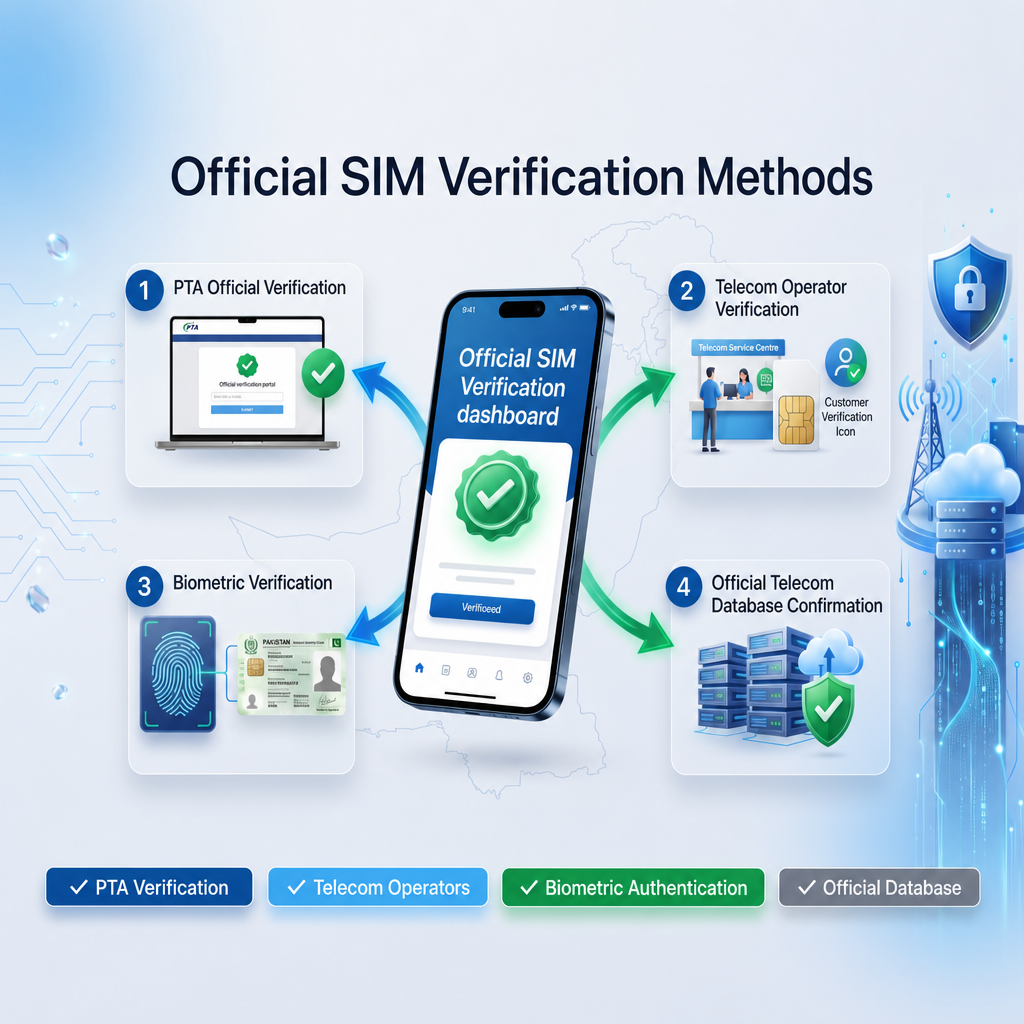
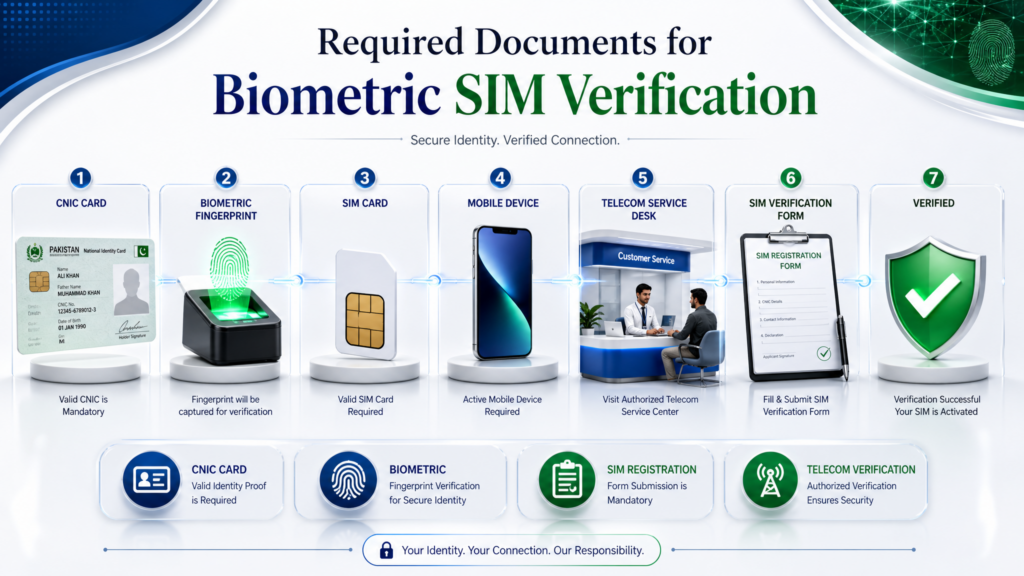
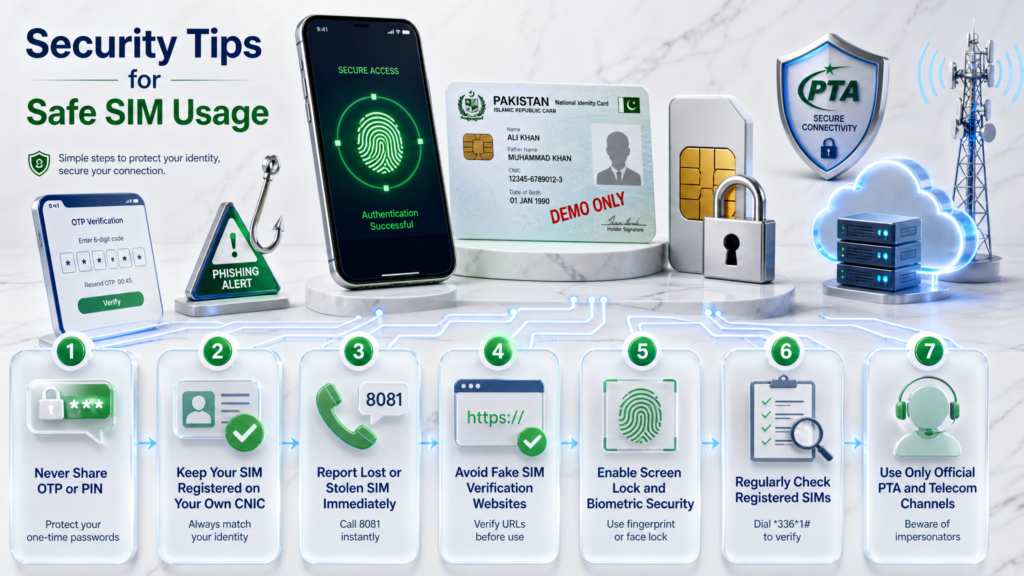
Introduction: Check Every SIM Registered Against Your CNIC
Your CNIC is more than an identity document for everyday transactions in Pakistan. It is also connected to important telecom records, including the SIM registrations made under your identity. If you have used mobile services for years, changed networks, replaced old SIMs, or forgotten about numbers you no longer use, it is worth checking how many SIMs are currently registered against your CNIC.
The good news is that you do not need to rely on unofficial “SIM database” websites or random apps to perform this basic check. Pakistan’s official SIM Information System provides a way to check the number of SIMs associated with your CNIC, including a network-wise breakdown. The official system currently displays categories such as Jazz, Telenor, Ufone and Zong, along with the total count.
This guide explains the complete process in simple terms, including the official online method, SMS-based verification, how to understand the result, what the 667 and 668 services are used for, what to do when the result does not match your expectations, and how to respond if you discover an unfamiliar SIM registration.
Why should you check SIMs registered on your CNIC?
Many people only think about SIM registration when buying a new number. However, checking your CNIC-linked SIM record can also help you identify registrations that you may have forgotten about or that require further investigation.
For example, you might have:
- An old SIM that you stopped using but never formally closed.
- A number from a network you switched away from.
- Multiple SIMs used for work, family, internet devices or other purposes.
- A registration that you do not immediately recognize.
- A SIM-related issue that requires confirmation with the relevant mobile operator.
Pakistan Telecommunication Authority guidance has specifically advised consumers to periodically check the number of SIMs issued in their name and to take action against illegally issued SIMs.
That makes a CNIC-level SIM check more than a simple curiosity. It is a basic identity and account-security habit.
What will this guide help you find?
By the end of this guide, you should understand:
- How to check SIMs registered on your CNIC online.
- Where the official SIM Information System fits into the process.
- How the SMS method works.
- What the result actually tells you.
- Why a SIM count is not the same thing as receiving the private details of every number.
- What 667 and 668 are used for and how they differ.
- What to do if an unexpected SIM appears.
- What to do when the online system or SMS method does not work.
- When you should contact your mobile operator.
- When a PTA complaint may be appropriate.
- How SIM ownership transfer, replacement and porting differ from a basic CNIC SIM check.
- How to protect your CNIC and telecom information from scams and unofficial services.
Official checking should come first
One of the most important principles throughout this guide is simple:
Use an official verification channel when checking SIM registrations connected to your identity.
The official SIM Information System allows a user to enter a CNIC and view the number of registered SIMs by network. The current system also provides a separate option for foreign nationals using a Foreign ID.
This is important because websites or apps claiming to provide unrestricted “SIM owner details,” downloadable SIM databases, or private information about another person are not the same thing as an official CNIC self-check.
You should never assume that a website is legitimate simply because it uses terms such as PTA, SIM Database, CNIC SIM Check, SIM Owner Details, or Pakistan SIM Data in its title.
Your CNIC number, mobile number, OTPs and biometric information should be treated as sensitive information. PTA’s telecom cybersecurity framework also emphasizes protection against unauthorized disclosure of critical telecom data.
A quick distinction before we begin
There is an important difference between these three questions:
1. “How many SIMs are registered on my CNIC?”
This is a CNIC-level registration check.
2. “What is the registration status of my particular SIM?”
This concerns a specific number/SIM and may require a different verification route.
3. “Who owns someone else’s mobile number?”
This is a completely different privacy issue and should not be confused with the official self-check system.
This distinction will become particularly important later when we discuss 667, 668, SIM ownership, network identification and privacy limitations.
What makes this guide different?
A basic article might simply tell you to enter your CNIC into the PTA SIM Information System and stop there.
This guide goes further.
We will cover the process from the first check to the final action:
Check → Understand the result → Compare it with your records → Investigate anything unexpected → Contact the relevant operator → Take corrective action where necessary → Recheck
We will also separate topics that are frequently mixed together online. For example, checking the number of SIMs registered on a CNIC is not the same process as transferring SIM ownership, and an online SIM count should not automatically be interpreted as a list of every personal detail associated with those numbers.
That distinction will help you avoid many of the common mistakes people make when searching for SIM information in Pakistan.
Start with your own CNIC
Before using any SIM verification service, make sure you are checking your own identity record.
Do not enter another person’s CNIC into an unofficial website simply because it promises to reveal their mobile information. Do not provide your CNIC to strangers who claim they can access a “live SIM database.” And do not share OTPs or biometric information merely because someone claims to be calling from a telecom company or government department.
The safest starting point is the official self-check process. From there, this guide will show you what each result means and what your next step should be.
How to Check SIMs Registered on Your CNIC Online
The easiest way to check the number of SIMs registered against your CNIC is to use Pakistan’s official SIM Information System online. This method is particularly useful when you want a quick network-wise overview without visiting a mobile operator’s franchise.
The official system is designed for checking the SIM registrations associated with your own CNIC. Instead of relying on third-party websites that claim to provide private SIM databases, you can start with the official portal and review the registration count shown against your identity.
What You Need Before Starting
Before beginning the online check, keep the following ready:
- Your valid 13-digit CNIC number
- A phone, computer or tablet with internet access
- A working web browser
- Your CNIC information entered accurately
For the standard CNIC check, the number should be entered in the required format shown by the official system. If the website displays a CAPTCHA or another verification step, complete it exactly as requested.
You do not need to search random websites for a downloadable SIM database. The purpose of this check is to review the official registration record associated with your own identity.
Step-by-Step: Check SIMs Registered on CNIC Online
Step 1: Open the Official SIM Information System
Go to:
This is the official web-based SIM Information System used for checking SIM registrations associated with a CNIC.
Before entering any information, make sure you are actually on the correct official website. This is an important safety step because many unofficial websites use similar keywords and designs to appear legitimate.
Step 2: Select the Relevant Identity Type
For a normal Pakistani CNIC check, use the option intended for a CNIC.
The system also provides a separate route for foreign nationals using a Foreign ID, so users should select the identity category that actually applies to them rather than entering information into the wrong field.
Step 3: Enter Your CNIC Number
Enter your 13-digit CNIC number in the field provided.
Pay attention to the format requested by the website. If the field asks for numbers without dashes, enter the digits accordingly.
A small formatting mistake can prevent the system from processing the request correctly, so check the number before submitting it.
Step 4: Complete the Verification
If the page presents a CAPTCHA or another verification mechanism, complete it.
These verification steps are designed to distinguish normal users from automated requests and help protect the service from misuse.
If the CAPTCHA is difficult to read, use the refresh option if available rather than repeatedly submitting an incorrect response.
Step 5: Submit the Request
After entering the required information, select the Submit option.
The system will process the request and display the SIM registration information associated with the entered CNIC.
The important point is that this is a CNIC-level registration check. You are checking how many SIM registrations are associated with your identity, not using the portal as a public directory for searching strangers.
What Information Does the Result Show?
One of the most important things to understand is that the result should be interpreted as a registration count, rather than assuming it is an unrestricted list of private subscriber information.
The official SIM Information System displays the number of SIMs associated with the CNIC, with the result organized by mobile network.
For example, a result could conceptually look like this:
| Network | Registered SIM Count |
|---|---|
| Jazz | 1 |
| Telenor | 0 |
| Ufone | 2 |
| Zong | 1 |
| Total | 4 |
The numbers above are only an example of how to read a result. They are not a real CNIC record.
The purpose of this kind of breakdown is to help you answer a basic but important question:
“Do the SIM registrations shown against my CNIC match what I actually expect?”
If you normally use one Jazz SIM and one Ufone SIM but the result indicates additional registrations, that does not automatically prove fraud. It means the result deserves further investigation.
Why the Network-Wise Breakdown Matters
A total SIM count alone may not tell you enough.
Suppose someone knows that they have three active mobile numbers. Their result shows:
- Jazz — 1
- Zong — 1
- Ufone — 1
That may appear straightforward.
But imagine another result shows:
- Jazz — 1
- Zong — 3
- Ufone — 1
If the person has never used three Zong registrations, the additional count becomes something worth investigating.
This is why you should not simply look at the Total figure and close the page.
Look at the individual network counts as well.
What If the Result Matches Your Records?
If the displayed counts are consistent with the SIMs you know you have or have previously registered, there may be no immediate issue.
However, it is still useful to keep the distinction between:
SIMs you actively use today
and
SIM registrations associated with your CNIC
These are not necessarily identical.
For example, you may have stopped using a number while its registration status still requires separate action through the relevant operator. Likewise, an old registration may need clarification if you no longer remember its history.
Therefore, a matching result is reassuring, but it should still be understood correctly.
What If the Number Is Higher Than Expected?
Do not panic.
An unexpected count is a reason to investigate, not proof by itself that someone has committed identity fraud.
Start by asking:
- Have I previously owned a SIM from this network?
- Did I replace or change a SIM in the past?
- Did I ever use an additional number for work or another purpose?
- Could a family or business-related SIM have been registered through my CNIC?
- Do I need to contact the relevant operator to identify or resolve the registration?
The next stages of this guide will explain how to move from the general CNIC-level result toward the appropriate verification and corrective action.
Keep a Record of Your Check
If you are investigating an unexpected registration, record the date on which you checked your CNIC and the network-wise result you received.
This can be useful if you later need to discuss the matter with a mobile operator or submit a complaint.
A simple personal record might look like:
Check Date: 16 August 2026
Jazz: 1
Zong: 2
Ufone: 0
Telenor: 1
Total: 4
Again, this is only an example format.
Do not publish your real CNIC number or complete personal SIM information publicly when sharing screenshots or asking for help online.
Important: The Online Check Is Only the First Step
The online CNIC check is extremely useful because it gives you the big picture.
But if something looks unfamiliar, you may need a more specific verification process.
That is where understanding the difference between SIM count, SIM ownership, network identification, 667 and 668 becomes important.
We will cover those concepts separately rather than mixing them together.
The key takeaway from this part is simple:
Use the official online system first, check the network-wise counts carefully, compare them with your own records, and investigate anything you cannot explain.
How to Check SIMs Registered on CNIC by SMS

The online SIM Information System is useful when you want to see a network-wise overview of SIM registrations associated with your CNIC. However, you may not always have reliable internet access, or the website may temporarily be unavailable. In that situation, the SMS-based method can be a practical alternative.
Before using any SMS method, it is important to understand exactly what you are checking. A CNIC-level SMS check is intended to help you review SIM registrations associated with your own CNIC. It should not be treated as a public service for obtaining another person’s private subscriber information.
What Is the SMS-Based SIM Check?
The SMS method allows a user to submit their CNIC through the designated telecom verification channel and receive information related to SIM registrations associated with that identity.
It is particularly useful for people who:
- Do not want to use the website.
- Have limited internet access.
- Want a quick confirmation of their CNIC-linked SIM registration count.
- Are checking whether the network-wise registration count matches their expectations.
The most commonly referenced CNIC-level SMS method is associated with 668. We will discuss 668 in greater detail later in this guide, including its purpose, how it differs from 667, and what to do if the service does not respond.
Basic 668 SMS Process
The general process is straightforward:
Step 1: Open Your Phone’s SMS App
Use the messaging application on your mobile phone.
You can perform the check from a mobile device rather than needing a computer or browser.
Step 2: Enter Your CNIC Number
Prepare your 13-digit CNIC number in the format required by the service.
Before sending anything, double-check the digits carefully.
Do not add spaces, symbols or additional personal information unless the official instructions specifically require them.
Step 3: Send the CNIC to 668
Send the CNIC through the designated SMS service.
The response is intended to provide information about SIM registrations associated with the submitted identity.
Important: Telecom service procedures, charges and response behavior can change. Before publishing or relying on an exact SMS format or current charge, verify the latest instructions through an official PTA or operator source.
What Should You Look For in the Reply?
The important part of the response is the registration information associated with your CNIC.
Depending on the service’s current response format, you may see network-wise counts rather than a complete list of every number.
For example, a result could conceptually indicate:
| Network | SIM Count |
|---|---|
| Jazz | 2 |
| Zong | 1 |
| Ufone | 0 |
| Telenor | 1 |
This is only an illustrative example.
The purpose is to help you compare the result with your own records.
If you know that you have one SIM on a particular network but the result indicates more registrations, do not immediately assume that the extra registration is fraudulent. First, consider old numbers, replacement SIMs, previous network usage, family/business registrations and other legitimate explanations.
Why Use 668 Instead of the Online Method?
There is no need to choose one method permanently.
The online portal and SMS method can serve different situations.
Online method is useful when:
- You have stable internet.
- You want to view the information through a browser.
- You want a convenient network-wise overview.
- You are already using a computer or smartphone.
SMS method is useful when:
- Internet access is unavailable or inconvenient.
- You want to perform a quick mobile-based check.
- You prefer an SMS-based process.
- You are troubleshooting whether the registration information can be obtained through another official route.
For important identity-related checks, using more than one appropriate official route can also help you understand whether the result you received is consistent.
What If the SMS Does Not Arrive?
This is one of the most common concerns users have.
If you send the request and do not receive the expected response, do not repeatedly send your CNIC to random numbers or websites claiming to provide the same service.
Instead, work through the following checks:
1. Check the CNIC format
Make sure you entered the correct 13-digit CNIC.
A missing or incorrect digit can prevent the request from being processed correctly.
2. Confirm the destination
Make sure the message was sent to the correct official service number.
Do not rely on an old blog, social media post or forwarded WhatsApp message for a service number if you are unsure whether the information is still current.
3. Check your mobile service
Make sure your phone can send normal SMS messages and that your network connection is functioning.
4. Wait before trying repeatedly
Temporary telecom or service-side delays can occur. Repeated requests are not necessarily going to solve a temporary system problem.
5. Use the official online method
If the SMS route is unavailable, return to the official SIM Information System and perform the CNIC-level check online.
This is one reason we are covering multiple official methods in this guide instead of presenting one method as the only possible solution.
What If 668 Works but the Result Looks Wrong?
This is an important distinction.
If you receive a result but the number of SIM registrations does not match your expectations, the correct response is investigation, not immediately assuming that the system is incorrect or that fraud has definitely occurred.
For example:
You expect:
Jazz — 1
Zong — 1
Your result shows:
Jazz — 1
Zong — 3
The two additional Zong registrations need explanation.
You can review your past SIM usage and then identify the relevant operator. If the registrations still cannot be explained, contact the operator through its official customer-support or service-center channels and ask about the appropriate process for resolving an unfamiliar registration.
Later in this guide, we will provide a dedicated unknown-SIM recovery flow so you know exactly how to proceed.
668 Is Not the Same as 667
This is where many Pakistani SIM-related articles become confusing.
667 and 668 are not simply two identical codes for the same task.
They serve different verification purposes, and treating them as interchangeable can lead to incorrect expectations about the information you will receive.
For this reason, we are not going to bury their differences inside one short paragraph.
A later section of this guide will provide a dedicated comparison covering:
- What 667 is.
- What 668 is.
- Why each service exists.
- When each one is relevant.
- What information each route is intended to provide.
- Common mistakes.
- What to do if one of the services does not work.
We will also have a separate future article dedicated specifically to 667 and 668, while this pillar guide will cover the information necessary for understanding CNIC-level SIM checking.
Protect Your CNIC When Using SMS Verification
Even when using an official service, basic privacy precautions are important.
Never post your complete CNIC number publicly in a screenshot.
Avoid sending your CNIC to a stranger who says they can “check your SIMs manually.”
Never provide an OTP to someone simply because they claim to represent PTA, NADRA or a telecom operator.
And never assume that a website offering “full SIM owner details by number” is legitimate merely because it asks for your CNIC.
The safest approach is to use recognized official channels and provide only the information genuinely required for the verification process.
SMS Method: Quick Summary
The basic flow is:
Prepare your CNIC → Use the designated official SMS route → Receive the registration information → Compare the result with your own records → Investigate anything unexpected
If SMS verification fails, do not switch to an unofficial SIM database. Use the official online system or contact the relevant operator/PTA channel instead.
The next part will focus on one of the most important areas of this entire guide: how to read and interpret your CNIC SIM-check result correctly, including why the total count can sometimes be misunderstood.
How to Read and Understand Your CNIC SIM Check Result

Checking your CNIC is only the first half of the process. The next step is understanding what the result actually means.
A network-wise SIM count does not automatically tell you that every number shown is currently active, nor does an unexpected count automatically prove that someone has misused your CNIC. The result should be treated as a starting point for verification.
Look at the Network-Wise Count First
When you receive your result, do not focus only on the total number.
Look at each network separately.
For example, an illustrative result might look like this:
| Network | SIMs Registered |
|---|---|
| Jazz | 2 |
| Zong | 1 |
| Ufone | 0 |
| Telenor | 1 |
| Total | 4 |
This means the CNIC-level system is showing registrations distributed across those networks.
It does not mean that you should immediately assume all four numbers are currently being used by you.
Your first job is to compare the result with what you already know.
Step 1: Count the SIMs You Know About
Make a simple list of the SIMs you currently use.
For example:
| SIM | Network | Do You Recognize It? |
|---|---|---|
| Personal number | Jazz | Yes |
| Secondary number | Zong | Yes |
| Old number | Ufone | No longer used |
| Unknown registration | Telenor | Not recognized |
This exercise can immediately explain some unexpected results.
An old SIM that you stopped using months ago may still be relevant to your registration record. Similarly, a number you used for work, a temporary connection or another legitimate purpose may be easy to forget.
SIM Count Is Not the Same as SIM Ownership Details
This is one of the most important concepts in the entire article.
When you check your CNIC, you are primarily trying to establish how many SIM registrations are associated with your identity.
That is different from asking:
“Show me the complete private details of every mobile number in Pakistan.”
The official self-check process should not be confused with unrestricted access to another person’s subscriber information.
Likewise, the number displayed in a registration count should not be interpreted as proof that the SIM is currently being used by a particular individual.
This distinction is especially important because many unofficial websites use phrases such as SIM owner details, SIM database, or SIM data by number to create the impression that they can provide unrestricted private information.
A CNIC self-check is fundamentally different.
What Does a Higher-Than-Expected Count Mean?
Suppose you normally remember having two registered SIMs, but your CNIC result indicates five.
There are several possibilities.
Possibility 1: Old SIM Registration
You may have stopped using a number without completing whatever formal process is required to end or change its registration.
Possibility 2: Previous SIM Usage
You may have used additional numbers in the past and simply forgotten about them.
This is especially common for people who have been using mobile services for many years.
Possibility 3: Family or Business-Related Registration
A SIM may have been obtained for a family member, employee, business activity or another legitimate reason while being registered against your CNIC.
Possibility 4: Registration You Cannot Explain
If none of the above explains the additional count, the registration deserves further investigation with the relevant operator.
Possibility 5: You Are Misunderstanding the Result
Sometimes the issue is not the registration itself but the user’s interpretation of what the system is displaying.
This is why you should not jump directly from:
“The number is higher than expected”
to:
“Someone has stolen my identity.”
Investigate first.
Example: When the Result Looks Normal
Imagine that you know you have:
- One Jazz SIM
- One Zong SIM
- One Ufone SIM
Your result shows:
- Jazz — 1
- Zong — 1
- Ufone — 1
In this situation, the result broadly matches your expectations.
You can keep a personal record of the check and continue using your SIMs normally.
However, if you later change networks, replace a SIM or obtain another connection, checking your record again can help you maintain an accurate picture of the registrations associated with your CNIC.
Example: When the Result Needs Investigation
Now imagine that you know you have:
- One Jazz SIM
- One Zong SIM
But your result shows:
- Jazz — 1
- Zong — 2
- Ufone — 1
The additional Zong and Ufone registrations are not automatically proof of unauthorized activity.
Instead, ask:
Do I remember owning these numbers?
Did I previously use these networks?
Was a SIM obtained for another legitimate purpose?
Could the registration require an operator-level clarification?
If you cannot explain the extra registration after reviewing your own records, move to the next stage rather than ignoring it.
What If You Only Recognize the Total but Not the Network?
The network-wise breakdown is particularly useful here.
For example, you may remember having three SIMs overall but not remember which network they were registered with.
Instead of assuming that every unknown network is unauthorized, compare the network counts with your historical usage.
This is another reason why the network-wise result is more useful than simply looking at one total figure.
Do Not Assume a SIM Count Shows Current Usage
A registration count should not automatically be interpreted as a live activity report.
There is a major difference between:
Registered against your CNIC
and
Currently being used right now
The first concerns the identity/registration record.
The second involves a different question about current usage or service status.
If your concern is a specific SIM, you may need to use an appropriate operator-level verification process or contact the operator directly.
Keep Evidence If You Find Something Unexpected
If you discover a registration you cannot explain, save the information you are allowed to keep for your own records.
Useful information can include:
- Date of the CNIC check
- Network shown
- Total count
- Relevant screenshots, provided they do not expose your CNIC publicly
- Any operator reference number
- Customer-service complaint/reference details
- Confirmation messages received after corrective action
Do not upload a screenshot containing your complete CNIC, phone number or other sensitive information to social media.
If you need to share a screenshot for assistance, mask sensitive information first.
When Should You Contact the Operator?
You should consider contacting the relevant mobile operator when:
- The network count is higher than you can explain.
- You believe an old registration needs clarification.
- You do not recognize a registration associated with a particular operator.
- You need to understand the appropriate blocking, disowning or ownership process.
- Your SIM-related information appears inconsistent.
The operator can guide you regarding the specific registration and the procedure available to resolve the issue.
If the issue cannot be resolved through the appropriate operator channel, a complaint through the relevant official authority may become the next step.
We will cover this recovery process in detail later.
The Golden Rule
Never treat a CNIC SIM-check result as something to panic over.
Treat it as an identity audit.
The correct process is:
Check → Compare → Identify → Verify → Correct if necessary → Recheck
That approach is safer and more accurate than immediately believing either extreme:
“Everything is fine because I recognize most of the SIMs.”
or
“There must be fraud because the count is higher.”
Both conclusions can be premature.
In the next part, we will examine what SIM registration actually means, including the difference between a SIM being registered against your CNIC, a SIM being active, and a SIM being owned or transferred to another person.
What Does “SIM Registered on CNIC” Actually Mean?
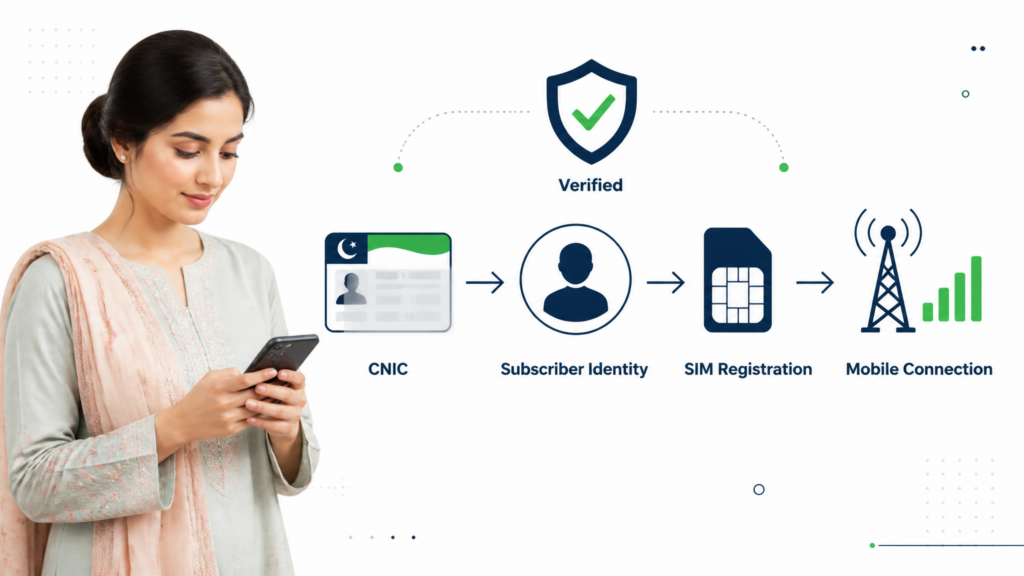
When people search for SIMs registered on CNIC, they often use several terms interchangeably: registered SIM, active SIM, SIM owner, SIM verification, SIM ownership and SIM transfer.
These terms are related, but they do not always mean the same thing.
Understanding the difference is important because it helps you interpret your CNIC check correctly and prevents confusion when an unexpected registration appears.
What Does SIM Registration Mean?
SIM registration means that a mobile connection has been associated with a subscriber’s identity record through the applicable registration process.
In Pakistan, the subscriber’s identity is linked to a CNIC or other accepted identity document under the telecom registration framework.
Therefore, when you perform a CNIC-level SIM check, you are essentially asking:
“How many SIM registrations are currently associated with my identity record?”
That is different from asking whether every SIM is currently being used every day.
Registered SIM vs Active SIM
These two terms are particularly easy to confuse.
Registered SIM
A SIM can be associated with your CNIC in the registration record.
Active SIM
A SIM may also have an operational/service status that determines whether it can currently be used for calls, SMS or mobile data.
Therefore:
Registered ≠ automatically the same as currently active and in regular use.
If you stopped using an old number, do not assume that simply putting the SIM away automatically removes its registration from your identity record.
If an old registration appears during your CNIC check, investigate its status through the appropriate official operator channel.
Registered SIM vs SIM You Personally Use
Another common misunderstanding is assuming:
“If I don’t physically have the SIM, it cannot be registered under my CNIC.”
That is not a safe assumption.
A SIM registration is an identity record. Physical possession of a SIM and the identity under which it is registered are related but separate concepts.
For example, you might have:
- A personal SIM in your phone.
- An older SIM you stopped using.
- A second number previously used for work.
- A SIM that was replaced.
- Another connection that you legitimately registered in the past.
Your CNIC-level check may therefore show registrations that do not immediately match the SIM cards currently sitting in your phone.
What Is SIM Ownership?
In simple terms, SIM ownership refers to the subscriber identity under which a SIM is officially registered.
This becomes particularly important when a number is being used by one person but remains registered under another person’s identity.
For example:
Person A: SIM is registered under Person A’s CNIC.
Person B: Person B is currently using the SIM.
That does not automatically mean the SIM has been legally transferred to Person B.
The registration record remains an important part of the relationship between the mobile connection and the subscriber identity.
If the parties need the registration to reflect a new subscriber, the appropriate SIM ownership transfer process should be followed.
SIM Registration vs SIM Ownership Transfer
These are two different situations.
SIM Registration
This concerns establishing or recording a mobile connection under a subscriber’s identity.
SIM Ownership Transfer
This concerns changing the registered subscriber from one person to another through the applicable operator procedure.
For example:
Ali has a SIM registered under his CNIC and wants the registration changed so that it belongs to Ahmed.
That is not simply a matter of Ahmed putting the SIM into his phone.
The appropriate ownership-transfer process must be followed.
Our separate SIM Ownership Transfer in Pakistan 2026: Complete Guide covers that process in much greater detail.
This article will link to that guide where appropriate rather than repeating the entire transfer procedure here.
Why This Difference Matters During a CNIC Check
Imagine that you check your CNIC and see four SIM registrations.
You personally remember using only two numbers.
It would be incorrect to immediately conclude:
“Two SIMs are illegally active.”
The better conclusion is:
“Two registrations require explanation.”
You then investigate whether they relate to:
- Old numbers.
- Previous network usage.
- Replacements.
- Family or business use.
- A transfer that was never completed.
- A registration you genuinely do not recognize.
This approach keeps the verification process factual rather than speculative.
What Is SIM Replacement?
SIM replacement is another process that should not be confused with ownership transfer.
A replacement generally concerns obtaining a new SIM associated with an existing mobile connection, such as when a SIM is lost, damaged or needs to be replaced.
The important question is:
Who remains the registered subscriber?
If the subscriber identity does not change, replacing the physical SIM is not the same thing as transferring ownership to another person.
For example:
Old SIM: Registered to Ali
Replacement SIM: Still associated with Ali
That is fundamentally different from:
Old SIM: Registered to Ali
New subscriber: Ahmed
The second situation involves ownership/registration change rather than a simple replacement.
What Is Mobile Number Porting?
Number porting introduces another potential source of confusion.
A mobile number can move from one network operator to another while the subscriber retains the same mobile number.
That means you should not rely solely on the number’s old prefix to determine its current network.
This becomes relevant when investigating a specific number because the number may have been ported.
A CNIC-level SIM check and a network-identification check therefore answer different questions.
CNIC-level check
Which network categories have SIM registrations associated with my identity?
Network check
Which operator is currently associated with this mobile number?
Ownership check
What is the registration status of my own SIM through an appropriate official verification route?
Keeping these questions separate makes the overall SIM-verification process much easier to understand.
A Simple Comparison
| Term | Main Question |
|---|---|
| SIM Registration | Under whose identity is the connection registered? |
| SIM Count | How many registrations are associated with the CNIC? |
| SIM Ownership | Which subscriber is recorded against the connection? |
| SIM Replacement | Is an existing connection receiving a replacement SIM? |
| Ownership Transfer | Is the registered subscriber being changed? |
| Number Porting | Has the number moved to another network? |
| SIM Activity | Is the connection currently operational/being used? |
These concepts can overlap in real situations, but they should not be treated as identical.
Why This Matters for an Unknown SIM
Suppose your CNIC check shows an unexpected registration.
Your first goal is not to find private information about another person.
Your goal is to determine:
- Which network is associated with the registration?
- Can you explain the registration from your own history?
- Does the relevant operator need to verify it?
- Is corrective action required?
- After the issue is addressed, can you perform another check to confirm the record?
This keeps the process focused on protecting your own identity record.
The Key Takeaway
A CNIC SIM check is best understood as an identity-level registration audit.
It tells you what SIM registrations are associated with your identity record, but you should not automatically interpret the result as:
- a live tracking system,
- a public owner database,
- a complete list of another person’s information,
- proof that every registered SIM is currently being used,
- or proof of fraud whenever the count is unexpected.
Once you understand these distinctions, the next stages of the guide become much easier.
In the next part, we will move into one of the most searched areas of SIM verification in Pakistan: 667 and 668 — what they are, why they are used, and how they fit into the broader SIM-checking process.
667 and 668: What Are They and Why Are They Used?
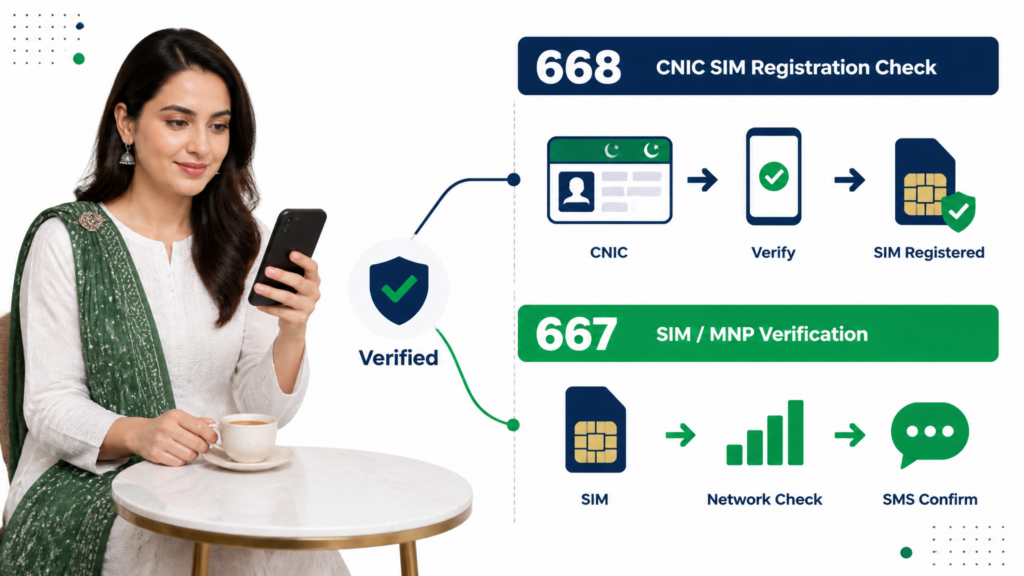
When people search for SIMs registered on CNIC in Pakistan, two short codes appear again and again: 667 and 668.
Although they are often mentioned together, they should not be treated as two identical services. They are associated with different types of SIM verification, and understanding that difference can prevent a lot of confusion.
For a CNIC-level SIM audit, the important thing to remember is that 668 is associated with checking SIM registrations against your CNIC, while 667 is used in a different SIM/MNP-related verification context.
PTA’s own cybersecurity guidance advises consumers to periodically check the number of SIMs issued in their name by sending their CNIC number to 668, particularly as a precaution against illegally issued SIMs.
What Is 668?
668 is the SMS-based route associated with checking SIM registrations against your CNIC.
Its main purpose is to help you determine how many SIM registrations are associated with your identity.
This makes 668 particularly relevant when your question is:
“How many SIMs are registered against my CNIC?”
The result should be understood as a CNIC-level SIM registration check, rather than a public database for looking up another person’s private information.
This distinction is extremely important because online searches often mix together terms such as:
- SIM database
- SIM owner details
- SIM information
- CNIC SIM check
- SIM data by number
- SIM owner name
These phrases can refer to very different things.
What 668 is useful for
You would generally look toward the CNIC-level 668 method when you want to:
- Check SIM registrations associated with your own CNIC.
- Review the network-wise registration situation.
- Compare the result with the SIMs you know about.
- Identify a registration count that needs further investigation.
- Perform a basic identity-security check.
PTA’s guidance specifically recommends periodic checking of SIMs issued in your name and says illegally issued SIMs should be blocked.
What Is 667?
667 is different from 668.
It is associated with MNP/SIM-related verification for a particular mobile connection, rather than being simply another version of the CNIC-wide count check.
This means you should not think of the two codes as:
667 = one way to check all CNIC SIMs
and
668 = another way to check all CNIC SIMs.
That would create unnecessary confusion.
Instead, think about the questions you are trying to answer.
Question A
“How many SIM registrations are associated with my CNIC?”
This is where the CNIC-level SIM Information System / 668 route becomes relevant.
Question B
“What is the registration/network information relevant to this particular SIM or mobile number?”
This involves a different verification context, including MNP-related services such as 667.
That distinction becomes especially useful when dealing with ported mobile numbers, because a number’s original prefix does not necessarily tell you which network currently serves it.
667 vs 668 at a Glance
| Feature | 667 | 668 |
|---|---|---|
| Main context | SIM/MNP-related verification | CNIC-level SIM registration check |
| Primary question | Information related to a particular SIM/connection | How many SIMs are registered against your CNIC? |
| Best suited for | Specific SIM/MNP verification | Overall CNIC SIM audit |
| Same as the other service? | No | No |
| Used for a complete CNIC-wide count? | Not the primary purpose | Yes |
| Useful when investigating an unknown registration? | Potentially, depending on the specific SIM | Yes, as the starting CNIC-level check |
The table is a simplified guide. Specific telecom procedures, response formats and service availability can change, so exact instructions should always be checked against current official information before publication or use.
Why Do People Confuse 667 and 668?
There are several reasons.
First, both numbers are only three digits long, so they are easy to remember incorrectly.
Second, many websites discuss them together under headings such as “667 vs 668”, without clearly explaining the different questions each service is intended to answer.
Third, people searching for “SIM owner details” may expect either code to reveal the same information.
That expectation is incorrect.
The better approach is to start with the question:
What exactly am I trying to verify?
If you want the number of SIM registrations against your CNIC, start with the official CNIC-level system and the applicable 668 method.
If you are dealing with a specific SIM, number or MNP-related verification, the relevant 667 process may be more appropriate.
What If You Only Want to Check Your Total SIMs?
You do not need to begin with 667 simply because you have heard that it is a SIM verification code.
For a CNIC-level audit, the official SIM Information System is the most direct starting point. Its current interface explicitly asks the user to enter a CNIC to find the total number of SIMs registered against that CNIC.
The current result interface can show network-wise categories and totals, making it easier to compare the registration count with your own records.
So the practical flow is:
CNIC → Official SIM Information System → Review network-wise count → Investigate anything unexpected
The SMS route can then be used as an alternative or supporting verification method where applicable.
What If You Have a Specific Number?
This is where the distinction becomes more useful.
Suppose you have a particular mobile number and want to understand its current network rather than asking:
“How many SIMs are on my CNIC?”
Those are different questions.
The official SIM Information System currently provides a separate network-identification instruction: send “N 03xx3456789” to 76367 for a network check.
This is useful because mobile numbers can be ported between networks.
Therefore, a prefix alone should not always be treated as a reliable indication of the number’s current operator.
Do Not Use 667 or 668 to Search Random People’s Information
Another important limitation is privacy.
A legitimate SIM verification process should not be confused with websites claiming:
“Enter any Pakistani mobile number and get the person’s full CNIC and personal details.”
That is a completely different claim.
The purpose of this guide is to help you verify and protect your own CNIC-linked SIM registrations, not to provide a method for obtaining private information about strangers.
PTA’s telecom cybersecurity framework also emphasizes protecting critical telecom data from unauthorized disclosure.
What If 668 Does Not Work?
Do not immediately assume that your CNIC has no SIM registrations.
A failed SMS request can have several possible explanations, including:
- Incorrect CNIC formatting.
- Temporary service issues.
- SMS delivery problems.
- Network-related problems.
- Changes in the service or its response mechanism.
- An outdated instruction obtained from an old website.
The correct response is to use another official verification route, beginning with the online SIM Information System.
The official portal is currently available for CNIC-level SIM checks and explicitly provides the CNIC entry process.
We will have a much more detailed troubleshooting section later in this guide.
What If 667 Does Not Work?
The same principle applies.
Do not keep trying random numbers found on social media.
First determine what you actually need to verify.
If your objective is simply:
“How many SIMs are registered on my CNIC?”
you can use the official CNIC-level SIM Information System instead.
If your objective involves a specific mobile number or MNP-related verification, use the appropriate current official route for that purpose.
This prevents you from using the wrong service for the wrong question.
A Simple Rule to Remember
You can remember the difference like this:
668 → Think CNIC-wide SIM registration check
667 → Think specific SIM/MNP-related verification
And when you are unsure, return to the question:
Am I checking my whole CNIC record, or am I checking something about one particular SIM/number?
That one distinction will prevent many common mistakes.
Important Note for This Guide
We will not repeat a huge 667/668 explanation throughout this article.
This pillar guide needs enough information for a reader to understand the difference and choose the appropriate route. A separate, dedicated 667 & 668 Complete Guide can later go much deeper into individual code behavior, exact procedures, troubleshooting, response formats and frequently reported problems.
That will allow this article to remain focused on its main search intent:
checking SIMs registered on CNIC.
In the next part, we will move from the codes themselves to the best method to use in different situations — online check vs SMS, when one method is more convenient, and what to do when the first method does not give you the answer you need.
Which SIM Check Method Should You Use?
Pakistan’s official SIM verification options are useful for different situations. The best method depends on what you are trying to find out, whether you have internet access, and whether you are checking your complete CNIC record or investigating a particular SIM.
There is no need to use every method every time. A better approach is to start with the method that directly answers your question and move to another official channel only when additional verification is needed.
Online Check vs SMS Check
For a normal CNIC-level SIM audit, the two most useful starting points are:
- Official online SIM Information System
- SMS-based CNIC verification
Both can help you review SIM registrations associated with your identity, but they are convenient in different situations.
| Situation | Better Starting Option |
|---|---|
| You have internet access | Online SIM Information System |
| Internet is unavailable | SMS method |
| You want a quick CNIC-level check | SMS method |
| You want to review the result on a larger screen | Online method |
| You are investigating an unexpected count | Online method + further operator verification |
| You are checking a specific SIM/number | Relevant operator/MNP verification |
| You need to resolve an unauthorized registration | Operator/service-center process |
The important point is that checking your CNIC is only the beginning when something looks unusual.
When the Online Method Is the Better Choice
The online method is generally convenient when you have a working internet connection.
It gives you a visual result that is easier to review carefully, especially when several networks are involved.
For example, suppose your result indicates:
- Jazz — 2
- Zong — 2
- Ufone — 1
- Telenor — 0
Seeing the network-wise breakdown together makes it easier to compare the result against your own history.
This can be particularly useful if you have used multiple networks over the years.
Online checking is also useful when investigating an unexpected result
If you receive a result that concerns you, being able to view the information on the official portal can make it easier to record the date, review the categories and compare the result with your personal records.
However, remember that the portal’s result is not a substitute for operator-level investigation when you need to resolve a particular registration.
When the SMS Method Is More Convenient
The SMS route can be useful when you simply want to perform a quick check from your phone.
For someone who does not have reliable internet access, an SMS-based method can be more practical than opening a website.
It can also be useful when you are away from your computer and want to perform a basic CNIC-level check using your mobile device.
The important rule remains the same:
Use the designated official service rather than an unofficial number provided by a stranger or an unverified website.
What If Both Methods Give You a Result?
If you have used two official methods and the information appears consistent, that gives you a clearer picture of your CNIC-linked SIM registrations.
For example:
Online result:
Jazz — 1
Zong — 2
Ufone — 0
SMS result:
Jazz — 1
Zong — 2
Ufone — 0
The two results broadly agree.
That does not mean you have verified every detail about every physical SIM, but it does give you greater confidence in the overall CNIC-level registration count.
What If the Results Do Not Match?
This situation requires a little more care.
Suppose the online result and SMS result appear different.
Do not immediately conclude that one service is showing a fraudulent registration.
First check:
1. Did you perform both checks correctly?
Make sure the same CNIC was used and that you followed the current instructions for each service.
2. Was one result delayed?
Telecom systems can have processing or synchronization differences.
3. Did you check at different times?
A registration record can change after a new SIM registration, replacement, transfer or other operator action.
4. Is the difference actually in the total?
Sometimes users notice a different presentation rather than a genuinely different registration count.
5. Do you need operator-level confirmation?
If the discrepancy remains, the relevant mobile operator is the appropriate place to seek clarification about a specific registration.
Do Not Treat a Failed Check as Proof That No SIM Is Registered
This is an important warning.
Imagine that you send an SMS and receive no response.
It would be incorrect to conclude:
“No response means there are no SIMs on my CNIC.”
The service may simply be unavailable, delayed or incorrectly used.
Similarly, if a website temporarily fails to load, that does not mean your CNIC has no telecom record.
Instead:
Failed check → troubleshoot → use another official route → contact the appropriate official channel if necessary
This principle will become especially important in our later troubleshooting section.
What If You Are Checking an Unknown SIM?
Suppose your CNIC-level check shows more registrations than expected.
Do not immediately search the internet for:
“SIM owner details by number.”
That can lead you toward unofficial services that claim to provide private subscriber information.
Instead, use the information you legitimately have:
CNIC check → network identified → relevant operator → official verification/action
Your objective should be to protect your own identity record rather than obtain another person’s private information.
What If You Recently Bought a New SIM?
If you have recently obtained a SIM, you may naturally want to confirm that it has been properly registered.
A CNIC-level check can be useful for confirming that your overall registration record reflects the expected change.
However, do not assume that every change will necessarily appear instantly.
If the result does not look as expected shortly after a registration or other operator transaction, first allow the relevant system to update and then verify through the operator if the discrepancy continues.
For important transactions, keep your receipt, confirmation SMS or reference information.
What If You Recently Transferred SIM Ownership?
This situation is different from simply buying a new SIM.
If ownership has been transferred, the registration record may need to reflect the new subscriber.
Our separate SIM Ownership Transfer in Pakistan 2026: Complete Guide covers the transfer process in detail.
For this article, the important point is:
Do not confuse a CNIC SIM count with the complete ownership-transfer process.
After a transfer, an appropriate recheck can help confirm that the registration record is consistent with the intended ownership arrangement.
What If You Have Lost Your SIM?
A lost SIM creates a different type of concern.
Your first priority should be securing the connection through the appropriate mobile operator rather than relying only on a later CNIC check.
A CNIC check can help you review your broader registration record, but it should not replace immediate action when a physical SIM is lost or stolen.
If the number is important for:
- Banking
- Email recovery
- Social media
- Government services
- Two-factor authentication
you should also review the accounts linked to that number.
What If You Are an Overseas Pakistani?
The online method can be particularly convenient for someone who is outside Pakistan and wants to review their CNIC-linked SIM registration without immediately visiting a local franchise.
However, checking the record and resolving a registration issue are two different tasks.
If an overseas user finds something that requires an operator-level action, they should follow the operator’s current official process and confirm whether any authorized representative or documentation is required.
Do not rely on social media claims promising instant remote ownership changes.
A Practical Decision Flow
You can simplify the entire process like this:
If you want to know how many SIMs are on your CNIC:
Use the official online SIM Information System or applicable 668 SMS method.
If the result looks normal:
Record it and continue normal SIM-security practices.
If the count is higher than expected:
Compare it with your old/current SIM history.
If you still cannot explain a registration:
Identify the relevant network and contact the operator through an official channel.
If the operator issue is not resolved:
Use the appropriate official complaint route.
If your concern is a specific SIM or mobile number:
Use the appropriate operator/MNP verification method rather than treating a CNIC-wide count as a detailed number lookup.
This approach prevents unnecessary confusion and keeps each verification method focused on the question it is actually designed to answer.
The Best Method Is the One That Answers the Right Question
The biggest mistake people make is searching for a single magical “SIM check code” that supposedly provides every type of information.
There is no need to think about SIM verification that way.
Instead, ask:
Am I checking my complete CNIC registration count?
Use the CNIC-level system.
Am I checking something about a particular SIM?
Use the relevant specific verification route.
Did I find an unfamiliar registration?
Move from checking to investigation and corrective action.
That distinction makes the entire process much safer and easier to understand.
In the next part, we will examine how to identify and deal with an unexpected or unknown SIM registration on your CNIC, including the practical steps you should take before assuming that the registration is fraudulent.
What to Do If You Find an Unknown SIM on Your CNIC
Finding a SIM registration that you do not recognize can be worrying, but the most important thing is not to panic and not to make assumptions immediately.
An unexpected registration should be treated as something that needs verification. It may relate to an old number, a previous connection, a family or business arrangement, or another legitimate situation that you no longer remember. If you still cannot explain it after checking your records, then you should move toward formal verification and corrective action.
Step 1: Confirm the Result
Before contacting anyone, perform the CNIC check again through the appropriate official method.
Make sure:
- You entered your own CNIC correctly.
- The result is associated with your identity.
- The unexpected network count is still appearing.
- You have recorded the date of the check.
This helps prevent acting on a temporary error, formatting mistake or misunderstanding.
Step 2: Compare the Result With Your SIM History
Think about every SIM you have used over the years.
Ask yourself:
- Have I ever used this network?
- Did I previously own another number from this operator?
- Did I replace a lost or damaged SIM?
- Did I obtain a number for work or business?
- Was a SIM registered for a family member?
- Did I recently transfer or replace a SIM?
- Could the registration be connected to an older number that I forgot?
Create a simple record:
| Network | Result | Do I Recognize It? | Action |
|---|---|---|---|
| Jazz | 1 | Yes | No immediate action |
| Zong | 2 | One recognized | Investigate other registration |
| Ufone | 0 | — | None |
| Telenor | 1 | No | Verify with operator |
This makes the problem much easier to manage.
Step 3: Identify the Relevant Operator
Once you know which network appears unexpectedly, focus on that operator.
For example, if your CNIC result shows an additional Zong registration that you cannot explain, your next step is not to search Google for a random “Zong SIM database.”
Instead, contact Zong through its official customer-service or franchise channels and ask what process is available for addressing an unfamiliar SIM registration associated with your CNIC.
The same principle applies to Jazz, Ufone, Telenor or another operator.
Step 4: Visit an Official Service Center When Required
Some SIM-registration issues cannot be properly resolved through a simple online check.
If the operator requires identity verification or biometric verification, visit an authorized service center or franchise with your original CNIC.
Take any relevant evidence with you, such as:
- CNIC
- SIM/number information you recognize
- Previous receipts
- Relevant confirmation SMS
- Operator complaint/reference number
- Details of when you first noticed the unexpected registration
Do not hand your original CNIC to an unrelated person claiming to “remove the SIM” outside an authorized channel.
Step 5: Ask for the Correct Resolution
An unfamiliar SIM does not always require the same action.
Depending on the circumstances, the operator may guide you toward an appropriate process such as:
- Verification
- Blocking
- Disowning
- Replacement
- Ownership correction
- Another operator-specific resolution
These terms should not be treated as interchangeable.
For example, blocking a SIM and removing a registration from your CNIC can represent different outcomes.
That is why you should explain the actual problem:
“This SIM registration appears against my CNIC, but I do not recognize it.”
Then ask the operator which official process applies.
Step 6: Keep the Confirmation
If the operator takes action, keep the evidence.
This could include:
- Complaint/reference number
- Confirmation SMS
- Receipt
- Service-center documentation
- Date of action
- Network name
Do not throw away the paperwork immediately.
If the registration appears again later, having the original reference information can make the follow-up much easier.
Step 7: Recheck Your CNIC
After the operator confirms that corrective action has been completed, perform another CNIC-level SIM check.
Do not necessarily expect every system to update instantly.
If the operator has given you a specific timeframe, follow that guidance. Once an appropriate period has passed, check again.
Your objective is to confirm:
Before action → unexpected registration
After action → registration corrected
This creates a much clearer record than simply making one complaint and assuming the issue has disappeared.
What If the Unknown SIM Is Still Showing?
If the registration remains after the operator has supposedly resolved it, contact the operator again using the reference number from your original complaint.
Explain:
- When you first reported the issue.
- What action the operator said was taken.
- When you performed the follow-up CNIC check.
- What the current result shows.
If the matter remains unresolved through the operator’s official process, you can consider using the appropriate PTA complaint channel.
The important thing is to maintain a documented sequence:
Check → Report → Receive reference → Wait for resolution → Recheck → Escalate if necessary
Do Not Try to Find the Other Person Yourself
One of the biggest mistakes after discovering an unfamiliar SIM is trying to identify the person behind it through unofficial websites.
You may see websites claiming:
- “SIM owner name by number”
- “Live SIM database”
- “CNIC details by mobile number”
- “Full SIM owner information”
- “Pakistan SIM database download”
These claims should be treated with extreme caution.
Your goal is to correct your own CNIC registration record, not to obtain someone’s private information through an unofficial source.
Using a random database can also expose your own CNIC and mobile information to another party.
What If You Believe Your CNIC Was Misused?
If the registration cannot be explained and you have genuine reason to believe that your identity information was misused, take the matter seriously.
Start by securing the telecom record through the relevant operator.
Then preserve evidence.
Useful evidence may include:
- CNIC check results
- Dates
- Screenshots
- Operator correspondence
- Complaint numbers
- Relevant SMS messages
- Any suspicious communication you received
If the situation involves suspected fraud, harassment, financial loss or another serious matter, use the appropriate official reporting channel rather than attempting to investigate the person yourself.
Common Mistake: Assuming Every Unknown Count Is Fraud
An unfamiliar count deserves attention, but it does not automatically establish criminal activity.
For example, someone may discover that their CNIC has one more SIM registration than expected and immediately post:
“Someone has stolen my CNIC.”
That conclusion may be premature.
The correct sequence is:
Unexpected result → verify → investigate → contact operator → correct if necessary
Only after the facts are established should you draw stronger conclusions.
Common Mistake: Ignoring Old SIMs
The opposite mistake is also common.
Someone may say:
“I don’t use that SIM anymore, so it doesn’t matter.”
If the registration is still associated with your identity, it is worth understanding its current status.
An unused physical SIM and an unresolved registration record are not necessarily the same thing.
If you no longer need a connection, ask the relevant operator about the appropriate process instead of simply keeping it forgotten.
Unknown SIM Recovery Checklist
Use this checklist whenever your CNIC result shows something unexpected:
☐ Recheck your CNIC through an official method
☐ Record the network and count
☐ Review your previous SIM history
☐ Identify the relevant operator
☐ Contact the operator through an official channel
☐ Visit an authorized service center if required
☐ Complete the appropriate corrective process
☐ Keep your receipt/reference number
☐ Wait for the relevant update period
☐ Recheck your CNIC
☐ Escalate through the appropriate official complaint route if unresolved
This checklist gives you a clear path without relying on unofficial SIM databases.
The Main Principle
An unexpected SIM registration should be handled as an identity-record verification issue, not as an invitation to search for someone’s private information.
The safest flow remains:
CHECK → VERIFY → CONTACT → CORRECT → DOCUMENT → RECHECK
That approach protects both your identity and your privacy.
In the next part, we will examine what to do when your SIM check itself does not work — including failed SMS requests, website problems, incorrect CNIC format, CAPTCHA issues, delayed results and other common verification problems.
667/668 or Online Check Not Working? Common Problems & Solutions
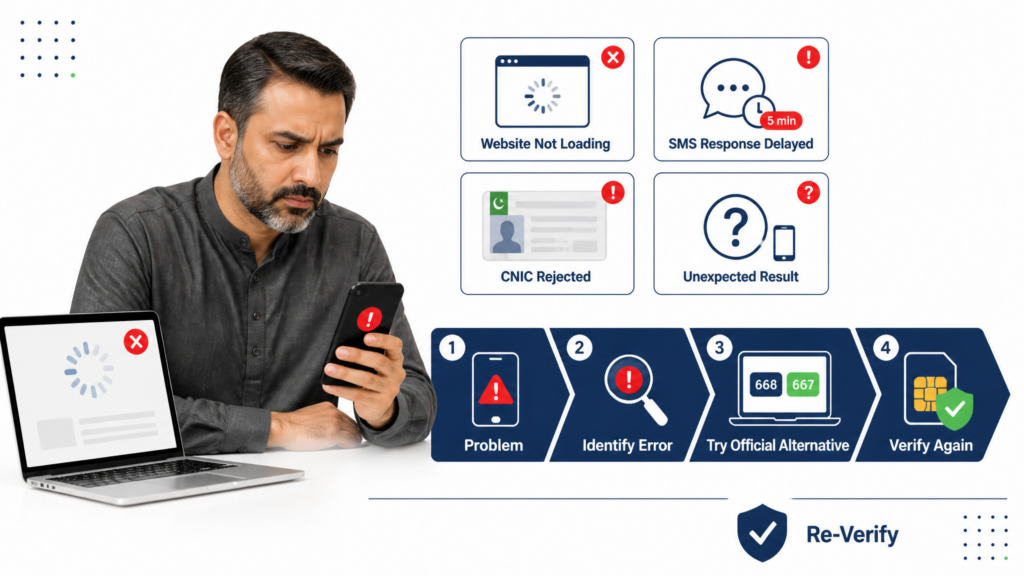
Sometimes the SIM-check process does not work as expected. The website may fail to load, an SMS response may not arrive, a CNIC may be rejected, or the displayed result may appear different from what you expected.
A failed verification attempt does not automatically mean that your CNIC has no SIM registrations. It usually means that you need to identify the specific problem and then use the appropriate official alternative.
Problem 1: The SIM Information Website Is Not Opening
If the official SIM Information System does not open, first check your internet connection.
Try:
- Refreshing the page.
- Opening the website again after a short interval.
- Trying another browser.
- Switching between mobile data and Wi-Fi.
- Checking whether other websites are loading normally.
If other websites work but the SIM portal does not, the issue may be temporary service availability rather than your CNIC.
Do not immediately switch to a random website claiming to offer the same service.
Problem 2: The CNIC Is Not Accepted
If the system does not accept your CNIC, carefully review the number you entered.
Check:
- All 13 digits are correct.
- You did not accidentally omit a digit.
- You did not add an unnecessary space.
- You followed the format shown by the official page.
- You selected the correct identity category.
If you copied the number from another source, manually compare it with your original CNIC before submitting again.
Problem 3: CAPTCHA Is Not Working
A CAPTCHA can occasionally cause problems.
If the verification image or challenge is difficult to complete:
- Refresh the CAPTCHA if that option is available.
- Enter the newly displayed characters carefully.
- Avoid repeatedly submitting an incorrect response.
- Try another browser if the problem continues.
- Try again later if the page itself appears unstable.
Do not use third-party websites that promise to bypass the official verification process.
Problem 4: The 668 SMS Gets No Reply
If you send the CNIC through the applicable 668 SMS route and do not receive the expected response, check the basics first.
Check your CNIC
Make sure the number is correct and follows the required format.
Check the SMS destination
Make sure you used the correct official service number and did not rely on an old forwarded message.
Check your mobile service
Confirm that your phone can send normal SMS messages and has network coverage.
Wait before retrying
A temporary delay does not necessarily mean the service has failed permanently.
Use the online method
If the SMS route remains unavailable, use the official SIM Information System as the alternative CNIC-level checking method.
Problem 5: You Receive a Response but It Looks Incomplete
Do not assume that an incomplete-looking response means the CNIC record is empty.
First determine what information the particular service is designed to provide.
A CNIC-level check is primarily about the registration count, while a specific SIM or mobile-number verification can involve a different process.
This is one of the main reasons users sometimes become confused when comparing 667, 668 and the online system.
They may expect all three to produce exactly the same information.
They do not necessarily answer the same question.
Problem 6: The Online Result and SMS Result Seem Different
If you check your CNIC through two official routes and believe the results do not match, do not immediately assume that one of them is showing fraudulent information.
Check:
- Whether you used the same CNIC.
- Whether you performed both checks correctly.
- Whether the results were obtained at different times.
- Whether a recent SIM transaction could have affected the record.
- Whether you are comparing the total or the network-wise categories.
If the difference remains unexplained, keep records of both results and contact the relevant operator or official support channel.
Problem 7: A New SIM Is Not Showing Yet
If you have recently registered a new SIM and immediately perform a CNIC check, the result may not necessarily reflect every recent transaction instantly.
If the operator gave you a confirmation message, receipt or reference number, keep it.
Then:
Wait for the appropriate update period → check again → contact the operator if the expected registration still does not appear.
Do not repeatedly register or purchase another SIM simply because the first result has not updated yet.
Problem 8: An Old SIM Is Still Showing
This is different from a failed check.
The system may be correctly showing a registration that you simply no longer use.
Remember:
Not using a SIM ≠ automatically removing its registration.
If you no longer need the connection, ask the relevant operator about the proper process for closing, disowning or otherwise resolving the registration.
Do not assume that throwing away the physical SIM automatically changes your CNIC record.
Problem 9: 667 Is Not Giving the Expected Information
First ask what you are actually trying to check.
If your goal is:
“How many SIMs are registered on my CNIC?”
then 667 is not the primary route for that CNIC-wide question. Use the official SIM Information System or applicable 668 method.
If your question concerns a specific SIM or MNP-related verification, then the relevant 667 procedure may be appropriate.
This distinction can save you from using the wrong service and assuming it is broken.
Problem 10: 668 Is Not Giving the Expected Information
If 668 does not respond or does not provide the result you expected:
- Confirm the CNIC format.
- Confirm the destination number.
- Check your SMS service.
- Avoid repeated requests.
- Use the official online SIM Information System.
- If the issue continues, use the appropriate official support route.
Do not interpret a failed SMS response as:
“There are no SIMs on my CNIC.”
A technical or service issue can produce the same lack of response.
Problem 11: The Result Shows More SIMs Than You Expected
This is not technically a “failed check.”
In fact, the system may be working perfectly.
The problem is that the result requires investigation.
Use the process from Part 8:
Recheck → Compare your SIM history → Identify the network → Contact the operator → Take corrective action if required → Recheck
Do not attempt to obtain private information about the suspected user through unofficial websites.
Problem 12: The Result Shows Fewer SIMs Than You Expected
This also deserves attention.
Possible explanations may include:
- A recently completed transaction has not reflected yet.
- You are remembering an old registration.
- The SIM’s registration status has changed.
- You are confusing active numbers with registered connections.
- You are using a different identity record than expected.
Check your receipts, operator messages and previous records before drawing a conclusion.
If the discrepancy remains important, contact the relevant operator.
Problem 13: You Are Outside Pakistan
If you are an overseas Pakistani, the online CNIC-level method can be particularly useful because it does not require you to start by visiting a local mobile franchise simply to perform a basic registration check.
However, checking your record and resolving a problem are separate matters.
If an unfamiliar registration requires an operator-level action, follow the operator’s current official requirements for overseas users, authorized representatives or required documentation.
Never give a stranger access to your CNIC because they claim they can resolve the issue remotely.
Problem 14: You Cannot Tell Which SIM Is Causing the Problem
A CNIC-level result may tell you the network count without giving you the exact number you are looking for.
In that situation, do not try to force the CNIC check to provide information it was not designed to display.
Instead:
Identify the relevant network → use the operator’s official verification process → request the appropriate resolution.
This is particularly important when several SIMs from the same network are registered against your CNIC.
For example, if the result shows three registrations on one network and you recognize only two, the operator is the appropriate place to investigate the remaining registration.
Problem 15: Someone Offers to “Fix” Your SIM Record
Be extremely cautious if someone contacts you and says:
“Send me your CNIC and OTP. I can remove the extra SIM.”
or:
“Pay me and I will access the PTA database.”
or:
“Give me your biometric information and I will correct the record remotely.”
These are major warning signs.
You should not surrender your CNIC, OTP, biometric information or account credentials to an unknown person merely because they claim to have access to telecom systems.
Use the official operator and official complaint channels instead.
Troubleshooting Decision Tree
When something goes wrong, use this simple sequence:
Website not opening?
→ Check connection → retry → use official alternative.
CNIC rejected?
→ Verify digits/format → retry.
668 no response?
→ Verify SMS format/destination → check mobile service → use online system.
667 not giving expected result?
→ Confirm whether you actually need 667 → use the appropriate specific verification route.
Result looks wrong?
→ Recheck → compare your records → contact operator.
Unknown registration remains?
→ Operator verification → corrective action → recheck.
Operator does not resolve the issue?
→ Use the appropriate official complaint route.
This prevents random trial-and-error and keeps the process organized.
What You Should Never Do During Troubleshooting
Avoid these common mistakes:
- ❌ Entering your CNIC into every website that promises a SIM check.
- ❌ Sharing OTPs with callers.
- ❌ Sending biometric information through WhatsApp.
- ❌ Paying an unknown person to “access PTA data.”
- ❌ Downloading suspicious SIM database applications.
- ❌ Assuming no SMS response means no SIMs are registered.
- ❌ Assuming an unexpected count automatically proves fraud.
- ❌ Publishing your complete CNIC in screenshots.
- ❌ Using an old code or procedure without checking whether it is still current.
The safest troubleshooting method is always:
Official method → verify the problem → official alternative → operator → official complaint route if necessary.
The next part will focus on SIM registration, ownership, replacement and porting, with a detailed comparison so you can understand exactly what each process means and why they should not be confused when checking your CNIC.
SIM Registration vs Ownership Transfer vs Replacement vs Porting
When checking SIMs registered on your CNIC, it is important to know that registration, ownership transfer, replacement and number porting are different processes.
| Process | Main Purpose |
|---|---|
| SIM Registration | Register a mobile connection under a subscriber’s identity |
| Ownership Transfer | Change the registered subscriber |
| SIM Replacement | Replace the physical SIM for an existing connection |
| Number Porting | Move a mobile number to another network |
SIM Registration
This is the basic process through which a mobile connection becomes associated with a subscriber’s identity.
Ownership Transfer
If a SIM is registered under one person but needs to be registered under another, an appropriate ownership-transfer process is required. Simply handing the SIM to another person does not automatically change the registration.
For complete transfer procedures, refer to our SIM Ownership Transfer in Pakistan 2026 guide.
SIM Replacement
A replacement generally provides a new physical SIM for an existing connection. It should not automatically be interpreted as transferring the connection to a different person.
Number Porting
Porting allows a subscriber to retain a mobile number while moving between network operators. Therefore, an old number prefix should not always be treated as proof of its current network.
Why This Matters
If your CNIC check shows an unexpected registration, first determine what kind of situation you are dealing with.
Do not assume:
old SIM = ownership transfer
or
new physical SIM = new CNIC registration
or
different network = different mobile number.
Understanding these distinctions makes the next steps much clearer.
Special Situations When Checking SIMs on CNIC
Not every CNIC SIM-check situation is the same. Certain circumstances require extra attention because the registration history may be different from the SIMs you currently use.
Lost or Stolen SIM
If your SIM is lost or stolen, contact the relevant mobile operator through an official channel as soon as possible. Do not wait for the CNIC check to become your only response.
After securing the connection, keep the relevant reference or confirmation information and perform another CNIC-level check when appropriate.
Old or Unused SIM
A SIM that you no longer use should not simply be forgotten. If it still appears in your registration record, contact the operator and ask about the appropriate process for its status.
Not using a SIM physically does not automatically mean that its registration has disappeared.
Family-Related SIMs
If you previously obtained SIMs for family-related purposes, remember them when comparing your CNIC result.
An unfamiliar count may have a legitimate explanation, so review your own history before assuming unauthorized activity.
Business or Work SIMs
People who have used SIMs for business, staff communication or separate work numbers may have more registrations than they personally use every day.
Keep business-related SIM records organized so that a future CNIC audit is easier.
Deceased Person’s CNIC
If a deceased family member’s SIM registrations remain unresolved, do not assume they will automatically disappear. The family should contact the relevant operator and ask for the current official procedure concerning those registrations.
Required documents and procedures can vary, so use the operator’s current instructions rather than relying on old social-media advice.
Overseas Pakistanis
Overseas Pakistanis can use the available official online CNIC-level checking route where applicable. If the result reveals an issue requiring physical verification or another operator action, follow the operator’s current requirements for overseas customers or authorized representatives.
The key principle in every special situation remains the same:
Check the official record → understand the situation → use the appropriate official process → keep proof of action → recheck when appropriate.
SIM Verification Safety, Privacy and Fraud Prevention
Checking SIMs on your CNIC should always be done with the same care you would use for other identity-related information.
Protect Your CNIC
Only enter your CNIC where it is genuinely required by an official verification service. Avoid sending your complete CNIC to unknown people through WhatsApp, Facebook, email or other informal channels.
Never publish an uncensored CNIC screenshot online.
Never Share an OTP
An OTP should not be given to a caller simply because they claim to represent a telecom company, PTA or another organization.
If someone asks for your OTP to “verify your SIM,” “remove an extra SIM,” or “update your CNIC,” stop the conversation and use the organization’s official contact channel yourself.
Be Careful With Fake SIM Database Websites
Search results may contain websites claiming to provide:
- SIM owner details
- CNIC-to-number databases
- Live SIM tracking
- Complete subscriber information
- Downloadable SIM data
Do not assume these services are official simply because they use telecom-related terminology.
For your own CNIC verification, start with the recognized official SIM-checking system and the relevant operator channels.
Do Not Give Biometric Information Remotely
Biometric verification is a sensitive process. Do not send fingerprints, biometric images or other identity material through unofficial online contacts.
If biometric verification is required, follow the operator’s authorized procedure.
A Simple Safety Rule
Whenever someone offers to check or correct your SIM record, ask:
“Can I complete this myself through the official channel?”
If the answer is yes, there is usually no reason to give your CNIC, OTP or sensitive information to an intermediary.
Your SIM verification process should protect your identity—not create another privacy risk.
What to Do After Finding an Unauthorized SIM
If a SIM registration remains unexplained after checking your own records, treat it as a matter that needs formal verification and correction.
1. Record the Result
Note the date, network and number of registrations shown. Keep screenshots privately, but never publish your complete CNIC.
2. Contact the Relevant Operator
Use the operator’s official customer-service or authorized franchise channel. Explain that a registration appears against your CNIC that you do not recognize.
Ask what official process is required to investigate, block, disown or otherwise correct the registration.
3. Complete Required Verification
If the operator requires your original CNIC or biometric verification, follow the authorized procedure. Do not give these details to an unofficial intermediary.
4. Keep Your Reference
Save any complaint number, receipt, confirmation SMS or service-center documentation.
5. Recheck Your CNIC
After the operator confirms that action has been completed and the relevant update period has passed, check your CNIC again.
The ideal process is:
Unexpected SIM → Verify → Operator → Corrective Action → Keep Proof → Recheck
If the Issue Remains Unresolved
If the operator does not resolve the matter through its official process, use the appropriate PTA complaint channel and provide the relevant documentation.
Do not attempt to identify or confront the person who may be using the SIM yourself. Your priority should be protecting and correcting your own identity record.
SIM Verification Checklist
A simple checklist can make your CNIC SIM audit much easier. Instead of checking once and forgetting the result, use the following routine:
CNIC SIM Verification Checklist
☐ Check your SIM registrations through the official online system.
☐ Use the applicable SMS method when needed.
☐ Review the count for each network.
☐ Compare the result with your current and previous SIMs.
☐ Remember old, replacement, family and business-related connections.
☐ Investigate any registration you cannot explain.
☐ Contact the relevant operator through an official channel.
☐ Keep receipts, complaint numbers and confirmation messages.
☐ Recheck your CNIC after corrective action.
☐ Never share your CNIC, OTP or biometric information with unknown people.
How Often Should You Check?
There is no need to check your CNIC every day. A periodic review is a sensible precaution, particularly after obtaining, replacing, transferring or discontinuing a SIM.
The most important time to check is when something changes in your telecom accounts or when you suspect that an unfamiliar registration may exist.
A regular personal record also makes future comparisons easier.
SIM Check: Important Mistakes to Avoid
Many SIM-checking problems happen because users rely on assumptions rather than verifying information properly.
Mistake 1: Using Unofficial Websites
A website appearing in Google does not automatically make it an official telecom service. For your own CNIC check, start with the recognized official system.
Mistake 2: Assuming 667 and 668 Are Identical
They serve different verification purposes. Use the method according to the information you actually need.
Mistake 3: Treating an Unexpected Count as Proof of Fraud
An unfamiliar count needs investigation first. It could relate to an old or legitimate registration.
Mistake 4: Assuming an Unused SIM Is Automatically Removed
Stopping physical use does not necessarily resolve the registration record. Ask the operator about the correct procedure.
Mistake 5: Sharing OTPs
No legitimate verification process should require you to casually hand an OTP to an unknown caller.
Mistake 6: Publishing Your CNIC
Never upload an uncensored CNIC screenshot while asking for help online.
Mistake 7: Searching for Private Details
A CNIC self-check is designed to help you review your own registration record. It should not be confused with a public directory for another person’s private information.
Avoiding these mistakes makes the verification process safer and more reliable.
SIM Registration, Ownership and Privacy
A SIM registration connects a mobile service with a subscriber identity. Because identity information is involved, privacy should remain a central part of the verification process.
Checking your own CNIC is fundamentally different from trying to obtain another person’s subscriber information.
If someone claims that they can provide a stranger’s complete CNIC, address, SIM history or other private information from a “live database,” treat the claim with caution.
Similarly, legitimate SIM verification should not require you to surrender sensitive information to an unofficial intermediary.
Protect Your Digital Accounts Too
If an unexpected SIM registration concerns you, review important accounts connected to your mobile number, particularly accounts used for recovery or authentication.
Consider reviewing:
- Email recovery settings
- Banking alerts
- Social-media recovery numbers
- Messaging applications
- Other important accounts using your mobile number
The purpose is not to create panic. It is to make sure that your mobile number remains under your control.
When to Contact PTA or the Operator
The mobile operator should generally be your first point of contact when a particular SIM registration needs clarification or corrective action.
Contact the relevant operator when:
- You do not recognize a registration.
- An old SIM requires resolution.
- Ownership information appears incorrect.
- You need blocking, disowning or another corrective process.
- A recent transaction has not produced the expected result.
Keep your CNIC, receipts and reference numbers available when appropriate.
If you have followed the operator’s official process but the matter remains unresolved, you can consider using the appropriate PTA complaint channel.
The important principle is:
Operator first for the specific SIM issue → PTA complaint route when appropriate.
Do not use random social-media accounts claiming to be able to “fix” your PTA record.
Quick Comparison: Which Method Should You Use?
| Your Question | Appropriate Starting Point |
|---|---|
| How many SIMs are on my CNIC? | Official CNIC SIM Information System |
| Need an SMS-based CNIC check? | Applicable 668 method |
| Need information related to a specific SIM? | Relevant official verification route |
| Need MNP/network information? | Appropriate MNP/network service |
| Unknown SIM on CNIC? | CNIC check → operator |
| Operator does not resolve issue? | Appropriate PTA complaint route |
| SIM recently transferred? | Recheck after the relevant update |
| SIM lost or stolen? | Contact operator immediately |
The most important lesson is that there is no single code for every SIM-related question.
Choose the verification method according to the problem you are trying to solve.
Frequently Asked Questions About SIMs Registered on CNIC
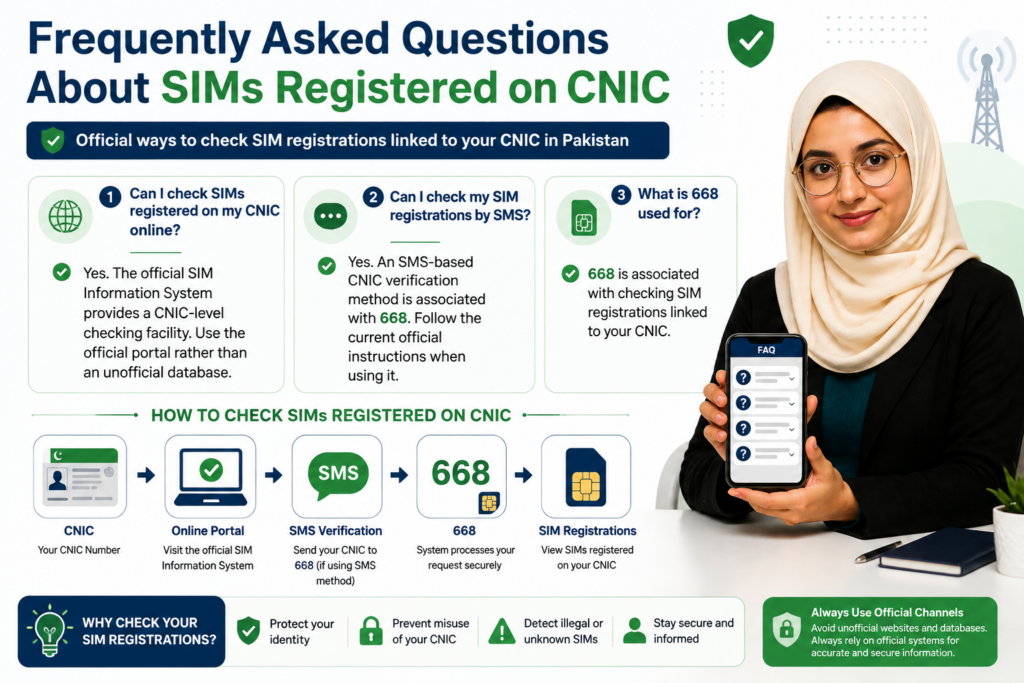
Can I check SIMs registered on my CNIC online?
Yes. The official SIM Information System provides a CNIC-level checking facility. Use the official portal rather than an unofficial database.
Can I check my SIM registrations by SMS?
An SMS-based CNIC verification method is associated with 668. Follow the current official instructions when using it.
What is 668 used for?
668 is associated with checking SIM registrations linked to your CNIC.
What is 667 used for?
667 is associated with a different SIM/MNP-related verification context and should not be treated as a duplicate of the CNIC-wide 668 check.
What if 668 does not respond?
Check your CNIC format and SMS destination, verify that your phone can send SMS, and use the official online system as an alternative.
What if the website is not working?
Check your internet connection, retry later, try another browser and use the applicable official alternative.
Can I check another person’s SIMs on my CNIC?
No. A CNIC-level check is intended for checking registrations associated with your own identity.
What if I find an unknown SIM?
Recheck the result, identify the relevant network, contact the operator through an official channel and follow the required corrective process.
More Common Questions
Does an unused SIM automatically disappear from my CNIC?
You should not assume that. If an old registration remains relevant, ask the operator about its proper status.
Does SIM replacement mean ownership transfer?
No. Replacing a physical SIM and changing the registered subscriber are different processes.
Does porting change my mobile number?
Number porting allows the subscriber to retain the number while changing network operator.
Can I identify the current network from a number prefix?
Not reliably in every situation because numbers can be ported. Use the appropriate current network-identification method.
Should I share my CNIC with someone offering a SIM check?
Avoid giving it to an unofficial intermediary. Use recognized official channels.
Should I share an OTP with a caller?
No. Do not disclose an OTP simply because someone claims to represent a telecom company or government organization.
What if my CNIC shows more SIMs than I remember?
Review your old SIM history, family/business connections and previous network usage. If the extra registration remains unexplained, contact the relevant operator.
What if my CNIC shows fewer SIMs than expected?
Check whether the registration was recent, whether the record has updated and whether you are confusing active SIMs with historical registrations. Contact the operator if the discrepancy continues.
SIM Verification for Families and Businesses
Families sometimes have several mobile connections that were obtained for different purposes. Businesses can also maintain multiple connections for employees, communication or operational requirements.
This makes personal record-keeping important.
If a SIM is registered against your CNIC for a legitimate family or business reason, maintain a record of:
- Network
- Number
- Purpose
- Date obtained
- Person using it
- Current status
This simple record can prevent confusion during a future CNIC check.
When a number is no longer required, do not simply forget it. Ask the relevant operator about the appropriate procedure.
The same principle applies to company-related connections: keep registration information organized and review it when staff, responsibilities or business requirements change.
What to Do After Correcting a SIM Record
Correcting an unexpected registration is not necessarily the final step.
Once the operator confirms that the required action has been completed:
- Keep the confirmation or reference number.
- Follow any update timeframe provided by the operator.
- Perform another official CNIC-level check.
- Compare the new result with your previous record.
- Keep documentation if the issue remains unresolved.
This creates a simple audit trail:
Original Check → Problem Identified → Operator Action → Confirmation → Recheck
If the registration still appears unexpectedly, return to the operator with your previous reference information and escalate through the appropriate official complaint process if necessary.
Building a Safe SIM Verification Routine
A strong SIM-security routine does not need to be complicated.
Whenever you obtain, replace, transfer or discontinue a mobile connection, keep the relevant documentation. Periodically review your CNIC-linked SIM count and compare it with your own records.
Use this simple routine:
1. Check your CNIC.
2. Compare network-wise registrations.
3. Investigate anything unfamiliar.
4. Contact the relevant operator.
5. Correct the registration where necessary.
6. Document the action.
7. Recheck the record.
This approach is much safer than depending on unofficial “SIM database” websites.
It also gives you a clear history if a registration problem appears later.
Official Sources and Internal Guides
For the most important SIM-registration information, readers should prioritize official telecom sources and current operator instructions.
The official PTA SIM Information System is the primary starting point for checking SIM registrations associated with a CNIC:
For issues involving a specific SIM, ownership transfer, replacement or other operator-level action, use the relevant operator’s official support and service-center channels.
This article should also connect naturally with related guides on the website, including:
- SIM Ownership Transfer in Pakistan 2026
- SIM Registration in Pakistan
- SIM Replacement
- Fresh SIM Verification
- SIM Safety and Fraud Prevention
- Relevant operator-specific SIM guides
These internal links should provide additional information without repeating entire sections of this article.
The goal is to build a useful SIM-verification topic cluster, where each article answers a distinct question and supports the others.
Final Conclusion
Checking SIMs registered on your CNIC is a simple but valuable identity-security habit.
Start with the official SIM Information System and review the network-wise registrations associated with your CNIC. The applicable SMS method can provide another route, while 667 and 668 should be understood according to their different purposes rather than treated as identical services.
If the result matches your records, keep a personal record and continue normal SIM-security practices.
If something looks unfamiliar, do not panic and do not use an unofficial SIM database to investigate another person. Instead:
Recheck → Compare your history → Identify the network → Contact the operator → Complete the appropriate corrective process → Keep proof → Recheck
Remember the key distinctions:
SIM registration is not the same as SIM ownership transfer.
SIM replacement is not the same as ownership transfer.
Number porting is not the same as changing the subscriber.
And a CNIC-level SIM count is not a public database of another person’s private information.
Protect your CNIC, never share OTPs with unknown callers, avoid unofficial lookup services and use authorized channels whenever your registration record needs clarification.
A few minutes spent checking your CNIC can help you maintain better control over the mobile connections associated with your identity.