Author: PakSimDatabases Team

  • SIM Information System Pakistan – Official Guide (2026)

    SIM Information System Pakistan – Official Guide (2026)

    Introduction

    The SIM Information System is an important part of Pakistan’s telecommunications infrastructure. It helps users understand SIM registration, identity verification, and the official process used to ensure every mobile number is registered against the correct Computerized National Identity Card (CNIC).

    Many people search online to learn how the SIM Information System works, how to verify registered SIM cards, and which official methods should be used for checking SIM-related information. Unfortunately, many unofficial websites also claim to provide personal subscriber records, which can mislead users and create privacy concerns.

    This guide explains the SIM Information System in a simple and easy-to-understand way. You’ll learn how SIM verification works, the role of PTA, NADRA, and telecom operators, security best practices, common scams, and official resources that help users keep their mobile identity secure.


    Table of Contents

    • What is SIM Information System?
    • How SIM Information System Works
    • Features of the SIM Information System
    • Benefits of Using the Official System
    • Official SIM Verification Methods
    • Role of PTA and NADRA
    • Security Tips
    • Common SIM Fraud & Scam Awareness
    • Quick Safety Checklist
    • Frequently Asked Questions
    • Official Resources
    • Final Conclusion

    Featured Snippet

    What is SIM Information System?
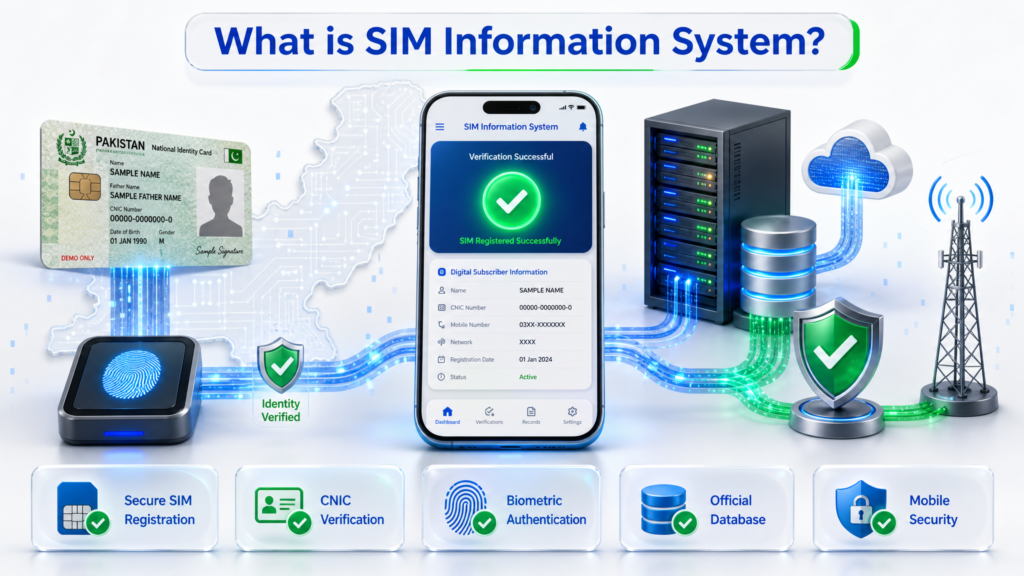
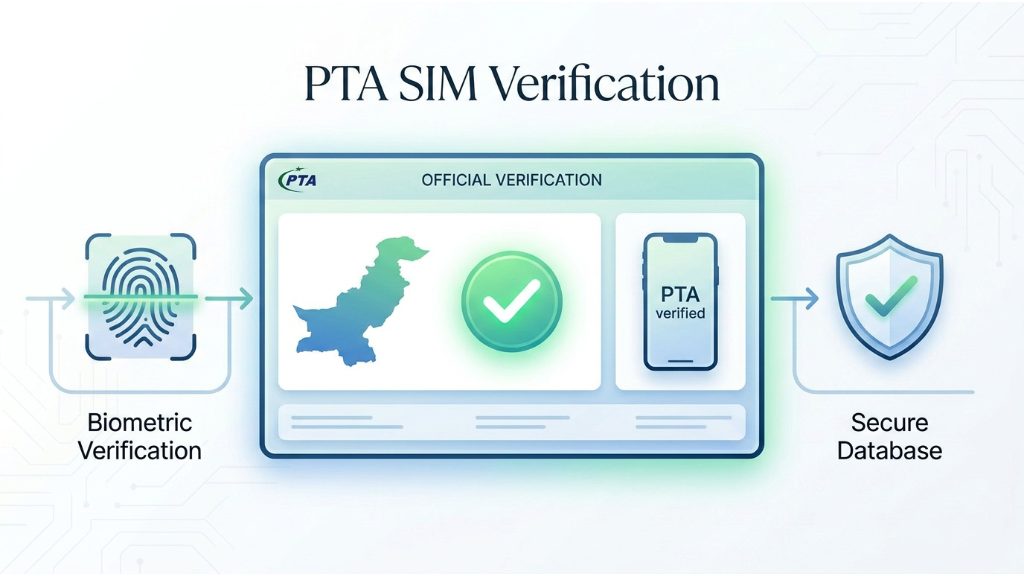
    What is SIM Information System in Pakistan showing secure SIM registration, CNIC verification, biometric authentication, official database and mobile security.
    This image shows how the SIM Information System in Pakistan verifies SIM registration through CNIC verification, biometric authentication and official telecom databases.

    The SIM Information System refers to the official process used to manage and verify mobile SIM registrations in Pakistan. It helps ensure that every SIM card is registered against the correct CNIC through licensed telecom operators, biometric verification, and regulatory guidelines established by the Pakistan Telecommunication Authority (PTA). Using official verification methods helps improve security, prevent unauthorized SIM registrations, and protect users from identity misuse.

    What is SIM Information System?

    The SIM Information System is the official framework used in Pakistan to manage, verify, and monitor mobile SIM registrations. It helps ensure that every SIM card is linked to the correct Computerized National Identity Card (CNIC) through licensed telecom operators and biometric verification.

    The primary purpose of the SIM Information System is to improve national security, reduce unauthorized SIM registrations, prevent identity misuse, and maintain accurate subscriber records. Every mobile connection issued in Pakistan follows official verification procedures established by the Pakistan Telecommunication Authority (PTA) and telecom operators.

    Users can also use official verification services to review the number of SIM cards registered against their own CNIC, helping them identify any unauthorized or unnecessary mobile connections.


    How SIM Information System Works
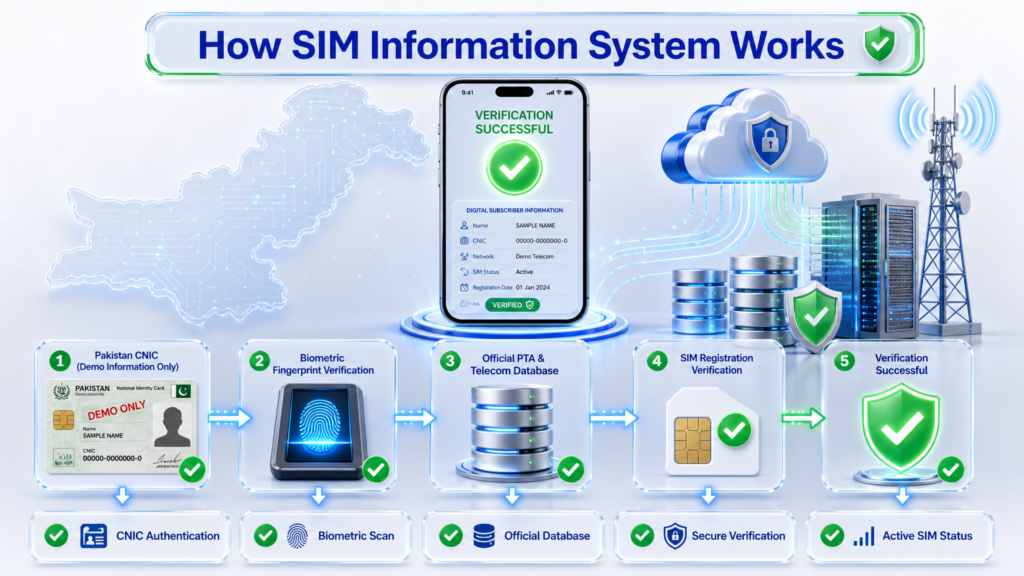
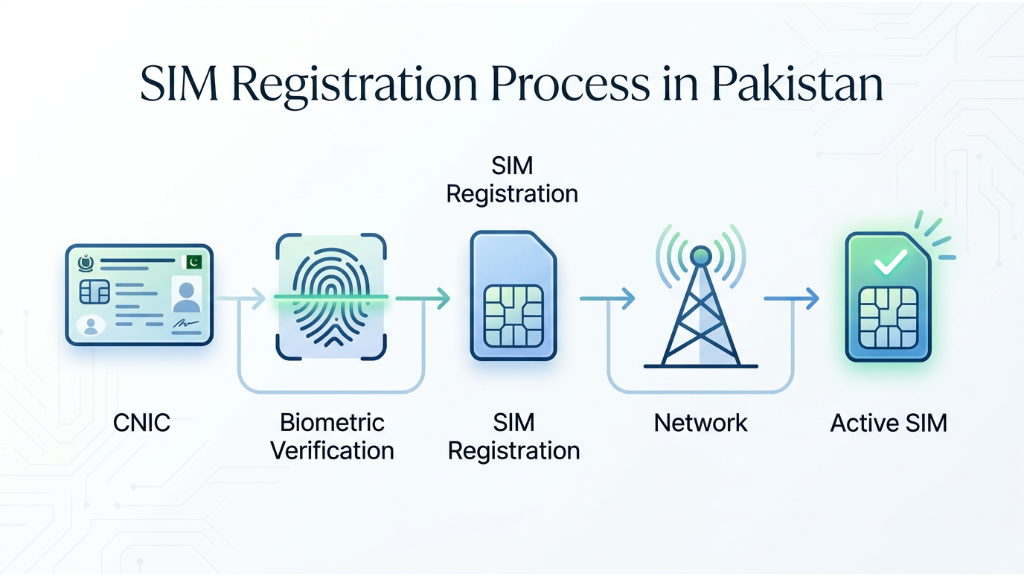
    How the SIM Information System works in Pakistan showing CNIC authentication, biometric fingerprint verification, official PTA and telecom database verification, SIM registration verification and successful activation.
    This image shows the complete SIM Information System process in Pakistan, from CNIC authentication and biometric verification to official database checks, SIM registration verification and successful activation.

    The SIM Information System follows a structured verification process before a mobile SIM becomes active. Each step is designed to confirm the subscriber’s identity and maintain accurate telecom records.

    Step 1 – Identity Verification

    The customer provides a valid CNIC while purchasing a new SIM card from a licensed telecom operator.

    Step 2 – Biometric Verification

    The subscriber’s fingerprint is verified through biometric authentication to confirm the identity of the SIM owner.

    Step 3 – Telecom Registration

    After successful biometric verification, the telecom operator registers the SIM card against the customer’s CNIC.

    Step 4 – Database Synchronization

    The registration information is securely stored and synchronized with the official telecom verification system for future verification and regulatory compliance.

    Step 5 – SIM Activation

    Once all verification checks are completed successfully, the mobile SIM becomes active and can be used for calls, SMS, and mobile internet services.

    Features of the SIM Information System

    The SIM Information System provides a secure and organized method for managing mobile subscriber information in Pakistan. It supports identity verification, SIM registration, and regulatory compliance while helping users keep track of their registered mobile connections.

    Key Features

    Official SIM Registration

    Every new SIM card is registered through licensed telecom operators using official verification procedures.

    Biometric Authentication

    Fingerprint verification helps confirm that each SIM card is issued to the correct CNIC holder.

    CNIC-Based SIM Records

    Users can review how many SIM cards are registered against their own CNIC using official verification methods.

    Secure Database Management

    Subscriber records are stored in secure telecom databases to maintain accurate registration information.

    Identity Protection

    The system reduces the risk of unauthorized SIM registrations and helps protect users from identity misuse.

    Telecom Regulatory Compliance

    Licensed mobile operators follow PTA regulations to ensure all active SIM cards meet official registration requirements.


    Benefits of Using the SIM Information System
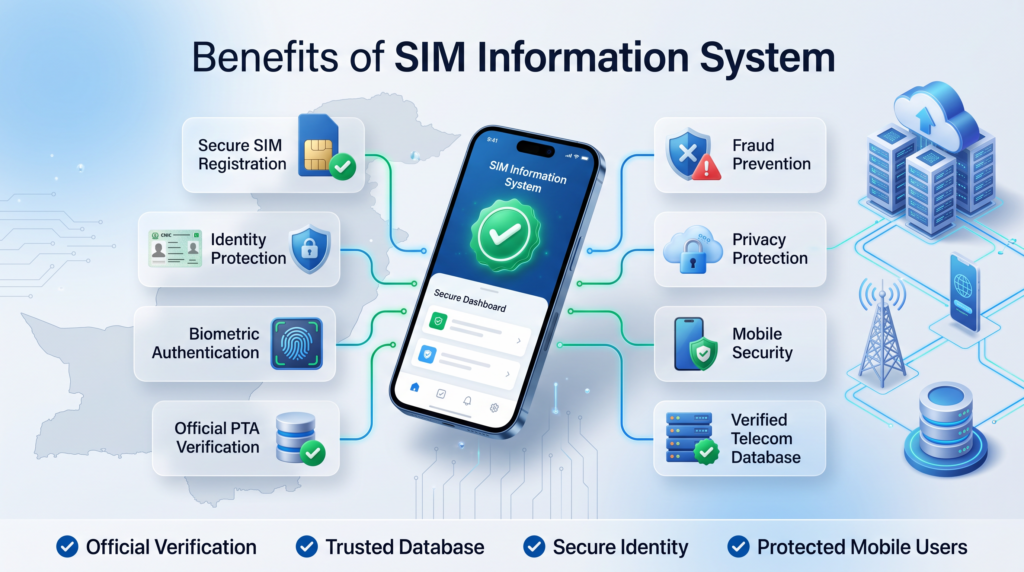
    Benefits of the SIM Information System in Pakistan including secure SIM registration, identity protection, biometric authentication, official PTA verification, fraud prevention, privacy protection and mobile security.
    This image shows the key benefits of the SIM Information System in Pakistan, including secure SIM registration, identity protection, biometric authentication, official PTA verification, fraud prevention, privacy protection, mobile security and verified telecom databases.

    Using the official SIM Information System offers several important advantages for mobile users in Pakistan.

    Improved Security

    Official verification helps reduce fraudulent SIM registrations and protects personal identity.

    Better Privacy Protection

    Users can identify unknown or unnecessary SIM cards registered against their CNIC and take appropriate action.

    Accurate Subscriber Records

    Verified registration ensures that telecom records remain updated and accurate.

    Fraud Prevention

    Biometric verification makes it more difficult for unauthorized individuals to obtain SIM cards using someone else’s identity.

    Easy Verification

    Users can confirm their SIM registration status through official verification channels whenever required.

    Regulatory Compliance

    The system supports national telecom regulations and promotes responsible mobile usage.

    How to Check SIM Information in Pakistan

    Checking your SIM information through official verification methods helps ensure that your mobile connections are correctly registered against your own CNIC. Users should always rely on authorized telecom channels instead of unofficial websites or third-party services.

    Method 1 – Through PTA Official Verification

    The Pakistan Telecommunication Authority (PTA) provides official guidance for SIM registration and verification. Users can confirm the number of SIM cards registered against their CNIC by using approved verification methods provided by licensed telecom operators.

    Method 2 – Through Telecom Operators

    Every licensed mobile operator offers customer support and official verification services. Subscribers can visit a franchise, service center, or use the operator’s official channels to verify their SIM registration details.

    Method 3 – Visit an Official Franchise

    If you suspect unauthorized SIM registrations, visit the nearest franchise of your telecom operator with your original CNIC. The staff can verify your registered SIMs and guide you through the necessary procedures.


    Official SIM Verification Methods
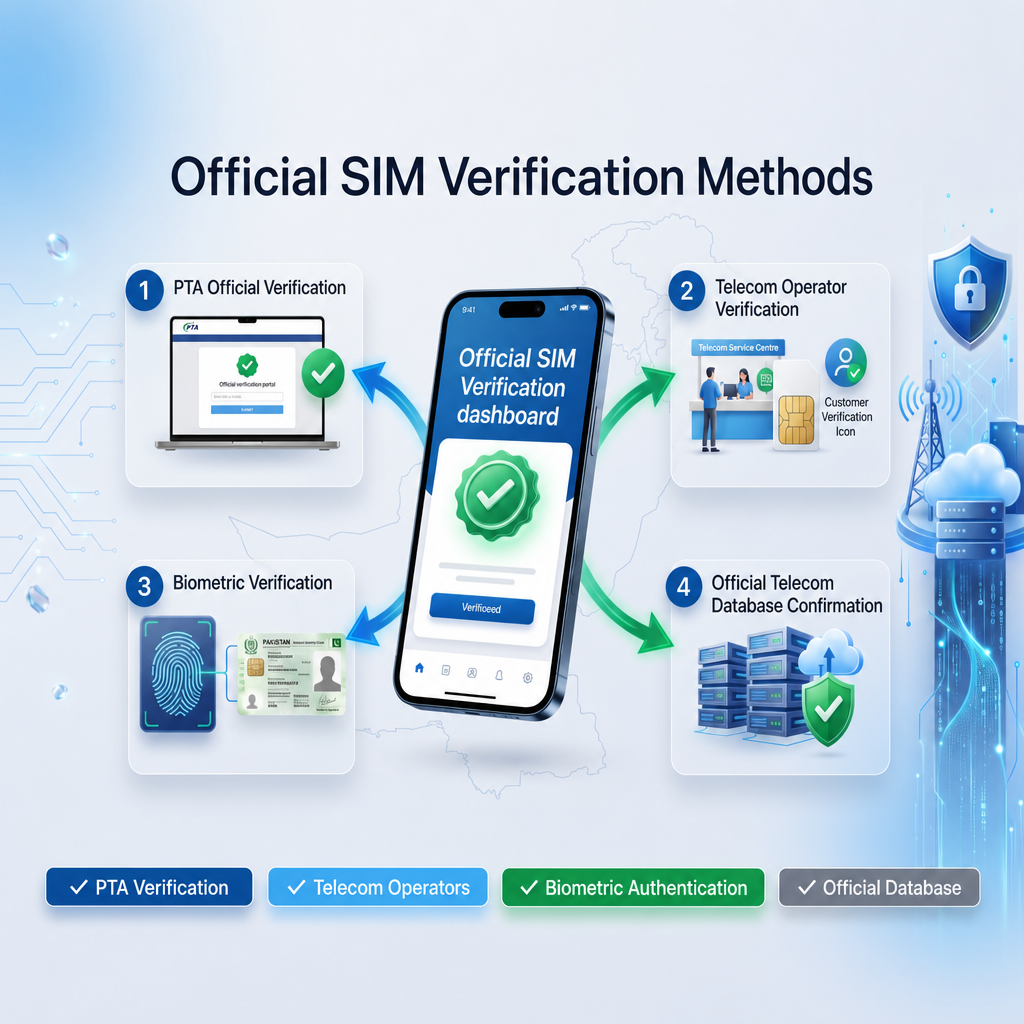
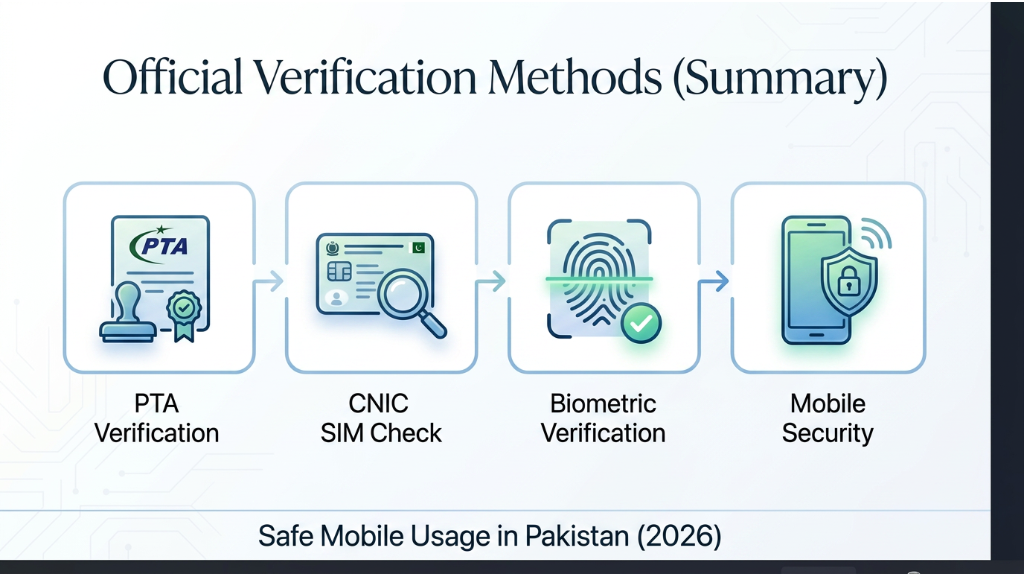
    Official SIM verification methods in Pakistan showing PTA verification, telecom operator verification, biometric authentication and official telecom database confirmation.
    Official SIM Verification Methods in Pakistan

    Only use official verification methods to protect your privacy and avoid scams.

    PTA Guidelines

    Always follow the verification procedures recommended by the Pakistan Telecommunication Authority and your telecom operator.

    Biometric Verification

    Every new SIM registration requires biometric authentication to verify the identity of the subscriber.

    CNIC Verification

    Ensure that all SIM cards are registered against your own CNIC and immediately report any unknown or unauthorized SIMs.

    Secure Telecom Database

    Official telecom operators maintain secure subscriber records to ensure accurate registration and compliance with national regulations.


    Important Precautions

    • Never use unofficial SIM information websites.
    • Never share your OTP or verification codes.
    • Verify SIM registration only through official telecom channels.
    • Report suspicious SIM activity immediately.
    • Keep your CNIC information secure.

    Role of PTA and NADRA in the SIM Information System

    The Pakistan Telecommunication Authority (PTA) and NADRA play important roles in maintaining a secure and reliable SIM registration system in Pakistan. Their combined efforts help ensure that every active SIM card is linked to the correct CNIC and verified through official procedures.


    Role of PTA

    The Pakistan Telecommunication Authority (PTA) regulates Pakistan’s telecom sector and establishes policies related to SIM registration and mobile subscriber verification.

    PTA Responsibilities

    • Regulates SIM registration policies.
    • Monitors telecom operators for compliance.
    • Promotes secure mobile communication.
    • Helps prevent unauthorized SIM registrations.
    • Encourages users to verify their registered SIM cards through official channels.

    Role of NADRA

    The National Database and Registration Authority (NADRA) manages Pakistan’s national identity database and supports biometric identity verification.

    NADRA Responsibilities

    • Maintains official CNIC records.
    • Supports biometric identity verification.
    • Confirms the identity of SIM applicants.
    • Helps reduce identity fraud.
    • Assists licensed telecom operators during the verification process.

    Importance of Biometric Verification

    Biometric verification is one of the most important security measures in Pakistan’s SIM registration process.

    Benefits of Biometric Verification

    • Confirms the real identity of the subscriber.
    • Prevents fake SIM registrations.
    • Reduces identity theft.
    • Improves telecom security.
    • Helps maintain accurate subscriber records.

    Required Documents for Biometric SIM Verification

    Before completing biometric SIM verification, subscribers should carry the required documents and visit an authorized telecom franchise. Having the correct documents helps complete the verification process quickly and securely.
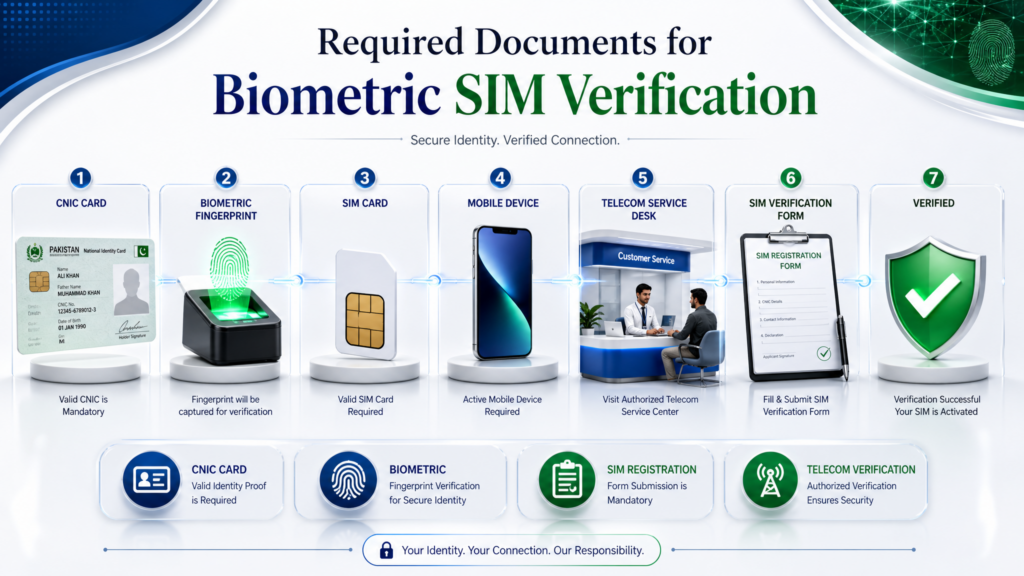
    Required documents for biometric SIM verification in Pakistan including CNIC card, fingerprint verification, SIM card, mobile device and telecom service desk.
    Required documents needed before completing biometric SIM verification through an authorized telecom operator in Pakistan.

    Legal Responsibilities of Mobile Users

    Legal responsibilities of mobile users in Pakistan including using your own CNIC, reporting lost SIM, keeping SIM records updated and following PTA guidelines.
    This infographic explains the legal responsibilities of mobile users, including CNIC ownership, PTA compliance, SIM record updates and reporting lost SIM cards.

    Every mobile subscriber should follow official registration procedures and use SIM cards responsibly.

    Users Should

    • Register SIM cards using their own CNIC.
    • Never purchase pre-activated SIM cards.
    • Report unknown or unauthorized SIMs immediately.
    • Protect personal identity information.
    • Follow PTA regulations and telecom operator policies.

    Security Tips for Using the SIM Information System
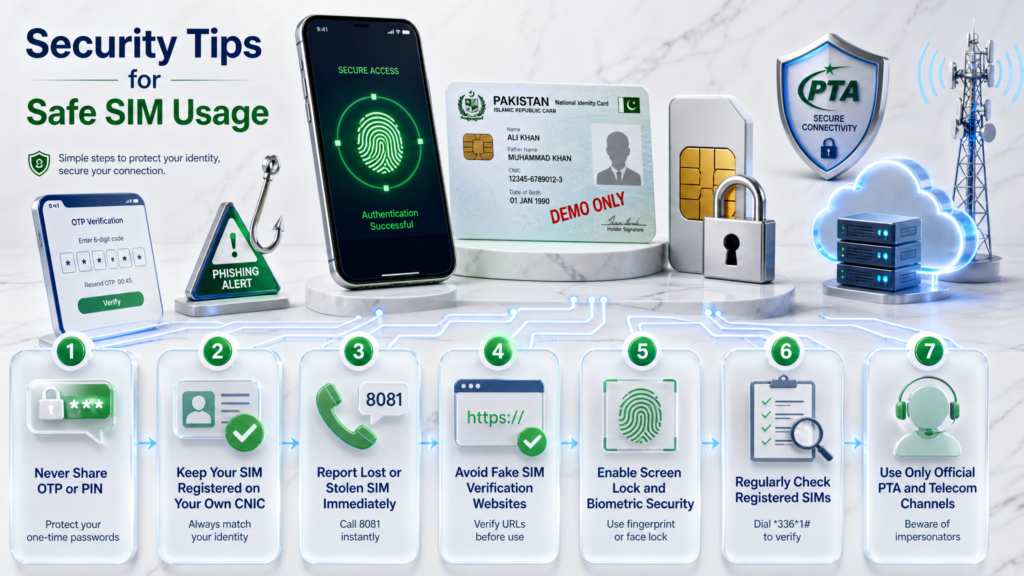
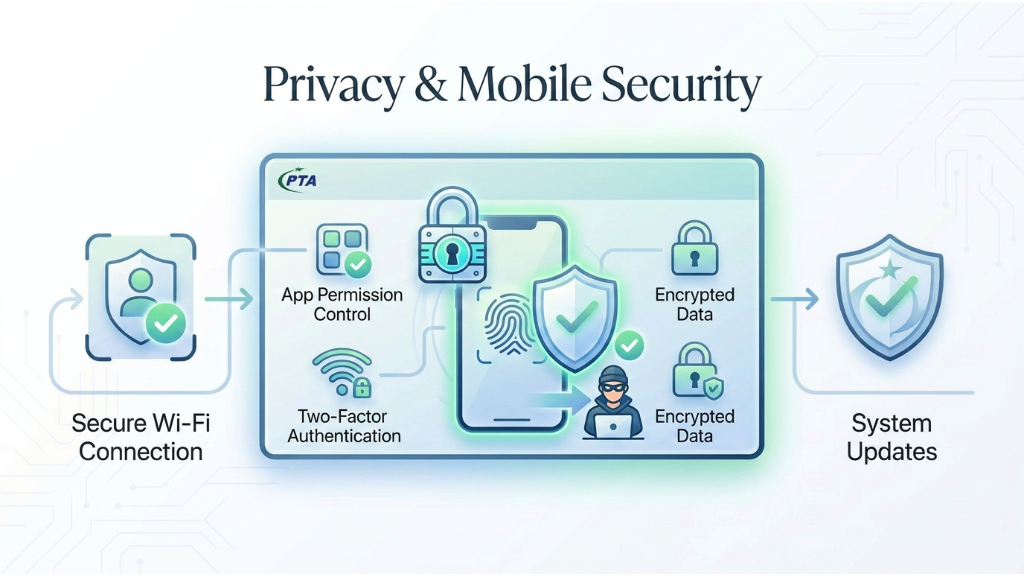
    Security tips for safe SIM usage in Pakistan including OTP protection, CNIC verification, reporting lost SIM, biometric security and official PTA verification.
    This infographic highlights the most important security tips for protecting your SIM card, CNIC and mobile identity in Pakistan.

    Using the SIM Information System responsibly is not only about verifying your registered SIM cards—it is also about protecting your personal identity and preventing unauthorized access to your mobile information. Following basic cybersecurity practices can significantly reduce the risk of fraud and identity misuse.

    Protect Your CNIC

    Never share copies of your CNIC with unknown individuals or untrusted websites. Your CNIC is a sensitive identity document and should only be used through official verification channels.

    Never Share OTP Codes

    One-Time Passwords (OTPs) are private security codes. Legitimate telecom operators, banks, and government organizations do not ask you to share OTPs over phone calls, SMS, or social media.

    Use Strong Device Security

    Protect your smartphone by enabling:

    • Screen Lock
    • Fingerprint Lock
    • Face Unlock
    • Device Encryption

    Verify Official Sources

    Always use official telecom operators, PTA guidance, and authorized customer service centers for SIM-related services.

    Keep Your Software Updated

    Regular software updates help protect your device against newly discovered security vulnerabilities.


    Common Mistakes to Avoid

    Many users unknowingly make mistakes that can compromise their mobile security.

    Sharing Personal Information

    Never provide your CNIC number, passwords, biometric information, or OTP codes to unknown callers or websites.

    Trusting Unofficial Websites

    Avoid websites claiming they can reveal private subscriber information or unofficial SIM databases.

    Ignoring Unknown SIM Registrations

    If you notice unfamiliar SIM cards linked to your CNIC, contact your telecom operator immediately.

    Delaying Lost SIM Reports

    Report lost or stolen SIM cards as soon as possible to prevent misuse.

    Using Weak Passwords

    Always choose strong and unique passwords for your important online accounts.


    Expert Recommendations

    Cybersecurity experts generally recommend:

    • Review registered SIMs regularly.
    • Use official verification methods.
    • Keep personal information private.
    • Enable two-factor authentication.
    • Verify suspicious communications.
    • Stay informed about common cyber threats.

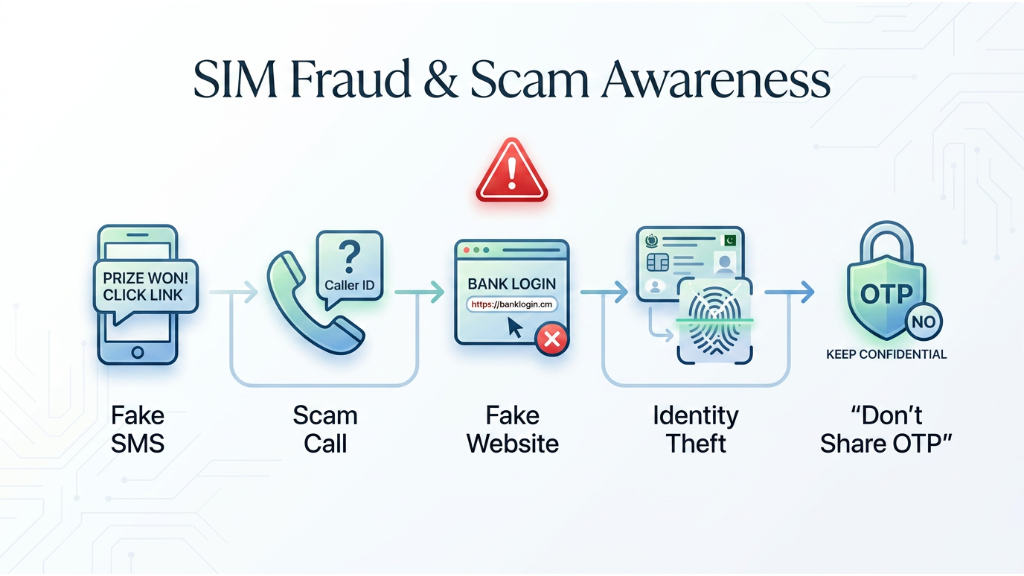
    SIM Fraud and Scam Awareness

    As mobile technology continues to evolve, cybercriminals also develop new techniques to target mobile users. Many scams are designed to steal personal information, OTP codes, banking credentials, or misuse a person’s identity. Understanding these threats helps users protect their mobile identity and use the SIM Information System more safely.


    Common Types of SIM Scams

    Fake Verification Calls

    Fraudsters may pretend to be representatives of a telecom operator, bank, or government department. They often ask for your CNIC number, OTP, passwords, or other confidential information.

    Remember:

    • Legitimate organizations do not ask for OTP codes over unsolicited phone calls.
    • Never share confidential information with unknown callers.
    • Verify suspicious calls through official customer support.

    Fake SMS Messages

    Scammers frequently send fake SMS messages claiming:

    • Your SIM will be blocked.
    • Your account requires urgent verification.
    • You have won a prize.
    • Your banking account needs immediate confirmation.

    These messages usually contain suspicious links designed to steal personal information.


    Phishing Websites

    Some websites imitate official telecom portals and ask users to enter sensitive information.

    Warning Signs

    • Suspicious domain names.
    • Requests for OTP codes.
    • Poor website design.
    • Unrealistic promises.
    • Unexpected payment requests.

    Always verify that you are using an official website before entering personal information.


    Identity Theft

    Identity theft occurs when someone attempts to misuse another person’s CNIC or personal information to perform unauthorized activities.

    Protecting your CNIC and reviewing your registered SIMs regularly helps reduce this risk.


    Warning Signs of Fraud

    Be cautious if someone:

    • Requests OTP codes.
    • Asks for biometric information.
    • Promises instant SIM activation without verification.
    • Claims to reveal private subscriber information.
    • Requests advance payments.
    • Uses pressure or urgency.

    If something feels suspicious, stop immediately and verify the information through official sources.


    What to Do If You Suspect Fraud

    If you believe someone is attempting to misuse your identity or mobile information:

    • Contact your telecom operator immediately.
    • Review the SIMs registered against your CNIC.
    • Change important passwords.
    • Enable two-factor authentication.
    • Report cybercrime through official authorities if necessary.
    • Never respond to suspicious calls, SMS messages, or emails.

    Taking quick action can help minimize potential risks.

    Quick Security Checklist

    Before finishing this guide, review the following checklist to help keep your mobile identity secure.

    • ✅ Verify your SIM information through official methods only.
    • ✅ Review SIMs registered against your own CNIC regularly.
    • ✅ Protect your CNIC and personal documents.
    • ✅ Never share OTP verification codes.
    • ✅ Use strong passwords for important accounts.
    • ✅ Enable fingerprint or screen lock.
    • ✅ Keep your smartphone and applications updated.
    • ✅ Avoid unofficial SIM information websites.
    • ✅ Report suspicious SIM activity immediately.
    • ✅ Follow PTA guidelines and official telecom procedures.

    Frequently Asked Questions (FAQ)

    1. What is the SIM Information System?

    The SIM Information System is the official framework used to manage and verify SIM registrations in Pakistan. It helps ensure that every active SIM card is linked to the correct CNIC through licensed telecom operators and identity verification procedures.


    2. Can I check SIMs registered against my own CNIC?

    Yes. Official verification services allow users to review SIM cards associated with their own CNIC through authorized telecom channels.


    3. Is biometric verification mandatory?

    Biometric verification is an important part of the SIM registration process and helps confirm the identity of the subscriber before SIM activation.


    4. Can I view another person’s SIM information?

    No. Personal subscriber information is protected by privacy laws. Official services are intended only for verifying SIMs associated with your own identity.


    5. Why should I verify my registered SIMs?

    Regular verification helps identify unauthorized SIM registrations, improves digital security, and keeps your mobile records accurate.


    6. What should I do if I find an unknown SIM linked to my CNIC?

    Contact your telecom operator immediately or visit an authorized franchise to review your registered SIMs and request assistance.


    7. Which organizations are involved in SIM registration?

    PTA regulates the telecom sector, NADRA supports identity verification, licensed telecom operators register SIMs, and NCCIA helps investigate cybercrime and raise public awareness.


    8. Are unofficial SIM information websites safe?

    Users should be cautious. Some websites provide misleading information or request sensitive personal data. Always use official verification methods whenever possible.


    9. How often should I check my SIM information?

    There is no fixed schedule, but checking periodically—especially after replacing a SIM card, changing operators, or losing a phone—is a good security practice.


    10. What information should never be shared?

    Never share:

    • OTP codes
    • Passwords
    • PIN codes
    • Biometric information
    • Sensitive personal documents

    Official Resources

    Official resources for SIM verification in Pakistan including PTA, NADRA, licensed telecom operators and official SIM registration centres.
    Official organizations that provide secure SIM verification, CNIC authentication and mobile subscriber registration services in Pakistan.
    • Pakistan Telecommunication Authority (PTA)
    • Official SIM Information System
    • NADRA
    • NCCIA
    • Licensed Telecom Operators

    Key Takeaways

    Before finishing this guide, remember these important points about the SIM Information System and secure SIM verification in Pakistan.

    SIM Information System final safety checklist showing secure SIM verification, CNIC protection, biometric security and PTA safety guidelines in Pakistan.
    Essential SIM safety checklist for secure mobile usage and identity protection in Pakistan.
    • Always verify your SIM information through official telecom operators.
    • Review SIMs registered against your own CNIC regularly.
    • Never share OTP verification codes, PINs, or passwords.
    • Protect your CNIC and personal identity documents.
    • Stay away from unofficial SIM information websites.
    • Enable screen lock, fingerprint, or face unlock on your mobile device.
    • Keep your smartphone and applications updated.
    • Report suspicious SIM activity immediately.
    • Follow PTA guidelines for secure SIM registration and verification.
    • Staying informed is the best way to protect your digital identity.

    SIM Information System vs Unofficial Websites

    Many people search online for SIM information and often find websites claiming to provide subscriber details. It is important to understand the difference between official verification services and unofficial websites.

    Official SIM Information SystemUnofficial Websites
    Uses authorized verification methodsInformation may not be reliable
    Protects user privacyMay request sensitive personal data
    Operates under telecom regulationsUnknown data sources
    Uses licensed telecom operatorsNo official verification
    Recommended by official authoritiesShould be approached with caution
    Secure verification processPotential privacy risks

    Using official verification methods helps protect your identity and reduces the chances of fraud, phishing attacks, and misinformation.


    Common Problems During SIM Verification

    Although the SIM Information System is designed to make SIM registration secure and reliable, users sometimes experience verification issues.

    Fingerprint Verification Failure

    Fingerprint verification may occasionally fail because of worn fingerprints, temporary scanner problems, or technical issues. Visiting an authorized franchise usually resolves the problem.

    Incorrect Personal Information

    If your personal information is outdated or contains mistakes, verification may be delayed. Always ensure your records are accurate with your telecom operator.

    Lost or Damaged SIM Card

    If your SIM card is lost or damaged, contact your mobile operator immediately. Request SIM blocking and replacement only through official customer service.

    Temporary Network Issues

    Sometimes verification services are temporarily unavailable because of maintenance or high network traffic. Waiting for a short period before trying again is recommended.

    CNIC Expired

    If your CNIC has expired, you may need to renew it before certain verification services can be completed successfully.


    SIM Registration Limits in Pakistan

    Pakistan follows official regulations regarding the number of SIM cards that can be registered against a single CNIC.

    To manage your SIM registrations responsibly:

    • Check your registered SIMs periodically.
    • Deactivate numbers you no longer use.
    • Keep your subscriber information updated.
    • Never allow unknown individuals to register SIMs using your CNIC.
    • Visit an authorized franchise if you notice unfamiliar numbers linked to your identity.

    Responsible SIM management helps improve personal security and keeps subscriber records accurate.


    Role of Licensed Telecom Operators

    Licensed telecom operators play an essential role in maintaining a secure SIM registration system.

    Their responsibilities include:

    • Identity verification.
    • Biometric authentication.
    • Secure SIM registration.
    • SIM activation.
    • Customer support.
    • Subscriber information updates.
    • Compliance with telecom regulations.

    Users should always visit authorized customer service centres or official franchises for SIM-related services.


    Privacy Protection and Data Security

    Protecting your personal information is one of the most important aspects of using the SIM Information System.

    Best Practices

    • Keep your CNIC secure.
    • Never share OTP verification codes.
    • Avoid unofficial verification websites.
    • Enable fingerprint or screen lock.
    • Keep your smartphone software updated.
    • Verify unknown calls before providing information.
    • Avoid clicking suspicious SMS links.
    • Use strong passwords for important accounts.
    • Enable two-factor authentication whenever available.
    • Report suspicious activity immediately.

    Following these simple habits greatly reduces the chances of identity theft and unauthorized SIM registrations.


    Expert Recommendations

    Telecom and cybersecurity professionals recommend following these practices:

    • Review your registered SIM information every few months.
    • Use only official verification methods.
    • Protect your CNIC and identity documents.
    • Use different passwords for different accounts.
    • Enable additional security features on your mobile device.
    • Stay informed about new fraud techniques.
    • Verify unknown communications before responding.
    • Contact your telecom operator immediately if something appears suspicious.

    Regular awareness is one of the best ways to protect your digital identity.


    Do’s and Don’ts

    DoDon’t
    Use official verification servicesTrust unofficial SIM information websites
    Keep your CNIC secureShare OTP verification codes
    Report suspicious activityIgnore unknown SIM registrations
    Use strong passwordsReuse weak passwords
    Enable fingerprint or screen lockLeave your phone unsecured
    Verify suspicious callsClick unknown SMS links
    Update your mobile regularlyIgnore software updates

    Official Telecom Operators in Pakistan

    Pakistan’s SIM Information System is supported by licensed telecom operators that provide SIM registration, identity verification, biometric authentication, customer support, and mobile communication services. These operators work under the regulations of the Pakistan Telecommunication Authority (PTA) to ensure that every active SIM card is registered against the correct CNIC through authorized verification procedures.

    Understanding the role of each telecom operator helps users know where to go for SIM registration, SIM replacement, biometric verification, and customer support.


    Jazz SIM Registration and Verification

    Jazz is one of Pakistan’s largest mobile network operators and provides nationwide mobile services. Customers can register new SIM cards, replace lost SIMs, update subscriber information, and complete biometric verification through authorized Jazz franchises and customer service centres.

    Jazz Services

    • New SIM registration
    • Biometric verification
    • SIM replacement
    • SIM ownership updates
    • Customer support
    • Mobile number activation
    • SIM blocking for lost devices

    Customers should always visit an authorized Jazz franchise for identity-related services.


    Zong SIM Registration and Verification

    Zong offers nationwide mobile and internet services while following PTA regulations for SIM registration.

    Users can visit official Zong customer service centres to:

    • Register a new SIM
    • Complete biometric verification
    • Replace damaged SIM cards
    • Update subscriber information
    • Resolve SIM verification issues

    Using authorized Zong service centres ensures secure identity verification.


    Ufone SIM Registration and Verification

    Ufone provides SIM registration services through authorized franchises across Pakistan.

    Available services include:

    • New SIM activation
    • Biometric authentication
    • SIM replacement
    • Ownership verification
    • Customer account assistance
    • Lost SIM reporting

    Customers should avoid unofficial agents and complete all registration procedures through authorized Ufone representatives.


    Telenor SIM Registration and Verification

    Telenor supports secure SIM registration by verifying customer identity before activation.

    Common services include:

    • New subscriber registration
    • Fingerprint verification
    • Customer information updates
    • SIM replacement
    • Lost SIM assistance
    • Mobile account support

    Official verification helps maintain accurate subscriber records while improving mobile security.


    SCO Mobile Services

    Special Communications Organization (SCO) provides mobile communication services in selected regions of Pakistan.

    SCO subscribers can also complete:

    • SIM registration
    • Identity verification
    • Customer support
    • SIM replacement
    • Mobile account assistance

    Users should always rely on authorized SCO service centres for subscriber-related services.


    Why Official Franchises Matter

    Authorized franchises are trained to follow official identity verification procedures. They use secure systems for biometric authentication and subscriber registration, reducing the risk of fraud and unauthorized SIM activation.

    Visiting official customer service centres also ensures that your information is handled according to applicable telecom regulations and privacy standards.


    Customer Care vs Authorized Franchise

    Many users are unsure whether they should visit a customer care centre or an authorized franchise.

    Customer Care CentreAuthorized Franchise
    General customer supportSIM registration
    Billing assistanceBiometric verification
    Package informationSIM replacement
    Complaint registrationCNIC verification
    Technical guidanceIdentity verification
    Account assistanceNew SIM activation

    For identity-related services, an authorized franchise is generally the appropriate place to complete verification procedures.


    SIM Replacement Process

    If your SIM card becomes lost, stolen, or damaged, follow these steps:

    1. Contact your telecom operator immediately.
    2. Request temporary SIM blocking.
    3. Visit an authorized franchise.
    4. Complete biometric verification.
    5. Confirm your identity using your CNIC.
    6. Receive a replacement SIM.
    7. Activate the replacement according to the operator’s instructions.

    Prompt action helps reduce the risk of unauthorized use of your mobile number.


    Tips When Visiting a Franchise

    Before visiting a telecom franchise:

    • Carry your original CNIC.
    • Avoid sharing OTP codes with anyone.
    • Confirm that the franchise is officially authorized.
    • Review your registered SIM information if needed.
    • Keep all receipts and service records.
    • Verify the mobile number before leaving the service centre.

    These simple precautions help ensure a secure and smooth verification process.


    Choosing the Right Verification Method

    Regardless of your telecom operator, the safest approach is to use official verification channels. Authorized franchises and customer care centres are equipped to handle identity verification securely while protecting subscriber information.

    Avoid unofficial agents or third-party websites claiming to provide SIM registration or subscriber details. Relying on official services helps maintain accurate records and protects your digital identity.

    Complete SIM Registration Process in Pakistan

    Registering a new SIM card in Pakistan is a secure process designed to protect subscribers from identity theft, fraud, and unauthorized mobile connections. The SIM Information System works alongside licensed telecom operators, biometric verification, and national identity records to ensure that every active SIM card is linked to the correct CNIC.

    Understanding each stage of the registration process helps users know what to expect when purchasing a new SIM card or replacing an existing one.


    Step 1 – Visit an Authorized Franchise

    The first step is to visit an official customer service centre or an authorized franchise of your telecom operator.

    Before visiting, make sure you have:

    • Original CNIC
    • Personal presence for verification
    • A valid reason if replacing an existing SIM
    • Correct subscriber information

    Avoid purchasing SIM cards from unauthorized sellers or individuals.


    Step 2 – Identity Verification

    The telecom representative verifies your identity using your original CNIC.

    During this process they may confirm:

    • Full name
    • CNIC number
    • Date of birth
    • Subscriber eligibility
    • Existing SIM registration status

    This step ensures the SIM is issued only to the rightful owner.


    Step 3 – Biometric Verification

    Biometric verification is one of the most important security measures in Pakistan’s SIM registration process.

    The customer places a finger on the biometric scanner, and the verification system confirms the identity before activation.

    Why Biometric Verification Matters

    • Prevents identity fraud
    • Stops unauthorized SIM registration
    • Protects customer records
    • Improves telecom security
    • Confirms the real subscriber

    Without successful biometric verification, SIM activation may not proceed according to operator requirements.


    Step 4 – Database Verification

    After biometric authentication, the registration request is checked through secure verification systems to confirm that the information is valid.

    The verification process ensures:

    • Correct subscriber identity
    • Accurate registration details
    • Compliance with telecom regulations
    • Secure customer records

    This stage helps maintain the integrity of the SIM Information System.


    Step 5 – SIM Activation

    Once verification is successfully completed, the telecom operator activates the SIM card.

    Activation generally includes:

    • Mobile network registration
    • Subscriber account creation
    • Number assignment
    • Network authentication
    • Service activation

    Activation time may vary depending on the operator and verification status.


    How Long Does Registration Take?

    In most cases, the registration process is completed within a short period after successful verification. However, delays may occur because of:

    • Network maintenance
    • Verification issues
    • High customer traffic
    • Incorrect customer information

    Following official procedures helps avoid unnecessary delays.


    Common Registration Problems

    Some users experience difficulties during registration.

    Fingerprint Not Matching

    Possible reasons:

    • Damaged fingerprints
    • Scanner issues
    • Temporary verification errors

    Incorrect CNIC Information

    Mistakes in customer records may delay registration.

    Existing SIM Limit Reached

    Users should review their active SIM registrations before requesting additional connections.

    Temporary Network Issues

    Occasionally, verification systems may be temporarily unavailable.


    How to Avoid Registration Delays

    You can speed up the registration process by following these recommendations:

    • Carry your original CNIC.
    • Visit only authorized franchises.
    • Keep your personal information updated.
    • Ensure your fingerprints are clean before biometric scanning.
    • Follow the telecom representative’s instructions carefully.
    • Do not submit incorrect information.

    Registration Process Flow

    The complete SIM registration process follows a simple sequence:

    1. Visit an authorized franchise.
    2. Present your original CNIC.
    3. Complete identity verification.
    4. Perform biometric verification.
    5. Verify subscriber information.
    6. Receive approval.
    7. Activate the SIM.
    8. Start using mobile services.

    This standardized process helps protect both subscribers and telecom operators.


    Why Secure Registration Is Important

    Secure registration benefits everyone involved in the mobile ecosystem.

    Benefits for Users

    • Better identity protection
    • Reduced risk of fraud
    • Secure mobile communication
    • Accurate subscriber records
    • Improved account security

    Benefits for Telecom Operators

    • Reliable customer database
    • Better fraud prevention
    • Regulatory compliance
    • Improved customer trust

    Benefits for Pakistan’s Telecom Industry

    • Stronger cybersecurity
    • Reduced misuse of mobile services
    • Better identity verification
    • More secure digital infrastructure

    Best Practices During Registration

    Whenever you register or replace a SIM card:

    • Verify that the franchise is officially authorized.
    • Never allow another person to complete biometric verification on your behalf.
    • Keep your CNIC secure at all times.
    • Review your registered SIM information regularly.
    • Report any suspicious activity immediately.
    • Save all registration receipts for future reference.

    Following these practices ensures that your SIM registration remains secure and compliant with official procedures.

    Real-Life Examples and Practical Scenarios

    Understanding how the SIM Information System works becomes much easier when we look at practical situations that many mobile users experience. The following examples illustrate how official SIM verification methods help protect subscribers from fraud, identity misuse, and unauthorized mobile registrations.

    These scenarios are educational and demonstrate why using official verification channels is essential.


    Scenario 1 – Finding an Unknown SIM Registered Against Your CNIC

    Imagine that you review the SIMs registered against your CNIC and notice a mobile number that you do not recognize.

    Instead of ignoring the issue, you should:

    • Verify the information through official channels.
    • Contact your telecom operator immediately.
    • Visit an authorized customer service centre.
    • Request assistance in reviewing the registration.
    • Report suspicious activity if necessary.

    Taking prompt action helps prevent unauthorized use of your identity.


    Scenario 2 – Losing Your Mobile Phone

    Losing a mobile phone can expose personal information if the SIM card falls into the wrong hands.

    Recommended actions include:

    • Contact your telecom operator immediately.
    • Request temporary SIM blocking.
    • Replace the SIM through an authorized franchise.
    • Update important account passwords.
    • Monitor your mobile accounts for unusual activity.

    Quick action reduces the risk of misuse.


    Scenario 3 – Receiving a Suspicious Verification Call

    Some fraudsters pretend to represent telecom operators and request sensitive information such as OTP codes or CNIC details.

    If you receive such a call:

    • Stay calm.
    • Never share OTP codes.
    • Do not disclose passwords or PINs.
    • End the call politely.
    • Contact the official customer support number if you need confirmation.

    Official organizations generally do not ask for confidential verification codes through unsolicited phone calls.


    Scenario 4 – Fake SMS Verification Messages

    Cybercriminals often send messages claiming:

    • Your SIM will be blocked.
    • Your account requires urgent verification.
    • Your mobile service has been suspended.
    • Immediate action is required.

    Before responding:

    • Check the sender carefully.
    • Avoid clicking unknown links.
    • Verify information through official telecom channels.
    • Delete suspicious messages if they appear fraudulent.

    Awareness is one of the best defenses against phishing attempts.


    Scenario 5 – Visiting an Unauthorized SIM Seller

    Sometimes individuals sell SIM cards outside authorized franchises.

    Although this may appear convenient, it creates unnecessary risks.

    Potential problems include:

    • Incorrect registration.
    • Identity misuse.
    • Fraudulent activation.
    • Lack of customer support.
    • Privacy concerns.

    Always complete SIM registration through officially authorized franchises.


    Scenario 6 – Biometric Verification Failure

    Occasionally, biometric verification may not succeed on the first attempt.

    Possible reasons include:

    • Scanner problems.
    • Dry or damaged fingerprints.
    • Temporary technical issues.
    • Incorrect finger placement.

    If this happens:

    • Clean your fingers.
    • Try another registered finger if instructed.
    • Follow the telecom representative’s guidance.
    • Visit another authorized service centre if necessary.

    Scenario 7 – Changing Your Mobile Number

    Some users decide to change their mobile number while keeping the same telecom operator.

    Before activating the new SIM:

    • Complete official verification.
    • Update important online accounts.
    • Inform banks and essential services.
    • Secure old accounts.
    • Review your registered SIM information periodically.

    Keeping account information updated improves long-term security.


    Lessons Learned from These Scenarios

    These examples highlight several important lessons:

    • Always verify information through official sources.
    • Never trust unknown callers requesting confidential information.
    • Protect your CNIC and OTP codes.
    • Review your registered SIMs regularly.
    • Report suspicious activity immediately.
    • Use only authorized telecom service centres.

    Following these practices helps protect your digital identity and reduces the likelihood of fraud.


    Frequently Observed User Mistakes

    Many security incidents occur because of avoidable mistakes.

    Common examples include:

    • Sharing OTP codes.
    • Trusting unknown callers.
    • Clicking suspicious SMS links.
    • Ignoring unfamiliar SIM registrations.
    • Delaying the reporting of lost SIM cards.
    • Using weak passwords.
    • Visiting unauthorized agents.

    Avoiding these mistakes significantly improves mobile security.


    Practical Safety Tips

    Whenever you interact with a telecom operator or verification service:

    • Carry your original CNIC.
    • Confirm the authenticity of the service centre.
    • Review your subscriber information carefully.
    • Never allow another person to complete verification on your behalf.
    • Keep important contact numbers saved.
    • Monitor your mobile account regularly.

    Small precautions can prevent major security problems.

    Cybersecurity and Digital Privacy Guide

    As Pakistan continues to adopt digital services, protecting personal information has become more important than ever. Mobile phones are now used for online banking, shopping, government services, social media, business communication, and digital payments. Because of this, your SIM card is no longer just a communication tool—it has become a key part of your digital identity.

    The SIM Information System helps protect subscribers by ensuring that every SIM card is properly registered. However, technology alone cannot eliminate every security risk. Users must also follow safe digital practices to protect themselves from fraud, phishing attacks, identity theft, and unauthorized access.


    Why Your SIM Card Is Important

    Many people underestimate the importance of their SIM card. In reality, it is connected to multiple online services.

    Your SIM may be linked with:

    • Mobile banking applications
    • Digital wallets
    • Social media accounts
    • Email accounts
    • Government services
    • Business communication
    • Online shopping platforms
    • Two-factor authentication (2FA)

    If your SIM is compromised, attackers may attempt to access these services.


    Protect Your CNIC Information

    Your CNIC is one of the most sensitive identity documents in Pakistan.

    Always remember:

    • Never upload your CNIC on unknown websites.
    • Do not share CNIC photos through social media.
    • Verify why your CNIC is being requested.
    • Use official organizations only.
    • Store copies securely.

    Protecting your CNIC greatly reduces identity-related risks.


    Understanding Social Engineering

    Social engineering is a technique used by fraudsters to manipulate people into revealing confidential information.

    Common examples include:

    • Fake telecom representatives
    • Fake banking calls
    • Prize-winning scams
    • Urgent verification requests
    • Fake customer support

    These attacks rely on trust rather than technology.

    Always verify information independently before responding.


    Password Security

    Strong passwords remain one of the most effective security measures.

    A secure password should:

    • Be long and unique.
    • Include uppercase and lowercase letters.
    • Include numbers.
    • Include symbols where possible.
    • Never be reused across multiple accounts.

    Avoid using predictable information such as birthdays, names, or mobile numbers.


    Two-Factor Authentication (2FA)

    Whenever possible, enable Two-Factor Authentication for important accounts.

    Benefits include:

    • Additional login security
    • Better account protection
    • Reduced unauthorized access
    • Improved online safety

    Even if a password becomes known, an additional verification step provides another layer of protection.


    Public Wi-Fi Safety

    Public Wi-Fi networks can expose users to security risks.

    When using public internet:

    • Avoid online banking.
    • Do not enter sensitive passwords.
    • Use secure HTTPS websites.
    • Disable automatic Wi-Fi connections.
    • Log out after completing important tasks.

    Public networks should be used carefully.


    Recognizing Phishing Attempts

    Phishing remains one of the most common cyber threats.

    Warning signs include:

    • Urgent requests
    • Suspicious links
    • Unknown email addresses
    • Poor spelling
    • Requests for OTP codes
    • Requests for passwords

    Always verify communications before responding.


    Mobile Malware Protection

    Malicious applications can steal personal information.

    Protect yourself by:

    • Installing apps only from trusted sources.
    • Updating applications regularly.
    • Removing unused applications.
    • Reviewing app permissions.
    • Using reputable mobile security software if appropriate.

    Keeping your device clean improves security.


    Protecting Banking Information

    Many banking services use mobile numbers for account verification.

    To improve financial security:

    • Never share banking OTPs.
    • Verify banking calls independently.
    • Monitor account activity regularly.
    • Update passwords periodically.
    • Report suspicious transactions immediately.

    Family Digital Safety

    Mobile security is important for every family member.

    Parents should educate children about:

    • Fake links
    • Online scams
    • Sharing personal information
    • Privacy settings
    • Safe internet usage

    Creating awareness reduces future risks.


    Best Cybersecurity Habits

    Develop these habits:

    • Review registered SIMs regularly.
    • Keep software updated.
    • Protect your CNIC.
    • Verify unknown communications.
    • Enable screen lock.
    • Use fingerprint authentication.
    • Create strong passwords.
    • Backup important data.
    • Stay informed about new threats.

    Good habits provide long-term protection.


    Final Cybersecurity Advice

    Cybersecurity is an ongoing responsibility. While the SIM Information System provides a secure foundation for subscriber verification, users must also stay informed and follow safe online practices.

    The combination of official verification methods, secure passwords, updated devices, awareness of scams, and responsible mobile usage creates a much stronger defence against cyber threats.

    Remember that protecting your SIM card also means protecting your digital identity, financial accounts, and personal information.

    Advanced Frequently Asked Questions (FAQ)

    Below are some of the most common questions users ask about the SIM Information System in Pakistan. These answers are designed to help readers understand official verification methods, mobile security, and responsible SIM usage.


    1. What is the SIM Information System?

    The SIM Information System is the official framework used to register and verify SIM cards in Pakistan. It helps ensure that every active SIM card is linked to the correct CNIC through licensed telecom operators and identity verification procedures.


    2. Why is the SIM Information System important?

    It improves subscriber security, supports identity verification, reduces unauthorized SIM registrations, and helps maintain accurate telecom records.


    3. Can I verify SIMs registered against my own CNIC?

    Yes. Users should use official verification services provided through licensed telecom operators and official channels to review SIMs associated with their own CNIC.


    4. Can I legally view another person’s SIM information?

    No. Personal subscriber information is protected by applicable privacy laws. Verification services are intended only for information related to your own identity.


    5. Why is biometric verification required?

    Biometric verification confirms the subscriber’s identity before a SIM card is activated, helping reduce identity misuse and fraudulent registrations.


    6. What documents are required for SIM registration?

    In most cases, you will need your original CNIC and must complete identity and biometric verification through an authorized telecom operator.


    7. What should I do if I lose my SIM card?

    Immediately contact your telecom operator, request temporary blocking if necessary, and visit an authorized franchise to complete the replacement procedure.


    8. How can I protect my SIM from fraud?

    Use strong device security, never share OTP codes, protect your CNIC, verify unknown communications, and use only official telecom services.


    9. Are unofficial SIM information websites reliable?

    Some unofficial websites may contain inaccurate information or request sensitive personal data. Users should rely on official verification channels whenever possible.


    10. How often should I review my registered SIMs?

    There is no fixed schedule, but reviewing them periodically is a good security practice, especially after replacing a SIM, changing operators, or noticing suspicious activity.


    11. What is SIM swap fraud?

    SIM swap fraud is a type of identity-related fraud where an attacker attempts to transfer a mobile number to another SIM without the owner’s permission. Using official verification procedures and acting quickly if you lose network access can help reduce the risk.


    12. Can a lost SIM card be replaced?

    Yes. Authorized telecom operators provide SIM replacement services after confirming the subscriber’s identity through official verification procedures.


    13. What is the role of PTA?

    PTA regulates Pakistan’s telecom sector, establishes SIM registration policies, and oversees compliance by licensed telecom operators.


    14. What is the role of NADRA?

    NADRA maintains national identity records and supports identity verification during SIM registration through authorized procedures.


    15. Why should I avoid sharing OTP codes?

    OTP codes are temporary security credentials used to confirm your identity. Sharing them may allow unauthorized access to your accounts.


    16. How can I recognize phishing attempts?

    Be cautious of urgent messages, unknown links, requests for passwords or OTP codes, poor spelling, or callers claiming immediate action is required.


    17. Are public Wi-Fi networks safe for sensitive tasks?

    Public Wi-Fi should be used carefully. Avoid accessing banking services or sharing sensitive information while connected to unsecured networks.


    18. What should I do if I receive a fake verification call?

    Do not share personal information. End the call and contact your telecom operator through official customer support if you need confirmation.


    19. Can I register multiple SIM cards?

    The number of SIM cards that may be registered against one CNIC depends on current regulations. Always follow official procedures and review your registered SIMs periodically.


    20. What are the best practices for secure SIM usage?

    • Use official verification methods.
    • Protect your CNIC.
    • Never share OTP codes.
    • Enable screen lock.
    • Keep your phone updated.
    • Review your registered SIMs regularly.
    • Report suspicious activity promptly.

    Final Recommendations

    Before completing this guide, remember these essential recommendations:

    • Use only official telecom operators and authorized franchises.
    • Protect your CNIC and other identity documents.
    • Stay alert against phishing calls and fake SMS messages.
    • Verify information before taking action.
    • Review your registered SIM information periodically.
    • Keep your smartphone updated.
    • Enable strong passwords and biometric security.
    • Report suspicious activity without unnecessary delay.

    Following these practices helps protect your digital identity and supports responsible mobile usage.


    Final Thoughts

    The SIM Information System is an important part of Pakistan’s telecom infrastructure and plays a key role in maintaining secure mobile communication. Understanding SIM registration, biometric verification, official procedures, and cybersecurity best practices enables users to make informed decisions and reduce the risk of identity misuse.

    As digital services continue to grow, responsible mobile usage becomes even more important. By relying on official verification methods, protecting your personal information, and staying informed about common threats, you can confidently use mobile services while safeguarding your privacy.

  • CNIC SIM Check Pakistan (2026): Safe & Complete Official Guide

    CNIC SIM Check Pakistan (2026): Safe & Complete Official Guide

    Introduction

    Mobile phones have become an essential part of everyday life in Pakistan. Whether you use your mobile number for banking, online shopping, social media, business communication, or government services, keeping your SIM registration accurate and secure is extremely important. This is why CNIC SIM Check has become one of the most searched telecom-related topics in Pakistan.

    Many people want to know how many SIM cards are registered against their Computerized National Identity Card (CNIC), how the verification process works, and what official options are available for checking their mobile connections. At the same time, there is a lot of misinformation on the internet. Some websites claim to provide private subscriber information or unofficial databases, which can confuse users and create privacy concerns.

    This guide explains CNIC SIM Check from A to Z using official guidance and general best practices. You will learn why SIM verification matters, how the registration process works, the role of telecom operators, practical security advice, common scams to avoid, and answers to frequently asked questions. The goal is to help you understand the topic clearly while encouraging the use of official verification methods.


    Table of Contents

    • What is CNIC SIM Check?
    • Why People Check SIMs on Their CNIC
    • How SIM Registration Works
    • Official Verification Methods
    • PTA Guidelines
    • NADRA’s Role in Identity Verification
    • Mobile Network Operators
    • SIM Limits on One CNIC
    • Step-by-Step Verification Guide
    • Biometric Verification
    • Required Documents
    • Common Problems
    • Advantages
    • Disadvantages
    • Important Precautions
    • Security Tips
    • SIM Fraud & Scam Awareness
    • Common Mistakes
    • Frequently Asked Questions
    • Final Conclusion

    Featured Snippet

    What is CNIC SIM Check?

    What is CNIC SIM Check in Pakistan showing CNIC verification, registered SIM cards, secure database, biometric verification, and mobile identity protection.
    What Is CNIC SIM Check? – Pakistan Official Guide

    CNIC SIM Check is the process of verifying how many mobile SIM cards are registered against your own Computerized National Identity Card (CNIC). In Pakistan, users can use official telecom verification services to confirm the number of SIMs associated with their CNIC and identify any unauthorized registrations.


    Why is CNIC SIM Check Important?

    Checking the SIMs registered against your CNIC is an important part of protecting your digital identity. Many people perform a CNIC SIM Check after purchasing a new SIM, changing mobile operators, or simply to make sure that no unknown SIM cards have been issued using their identity.

    Regular verification provides several benefits:

    • Helps detect unauthorized SIM registrations.
    • Improves personal security.
    • Reduces the risk of identity misuse.
    • Supports secure banking and online services linked to your mobile number.
    • Keeps your mobile records up to date.

    Making CNIC SIM verification a regular habit is a simple step that can help protect your personal information.


    Understanding the Importance of Mobile Identity

    Today, a mobile number is connected to many essential services, including banking, government portals, two-factor authentication, e-commerce accounts, and digital wallets. Because of this, keeping your mobile registration accurate is just as important as protecting your CNIC or banking credentials.

    If an unknown SIM is linked to your identity, it may create unnecessary complications. Reviewing your registered SIM count through official methods allows you to stay informed and take action if something appears incorrect.


    Who Should Perform a CNIC SIM Check?

    Almost every mobile user can benefit from periodically reviewing the SIMs registered against their own CNIC.

    This is especially useful for:

    • Individuals purchasing a new SIM card.
    • Users who have changed their telecom operator.
    • Business owners managing multiple mobile numbers.
    • People who have lost their mobile phones in the past.
    • Users concerned about identity misuse.
    • Anyone who wants to keep their mobile records accurate.

    Even if you have never experienced any issues, checking your registered SIM count occasionally is a good digital security practice.


    Quick Overview

    TopicDetails
    FocusCNIC SIM Check
    CountryPakistan
    PurposeVerify SIMs registered against your own CNIC
    VerificationOfficial telecom verification methods
    SecurityHelps identify unauthorized registrations
    RecommendedPeriodic verification using official services

    What You Will Learn in This Guide

    By the end of this article, you will understand:

    • What CNIC SIM Check means.
    • Why people search for it.
    • How SIM registration works in Pakistan.
    • Official ways to verify SIM registrations.
    • The importance of biometric verification.
    • Common mistakes users make.
    • Privacy and security considerations.
    • Practical tips for protecting your mobile identity.
    • Frequently asked questions.
    • Best practices for responsible SIM management.

    What Is CNIC SIM Check?

    A CNIC SIM Check is the process of confirming how many mobile SIM cards are registered against your own Computerized National Identity Card (CNIC). In Pakistan, every active SIM card must be issued after identity verification, helping ensure that each mobile connection is linked to the correct subscriber.

    People usually perform a CNIC SIM Check to review the number of mobile connections associated with their identity, identify any unfamiliar registrations, and keep their mobile records accurate. Regular verification is considered a good digital security practice because mobile numbers are now connected to banking, online accounts, government services, and two-factor authentication.

    It is important to understand that official verification services are designed to help users verify SIMs registered on their own CNIC. Personal subscriber information is protected by privacy laws and should not be accessed through unofficial or unauthorized sources.


    Why Do People Search for CNIC SIM Check?

    Millions of people search for CNIC SIM Check every year for different reasons. As smartphones and online services become more important, users want to make sure their mobile identity remains secure.

    The most common reasons include:

    1. Checking Registered SIM Cards

    Many users simply want to know how many SIM cards are currently registered against their CNIC. This helps them maintain accurate records and detect any unexpected mobile connections.


    2. Identity Protection

    Your CNIC is one of your most valuable identity documents. Since every mobile number is linked with identity verification, reviewing your registered SIM count helps reduce the chances of identity misuse.


    3. Mobile Security

    If a mobile phone is lost, stolen, or replaced, many users perform a CNIC SIM Check to confirm that all registered connections are correct and properly managed.


    4. Banking & Digital Services

    Today, mobile numbers are connected with:

    • Internet Banking
    • Mobile Wallets
    • OTP Verification
    • Government Portals
    • Social Media Accounts
    • Business Accounts

    Keeping your registered SIM information accurate helps support the security of these services.


    5. General Awareness

    Some users simply want to understand how Pakistan’s SIM registration system works, what the official verification process is, and which services are officially available.


    Evolution of SIM Registration in Pakistan

    Pakistan’s SIM registration system has changed significantly over the years. Earlier registration methods relied mainly on manual documentation, which created opportunities for errors and misuse.

    To improve security and strengthen identity verification, biometric verification was introduced for new SIM registrations. This improvement increased the accuracy of customer verification and made the registration process more secure.

    Modern SIM registration focuses on:

    • Accurate identity verification
    • Biometric authentication
    • Secure subscriber records
    • Reduced fraudulent registrations
    • Better telecom security

    These improvements have helped create a more reliable mobile ecosystem for users across Pakistan.


    How SIM Registration Works

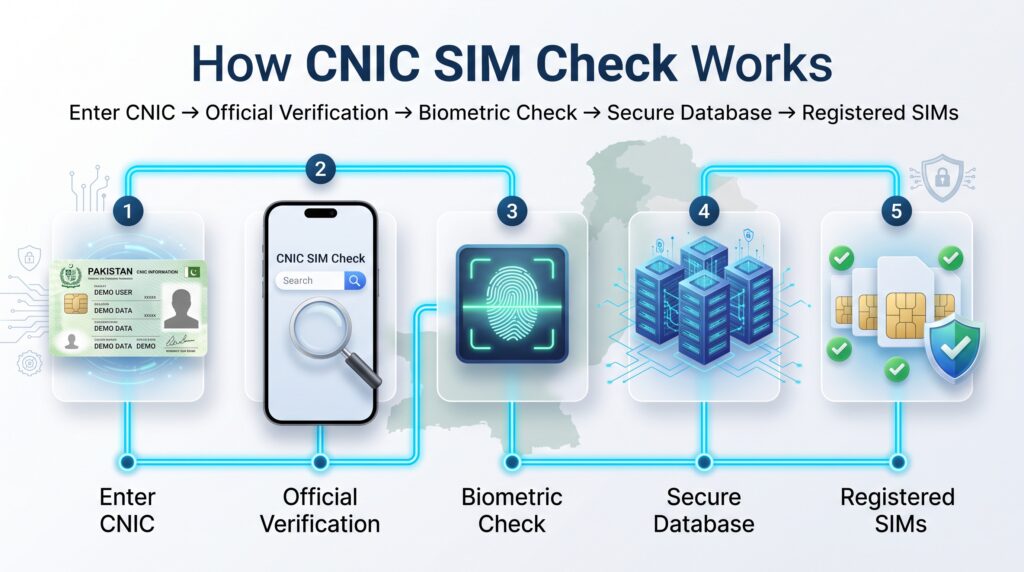
    How CNIC SIM Check works in Pakistan showing official verification, biometric authentication, secure telecom database, and registered SIM cards.
    Step-by-step illustration explaining how CNIC SIM Check works in Pakistan through official verification, biometric authentication, secure database, and registered SIM verification.

    When someone applies for a new SIM card through a licensed telecom operator, the registration process generally includes several important steps.

    Step 1 – Identity Verification

    The customer presents their original CNIC to begin the registration process.

    Step 2 – Biometric Verification

    Fingerprint verification is completed to confirm the applicant’s identity.

    Step 3 – Customer Information Validation

    The operator verifies the registration details before activating the connection.

    Step 4 – Network Registration

    After successful verification, the SIM is added to the operator’s network.

    Step 5 – SIM Activation

    Once all verification steps are completed successfully, the SIM becomes active.

    This structured process helps improve security and reduce unauthorized registrations.


    Why Biometric Verification Matters

    Biometric verification has become one of the most important parts of Pakistan’s telecom registration system.

    It provides several benefits:

    • Improves identity verification.
    • Helps reduce fraudulent registrations.
    • Strengthens telecom security.
    • Supports safer digital services.
    • Improves trust in mobile communication.

    Because fingerprints are unique to each individual, biometric verification adds an extra layer of protection during SIM registration.


    Key Benefits of CNIC SIM Check

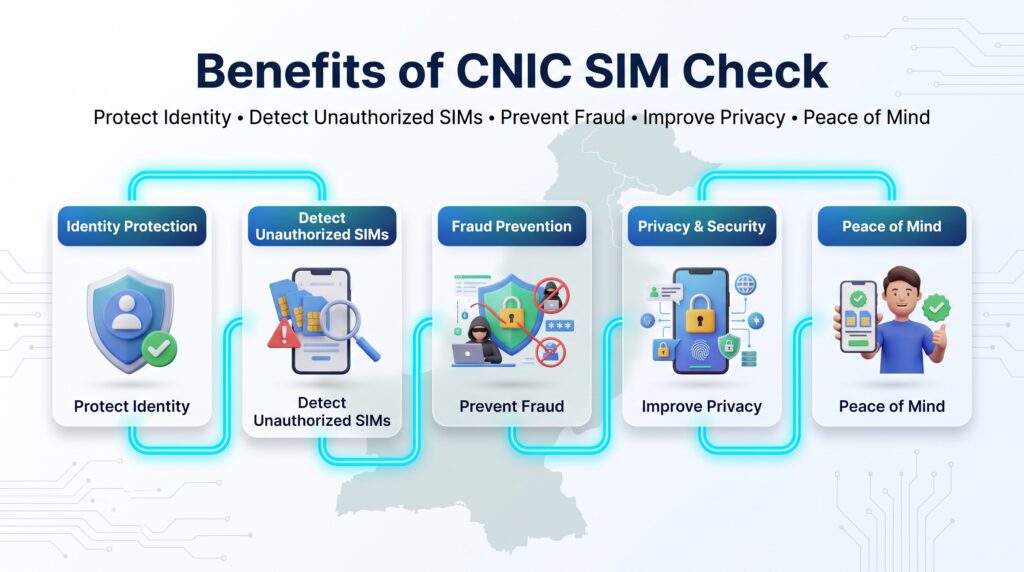
    Benefits of CNIC SIM Check in Pakistan including identity protection, fraud prevention, privacy, security, and detection of unauthorized SIM cards.
    Infographic showing the major benefits of performing a CNIC SIM Check in Pakistan, including identity protection, fraud prevention, privacy, and mobile security.

    Regularly reviewing the SIMs registered against your own CNIC offers several practical benefits.

    Better Security

    It helps users stay aware of their registered mobile connections.

    Identity Protection

    It reduces the risk of unknown or unauthorized SIM registrations going unnoticed.

    Digital Safety

    Many banking and online services depend on verified mobile numbers, making accurate SIM records increasingly important.

    Peace of Mind

    Knowing that your registered SIM count matches your own records provides greater confidence in your mobile identity.

    Responsible Mobile Usage

    Regular checks encourage users to manage their mobile connections responsibly and stay informed about their registrations.


    Quick Summary

    TopicExplanation
    PurposeVerify SIMs registered against your own CNIC
    IdentityBased on verified customer information
    SecurityHelps identify unexpected registrations
    RegistrationUses biometric verification
    RecommendationUse official verification methods only

    Pakistan Telecommunication Authority (PTA) and CNIC SIM Check

    Official CNIC SIM verification methods in Pakistan showing PTA guidelines, NADRA verification, telecom operators, biometric verification, and verified SIM registration.
    Official process for CNIC SIM verification in Pakistan including PTA, NADRA, biometric verification, telecom operators, and verified SIM registration.

    The Pakistan Telecommunication Authority (PTA) is the national regulator responsible for overseeing Pakistan’s telecom sector. Its responsibilities include regulating licensed mobile operators, promoting secure communication services, and establishing policies that support lawful SIM registration and subscriber protection.

    One of PTA’s major objectives is to ensure that every active mobile SIM is issued through proper identity verification procedures. This helps strengthen public trust, improve telecom security, and reduce fraudulent registrations.

    For users, PTA encourages the use of official verification methods to review SIMs associated with their own CNIC. Relying on authorized services helps protect privacy and ensures that verification is performed through legitimate channels.


    Why PTA Matters

    PTA plays an important role in maintaining a secure telecom ecosystem by:

    • Regulating licensed telecom operators.
    • Promoting secure SIM registration.
    • Supporting biometric verification procedures.
    • Encouraging responsible mobile usage.
    • Raising public awareness about telecom security.
    • Working to reduce misuse of mobile connections.

    These efforts contribute to a safer digital environment for individuals and businesses.


    NADRA’s Role in Identity Verification

    The National Database and Registration Authority (NADRA) is responsible for maintaining Pakistan’s national identity records. While telecom operators manage SIM registrations, identity verification relies on authenticated national identity information.

    When a new SIM is registered, the applicant’s identity is verified through established procedures that help ensure the connection is issued to the correct individual.

    Accurate identity verification supports:

    • Reliable customer identification.
    • Secure SIM registration.
    • Reduced identity misuse.
    • Better public confidence in telecom services.

    Although users may hear PTA and NADRA mentioned together, their responsibilities are different. PTA regulates telecom services, while NADRA manages national identity records.


    NCCIA and Cybercrime Awareness

    The National Cyber Crime Investigation Agency (NCCIA) works to investigate cybercrime and raise awareness about online threats. While NCCIA does not register SIM cards, it plays an important role in addressing digital crimes that may involve identity misuse, online fraud, phishing, or illegal access to personal information.

    Users should remain cautious if they encounter:

    • Fake SIM verification websites.
    • Phishing messages requesting CNIC information.
    • Calls asking for OTP codes.
    • Fraudulent social media pages.
    • Requests to share biometric information.
    • Websites claiming to reveal private subscriber data.

    If you suspect cyber fraud or identity misuse, use official reporting channels rather than responding to suspicious messages or websites.


    Official Ways to Verify SIM Information

    Users should always rely on official verification methods provided through authorized telecom services.

    Official verification generally helps users:

    • Confirm SIMs registered against their own CNIC.
    • Review registered mobile connections.
    • Identify unfamiliar registrations.
    • Keep their mobile records updated.

    Using official services helps protect privacy while reducing the risks associated with unofficial or misleading websites.


    Why You Should Avoid Unofficial Websites

    Many websites on the internet claim they can provide complete SIM owner information or private subscriber records. Such claims should be treated with caution.

    Possible risks include:

    • Privacy violations.
    • Identity theft.
    • Fake information.
    • Malware.
    • Phishing attacks.
    • Financial fraud.
    • Misleading results.

    Always verify information using official sources and avoid sharing personal details with unknown websites.


    Mobile Network Operators in Pakistan

    Pakistan’s telecom industry includes several licensed mobile operators that provide nationwide communication services.

    These operators include:

    • Jazz
    • Zong
    • Ufone
    • Telenor Pakistan
    • SCO (Special Communications Organization)

    Each operator follows applicable regulatory requirements for customer registration and identity verification.


    SIM Registration Limits

    Pakistan has policies regarding the number of SIM cards that may be associated with an individual’s identity under applicable regulations.

    Users should always:

    • Keep track of their registered SIMs.
    • Deactivate SIMs they no longer use.
    • Report lost SIM cards promptly.
    • Verify their registered SIM count periodically.

    Managing active connections responsibly helps improve security and reduces unnecessary risks.


    Benefits of Official Verification

    Official verification provides several advantages:

    Reliable Information

    Users receive information through authorized verification systems.

    Better Privacy Protection

    Personal subscriber information remains protected.

    Improved Security

    Official verification reduces exposure to fraudulent websites.

    Greater Confidence

    Users can manage their mobile identity more responsibly.


    Expert Recommendations

    Security experts generally recommend that users:

    • Review registered SIMs periodically.
    • Keep CNIC information confidential.
    • Avoid unofficial verification websites.
    • Never share OTP codes.
    • Use strong passwords for online accounts.
    • Enable two-factor authentication where available.
    • Report suspicious activity immediately.
    • Keep mobile software updated.

    These simple habits can significantly improve overall digital security.


    Comparison Table

    Official VerificationUnofficial Websites
    Uses authorized servicesUnknown sources
    Better privacy protectionHigher privacy risks
    More reliable informationInformation may be inaccurate
    Supports telecom regulationsMay violate privacy expectations
    Safer for usersHigher risk of scams

    Key Takeaways

    • PTA regulates Pakistan’s telecom sector.
    • NADRA supports identity verification processes.
    • NCCIA addresses cybercrime awareness and investigations.
    • Official verification methods are the safest option.
    • Avoid websites claiming to reveal private subscriber information.
    • Regular CNIC SIM Check helps users manage their registered mobile connections responsibly.

    Biometric Verification for SIM Registration

    Biometric verification is one of the most important security measures in Pakistan’s mobile registration system. Instead of relying only on identity documents, telecom operators verify the customer’s identity through fingerprint authentication before activating a new SIM card.

    This additional verification step helps ensure that every SIM card is issued to the correct individual and reduces the chances of unauthorized registrations.

    Biometric verification has significantly improved the transparency and security of Pakistan’s telecom industry by making identity confirmation more reliable than traditional manual verification methods.


    How Biometric Verification Works

    Although the exact procedure may vary slightly between operators, the overall process generally follows these steps:

    Step 1 – Visit an Authorized Franchise

    The applicant visits an authorized customer service center or franchise of a licensed telecom operator.


    Step 2 – Present Original CNIC

    The original Computerized National Identity Card (CNIC) is presented for identity verification.


    Step 3 – Fingerprint Authentication

    The applicant’s fingerprint is scanned using biometric equipment to confirm identity.


    Step 4 – Verification Process

    The operator completes the required verification process before approving the registration.


    Step 5 – SIM Activation

    Once verification is successfully completed, the SIM card is activated.


    Why Biometric Verification Is Important

    Biometric verification provides several important advantages.

    Better Identity Protection

    Fingerprint verification helps confirm that the SIM is issued to the correct individual.


    Reduced Fraud

    It significantly reduces fraudulent SIM registrations.


    Improved Public Security

    Verified subscriber information helps strengthen Pakistan’s telecom ecosystem.


    Better Customer Records

    Accurate registration improves customer support and account management.


    Secure Digital Services

    Many banking and financial services rely on verified mobile numbers, making proper registration increasingly important.


    Advantages of CNIC SIM Check

    Regularly checking the SIMs registered against your own CNIC offers several benefits.

    Personal Security

    You remain aware of every mobile connection linked with your identity.


    Identity Protection

    Unknown or unexpected registrations can be identified more quickly.


    Better Mobile Management

    Inactive or unused SIM cards can be reviewed and managed appropriately.


    Banking Safety

    Verified mobile numbers help support secure banking and online transactions.


    Peace of Mind

    Knowing your registration status reduces unnecessary concerns about identity misuse.


    Possible Limitations

    Although CNIC SIM Check is useful, users should also understand its limitations.

    • It is intended for checking SIMs associated with your own identity.
    • Personal subscriber information of other individuals is protected.
    • Official services focus on authorized verification rather than revealing private customer information.
    • Users should always respect privacy laws and telecom regulations.

    Common Problems Users Face

    Some users experience issues during verification or registration.

    Fingerprint Verification Failure

    Fingerprints may not be recognized immediately due to physical conditions or technical reasons.


    Old Registration Records

    Users who have changed operators or replaced SIM cards may wish to review their registered connections.


    Lost SIM Cards

    If a SIM card has been permanently lost, users should contact their mobile operator to receive appropriate assistance.


    Incorrect Customer Information

    Outdated customer records should be updated through official operator procedures.


    Network Delays

    Verification services may occasionally experience temporary delays.


    Practical Solutions

    If you encounter verification issues:

    • Visit an authorized franchise.
    • Carry your original CNIC.
    • Follow official operator guidance.
    • Avoid unofficial third-party services.
    • Verify information using authorized channels.

    Important Precautions

    To protect your mobile identity, always follow these precautions.

    Never Share OTP Codes

    One-time passwords should never be shared with unknown individuals.


    Keep Your CNIC Secure

    Avoid sending CNIC copies through untrusted websites or messaging platforms.


    Verify Unknown Calls

    Fraudsters sometimes pretend to represent telecom companies.

    Always verify before sharing information.


    Use Official Websites

    Only use official telecom resources when checking SIM-related information.


    Monitor Registered SIMs

    Periodically reviewing your registered SIM count helps maintain better control over your mobile identity.


    Privacy Protection Tips

    Good privacy habits can greatly improve digital security.

    Protect Personal Information

    Avoid publicly sharing:

    • CNIC Number
    • Mobile Number
    • OTP Codes
    • Biometric Information

    Secure Your Smartphone

    Enable:

    • Screen Lock
    • Fingerprint Lock
    • Face Unlock
    • Device Encryption

    Enable Two-Factor Authentication

    Whenever available, activate two-factor authentication for banking, email, and social media accounts.


    Update Mobile Software

    Keeping your phone updated helps protect against newly discovered security vulnerabilities.


    Best Practices for Mobile Security

    Experts recommend following these habits.

    ✅ Review registered SIMs regularly.

    ✅ Keep personal information private.

    ✅ Use strong passwords.

    ✅ Enable biometric security on your device.

    ✅ Install applications only from trusted sources.

    ✅ Avoid suspicious links.

    ✅ Verify telecom messages before responding.

    ✅ Report suspicious activity promptly.


    Quick Comparison

    Good PracticeRisky Practice
    Official SIM VerificationUnknown Websites
    Protect OTPShare OTP
    Secure SmartphoneNo Screen Lock
    Authorized FranchiseUnknown Agents
    Official InformationSocial Media Rumors

    Expert Advice

    Digital security is not only about protecting your mobile phone—it is also about protecting your identity.

    By combining regular CNIC SIM Check, biometric verification, secure passwords, software updates, and awareness of online scams, users can significantly reduce the chances of identity misuse and enjoy safer mobile services.

    SIM Fraud and Scam Awareness

    Common SIM fraud and scam awareness in Pakistan showing fake calls, phishing SMS, fake websites, identity theft, and safe mobile security practices.
    Infographic explaining common SIM frauds in Pakistan including fake calls, phishing SMS, fake websites, identity theft, and safe mobile security practices.

    As mobile technology has become an important part of daily life, cybercriminals have also developed new ways to target users. Fraudsters often try to exploit trust, curiosity, or urgency to obtain personal information such as CNIC details, verification codes, or banking credentials.

    Understanding common SIM-related scams helps users recognize suspicious activities and respond safely.


    Common Types of SIM Scams

    Fake Verification Calls

    Scammers sometimes pretend to represent a telecom company, government department, or financial institution. They may ask for your CNIC number, OTP, passwords, or other confidential information.

    Remember:

    • Legitimate organizations do not normally ask for OTP codes over unsolicited calls.
    • Never share confidential information with unknown callers.

    Fake SMS Messages

    Fraudulent SMS messages often claim that:

    • Your SIM will be blocked.
    • Your account requires urgent verification.
    • You have won a prize.
    • Your banking account needs confirmation.

    These messages usually encourage users to click suspicious links or provide personal information.


    Phishing Websites

    Some websites imitate official portals and ask visitors to enter sensitive information.

    Warning signs include:

    • Poor website design.
    • Suspicious domain names.
    • Requests for OTP or passwords.
    • Unrealistic promises.

    Always verify that you are using the official website before submitting personal information.


    Social Engineering

    Social engineering is a technique where attackers manipulate people into revealing confidential information.

    Examples include:

    • Pretending to be customer support.
    • Claiming there is an emergency.
    • Offering fake rewards.
    • Creating unnecessary panic.

    Staying calm and verifying information through official channels is the best defense.


    Identity Theft

    Identity theft occurs when someone attempts to misuse another person’s identity information.

    Protecting your CNIC, mobile number, and personal documents helps reduce this risk.


    Warning Signs of Fraud

    Be cautious if someone:

    • Requests OTP codes.
    • Asks for biometric information.
    • Promises instant SIM activation without verification.
    • Claims to provide private subscriber information.
    • Requests payment before verification.
    • Uses pressure or urgency.

    If something seems suspicious, verify it through official sources.


    How to Protect Yourself

    Simple habits can greatly improve your digital security.

    Protect Your CNIC

    Keep your CNIC secure and avoid sharing copies unnecessarily.


    Never Share OTP Codes

    OTP codes are private and should never be shared with anyone.


    Verify Official Communications

    Always confirm messages through official telecom channels before taking action.


    Use Strong Device Security

    Enable:

    • Screen Lock
    • Fingerprint Lock
    • Face Unlock
    • Device Encryption

    Keep Your Applications Updated

    Install updates regularly to receive important security improvements.


    What to Do if You Suspect Fraud

    If you believe someone is attempting to misuse your identity or mobile information:

    • Contact your telecom operator.
    • Review your registered SIMs.
    • Secure important online accounts.
    • Change passwords if necessary.
    • Enable two-factor authentication.
    • Report cybercrime through the appropriate official channels if applicable.

    Taking action quickly helps reduce potential risks.


    Do’s and Don’ts

    Do

    • Use official verification methods.
    • Keep personal information private.
    • Verify suspicious communications.
    • Review registered SIMs periodically.
    • Update your mobile software.
    • Enable strong device security.

    Don’t

    • Share OTP codes.
    • Share passwords.
    • Trust unofficial SIM databases.
    • Click suspicious links.
    • Respond to unknown callers requesting confidential information.
    • Install applications from unknown sources.

    Expert Recommendations

    Digital security specialists generally recommend:

    • Periodically reviewing SIM registrations.
    • Maintaining updated contact information.
    • Using unique passwords.
    • Activating two-factor authentication.
    • Remaining cautious of unexpected messages.
    • Staying informed about common cyber threats.

    Consistent security habits provide better long-term protection than reacting only after a problem occurs.


    Comparison Table

    Safe PracticeUnsafe Practice
    Official verificationUnknown websites
    Strong passwordsWeak passwords
    Screen lock enabledNo device security
    Official customer supportUnknown callers
    Secure Wi-FiPublic unsecured Wi-Fi
    Updated softwareOutdated devices

    Quick Security Checklist

    Security tips for safe SIM usage in Pakistan including protecting CNIC, never sharing OTP, using strong passwords, verifying official sources, reporting fraud, and staying secure.
    Security Tips for Safe SIM Usage in Pakistan

    Before finishing this guide, review the following checklist:

    ✅ My CNIC information is protected.

    ✅ I know how many SIMs are registered against my identity.

    ✅ I never share OTP verification codes.

    ✅ I use strong passwords.

    ✅ My smartphone has screen lock enabled.

    ✅ I verify suspicious calls.

    ✅ I avoid unofficial verification websites.

    ✅ My applications are regularly updated.


    CNIC SIM Check quick safety checklist infographic explaining how to protect your CNIC, verify registered SIMs, avoid scams, and improve mobile security in Pakistan.
    Final safety checklist for protecting your CNIC, registered SIMs, personal identity, and mobile security in Pakistan.

    Frequently Asked Questions (FAQ)

    1. What is a CNIC SIM Check?

    A CNIC SIM Check allows users to verify how many SIM cards are registered against their own Computerized National Identity Card (CNIC). Reviewing your registered SIM count is a useful way to stay aware of your mobile connections and support good digital security practices.


    2. Why should I perform a CNIC SIM Check?

    Checking the SIMs associated with your own CNIC can help you identify unfamiliar registrations, manage your active connections, and maintain accurate mobile records.


    3. Can I check another person’s SIM information?

    No. Personal subscriber information is protected by privacy laws. Official verification services are intended for checking SIMs associated with your own identity.


    4. Is biometric verification necessary?

    Biometric verification is an important part of the SIM registration process and helps confirm the identity of the applicant during registration.


    5. Which organizations are involved in SIM registration?

    Several organizations have different responsibilities:

    • PTA regulates the telecom sector.
    • NADRA manages national identity records.
    • Licensed telecom operators register SIM cards according to applicable regulations.
    • NCCIA investigates cybercrime and raises awareness about online fraud.

    6. What should I do if I notice an unfamiliar SIM linked to my CNIC?

    Contact your mobile operator through official customer support or visit an authorized franchise to review your registered connections and request guidance.


    7. How often should I check my registered SIMs?

    There is no fixed schedule, but checking periodically—especially after replacing a SIM card, changing operators, or recovering from a lost phone—is a sensible security habit.


    8. Are unofficial SIM verification websites safe?

    Be cautious. Some websites make misleading claims or request sensitive information. Use official verification methods whenever possible.


    9. Can SIM registration improve mobile security?

    Accurate registration and periodic verification help users manage their mobile identity more responsibly and reduce the chances of identity misuse.


    10. What information should never be shared?

    Never share:

    • OTP codes
    • Passwords
    • PIN codes
    • Biometric information
    • Sensitive personal documents with untrusted sources

    Best Practices

    To keep your mobile identity secure, follow these recommendations:

    • Review SIMs registered against your own CNIC from time to time.
    • Use official verification methods only.
    • Protect your CNIC and personal documents.
    • Keep your smartphone updated.
    • Enable biometric lock or screen lock.
    • Use strong, unique passwords.
    • Enable two-factor authentication where available.
    • Be cautious of unexpected messages or calls.
    • Report suspicious activity through the appropriate official channels.

    Official Resources

    For accurate and up-to-date information, always rely on official sources:

    1. Pakistan Telecommunication Authority (PTA)
    2. Official SIM Information System
    3. NADRA
    4. NCCIA
    5. Licensed telecom operators

    These organizations provide guidance on telecom services, identity verification, and cyber safety.


    Key Takeaways

    Before finishing, remember these important points:

    • CNIC SIM Check helps users review SIMs associated with their own identity.
    • Official verification methods are the safest option.
    • Biometric verification improves registration security.
    • Protecting your CNIC and OTP codes is essential.
    • Avoid unofficial websites claiming to reveal private subscriber information.
    • Regular verification supports better digital security and responsible mobile usage.

    Final Conclusion

    Mobile numbers have become an essential part of modern life, connecting users with banking, communication, online services, and digital identity. Because of this, reviewing the SIMs associated with your own CNIC is an important security practice.

    A CNIC SIM Check helps users stay informed about their registered mobile connections while encouraging responsible telecom usage. By relying on official verification methods, protecting personal information, and following basic cybersecurity practices, users can better safeguard their digital identity.

    As technology continues to evolve, awareness remains one of the strongest forms of protection. Staying informed, using trusted resources, and practicing good mobile security habits can help create a safer digital experience for everyone.

  • SIM Owner Details Pakistan – Complete Guide (2026)

    SIM Owner Details Pakistan – Complete Guide (2026)

    Introduction

    In today’s digital world, mobile phones have become an essential part of daily life. Whether you use your SIM card for calls, banking, social media, online shopping, or business communication, ensuring that your mobile number is correctly registered is extremely important. This is why thousands of people search for SIM Owner Details every day.

    Many users want to know how SIM registration works, how to verify SIM information, how many SIM cards are registered on their Computerized National Identity Card (CNIC), and what the Pakistan Telecommunication Authority (PTA) recommends for secure mobile usage. At the same time, there are many misconceptions on the internet about accessing private subscriber information. Understanding what information can legally be verified—and what remains protected—is essential for safeguarding your privacy.
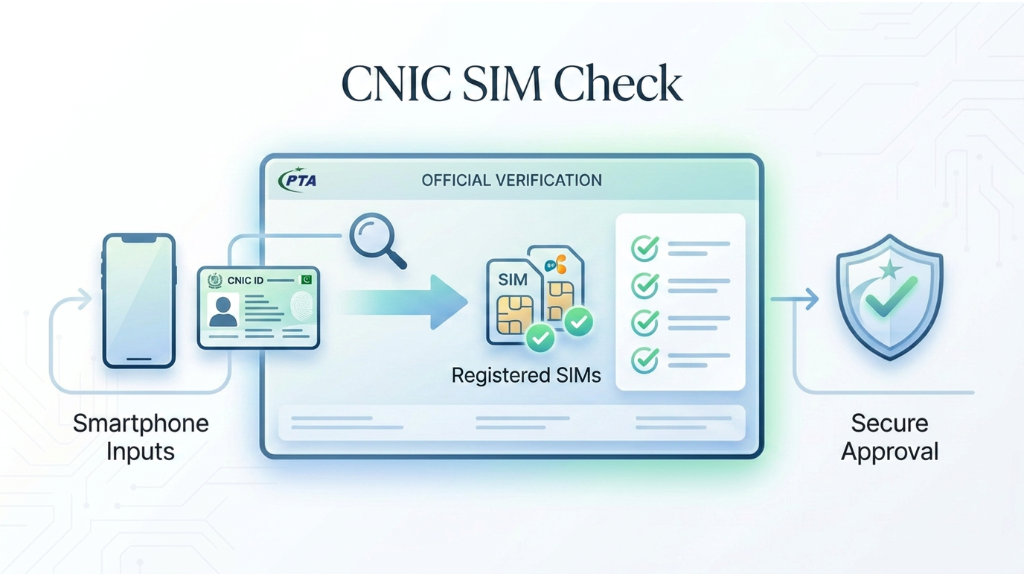
    This guide explains SIM owner details in Pakistan, the official verification process, privacy considerations, security tips, common scams, and the best practices recommended by telecom authorities. By the end of this article, you will have a clear understanding of SIM registration, verification, and safe mobile usage.


    Table of Contents

    • What Are SIM Owner Details?
    • Understanding SIM Registration in Pakistan
    • Why People Search SIM Owner Details
    • Evolution of SIM Registration in Pakistan
    • Importance of SIM Verification
    • PTA’s Role
    • How SIM Registration Works
    • Official Verification Methods
    • Privacy & Security
    • Frequently Asked Questions
    • Final Thoughts

    What Are SIM Owner Details?

    What are SIM owner details in Pakistan showing CNIC, mobile number, SIM card, and secure telecom database.
    Understanding SIM owner details, CNIC verification, and secure telecom registration.

    SIM Owner Details refer to the registration information associated with a mobile SIM card. Every SIM issued by a licensed mobile operator in Pakistan must be registered against a valid CNIC using biometric verification. This process ensures that each mobile connection is linked to an identifiable subscriber, helping improve security and reduce misuse.

    When people search for SIM Owner Details, they usually want to:

    • Verify SIMs registered on their own CNIC.
    • Ensure there are no unauthorized mobile connections.
    • Understand the SIM registration process.
    • Learn official verification methods.
    • Stay informed about telecom regulations.
    • Protect themselves from identity misuse.

    It is important to note that personal subscriber information is protected by privacy laws and is not publicly available.


    Understanding SIM Registration in Pakistan

    SIM registration process in Pakistan including CNIC verification, biometric verification, network registration, and SIM activation.
    Step-by-step process of SIM registration and activation in Pakistan.

    Pakistan introduced biometric SIM verification to strengthen national security and reduce the misuse of mobile connections. Today, all licensed mobile operators are required to verify customer identities before activating a SIM card.

    The registration process generally includes:

    • Verification of the original CNIC.
    • Biometric fingerprint verification.
    • Identity validation.
    • Network registration.
    • Activation after successful verification.

    This process helps prevent fraudulent registrations and improves trust in mobile communication services.


    Why Do People Search SIM Owner Details?

    Millions of users search for information related to SIM owner details for different reasons. Some of the most common include:

    1. Checking Registered SIMs

    Users often want to confirm how many SIM cards are registered against their CNIC to ensure no unauthorized numbers exist.

    2. Identity Protection

    Regular verification helps protect personal identity and reduces the risk of fraudulent activities.

    3. Mobile Security

    Many individuals verify SIM information after losing a mobile phone or changing service providers.

    4. Compliance with PTA Regulations

    Understanding official procedures helps users remain compliant with telecom regulations and avoid issues related to SIM ownership.

    5. General Awareness

    Many users simply want to understand how SIM registration works and what information can legally be verified.


    Evolution of SIM Registration in Pakistan

    Over the years, Pakistan has significantly improved its SIM registration framework. Earlier systems relied on manual verification methods, which were more vulnerable to misuse. The introduction of biometric verification strengthened the registration process and reduced the chances of unauthorized SIM issuance.

    Modern SIM registration now emphasizes:

    • Accurate identity verification.
    • Biometric authentication.
    • Secure customer records.
    • Better fraud prevention.
    • Improved public safety.

    These measures have contributed to a more secure telecom environment for consumers.


    Why SIM Verification Is Important

    SIM verification plays a vital role in protecting both users and telecom networks. Proper verification helps:

    • Prevent identity theft.
    • Reduce unauthorized SIM registrations.
    • Improve mobile security.
    • Support secure banking and digital services.
    • Strengthen law enforcement efforts.
    • Increase trust in mobile communications.

    For users, regularly reviewing the SIMs registered on their own CNIC is a simple yet effective way to maintain account security.


    Key Benefits of Proper SIM Registration

    Proper SIM registration provides several advantages:

    • Secure identity verification.
    • Protection against fraudulent registrations.
    • Reliable customer support.
    • Safer online banking and financial transactions.
    • Compliance with telecom regulations.
    • Better recovery options if a SIM is lost or stolen.

    Businesses also benefit from verified mobile numbers by improving customer communication and reducing fraud.


    Common Misconceptions

    Many websites claim they can provide complete SIM owner details, personal information, or private subscriber records. These claims should be treated with caution.

    In reality:

    • Subscriber privacy is protected.
    • Personal information is not publicly accessible.
    • Official verification services only allow users to verify information related to their own registered SIMs.
    • Unauthorized access to private information may violate applicable laws.

    Using official channels is always the safest and most reliable approach.


    Conclusion .

    Understanding SIM Owner Details is essential for every mobile user in Pakistan. Knowing how SIM registration works, why verification matters, and how official procedures protect user privacy helps create a safer digital environment. The next section will explain the role of the Pakistan Telecommunication Authority (PTA), biometric verification, official verification methods, and the complete SIM registration process in greater detail.

    PTA’s Role in SIM Registration

    PTA SIM verification process for secure telecom registration and mobile verification in Pakistan.
    Official PTA SIM verification process for secure mobile registration.

    The Pakistan Telecommunication Authority (PTA) is responsible for regulating Pakistan’s telecom industry and ensuring that all mobile operators follow national security and subscriber verification regulations.

    PTA introduced biometric SIM verification to eliminate fake registrations and improve transparency in mobile services. Under these regulations, every active SIM card must be linked to a valid Computerized National Identity Card (CNIC).

    PTA also provides official services that allow users to check the number of SIM cards registered against their own CNIC. This helps users identify unauthorized SIM registrations and maintain control over their mobile identity.

    Following PTA guidelines protects users from fraud, identity theft, and unauthorized use of mobile connections.


    How SIM Registration Works

    The SIM registration process in Pakistan is simple but highly secure. Every licensed telecom operator follows the same verification procedure before activating a new SIM card.

    Step 1: Visit an Authorized Franchise

    Customers visit an official franchise or customer service center of their telecom operator.

    Step 2: Present Original CNIC

    The customer must provide the original CNIC for identity verification.

    Step 3: Biometric Verification

    Fingerprints are scanned using a biometric verification device connected with NADRA records.

    Step 4: Identity Confirmation

    The telecom operator verifies the applicant’s identity before processing the registration request.

    Step 5: SIM Activation

    After successful verification, the SIM card is activated and linked to the customer’s CNIC.

    This secure process helps reduce fake registrations while ensuring that every mobile connection belongs to its rightful owner.


    Official Verification Methods

    CNIC SIM check process showing official verification of registered SIM cards in Pakistan.
    Official process to verify SIM cards registered against your CNIC.

    Users should always rely on official methods to verify SIM-related information.

    The safest options include:

    • PTA SIM Information Service
    • Official telecom franchises
    • Customer support centers
    • Mobile operator helplines
    • Official telecom mobile applications

    Avoid using unauthorized websites that claim to reveal private subscriber information, as these services may provide inaccurate data or compromise user privacy.


    Privacy and Security Tips

    Privacy and mobile security tips including encrypted data, app permissions, secure Wi-Fi, and two-factor authentication.
    Essential privacy and mobile security practices for every smartphone user.

    Keeping your SIM information secure is essential for protecting your identity.

    Follow these best practices:

    • Never share your CNIC unnecessarily.
    • Do not disclose OTP verification codes.
    • Enable SIM lock on your mobile phone.
    • Regularly review SIMs registered on your CNIC.
    • Report suspicious mobile activity immediately.
    • Purchase SIM cards only from authorized retailers.
    • Keep your personal information updated with your mobile operator.

    These simple precautions significantly reduce the risk of identity fraud and unauthorized SIM usage.


    Comparison Table

    Verification MethodOfficialRecommended
    PTA SIM Information Service✅ Yes⭐⭐⭐⭐⭐
    Telecom Franchise✅ Yes⭐⭐⭐⭐⭐
    Customer Support✅ Yes⭐⭐⭐⭐
    Unknown Third-Party Websites❌ No❌ Avoid

    Frequently Asked Questions (FAQ)

    1. How can I check SIM Owner Details in Pakistan?

    You can verify SIM-related information using official services provided by PTA or your mobile network operator.

    2. Can I view another person’s SIM information?

    No. Personal subscriber information is protected by privacy laws and cannot legally be accessed without authorization.

    3. Why is biometric verification required?

    Biometric verification ensures that every SIM card is linked to its legitimate owner, helping reduce fraud and unauthorized registrations.

    4. How many SIM cards can be registered on one CNIC?

    The number depends on current PTA regulations. Users should always verify their registered SIMs through official channels.

    5. What should I do if I find an unknown SIM registered on my CNIC?

    Immediately contact your mobile operator or visit an authorized franchise to investigate and resolve the issue.


    Final Thoughts

    SIM Owner Details Pakistan remain an important topic for every mobile user. Understanding how SIM registration works, following PTA regulations, and using official verification methods helps protect your identity and improve digital security.

    Always rely on authorized telecom operators and official government services for SIM verification. Avoid unofficial websites that claim to provide private subscriber information, as protecting personal privacy should always remain a priority.

    Common SIM-Related Scams

    SIM fraud and scam awareness guide showing fake SMS, scam calls, fake websites, identity theft, and OTP protection.
    Learn how to avoid SIM fraud, fake SMS, phishing websites, and identity theft.

    As mobile technology continues to grow, scammers have developed new methods to target mobile users. Being aware of these scams can help protect your personal information.

    Fake Verification Calls

    Fraudsters often pretend to be representatives from telecom companies and ask for your CNIC number, OTP, or biometric details. Legitimate operators never ask for sensitive information over an unsolicited phone call.

    Fake SIM Registration Websites

    Some websites falsely claim to provide complete SIM owner details or private subscriber records. These websites are unofficial and should never be trusted with your personal information.

    Identity Theft

    If your CNIC is misused, someone may attempt to register a SIM card without your knowledge. Regularly checking the SIMs registered on your CNIC helps detect unauthorized registrations.

    SMS and WhatsApp Scams

    Scammers may send fake messages requesting verification or account updates. Never click unknown links or share verification codes.


    Best Practices for Mobile Security

    Protecting your SIM card is an important part of digital security. Follow these recommendations:

    • Keep your CNIC information secure.
    • Never share OTP or verification codes.
    • Purchase SIM cards only from authorized franchises.
    • Enable a SIM PIN on your phone.
    • Report lost or stolen SIM cards immediately.
    • Check your registered SIMs periodically.
    • Keep your contact information updated with your telecom operator.
    • Avoid unofficial SIM information websites.

    Official Telecom Operators in Pakistan

    Pakistan has several licensed telecom operators regulated by PTA.

    Telecom OperatorServices
    JazzVoice, SMS, 4G Internet
    ZongVoice, SMS, 4G/5G Services
    Telenor PakistanVoice, SMS, Internet
    UfoneVoice, SMS, Data Services
    SCOTelecom services in selected regions

    Quick Summary

    Official verification methods in Pakistan including PTA verification, CNIC SIM check, biometric verification, and mobile security.
    Overview of official SIM verification methods recommended for mobile users in Pakistan.

    If you don’t have time to read the complete guide, remember these key points:

    • Every SIM card must be registered against a valid CNIC.
    • Biometric verification is mandatory.
    • Use only official PTA-approved verification methods.
    • Never trust unofficial websites claiming to reveal private subscriber information.
    • Regularly review SIMs linked to your CNIC.
    • Protect your personal identity by following mobile security best practices.

    Final Conclusion

    SIM Owner Details Pakistan continue to be an important topic for every mobile user. Understanding the SIM registration process, biometric verification, PTA regulations, and privacy protections helps users stay informed and secure.

    Whether you are checking the SIMs registered against your CNIC, verifying your mobile information, or learning about telecom regulations, always rely on official sources and avoid unauthorized services. Staying informed not only protects your personal identity but also contributes to a safer digital environment for everyone.